snowman/transitive.go:392 consensus starting {"lastAcceptedBlock": "2qaFwDJtmCCbMKP4jRpJwH8EFws82Q2yC1HhWgAiy3tGrpGFeb"}
[09-09|17:01:46.199] INFO snowman/transitive.go:392 consensus starting {"lastAcceptedBlock": "2ofmPJuWZbdroCPEMv6aHGvZ45oa8SBp2reEm9gNxvFjnfSGFP"}
[09-09|17:01:51.628] INFO snowman/transitive.go:334 consensus starting {"lenFrontier": 1}
```
### Check Bootstrapping Progress[](#check-bootstrapping-progress "Direct link to heading")
To check if a given chain is done bootstrapping, in another terminal window call [`info.isBootstrapped`](/docs/rpcs/other/info-rpc#infoisbootstrapped) by copying and pasting the following command:
```bash
curl -X POST --data '{
"jsonrpc":"2.0",
"id" :1,
"method" :"info.isBootstrapped",
"params": {
"chain":"X"
}
}' -H 'content-type:application/json;' 127.0.0.1:9650/ext/info
```
If this returns `true`, the chain is bootstrapped; otherwise, it returns `false`. If you make other API calls to a chain that is not done bootstrapping, it will return `API call rejected because chain is not done bootstrapping`. If you are still experiencing issues please contact us on [Discord.](https://chat.avalabs.org/)
The 3 chains will bootstrap in the following order: P-chain, X-chain, C-chain.
Learn more about bootstrapping [here](/docs/nodes/maintain/bootstrapping).
## RPC
When finished bootstrapping, the X, P, and C-Chain RPC endpoints will be:
```bash
localhost:9650/ext/bc/P
localhost:9650/ext/bc/X
localhost:9650/ext/bc/C/rpc
```
if run locally, or
```bash
XXX.XX.XX.XXX:9650/ext/bc/P
XXX.XX.XX.XXX:9650/ext/bc/X
XXX.XX.XX.XXX:9650/ext/bc/C/rpc
```
if run on a cloud provider. The “XXX.XX.XX.XXX" should be replaced with the public IP of your EC2 instance.
For more information on the requests available at these endpoints, please see the [AvalancheGo API Reference](/docs/rpcs/p-chain) documentation.
## Going Further
Your Avalanche node will perform consensus on its own, but it is not yet a validator on the network. This means that the rest of the network will not query your node when sampling the network during consensus. If you want to add your node as a validator, check out [Add a Validator](/docs/primary-network/validate/node-validator) to take it a step further.
Also check out the [Maintain](/docs/nodes/maintain/bootstrapping) section to learn about how to maintain and customize your node to fit your needs.
To track an Avalanche L1 with your node, head to the [Avalanche L1 Node](/docs/nodes/run-a-node/avalanche-l1-nodes) tutorial.
# Using Pre-Built Binary (/docs/nodes/run-a-node/using-binary)
---
title: Using Pre-Built Binary
description: Learn how to run an Avalanche node from a pre-built binary program.
---
## Download Binary
To download a pre-built binary instead of building from source code, go to the official [AvalancheGo releases page](https://github.com/ava-labs/avalanchego/releases), and select the desired version.
Scroll down to the **Assets** section, and select the appropriate file. You can follow below rules to find out the right binary.
### For MacOS
Download the `avalanchego-macos-.zip` file and unzip using the below command:
```bash
unzip avalanchego-macos-.zip
```
The resulting folder, `avalanchego-`, contains the binaries.
### Linux (PCs or Cloud Providers)
Download the `avalanchego-linux-amd64-.tar.gz` file and unzip using the below command:
```bash
tar -xvf avalanchego-linux-amd64-.tar.gz
```
The resulting folder, `avalanchego--linux`, contains the binaries.
### Linux (Arm64)
Download the `avalanchego-linux-arm64-.tar.gz` file and unzip using the below command:
```bash
tar -xvf avalanchego-linux-arm64-.tar.gz
```
The resulting folder, `avalanchego--linux`, contains the binaries.
## Start the Node
To be able to make API calls to your node from other machines, include the argument `--http-host=` when starting the node.
### MacOS
For running a node on the Avalanche Mainnet:
```bash
./avalanchego-/build/avalanchego
```
For running a node on the Fuji Testnet:
```bash
./avalanchego-/build/avalanchego --network-id=fuji
```
### Linux
For running a node on the Avalanche Mainnet:
```bash
./avalanchego--linux/avalanchego
```
For running a node on the Fuji Testnet:
```bash
./avalanchego--linux/avalanchego --network-id=fuji
```
## Bootstrapping
A new node needs to catch up to the latest network state before it can participate in consensus and serve API calls. This process (called bootstrapping) currently takes several days for a new node connected to Mainnet, and a day or so for a new node connected to Fuji Testnet. When a given chain is done bootstrapping, it will print logs like this:
```bash
[09-09|17:01:45.295] INFO snowman/transitive.go:392 consensus starting {"lastAcceptedBlock": "2qaFwDJtmCCbMKP4jRpJwH8EFws82Q2yC1HhWgAiy3tGrpGFeb"}
[09-09|17:01:46.199] INFO snowman/transitive.go:392 consensus starting {"lastAcceptedBlock": "2ofmPJuWZbdroCPEMv6aHGvZ45oa8SBp2reEm9gNxvFjnfSGFP"}
[09-09|17:01:51.628] INFO snowman/transitive.go:334 consensus starting {"lenFrontier": 1}
```
### Check Bootstrapping Progress[](#check-bootstrapping-progress "Direct link to heading")
To check if a given chain is done bootstrapping, in another terminal window call [`info.isBootstrapped`](/docs/rpcs/other/info-rpc#infoisbootstrapped) by copying and pasting the following command:
```bash
curl -X POST --data '{
"jsonrpc":"2.0",
"id" :1,
"method" :"info.isBootstrapped",
"params": {
"chain":"X"
}
}' -H 'content-type:application/json;' 127.0.0.1:9650/ext/info
```
If this returns `true`, the chain is bootstrapped; otherwise, it returns `false`. If you make other API calls to a chain that is not done bootstrapping, it will return `API call rejected because chain is not done bootstrapping`. If you are still experiencing issues please contact us on [Discord.](https://chat.avalabs.org/)
The 3 chains will bootstrap in the following order: P-chain, X-chain, C-chain.
Learn more about bootstrapping [here](/docs/nodes/maintain/bootstrapping).
## RPC
When finished bootstrapping, the X, P, and C-Chain RPC endpoints will be:
```bash
localhost:9650/ext/bc/P
localhost:9650/ext/bc/X
localhost:9650/ext/bc/C/rpc
```
if run locally, or
```bash
XXX.XX.XX.XXX:9650/ext/bc/P
XXX.XX.XX.XXX:9650/ext/bc/X
XXX.XX.XX.XXX:9650/ext/bc/C/rpc
```
if run on a cloud provider. The “XXX.XX.XX.XXX" should be replaced with the public IP of your EC2 instance.
For more information on the requests available at these endpoints, please see the [AvalancheGo API Reference](/docs/rpcs/p-chain) documentation.
## Going Further
Your Avalanche node will perform consensus on its own, but it is not yet a validator on the network. This means that the rest of the network will not query your node when sampling the network during consensus. If you want to add your node as a validator, check out [Add a Validator](/docs/primary-network/validate/node-validator) to take it a step further.
Also check out the [Maintain](/docs/nodes/maintain/bootstrapping) section to learn about how to maintain and customize your node to fit your needs.
To track an Avalanche L1 with your node, head to the [Avalanche L1 Node](/docs/nodes/run-a-node/avalanche-l1-nodes) tutorial.
# Build AvalancheGo Docker Image (/docs/nodes/run-a-node/using-docker)
---
title: Build AvalancheGo Docker Image
description: Learn how to build a Docker image for AvalancheGo.
---
For an easier way to set up and run a node, try the [Avalanche Console Node Setup Tool](/console/primary-network/node-setup).
## Prerequisites
Before beginning, you must ensure that:
- Docker is installed on your system
- You need to clone the [AvalancheGo repository](https://github.com/ava-labs/avalanchego)
- You need to install [GCC](https://gcc.gnu.org/) and [Go](https://go.dev/doc/install)
- Docker daemon is running on your machine
You can verify your Docker installation by running:
```bash
docker --version
```
## Building the Docker Image
To build the Docker image for the latest `avalanchego` branch:
1. Navigate to the project directory
2. Execute the build script:
```bash
./scripts/build_image.sh
```
This script will create a Docker image containing the latest version of AvalancheGo.
## Verifying the Build
After the build completes, verify the image was created successfully:
```bash
docker image ls
```
You should see an image with:
- Repository: `avaplatform/avalanchego`
- Tag: `xxxxxxxx` (where `xxxxxxxx` is the shortened commit hash of the source code used for the build)
## Running AvalancheGo Node
To start an AvalancheGo node, run the following command:
```bash
docker run -ti -p 9650:9650 -p 9651:9651 avaplatform/avalanchego:xxxxxxxx /avalanchego/build/avalanchego
```
This command:
- Creates an interactive container (`-ti`)
- Maps the following ports:
- `9650`: HTTP API port
- `9651`: P2P networking port
- Uses the built AvalancheGo image
- Executes the AvalancheGo binary inside the container
## Port Configuration
The default ports used by AvalancheGo are:
- `9650`: HTTP API
- `9651`: P2P networking
Ensure these ports are available on your host machine and not blocked by firewalls.
# Health RPC (/docs/rpcs/other/health-rpc)
---
title: "Health RPC"
description: "This page is an overview of the Health RPC associated with AvalancheGo."
edit_url: https://github.com/ava-labs/avalanchego/edit/master/api/health/service.md
---
The Health API can be used for measuring node health.
This API set is for a specific node; it is unavailable on the [public server](https://build.avax.network/docs/tooling/rpc-providers).
## Health Checks
The node periodically runs all health checks, including health checks for each chain.
The frequency at which health checks are run can be specified with the [\--health-check-frequency](https://build.avax.network/docs/nodes/configure/configs-flags) flag.
## Filterable Health Checks
The health checks that are run by the node are filterable. You can specify which health checks you want to see by using `tags` filters. Returned results will only include health checks that match the specified tags and global health checks like `network`, `database` etc. When filtered, the returned results will not show the full node health, but only a subset of filtered health checks. This means the node can still be unhealthy in unfiltered checks, even if the returned results show that the node is healthy. AvalancheGo supports using subnetIDs as tags.
## GET Request
To get an HTTP status code response that indicates the node's health, make a `GET` request. If the node is healthy, it will return a `200` status code. If the node is unhealthy, it will return a `503` status code. In-depth information about the node's health is included in the response body.
### Filtering
To filter GET health checks, add a `tag` query parameter to the request. The `tag` parameter is a string. For example, to filter health results by subnetID `29uVeLPJB1eQJkzRemU8g8wZDw5uJRqpab5U2mX9euieVwiEbL`, use the following query:
```sh
curl 'http://localhost:9650/ext/health?tag=29uVeLPJB1eQJkzRemU8g8wZDw5uJRqpab5U2mX9euieVwiEbL'
```
In this example returned results will contain global health checks and health checks that are related to subnetID `29uVeLPJB1eQJkzRemU8g8wZDw5uJRqpab5U2mX9euieVwiEbL`.
**Note**: This filtering can show healthy results even if the node is unhealthy in other Chains/Avalanche L1s.
In order to filter results by multiple tags, use multiple `tag` query parameters. For example, to filter health results by subnetID `29uVeLPJB1eQJkzRemU8g8wZDw5uJRqpab5U2mX9euieVwiEbL` and `28nrH5T2BMvNrWecFcV3mfccjs6axM1TVyqe79MCv2Mhs8kxiY` use the following query:
```sh
curl 'http://localhost:9650/ext/health?tag=29uVeLPJB1eQJkzRemU8g8wZDw5uJRqpab5U2mX9euieVwiEbL&tag=28nrH5T2BMvNrWecFcV3mfccjs6axM1TVyqe79MCv2Mhs8kxiY'
```
The returned results will include health checks for both subnetIDs as well as global health checks.
### Endpoints
The available endpoints for GET requests are:
- `/ext/health` returns a holistic report of the status of the node. **Most operators should monitor this status.**
- `/ext/health/health` is the same as `/ext/health`.
- `/ext/health/readiness` returns healthy once the node has finished initializing.
- `/ext/health/liveness` returns healthy once the endpoint is available.
## JSON RPC Request
### Format
This API uses the `json 2.0` RPC format. For more information on making JSON RPC calls, see [here](https://build.avax.network/docs/api-reference/guides/issuing-api-calls).
### Endpoint
### Methods
#### `health.health`
This method returns the last set of health check results.
**Example Call**:
```sh
curl -H 'Content-Type: application/json' --data '{
"jsonrpc":"2.0",
"id" :1,
"method" :"health.health",
"params": {
"tags": ["11111111111111111111111111111111LpoYY", "29uVeLPJB1eQJkzRemU8g8wZDw5uJRqpab5U2mX9euieVwiEbL"]
}
}' 'http://localhost:9650/ext/health'
```
**Example Response**:
```json
{
"jsonrpc": "2.0",
"result": {
"checks": {
"C": {
"message": {
"engine": {
"consensus": {
"lastAcceptedHeight": 31273749,
"lastAcceptedID": "2Y4gZGzQnu8UjnHod8j1BLewHFVEbzhULPNzqrSWEHkHNqDrYL",
"longestProcessingBlock": "0s",
"processingBlocks": 0
},
"vm": null
},
"networking": {
"percentConnected": 0.9999592612587486
}
},
"timestamp": "2024-03-26T19:44:45.2931-04:00",
"duration": 20375
},
"P": {
"message": {
"engine": {
"consensus": {
"lastAcceptedHeight": 142517,
"lastAcceptedID": "2e1FEPCBEkG2Q7WgyZh1v4nt3DXj1HDbDthyhxdq2Ltg3shSYq",
"longestProcessingBlock": "0s",
"processingBlocks": 0
},
"vm": null
},
"networking": {
"percentConnected": 0.9999592612587486
}
},
"timestamp": "2024-03-26T19:44:45.293115-04:00",
"duration": 8750
},
"X": {
"message": {
"engine": {
"consensus": {
"lastAcceptedHeight": 24464,
"lastAcceptedID": "XuFCsGaSw9cn7Vuz5e2fip4KvP46Xu53S8uDRxaC2QJmyYc3w",
"longestProcessingBlock": "0s",
"processingBlocks": 0
},
"vm": null
},
"networking": {
"percentConnected": 0.9999592612587486
}
},
"timestamp": "2024-03-26T19:44:45.29312-04:00",
"duration": 23291
},
"bootstrapped": {
"message": [],
"timestamp": "2024-03-26T19:44:45.293078-04:00",
"duration": 3375
},
"database": {
"timestamp": "2024-03-26T19:44:45.293102-04:00",
"duration": 1959
},
"diskspace": {
"message": {
"availableDiskBytes": 227332591616
},
"timestamp": "2024-03-26T19:44:45.293106-04:00",
"duration": 3042
},
"network": {
"message": {
"connectedPeers": 284,
"sendFailRate": 0,
"timeSinceLastMsgReceived": "293.098ms",
"timeSinceLastMsgSent": "293.098ms"
},
"timestamp": "2024-03-26T19:44:45.2931-04:00",
"duration": 2333
},
"router": {
"message": {
"longestRunningRequest": "66.90725ms",
"outstandingRequests": 3
},
"timestamp": "2024-03-26T19:44:45.293097-04:00",
"duration": 3542
}
},
"healthy": true
},
"id": 1
}
```
In this example response, every check has passed. So, the node is healthy.
**Response Explanation**:
- `checks` is a list of health check responses.
- A check response may include a `message` with additional context.
- A check response may include an `error` describing why the check failed.
- `timestamp` is the timestamp of the last health check.
- `duration` is the execution duration of the last health check, in nanoseconds.
- `contiguousFailures` is the number of times in a row this check failed.
- `timeOfFirstFailure` is the time this check first failed.
- `healthy` is true all the health checks are passing.
#### `health.readiness`
This method returns the last evaluation of the startup health check results.
**Example Call**:
```sh
curl -H 'Content-Type: application/json' --data '{
"jsonrpc":"2.0",
"id" :1,
"method" :"health.readiness",
"params": {
"tags": ["11111111111111111111111111111111LpoYY", "29uVeLPJB1eQJkzRemU8g8wZDw5uJRqpab5U2mX9euieVwiEbL"]
}
}' 'http://localhost:9650/ext/health'
```
**Example Response**:
```json
{
"jsonrpc": "2.0",
"result": {
"checks": {
"bootstrapped": {
"message": [],
"timestamp": "2024-03-26T20:02:45.299114-04:00",
"duration": 2834
}
},
"healthy": true
},
"id": 1
}
```
In this example response, every check has passed. So, the node has finished the startup process.
**Response Explanation**:
- `checks` is a list of health check responses.
- A check response may include a `message` with additional context.
- A check response may include an `error` describing why the check failed.
- `timestamp` is the timestamp of the last health check.
- `duration` is the execution duration of the last health check, in nanoseconds.
- `contiguousFailures` is the number of times in a row this check failed.
- `timeOfFirstFailure` is the time this check first failed.
- `healthy` is true all the health checks are passing.
#### `health.liveness`
This method returns healthy.
**Example Call**:
```sh
curl -H 'Content-Type: application/json' --data '{
"jsonrpc":"2.0",
"id" :1,
"method" :"health.liveness"
}' 'http://localhost:9650/ext/health'
```
**Example Response**:
```json
{
"jsonrpc": "2.0",
"result": {
"checks": {},
"healthy": true
},
"id": 1
}
```
In this example response, the node was able to handle the request and mark the service as healthy.
**Response Explanation**:
- `checks` is an empty list.
- `healthy` is true.
# Index RPC (/docs/rpcs/other/index-rpc)
---
title: "Index RPC"
description: "This page is an overview of the Index RPC associated with AvalancheGo."
edit_url: https://github.com/ava-labs/avalanchego/edit/master/indexer/service.md
---
AvalancheGo can be configured to run with an indexer. That is, it saves (indexes) every container (a block, vertex or transaction) it accepts on the X-Chain, P-Chain and C-Chain. To run AvalancheGo with indexing enabled, set command line flag [\--index-enabled](https://build.avax.network/docs/nodes/configure/configs-flags#--index-enabled-boolean) to true.
**AvalancheGo will only index containers that are accepted when running with `--index-enabled` set to true.** To ensure your node has a complete index, run a node with a fresh database and `--index-enabled` set to true. The node will accept every block, vertex and transaction in the network history during bootstrapping, ensuring your index is complete.
It is OK to turn off your node if it is running with indexing enabled. If it restarts with indexing still enabled, it will accept all containers that were accepted while it was offline. The indexer should never fail to index an accepted block, vertex or transaction.
Indexed containers (that is, accepted blocks, vertices and transactions) are timestamped with the time at which the node accepted that container. Note that if the container was indexed during bootstrapping, other nodes may have accepted the container much earlier. Every container indexed during bootstrapping will be timestamped with the time at which the node bootstrapped, not when it was first accepted by the network.
If `--index-enabled` is changed to `false` from `true`, AvalancheGo won't start as doing so would cause a previously complete index to become incomplete, unless the user explicitly says to do so with `--index-allow-incomplete`. This protects you from accidentally running with indexing disabled, after previously running with it enabled, which would result in an incomplete index.
This document shows how to query data from AvalancheGo's Index API. The Index API is only available when running with `--index-enabled`.
## Go Client
There is a Go implementation of an Index API client. See documentation [here](https://pkg.go.dev/github.com/ava-labs/avalanchego/indexer#Client). This client can be used inside a Go program to connect to an AvalancheGo node that is running with the Index API enabled and make calls to the Index API.
## Format
This API uses the `json 2.0` RPC format. For more information on making JSON RPC calls, see [here](https://build.avax.network/docs/api-reference/guides/issuing-api-calls).
## Endpoints
Each chain has one or more index. To see if a C-Chain block is accepted, for example, send an API call to the C-Chain block index. To see if an X-Chain vertex is accepted, for example, send an API call to the X-Chain vertex index.
### C-Chain Blocks
```
/ext/index/C/block
```
### P-Chain Blocks
```
/ext/index/P/block
```
### X-Chain Transactions
```
/ext/index/X/tx
```
### X-Chain Blocks
```
/ext/index/X/block
```
To ensure historical data can be accessed, the `/ext/index/X/vtx` is still accessible, even though it is no longer populated with chain data since the Cortina activation. If you are using `V1.10.0` or higher, you need to migrate to using the `/ext/index/X/block` endpoint.
## Methods
### `index.getContainerByID`
Get container by ID.
**Signature**:
```
index.getContainerByID({
id: string,
encoding: string
}) -> {
id: string,
bytes: string,
timestamp: string,
encoding: string,
index: string
}
```
**Request**:
- `id` is the container's ID
- `encoding` is `"hex"` only.
**Response**:
- `id` is the container's ID
- `bytes` is the byte representation of the container
- `timestamp` is the time at which this node accepted the container
- `encoding` is `"hex"` only.
- `index` is how many containers were accepted in this index before this one
**Example Call**:
```sh
curl --location --request POST 'localhost:9650/ext/index/X/tx' \
--header 'Content-Type: application/json' \
--data-raw '{
"jsonrpc": "2.0",
"method": "index.getContainerByID",
"params": {
"id": "6fXf5hncR8LXvwtM8iezFQBpK5cubV6y1dWgpJCcNyzGB1EzY",
"encoding":"hex"
},
"id": 1
}'
```
**Example Response**:
```json
{
"jsonrpc": "2.0",
"id": 1,
"result": {
"id": "6fXf5hncR8LXvwtM8iezFQBpK5cubV6y1dWgpJCcNyzGB1EzY",
"bytes": "0x00000000000400003039d891ad56056d9c01f18f43f58b5c784ad07a4a49cf3d1f11623804b5cba2c6bf00000001dbcf890f77f49b96857648b72b77f9f82937f28a68704af05da0dc12ba53f2db000000070429ccc5c5eb3b80000000000000000000000001000000013cb7d3842e8cee6a0ebd09f1fe884f6861e1b29c00000001dbcf890f77f49b96857648b72b77f9f82937f28a68704af05da0dc12ba53f2db00000001dbcf890f77f49b96857648b72b77f9f82937f28a68704af05da0dc12ba53f2db000000050429d069189e0000000000010000000000000000c85fc1980a77c5da78fe5486233fc09a769bb812bcb2cc548cf9495d046b3f1b00000001dbcf890f77f49b96857648b72b77f9f82937f28a68704af05da0dc12ba53f2db00000007000003a352a38240000000000000000000000001000000013cb7d3842e8cee6a0ebd09f1fe884f6861e1b29c0000000100000009000000011cdb75d4e0b0aeaba2ebc1ef208373fedc1ebbb498f8385ad6fb537211d1523a70d903b884da77d963d56f163191295589329b5710113234934d0fd59c01676b00b63d2108",
"timestamp": "2021-04-02T15:34:00.262979-07:00",
"encoding": "hex",
"index": "0"
}
}
```
### `index.getContainerByIndex`
Get container by index. The first container accepted is at index 0, the second is at index 1, etc.
**Signature**:
```
index.getContainerByIndex({
index: uint64,
encoding: string
}) -> {
id: string,
bytes: string,
timestamp: string,
encoding: string,
index: string
}
```
**Request**:
- `index` is how many containers were accepted in this index before this one
- `encoding` is `"hex"` only.
**Response**:
- `id` is the container's ID
- `bytes` is the byte representation of the container
- `timestamp` is the time at which this node accepted the container
- `index` is how many containers were accepted in this index before this one
- `encoding` is `"hex"` only.
**Example Call**:
```sh
curl --location --request POST 'localhost:9650/ext/index/X/tx' \
--header 'Content-Type: application/json' \
--data-raw '{
"jsonrpc": "2.0",
"method": "index.getContainerByIndex",
"params": {
"index":0,
"encoding": "hex"
},
"id": 1
}'
```
**Example Response**:
```json
{
"jsonrpc": "2.0",
"id": 1,
"result": {
"id": "6fXf5hncR8LXvwtM8iezFQBpK5cubV6y1dWgpJCcNyzGB1EzY",
"bytes": "0x00000000000400003039d891ad56056d9c01f18f43f58b5c784ad07a4a49cf3d1f11623804b5cba2c6bf00000001dbcf890f77f49b96857648b72b77f9f82937f28a68704af05da0dc12ba53f2db000000070429ccc5c5eb3b80000000000000000000000001000000013cb7d3842e8cee6a0ebd09f1fe884f6861e1b29c00000001dbcf890f77f49b96857648b72b77f9f82937f28a68704af05da0dc12ba53f2db00000001dbcf890f77f49b96857648b72b77f9f82937f28a68704af05da0dc12ba53f2db000000050429d069189e0000000000010000000000000000c85fc1980a77c5da78fe5486233fc09a769bb812bcb2cc548cf9495d046b3f1b00000001dbcf890f77f49b96857648b72b77f9f82937f28a68704af05da0dc12ba53f2db00000007000003a352a38240000000000000000000000001000000013cb7d3842e8cee6a0ebd09f1fe884f6861e1b29c0000000100000009000000011cdb75d4e0b0aeaba2ebc1ef208373fedc1ebbb498f8385ad6fb537211d1523a70d903b884da77d963d56f163191295589329b5710113234934d0fd59c01676b00b63d2108",
"timestamp": "2021-04-02T15:34:00.262979-07:00",
"encoding": "hex",
"index": "0"
}
}
```
### `index.getContainerRange`
Returns the transactions at index \[`startIndex`\], \[`startIndex+1`\], ... , \[`startIndex+n-1`\]
- If \[`n`\] == 0, returns an empty response (for example: null).
- If \[`startIndex`\] > the last accepted index, returns an error (unless the above apply.)
- If \[`n`\] > \[`MaxFetchedByRange`\], returns an error.
- If we run out of transactions, returns the ones fetched before running out.
- `numToFetch` must be in `[0,1024]`.
**Signature**:
```
index.getContainerRange({
startIndex: uint64,
numToFetch: uint64,
encoding: string
}) -> []{
id: string,
bytes: string,
timestamp: string,
encoding: string,
index: string
}
```
**Request**:
- `startIndex` is the beginning index
- `numToFetch` is the number of containers to fetch
- `encoding` is `"hex"` only.
**Response**:
- `id` is the container's ID
- `bytes` is the byte representation of the container
- `timestamp` is the time at which this node accepted the container
- `encoding` is `"hex"` only.
- `index` is how many containers were accepted in this index before this one
**Example Call**:
```sh
curl --location --request POST 'localhost:9650/ext/index/X/tx' \
--header 'Content-Type: application/json' \
--data-raw '{
"jsonrpc": "2.0",
"method": "index.getContainerRange",
"params": {
"startIndex":0,
"numToFetch":100,
"encoding": "hex"
},
"id": 1
}'
```
**Example Response**:
```json
{
"jsonrpc": "2.0",
"id": 1,
"result": [
{
"id": "6fXf5hncR8LXvwtM8iezFQBpK5cubV6y1dWgpJCcNyzGB1EzY",
"bytes": "0x00000000000400003039d891ad56056d9c01f18f43f58b5c784ad07a4a49cf3d1f11623804b5cba2c6bf00000001dbcf890f77f49b96857648b72b77f9f82937f28a68704af05da0dc12ba53f2db000000070429ccc5c5eb3b80000000000000000000000001000000013cb7d3842e8cee6a0ebd09f1fe884f6861e1b29c00000001dbcf890f77f49b96857648b72b77f9f82937f28a68704af05da0dc12ba53f2db00000001dbcf890f77f49b96857648b72b77f9f82937f28a68704af05da0dc12ba53f2db000000050429d069189e0000000000010000000000000000c85fc1980a77c5da78fe5486233fc09a769bb812bcb2cc548cf9495d046b3f1b00000001dbcf890f77f49b96857648b72b77f9f82937f28a68704af05da0dc12ba53f2db00000007000003a352a38240000000000000000000000001000000013cb7d3842e8cee6a0ebd09f1fe884f6861e1b29c0000000100000009000000011cdb75d4e0b0aeaba2ebc1ef208373fedc1ebbb498f8385ad6fb537211d1523a70d903b884da77d963d56f163191295589329b5710113234934d0fd59c01676b00b63d2108",
"timestamp": "2021-04-02T15:34:00.262979-07:00",
"encoding": "hex",
"index": "0"
}
]
}
```
### `index.getIndex`
Get a container's index.
**Signature**:
```
index.getIndex({
id: string,
encoding: string
}) -> {
index: string
}
```
**Request**:
- `id` is the ID of the container to fetch
- `encoding` is `"hex"` only.
**Response**:
- `index` is how many containers were accepted in this index before this one
**Example Call**:
```sh
curl --location --request POST 'localhost:9650/ext/index/X/tx' \
--header 'Content-Type: application/json' \
--data-raw '{
"jsonrpc": "2.0",
"method": "index.getIndex",
"params": {
"id":"6fXf5hncR8LXvwtM8iezFQBpK5cubV6y1dWgpJCcNyzGB1EzY",
"encoding": "hex"
},
"id": 1
}'
```
**Example Response**:
```json
{
"jsonrpc": "2.0",
"result": {
"index": "0"
},
"id": 1
}
```
### `index.getLastAccepted`
Get the most recently accepted container.
**Signature**:
```
index.getLastAccepted({
encoding:string
}) -> {
id: string,
bytes: string,
timestamp: string,
encoding: string,
index: string
}
```
**Request**:
- `encoding` is `"hex"` only.
**Response**:
- `id` is the container's ID
- `bytes` is the byte representation of the container
- `timestamp` is the time at which this node accepted the container
- `encoding` is `"hex"` only.
**Example Call**:
```sh
curl --location --request POST 'localhost:9650/ext/index/X/tx' \
--header 'Content-Type: application/json' \
--data-raw '{
"jsonrpc": "2.0",
"method": "index.getLastAccepted",
"params": {
"encoding": "hex"
},
"id": 1
}'
```
**Example Response**:
```json
{
"jsonrpc": "2.0",
"id": 1,
"result": {
"id": "6fXf5hncR8LXvwtM8iezFQBpK5cubV6y1dWgpJCcNyzGB1EzY",
"bytes": "0x00000000000400003039d891ad56056d9c01f18f43f58b5c784ad07a4a49cf3d1f11623804b5cba2c6bf00000001dbcf890f77f49b96857648b72b77f9f82937f28a68704af05da0dc12ba53f2db000000070429ccc5c5eb3b80000000000000000000000001000000013cb7d3842e8cee6a0ebd09f1fe884f6861e1b29c00000001dbcf890f77f49b96857648b72b77f9f82937f28a68704af05da0dc12ba53f2db00000001dbcf890f77f49b96857648b72b77f9f82937f28a68704af05da0dc12ba53f2db000000050429d069189e0000000000010000000000000000c85fc1980a77c5da78fe5486233fc09a769bb812bcb2cc548cf9495d046b3f1b00000001dbcf890f77f49b96857648b72b77f9f82937f28a68704af05da0dc12ba53f2db00000007000003a352a38240000000000000000000000001000000013cb7d3842e8cee6a0ebd09f1fe884f6861e1b29c0000000100000009000000011cdb75d4e0b0aeaba2ebc1ef208373fedc1ebbb498f8385ad6fb537211d1523a70d903b884da77d963d56f163191295589329b5710113234934d0fd59c01676b00b63d2108",
"timestamp": "2021-04-02T15:34:00.262979-07:00",
"encoding": "hex",
"index": "0"
}
}
```
### `index.isAccepted`
Returns true if the container is in this index.
**Signature**:
```
index.isAccepted({
id: string,
encoding: string
}) -> {
isAccepted: bool
}
```
**Request**:
- `id` is the ID of the container to fetch
- `encoding` is `"hex"` only.
**Response**:
- `isAccepted` displays if the container has been accepted
**Example Call**:
```sh
curl --location --request POST 'localhost:9650/ext/index/X/tx' \
--header 'Content-Type: application/json' \
--data-raw '{
"jsonrpc": "2.0",
"method": "index.isAccepted",
"params": {
"id":"6fXf5hncR8LXvwtM8iezFQBpK5cubV6y1dWgpJCcNyzGB1EzY",
"encoding": "hex"
},
"id": 1
}'
```
**Example Response**:
```json
{
"jsonrpc": "2.0",
"result": {
"isAccepted": true
},
"id": 1
}
```
## Example: Iterating Through X-Chain Transaction
Here is an example of how to iterate through all transactions on the X-Chain.
You can use the Index API to get the ID of every transaction that has been accepted on the X-Chain, and use the X-Chain API method `avm.getTx` to get a human-readable representation of the transaction.
To get an X-Chain transaction by its index (the order it was accepted in), use Index API method [index.getlastaccepted](#indexgetlastaccepted).
For example, to get the second transaction (note that `"index":1`) accepted on the X-Chain, do:
```sh
curl --location --request POST 'https://indexer-demo.avax.network/ext/index/X/tx' \
--header 'Content-Type: application/json' \
--data-raw '{
"jsonrpc": "2.0",
"method": "index.getContainerByIndex",
"params": {
"encoding":"hex",
"index":1
},
"id": 1
}'
```
This returns the ID of the second transaction accepted in the X-Chain's history. To get the third transaction on the X-Chain, use `"index":2`, and so on.
The above API call gives the response below:
```json
{
"jsonrpc": "2.0",
"result": {
"id": "ZGYTSU8w3zUP6VFseGC798vA2Vnxnfj6fz1QPfA9N93bhjJvo",
"bytes": "0x00000000000000000001ed5f38341e436e5d46e2bb00b45d62ae97d1b050c64bc634ae10626739e35c4b0000000221e67317cbc4be2aeb00677ad6462778a8f52274b9d605df2591b23027a87dff000000070000000129f6afc0000000000000000000000001000000017416792e228a765c65e2d76d28ab5a16d18c342f21e67317cbc4be2aeb00677ad6462778a8f52274b9d605df2591b23027a87dff0000000700000222afa575c00000000000000000000000010000000187d6a6dd3cd7740c8b13a410bea39b01fa83bb3e000000016f375c785edb28d52edb59b54035c96c198e9d80f5f5f5eee070592fe9465b8d0000000021e67317cbc4be2aeb00677ad6462778a8f52274b9d605df2591b23027a87dff0000000500000223d9ab67c0000000010000000000000000000000010000000900000001beb83d3d29f1247efb4a3a1141ab5c966f46f946f9c943b9bc19f858bd416d10060c23d5d9c7db3a0da23446b97cd9cf9f8e61df98e1b1692d764c84a686f5f801a8da6e40",
"timestamp": "2021-11-04T00:42:55.01643414Z",
"encoding": "hex",
"index": "1"
},
"id": 1
}
```
The ID of this transaction is `ZGYTSU8w3zUP6VFseGC798vA2Vnxnfj6fz1QPfA9N93bhjJvo`.
To get the transaction by its ID, use API method `avm.getTx`:
```sh
curl -X POST --data '{
"jsonrpc":"2.0",
"id" :1,
"method" :"avm.getTx",
"params" :{
"txID":"ZGYTSU8w3zUP6VFseGC798vA2Vnxnfj6fz1QPfA9N93bhjJvo",
"encoding": "json"
}
}' -H 'content-type:application/json;' https://api.avax.network/ext/bc/X
```
**Response**:
```json
{
"jsonrpc": "2.0",
"result": {
"tx": {
"unsignedTx": {
"networkID": 1,
"blockchainID": "2oYMBNV4eNHyqk2fjjV5nVQLDbtmNJzq5s3qs3Lo6ftnC6FByM",
"outputs": [
{
"assetID": "FvwEAhmxKfeiG8SnEvq42hc6whRyY3EFYAvebMqDNDGCgxN5Z",
"fxID": "spdxUxVJQbX85MGxMHbKw1sHxMnSqJ3QBzDyDYEP3h6TLuxqQ",
"output": {
"addresses": ["X-avax1wst8jt3z3fm9ce0z6akj3266zmgccdp03hjlaj"],
"amount": 4999000000,
"locktime": 0,
"threshold": 1
}
},
{
"assetID": "FvwEAhmxKfeiG8SnEvq42hc6whRyY3EFYAvebMqDNDGCgxN5Z",
"fxID": "spdxUxVJQbX85MGxMHbKw1sHxMnSqJ3QBzDyDYEP3h6TLuxqQ",
"output": {
"addresses": ["X-avax1slt2dhfu6a6qezcn5sgtagumq8ag8we75f84sw"],
"amount": 2347999000000,
"locktime": 0,
"threshold": 1
}
}
],
"inputs": [
{
"txID": "qysTYUMCWdsR3MctzyfXiSvoSf6evbeFGRLLzA4j2BjNXTknh",
"outputIndex": 0,
"assetID": "FvwEAhmxKfeiG8SnEvq42hc6whRyY3EFYAvebMqDNDGCgxN5Z",
"fxID": "spdxUxVJQbX85MGxMHbKw1sHxMnSqJ3QBzDyDYEP3h6TLuxqQ",
"input": {
"amount": 2352999000000,
"signatureIndices": [0]
}
}
],
"memo": "0x"
},
"credentials": [
{
"fxID": "spdxUxVJQbX85MGxMHbKw1sHxMnSqJ3QBzDyDYEP3h6TLuxqQ",
"credential": {
"signatures": [
"0xbeb83d3d29f1247efb4a3a1141ab5c966f46f946f9c943b9bc19f858bd416d10060c23d5d9c7db3a0da23446b97cd9cf9f8e61df98e1b1692d764c84a686f5f801"
]
}
}
]
},
"encoding": "json"
},
"id": 1
}
```
# Admin RPC (/docs/rpcs/other)
---
title: "Admin RPC"
description: "This page is an overview of the Admin RPC associated with AvalancheGo."
edit_url: https://github.com/ava-labs/avalanchego/edit/master/api/admin/service.md
---
The Admin API can be used for measuring node health and debugging.
The Admin API is disabled by default for security reasons. To run a node with the Admin API enabled, use [`config flag --api-admin-enabled=true`](https://build.avax.network/docs/nodes/configure/configs-flags#--api-admin-enabled-boolean).
This API set is for a specific node, it is unavailable on the [public server](https://build.avax.network/docs/tooling/rpc-providers).
## Format
This API uses the `json 2.0` RPC format. For details, see [here](https://build.avax.network/docs/api-reference/guides/issuing-api-calls).
## Endpoint
```
/ext/admin
```
## Methods
### `admin.alias`
Assign an API endpoint an alias, a different endpoint for the API. The original endpoint will still work. This change only affects this node; other nodes will not know about this alias.
**Signature**:
```
admin.alias({endpoint:string, alias:string}) -> {}
```
- `endpoint` is the original endpoint of the API. `endpoint` should only include the part of the endpoint after `/ext/`.
- The API being aliased can now be called at `ext/alias`.
- `alias` can be at most 512 characters.
**Example Call**:
```sh
curl -X POST --data '{
"jsonrpc":"2.0",
"id" :1,
"method" :"admin.alias",
"params": {
"alias":"myAlias",
"endpoint":"bc/X"
}
}' -H 'content-type:application/json;' 127.0.0.1:9650/ext/admin
```
**Example Response**:
```json
{
"jsonrpc": "2.0",
"id": 1,
"result": {}
}
```
Now, calls to the X-Chain can be made to either `/ext/bc/X` or, equivalently, to `/ext/myAlias`.
### `admin.aliasChain`
Give a blockchain an alias, a different name that can be used any place the blockchain's ID is used.
Aliasing a chain can also be done via the [Node API](https://build.avax.network/docs/nodes/configure/configs-flags#--chain-aliases-file-string).
Note that the alias is set for each chain on each node individually. In a multi-node Avalanche L1, the same alias should be configured on each node to use an alias across an Avalanche L1 successfully. Setting an alias for a chain on one node does not register that alias with other nodes automatically.
**Signature**:
```
admin.aliasChain(
{
chain:string,
alias:string
}
) -> {}
```
- `chain` is the blockchain's ID.
- `alias` can now be used in place of the blockchain's ID (in API endpoints, for example.)
**Example Call**:
```sh
curl -X POST --data '{
"jsonrpc":"2.0",
"id" :1,
"method" :"admin.aliasChain",
"params": {
"chain":"sV6o671RtkGBcno1FiaDbVcFv2sG5aVXMZYzKdP4VQAWmJQnM",
"alias":"myBlockchainAlias"
}
}' -H 'content-type:application/json;' 127.0.0.1:9650/ext/admin
```
**Example Response**:
```json
{
"jsonrpc": "2.0",
"id": 1,
"result": {}
}
```
Now, instead of interacting with the blockchain whose ID is `sV6o671RtkGBcno1FiaDbVcFv2sG5aVXMZYzKdP4VQAWmJQnM` by making API calls to `/ext/bc/sV6o671RtkGBcno1FiaDbVcFv2sG5aVXMZYzKdP4VQAWmJQnM`, one can also make calls to `ext/bc/myBlockchainAlias`.
### `admin.getChainAliases`
Returns the aliases of the chain
**Signature**:
```
admin.getChainAliases(
{
chain:string
}
) -> {aliases:string[]}
```
- `chain` is the blockchain's ID.
**Example Call**:
```sh
curl -X POST --data '{
"jsonrpc":"2.0",
"id" :1,
"method" :"admin.getChainAliases",
"params": {
"chain":"sV6o671RtkGBcno1FiaDbVcFv2sG5aVXMZYzKdP4VQAWmJQnM"
}
}' -H 'content-type:application/json;' 127.0.0.1:9650/ext/admin
```
**Example Response**:
```json
{
"jsonrpc": "2.0",
"result": {
"aliases": [
"X",
"avm",
"2eNy1mUFdmaxXNj1eQHUe7Np4gju9sJsEtWQ4MX3ToiNKuADed"
]
},
"id": 1
}
```
### `admin.getLoggerLevel`
Returns log and display levels of loggers.
**Signature**:
```
admin.getLoggerLevel(
{
loggerName:string // optional
}
) -> {
loggerLevels: {
loggerName: {
logLevel: string,
displayLevel: string
}
}
}
```
- `loggerName` is the name of the logger to be returned. This is an optional argument. If not specified, it returns all possible loggers.
**Example Call**:
```sh
curl -X POST --data '{
"jsonrpc":"2.0",
"id" :1,
"method" :"admin.getLoggerLevel",
"params": {
"loggerName": "C"
}
}' -H 'content-type:application/json;' 127.0.0.1:9650/ext/admin
```
**Example Response**:
```json
{
"jsonrpc": "2.0",
"result": {
"loggerLevels": {
"C": {
"logLevel": "DEBUG",
"displayLevel": "INFO"
}
}
},
"id": 1
}
```
### `admin.loadVMs`
Dynamically loads any virtual machines installed on the node as plugins. See [here](https://build.avax.network/docs/virtual-machines#installing-a-vm) for more information on how to install a virtual machine on a node.
**Signature**:
```
admin.loadVMs() -> {
newVMs: map[string][]string
failedVMs: map[string]string,
}
```
- `failedVMs` is only included in the response if at least one virtual machine fails to be loaded.
**Example Call**:
```sh
curl -X POST --data '{
"jsonrpc":"2.0",
"id" :1,
"method" :"admin.loadVMs",
"params" :{}
}' -H 'content-type:application/json;' 127.0.0.1:9650/ext/admin
```
**Example Response**:
```json
{
"jsonrpc": "2.0",
"result": {
"newVMs": {
"tGas3T58KzdjLHhBDMnH2TvrddhqTji5iZAMZ3RXs2NLpSnhH": ["foovm"]
},
"failedVMs": {
"rXJsCSEYXg2TehWxCEEGj6JU2PWKTkd6cBdNLjoe2SpsKD9cy": "error message"
}
},
"id": 1
}
```
### `admin.lockProfile`
Writes a profile of mutex statistics to `lock.profile`.
**Signature**:
```
admin.lockProfile() -> {}
```
**Example Call**:
```sh
curl -X POST --data '{
"jsonrpc":"2.0",
"id" :1,
"method" :"admin.lockProfile",
"params" :{}
}' -H 'content-type:application/json;' 127.0.0.1:9650/ext/admin
```
**Example Response**:
```json
{
"jsonrpc": "2.0",
"id": 1,
"result": {}
}
```
### `admin.memoryProfile`
Writes a memory profile of the to `mem.profile`.
**Signature**:
```
admin.memoryProfile() -> {}
```
**Example Call**:
```sh
curl -X POST --data '{
"jsonrpc":"2.0",
"id" :1,
"method" :"admin.memoryProfile",
"params" :{}
}' -H 'content-type:application/json;' 127.0.0.1:9650/ext/admin
```
**Example Response**:
```json
{
"jsonrpc": "2.0",
"id": 1,
"result": {}
}
```
### `admin.setLoggerLevel`
Sets log and display levels of loggers.
**Signature**:
```
admin.setLoggerLevel(
{
loggerName: string, // optional
logLevel: string, // optional
displayLevel: string, // optional
}
) -> {}
```
- `loggerName` is the logger's name to be changed. This is an optional parameter. If not specified, it changes all possible loggers.
- `logLevel` is the log level of written logs, can be omitted.
- `displayLevel` is the log level of displayed logs, can be omitted.
`logLevel` and `displayLevel` cannot be omitted at the same time.
**Example Call**:
```sh
curl -X POST --data '{
"jsonrpc":"2.0",
"id" :1,
"method" :"admin.setLoggerLevel",
"params": {
"loggerName": "C",
"logLevel": "DEBUG",
"displayLevel": "INFO"
}
}' -H 'content-type:application/json;' 127.0.0.1:9650/ext/admin
```
**Example Response**:
```json
{
"jsonrpc": "2.0",
"id": 1,
"result": {}
}
```
### `admin.startCPUProfiler`
Start profiling the CPU utilization of the node. To stop, call `admin.stopCPUProfiler`. On stop, writes the profile to `cpu.profile`.
**Signature**:
```
admin.startCPUProfiler() -> {}
```
**Example Call**:
```sh
curl -X POST --data '{
"jsonrpc":"2.0",
"id" :1,
"method" :"admin.startCPUProfiler",
"params" :{}
}' -H 'content-type:application/json;' 127.0.0.1:9650/ext/admin
```
**Example Response**:
```json
{
"jsonrpc": "2.0",
"id": 1,
"result": {}
}
```
### `admin.stopCPUProfiler`
Stop the CPU profile that was previously started.
**Signature**:
```
admin.stopCPUProfiler() -> {}
```
**Example Call**:
```sh
curl -X POST --data '{
"jsonrpc":"2.0",
"id" :1,
"method" :"admin.stopCPUProfiler"
}' -H 'content-type:application/json;' 127.0.0.1:9650/ext/admin
```
**Example Response**:
```json
{
"jsonrpc": "2.0",
"id": 1,
"result": {}
}
```
# Info RPC (/docs/rpcs/other/info-rpc)
---
title: "Info RPC"
description: "This page is an overview of the Info RPC associated with AvalancheGo."
edit_url: https://github.com/ava-labs/avalanchego/edit/master/api/info/service.md
---
The Info API can be used to access basic information about an Avalanche node.
## Format
This API uses the `json 2.0` RPC format. For more information on making JSON RPC calls, see [here](https://build.avax.network/docs/api-reference/guides/issuing-api-calls).
## Endpoint
```
/ext/info
```
## Methods
### `info.acps`
Returns peer preferences for Avalanche Community Proposals (ACPs)
**Signature**:
```
info.acps() -> {
acps: map[uint32]{
supportWeight: uint64
supporters: set[string]
objectWeight: uint64
objectors: set[string]
abstainWeight: uint64
}
}
```
**Example Call**:
```sh
curl -sX POST --data '{
"jsonrpc":"2.0",
"id" :1,
"method" :"info.acps",
"params" :{}
}' -H 'content-type:application/json;' 127.0.0.1:9650/ext/info
```
**Example Response**:
```json
{
"jsonrpc": "2.0",
"result": {
"acps": {
"23": {
"supportWeight": "0",
"supporters": [],
"objectWeight": "0",
"objectors": [],
"abstainWeight": "161147778098286584"
},
"24": {
"supportWeight": "0",
"supporters": [],
"objectWeight": "0",
"objectors": [],
"abstainWeight": "161147778098286584"
},
"25": {
"supportWeight": "0",
"supporters": [],
"objectWeight": "0",
"objectors": [],
"abstainWeight": "161147778098286584"
},
"30": {
"supportWeight": "0",
"supporters": [],
"objectWeight": "0",
"objectors": [],
"abstainWeight": "161147778098286584"
},
"31": {
"supportWeight": "0",
"supporters": [],
"objectWeight": "0",
"objectors": [],
"abstainWeight": "161147778098286584"
},
"41": {
"supportWeight": "0",
"supporters": [],
"objectWeight": "0",
"objectors": [],
"abstainWeight": "161147778098286584"
},
"62": {
"supportWeight": "0",
"supporters": [],
"objectWeight": "0",
"objectors": [],
"abstainWeight": "161147778098286584"
}
}
},
"id": 1
}
```
### `info.isBootstrapped`
Check whether a given chain is done bootstrapping
**Signature**:
```
info.isBootstrapped({chain: string}) -> {isBootstrapped: bool}
```
`chain` is the ID or alias of a chain.
**Example Call**:
```sh
curl -X POST --data '{
"jsonrpc":"2.0",
"id" :1,
"method" :"info.isBootstrapped",
"params": {
"chain":"X"
}
}' -H 'content-type:application/json;' 127.0.0.1:9650/ext/info
```
**Example Response**:
```json
{
"jsonrpc": "2.0",
"result": {
"isBootstrapped": true
},
"id": 1
}
```
### `info.getBlockchainID`
Given a blockchain's alias, get its ID. (See [`admin.aliasChain`](https://build.avax.network/docs/api-reference/admin-api#adminaliaschain).)
**Signature**:
```
info.getBlockchainID({alias:string}) -> {blockchainID:string}
```
**Example Call**:
```sh
curl -X POST --data '{
"jsonrpc":"2.0",
"id" :1,
"method" :"info.getBlockchainID",
"params": {
"alias":"X"
}
}' -H 'content-type:application/json;' 127.0.0.1:9650/ext/info
```
**Example Response**:
```json
{
"jsonrpc": "2.0",
"id": 1,
"result": {
"blockchainID": "sV6o671RtkGBcno1FiaDbVcFv2sG5aVXMZYzKdP4VQAWmJQnM"
}
}
```
### `info.getNetworkID`
Get the ID of the network this node is participating in.
**Signature**:
```
info.getNetworkID() -> { networkID: int }
```
**Example Call**:
```sh
curl -X POST --data '{
"jsonrpc":"2.0",
"id" :1,
"method" :"info.getNetworkID"
}' -H 'content-type:application/json;' 127.0.0.1:9650/ext/info
```
**Example Response**:
```json
{
"jsonrpc": "2.0",
"id": 1,
"result": {
"networkID": "2"
}
}
```
Network ID of 1 = Mainnet Network ID of 5 = Fuji (testnet)
### `info.getNetworkName`
Get the name of the network this node is participating in.
**Signature**:
```
info.getNetworkName() -> { networkName:string }
```
**Example Call**:
```sh
curl -X POST --data '{
"jsonrpc":"2.0",
"id" :1,
"method" :"info.getNetworkName"
}' -H 'content-type:application/json;' 127.0.0.1:9650/ext/info
```
**Example Response**:
```json
{
"jsonrpc": "2.0",
"id": 1,
"result": {
"networkName": "local"
}
}
```
### `info.getNodeID`
Get the ID, the BLS key, and the proof of possession(BLS signature) of this node.
This endpoint set is for a specific node, it is unavailable on the [public server](https://build.avax.network/docs/tooling/rpc-providers).
**Signature**:
```
info.getNodeID() -> {
nodeID: string,
nodePOP: {
publicKey: string,
proofOfPossession: string
}
}
```
- `nodeID` Node ID is the unique identifier of the node that you set to act as a validator on the Primary Network.
- `nodePOP` is this node's BLS key and proof of possession. Nodes must register a BLS key to act as a validator on the Primary Network. Your node's POP is logged on startup and is accessible over this endpoint.
- `publicKey` is the 48 byte hex representation of the BLS key.
- `proofOfPossession` is the 96 byte hex representation of the BLS signature.
**Example Call**:
```sh
curl -X POST --data '{
"jsonrpc":"2.0",
"id" :1,
"method" :"info.getNodeID"
}' -H 'content-type:application/json;' 127.0.0.1:9650/ext/info
```
**Example Response**:
```json
{
"jsonrpc": "2.0",
"result": {
"nodeID": "NodeID-5mb46qkSBj81k9g9e4VFjGGSbaaSLFRzD",
"nodePOP": {
"publicKey": "0x8f95423f7142d00a48e1014a3de8d28907d420dc33b3052a6dee03a3f2941a393c2351e354704ca66a3fc29870282e15",
"proofOfPossession": "0x86a3ab4c45cfe31cae34c1d06f212434ac71b1be6cfe046c80c162e057614a94a5bc9f1ded1a7029deb0ba4ca7c9b71411e293438691be79c2dbf19d1ca7c3eadb9c756246fc5de5b7b89511c7d7302ae051d9e03d7991138299b5ed6a570a98"
}
},
"id": 1
}
```
### `info.getNodeIP`
Get the IP of this node.
This endpoint set is for a specific node, it is unavailable on the [public server](https://build.avax.network/docs/tooling/rpc-providers).
**Signature**:
```
info.getNodeIP() -> {ip: string}
```
**Example Call**:
```sh
curl -X POST --data '{
"jsonrpc":"2.0",
"id" :1,
"method" :"info.getNodeIP"
}' -H 'content-type:application/json;' 127.0.0.1:9650/ext/info
```
**Example Response**:
```json
{
"jsonrpc": "2.0",
"result": {
"ip": "192.168.1.1:9651"
},
"id": 1
}
```
### `info.getNodeVersion`
Get the version of this node.
**Signature**:
```
info.getNodeVersion() -> {
version: string,
databaseVersion: string,
gitCommit: string,
vmVersions: map[string]string,
rpcProtocolVersion: string,
}
```
where:
- `version` is this node's version
- `databaseVersion` is the version of the database this node is using
- `gitCommit` is the Git commit that this node was built from
- `vmVersions` is map where each key/value pair is the name of a VM, and the version of that VM this node runs
- `rpcProtocolVersion` is the RPCChainVM protocol version
**Example Call**:
```sh
curl -X POST --data '{
"jsonrpc":"2.0",
"id" :1,
"method" :"info.getNodeVersion"
}' -H 'content-type:application/json;' 127.0.0.1:9650/ext/info
```
**Example Response**:
```json
{
"jsonrpc": "2.0",
"result": {
"version": "avalanche/1.9.1",
"databaseVersion": "v1.4.5",
"rpcProtocolVersion": "18",
"gitCommit": "79cd09ba728e1cecef40acd60702f0a2d41ea404",
"vmVersions": {
"avm": "v1.9.1",
"evm": "v0.11.1",
"platform": "v1.9.1"
}
},
"id": 1
}
```
### `info.getTxFee`
Deprecated as of [v1.12.2](https://github.com/ava-labs/avalanchego/releases/tag/v1.12.2).
Get the fees of the network.
**Signature**:
```
info.getTxFee() ->
{
txFee: uint64,
createAssetTxFee: uint64,
createSubnetTxFee: uint64,
transformSubnetTxFee: uint64,
createBlockchainTxFee: uint64,
addPrimaryNetworkValidatorFee: uint64,
addPrimaryNetworkDelegatorFee: uint64,
addSubnetValidatorFee: uint64,
addSubnetDelegatorFee: uint64
}
```
- `txFee` is the default fee for issuing X-Chain transactions.
- `createAssetTxFee` is the fee for issuing a `CreateAssetTx` on the X-Chain.
- `createSubnetTxFee` is no longer used.
- `transformSubnetTxFee` is no longer used.
- `createBlockchainTxFee` is no longer used.
- `addPrimaryNetworkValidatorFee` is no longer used.
- `addPrimaryNetworkDelegatorFee` is no longer used.
- `addSubnetValidatorFee` is no longer used.
- `addSubnetDelegatorFee` is no longer used.
All fees are denominated in nAVAX.
**Example Call**:
```sh
curl -X POST --data '{
"jsonrpc":"2.0",
"id" :1,
"method" :"info.getTxFee"
}' -H 'content-type:application/json;' 127.0.0.1:9650/ext/info
```
**Example Response**:
```json
{
"jsonrpc": "2.0",
"id": 1,
"result": {
"txFee": "1000000",
"createAssetTxFee": "10000000",
"createSubnetTxFee": "1000000000",
"transformSubnetTxFee": "10000000000",
"createBlockchainTxFee": "1000000000",
"addPrimaryNetworkValidatorFee": "0",
"addPrimaryNetworkDelegatorFee": "0",
"addSubnetValidatorFee": "1000000",
"addSubnetDelegatorFee": "1000000"
}
}
```
### `info.getVMs`
Get the virtual machines installed on this node.
This endpoint set is for a specific node, it is unavailable on the [public server](https://build.avax.network/docs/tooling/rpc-providers).
**Signature**:
```
info.getVMs() -> {
vms: map[string][]string
}
```
**Example Call**:
```sh
curl -X POST --data '{
"jsonrpc":"2.0",
"id" :1,
"method" :"info.getVMs",
"params" :{}
}' -H 'content-type:application/json;' 127.0.0.1:9650/ext/info
```
**Example Response**:
```json
{
"jsonrpc": "2.0",
"result": {
"vms": {
"jvYyfQTxGMJLuGWa55kdP2p2zSUYsQ5Raupu4TW34ZAUBAbtq": ["avm"],
"mgj786NP7uDwBCcq6YwThhaN8FLyybkCa4zBWTQbNgmK6k9A6": ["evm"],
"qd2U4HDWUvMrVUeTcCHp6xH3Qpnn1XbU5MDdnBoiifFqvgXwT": ["nftfx"],
"rWhpuQPF1kb72esV2momhMuTYGkEb1oL29pt2EBXWmSy4kxnT": ["platform"],
"rXJsCSEYXg2TehWxCEEGj6JU2PWKTkd6cBdNLjoe2SpsKD9cy": ["propertyfx"],
"spdxUxVJQbX85MGxMHbKw1sHxMnSqJ3QBzDyDYEP3h6TLuxqQ": ["secp256k1fx"]
}
},
"id": 1
}
```
### `info.peers`
Get a description of peer connections.
**Signature**:
```
info.peers({
nodeIDs: string[] // optional
}) ->
{
numPeers: int,
peers:[]{
ip: string,
publicIP: string,
nodeID: string,
version: string,
lastSent: string,
lastReceived: string,
benched: string[],
observedUptime: int,
}
}
```
- `nodeIDs` is an optional parameter to specify what NodeID's descriptions should be returned. If this parameter is left empty, descriptions for all active connections will be returned. If the node is not connected to a specified NodeID, it will be omitted from the response.
- `ip` is the remote IP of the peer.
- `publicIP` is the public IP of the peer.
- `nodeID` is the prefixed Node ID of the peer.
- `version` shows which version the peer runs on.
- `lastSent` is the timestamp of last message sent to the peer.
- `lastReceived` is the timestamp of last message received from the peer.
- `benched` shows chain IDs that the peer is currently benched on.
- `observedUptime` is this node's primary network uptime, observed by the peer.
**Example Call**:
```sh
curl -X POST --data '{
"jsonrpc":"2.0",
"id" :1,
"method" :"info.peers",
"params": {
"nodeIDs": []
}
}' -H 'content-type:application/json;' 127.0.0.1:9650/ext/info
```
**Example Response**:
```json
{
"jsonrpc": "2.0",
"id": 1,
"result": {
"numPeers": 3,
"peers": [
{
"ip": "206.189.137.87:9651",
"publicIP": "206.189.137.87:9651",
"nodeID": "NodeID-8PYXX47kqLDe2wD4oPbvRRchcnSzMA4J4",
"version": "avalanche/1.9.4",
"lastSent": "2020-06-01T15:23:02Z",
"lastReceived": "2020-06-01T15:22:57Z",
"benched": [],
"observedUptime": "99",
"trackedSubnets": [],
"benched": []
},
{
"ip": "158.255.67.151:9651",
"publicIP": "158.255.67.151:9651",
"nodeID": "NodeID-C14fr1n8EYNKyDfYixJ3rxSAVqTY3a8BP",
"version": "avalanche/1.9.4",
"lastSent": "2020-06-01T15:23:02Z",
"lastReceived": "2020-06-01T15:22:34Z",
"benched": [],
"observedUptime": "75",
"trackedSubnets": [
"29uVeLPJB1eQJkzRemU8g8wZDw5uJRqpab5U2mX9euieVwiEbL"
],
"benched": []
},
{
"ip": "83.42.13.44:9651",
"publicIP": "83.42.13.44:9651",
"nodeID": "NodeID-LPbcSMGJ4yocxYxvS2kBJ6umWeeFbctYZ",
"version": "avalanche/1.9.3",
"lastSent": "2020-06-01T15:23:02Z",
"lastReceived": "2020-06-01T15:22:55Z",
"benched": [],
"observedUptime": "95",
"trackedSubnets": [],
"benched": []
}
]
}
}
```
### `info.uptime`
Returns the network's observed uptime of this node. This is the only reliable source of data for your node's uptime. Other sources may be using data gathered with incomplete (limited) information.
**Signature**:
```
info.uptime() ->
{
rewardingStakePercentage: float64,
weightedAveragePercentage: float64
}
```
- `rewardingStakePercentage` is the percent of stake which thinks this node is above the uptime requirement.
- `weightedAveragePercentage` is the stake-weighted average of all observed uptimes for this node.
**Example Call**:
```sh
curl -X POST --data '{
"jsonrpc":"2.0",
"id" :1,
"method" :"info.uptime"
}' -H 'content-type:application/json;' 127.0.0.1:9650/ext/info
```
**Example Response**:
```json
{
"jsonrpc": "2.0",
"id": 1,
"result": {
"rewardingStakePercentage": "100.0000",
"weightedAveragePercentage": "99.0000"
}
}
```
#### Example Avalanche L1 Call
```sh
curl -X POST --data '{
"jsonrpc":"2.0",
"id" :1,
"method" :"info.uptime",
"params" :{
"subnetID":"29uVeLPJB1eQJkzRemU8g8wZDw5uJRqpab5U2mX9euieVwiEbL"
}
}' -H 'content-type:application/json;' 127.0.0.1:9650/ext/info
```
#### Example Avalanche L1 Response
```json
{
"jsonrpc": "2.0",
"id": 1,
"result": {
"rewardingStakePercentage": "74.0741",
"weightedAveragePercentage": "72.4074"
}
}
```
### `info.upgrades`
Returns the upgrade history and configuration of the network.
**Example Call**:
```sh
curl -X POST --data '{
"jsonrpc":"2.0",
"id" :1,
"method" :"info.upgrades"
}' -H 'content-type:application/json;' 127.0.0.1:9650/ext/info
```
**Example Response (Mainnet)**:
```json
{
"jsonrpc": "2.0",
"result": {
"apricotPhase1Time": "2021-03-31T14:00:00Z",
"apricotPhase2Time": "2021-05-10T11:00:00Z",
"apricotPhase3Time": "2021-08-24T14:00:00Z",
"apricotPhase4Time": "2021-09-22T21:00:00Z",
"apricotPhase4MinPChainHeight": 793005,
"apricotPhase5Time": "2021-12-02T18:00:00Z",
"apricotPhasePre6Time": "2022-09-05T01:30:00Z",
"apricotPhase6Time": "2022-09-06T20:00:00Z",
"apricotPhasePost6Time": "2022-09-07T03:00:00Z",
"banffTime": "2022-10-18T16:00:00Z",
"cortinaTime": "2023-04-25T15:00:00Z",
"cortinaXChainStopVertexID": "jrGWDh5Po9FMj54depyunNixpia5PN4aAYxfmNzU8n752Rjga",
"durangoTime": "2024-03-06T16:00:00Z",
"etnaTime": "2024-12-16T17:00:00Z",
"fortunaTime": "2025-04-08T15:00:00Z",
"graniteTime": "2025-11-19T16:00:00Z",
"heliconTime": "9999-12-01T00:00:00Z"
},
"id": 1
}
```
# Metrics RPC (/docs/rpcs/other/metrics-rpc)
---
title: "Metrics RPC"
description: "This page is an overview of the Metrics RPC associated with AvalancheGo."
edit_url: https://github.com/ava-labs/avalanchego/edit/master/api/metrics/service.md
---
The Metrics API allows clients to get statistics about a node's health and performance.
This API set is for a specific node, it is unavailable on the [public server](https://build.avax.network/docs/tooling/rpc-providers).
## Endpoint
```
/ext/metrics
```
## Usage
To get the node metrics:
```sh
curl -X POST 127.0.0.1:9650/ext/metrics
```
## Format
This API produces Prometheus compatible metrics. See [here](https://prometheus.io/docs/instrumenting/exposition_formats) for information on Prometheus' formatting.
[Here](https://build.avax.network/docs/nodes/maintain/monitoring) is a tutorial that shows how to set up Prometheus and Grafana to monitor AvalancheGo node using the Metrics API.
# ProposerVM RPC (/docs/rpcs/other/proposervm-rpc)
---
title: "ProposerVM RPC"
description: "This page is an overview of the ProposerVM RPC associated with AvalancheGo."
edit_url: https://github.com/ava-labs/avalanchego/edit/master/vms/proposervm/service.md
---
# ProposerVM API
The ProposerVM API allows clients to fetch information about a chain's Snowman++ wrapper information.
## Endpoint
```text
/ext/bc/{blockchainID}/proposervm
```
## Format
This API uses the `JSON-RPC 2.0` RPC format.
## Methods
### `proposervm.getProposedHeight`
Returns this node's current proposer VM height.
**Signature:**
```
proposervm.getProposedHeight() ->
{
height: int,
}
```
**Example Call:**
```sh
curl -X POST --data '{
"jsonrpc": "2.0",
"method": "proposervm.getProposedHeight",
"params": {},
"id": 1
}' -H 'content-type:application/json;' 127.0.0.1:9650/ext/bc/P/proposervm
```
**Example Response:**
```json
{
"jsonrpc": "2.0",
"result": {
"height": "56"
},
"id": 1
}
```
### `proposervm.getCurrentEpoch`
Returns the current epoch information.
**Signature:**
```
proposervm.getCurrentEpoch() ->
{
number: int,
startTime: int,
pChainHeight: int
}
```
**Example Call:**
```sh
curl -X POST --data '{
"jsonrpc": "2.0",
"method": "proposervm.getCurrentEpoch",
"params": {},
"id": 1
}' -H 'content-type:application/json;' 127.0.0.1:9650/ext/bc/P/proposervm
```
**Example Response:**
```json
{
"jsonrpc": "2.0",
"result": {
"number": "56",
"startTime":"1755802182",
"pChainHeight": "21857141"
},
"id": 1
}
```
# Subnet-EVM Configs (/docs/rpcs/subnet-evm/config)
---
title: "Subnet-EVM Configs"
description: "This page describes the configuration options available for the Subnet-EVM."
edit_url: https://github.com/ava-labs/subnet-evm/edit/master/plugin/evm/config/config.md
---
# Subnet-EVM Configuration
> **Note**: These are the configuration options available in the Subnet-EVM codebase. To set these values, you need to create a configuration file at `~/.avalanchego/configs/chains//config.json`.
>
> For the AvalancheGo node configuration options, see the AvalancheGo Configuration page.
This document describes all configuration options available for Subnet-EVM.
## Example Configuration
```json
{
"eth-apis": ["eth", "eth-filter", "net", "web3"],
"pruning-enabled": true,
"commit-interval": 4096,
"trie-clean-cache": 512,
"trie-dirty-cache": 512,
"snapshot-cache": 256,
"rpc-gas-cap": 50000000,
"log-level": "info",
"metrics-expensive-enabled": true,
"continuous-profiler-dir": "./profiles",
"state-sync-enabled": false,
"accepted-cache-size": 32
}
```
## Configuration Format
Configuration is provided as a JSON object. All fields are optional unless otherwise specified.
## API Configuration
### Ethereum APIs
| Option | Type | Description | Default |
|--------|------|-------------|---------|
| `eth-apis` | array of strings | List of Ethereum services that should be enabled | `["eth", "eth-filter", "net", "web3", "internal-eth", "internal-blockchain", "internal-transaction"]` |
### Subnet-EVM Specific APIs
| Option | Type | Description | Default |
|--------|------|-------------|---------|
| `validators-api-enabled` | bool | Enable the validators API | `true` |
| `admin-api-enabled` | bool | Enable the admin API for administrative operations | `false` |
| `admin-api-dir` | string | Directory for admin API operations | - |
| `warp-api-enabled` | bool | Enable the Warp API for cross-chain messaging | `false` |
### API Limits and Security
| Option | Type | Description | Default |
|--------|------|-------------|---------|
| `rpc-gas-cap` | uint64 | Maximum gas limit for RPC calls | `50,000,000` |
| `rpc-tx-fee-cap` | float64 | Maximum transaction fee cap in AVAX | `100` |
| `api-max-duration` | duration | Maximum duration for API calls (0 = no limit) | `0` |
| `api-max-blocks-per-request` | int64 | Maximum number of blocks per getLogs request (0 = no limit) | `0` |
| `http-body-limit` | uint64 | Maximum size of HTTP request bodies | - |
| `batch-request-limit` | uint64 | Maximum number of requests that can be batched in an RPC call. For no limit, set either this or `batch-response-max-size` to 0 | `1000` |
| `batch-response-max-size` | uint64 | Maximum size (in bytes) of response that can be returned from a batched RPC call. For no limit, set either this or `batch-request-limit` to 0. Defaults to `25 MB`| `1000` |
### WebSocket Settings
| Option | Type | Description | Default |
|--------|------|-------------|---------|
| `ws-cpu-refill-rate` | duration | Rate at which WebSocket CPU usage quota is refilled (0 = no limit) | `0` |
| `ws-cpu-max-stored` | duration | Maximum stored WebSocket CPU usage quota (0 = no limit) | `0` |
## Cache Configuration
### Trie Caches
| Option | Type | Description | Default |
|--------|------|-------------|---------|
| `trie-clean-cache` | int | Size of the trie clean cache in MB | `512` |
| `trie-dirty-cache` | int | Size of the trie dirty cache in MB | `512` |
| `trie-dirty-commit-target` | int | Memory limit to target in the dirty cache before performing a commit in MB | `20` |
| `trie-prefetcher-parallelism` | int | Maximum concurrent disk reads trie prefetcher should perform | `16` |
### Other Caches
| Option | Type | Description | Default |
|--------|------|-------------|---------|
| `snapshot-cache` | int | Size of the snapshot disk layer clean cache in MB | `256` |
| `accepted-cache-size` | int | Depth to keep in the accepted headers and logs cache (blocks) | `32` |
| `state-sync-server-trie-cache` | int | Trie cache size for state sync server in MB | `64` |
## Ethereum Settings
### Transaction Processing
| Option | Type | Description | Default |
|--------|------|-------------|---------|
| `preimages-enabled` | bool | Enable preimage recording | `false` |
| `allow-unfinalized-queries` | bool | Allow queries for unfinalized blocks | `false` |
| `allow-unprotected-txs` | bool | Allow unprotected transactions (without EIP-155) | `false` |
| `allow-unprotected-tx-hashes` | array | List of specific transaction hashes allowed to be unprotected | EIP-1820 registry tx |
| `local-txs-enabled` | bool | Enable treatment of transactions from local accounts as local | `false` |
### Snapshots
| Option | Type | Description | Default |
|--------|------|-------------|---------|
| `snapshot-wait` | bool | Wait for snapshot generation on startup | `false` |
| `snapshot-verification-enabled` | bool | Enable snapshot verification | `false` |
## Pruning and State Management
### Basic Pruning
| Option | Type | Description | Default |
|--------|------|-------------|---------|
| `pruning-enabled` | bool | Enable state pruning to save disk space | `true` |
| `commit-interval` | uint64 | Interval at which to persist EVM and atomic tries (blocks) | `4096` |
| `accepted-queue-limit` | int | Maximum blocks to queue before blocking during acceptance | `64` |
### State Reconstruction
| Option | Type | Description | Default |
|--------|------|-------------|---------|
| `allow-missing-tries` | bool | Suppress warnings about incomplete trie index | `false` |
| `populate-missing-tries` | uint64 | Starting block for re-populating missing tries (null = disabled) | `null` |
| `populate-missing-tries-parallelism` | int | Concurrent readers for re-populating missing tries | `1024` |
### Offline Pruning
| Option | Type | Description | Default |
|--------|------|-------------|---------|
| `offline-pruning-enabled` | bool | Enable offline pruning | `false` |
| `offline-pruning-bloom-filter-size` | uint64 | Bloom filter size for offline pruning in MB | `512` |
| `offline-pruning-data-directory` | string | Directory for offline pruning data | - |
### Historical Data
| Option | Type | Description | Default |
|--------|------|-------------|---------|
| `historical-proof-query-window` | uint64 | Number of blocks before last accepted for proof queries (archive mode only, ~24 hours) | `43200` |
| `state-history` | uint64 | Number of most recent states that are accesible on disk (pruning mode only) | `32` |
## Transaction Pool Configuration
| Option | Type | Description | Default |
|--------|------|-------------|---------|
| `tx-pool-price-limit` | uint64 | Minimum gas price for transaction acceptance | - |
| `tx-pool-price-bump` | uint64 | Minimum price bump percentage for transaction replacement | - |
| `tx-pool-account-slots` | uint64 | Maximum number of executable transaction slots per account | - |
| `tx-pool-global-slots` | uint64 | Maximum number of executable transaction slots for all accounts | - |
| `tx-pool-account-queue` | uint64 | Maximum number of non-executable transaction slots per account | - |
| `tx-pool-global-queue` | uint64 | Maximum number of non-executable transaction slots for all accounts | - |
| `tx-pool-lifetime` | duration | Maximum time transactions can stay in the pool | - |
## Gossip Configuration
### Push Gossip Settings
| Option | Type | Description | Default |
|--------|------|-------------|---------|
| `push-gossip-percent-stake` | float64 | Percentage of total stake to push gossip to (range: [0, 1]) | `0.9` |
| `push-gossip-num-validators` | int | Number of validators to push gossip to | `100` |
| `push-gossip-num-peers` | int | Number of non-validator peers to push gossip to | `0` |
### Regossip Settings
| Option | Type | Description | Default |
|--------|------|-------------|---------|
| `push-regossip-num-validators` | int | Number of validators to regossip to | `10` |
| `push-regossip-num-peers` | int | Number of non-validator peers to regossip to | `0` |
| `priority-regossip-addresses` | array | Addresses to prioritize for regossip | - |
### Timing Configuration
| Option | Type | Description | Default |
|--------|------|-------------|---------|
| `push-gossip-frequency` | duration | Frequency of push gossip | `100ms` |
| `pull-gossip-frequency` | duration | Frequency of pull gossip | `1s` |
| `regossip-frequency` | duration | Frequency of regossip | `30s` |
## Logging and Monitoring
### Logging
| Option | Type | Description | Default |
|--------|------|-------------|---------|
| `log-level` | string | Logging level (trace, debug, info, warn, error, crit) | `"info"` |
| `log-json-format` | bool | Use JSON format for logs | `false` |
### Profiling
| Option | Type | Description | Default |
|--------|------|-------------|---------|
| `continuous-profiler-dir` | string | Directory for continuous profiler output (empty = disabled) | - |
| `continuous-profiler-frequency` | duration | Frequency to run continuous profiler | `15m` |
| `continuous-profiler-max-files` | int | Maximum number of profiler files to maintain | `5` |
### Metrics
| Option | Type | Description | Default |
|--------|------|-------------|---------|
| `metrics-expensive-enabled` | bool | Enable expensive debug-level metrics; this includes Firewood metrics | `true` |
## Security and Access
### Keystore
| Option | Type | Description | Default |
|--------|------|-------------|---------|
| `keystore-directory` | string | Directory for keystore files (absolute or relative path) | - |
| `keystore-external-signer` | string | External signer configuration | - |
| `keystore-insecure-unlock-allowed` | bool | Allow insecure account unlocking | `false` |
### Fee Configuration
| Option | Type | Description | Default |
|--------|------|-------------|---------|
| `feeRecipient` | string | Address to send transaction fees to (leave empty if not supported) | - |
## Network and Sync
### Network
| Option | Type | Description | Default |
|--------|------|-------------|---------|
| `max-outbound-active-requests` | int64 | Maximum number of outbound active requests for VM2VM network | `16` |
### State Sync
| Option | Type | Description | Default |
|--------|------|-------------|---------|
| `state-sync-enabled` | bool | Enable state sync | `false` |
| `state-sync-skip-resume` | bool | Force state sync to use highest available summary block | `false` |
| `state-sync-ids` | string | Comma-separated list of state sync IDs | - |
| `state-sync-commit-interval` | uint64 | Commit interval for state sync (blocks) | `16384` |
| `state-sync-min-blocks` | uint64 | Minimum blocks ahead required for state sync | `300000` |
| `state-sync-request-size` | uint16 | Number of key/values to request per state sync request | `1024` |
## Database Configuration
> **WARNING**: `firewood` and `path` schemes are untested in production. Using `path` is strongly discouraged. To use `firewood`, you must also set the following config options:
>
> - `pruning-enabled: true` (enabled by default)
> - `state-sync-enabled: false`
> - `snapshot-cache: 0`
Failing to set these options will result in errors on VM initialization. Additionally, not all APIs are available - see these portions of the config documentation for more details.
| Option | Type | Description | Default |
|--------|------|-------------|---------|
| `database-type` | string | Type of database to use | `"pebbledb"` |
| `database-path` | string | Path to database directory | - |
| `database-read-only` | bool | Open database in read-only mode | `false` |
| `database-config` | string | Inline database configuration | - |
| `database-config-file` | string | Path to database configuration file | - |
| `use-standalone-database` | bool | Use standalone database instead of shared one | - |
| `inspect-database` | bool | Inspect database on startup | `false` |
| `state-scheme` | string | EXPERIMENTAL: specifies the database scheme to store state data; can be one of `hash` or `firewood` | `hash` |
## Transaction Indexing
| Option | Type | Description | Default |
|--------|------|-------------|---------|
| `transaction-history` | uint64 | Maximum number of blocks from head whose transaction indices are reserved (0 = no limit) | - |
| `tx-lookup-limit` | uint64 | **Deprecated** - use `transaction-history` instead | - |
| `skip-tx-indexing` | bool | Skip indexing transactions entirely | `false` |
## Warp Configuration
| Option | Type | Description | Default |
|--------|------|-------------|---------|
| `warp-off-chain-messages` | array | Off-chain messages the node should be willing to sign | - |
| `prune-warp-db-enabled` | bool | Clear warp database on startup | `false` |
## Miscellaneous
| Option | Type | Description | Default |
|--------|------|-------------|---------|
| `airdrop` | string | Path to airdrop file | - |
| `skip-upgrade-check` | bool | Skip checking that upgrades occur before last accepted block ⚠️ **Warning**: Only use when you understand the implications | `false` |
| `min-delay-target` | integer | The minimum delay between blocks (in milliseconds) that this node will attempt to use when creating blocks | Parent block's target |
## Gossip Constants
The following constants are defined for transaction gossip behavior and cannot be configured without a custom build of Subnet-EVM:
| Constant | Type | Description | Value |
|----------|------|-------------|-------|
| Bloom Filter Min Target Elements | int | Minimum target elements for bloom filter | `8,192` |
| Bloom Filter Target False Positive Rate | float | Target false positive rate | `1%` |
| Bloom Filter Reset False Positive Rate | float | Reset false positive rate | `5%` |
| Bloom Filter Churn Multiplier | int | Churn multiplier | `3` |
| Push Gossip Discarded Elements | int | Number of discarded elements | `16,384` |
| Tx Gossip Target Message Size | size | Target message size for transaction gossip | `20 KiB` |
| Tx Gossip Throttling Period | duration | Throttling period | `10s` |
| Tx Gossip Throttling Limit | int | Throttling limit | `2` |
| Tx Gossip Poll Size | int | Poll size | `1` |
## Validation Notes
- Cannot enable `populate-missing-tries` while pruning or offline pruning is enabled
- Cannot run offline pruning while pruning is disabled
- Commit interval must be non-zero when pruning is enabled
- `push-gossip-percent-stake` must be in range `[0, 1]`
- Some settings may require node restart to take effect
# Subnet-EVM RPC (/docs/rpcs/subnet-evm)
---
title: "Subnet-EVM RPC"
description: "This page describes the RPC endpoints available for Subnet-EVM based blockchains."
edit_url: https://github.com/ava-labs/subnet-evm/edit/master/plugin/evm/service.md
---
[Subnet-EVM](https://github.com/ava-labs/subnet-evm) APIs are identical to
[Coreth](https://build.avax.network/docs/api-reference/c-chain/api) C-Chain APIs, except Avalanche Specific APIs
starting with `avax`. Subnet-EVM also supports standard Ethereum APIs as well. For more
information about Coreth APIs see [GitHub](https://github.com/ava-labs/coreth).
Subnet-EVM has some additional APIs that are not available in Coreth.
## `eth_feeConfig`
Subnet-EVM comes with an API request for getting fee config at a specific block. You can use this
API to check your activated fee config.
**Signature:**
```bash
eth_feeConfig([blk BlkNrOrHash]) -> {feeConfig: json}
```
- `blk` is the block number or hash at which to retrieve the fee config. Defaults to the latest block if omitted.
**Example Call:**
```bash
curl -X POST --data '{
"jsonrpc": "2.0",
"method": "eth_feeConfig",
"params": [
"latest"
],
"id": 1
}' -H 'content-type:application/json;' 127.0.0.1:9650/ext/bc/2ebCneCbwthjQ1rYT41nhd7M76Hc6YmosMAQrTFhBq8qeqh6tt/rpc
```
**Example Response:**
```json
{
"jsonrpc": "2.0",
"id": 1,
"result": {
"feeConfig": {
"gasLimit": 15000000,
"targetBlockRate": 2,
"minBaseFee": 33000000000,
"targetGas": 15000000,
"baseFeeChangeDenominator": 36,
"minBlockGasCost": 0,
"maxBlockGasCost": 1000000,
"blockGasCostStep": 200000
},
"lastChangedAt": 0
}
}
```
## `eth_getChainConfig`
`eth_getChainConfig` returns the Chain Config of the blockchain. This API is enabled by default with
`internal-blockchain` namespace.
This API exists on the C-Chain as well, but in addition to the normal Chain Config returned by the
C-Chain `eth_getChainConfig` on `subnet-evm` additionally returns the upgrade config, which specifies
network upgrades activated after the genesis. **Signature:**
```bash
eth_getChainConfig({}) -> {chainConfig: json}
```
**Example Call:**
```bash
curl -X POST --data '{
"jsonrpc":"2.0",
"id" :1,
"method" :"eth_getChainConfig",
"params" :[]
}' -H 'content-type:application/json;' 127.0.0.1:9650/ext/bc/Nvqcm33CX2XABS62iZsAcVUkavfnzp1Sc5k413wn5Nrf7Qjt7/rpc
```
**Example Response:**
```json
{
"jsonrpc": "2.0",
"id": 1,
"result": {
"chainId": 43214,
"feeConfig": {
"gasLimit": 8000000,
"targetBlockRate": 2,
"minBaseFee": 33000000000,
"targetGas": 15000000,
"baseFeeChangeDenominator": 36,
"minBlockGasCost": 0,
"maxBlockGasCost": 1000000,
"blockGasCostStep": 200000
},
"allowFeeRecipients": true,
"homesteadBlock": 0,
"eip150Block": 0,
"eip150Hash": "0x2086799aeebeae135c246c65021c82b4e15a2c451340993aacfd2751886514f0",
"eip155Block": 0,
"eip158Block": 0,
"byzantiumBlock": 0,
"constantinopleBlock": 0,
"petersburgBlock": 0,
"istanbulBlock": 0,
"muirGlacierBlock": 0,
"subnetEVMTimestamp": 0,
"contractDeployerAllowListConfig": {
"adminAddresses": ["0x8db97c7cece249c2b98bdc0226cc4c2a57bf52fc"],
"blockTimestamp": 0
},
"contractNativeMinterConfig": {
"adminAddresses": ["0x8db97c7cece249c2b98bdc0226cc4c2a57bf52fc"],
"blockTimestamp": 0
},
"feeManagerConfig": {
"adminAddresses": ["0x8db97c7cece249c2b98bdc0226cc4c2a57bf52fc"],
"blockTimestamp": 0
},
"upgrades": {
"precompileUpgrades": [
{
"feeManagerConfig": {
"adminAddresses": null,
"blockTimestamp": 1661541259,
"disable": true
}
},
{
"feeManagerConfig": {
"adminAddresses": null,
"blockTimestamp": 1661541269
}
}
]
}
}
}
```
## `eth_getActivePrecompilesAt`
**DEPRECATED—instead use** [`eth_getActiveRulesAt`](#eth_getactiveprecompilesat).
`eth_getActivePrecompilesAt` returns activated precompiles at a specific timestamp. If no
timestamp is provided it returns the latest block timestamp. This API is enabled by default with
`internal-blockchain` namespace.
**Signature:**
```bash
eth_getActivePrecompilesAt([timestamp uint]) -> {precompiles: []Precompile}
```
- `timestamp` specifies the timestamp to show the precompiles active at this time. If omitted it shows precompiles activated at the latest block timestamp.
**Example Call:**
```bash
curl -X POST --data '{
"jsonrpc": "2.0",
"method": "eth_getActivePrecompilesAt",
"params": [],
"id": 1
}' -H 'content-type:application/json;' 127.0.0.1:9650/ext/bc/Nvqcm33CX2XABS62iZsAcVUkavfnzp1Sc5k413wn5Nrf7Qjt7/rpc
```
**Example Response:**
```json
{
"jsonrpc": "2.0",
"id": 1,
"result": {
"contractDeployerAllowListConfig": {
"adminAddresses": ["0x8db97c7cece249c2b98bdc0226cc4c2a57bf52fc"],
"blockTimestamp": 0
},
"contractNativeMinterConfig": {
"adminAddresses": ["0x8db97c7cece249c2b98bdc0226cc4c2a57bf52fc"],
"blockTimestamp": 0
},
"feeManagerConfig": {
"adminAddresses": ["0x8db97c7cece249c2b98bdc0226cc4c2a57bf52fc"],
"blockTimestamp": 0
}
}
}
```
## `eth_getActiveRulesAt`
`eth_getActiveRulesAt` returns activated rules (precompiles, upgrades) at a specific timestamp. If no
timestamp is provided it returns the latest block timestamp. This API is enabled by default with
`internal-blockchain` namespace.
**Signature:**
```bash
eth_getActiveRulesAt([timestamp uint]) -> {rules: json}
```
- `timestamp` specifies the timestamp to show the rules active at this time. If omitted it shows rules activated at the latest block timestamp.
**Example Call:**
```bash
curl -X POST --data '{
"jsonrpc": "2.0",
"method": "eth_getActiveRulesAt",
"params": [],
"id": 1
}' -H 'content-type:application/json;' 127.0.0.1:9650/ext/bc/Nvqcm33CX2XABS62iZsAcVUkavfnzp1Sc5k413wn5Nrf7Qjt7/rpc
```
**Example Response:**
```json
{
"jsonrpc": "2.0",
"id": 1,
"result": {
"ethRules": {
"IsHomestead": true,
"IsEIP150": true,
"IsEIP155": true,
"IsEIP158": true,
"IsByzantium": true,
"IsConstantinople": true,
"IsPetersburg": true,
"IsIstanbul": true,
"IsCancun": true
},
"avalancheRules": {
"IsSubnetEVM": true,
"IsDurango": true,
"IsEtna": true
},
"precompiles": {
"contractNativeMinterConfig": {
"timestamp": 0
},
"rewardManagerConfig": {
"timestamp": 1712918700
},
"warpConfig": {
"timestamp": 1714158045
}
}
}
}
```
## `validators.getCurrentValidators`
This API retrieves the list of current validators for the Subnet/L1. It provides detailed information about each validator, including their ID, status, weight, connection, and uptime.
URL: `http:///ext/bc//validators`
**Signature:**
```bash
validators.getCurrentValidators({nodeIDs: []string}) -> {validators: []Validator}
```
- `nodeIDs` is an optional parameter that specifies the node IDs of the validators to retrieve. If omitted, all validators are returned.
**Example Call:**
```bash
curl -X POST --data '{
"jsonrpc": "2.0",
"method": "validators.getCurrentValidators",
"params": {
"nodeIDs": []
},
"id": 1
}' -H 'content-type:application/json;' 127.0.0.1:9650/ext/bc/C49rHzk3vLr1w9Z8sY7scrZ69TU4WcD2pRS6ZyzaSn9xA2U9F/validators
```
**Example Response:**
```json
{
"jsonrpc": "2.0",
"result": {
"validators": [
{
"validationID": "nESqWkcNXihfdZESS2idWbFETMzatmkoTCktjxG1qryaQXfS6",
"nodeID": "NodeID-P7oB2McjBGgW2NXXWVYjV8JEDFoW9xDE5",
"weight": 20,
"startTimestamp": 1732025492,
"isActive": true,
"isL1Validator": false,
"isConnected": true,
"uptimeSeconds": 36,
"uptimePercentage": 100
}
]
},
"id": 1
}
```
**Response Fields:**
- `validationID`: (string) Unique identifier for the validation. This returns validation ID for L1s, AddSubnetValidator txID for Subnets.
- `nodeID`: (string) Node identifier for the validator.
- `weight`: (integer) The weight of the validator, often representing stake.
- `startTimestamp`: (integer) UNIX timestamp for when validation started.
- `isActive`: (boolean) Indicates if the validator is active. This returns true if this is L1 validator and has enough continuous subnet staking fees in P-Chain. It always returns true for subnet validators.
- `isL1Validator`: (boolean) Indicates if the validator is a L1 validator or a subnet validator.
- `isConnected`: (boolean) Indicates if the validator node is currently connected to the callee node.
- `uptimeSeconds`: (integer) The number of seconds the validator has been online.
- `uptimePercentage`: (float) The percentage of time the validator has been online.
# C-Chain API (/docs/rpcs/c-chain/api)
---
title: "C-Chain API"
description: "This page is an overview of the C-Chain API associated with AvalancheGo."
edit_url: https://github.com/ava-labs/avalanchego/edit/master/graft/coreth/plugin/evm/api.md
---
Ethereum has its own notion of `networkID` and `chainID`. These have no relationship to Avalanche's view of networkID and chainID and are purely internal to the [C-Chain](https://github.com/docs/primary-network#c-chain). On Mainnet, the C-Chain uses `1` and `43114` for these values. On the Fuji Testnet, it uses `1` and `43113` for these values. `networkID` and `chainID` can also be obtained using the `net_version` and `eth_chainId` methods.
## Ethereum APIs
### Endpoints
#### JSON-RPC Endpoints
To interact with C-Chain via the JSON-RPC endpoint:
```sh
/ext/bc/C/rpc
```
To interact with other instances of the EVM via the JSON-RPC endpoint:
```sh
/ext/bc/blockchainID/rpc
```
where `blockchainID` is the ID of the blockchain running the EVM.
#### WebSocket Endpoints
On the [public API node](https://github.com/docs/rpcs), it only supports C-Chain
websocket API calls for API methods that don't exist on the C-Chain's HTTP API
To interact with C-Chain via the websocket endpoint:
```sh
/ext/bc/C/ws
```
For example, to interact with the C-Chain's Ethereum APIs via websocket on localhost, you can use:
```sh
ws://127.0.0.1:9650/ext/bc/C/ws
```
} >
On localhost, use `ws://`. When using the [Public API](https://github.com/docs/rpcs) or another
host that supports encryption, use `wss://`.
To interact with other instances of the EVM via the websocket endpoint:
```sh
/ext/bc/blockchainID/ws
```
where `blockchainID` is the ID of the blockchain running the EVM.
### Standard Ethereum APIs
Avalanche offers an API interface identical to Geth's API except that it only supports the following
services:
- `web3_`
- `net_`
- `eth_`
- `personal_`
- `txpool_`
- `debug_` (note: this is turned off on the public API node.)
You can interact with these services the same exact way you'd interact with Geth (see exceptions below). See the
[Ethereum Wiki's JSON-RPC Documentation](https://ethereum.org/en/developers/docs/apis/json-rpc/)
and [Geth's JSON-RPC Documentation](https://geth.ethereum.org/docs/rpc/server)
for a full description of this API.
For batched requests on the [public API node](https://github.com/docs/rpcs) , the maximum
number of items is 40.
#### Exceptions
Starting with release [`v0.12.2`](https://github.com/ava-labs/avalanchego/releases/tag/v1.12.2), `eth_getProof` has a different behavior compared to geth:
- On archival nodes (nodes with`pruning-enabled` set to `false`), queries for state proofs older than 24 hours preceding the last accepted block will be rejected by default. This can be adjusted with `historical-proof-query-window`, which defines the number of blocks before the last accepted block that can be queried for state proofs. Set this option to `0` to accept a state query for any block number.
- On pruning nodes (nodes with `pruning-enabled` set to `true`), queries for state proofs outside the 32 block window after the last accepted block are always rejected.
### Avalanche - Ethereum APIs
In addition to the standard Ethereum APIs, Avalanche offers `eth_baseFee`,
`eth_maxPriorityFeePerGas`, and `eth_getChainConfig`.
They use the same endpoint as standard Ethereum APIs:
```sh
/ext/bc/C/rpc
```
#### `eth_baseFee`
Get the base fee for the next block.
**Signature:**
```sh
eth_baseFee() -> {}
```
`result` is the hex value of the base fee for the next block.
**Example Call:**
```sh
curl -X POST --data '{
"jsonrpc":"2.0",
"id" :1,
"method" :"eth_baseFee",
"params" :[]
}' -H 'content-type:application/json;' 127.0.0.1:9650/ext/bc/C/rpc
```
**Example Response:**
```json
{
"jsonrpc": "2.0",
"id": 1,
"result": "0x34630b8a00"
}
```
#### `eth_maxPriorityFeePerGas`
Get the priority fee needed to be included in a block.
**Signature:**
```sh
eth_maxPriorityFeePerGas() -> {}
```
`result` is hex value of the priority fee needed to be included in a block.
**Example Call:**
```sh
curl -X POST --data '{
"jsonrpc":"2.0",
"id" :1,
"method" :"eth_maxPriorityFeePerGas",
"params" :[]
}' -H 'content-type:application/json;' 127.0.0.1:9650/ext/bc/C/rpc
```
**Example Response:**
```json
{
"jsonrpc": "2.0",
"id": 1,
"result": "0x2540be400"
}
```
For more information on dynamic fees see the [C-Chain section of the transaction fee
documentation](https://github.com/docs/rpcs/other/guides/txn-fees#c-chain-fees).
## Admin APIs
The Admin API provides administrative functionality for the EVM.
### Endpoint
```sh
/ext/bc/C/admin
```
### Methods
#### `admin_startCPUProfiler`
Starts a CPU profile that writes to the specified file.
**Signature:**
```sh
admin_startCPUProfiler() -> {}
```
**Example Call:**
```sh
curl -X POST --data '{
"jsonrpc":"2.0",
"id" :1,
"method" :"admin_startCPUProfiler",
"params" :[]
}' -H 'content-type:application/json;' 127.0.0.1:9650/ext/bc/C/admin
```
#### `admin_stopCPUProfiler`
Stops the CPU profile.
**Signature:**
```sh
admin_stopCPUProfiler() -> {}
```
**Example Call:**
```sh
curl -X POST --data '{
"jsonrpc":"2.0",
"id" :1,
"method" :"admin_stopCPUProfiler",
"params" :[]
}' -H 'content-type:application/json;' 127.0.0.1:9650/ext/bc/C/admin
```
#### `admin_memoryProfile`
Runs a memory profile writing to the specified file.
**Signature:**
```sh
admin_memoryProfile() -> {}
```
**Example Call:**
```sh
curl -X POST --data '{
"jsonrpc":"2.0",
"id" :1,
"method" :"admin_memoryProfile",
"params" :[]
}' -H 'content-type:application/json;' 127.0.0.1:9650/ext/bc/C/admin
```
#### `admin_lockProfile`
Runs a mutex profile writing to the specified file.
**Signature:**
```sh
admin_lockProfile() -> {}
```
**Example Call:**
```sh
curl -X POST --data '{
"jsonrpc":"2.0",
"id" :1,
"method" :"admin_lockProfile",
"params" :[]
}' -H 'content-type:application/json;' 127.0.0.1:9650/ext/bc/C/admin
```
#### `admin_setLogLevel`
Sets the log level for the EVM.
**Signature:**
```sh
admin_setLogLevel({
level: string
}) -> {}
```
**Example Call:**
```sh
curl -X POST --data '{
"jsonrpc":"2.0",
"id" :1,
"method" :"admin_setLogLevel",
"params" :[{
"level": "debug"
}]
}' -H 'content-type:application/json;' 127.0.0.1:9650/ext/bc/C/admin
```
#### `admin_getVMConfig`
Returns the current VM configuration.
**Signature:**
```sh
admin_getVMConfig() -> {
config: {
// VM configuration fields
}
}
```
**Example Call:**
```sh
curl -X POST --data '{
"jsonrpc":"2.0",
"id" :1,
"method" :"admin_getVMConfig",
"params" :[]
}' -H 'content-type:application/json;' 127.0.0.1:9650/ext/bc/C/admin
```
## Avalanche-Specific APIs
### Endpoint
```sh
/ext/bc/C/avax
```
### Methods
#### `avax.getUTXOs`
Gets all UTXOs for the specified addresses.
**Signature:**
```sh
avax.getUTXOs({
addresses: [string],
sourceChain: string,
startIndex: {
address: string,
utxo: string
},
limit: number,
encoding: string
}) -> {
utxos: [string],
endIndex: {
address: string,
utxo: string
},
numFetched: number,
encoding: string
}
```
**Example Call:**
```sh
curl -X POST --data '{
"jsonrpc":"2.0",
"id" :1,
"method" :"avax.getUTXOs",
"params" :[{
"addresses": ["X-avax1..."],
"sourceChain": "X",
"limit": 100,
"encoding": "hex"
}]
}' -H 'content-type:application/json;' 127.0.0.1:9650/ext/bc/C/avax
```
#### `avax.issueTx`
Issues a transaction to the network.
**Signature:**
```sh
avax.issueTx({
tx: string,
encoding: string
}) -> {
txID: string
}
```
**Example Call:**
```sh
curl -X POST --data '{
"jsonrpc":"2.0",
"id" :1,
"method" :"avax.issueTx",
"params" :[{
"tx": "0x...",
"encoding": "hex"
}]
}' -H 'content-type:application/json;' 127.0.0.1:9650/ext/bc/C/avax
```
#### `avax.getAtomicTxStatus`
Returns the status of the specified atomic transaction.
**Signature:**
```sh
avax.getAtomicTxStatus({
txID: string
}) -> {
status: string,
blockHeight: number (optional)
}
```
**Example Call:**
```sh
curl -X POST --data '{
"jsonrpc":"2.0",
"id" :1,
"method" :"avax.getAtomicTxStatus",
"params" :[{
"txID": "2QouvNW..."
}]
}' -H 'content-type:application/json;' 127.0.0.1:9650/ext/bc/C/avax
```
#### `avax.getAtomicTx`
Returns the specified atomic transaction.
**Signature:**
```sh
avax.getAtomicTx({
txID: string,
encoding: string
}) -> {
tx: string,
encoding: string,
blockHeight: number (optional)
}
```
**Example Call:**
```sh
curl -X POST --data '{
"jsonrpc":"2.0",
"id" :1,
"method" :"avax.getAtomicTx",
"params" :[{
"txID": "2QouvNW...",
"encoding": "hex"
}]
}' -H 'content-type:application/json;' 127.0.0.1:9650/ext/bc/C/avax
```
#### `avax.version`
Returns the version of the VM.
**Signature:**
```sh
avax.version() -> {
version: string
}
```
**Example Call:**
```sh
curl -X POST --data '{
"jsonrpc":"2.0",
"id" :1,
"method" :"avax.version",
"params" :[]
}' -H 'content-type:application/json;' 127.0.0.1:9650/ext/bc/C/avax
```
# AvalancheGo C-Chain RPC (/docs/rpcs/c-chain)
---
title: "AvalancheGo C-Chain RPC"
description: "This page is an overview of the C-Chain RPC associated with AvalancheGo."
edit_url: https://github.com/ava-labs/avalanchego/edit/master/graft/coreth/plugin/evm/api.md
---
> **Note:** Ethereum has its own notion of `networkID` and `chainID`. These have no relationship to Avalanche's view of networkID and chainID and are purely internal to the [C-Chain](https://build.avax.network/docs/quick-start/primary-network#c-chain). On Mainnet, the C-Chain uses `1` and `43114` for these values. On the Fuji Testnet, it uses `1` and `43113` for these values. `networkID` and `chainID` can also be obtained using the `net_version` and `eth_chainId` methods.
## Ethereum APIs
### Endpoints
#### JSON-RPC Endpoints
To interact with C-Chain via the JSON-RPC endpoint:
```sh
/ext/bc/C/rpc
```
To interact with other instances of the EVM via the JSON-RPC endpoint:
```sh
/ext/bc/blockchainID/rpc
```
where `blockchainID` is the ID of the blockchain running the EVM.
#### WebSocket Endpoints
> **Info:** The [public API node](https://build.avax.network/integrations#RPC%20Providers) (api.avax.network) supports HTTP APIs for X-Chain, P-Chain, and C-Chain, but websocket connections are only available for C-Chain. Other EVM chains are not available via websocket on the public API node.
To interact with C-Chain via the websocket endpoint:
```sh
/ext/bc/C/ws
```
For example, to interact with the C-Chain's Ethereum APIs via websocket on localhost, you can use:
```sh
ws://127.0.0.1:9650/ext/bc/C/ws
```
> **Tip:** On localhost, use `ws://`. When using the [Public API](https://build.avax.network/integrations#RPC%20Providers) or another host that supports encryption, use `wss://`.
To interact with other instances of the EVM via the websocket endpoint:
```sh
/ext/bc/blockchainID/ws
```
where `blockchainID` is the ID of the blockchain running the EVM.
### Standard Ethereum APIs
Avalanche offers an API interface identical to Geth's API except that it only supports the following
services:
- `web3_`
- `net_`
- `eth_`
- `personal_`
- `txpool_`
- `debug_` (note: this is turned off on the public API node.)
You can interact with these services the same exact way you'd interact with Geth (see exceptions below). See the
[Ethereum Wiki's JSON-RPC Documentation](https://ethereum.org/en/developers/docs/apis/json-rpc/)
and [Geth's JSON-RPC Documentation](https://geth.ethereum.org/docs/rpc/server)
for a full description of this API.
> **Info:** For batched requests on the [public API node](https://build.avax.network/integrations#RPC%20Providers) , the maximum number of items is 40.
#### Exceptions
Starting with release [`v0.12.2`](https://github.com/ava-labs/avalanchego/releases/tag/v1.12.2), `eth_getProof` has a different behavior compared to geth:
- On archival nodes (nodes with`pruning-enabled` set to `false`), queries for state proofs older than 24 hours preceding the last accepted block will be rejected by default. This can be adjusted with `historical-proof-query-window`, which defines the number of blocks before the last accepted block that can be queried for state proofs. Set this option to `0` to accept a state query for any block number.
- On pruning nodes (nodes with `pruning-enabled` set to `true`), queries for state proofs outside the 32 block window after the last accepted block are always rejected.
### Avalanche - Ethereum APIs
In addition to the standard Ethereum APIs, Avalanche offers `eth_baseFee`,
`eth_maxPriorityFeePerGas`, and `eth_getChainConfig`.
They use the same endpoint as standard Ethereum APIs:
```sh
/ext/bc/C/rpc
```
#### `eth_baseFee`
Get the base fee for the next block.
**Signature:**
```sh
eth_baseFee() -> {}
```
`result` is the hex value of the base fee for the next block.
**Example Call:**
```sh
curl -X POST --data '{
"jsonrpc":"2.0",
"id" :1,
"method" :"eth_baseFee",
"params" :[]
}' -H 'content-type:application/json;' 127.0.0.1:9650/ext/bc/C/rpc
```
**Example Response:**
```json
{
"jsonrpc": "2.0",
"id": 1,
"result": "0x34630b8a00"
}
```
#### `eth_maxPriorityFeePerGas`
Get the priority fee needed to be included in a block.
**Signature:**
```sh
eth_maxPriorityFeePerGas() -> {}
```
`result` is hex value of the estimated priority fee needed to be included in a block.
**Example Call:**
```sh
curl -X POST --data '{
"jsonrpc":"2.0",
"id" :1,
"method" :"eth_maxPriorityFeePerGas",
"params" :[]
}' -H 'content-type:application/json;' 127.0.0.1:9650/ext/bc/C/rpc
```
**Example Response:**
```json
{
"jsonrpc": "2.0",
"id": 1,
"result": "0x2540be400"
}
```
For more information on dynamic fees see the [C-Chain section of the transaction fee
documentation](https://build.avax.network/docs/rpcs/other/guides/txn-fees#c-chain-fees).
## Admin APIs
The Admin API provides administrative functionality for the EVM.
### Admin API Endpoint
```sh
/ext/bc/C/admin
```
### Admin API Methods
#### `admin_startCPUProfiler`
Starts a CPU profile that writes to the specified file.
**Signature:**
```sh
admin_startCPUProfiler() -> {}
```
**Example Call:**
```sh
curl -X POST --data '{
"jsonrpc":"2.0",
"id" :1,
"method" :"admin_startCPUProfiler",
"params" :[]
}' -H 'content-type:application/json;' 127.0.0.1:9650/ext/bc/C/admin
```
#### `admin_stopCPUProfiler`
Stops the CPU profile.
**Signature:**
```sh
admin_stopCPUProfiler() -> {}
```
**Example Call:**
```sh
curl -X POST --data '{
"jsonrpc":"2.0",
"id" :1,
"method" :"admin_stopCPUProfiler",
"params" :[]
}' -H 'content-type:application/json;' 127.0.0.1:9650/ext/bc/C/admin
```
#### `admin_memoryProfile`
Runs a memory profile writing to the specified file.
**Signature:**
```sh
admin_memoryProfile() -> {}
```
**Example Call:**
```sh
curl -X POST --data '{
"jsonrpc":"2.0",
"id" :1,
"method" :"admin_memoryProfile",
"params" :[]
}' -H 'content-type:application/json;' 127.0.0.1:9650/ext/bc/C/admin
```
#### `admin_lockProfile`
Runs a mutex profile writing to the specified file.
**Signature:**
```sh
admin_lockProfile() -> {}
```
**Example Call:**
```sh
curl -X POST --data '{
"jsonrpc":"2.0",
"id" :1,
"method" :"admin_lockProfile",
"params" :[]
}' -H 'content-type:application/json;' 127.0.0.1:9650/ext/bc/C/admin
```
#### `admin_setLogLevel`
Sets the log level for the EVM.
**Signature:**
```sh
admin_setLogLevel({
level: string
}) -> {}
```
**Example Call:**
```sh
curl -X POST --data '{
"jsonrpc":"2.0",
"id" :1,
"method" :"admin_setLogLevel",
"params" :[{
"level": "debug"
}]
}' -H 'content-type:application/json;' 127.0.0.1:9650/ext/bc/C/admin
```
#### `admin_getVMConfig`
Returns the current VM configuration.
**Signature:**
```sh
admin_getVMConfig() -> {
config: {
// VM configuration fields
}
}
```
**Example Call:**
```sh
curl -X POST --data '{
"jsonrpc":"2.0",
"id" :1,
"method" :"admin_getVMConfig",
"params" :[]
}' -H 'content-type:application/json;' 127.0.0.1:9650/ext/bc/C/admin
```
## Avalanche-Specific APIs
### Avalanche-Specific API Endpoint
```sh
/ext/bc/C/avax
```
### Avalanche-Specific API Methods
#### `avax.getUTXOs`
Gets all UTXOs for the specified addresses.
**Signature:**
```sh
avax.getUTXOs({
addresses: [string],
sourceChain: string,
startIndex: {
address: string,
utxo: string
},
limit: number,
encoding: string
}) -> {
utxos: [string],
endIndex: {
address: string,
utxo: string
},
numFetched: number,
encoding: string
}
```
**Example Call:**
```sh
curl -X POST --data '{
"jsonrpc":"2.0",
"id" :1,
"method" :"avax.getUTXOs",
"params" :[{
"addresses": ["X-avax1..."],
"sourceChain": "X",
"limit": 100,
"encoding": "hex"
}]
}' -H 'content-type:application/json;' 127.0.0.1:9650/ext/bc/C/avax
```
#### `avax.issueTx`
Issues a transaction to the network.
**Signature:**
```sh
avax.issueTx({
tx: string,
encoding: string
}) -> {
txID: string
}
```
**Example Call:**
```sh
curl -X POST --data '{
"jsonrpc":"2.0",
"id" :1,
"method" :"avax.issueTx",
"params" :[{
"tx": "0x...",
"encoding": "hex"
}]
}' -H 'content-type:application/json;' 127.0.0.1:9650/ext/bc/C/avax
```
#### `avax.getAtomicTxStatus`
Returns the status of the specified atomic transaction.
**Signature:**
```sh
avax.getAtomicTxStatus({
txID: string
}) -> {
status: string,
blockHeight: number (optional)
}
```
**Example Call:**
```sh
curl -X POST --data '{
"jsonrpc":"2.0",
"id" :1,
"method" :"avax.getAtomicTxStatus",
"params" :[{
"txID": "2QouvNW..."
}]
}' -H 'content-type:application/json;' 127.0.0.1:9650/ext/bc/C/avax
```
#### `avax.getAtomicTx`
Returns the specified atomic transaction.
**Signature:**
```sh
avax.getAtomicTx({
txID: string,
encoding: string
}) -> {
tx: string,
encoding: string,
blockHeight: number (optional)
}
```
**Example Call:**
```sh
curl -X POST --data '{
"jsonrpc":"2.0",
"id" :1,
"method" :"avax.getAtomicTx",
"params" :[{
"txID": "2QouvNW...",
"encoding": "hex"
}]
}' -H 'content-type:application/json;' 127.0.0.1:9650/ext/bc/C/avax
```
# Transaction Format (/docs/rpcs/c-chain/txn-format)
---
title: Transaction Format
---
This page is meant to be the single source of truth for how we serialize atomic
transactions in `Coreth`. This document uses the [primitive serialization](/docs/rpcs/other/standards/serialization-primitives) format for packing and
[secp256k1](/docs/rpcs/other/standards/cryptographic-primitives#cryptography-in-the-avalanche-virtual-machine)
for cryptographic user identification.
## Codec ID
Some data is prepended with a codec ID (unt16) that denotes how the data should
be deserialized. Right now, the only valid codec ID is 0 (`0x00 0x00`).
## Inputs
Inputs to Coreth Atomic Transactions are either an `EVMInput` from this chain or
a `TransferableInput` (which contains a `SECP256K1TransferInput`) from another
chain. The `EVMInput` will be used in `ExportTx` to spend funds from this chain,
while the `TransferableInput` will be used to import atomic UTXOs from another
chain.
## EVM Input
Input type that specifies an EVM account to deduct the funds from as part of an `ExportTx`.
### What EVM Input Contains
An EVM Input contains an `address`, `amount`, `assetID`, and `nonce`.
- **`Address`** is the EVM address from which to transfer funds.
- **`Amount`** is the amount of the asset to be transferred (specified in nAVAX
for AVAX and the smallest denomination for all other assets).
- **`AssetID`** is the ID of the asset to transfer.
- **`Nonce`** is the nonce of the EVM account exporting funds.
### Gantt EVM Input Specification
```text
+----------+----------+-------------------------+
| address : [20]byte | 20 bytes |
+----------+----------+-------------------------+
| amount : uint64 | 08 bytes |
+----------+----------+-------------------------+
| asset_id : [32]byte | 32 bytes |
+----------+----------+-------------------------+
| nonce : uint64 | 08 bytes |
+----------+----------+-------------------------+
| 68 bytes |
+-------------------------+
```
### Proto EVM Input Specification
```text
message {
bytes address = 1; // 20 bytes
uint64 amount = 2; // 08 bytes
bytes assetID = 3; // 32 bytes
uint64 nonce = 4; // 08 bytes
}
```
### EVM Input Example
Let's make an EVM Input:
- `Address: 0x8db97c7cece249c2b98bdc0226cc4c2a57bf52fc`
- `Amount: 2000000`
- `AssetID: 0x000102030405060708090a0b0c0d0e0f101112131415161718191a1b1c1d1e1f`
- `Nonce: 0`
```text
[
Address <- 0x8db97c7cece249c2b98bdc0226cc4c2a57bf52fc,
Amount <- 0x00000000001e8480
AssetID <- 0xdbcf890f77f49b96857648b72b77f9f82937f28a68704af05da0dc12ba53f2db
Nonce <- 0x0000000000000000
]
=
[
// address:
0x8d, 0xb9, 0x7c, 0x7c, 0xec, 0xe2, 0x49, 0xc2,
0xb9, 0x8b, 0xdc, 0x02, 0x26, 0xcc, 0x4c, 0x2a,
0x57, 0xbf, 0x52, 0xfc,
// amount:
0x00, 0x00, 0x00, 0x00, 0x00, 0x1e, 0x84, 0x80,
// assetID:
0xdb, 0xcf, 0x89, 0x0f, 0x77, 0xf4, 0x9b, 0x96,
0x85, 0x76, 0x48, 0xb7, 0x2b, 0x77, 0xf9, 0xf8,
0x29, 0x37, 0xf2, 0x8a, 0x68, 0x70, 0x4a, 0xf0,
0x5d, 0xa0, 0xdc, 0x12, 0xba, 0x53, 0xf2, 0xdb,
// nonce:
0x00, 0x00, 0x00, 0x00, 0x00, 0x00, 0x00, 0x00,
]
```
## Transferable Input
Transferable Input wraps a `SECP256K1TransferInput`. Transferable inputs
describe a specific UTXO with a provided transfer input.
### What Transferable Input Contains
A transferable input contains a `TxID`, `UTXOIndex` `AssetID` and an `Input`.
- **`TxID`** is a 32-byte array that defines which transaction this input is consuming an output from.
- **`UTXOIndex`** is an int that defines which utxo this input is consuming in the specified transaction.
- **`AssetID`** is a 32-byte array that defines which asset this input references.
- **`Input`** is a `SECP256K1TransferInput`, as defined below.
### Gantt Transferable Input Specification
```text
+------------+----------+------------------------+
| tx_id : [32]byte | 32 bytes |
+------------+----------+------------------------+
| utxo_index : int | 04 bytes |
+------------+----------+------------------------+
| asset_id : [32]byte | 32 bytes |
+------------+----------+------------------------+
| input : Input | size(input) bytes |
+------------+----------+------------------------+
| 68 + size(input) bytes |
+------------------------+
```
### Proto Transferable Input Specification
```text
message TransferableInput {
bytes tx_id = 1; // 32 bytes
uint32 utxo_index = 2; // 04 bytes
bytes asset_id = 3; // 32 bytes
Input input = 4; // size(input)
}
```
### Transferable Input Example
Let's make a transferable input:
- `TxID: 0x6613a40dcdd8d22ea4aa99a4c84349056317cf550b6685e045e459954f258e59`
- `UTXOIndex: 1`
- `AssetID: 0xdbcf890f77f49b96857648b72b77f9f82937f28a68704af05da0dc12ba53f2db`
- `Input: "Example SECP256K1 Transfer Input from below"`
```text
[
TxID <- 0x6613a40dcdd8d22ea4aa99a4c84349056317cf550b6685e045e459954f258e59
UTXOIndex <- 0x00000001
AssetID <- 0xdbcf890f77f49b96857648b72b77f9f82937f28a68704af05da0dc12ba53f2db
Input <- 0x0000000500000000075bcd15000000020000000700000003
]
=
[
// txID:
0x66, 0x13, 0xa4, 0x0d, 0xcd, 0xd8, 0xd2, 0x2e,
0xa4, 0xaa, 0x99, 0xa4, 0xc8, 0x43, 0x49, 0x05,
0x63, 0x17, 0xcf, 0x55, 0x0b, 0x66, 0x85, 0xe0,
0x45, 0xe4, 0x59, 0x95, 0x4f, 0x25, 0x8e, 0x59,
// utxoIndex:
0x00, 0x00, 0x00, 0x01,
// assetID:
0xdb, 0xcf, 0x89, 0x0f, 0x77, 0xf4, 0x9b, 0x96,
0x85, 0x76, 0x48, 0xb7, 0x2b, 0x77, 0xf9, 0xf8,
0x29, 0x37, 0xf2, 0x8a, 0x68, 0x70, 0x4a, 0xf0,
0x5d, 0xa0, 0xdc, 0x12, 0xba, 0x53, 0xf2, 0xdb,
// input:
0x00, 0x00, 0x00, 0x05, 0x00, 0x00, 0x00, 0x74,
0x6a, 0x52, 0x88, 0x00, 0x00, 0x00, 0x00, 0x01,
0x00, 0x00, 0x00, 0x00,
]
```
## SECP256K1 Transfer Input
A
[secp256k1](/docs/rpcs/other/standards/cryptographic-primitives#cryptography-in-the-avalanche-virtual-machine)
transfer input allows for spending an unspent secp256k1 transfer output.
### What SECP256K1 Transfer Input Contains
A secp256k1 transfer input contains an `Amount` and `AddressIndices`.
- **`TypeID`** is the ID for this input type. It is `0x00000005`.
- **`Amount`** is a long that specifies the quantity that this input should be
consuming from the UTXO. Must be positive. Must be equal to the amount
specified in the UTXO.
- **`AddressIndices`** is a list of unique ints that define the private keys
that are being used to spend the UTXO. Each UTXO has an array of addresses
that can spend the UTXO. Each int represents the index in this address array
that will sign this transaction. The array must be sorted low to high.
### Gantt SECP256K1 Transfer Input Specification
```text
+-------------------------+-------------------------------------+
| type_id : int | 4 bytes |
+-----------------+-------+-------------------------------------+
| amount : long | 8 bytes |
+-----------------+-------+-------------------------------------+
| address_indices : []int | 4 + 4 * len(address_indices) bytes |
+-----------------+-------+-------------------------------------+
| 16 + 4 * len(address_indices) bytes |
+-------------------------------------+
```
### Proto SECP256K1 Transfer Input Specification
```text
message SECP256K1TransferInput {
uint32 typeID = 1; // 04 bytes
uint64 amount = 2; // 08 bytes
repeated uint32 address_indices = 3; // 04 bytes + 04 bytes * len(address_indices)
}
```
### SECP256K1 Transfer Input Example
Let's make a payment input with:
- **`TypeId`**: 5
- **`Amount`**: 500000000000
- **`AddressIndices`**: \[0\]
```text
[
TypeID <- 0x00000005
Amount <- 500000000000 = 0x000000746a528800,
AddressIndices <- [0x00000000]
]
=
[
// type id:
0x00, 0x00, 0x00, 0x05,
// amount:
0x00, 0x00, 0x00, 0x74, 0x6a, 0x52, 0x88, 0x00,
// length:
0x00, 0x00, 0x00, 0x01,
// sig[0]
0x00, 0x00, 0x00, 0x00,
]
```
## Outputs
Outputs to Coreth Atomic Transactions are either an `EVMOutput` to be added to
the balance of an address on this chain or a `TransferableOutput` (which
contains a `SECP256K1TransferOutput`) to be moved to another chain.
The EVM Output will be used in `ImportTx` to add funds to this chain, while the
`TransferableOutput` will be used to export atomic UTXOs to another chain.
## EVM Output
Output type specifying a state change to be applied to an EVM account as part of an `ImportTx`.
### What EVM Output Contains
An EVM Output contains an `address`, `amount`, and `assetID`.
- **`Address`** is the EVM address that will receive the funds.
- **`Amount`** is the amount of the asset to be transferred (specified in nAVAX
for AVAX and the smallest denomination for all other assets).
- **`AssetID`** is the ID of the asset to transfer.
### Gantt EVM Output Specification
```text
+----------+----------+-------------------------+
| address : [20]byte | 20 bytes |
+----------+----------+-------------------------+
| amount : uin64 | 08 bytes |
+----------+----------+-------------------------+
| asset_id : [32]byte | 32 bytes |
+----------+----------+-------------------------+
| 60 bytes |
+-------------------------+
```
### Proto EVM Output Specification
```text
message {
bytes address = 1; // 20 bytes
uint64 amount = 2; // 08 bytes
bytes assetID = 3; // 32 bytes
}
```
### EVM Output Example
Let's make an EVM Output:
- `Address: 0x0eb5ccb85c29009b6060decb353a38ea3b52cd20`
- `Amount: 500000000000`
- `AssetID: 0xdbcf890f77f49b96857648b72b77f9f82937f28a68704af05da0dc12ba53f2db`
```text
[
Address <- 0x0eb5ccb85c29009b6060decb353a38ea3b52cd20,
Amount <- 0x000000746a528800
AssetID <- 0xdbcf890f77f49b96857648b72b77f9f82937f28a68704af05da0dc12ba53f2db
]
=
[
// address:
0xc3, 0x34, 0x41, 0x28, 0xe0, 0x60, 0x12, 0x8e,
0xde, 0x35, 0x23, 0xa2, 0x4a, 0x46, 0x1c, 0x89,
0x43, 0xab, 0x08, 0x59,
// amount:
0x00, 0x00, 0x00, 0x74, 0x6a, 0x52, 0x88, 0x00,
// assetID:
0xdb, 0xcf, 0x89, 0x0f, 0x77, 0xf4, 0x9b, 0x96,
0x85, 0x76, 0x48, 0xb7, 0x2b, 0x77, 0xf9, 0xf8,
0x29, 0x37, 0xf2, 0x8a, 0x68, 0x70, 0x4a, 0xf0,
0x5d, 0xa0, 0xdc, 0x12, 0xba, 0x53, 0xf2, 0xdb,
]
```
## Transferable Output
Transferable outputs wrap a `SECP256K1TransferOutput` with an asset ID.
### What Transferable Output Contains
A transferable output contains an `AssetID` and an `Output` which is a `SECP256K1TransferOutput`.
- **`AssetID`** is a 32-byte array that defines which asset this output references.
- **`Output`** is a `SECP256K1TransferOutput` as defined below.
### Gantt Transferable Output Specification
```text
+----------+----------+-------------------------+
| asset_id : [32]byte | 32 bytes |
+----------+----------+-------------------------+
| output : Output | size(output) bytes |
+----------+----------+-------------------------+
| 32 + size(output) bytes |
+-------------------------+
```
### Proto Transferable Output Specification
```text
message TransferableOutput {
bytes asset_id = 1; // 32 bytes
Output output = 2; // size(output)
}
```
### Transferable Output Example
Let's make a transferable output:
- `AssetID: 0xdbcf890f77f49b96857648b72b77f9f82937f28a68704af05da0dc12ba53f2db`
- `Output: "Example SECP256K1 Transfer Output from below"`
```text
[
AssetID <- 0xdbcf890f77f49b96857648b72b77f9f82937f28a68704af05da0dc12ba53f2db
Output <- 0x000000070000000000003039000000000000d431000000010000000251025c61fbcfc078f69334f834be6dd26d55a955c3344128e060128ede3523a24a461c8943ab0859,
]
=
[
// assetID:
0xdb, 0xcf, 0x89, 0x0f, 0x77, 0xf4, 0x9b, 0x96,
0x85, 0x76, 0x48, 0xb7, 0x2b, 0x77, 0xf9, 0xf8,
0x29, 0x37, 0xf2, 0x8a, 0x68, 0x70, 0x4a, 0xf0,
0x5d, 0xa0, 0xdc, 0x12, 0xba, 0x53, 0xf2, 0xdb,
// output:
0xdb, 0xcf, 0x89, 0x0f, 0x77, 0xf4, 0x9b, 0x96,
0x85, 0x76, 0x48, 0xb7, 0x2b, 0x77, 0xf9, 0xf8,
0x29, 0x37, 0xf2, 0x8a, 0x68, 0x70, 0x4a, 0xf0,
0x5d, 0xa0, 0xdc, 0x12, 0xba, 0x53, 0xf2, 0xdb,
0x00, 0x00, 0x00, 0x07, 0x00, 0x00, 0x00, 0x00,
0x00, 0x0f, 0x42, 0x40, 0x00, 0x00, 0x00, 0x00,
0x00, 0x00, 0x00, 0x00, 0x00, 0x00, 0x00, 0x01,
0x00, 0x00, 0x00, 0x01, 0x66, 0xf9, 0x0d, 0xb6,
0x13, 0x7a, 0x78, 0xf7, 0x6b, 0x36, 0x93, 0xf7,
0xf2, 0xbc, 0x50, 0x79, 0x56, 0xda, 0xe5, 0x63,
]
```
## SECP256K1 Transfer Output
A
[secp256k1](/docs/rpcs/other/standards/cryptographic-primitives#cryptography-in-the-avalanche-virtual-machine)
transfer output allows for sending a quantity of an asset to a collection of
addresses after a specified Unix time.
### What SECP256K1 Transfer Output Contains
A secp256k1 transfer output contains a `TypeID`, `Amount`, `Locktime`, `Threshold`, and `Addresses`.
- **`TypeID`** is the ID for this output type. It is `0x00000007`.
- **`Amount`** is a long that specifies the quantity of the asset that this output owns. Must be positive.
- **`Locktime`** is a long that contains the Unix timestamp that this output can
be spent after. The Unix timestamp is specific to the second.
- **`Threshold`** is an int that names the number of unique signatures required
to spend the output. Must be less than or equal to the length of
**`Addresses`**. If **`Addresses`** is empty, must be 0.
- **`Addresses`** is a list of unique addresses that correspond to the private
keys that can be used to spend this output. Addresses must be sorted
lexicographically.
### Gantt SECP256K1 Transfer Output Specification
```text
+-----------+------------+--------------------------------+
| type_id : int | 4 bytes |
+-----------+------------+--------------------------------+
| amount : long | 8 bytes |
+-----------+------------+--------------------------------+
| locktime : long | 8 bytes |
+-----------+------------+--------------------------------+
| threshold : int | 4 bytes |
+-----------+------------+--------------------------------+
| addresses : [][20]byte | 4 + 20 * len(addresses) bytes |
+-----------+------------+--------------------------------+
| 28 + 20 * len(addresses) bytes |
+--------------------------------+
```
### Proto SECP256K1 Transfer Output Specification
```text
message SECP256K1TransferOutput {
uint32 typeID = 1; // 04 bytes
uint64 amount = 2; // 08 bytes
uint64 locktime = 3; // 08 bytes
uint32 threshold = 4; // 04 bytes
repeated bytes addresses = 5; // 04 bytes + 20 bytes * len(addresses)
}
```
### SECP256K1 Transfer Output Example
Let's make a secp256k1 transfer output with:
- **`TypeID`**: 7
- **`Amount`**: 1000000
- **`Locktime`**: 0
- **`Threshold`**: 1
- **`Addresses`**:
- 0x66f90db6137a78f76b3693f7f2bc507956dae563
```text
[
TypeID <- 0x00000007
Amount <- 0x00000000000f4240
Locktime <- 0x0000000000000000
Threshold <- 0x00000001
Addresses <- [
0x66f90db6137a78f76b3693f7f2bc507956dae563
]
]
=
[
// typeID:
0x00, 0x00, 0x00, 0x07,
// amount:
0x00, 0x00, 0x00, 0x00, 0x00, 0x0f, 0x42, 0x40,
// locktime:
0x00, 0x00, 0x00, 0x00, 0x00, 0x00, 0x00, 0x00,
// threshold:
0x00, 0x00, 0x00, 0x01,
// number of addresses:
0x00, 0x00, 0x00, 0x01,
// addrs[0]:
0x66, 0xf9, 0x0d, 0xb6, 0x13, 0x7a, 0x78, 0xf7,
0x6b, 0x36, 0x93, 0xf7, 0xf2, 0xbc, 0x50, 0x79,
0x56, 0xda, 0xe5, 0x63,
]
```
## Atomic Transactions
Atomic Transactions are used to move funds between chains. There are two types `ImportTx` and `ExportTx`.
## ExportTx
ExportTx is a transaction to export funds from Coreth to a different chain.
### What ExportTx Contains
An ExportTx contains an `typeID`, `networkID`, `blockchainID`, `destinationChain`, `inputs`, and `exportedOutputs`.
- **`typeID`** is an int that the type for an ExportTx. The typeID for an exportTx is 1.
- **`networkID`** is an int that defines which Avalanche network this
transaction is meant to be issued to. This could refer to Mainnet, Fuji, etc.
and is different than the EVM's network ID.
- **`blockchainID`** is a 32-byte array that defines which blockchain this transaction was issued to.
- **`destinationChain`** is a 32-byte array that defines which blockchain this
transaction exports funds to.
- **`inputs`** is an array of EVM Inputs to fund the ExportTx.
- **`exportedOutputs`** is an array of TransferableOutputs to be transferred to `destinationChain`.
### Gantt ExportTx Specification
```text
+---------------------+----------------------+-------------------------------------------------+
| typeID : int | 04 bytes |
+---------------------+----------------------+-------------------------------------------------+
| networkID : int | 04 bytes |
+---------------------+----------------------+-------------------------------------------------+
| blockchainID : [32]byte | 32 bytes |
+---------------------+----------------------+-------------------------------------------------+
| destinationChain : [32]byte | 32 bytes |
+---------------------+----------------------+-------------------------------------------------+
| inputs : []EvmInput | 4 + size(inputs) bytes |
+---------------------+----------------------+-------------------------------------------------+
| exportedOutputs : []TransferableOutput | 4 + size(exportedOutputs) bytes |
+----------+----------+----------------------+-------------------------------------------------+
| 80 + size(inputs) + size(exportedOutputs) bytes |
+-------------------------------------------------+
```
### ExportTx Example
Let's make an EVM Output:
- **`TypeID`**: `1`
- **`NetworkID`**: `12345`
- **`BlockchainID`**: `0x91060eabfb5a571720109b5896e5ff00010a1cfe6b103d585e6ebf27b97a1735`
- **`DestinationChain`**: `0xd891ad56056d9c01f18f43f58b5c784ad07a4a49cf3d1f11623804b5cba2c6bf`
- **`Inputs`**:
- `"Example EVMInput as defined above"`
- **`Exportedoutputs`**:
- `"Example TransferableOutput as defined above"`
```text
[
TypeID <- 0x00000001
NetworkID <- 0x00003039
BlockchainID <- 0x91060eabfb5a571720109b5896e5ff00010a1cfe6b103d585e6ebf27b97a1735
DestinationChain <- 0xd891ad56056d9c01f18f43f58b5c784ad07a4a49cf3d1f11623804b5cba2c6bf
Inputs <- [
0xc3344128e060128ede3523a24a461c8943ab08590000000000003039000102030405060708090a0b0c0d0e0f101112131415161718191a1b1c1d1e1f0000000000000001
]
ExportedOutputs <- [
0xdbcf890f77f49b96857648b72b77f9f82937f28a68704af05da0dc12ba53f2dbdbcf890f77f49b96857648b72b77f9f82937f28a68704af05da0dc12ba53f2db0000000700000000000f42400000000000000000000000010000000166f90db6137a78f76b3693f7f2bc507956dae563
]
]
=
[
// typeID:
0x00, 0x00, 0x00, 0x01,
// networkID:
0x00, 0x00, 0x00, 0x04,
// blockchainID:
0x91, 0x06, 0x0e, 0xab, 0xfb, 0x5a, 0x57, 0x17,
0x20, 0x10, 0x9b, 0x58, 0x96, 0xe5, 0xff, 0x00,
0x01, 0x0a, 0x1c, 0xfe, 0x6b, 0x10, 0x3d, 0x58,
0x5e, 0x6e, 0xbf, 0x27, 0xb9, 0x7a, 0x17, 0x35,
// destination_chain:
0xd8, 0x91, 0xad, 0x56, 0x05, 0x6d, 0x9c, 0x01,
0xf1, 0x8f, 0x43, 0xf5, 0x8b, 0x5c, 0x78, 0x4a,
0xd0, 0x7a, 0x4a, 0x49, 0xcf, 0x3d, 0x1f, 0x11,
0x62, 0x38, 0x04, 0xb5, 0xcb, 0xa2, 0xc6, 0xbf,
// inputs[] count:
0x00, 0x00, 0x00, 0x01,
// inputs[0]
0x8d, 0xb9, 0x7c, 0x7c, 0xec, 0xe2, 0x49, 0xc2,
0xb9, 0x8b, 0xdc, 0x02, 0x26, 0xcc, 0x4c, 0x2a,
0x57, 0xbf, 0x52, 0xfc, 0x00, 0x00, 0x00, 0x00,
0x00, 0x1e, 0x84, 0x80, 0xdb, 0xcf, 0x89, 0x0f,
0x77, 0xf4, 0x9b, 0x96, 0x85, 0x76, 0x48, 0xb7,
0x2b, 0x77, 0xf9, 0xf8, 0x29, 0x37, 0xf2, 0x8a,
0x68, 0x70, 0x4a, 0xf0, 0x5d, 0xa0, 0xdc, 0x12,
0xba, 0x53, 0xf2, 0xdb, 0x00, 0x00, 0x00, 0x00,
0x00, 0x00, 0x00, 0x00,
// exportedOutputs[] count
0x00, 0x00, 0x00, 0x01,
// exportedOutputs[0]
0xdb, 0xcf, 0x89, 0x0f, 0x77, 0xf4, 0x9b, 0x96,
0x85, 0x76, 0x48, 0xb7, 0x2b, 0x77, 0xf9, 0xf8,
0x29, 0x37, 0xf2, 0x8a, 0x68, 0x70, 0x4a, 0xf0,
0x5d, 0xa0, 0xdc, 0x12, 0xba, 0x53, 0xf2, 0xdb,
0x00, 0x00, 0x00, 0x07, 0x00, 0x00, 0x00, 0x00,
0x00, 0x0f, 0x42, 0x40, 0x00, 0x00, 0x00, 0x00,
0x00, 0x00, 0x00, 0x00, 0x00, 0x00, 0x00, 0x01,
0x00, 0x00, 0x00, 0x01, 0x66, 0xf9, 0x0d, 0xb6,
0x13, 0x7a, 0x78, 0xf7, 0x6b, 0x36, 0x93, 0xf7,
0xf2, 0xbc, 0x50, 0x79, 0x56, 0xda, 0xe5, 0x63,
]
```
## ImportTx
ImportTx is a transaction to import funds to Coreth from another chain.
### What ImportTx Contains
An ImportTx contains an `typeID`, `networkID`, `blockchainID`,
`destinationChain`, `importedInputs`, and `Outs`.
- **`typeID`** is an int that the type for an ImportTx. The typeID for an `ImportTx` is 0.
- **`networkID`** is an int that defines which Avalanche network this
transaction is meant to be issued to. This could refer to Mainnet, Fuji, etc.
and is different than the EVM's network ID.
- **`blockchainID`** is a 32-byte array that defines which blockchain this transaction was issued to.
- **`sourceChain`** is a 32-byte array that defines which blockchain from which to import funds.
- **`importedInputs`** is an array of TransferableInputs to fund the ImportTx.
- **`Outs`** is an array of EVM Outputs to be imported to this chain.
### Gantt ImportTx Specification
```text
+---------------------+----------------------+-------------------------------------------------+
| typeID : int | 04 bytes |
+---------------------+----------------------+-------------------------------------------------+
| networkID : int | 04 bytes |
+---------------------+----------------------+-------------------------------------------------+
| blockchainID : [32]byte | 32 bytes |
+---------------------+----------------------+-------------------------------------------------+
| sourceChain : [32]byte | 32 bytes |
+---------------------+----------------------+-------------------------------------------------+
| importedInputs : []TransferableInput | 4 + size(importedInputs) bytes |
+---------------------+----------------------+-------------------------------------------------+
| outs : []EVMOutput | 4 + size(outs) bytes |
+----------+----------+----------------------+-------------------------------------------------+
| 80 + size(importedInputs) + size(outs) bytes |
+-------------------------------------------------+
```
### ImportTx Example
Let's make an ImportTx:
- **`TypeID`**: `0`
- **`NetworkID`**: `12345`
- **`BlockchainID`**: `0x91060eabfb5a571720109b5896e5ff00010a1cfe6b103d585e6ebf27b97a1735`
- **`SourceChain`**: `0xd891ad56056d9c01f18f43f58b5c784ad07a4a49cf3d1f11623804b5cba2c6bf`
- **`ImportedInputs`**:
- `"Example TransferableInput as defined above"`
- **`Outs`**:
- `"Example EVMOutput as defined above"`
```text
[
TypeID <- 0x00000000
NetworkID <- 0x00003039
BlockchainID <- 0x91060eabfb5a571720109b5896e5ff00010a1cfe6b103d585e6ebf27b97a1735
SourceChain <- 0xd891ad56056d9c01f18f43f58b5c784ad07a4a49cf3d1f11623804b5cba2c6bf
ImportedInputs <- [
0x6613a40dcdd8d22ea4aa99a4c84349056317cf550b6685e045e459954f258e5900000001dbcf890f77f49b96857648b72b77f9f82937f28a68704af05da0dc12ba53f2db00000005000000746a5288000000000100000000
]
Outs <- [
0x0eb5ccb85c29009b6060decb353a38ea3b52cd20000000746a528800dbcf890f77f49b96857648b72b77f9f82937f28a68704af05da0dc12ba53f2db
]
]
=
[
// typeID:
0x00, 0x00, 0x00, 0x00,
// networkID:
0x00, 0x00, 0x00, 0x04,
// blockchainID:
0x91, 0x06, 0x0e, 0xab, 0xfb, 0x5a, 0x57, 0x17,
0x20, 0x10, 0x9b, 0x58, 0x96, 0xe5, 0xff, 0x00,
0x01, 0x0a, 0x1c, 0xfe, 0x6b, 0x10, 0x3d, 0x58,
0x5e, 0x6e, 0xbf, 0x27, 0xb9, 0x7a, 0x17, 0x35,
// sourceChain:
0xd8, 0x91, 0xad, 0x56, 0x05, 0x6d, 0x9c, 0x01,
0xf1, 0x8f, 0x43, 0xf5, 0x8b, 0x5c, 0x78, 0x4a,
0xd0, 0x7a, 0x4a, 0x49, 0xcf, 0x3d, 0x1f, 0x11,
0x62, 0x38, 0x04, 0xb5, 0xcb, 0xa2, 0xc6, 0xbf,
// importedInputs[] count:
0x00, 0x00, 0x00, 0x01,
// importedInputs[0]
0x66, 0x13, 0xa4, 0x0d, 0xcd, 0xd8, 0xd2, 0x2e,
0xa4, 0xaa, 0x99, 0xa4, 0xc8, 0x43, 0x49, 0x05,
0x63, 0x17, 0xcf, 0x55, 0x0b, 0x66, 0x85, 0xe0,
0x45, 0xe4, 0x59, 0x95, 0x4f, 0x25, 0x8e, 0x59,
0x00, 0x00, 0x00, 0x01, 0xdb, 0xcf, 0x89, 0x0f,
0x77, 0xf4, 0x9b, 0x96, 0x85, 0x76, 0x48, 0xb7,
0x2b, 0x77, 0xf9, 0xf8, 0x29, 0x37, 0xf2, 0x8a,
0x68, 0x70, 0x4a, 0xf0, 0x5d, 0xa0, 0xdc, 0x12,
0xba, 0x53, 0xf2, 0xdb, 0x00, 0x00, 0x00, 0x05,
0x00, 0x00, 0x00, 0x74, 0x6a, 0x52, 0x88, 0x00,
0x00, 0x00, 0x00, 0x01, 0x00, 0x00, 0x00, 0x00,
// outs[] count
0x00, 0x00, 0x00, 0x01,
// outs[0]
0x0e, 0xb5, 0xcc, 0xb8, 0x5c, 0x29, 0x00, 0x9b,
0x60, 0x60, 0xde, 0xcb, 0x35, 0x3a, 0x38, 0xea,
0x3b, 0x52, 0xcd, 0x20, 0x00, 0x00, 0x00, 0x74,
0x6a, 0x52, 0x88, 0x00, 0xdb, 0xcf, 0x89, 0x0f,
0x77, 0xf4, 0x9b, 0x96, 0x85, 0x76, 0x48, 0xb7,
0x2b, 0x77, 0xf9, 0xf8, 0x29, 0x37, 0xf2, 0x8a,
0x68, 0x70, 0x4a, 0xf0, 0x5d, 0xa0, 0xdc, 0x12,
0xba, 0x53, 0xf2, 0xdb,
]
```
## Credentials
Credentials have one possible type: `SECP256K1Credential`. Each credential is
paired with an Input. The order of the credentials match the order of the
inputs.
## SECP256K1 Credential
A
[secp256k1](/docs/rpcs/other/standards/cryptographic-primitives#cryptography-in-the-avalanche-virtual-machine)
credential contains a list of 65-byte recoverable signatures.
### What SECP256K1 Credential Contains
- **`TypeID`** is the ID for this type. It is `0x00000009`.
- **`Signatures`** is an array of 65-byte recoverable signatures. The order of
the signatures must match the input's signature indices.
### Gantt SECP256K1 Credential Specification
```text
+------------------------------+---------------------------------+
| type_id : int | 4 bytes |
+-----------------+------------+---------------------------------+
| signatures : [][65]byte | 4 + 65 * len(signatures) bytes |
+-----------------+------------+---------------------------------+
| 8 + 65 * len(signatures) bytes |
+---------------------------------+
```
### Proto SECP256K1 Credential Specification
```text
message SECP256K1Credential {
uint32 typeID = 1; // 4 bytes
repeated bytes signatures = 2; // 4 bytes + 65 bytes * len(signatures)
}
```
### SECP256K1 Credential Example
Let's make a payment input with:
- **`TypeID`**: 9
- **`signatures`**:
- `0x0acccf47a820549a84428440e2421975138790e41be262f7197f3d93faa26cc8741060d743ffaf025782c8c86b862d2b9febebe7d352f0b4591afbd1a737f8a30010199dbf`
```text
[
TypeID <- 0x00000009
Signatures <- [
0x0acccf47a820549a84428440e2421975138790e41be262f7197f3d93faa26cc8741060d743ffaf025782c8c86b862d2b9febebe7d352f0b4591afbd1a737f8a30010199dbf,
]
]
=
[
// Type ID
0x00, 0x00, 0x00, 0x09,
// length:
0x00, 0x00, 0x00, 0x01,
// sig[0]
0x0a, 0xcc, 0xcf, 0x47, 0xa8, 0x20, 0x54, 0x9a,
0x84, 0x42, 0x84, 0x40, 0xe2, 0x42, 0x19, 0x75,
0x13, 0x87, 0x90, 0xe4, 0x1b, 0xe2, 0x62, 0xf7,
0x19, 0x7f, 0x3d, 0x93, 0xfa, 0xa2, 0x6c, 0xc8,
0x74, 0x10, 0x60, 0xd7, 0x43, 0xff, 0xaf, 0x02,
0x57, 0x82, 0xc8, 0xc8, 0x6b, 0x86, 0x2d, 0x2b,
0x9f, 0xeb, 0xeb, 0xe7, 0xd3, 0x52, 0xf0, 0xb4,
0x59, 0x1a, 0xfb, 0xd1, 0xa7, 0x37, 0xf8, 0xa3,
0x00, 0x10, 0x19, 0x9d, 0xbf,
]
```
## Signed Transaction
A signed transaction contains an unsigned `AtomicTx` and credentials.
### What Signed Transaction Contains
A signed transaction contains a `CodecID`, `AtomicTx`, and `Credentials`.
- **`CodecID`** The only current valid codec id is `00 00`.
- **`AtomicTx`** is an atomic transaction, as described above.
- **`Credentials`** is an array of credentials. Each credential corresponds to
the input at the same index in the AtomicTx
### Gantt Signed Transaction Specification
```text
+---------------------+--------------+------------------------------------------------+
| codec_id : uint16 | 2 bytes |
+---------------------+--------------+------------------------------------------------+
| atomic_tx : AtomicTx | size(atomic_tx) bytes |
+---------------------+--------------+------------------------------------------------+
| credentials : []Credential | 4 + size(credentials) bytes |
+---------------------+--------------+------------------------------------------------+
| 6 + size(atomic_tx) + len(credentials) bytes |
+------------------------------------------------+
```
### Proto Signed Transaction Specification
```text
message Tx {
uint16 codec_id = 1; // 2 bytes
AtomicTx atomic_tx = 2; // size(atomic_tx)
repeated Credential credentials = 3; // 4 bytes + size(credentials)
}
```
### Signed Transaction Example
Let's make a signed transaction that uses the unsigned transaction and credential from the previous examples.
- **`CodecID`**: `0`
- **`UnsignedTx`**: `0x000000000000303991060eabfb5a571720109b5896e5ff00010a1cfe6b103d585e6ebf27b97a1735d891ad56056d9c01f18f43f58b5c784ad07a4a49cf3d1f11623804b5cba2c6bf000000016613a40dcdd8d22ea4aa99a4c84349056317cf550b6685e045e459954f258e5900000001dbcf890f77f49b96857648b72b77f9f82937f28a68704af05da0dc12ba53f2db00000005000000746a5288000000000100000000000000010eb5ccb85c29009b6060decb353a38ea3b52cd20000000746a528800dbcf890f77f49b96857648b72b77f9f82937f28a68704af05da0dc12ba53f2db`
- **`Credentials`**
`0x00000009000000010acccf47a820549a84428440e2421975138790e41be262f7197f3d93faa26cc8741060d743ffaf025782c8c86b862d2b9febebe7d352f0b4591afbd1a737f8a300`
```text
[
CodecID <- 0x0000
UnsignedAtomic Tx <- 0x0000000100000004ffffffffeeeeeeeeddddddddccccccccbbbbbbbbaaaaaaaa999999998888888800000001000102030405060708090a0b0c0d0e0f101112131415161718191a1b1c1d1e1f000000070000000000003039000000000000d431000000010000000251025c61fbcfc078f69334f834be6dd26d55a955c3344128e060128ede3523a24a461c8943ab085900000001f1e1d1c1b1a191817161514131211101f0e0d0c0b0a09080706050403020100000000005000102030405060708090a0b0c0d0e0f101112131415161718191a1b1c1d1e1f0000000500000000075bcd150000000200000007000000030000000400010203
Credentials <- [
0x00000009000000010acccf47a820549a84428440e2421975138790e41be262f7197f3d93faa26cc8741060d743ffaf025782c8c86b862d2b9febebe7d352f0b4591afbd1a737f8a300,
]
]
=
[
// Codec ID
0x00, 0x00,
// unsigned atomic transaction:
0x00, 0x00, 0x00, 0x00, 0x00, 0x00, 0x30, 0x39,
0x91, 0x06, 0x0e, 0xab, 0xfb, 0x5a, 0x57, 0x17,
0x20, 0x10, 0x9b, 0x58, 0x96, 0xe5, 0xff, 0x00,
0x01, 0x0a, 0x1c, 0xfe, 0x6b, 0x10, 0x3d, 0x58,
0x5e, 0x6e, 0xbf, 0x27, 0xb9, 0x7a, 0x17, 0x35,
0xd8, 0x91, 0xad, 0x56, 0x05, 0x6d, 0x9c, 0x01,
0xf1, 0x8f, 0x43, 0xf5, 0x8b, 0x5c, 0x78, 0x4a,
0xd0, 0x7a, 0x4a, 0x49, 0xcf, 0x3d, 0x1f, 0x11,
0x62, 0x38, 0x04, 0xb5, 0xcb, 0xa2, 0xc6, 0xbf,
0x00, 0x00, 0x00, 0x01, 0x66, 0x13, 0xa4, 0x0d,
0xcd, 0xd8, 0xd2, 0x2e, 0xa4, 0xaa, 0x99, 0xa4,
0xc8, 0x43, 0x49, 0x05, 0x63, 0x17, 0xcf, 0x55,
0x0b, 0x66, 0x85, 0xe0, 0x45, 0xe4, 0x59, 0x95,
0x4f, 0x25, 0x8e, 0x59, 0x00, 0x00, 0x00, 0x01,
0xdb, 0xcf, 0x89, 0x0f, 0x77, 0xf4, 0x9b, 0x96,
0x85, 0x76, 0x48, 0xb7, 0x2b, 0x77, 0xf9, 0xf8,
0x29, 0x37, 0xf2, 0x8a, 0x68, 0x70, 0x4a, 0xf0,
0x5d, 0xa0, 0xdc, 0x12, 0xba, 0x53, 0xf2, 0xdb,
0x00, 0x00, 0x00, 0x05, 0x00, 0x00, 0x00, 0x74,
0x6a, 0x52, 0x88, 0x00, 0x00, 0x00, 0x00, 0x01,
0x00, 0x00, 0x00, 0x00, 0x00, 0x00, 0x00, 0x01,
0x0e, 0xb5, 0xcc, 0xb8, 0x5c, 0x29, 0x00, 0x9b,
0x60, 0x60, 0xde, 0xcb, 0x35, 0x3a, 0x38, 0xea,
0x3b, 0x52, 0xcd, 0x20, 0x00, 0x00, 0x00, 0x74,
0x6a, 0x52, 0x88, 0x00, 0xdb, 0xcf, 0x89, 0x0f,
0x77, 0xf4, 0x9b, 0x96, 0x85, 0x76, 0x48, 0xb7,
0x2b, 0x77, 0xf9, 0xf8, 0x29, 0x37, 0xf2, 0x8a,
0x68, 0x70, 0x4a, 0xf0, 0x5d, 0xa0, 0xdc, 0x12,
0xba, 0x53, 0xf2, 0xdb,
// number of credentials:
0x00, 0x00, 0x00, 0x01,
// credential[0]:
0x00, 0x00, 0x00, 0x09, 0x00, 0x00, 0x00, 0x01,
0x0a, 0xcc, 0xcf, 0x47, 0xa8, 0x20, 0x54, 0x9a,
0x84, 0x42, 0x84, 0x40, 0xe2, 0x42, 0x19, 0x75,
0x13, 0x87, 0x90, 0xe4, 0x1b, 0xe2, 0x62, 0xf7,
0x19, 0x7f, 0x3d, 0x93, 0xfa, 0xa2, 0x6c, 0xc8,
0x74, 0x10, 0x60, 0xd7, 0x43, 0xff, 0xaf, 0x02,
0x57, 0x82, 0xc8, 0xc8, 0x6b, 0x86, 0x2d, 0x2b,
0x9f, 0xeb, 0xeb, 0xe7, 0xd3, 0x52, 0xf0, 0xb4,
0x59, 0x1a, 0xfb, 0xd1, 0xa7, 0x37, 0xf8, 0xa3,
0x00,
```
## UTXO
A UTXO is a standalone representation of a transaction output.
### What UTXO Contains
A UTXO contains a `CodecID`, `TxID`, `UTXOIndex`, `AssetID`, and `Output`.
- **`CodecID`** The only valid `CodecID` is `00 00`
- **`TxID`** is a 32-byte transaction ID. Transaction IDs are calculated by
taking sha256 of the bytes of the signed transaction.
- **`UTXOIndex`** is an int that specifies which output in the transaction
specified by **`TxID`** that this utxo was created by.
- **`AssetID`** is a 32-byte array that defines which asset this utxo references.
- **`Output`** is the output object that created this utxo. The serialization of
Outputs was defined above.
### Gantt UTXO Specification
```text
+--------------+----------+-------------------------+
| codec_id : uint16 | 2 bytes |
+--------------+----------+-------------------------+
| tx_id : [32]byte | 32 bytes |
+--------------+----------+-------------------------+
| output_index : int | 4 bytes |
+--------------+----------+-------------------------+
| asset_id : [32]byte | 32 bytes |
+--------------+----------+-------------------------+
| output : Output | size(output) bytes |
+--------------+----------+-------------------------+
| 70 + size(output) bytes |
+-------------------------+
```
### Proto UTXO Specification
```text
message Utxo {
uint16 codec_id = 1; // 02 bytes
bytes tx_id = 2; // 32 bytes
uint32 output_index = 3; // 04 bytes
bytes asset_id = 4; // 32 bytes
Output output = 5; // size(output)
}
```
### UTXO Example
Let's make a UTXO from the signed transaction created above:
- **`CodecID`**: `0`
- **`TxID`**: `0xf966750f438867c3c9828ddcdbe660e21ccdbb36a9276958f011ba472f75d4e7`
- **`UTXOIndex`**: 0 = 0x00000000
- **`AssetID`**: `0x000102030405060708090a0b0c0d0e0f101112131415161718191a1b1c1d1e1f`
- **`Output`**: `"Example EVMOutput as defined above"`
```text
[
CodecID <- 0x0000
TxID <- 0xf966750f438867c3c9828ddcdbe660e21ccdbb36a9276958f011ba472f75d4e7
UTXOIndex <- 0x00000000
AssetID <- 0x000102030405060708090a0b0c0d0e0f101112131415161718191a1b1c1d1e1f
Output <- 0x000000070000000000003039000000000000d431000000010000000251025c61fbcfc078f69334f834be6dd26d55a955c3344128e060128ede3523a24a461c8943ab0859
]
=
[
// Codec ID:
0x00, 0x00,
// txID:
0xf9, 0x66, 0x75, 0x0f, 0x43, 0x88, 0x67, 0xc3,
0xc9, 0x82, 0x8d, 0xdc, 0xdb, 0xe6, 0x60, 0xe2,
0x1c, 0xcd, 0xbb, 0x36, 0xa9, 0x27, 0x69, 0x58,
0xf0, 0x11, 0xba, 0x47, 0x2f, 0x75, 0xd4, 0xe7,
// utxo index:
0x00, 0x00, 0x00, 0x00,
// assetID:
0x00, 0x01, 0x02, 0x03, 0x04, 0x05, 0x06, 0x07,
0x08, 0x09, 0x0a, 0x0b, 0x0c, 0x0d, 0x0e, 0x0f,
0x10, 0x11, 0x12, 0x13, 0x14, 0x15, 0x16, 0x17,
0x18, 0x19, 0x1a, 0x1b, 0x1c, 0x1d, 0x1e, 0x1f,
// output:
0x00, 0x00, 0x00, 0x07, 0x00, 0x00, 0x00, 0x00,
0x00, 0x00, 0x30, 0x39, 0x00, 0x00, 0x00, 0x00,
0x00, 0x00, 0xd4, 0x31, 0x00, 0x00, 0x00, 0x01,
0x00, 0x00, 0x00, 0x02, 0x00, 0x01, 0x02, 0x03,
0x04, 0x05, 0x06, 0x07, 0x08, 0x09, 0x0a, 0x0b,
0x0c, 0x0d, 0x0e, 0x0f, 0x10, 0x11, 0x12, 0x13,
0x14, 0x15, 0x16, 0x17, 0x18, 0x19, 0x1a, 0x1b,
0x1c, 0x1d, 0x1e, 0x1f, 0x20, 0x21, 0x22, 0x23,
0x24, 0x25, 0x26, 0x27,
]
```
# AI & LLM Integration (/docs/tooling/ai-llm)
---
title: AI & LLM Integration
description: Access Avalanche documentation programmatically for AI applications
icon: Bot
---
The Builder Hub provides AI-friendly access to documentation through standardized formats. Whether you're building a chatbot, using Claude/ChatGPT, or integrating with AI development tools, we offer multiple ways to access our docs.
## Endpoints Overview
| Endpoint | Purpose |
| :------- | :------ |
| `/llms.txt` | AI sitemap - structured index of all documentation |
| `/llms-full.txt` | Complete docs in one file for full context loading |
| `/api/llms/page?path=...` | Fetch any single page as markdown |
| `/api/mcp` | MCP server for dynamic search and retrieval |
## llms.txt
A structured markdown index following the [llms.txt standard](https://llmstxt.org/). Use this for content discovery.
```
https://build.avax.network/llms.txt
```
Returns organized sections (Documentation, Academy, Integrations, Blog) with links and descriptions.
## llms-full.txt
All documentation content in a single markdown file for one-time context loading.
```
https://build.avax.network/llms-full.txt
```
Contains 1300+ pages. For models with limited context, use the MCP server or individual page endpoint instead.
## Individual Pages
Fetch any page as markdown:
```
https://build.avax.network/api/llms/page?path=/docs/primary-network/overview
https://build.avax.network/api/llms/page?path=/academy/blockchain-fundamentals/blockchain-intro
```
Supports `/docs/`, `/academy/`, `/integrations/`, and `/blog/` paths.
## MCP Server
The [Model Context Protocol](https://modelcontextprotocol.io/) server enables AI systems to search and retrieve documentation dynamically.
**Endpoint:** `https://build.avax.network/api/mcp`
### Tools
| Tool | Purpose |
| :--- | :------ |
| `avalanche_docs_search` | Search docs by query with optional source filter |
| `avalanche_docs_fetch` | Get a specific page by URL path |
| `avalanche_docs_list_sections` | List all sections with page counts |
### Claude Code Setup
Add the MCP server to your project:
```bash
claude mcp add avalanche-docs --transport http https://build.avax.network/api/mcp
```
Or add to your `.claude/settings.json`:
```json
{
"mcpServers": {
"avalanche-docs": {
"transport": {
"type": "http",
"url": "https://build.avax.network/api/mcp"
}
}
}
}
```
### Claude Desktop Setup
Add to `~/Library/Application Support/Claude/claude_desktop_config.json`:
```json
{
"mcpServers": {
"avalanche-docs": {
"transport": {
"type": "http",
"url": "https://build.avax.network/api/mcp"
}
}
}
}
```
### JSON-RPC Protocol
The MCP server uses JSON-RPC 2.0 for communication:
```bash
curl -X POST https://build.avax.network/api/mcp \
-H "Content-Type: application/json" \
-d '{"jsonrpc":"2.0","id":1,"method":"tools/call","params":{"name":"avalanche_docs_search","arguments":{"query":"create L1","limit":5}}}'
```
**Response format:**
```json
{
"jsonrpc": "2.0",
"id": 1,
"result": {
"content": [
{
"type": "text",
"text": "[{\"title\":\"Create an L1\",\"url\":\"/docs/avalanche-l1s/create\",\"description\":\"...\",\"score\":45}]"
}
]
}
}
```
### Search Tool Examples
**Search all documentation:**
```bash
curl -X POST https://build.avax.network/api/mcp \
-H "Content-Type: application/json" \
-d '{
"jsonrpc": "2.0",
"id": 1,
"method": "tools/call",
"params": {
"name": "avalanche_docs_search",
"arguments": {
"query": "smart contracts",
"limit": 10
}
}
}'
```
**Filter by source:**
```bash
# Search only academy content
curl -X POST https://build.avax.network/api/mcp \
-H "Content-Type: application/json" \
-d '{
"jsonrpc": "2.0",
"id": 2,
"method": "tools/call",
"params": {
"name": "avalanche_docs_search",
"arguments": {
"query": "blockchain basics",
"source": "academy",
"limit": 5
}
}
}'
```
**Fetch specific page:**
```bash
curl -X POST https://build.avax.network/api/mcp \
-H "Content-Type: application/json" \
-d '{
"jsonrpc": "2.0",
"id": 3,
"method": "tools/call",
"params": {
"name": "avalanche_docs_fetch",
"arguments": {
"url": "/docs/primary-network/overview"
}
}
}'
```
## Standards
- [llms.txt](https://llmstxt.org/) - AI sitemap standard
- [Model Context Protocol](https://modelcontextprotocol.io/) - Anthropic's standard for AI tool access
- [JSON-RPC 2.0](https://www.jsonrpc.org/specification) - MCP server protocol
# AvalancheGo P-Chain RPC (/docs/rpcs/p-chain)
---
title: "AvalancheGo P-Chain RPC"
description: "This page is an overview of the P-Chain RPC associated with AvalancheGo."
edit_url: https://github.com/ava-labs/avalanchego/edit/master/vms/platformvm/service.md
---
The P-Chain API allows clients to interact with the [P-Chain](https://build.avax.network/docs/quick-start/primary-network#p-chain), which maintains Avalanche’s validator set and handles blockchain creation.
## Endpoint
```
/ext/bc/P
```
## Format
This API uses the `json 2.0` RPC format.
## Methods
### `platform.getBalance`
Deprecated as of [**v1.9.12**](https://github.com/ava-labs/avalanchego/releases/tag/v1.9.12).
Get the balance of AVAX controlled by a given address.
**Signature:**
```
platform.getBalance({
addresses: []string
}) -> {
balances: string -> int,
unlockeds: string -> int,
lockedStakeables: string -> int,
lockedNotStakeables: string -> int,
utxoIDs: []{
txID: string,
outputIndex: int
}
}
```
- `addresses` are the addresses to get the balance of.
- `balances` is a map from assetID to the total balance.
- `unlockeds` is a map from assetID to the unlocked balance.
- `lockedStakeables` is a map from assetID to the locked stakeable balance.
- `lockedNotStakeables` is a map from assetID to the locked and not stakeable balance.
- `utxoIDs` are the IDs of the UTXOs that reference `address`.
**Example Call:**
```sh
curl -X POST --data '{
"jsonrpc":"2.0",
"id" : 1,
"method" :"platform.getBalance",
"params" :{
"addresses":["P-custom18jma8ppw3nhx5r4ap8clazz0dps7rv5u9xde7p"]
}
}' -H 'content-type:application/json;' 127.0.0.1:9650/ext/bc/P
```
**Example Response:**
```json
{
"jsonrpc": "2.0",
"result": {
"balance": "30000000000000000",
"unlocked": "20000000000000000",
"lockedStakeable": "10000000000000000",
"lockedNotStakeable": "0",
"balances": {
"BUuypiq2wyuLMvyhzFXcPyxPMCgSp7eeDohhQRqTChoBjKziC": "30000000000000000"
},
"unlockeds": {
"BUuypiq2wyuLMvyhzFXcPyxPMCgSp7eeDohhQRqTChoBjKziC": "20000000000000000"
},
"lockedStakeables": {
"BUuypiq2wyuLMvyhzFXcPyxPMCgSp7eeDohhQRqTChoBjKziC": "10000000000000000"
},
"lockedNotStakeables": {},
"utxoIDs": [
{
"txID": "11111111111111111111111111111111LpoYY",
"outputIndex": 1
},
{
"txID": "11111111111111111111111111111111LpoYY",
"outputIndex": 0
}
]
},
"id": 1
}
```
### `platform.getBlock`
Get a block by its ID.
**Signature:**
```
platform.getBlock({
blockID: string
encoding: string // optional
}) -> {
block: string,
encoding: string
}
```
**Request:**
- `blockID` is the block ID. It should be in cb58 format.
- `encoding` is the encoding format to use. Can be either `hex` or `json`. Defaults to `hex`.
**Response:**
- `block` is the block encoded to `encoding`.
- `encoding` is the `encoding`.
#### Hex Example
**Example Call:**
```sh
curl -X POST --data '{
"jsonrpc": "2.0",
"method": "platform.getBlock",
"params": {
"blockID": "d7WYmb8VeZNHsny3EJCwMm6QA37s1EHwMxw1Y71V3FqPZ5EFG",
"encoding": "hex"
},
"id": 1
}' -H 'content-type:application/json;' 127.0.0.1:9650/ext/bc/P
```
**Example Response:**
```json
{
"jsonrpc": "2.0",
"result": {
"block": "0x00000000000309473dc99a0851a29174d84e522da8ccb1a56ac23f7b0ba79f80acce34cf576900000000000f4241000000010000001200000001000000000000000000000000000000000000000000000000000000000000000000000000000000011c4c57e1bcb3c567f9f03caa75563502d1a21393173c06d9d79ea247b20e24800000000021e67317cbc4be2aeb00677ad6462778a8f52274b9d605df2591b23027a87dff000000050000000338e0465f0000000100000000000000000427d4b22a2a78bcddd456742caf91b56badbff985ee19aef14573e7343fd6520000000121e67317cbc4be2aeb00677ad6462778a8f52274b9d605df2591b23027a87dff000000070000000338d1041f0000000000000000000000010000000195a4467dd8f939554ea4e6501c08294386938cbf000000010000000900000001c79711c4b48dcde205b63603efef7c61773a0eb47efb503fcebe40d21962b7c25ebd734057400a12cce9cf99aceec8462923d5d91fffe1cb908372281ed738580119286dde",
"encoding": "hex"
},
"id": 1
}
```
#### JSON Example
**Example Call:**
```sh
curl -X POST --data '{
"jsonrpc": "2.0",
"method": "platform.getBlock",
"params": {
"blockID": "d7WYmb8VeZNHsny3EJCwMm6QA37s1EHwMxw1Y71V3FqPZ5EFG",
"encoding": "json"
},
"id": 1
}' -H 'content-type:application/json;' 127.0.0.1:9650/ext/bc/P
```
**Example Response:**
```json
{
"jsonrpc": "2.0",
"result": {
"block": {
"parentID": "5615di9ytxujackzaXNrVuWQy5y8Yrt8chPCscMr5Ku9YxJ1S",
"height": 1000001,
"txs": [
{
"unsignedTx": {
"inputs": {
"networkID": 1,
"blockchainID": "11111111111111111111111111111111LpoYY",
"outputs": [],
"inputs": [
{
"txID": "DTqiagiMFdqbNQ62V2Gt1GddTVLkKUk2caGr4pyza9hTtsfta",
"outputIndex": 0,
"assetID": "FvwEAhmxKfeiG8SnEvq42hc6whRyY3EFYAvebMqDNDGCgxN5Z",
"fxID": "spdxUxVJQbX85MGxMHbKw1sHxMnSqJ3QBzDyDYEP3h6TLuxqQ",
"input": {
"amount": 13839124063,
"signatureIndices": [0]
}
}
],
"memo": "0x"
},
"destinationChain": "2q9e4r6Mu3U68nU1fYjgbR6JvwrRx36CohpAX5UQxse55x1Q5",
"exportedOutputs": [
{
"assetID": "FvwEAhmxKfeiG8SnEvq42hc6whRyY3EFYAvebMqDNDGCgxN5Z",
"fxID": "spdxUxVJQbX85MGxMHbKw1sHxMnSqJ3QBzDyDYEP3h6TLuxqQ",
"output": {
"addresses": [
"P-avax1jkjyvlwclyu42n4yuegpczpfgwrf8r9lyj0d3c"
],
"amount": 13838124063,
"locktime": 0,
"threshold": 1
}
}
]
},
"credentials": [
{
"signatures": [
"0xc79711c4b48dcde205b63603efef7c61773a0eb47efb503fcebe40d21962b7c25ebd734057400a12cce9cf99aceec8462923d5d91fffe1cb908372281ed7385801"
]
}
]
}
]
},
"encoding": "json"
},
"id": 1
}
```
### `platform.getBlockByHeight`
Get a block by its height.
**Signature:**
```
platform.getBlockByHeight({
height: int
encoding: string // optional
}) -> {
block: string,
encoding: string
}
```
**Request:**
- `height` is the block height.
- `encoding` is the encoding format to use. Can be either `hex` or `json`. Defaults to `hex`.
**Response:**
- `block` is the block encoded to `encoding`.
- `encoding` is the `encoding`.
#### Hex Example
**Example Call:**
```sh
curl -X POST --data '{
"jsonrpc": "2.0",
"method": "platform.getBlockByHeight",
"params": {
"height": 1000001,
"encoding": "hex"
},
"id": 1
}' -H 'content-type:application/json;' 127.0.0.1:9650/ext/bc/P
```
**Example Response:**
```json
{
"jsonrpc": "2.0",
"result": {
"block": "0x00000000000309473dc99a0851a29174d84e522da8ccb1a56ac23f7b0ba79f80acce34cf576900000000000f4241000000010000001200000001000000000000000000000000000000000000000000000000000000000000000000000000000000011c4c57e1bcb3c567f9f03caa75563502d1a21393173c06d9d79ea247b20e24800000000021e67317cbc4be2aeb00677ad6462778a8f52274b9d605df2591b23027a87dff000000050000000338e0465f0000000100000000000000000427d4b22a2a78bcddd456742caf91b56badbff985ee19aef14573e7343fd6520000000121e67317cbc4be2aeb00677ad6462778a8f52274b9d605df2591b23027a87dff000000070000000338d1041f0000000000000000000000010000000195a4467dd8f939554ea4e6501c08294386938cbf000000010000000900000001c79711c4b48dcde205b63603efef7c61773a0eb47efb503fcebe40d21962b7c25ebd734057400a12cce9cf99aceec8462923d5d91fffe1cb908372281ed738580119286dde",
"encoding": "hex"
},
"id": 1
}
```
#### JSON Example
**Example Call:**
```sh
curl -X POST --data '{
"jsonrpc": "2.0",
"method": "platform.getBlockByHeight",
"params": {
"height": 1000001,
"encoding": "json"
},
"id": 1
}' -H 'content-type:application/json;' 127.0.0.1:9650/ext/bc/P
```
**Example Response:**
```json
{
"jsonrpc": "2.0",
"result": {
"block": {
"parentID": "5615di9ytxujackzaXNrVuWQy5y8Yrt8chPCscMr5Ku9YxJ1S",
"height": 1000001,
"txs": [
{
"unsignedTx": {
"inputs": {
"networkID": 1,
"blockchainID": "11111111111111111111111111111111LpoYY",
"outputs": [],
"inputs": [
{
"txID": "DTqiagiMFdqbNQ62V2Gt1GddTVLkKUk2caGr4pyza9hTtsfta",
"outputIndex": 0,
"assetID": "FvwEAhmxKfeiG8SnEvq42hc6whRyY3EFYAvebMqDNDGCgxN5Z",
"fxID": "spdxUxVJQbX85MGxMHbKw1sHxMnSqJ3QBzDyDYEP3h6TLuxqQ",
"input": {
"amount": 13839124063,
"signatureIndices": [0]
}
}
],
"memo": "0x"
},
"destinationChain": "2q9e4r6Mu3U68nU1fYjgbR6JvwrRx36CohpAX5UQxse55x1Q5",
"exportedOutputs": [
{
"assetID": "FvwEAhmxKfeiG8SnEvq42hc6whRyY3EFYAvebMqDNDGCgxN5Z",
"fxID": "spdxUxVJQbX85MGxMHbKw1sHxMnSqJ3QBzDyDYEP3h6TLuxqQ",
"output": {
"addresses": [
"P-avax1jkjyvlwclyu42n4yuegpczpfgwrf8r9lyj0d3c"
],
"amount": 13838124063,
"locktime": 0,
"threshold": 1
}
}
]
},
"credentials": [
{
"signatures": [
"0xc79711c4b48dcde205b63603efef7c61773a0eb47efb503fcebe40d21962b7c25ebd734057400a12cce9cf99aceec8462923d5d91fffe1cb908372281ed7385801"
]
}
]
}
]
},
"encoding": "json"
},
"id": 1
}
```
### `platform.getBlockchains`
Deprecated as of [**v1.9.12**](https://github.com/ava-labs/avalanchego/releases/tag/v1.9.12).
Get all the blockchains that exist (excluding the P-Chain).
**Signature:**
```
platform.getBlockchains() ->
{
blockchains: []{
id: string,
name: string,
subnetID: string,
vmID: string
}
}
```
- `blockchains` is all of the blockchains that exists on the Avalanche network.
- `name` is the human-readable name of this blockchain.
- `id` is the blockchain’s ID.
- `subnetID` is the ID of the Subnet that validates this blockchain.
- `vmID` is the ID of the Virtual Machine the blockchain runs.
**Example Call:**
```sh
curl -X POST --data '{
"jsonrpc": "2.0",
"method": "platform.getBlockchains",
"params": {},
"id": 1
}' -H 'content-type:application/json;' 127.0.0.1:9650/ext/bc/P
```
**Example Response:**
```json
{
"jsonrpc": "2.0",
"result": {
"blockchains": [
{
"id": "2oYMBNV4eNHyqk2fjjV5nVQLDbtmNJzq5s3qs3Lo6ftnC6FByM",
"name": "X-Chain",
"subnetID": "11111111111111111111111111111111LpoYY",
"vmID": "jvYyfQTxGMJLuGWa55kdP2p2zSUYsQ5Raupu4TW34ZAUBAbtq"
},
{
"id": "2q9e4r6Mu3U68nU1fYjgbR6JvwrRx36CohpAX5UQxse55x1Q5",
"name": "C-Chain",
"subnetID": "11111111111111111111111111111111LpoYY",
"vmID": "mgj786NP7uDwBCcq6YwThhaN8FLyybkCa4zBWTQbNgmK6k9A6"
},
{
"id": "CqhF97NNugqYLiGaQJ2xckfmkEr8uNeGG5TQbyGcgnZ5ahQwa",
"name": "Simple DAG Payments",
"subnetID": "11111111111111111111111111111111LpoYY",
"vmID": "sqjdyTKUSrQs1YmKDTUbdUhdstSdtRTGRbUn8sqK8B6pkZkz1"
},
{
"id": "VcqKNBJsYanhVFxGyQE5CyNVYxL3ZFD7cnKptKWeVikJKQkjv",
"name": "Simple Chain Payments",
"subnetID": "11111111111111111111111111111111LpoYY",
"vmID": "sqjchUjzDqDfBPGjfQq2tXW1UCwZTyvzAWHsNzF2cb1eVHt6w"
},
{
"id": "2SMYrx4Dj6QqCEA3WjnUTYEFSnpqVTwyV3GPNgQqQZbBbFgoJX",
"name": "Simple Timestamp Server",
"subnetID": "11111111111111111111111111111111LpoYY",
"vmID": "tGas3T58KzdjLHhBDMnH2TvrddhqTji5iZAMZ3RXs2NLpSnhH"
},
{
"id": "KDYHHKjM4yTJTT8H8qPs5KXzE6gQH5TZrmP1qVr1P6qECj3XN",
"name": "My new timestamp",
"subnetID": "2bRCr6B4MiEfSjidDwxDpdCyviwnfUVqB2HGwhm947w9YYqb7r",
"vmID": "tGas3T58KzdjLHhBDMnH2TvrddhqTji5iZAMZ3RXs2NLpSnhH"
},
{
"id": "2TtHFqEAAJ6b33dromYMqfgavGPF3iCpdG3hwNMiart2aB5QHi",
"name": "My new AVM",
"subnetID": "2bRCr6B4MiEfSjidDwxDpdCyviwnfUVqB2HGwhm947w9YYqb7r",
"vmID": "jvYyfQTxGMJLuGWa55kdP2p2zSUYsQ5Raupu4TW34ZAUBAbtq"
}
]
},
"id": 1
}
```
### `platform.getBlockchainStatus`
Get the status of a blockchain.
**Signature:**
```
platform.getBlockchainStatus(
{
blockchainID: string
}
) -> {status: string}
```
`status` is one of:
- `Validating`: The blockchain is being validated by this node.
- `Created`: The blockchain exists but isn’t being validated by this node.
- `Preferred`: The blockchain was proposed to be created and is likely to be created but the
transaction isn’t yet accepted.
- `Syncing`: This node is participating in this blockchain as a non-validating node.
- `Unknown`: The blockchain either wasn’t proposed or the proposal to create it isn’t preferred. The
proposal may be resubmitted.
**Example Call:**
```sh
curl -X POST --data '{
"jsonrpc": "2.0",
"method": "platform.getBlockchainStatus",
"params":{
"blockchainID":"2NbS4dwGaf2p1MaXb65PrkZdXRwmSX4ZzGnUu7jm3aykgThuZE"
},
"id": 1
}' -H 'content-type:application/json;' 127.0.0.1:9650/ext/bc/P
```
**Example Response:**
```json
{
"jsonrpc": "2.0",
"result": {
"status": "Created"
},
"id": 1
}
```
### `platform.getCurrentSupply`
Returns an upper bound on amount of tokens that exist that can stake the requested Subnet. This is
an upper bound because it does not account for burnt tokens, including transaction fees.
**Signature:**
```
platform.getCurrentSupply ({
subnetID: string // optional
}) -> { supply: int }
```
- `supply` is an upper bound on the number of tokens that exist.
**Example Call:**
```sh
curl -X POST --data '{
"jsonrpc": "2.0",
"method": "platform.getCurrentSupply",
"params": {
"subnetID": "11111111111111111111111111111111LpoYY"
},
"id": 1
}' -H 'content-type:application/json;' 127.0.0.1:9650/ext/bc/P
```
**Example Response:**
```json
{
"jsonrpc": "2.0",
"result": {
"supply": "365865167637779183"
},
"id": 1
}
```
The response in this example indicates that AVAX’s supply is at most 365.865 million.
### `platform.getCurrentValidators`
List the current validators of the given Subnet.
**Signature:**
```
platform.getCurrentValidators({
subnetID: string, // optional
nodeIDs: string[], // optional
}) -> {
validators: []{
txID: string,
startTime: string,
endTime: string,
nodeID: string,
weight: string,
validationID: string,
publicKey: string,
remainingBalanceOwner: {
locktime: string,
threshold: string,
addresses: string[]
},
deactivationOwner: {
locktime: string,
threshold: string,
addresses: string[]
},
minNonce: string,
balance: string,
validationRewardOwner: {
locktime: string,
threshold: string,
addresses: string[]
},
delegationRewardOwner: {
locktime: string,
threshold: string,
addresses: string[]
},
potentialReward: string,
delegationFee: string,
uptime: string,
connected: bool,
signer: {
publicKey: string,
proofOfPosession: string
},
delegatorCount: string,
delegatorWeight: string,
delegators: []{
txID: string,
startTime: string,
endTime: string,
weight: string,
nodeID: string,
rewardOwner: {
locktime: string,
threshold: string,
addresses: string[]
},
potentialReward: string,
}
}
}
```
- `subnetID` is the Subnet whose current validators are returned. If omitted, returns the current
validators of the Primary Network.
- `nodeIDs` is a list of the NodeIDs of current validators to request. If omitted, all current
validators are returned. If a specified NodeID is not in the set of current validators, it will
not be included in the response.
- `validators` can include different fields based on the subnet type (L1, PoA Subnets, the Primary Network):
- `txID` is the validator transaction.
- `startTime` is the Unix time when the validator starts validating the Subnet.
- `endTime` is the Unix time when the validator stops validating the Subnet. Omitted if `subnetID` is a L1 Subnet.
- `nodeID` is the validator’s node ID.
- `weight` is the validator’s weight (stake) when sampling validators.
- `validationID` is the ID for L1 subnet validator registration transaction. Omitted if `subnetID` is not an L1 Subnet.
- `publicKey` is the compressed BLS public key of the validator. Omitted if `subnetID` is not an L1 Subnet.
- `remainingBalanceOwner` is an `OutputOwners` which includes a `locktime`, `threshold`, and an array of `addresses`. It specifies the owner that will receive any withdrawn balance. Omitted if `subnetID` is not an L1 Subnet.
- `deactivationOwner` is an `OutputOwners` which includes a `locktime`, `threshold`, and an array of `addresses`. It specifies the owner that can withdraw the balance. Omitted if `subnetID` is not an L1 Subnet.
- `minNonce` is minimum nonce that must be included in a `SetL1ValidatorWeightTx` for the transaction to be valid. Omitted if `subnetID` is not an L1 Subnet.
- `balance` is current remaining balance that can be used to pay for the validators continuous fee. Omitted if `subnetID` is not an L1 Subnet.
- `validationRewardOwner` is an `OutputOwners` output which includes `locktime`, `threshold` and
array of `addresses`. Specifies the owner of the potential reward earned from staking. Omitted
if `subnetID` is not the Primary Network.
- `delegationRewardOwner` is an `OutputOwners` output which includes `locktime`, `threshold` and
array of `addresses`. Specifies the owner of the potential reward earned from delegations. Omitted if `subnetID` is not the Primary Network.
- `potentialReward` is the potential reward earned from staking. Omitted if `subnetID` is not the Primary Network.
- `delegationFeeRate` is the percent fee this validator charges when others delegate stake to
them. Omitted if `subnetID` is not the Primary Network.
- `uptime` is the % of time the queried node has reported the peer as online and validating the
Subnet. Omitted if `subnetID` is not the Primary Network.
- `connected` is if the node is connected and tracks the Subnet. Omitted if `subnetID` is not the Primary Network.
- `signer` is the node's BLS public key and proof of possession. Omitted if the validator doesn't
have a BLS public key. Omitted if `subnetID` is not the Primary Network.
- `delegatorCount` is the number of delegators on this validator.
Omitted if `subnetID` is not the Primary Network.
- `delegatorWeight` is total weight of delegators on this validator.
Omitted if `subnetID` is not the Primary Network.
- `delegators` is the list of delegators to this validator. Omitted if `subnetID` is not the Primary Network. Omitted unless `nodeIDs` specifies a single NodeID.
- `txID` is the delegator transaction.
- `startTime` is the Unix time when the delegator started.
- `endTime` is the Unix time when the delegator stops.
- `weight` is the amount of nAVAX this delegator staked.
- `nodeID` is the validating node’s node ID.
- `rewardOwner` is an `OutputOwners` output which includes `locktime`, `threshold` and array of
`addresses`.
- `potentialReward` is the potential reward earned from staking
Note: An L1 Subnet can include both initial legacy PoA validators (before L1 conversion) and L1 validators. The response will include both types of validators.
**Example Call:**
```sh
curl -X POST --data '{
"jsonrpc": "2.0",
"method": "platform.getCurrentValidators",
"params": {
"nodeIDs": ["NodeID-5mb46qkSBj81k9g9e4VFjGGSbaaSLFRzD"]
},
"id": 1
}' -H 'content-type:application/json;' 127.0.0.1:9650/ext/bc/P
```
**Example Response (Primary Network):**
```json
{
"jsonrpc": "2.0",
"result": {
"validators": [
{
"txID": "2NNkpYTGfTFLSGXJcHtVv6drwVU2cczhmjK2uhvwDyxwsjzZMm",
"startTime": "1600368632",
"endTime": "1602960455",
"weight": "2000000000000",
"nodeID": "NodeID-5mb46qkSBj81k9g9e4VFjGGSbaaSLFRzD",
"validationRewardOwner": {
"locktime": "0",
"threshold": "1",
"addresses": ["P-avax18jma8ppw3nhx5r4ap8clazz0dps7rv5ukulre5"]
},
"delegationRewardOwner": {
"locktime": "0",
"threshold": "1",
"addresses": ["P-avax18jma8ppw3nhx5r4ap8clazz0dps7rv5ukulre5"]
},
"potentialReward": "117431493426",
"delegationFee": "10.0000",
"uptime": "0.0000",
"connected": false,
"delegatorCount": "1",
"delegatorWeight": "25000000000",
"delegators": [
{
"txID": "Bbai8nzGVcyn2VmeYcbS74zfjJLjDacGNVuzuvAQkHn1uWfoV",
"startTime": "1600368523",
"endTime": "1602960342",
"weight": "25000000000",
"nodeID": "NodeID-5mb46qkSBj81k9g9e4VFjGGSbaaSLFRzD",
"rewardOwner": {
"locktime": "0",
"threshold": "1",
"addresses": ["P-avax18jma8ppw3nhx5r4ap8clazz0dps7rv5ukulre5"]
},
"potentialReward": "11743144774"
}
]
}
]
},
"id": 1
}
```
**Example Response (L1):**
```json
{
"jsonrpc": "2.0",
"result": {
"validators": [
{
"validationID": "2wTscvX3JUsMbZHFRd9t8Ywz2q9j2BmETg8cTvgUHgawjbSvZX",
"nodeID": "NodeID-5mb46qkSBj81k9g9e4VFjGGSbaaSLFRzD",
"publicKey": "0x91951771ff32b1a985a4936592bce8512a986353c4c2eb5a0f12dbb76bda3a0a0c975e26413ff44c0ee9d8d689eff8ed",
"remainingBalanceOwner": {
"locktime": "0",
"threshold": "1",
"addresses": [
"P-fuji1ywzvrftfqexh5g6qa9zyrytj6pqdfetza2hqln"
]
},
"deactivationOwner": {
"locktime": "0",
"threshold": "1",
"addresses": [
"P-fuji1ywzvrftfqexh5g6qa9zyrytj6pqdfetza2hqln"
]
},
"startTime": "1734034648",
"weight": "20",
"minNonce": "0",
"balance": "8780477952"
}
]
},
"id": 1
}
```
### `platform.getFeeConfig`
Returns the dynamic fee configuration of the P-chain.
**Signature:**
```
platform.getFeeConfig() -> {
weights: []uint64,
maxCapacity: uint64,
maxPerSecond: uint64,
targetPerSecond: uint64,
minPrice: uint64,
excessConversionConstant: uint64
}
```
- `weights` to merge fee dimensions into a single gas value
- `maxCapacity` is the amount of gas the chain is allowed to store for future use
- `maxPerSecond` is the amount of gas the chain is allowed to consume per second
- `targetPerSecond` is the target amount of gas the chain should consume per second to keep fees stable
- `minPrice` is the minimum price per unit of gas
- `excessConversionConstant` is used to convert excess gas to a gas price
**Example Call:**
```sh
curl -X POST --data '{
"jsonrpc": "2.0",
"method": "platform.getFeeConfig",
"params": {},
"id": 1
}' -H 'content-type:application/json;' 127.0.0.1:9650/ext/bc/P
```
**Example Response:**
```json
{
"jsonrpc": "2.0",
"result": {
"weights": [1, 1000, 1000, 4],
"maxCapacity": 1000000,
"maxPerSecond": 100000,
"targetPerSecond": 50000,
"minPrice": 1,
"excessConversionConstant": 2164043
},
"id": 1
}
```
### `platform.getFeeState`
Returns the current fee state of the P-chain.
**Signature:**
```
platform.getFeeState() -> {
capacity: uint64,
excess: uint64,
price: uint64,
timestamp: string
}
```
**Example Call:**
```sh
curl -X POST --data '{
"jsonrpc": "2.0",
"method": "platform.getFeeState",
"params": {},
"id": 1
}' -H 'content-type:application/json;' 127.0.0.1:9650/ext/bc/P
```
**Example Response:**
```json
{
"jsonrpc": "2.0",
"result": {
"capacity": 973044,
"excess": 26956,
"price": 1,
"timestamp": "2024-12-16T17:19:07Z"
},
"id": 1
}
```
### `platform.getHeight`
Returns the height of the last accepted block.
**Signature:**
```
platform.getHeight() ->
{
height: int,
}
```
**Example Call:**
```sh
curl -X POST --data '{
"jsonrpc": "2.0",
"method": "platform.getHeight",
"params": {},
"id": 1
}' -H 'content-type:application/json;' 127.0.0.1:9650/ext/bc/P
```
**Example Response:**
```json
{
"jsonrpc": "2.0",
"result": {
"height": "56"
},
"id": 1
}
```
### `platform.getL1Validator`
Returns a current L1 validator.
**Signature:**
```
platform.getL1Validator({
validationID: string,
}) -> {
validationID: string,
subnetID: string,
nodeID: string,
publicKey: string,
remainingBalanceOwner: {
locktime: string,
threshold: string,
addresses: string[]
},
deactivationOwner: {
locktime: string,
threshold: string,
addresses: string[]
},
startTime: string,
weight: string,
minNonce: string,
balance: string,
height: string
}
```
- `validationID` is the ID for L1 subnet validator registration transaction.
- `subnetID` is the L1 this validator is validating.
- `nodeID` is the node ID of the validator.
- `publicKey` is the compressed BLS public key of the validator.
- `remainingBalanceOwner` is an `OutputOwners` which includes a `locktime`, `threshold`, and an array of `addresses`. It specifies the owner that will receive any withdrawn balance.
- `deactivationOwner` is an `OutputOwners` which includes a `locktime`, `threshold`, and an array of `addresses`. It specifies the owner that can withdraw the balance.
- `startTime` is the unix timestamp, in seconds, of when this validator was added to the validator set.
- `weight` is weight of this validator used for consensus voting and ICM.
- `minNonce` is minimum nonce that must be included in a `SetL1ValidatorWeightTx` for the transaction to be valid.
- `balance` is current remaining balance that can be used to pay for the validators continuous fee.
- `height` is height of the last accepted block.
**Example Call:**
```sh
curl -X POST --data '{
"jsonrpc": "2.0",
"method": "platform.getL1Validator",
"params": {
"validationID": ["9FAftNgNBrzHUMMApsSyV6RcFiL9UmCbvsCu28xdLV2mQ7CMo"]
},
"id": 1
}' -H 'content-type:application/json;' 127.0.0.1:9650/ext/bc/P
```
**Example Response:**
```json
{
"jsonrpc": "2.0",
"result": {
"subnetID": "2DeHa7Qb6sufPkmQcFWG2uCd4pBPv9WB6dkzroiMQhd1NSRtof",
"nodeID": "NodeID-7Xhw2mDxuDS44j42TCB6U5579esbSt3Lg",
"validationID": "9FAftNgNBrzHUMMApsSyV6RcFiL9UmCbvsCu28xdLV2mQ7CMo",
"publicKey": "0x900c9b119b5c82d781d4b49be78c3fc7ae65f2b435b7ed9e3a8b9a03e475edff86d8a64827fec8db23a6f236afbf127d",
"remainingBalanceOwner": {
"locktime": "0",
"threshold": "0",
"addresses": []
},
"deactivationOwner": {
"locktime": "0",
"threshold": "0",
"addresses": []
},
"startTime": "1731445206",
"weight": "49463",
"minNonce": "0",
"balance": "1000000000",
"height": "3"
},
"id": 1
}
```
### `platform.getProposedHeight`
Returns this node's current proposer VM height
**Signature:**
```
platform.getProposedHeight() ->
{
height: int,
}
```
**Example Call:**
```sh
curl -X POST --data '{
"jsonrpc": "2.0",
"method": "platform.getProposedHeight",
"params": {},
"id": 1
}' -H 'content-type:application/json;' 127.0.0.1:9650/ext/bc/P
```
**Example Response:**
```json
{
"jsonrpc": "2.0",
"result": {
"height": "56"
},
"id": 1
}
```
### `platform.getMinStake`
Get the minimum amount of tokens required to validate the requested Subnet and the minimum amount of
tokens that can be delegated.
**Signature:**
```
platform.getMinStake({
subnetID: string // optional
}) ->
{
minValidatorStake : uint64,
minDelegatorStake : uint64
}
```
**Example Call:**
```sh
curl -X POST --data '{
"jsonrpc":"2.0",
"id" :1,
"method" :"platform.getMinStake",
"params": {
"subnetID":"11111111111111111111111111111111LpoYY"
},
}' -H 'content-type:application/json;' 127.0.0.1:9650/ext/bc/P
```
**Example Response:**
```json
{
"jsonrpc": "2.0",
"result": {
"minValidatorStake": "2000000000000",
"minDelegatorStake": "25000000000"
},
"id": 1
}
```
### `platform.getRewardUTXOs`
Deprecated as of [**v1.9.12**](https://github.com/ava-labs/avalanchego/releases/tag/v1.9.12).
Returns the UTXOs that were rewarded after the provided transaction's staking or delegation period
ended.
**Signature:**
```
platform.getRewardUTXOs({
txID: string,
encoding: string // optional
}) -> {
numFetched: integer,
utxos: []string,
encoding: string
}
```
- `txID` is the ID of the staking or delegating transaction
- `numFetched` is the number of returned UTXOs
- `utxos` is an array of encoded reward UTXOs
- `encoding` specifies the format for the returned UTXOs. Can only be `hex` when a value is
provided.
**Example Call:**
```sh
curl -X POST --data '{
"jsonrpc": "2.0",
"method": "platform.getRewardUTXOs",
"params": {
"txID": "2nmH8LithVbdjaXsxVQCQfXtzN9hBbmebrsaEYnLM9T32Uy2Y5"
},
"id": 1
}' -H 'content-type:application/json;' 127.0.0.1:9650/ext/bc/P
```
**Example Response:**
```json
{
"jsonrpc": "2.0",
"result": {
"numFetched": "2",
"utxos": [
"0x0000a195046108a85e60f7a864bb567745a37f50c6af282103e47cc62f036cee404700000000345aa98e8a990f4101e2268fab4c4e1f731c8dfbcffa3a77978686e6390d624f000000070000000000000001000000000000000000000001000000018ba98dabaebcd83056799841cfbc567d8b10f216c1f01765",
"0x0000ae8b1b94444eed8de9a81b1222f00f1b4133330add23d8ac288bffa98b85271100000000345aa98e8a990f4101e2268fab4c4e1f731c8dfbcffa3a77978686e6390d624f000000070000000000000001000000000000000000000001000000018ba98dabaebcd83056799841cfbc567d8b10f216473d042a"
],
"encoding": "hex"
},
"id": 1
}
```
### `platform.getStake`
Deprecated as of [**v1.9.12**](https://github.com/ava-labs/avalanchego/releases/tag/v1.9.12).
Get the amount of nAVAX staked by a set of addresses. The amount returned does not include staking
rewards.
**Signature:**
```
platform.getStake({
addresses: []string,
validatorsOnly: true or false
}) ->
{
stakeds: string -> int,
stakedOutputs: []string,
encoding: string
}
```
- `addresses` are the addresses to get information about.
- `validatorsOnly` can be either `true` or `false`. If `true`, will skip checking delegators for stake.
- `stakeds` is a map from assetID to the amount staked by addresses provided.
- `stakedOutputs` are the string representation of staked outputs.
- `encoding` specifies the format for the returned outputs.
**Example Call:**
```sh
curl -X POST --data '{
"jsonrpc": "2.0",
"method": "platform.getStake",
"params": {
"addresses": [
"P-avax1pmgmagjcljjzuz2ve339dx82khm7q8getlegte"
],
"validatorsOnly": true
},
"id": 1
}
}' -H 'content-type:application/json;' 127.0.0.1:9650/ext/bc/P
```
**Example Response:**
```json
{
"jsonrpc": "2.0",
"result": {
"staked": "6500000000000",
"stakeds": {
"FvwEAhmxKfeiG8SnEvq42hc6whRyY3EFYAvebMqDNDGCgxN5Z": "6500000000000"
},
"stakedOutputs": [
"0x000021e67317cbc4be2aeb00677ad6462778a8f52274b9d605df2591b23027a87dff00000007000005e96630e800000000000000000000000001000000011f1c933f38da6ba0ba46f8c1b0a7040a9a991a80dd338ed1"
],
"encoding": "hex"
},
"id": 1
}
```
### `platform.getStakingAssetID`
Retrieve an assetID for a Subnet’s staking asset.
**Signature:**
```
platform.getStakingAssetID({
subnetID: string // optional
}) -> {
assetID: string
}
```
- `subnetID` is the Subnet whose assetID is requested.
- `assetID` is the assetID for a Subnet’s staking asset.
**Example Call:**
```sh
curl -X POST --data '{
"jsonrpc": "2.0",
"method": "platform.getStakingAssetID",
"params": {
"subnetID": "11111111111111111111111111111111LpoYY"
},
"id": 1
}' -H 'content-type:application/json;' 127.0.0.1:9650/ext/bc/P
```
**Example Response:**
```json
{
"jsonrpc": "2.0",
"result": {
"assetID": "2fombhL7aGPwj3KH4bfrmJwW6PVnMobf9Y2fn9GwxiAAJyFDbe"
},
"id": 1
}
```
The AssetID for AVAX differs depending on the network you are on.
Mainnet: FvwEAhmxKfeiG8SnEvq42hc6whRyY3EFYAvebMqDNDGCgxN5Z
Testnet: U8iRqJoiJm8xZHAacmvYyZVwqQx6uDNtQeP3CQ6fcgQk3JqnK
### `platform.getSubnet`
Get owners and info about the Subnet or L1.
**Signature:**
```
platform.getSubnet({
subnetID: string
}) ->
{
isPermissioned: bool,
controlKeys: []string,
threshold: string,
locktime: string,
subnetTransformationTxID: string,
conversionID: string,
managerChainID: string,
managerAddress: string
}
```
- `subnetID` is the ID of the Subnet to get information about. If omitted, fails.
- `threshold` signatures from addresses in `controlKeys` are needed to make changes to
a permissioned subnet. If the Subnet is not a PoA Subnet, then `threshold` will be `0` and `controlKeys`
will be empty.
- changes can not be made into the subnet until `locktime` is in the past.
- `subnetTransformationTxID` is the ID of the transaction that changed the subnet into an elastic one, if it exists.
- `conversionID` is the ID of the conversion from a permissioned Subnet into an L1, if it exists.
- `managerChainID` is the ChainID that has the ability to modify this L1s validator set, if it exists.
- `managerAddress` is the address that has the ability to modify this L1s validator set, if it exists.
**Example Call:**
```sh
curl -X POST --data '{
"jsonrpc": "2.0",
"method": "platform.getSubnet",
"params": {"subnetID":"Vz2ArUpigHt7fyE79uF3gAXvTPLJi2LGgZoMpgNPHowUZJxBb"},
"id": 1
}' -H 'content-type:application/json;' 127.0.0.1:9650/ext/bc/P
```
**Example Response:**
```json
{
"jsonrpc": "2.0",
"result": {
"isPermissioned": true,
"controlKeys": [
"P-fuji1ztvstx6naeg6aarfd047fzppdt8v4gsah88e0c",
"P-fuji193kvt4grqewv6ce2x59wnhydr88xwdgfcedyr3"
],
"threshold": "1",
"locktime": "0",
"subnetTransformationTxID": "11111111111111111111111111111111LpoYY",
"conversionID": "11111111111111111111111111111111LpoYY",
"managerChainID": "11111111111111111111111111111111LpoYY",
"managerAddress": null
},
"id": 1
}
```
### `platform.getSubnets`
Deprecated as of [**v1.9.12**](https://github.com/ava-labs/avalanchego/releases/tag/v1.9.12).
Get info about the Subnets.
**Signature:**
```
platform.getSubnets({
ids: []string
}) ->
{
subnets: []{
id: string,
controlKeys: []string,
threshold: string
}
}
```
- `ids` are the IDs of the Subnets to get information about. If omitted, gets information about all
Subnets.
- `id` is the Subnet’s ID.
- `threshold` signatures from addresses in `controlKeys` are needed to add a validator to the
Subnet. If the Subnet is not a PoA Subnet, then `threshold` will be `0` and `controlKeys` will be
empty.
**Example Call:**
```sh
curl -X POST --data '{
"jsonrpc": "2.0",
"method": "platform.getSubnets",
"params": {"ids":["hW8Ma7dLMA7o4xmJf3AXBbo17bXzE7xnThUd3ypM4VAWo1sNJ"]},
"id": 1
}' -H 'content-type:application/json;' 127.0.0.1:9650/ext/bc/P
```
**Example Response:**
```json
{
"jsonrpc": "2.0",
"result": {
"subnets": [
{
"id": "hW8Ma7dLMA7o4xmJf3AXBbo17bXzE7xnThUd3ypM4VAWo1sNJ",
"controlKeys": [
"KNjXsaA1sZsaKCD1cd85YXauDuxshTes2",
"Aiz4eEt5xv9t4NCnAWaQJFNz5ABqLtJkR"
],
"threshold": "2"
}
]
},
"id": 1
}
```
### `platform.getTimestamp`
Get the current P-Chain timestamp.
**Signature:**
```
platform.getTimestamp() -> {time: string}
```
**Example Call:**
```sh
curl -X POST --data '{
"jsonrpc": "2.0",
"method": "platform.getTimestamp",
"params": {},
"id": 1
}
}' -H 'content-type:application/json;' 127.0.0.1:9650/ext/bc/P
```
**Example Response:**
```json
{
"jsonrpc": "2.0",
"result": {
"timestamp": "2021-09-07T00:00:00-04:00"
},
"id": 1
}
```
### `platform.getTotalStake`
Get the total amount of tokens staked on the requested Subnet.
**Signature:**
```
platform.getTotalStake({
subnetID: string
}) -> {
stake: int
weight: int
}
```
#### Primary Network Example
**Example Call:**
```sh
curl -X POST --data '{
"jsonrpc": "2.0",
"method": "platform.getTotalStake",
"params": {
"subnetID": "11111111111111111111111111111111LpoYY"
},
"id": 1
}
}' -H 'content-type:application/json;' 127.0.0.1:9650/ext/bc/P
```
**Example Response:**
```json
{
"jsonrpc": "2.0",
"result": {
"stake": "279825917679866811",
"weight": "279825917679866811"
},
"id": 1
}
```
#### Subnet Example
**Example Call:**
```sh
curl -X POST --data '{
"jsonrpc": "2.0",
"method": "platform.getTotalStake",
"params": {
"subnetID": "2bRCr6B4MiEfSjidDwxDpdCyviwnfUVqB2HGwhm947w9YYqb7r",
},
"id": 1
}
}' -H 'content-type:application/json;' 127.0.0.1:9650/ext/P
```
**Example Response:**
```json
{
"jsonrpc": "2.0",
"result": {
"weight": "100000"
},
"id": 1
}
```
### `platform.getTx`
Gets a transaction by its ID.
Optional `encoding` parameter to specify the format for the returned transaction. Can be either
`hex` or `json`. Defaults to `hex`.
**Signature:**
```
platform.getTx({
txID: string,
encoding: string // optional
}) -> {
tx: string,
encoding: string,
}
```
**Example Call:**
```sh
curl -X POST --data '{
"jsonrpc": "2.0",
"method": "platform.getTx",
"params": {
"txID":"28KVjSw5h3XKGuNpJXWY74EdnGq4TUWvCgEtJPymgQTvudiugb",
"encoding": "json"
},
"id": 1
}' -H 'content-type:application/json;' 127.0.0.1:9650/ext/bc/P
```
**Example Response:**
```json
{
"jsonrpc": "2.0",
"result": {
"tx": {
"unsignedTx": {
"networkID": 1,
"blockchainID": "11111111111111111111111111111111LpoYY",
"outputs": [],
"inputs": [
{
"txID": "NXNJHKeaJyjjWVSq341t6LGQP5UNz796o1crpHPByv1TKp9ZP",
"outputIndex": 0,
"assetID": "FvwEAhmxKfeiG8SnEvq42hc6whRyY3EFYAvebMqDNDGCgxN5Z",
"fxID": "spdxUxVJQbX85MGxMHbKw1sHxMnSqJ3QBzDyDYEP3h6TLuxqQ",
"input": {
"amount": 20824279595,
"signatureIndices": [0]
}
},
{
"txID": "2ahK5SzD8iqi5KBqpKfxrnWtrEoVwQCqJsMoB9kvChCaHgAQC9",
"outputIndex": 1,
"assetID": "FvwEAhmxKfeiG8SnEvq42hc6whRyY3EFYAvebMqDNDGCgxN5Z",
"fxID": "spdxUxVJQbX85MGxMHbKw1sHxMnSqJ3QBzDyDYEP3h6TLuxqQ",
"input": {
"amount": 28119890783,
"signatureIndices": [0]
}
}
],
"memo": "0x",
"validator": {
"nodeID": "NodeID-VT3YhgFaWEzy4Ap937qMeNEDscCammzG",
"start": 1682945406,
"end": 1684155006,
"weight": 48944170378
},
"stake": [
{
"assetID": "FvwEAhmxKfeiG8SnEvq42hc6whRyY3EFYAvebMqDNDGCgxN5Z",
"fxID": "spdxUxVJQbX85MGxMHbKw1sHxMnSqJ3QBzDyDYEP3h6TLuxqQ",
"output": {
"addresses": ["P-avax1tnuesf6cqwnjw7fxjyk7lhch0vhf0v95wj5jvy"],
"amount": 48944170378,
"locktime": 0,
"threshold": 1
}
}
],
"rewardsOwner": {
"addresses": ["P-avax19zfygxaf59stehzedhxjesads0p5jdvfeedal0"],
"locktime": 0,
"threshold": 1
}
},
"credentials": [
{
"signatures": [
"0x6954e90b98437646fde0c1d54c12190fc23ae5e319c4d95dda56b53b4a23e43825251289cdc3728f1f1e0d48eac20e5c8f097baa9b49ea8a3cb6a41bb272d16601"
]
},
{
"signatures": [
"0x6954e90b98437646fde0c1d54c12190fc23ae5e319c4d95dda56b53b4a23e43825251289cdc3728f1f1e0d48eac20e5c8f097baa9b49ea8a3cb6a41bb272d16601"
]
}
],
"id": "28KVjSw5h3XKGuNpJXWY74EdnGq4TUWvCgEtJPymgQTvudiugb"
},
"encoding": "json"
},
"id": 1
}
```
### `platform.getTxStatus`
Gets a transaction’s status by its ID. If the transaction was dropped, response will include a
`reason` field with more information why the transaction was dropped.
**Signature:**
```
platform.getTxStatus({
txID: string
}) -> { status: string }
```
`status` is one of:
- `Committed`: The transaction is (or will be) accepted by every node
- `Processing`: The transaction is being voted on by this node
- `Dropped`: The transaction will never be accepted by any node in the network, check `reason` field
for more information
- `Unknown`: The transaction hasn’t been seen by this node
**Example Call:**
```sh
curl -X POST --data '{
"jsonrpc": "2.0",
"method": "platform.getTxStatus",
"params": {
"txID":"TAG9Ns1sa723mZy1GSoGqWipK6Mvpaj7CAswVJGM6MkVJDF9Q"
},
"id": 1
}' -H 'content-type:application/json;' 127.0.0.1:9650/ext/bc/P
```
**Example Response:**
```json
{
"jsonrpc": "2.0",
"result": {
"status": "Committed"
},
"id": 1
}
```
### `platform.getUTXOs`
Gets the UTXOs that reference a given set of addresses.
**Signature:**
```
platform.getUTXOs(
{
addresses: []string,
limit: int, // optional
startIndex: { // optional
address: string,
utxo: string
},
sourceChain: string, // optional
encoding: string, // optional
},
) ->
{
numFetched: int,
utxos: []string,
endIndex: {
address: string,
utxo: string
},
encoding: string,
}
```
- `utxos` is a list of UTXOs such that each UTXO references at least one address in `addresses`.
- At most `limit` UTXOs are returned. If `limit` is omitted or greater than 1024, it is set to 1024.
- This method supports pagination. `endIndex` denotes the last UTXO returned. To get the next set of
UTXOs, use the value of `endIndex` as `startIndex` in the next call.
- If `startIndex` is omitted, will fetch all UTXOs up to `limit`.
- When using pagination (that is when `startIndex` is provided), UTXOs are not guaranteed to be unique
across multiple calls. That is, a UTXO may appear in the result of the first call, and then again
in the second call.
- When using pagination, consistency is not guaranteed across multiple calls. That is, the UTXO set
of the addresses may have changed between calls.
- `encoding` specifies the format for the returned UTXOs. Can only be `hex` when a value is
provided.
#### **Example**
Suppose we want all UTXOs that reference at least one of
`P-avax18jma8ppw3nhx5r4ap8clazz0dps7rv5ukulre5` and `P-avax1d09qn852zcy03sfc9hay2llmn9hsgnw4tp3dv6`.
```sh
curl -X POST --data '{
"jsonrpc":"2.0",
"id" :1,
"method" :"platform.getUTXOs",
"params" :{
"addresses":["P-avax18jma8ppw3nhx5r4ap8clazz0dps7rv5ukulre5", "P-avax1d09qn852zcy03sfc9hay2llmn9hsgnw4tp3dv6"],
"limit":5,
"encoding": "hex"
}
}' -H 'content-type:application/json;' 127.0.0.1:9650/ext/bc/P
```
This gives response:
```json
{
"jsonrpc": "2.0",
"result": {
"numFetched": "5",
"utxos": [
"0x0000a195046108a85e60f7a864bb567745a37f50c6af282103e47cc62f036cee404700000000345aa98e8a990f4101e2268fab4c4e1f731c8dfbcffa3a77978686e6390d624f000000070000000000000001000000000000000000000001000000018ba98dabaebcd83056799841cfbc567d8b10f216c1f01765",
"0x0000ae8b1b94444eed8de9a81b1222f00f1b4133330add23d8ac288bffa98b85271100000000345aa98e8a990f4101e2268fab4c4e1f731c8dfbcffa3a77978686e6390d624f000000070000000000000001000000000000000000000001000000018ba98dabaebcd83056799841cfbc567d8b10f216473d042a",
"0x0000731ce04b1feefa9f4291d869adc30a33463f315491e164d89be7d6d2d7890cfc00000000345aa98e8a990f4101e2268fab4c4e1f731c8dfbcffa3a77978686e6390d624f000000070000000000000001000000000000000000000001000000018ba98dabaebcd83056799841cfbc567d8b10f21600dd3047",
"0x0000b462030cc4734f24c0bc224cf0d16ee452ea6b67615517caffead123ab4fbf1500000000345aa98e8a990f4101e2268fab4c4e1f731c8dfbcffa3a77978686e6390d624f000000070000000000000001000000000000000000000001000000018ba98dabaebcd83056799841cfbc567d8b10f216c71b387e",
"0x000054f6826c39bc957c0c6d44b70f961a994898999179cc32d21eb09c1908d7167b00000000345aa98e8a990f4101e2268fab4c4e1f731c8dfbcffa3a77978686e6390d624f000000070000000000000001000000000000000000000001000000018ba98dabaebcd83056799841cfbc567d8b10f2166290e79d"
],
"endIndex": {
"address": "P-avax18jma8ppw3nhx5r4ap8clazz0dps7rv5ukulre5",
"utxo": "kbUThAUfmBXUmRgTpgD6r3nLj7rJUGho6xyht5nouNNypH45j"
},
"encoding": "hex"
},
"id": 1
}
```
Since `numFetched` is the same as `limit`, we can tell that there may be more UTXOs that were not
fetched. We call the method again, this time with `startIndex`:
```sh
curl -X POST --data '{
"jsonrpc":"2.0",
"id" :1,
"method" :"platform.getUTXOs",
"params" :{
"addresses":["P-avax18jma8ppw3nhx5r4ap8clazz0dps7rv5ukulre5"],
"limit":5,
"startIndex": {
"address": "P-avax18jma8ppw3nhx5r4ap8clazz0dps7rv5ukulre5",
"utxo": "0x62fc816bb209857923770c286192ab1f9e3f11e4a7d4ba0943111c3bbfeb9e4a5ea72fae"
},
"encoding": "hex"
}
}' -H 'content-type:application/json;' 127.0.0.1:9650/ext/bc/P
```
This gives response:
```json
{
"jsonrpc": "2.0",
"result": {
"numFetched": "4",
"utxos": [
"0x000020e182dd51ee4dcd31909fddd75bb3438d9431f8e4efce86a88a684f5c7fa09300000000345aa98e8a990f4101e2268fab4c4e1f731c8dfbcffa3a77978686e6390d624f000000070000000000000001000000000000000000000001000000018ba98dabaebcd83056799841cfbc567d8b10f21662861d59",
"0x0000a71ba36c475c18eb65dc90f6e85c4fd4a462d51c5de3ac2cbddf47db4d99284e00000000345aa98e8a990f4101e2268fab4c4e1f731c8dfbcffa3a77978686e6390d624f000000070000000000000001000000000000000000000001000000018ba98dabaebcd83056799841cfbc567d8b10f21665f6f83f",
"0x0000925424f61cb13e0fbdecc66e1270de68de9667b85baa3fdc84741d048daa69fa00000000345aa98e8a990f4101e2268fab4c4e1f731c8dfbcffa3a77978686e6390d624f000000070000000000000001000000000000000000000001000000018ba98dabaebcd83056799841cfbc567d8b10f216afecf76a",
"0x000082f30327514f819da6009fad92b5dba24d27db01e29ad7541aa8e6b6b554615c00000000345aa98e8a990f4101e2268fab4c4e1f731c8dfbcffa3a77978686e6390d624f000000070000000000000001000000000000000000000001000000018ba98dabaebcd83056799841cfbc567d8b10f216779c2d59"
],
"endIndex": {
"address": "P-avax18jma8ppw3nhx5r4ap8clazz0dps7rv5ukulre5",
"utxo": "21jG2RfqyHUUgkTLe2tUp6ETGLriSDTW3th8JXFbPRNiSZ11jK"
},
"encoding": "hex"
},
"id": 1
}
```
Since `numFetched` is less than `limit`, we know that we are done fetching UTXOs and don’t need to
call this method again.
Suppose we want to fetch the UTXOs exported from the X Chain to the P Chain in order to build an
ImportTx. Then we need to call GetUTXOs with the `sourceChain` argument in order to retrieve the
atomic UTXOs:
```sh
curl -X POST --data '{
"jsonrpc":"2.0",
"id" :1,
"method" :"platform.getUTXOs",
"params" :{
"addresses":["P-avax18jma8ppw3nhx5r4ap8clazz0dps7rv5ukulre5"],
"sourceChain": "X",
"encoding": "hex"
}
}' -H 'content-type:application/json;' 127.0.0.1:9650/ext/bc/P
```
This gives response:
```json
{
"jsonrpc": "2.0",
"result": {
"numFetched": "1",
"utxos": [
"0x00001f989ffaf18a18a59bdfbf209342aa61c6a62a67e8639d02bb3c8ddab315c6fa0000000139c33a499ce4c33a3b09cdd2cfa01ae70dbf2d18b2d7d168524440e55d55008800000007000000746a528800000000000000000000000001000000013cb7d3842e8cee6a0ebd09f1fe884f6861e1b29cd704fe76"
],
"endIndex": {
"address": "P-avax18jma8ppw3nhx5r4ap8clazz0dps7rv5ukulre5",
"utxo": "S5UKgWoVpoGFyxfisebmmRf8WqC7ZwcmYwS7XaDVZqoaFcCwK"
},
"encoding": "hex"
},
"id": 1
}
```
### `platform.getValidatorsAt`
Get the validators and their weights of a Subnet or the Primary Network at a given P-Chain height.
**Signature:**
```
platform.getValidatorsAt(
{
height: [int|string],
subnetID: string, // optional
}
)
```
- `height` is the P-Chain height to get the validator set at, or the string literal "proposed"
to return the validator set at this node's ProposerVM height.
- `subnetID` is the Subnet ID to get the validator set of. If not given, gets validator set of the
Primary Network.
**Example Call:**
```bash
curl -X POST --data '{
"jsonrpc": "2.0",
"method": "platform.getValidatorsAt",
"params": {
"height":1
},
"id": 1
}' -H 'content-type:application/json;' 127.0.0.1:9650/ext/bc/P
```
**Example Response:**
```json
{
"jsonrpc": "2.0",
"result": {
"validators": {
"NodeID-7Xhw2mDxuDS44j42TCB6U5579esbSt3Lg": 2000000000000000,
"NodeID-GWPcbFJZFfZreETSoWjPimr846mXEKCtu": 2000000000000000,
"NodeID-MFrZFVCXPv5iCn6M9K6XduxGTYp891xXZ": 2000000000000000,
"NodeID-NFBbbJ4qCmNaCzeW7sxErhvWqvEQMnYcN": 2000000000000000,
"NodeID-P7oB2McjBGgW2NXXWVYjV8JEDFoW9xDE5": 2000000000000000
}
},
"id": 1
}
```
### `platform.getAllValidatorsAt`
Get the validators and their weights of all Subnets and the Primary Network at a given P-Chain height.
**Signature:**
```
platform.getAllValidatorsAt(
{
height: [int|string],
}
)
```
```bash
curl -X POST --data '{
"jsonrpc": "2.0",
"method": "platform.getAllValidatorsAt",
"params": {
"height":1
},
"id": 1
}' -H 'content-type:application/json;' 127.0.0.1:9650/ext/bc/P
```
**Example Response:**
```json
{
"jsonrpc": "2.0",
"result": {
"validatorSets": {
"11111111111111111111111111111111LpoYY": {
"validators": [
{
"publicKey": "0x8048109c3da13de0700f9f3590c3270bfc42277417f6d0cc84282947e1a1f8b4980fd3e3fe223acf0f56a5838890814a",
"weight": "2000000000000000",
"nodeIDs": [
"NodeID-P7oB2McjBGgW2NXXWVYjV8JEDFoW9xDE5"
]
},
{
"publicKey": "0xa058ff27a4c570664bfa28e34939368539a1340867951943d0f56fa8aac13bc09ff64f341acf8cc0cef74202c2d6f9c0",
"weight": "2000000000000000",
"nodeIDs": [
"NodeID-MFrZFVCXPv5iCn6M9K6XduxGTYp891xXZ"
]
},
{
"publicKey": "0xa10b6955a85684a0f5c94b8381f04506f1bee60625927d372323f78b3d30196cc56c8618c77eaf429298e74673d832c3",
"weight": "2000000000000000",
"nodeIDs": [
"NodeID-NFBbbJ4qCmNaCzeW7sxErhvWqvEQMnYcN"
]
},
{
"publicKey": "0xaccd61ceb90c61628aa0fa34acab27ecb08f6897e9ccad283578c278c52109f9e10e4f8bc31aa6d7905c4e1623de367e",
"weight": "2000000000000000",
"nodeIDs": [
"NodeID-GWPcbFJZFfZreETSoWjPimr846mXEKCtu"
]
},
{
"publicKey": "0x900c9b119b5c82d781d4b49be78c3fc7ae65f2b435b7ed9e3a8b9a03e475edff86d8a64827fec8db23a6f236afbf127d",
"weight": "2000000000000000",
"nodeIDs": [
"NodeID-7Xhw2mDxuDS44j42TCB6U5579esbSt3Lg"
]
}
],
"totalWeight": "10000000000000000"
}
}
},
"id": 1
}
```
- `height` is the P-Chain height to get the validator set at, or the string literal "proposed"
to return the validator set at this node's ProposerVM height.
**Example Call:**
### `platform.getValidatorFeeConfig`
Returns the validator fee configuration of the P-Chain.
**Signature:**
```
platform.getValidatorFeeConfig() -> {
capacity: uint64,
target: uint64,
minPrice: uint64,
excessConversionConstant: uint64
}
```
- `capacity` is the maximum number of L1 validators the chain is allowed to have at any given time
- `target` is the target number of L1 validators the chain should have to keep fees stable
- `minPrice` is the minimum price per L1 validator
- `excessConversionConstant` is used to convert excess L1 validators to a gas price
**Example Call:**
```sh
curl -X POST --data '{
"jsonrpc": "2.0",
"method": "platform.getValidatorFeeConfig",
"params": {},
"id": 1
}' -H 'content-type:application/json;' 127.0.0.1:9650/ext/bc/P
```
**Example Response:**
```json
{
"jsonrpc": "2.0",
"result": {
"capacity": 20000,
"target": 10000,
"targetPerSecond": 50000,
"minPrice": 512,
"excessConversionConstant": 1246488515
},
"id": 1
}
```
### `platform.getValidatorFeeState`
Returns the current validator fee state of the P-Chain.
**Signature:**
```
platform.getValidatorFeeState() -> {
excess: uint64,
price: uint64,
timestamp: string
}
```
**Example Call:**
```sh
curl -X POST --data '{
"jsonrpc": "2.0",
"method": "platform.getValidatorFeeState",
"params": {},
"id": 1
}' -H 'content-type:application/json;' 127.0.0.1:9650/ext/bc/P
```
**Example Response:**
```json
{
"jsonrpc": "2.0",
"result": {
"excess": 26956,
"price": 512,
"timestamp": "2024-12-16T17:19:07Z"
},
"id": 1
}
```
### `platform.issueTx`
Issue a transaction to the Platform Chain.
**Signature:**
```
platform.issueTx({
tx: string,
encoding: string, // optional
}) -> { txID: string }
```
- `tx` is the byte representation of a transaction.
- `encoding` specifies the encoding format for the transaction bytes. Can only be `hex` when a value
is provided.
- `txID` is the transaction’s ID.
**Example Call:**
```sh
curl -X POST --data '{
"jsonrpc": "2.0",
"method": "platform.issueTx",
"params": {
"tx":"0x00000009de31b4d8b22991d51aa6aa1fc733f23a851a8c9400000000000186a0000000005f041280000000005f9ca900000030390000000000000001fceda8f90fcb5d30614b99d79fc4baa29307762668f16eb0259a57c2d3b78c875c86ec2045792d4df2d926c40f829196e0bb97ee697af71f5b0a966dabff749634c8b729855e937715b0e44303fd1014daedc752006011b730",
"encoding": "hex"
},
"id": 1
}' -H 'content-type:application/json;' 127.0.0.1:9650/ext/bc/P
```
**Example Response:**
```json
{
"jsonrpc": "2.0",
"result": {
"txID": "G3BuH6ytQ2averrLxJJugjWZHTRubzCrUZEXoheG5JMqL5ccY"
},
"id": 1
}
```
### `platform.sampleValidators`
Sample validators from the specified Subnet.
**Signature:**
```
platform.sampleValidators(
{
size: int,
subnetID: string, // optional
}
) ->
{
validators: []string
}
```
- `size` is the number of validators to sample.
- `subnetID` is the Subnet to sampled from. If omitted, defaults to the Primary Network.
- Each element of `validators` is the ID of a validator.
**Example Call:**
```sh
curl -X POST --data '{
"jsonrpc":"2.0",
"id" :1,
"method" :"platform.sampleValidators",
"params" :{
"size":2
}
}' -H 'content-type:application/json;' 127.0.0.1:9650/ext/bc/P
```
**Example Response:**
```json
{
"jsonrpc": "2.0",
"id": 1,
"result": {
"validators": [
"NodeID-MFrZFVCXPv5iCn6M9K6XduxGTYp891xXZ",
"NodeID-NFBbbJ4qCmNaCzeW7sxErhvWqvEQMnYcN"
]
}
}
```
### `platform.validatedBy`
Get the Subnet that validates a given blockchain.
**Signature:**
```
platform.validatedBy(
{
blockchainID: string
}
) -> { subnetID: string }
```
- `blockchainID` is the blockchain’s ID.
- `subnetID` is the ID of the Subnet that validates the blockchain.
**Example Call:**
```sh
curl -X POST --data '{
"jsonrpc": "2.0",
"method": "platform.validatedBy",
"params": {
"blockchainID": "KDYHHKjM4yTJTT8H8qPs5KXzE6gQH5TZrmP1qVr1P6qECj3XN"
},
"id": 1
}' -H 'content-type:application/json;' 127.0.0.1:9650/ext/bc/P
```
**Example Response:**
```json
{
"jsonrpc": "2.0",
"result": {
"subnetID": "2bRCr6B4MiEfSjidDwxDpdCyviwnfUVqB2HGwhm947w9YYqb7r"
},
"id": 1
}
```
### `platform.validates`
Get the IDs of the blockchains a Subnet validates.
**Signature:**
```
platform.validates(
{
subnetID: string
}
) -> { blockchainIDs: []string }
```
- `subnetID` is the Subnet’s ID.
- Each element of `blockchainIDs` is the ID of a blockchain the Subnet validates.
**Example Call:**
```sh
curl -X POST --data '{
"jsonrpc": "2.0",
"method": "platform.validates",
"params": {
"subnetID":"2bRCr6B4MiEfSjidDwxDpdCyviwnfUVqB2HGwhm947w9YYqb7r"
},
"id": 1
}' -H 'content-type:application/json;' 127.0.0.1:9650/ext/bc/P
```
**Example Response:**
```json
{
"jsonrpc": "2.0",
"result": {
"blockchainIDs": [
"KDYHHKjM4yTJTT8H8qPs5KXzE6gQH5TZrmP1qVr1P6qECj3XN",
"2TtHFqEAAJ6b33dromYMqfgavGPF3iCpdG3hwNMiart2aB5QHi"
]
},
"id": 1
}
```
# Transaction Format (/docs/rpcs/p-chain/txn-format)
---
title: Transaction Format
---
This file is meant to be the single source of truth for how we serialize
transactions in Avalanche's Platform Virtual Machine, aka the `Platform Chain`
or `P-Chain`. This document uses the [primitive serialization](/docs/rpcs/other/standards/serialization-primitives) format for packing and
[secp256k1](/docs/rpcs/other/standards/cryptographic-primitives#secp256k1-addresses) for cryptographic
user identification.
## Codec ID
Some data is prepended with a codec ID (unt16) that denotes how the data should
be deserialized. Right now, the only valid codec ID is 0 (`0x00 0x00`).
## Proof of Possession
A BLS public key and a proof of possession of the key.
### What Proof of Possession Contains
- **PublicKey** is the 48 byte representation of the public key.
- **Signature** is the 96 byte signature by the private key over its public key.
### Proof of Possession Specification
```text
+------------+----------+-------------------------+
| public_key : [48]byte | 48 bytes |
+------------+----------+-------------------------+
| signature : [96]byte | 96 bytes |
+------------+----------+-------------------------+
| 144 bytes |
+-------------------------+
```
### Proof of Possession Specification
```text
message ProofOfPossession {
bytes public_key = 1; // 48 bytes
bytes signature = 2; // 96 bytes
}
```
### Proof of Possession Example
```text
// Public Key:
0x85, 0x02, 0x5b, 0xca, 0x6a, 0x30, 0x2d, 0xc6,
0x13, 0x38, 0xff, 0x49, 0xc8, 0xba, 0xa5, 0x72,
0xde, 0xd3, 0xe8, 0x6f, 0x37, 0x59, 0x30, 0x4c,
0x7f, 0x61, 0x8a, 0x2a, 0x25, 0x93, 0xc1, 0x87,
0xe0, 0x80, 0xa3, 0xcf, 0xde, 0xc9, 0x50, 0x40,
0x30, 0x9a, 0xd1, 0xf1, 0x58, 0x95, 0x30, 0x67,
// Signature:
0x8b, 0x1d, 0x61, 0x33, 0xd1, 0x7e, 0x34, 0x83,
0x22, 0x0a, 0xd9, 0x60, 0xb6, 0xfd, 0xe1, 0x1e,
0x4e, 0x12, 0x14, 0xa8, 0xce, 0x21, 0xef, 0x61,
0x62, 0x27, 0xe5, 0xd5, 0xee, 0xf0, 0x70, 0xd7,
0x50, 0x0e, 0x6f, 0x7d, 0x44, 0x52, 0xc5, 0xa7,
0x60, 0x62, 0x0c, 0xc0, 0x67, 0x95, 0xcb, 0xe2,
0x18, 0xe0, 0x72, 0xeb, 0xa7, 0x6d, 0x94, 0x78,
0x8d, 0x9d, 0x01, 0x17, 0x6c, 0xe4, 0xec, 0xad,
0xfb, 0x96, 0xb4, 0x7f, 0x94, 0x22, 0x81, 0x89,
0x4d, 0xdf, 0xad, 0xd1, 0xc1, 0x74, 0x3f, 0x7f,
0x54, 0x9f, 0x1d, 0x07, 0xd5, 0x9d, 0x55, 0x65,
0x59, 0x27, 0xf7, 0x2b, 0xc6, 0xbf, 0x7c, 0x12
```
## Transferable Output
Transferable outputs wrap an output with an asset ID.
### What Transferable Output Contains
A transferable output contains an `AssetID` and an `Output`.
- **`AssetID`** is a 32-byte array that defines which asset this output
references. The only valid `AssetID` is the AVAX `AssetID`.
- **`Output`** is an output, as defined below. For example, this can be a SECP256K1 transfer output.
### Gantt Transferable Output Specification
```text
+----------+----------+-------------------------+
| asset_id : [32]byte | 32 bytes |
+----------+----------+-------------------------+
| output : Output | size(output) bytes |
+----------+----------+-------------------------+
| 32 + size(output) bytes |
+-------------------------+
```
### Proto Transferable Output Specification
```text
message TransferableOutput {
bytes asset_id = 1; // 32 bytes
Output output = 2; // size(output)
}
```
### Transferable Output Example
Let's make a transferable output:
- `AssetID: 0x6870b7d66ac32540311379e5b5dbad28ec7eb8ddbfc8f4d67299ebb48475907a`
- `Output: "Example SECP256K1 Transfer Output from below"`
```text
[
AssetID <- 0x6870b7d66ac32540311379e5b5dbad28ec7eb8ddbfc8f4d67299ebb48475907a,
Output <- 0x0000000700000000ee5be5c000000000000000000000000100000001da2bee01be82ecc00c34f361eda8eb30fb5a715c,
]
=
[
// assetID:
0x68, 0x70, 0xb7, 0xd6, 0x6a, 0xc3, 0x25, 0x40,
0x31, 0x13, 0x79, 0xe5, 0xb5, 0xdb, 0xad, 0x28,
0xec, 0x7e, 0xb8, 0xdd, 0xbf, 0xc8, 0xf4, 0xd6,
0x72, 0x99, 0xeb, 0xb4, 0x84, 0x75, 0x90, 0x7a,
// output:
0x00, 0x00, 0x00, 0x07, 0x00, 0x00, 0x00, 0x00,
0xee, 0x5b, 0xe5, 0xc0, 0x00, 0x00, 0x00, 0x00,
0x00, 0x00, 0x00, 0x00, 0x00, 0x00, 0x00, 0x01,
0x00, 0x00, 0x00, 0x01, 0xda, 0x2b, 0xee, 0x01,
0xbe, 0x82, 0xec, 0xc0, 0x0c, 0x34, 0xf3, 0x61,
0xed, 0xa8, 0xeb, 0x30, 0xfb, 0x5a, 0x71, 0x5c,
]
```
## Transferable Input
Transferable inputs describe a specific UTXO with a provided transfer input.
### What Transferable Input Contains
A transferable input contains a `TxID`, `UTXOIndex` `AssetID` and an `Input`.
- **`TxID`** is a 32-byte array that defines which transaction this input is consuming an output from.
- **`UTXOIndex`** is an int that defines which utxo this input is consuming the specified transaction.
- **`AssetID`** is a 32-byte array that defines which asset this input
references. The only valid `AssetID` is the AVAX `AssetID`.
- **`Input`** is a transferable input object.
### Gantt Transferable Input Specification
```text
+------------+----------+------------------------+
| tx_id : [32]byte | 32 bytes |
+------------+----------+------------------------+
| utxo_index : int | 04 bytes |
+------------+----------+------------------------+
| asset_id : [32]byte | 32 bytes |
+------------+----------+------------------------+
| input : Input | size(input) bytes |
+------------+----------+------------------------+
| 68 + size(input) bytes |
+------------------------+
```
### Proto Transferable Input Specification
```text
message TransferableInput {
bytes tx_id = 1; // 32 bytes
uint32 utxo_index = 2; // 04 bytes
bytes asset_id = 3; // 32 bytes
Input input = 4; // size(input)
}
```
### Transferable Input Example
Let's make a transferable input:
- **`TxID`**: `0x0dfafbdf5c81f635c9257824ff21c8e3e6f7b632ac306e11446ee540d34711a15`
- **`UTXOIndex`**: `0`
- **`AssetID`**: `0x6870b7d66ac32540311379e5b5dbad28ec7eb8ddbfc8f4d67299ebb48475907a`
- **`Input`**: `"Example SECP256K1 Transfer Input from below"`
```text
[
TxID <- 0x0dfafbdf5c81f635c9257824ff21c8e3e6f7b632ac306e11446ee540d34711a15
UTXOIndex <- 0x00000001
AssetID <- 0x6870b7d66ac32540311379e5b5dbad28ec7eb8ddbfc8f4d67299ebb48475907a
Input <- 0x0000000500000000ee6b28000000000100000000
]
=
[
// txID:
0xdf, 0xaf, 0xbd, 0xf5, 0xc8, 0x1f, 0x63, 0x5c,
0x92, 0x57, 0x82, 0x4f, 0xf2, 0x1c, 0x8e, 0x3e,
0x6f, 0x7b, 0x63, 0x2a, 0xc3, 0x06, 0xe1, 0x14,
0x46, 0xee, 0x54, 0x0d, 0x34, 0x71, 0x1a, 0x15,
// utxoIndex:
0x00, 0x00, 0x00, 0x01,
// assetID:
0x68, 0x70, 0xb7, 0xd6, 0x6a, 0xc3, 0x25, 0x40,
0x31, 0x13, 0x79, 0xe5, 0xb5, 0xdb, 0xad, 0x28,
0xec, 0x7e, 0xb8, 0xdd, 0xbf, 0xc8, 0xf4, 0xd6,
0x72, 0x99, 0xeb, 0xb4, 0x84, 0x75, 0x90, 0x7a,
// input:
0x00, 0x00, 0x00, 0x05, 0x00, 0x00, 0x00, 0x00,
0xee, 0x6b, 0x28, 0x00, 0x00, 0x00, 0x00, 0x01,
0x00, 0x00, 0x00, 0x00
]
```
## Outputs
Outputs have two possible type: `SECP256K1TransferOutput`, `SECP256K1OutputOwners`.
## SECP256K1 Transfer Output
A [secp256k1](/docs/rpcs/other/standards/cryptographic-primitives#secp256k1-addresses) transfer output
allows for sending a quantity of an asset to a collection of addresses after a
specified Unix time. The only valid asset is AVAX.
### What SECP256K1 Transfer Output Contains
A secp256k1 transfer output contains a `TypeID`, `Amount`, `Locktime`, `Threshold`, and `Addresses`.
- **`TypeID`** is the ID for this output type. It is `0x00000007`.
- **`Amount`** is a long that specifies the quantity of the asset that this output owns. Must be positive.
- **`Locktime`** is a long that contains the Unix timestamp that this output can
be spent after. The Unix timestamp is specific to the second.
- **`Threshold`** is an int that names the number of unique signatures required
to spend the output. Must be less than or equal to the length of
**`Addresses`**. If **`Addresses`** is empty, must be 0.
- **`Addresses`** is a list of unique addresses that correspond to the private
keys that can be used to spend this output. Addresses must be sorted
lexicographically.
### Gantt SECP256K1 Transfer Output Specification
```text
+-----------+------------+--------------------------------+
| type_id : int | 4 bytes |
+-----------+------------+--------------------------------+
| amount : long | 8 bytes |
+-----------+------------+--------------------------------+
| locktime : long | 8 bytes |
+-----------+------------+--------------------------------+
| threshold : int | 4 bytes |
+-----------+------------+--------------------------------+
| addresses : [][20]byte | 4 + 20 * len(addresses) bytes |
+-----------+------------+--------------------------------+
| 28 + 20 * len(addresses) bytes |
+--------------------------------+
```
### Proto SECP256K1 Transfer Output Specification
```text
message SECP256K1TransferOutput {
uint32 type_id = 1; // 04 bytes
uint64 amount = 2; // 08 bytes
uint64 locktime = 3; // 08 bytes
uint32 threshold = 4; // 04 bytes
repeated bytes addresses = 5; // 04 bytes + 20 bytes * len(addresses)
}
```
### SECP256K1 Transfer Output Example
Let's make a secp256k1 transfer output with:
- **`TypeID`**: 7
- **`Amount`**: 3999000000
- **`Locktime`**: 0
- **`Threshold`**: 1
- **`Addresses`**:
- 0xda2bee01be82ecc00c34f361eda8eb30fb5a715c
```text
[
TypeID <- 0x00000007
Amount <- 0x00000000ee5be5c0
Locktime <- 0x0000000000000000
Threshold <- 0x00000001
Addresses <- [
0xda2bee01be82ecc00c34f361eda8eb30fb5a715c,
]
]
=
[
// type_id:
0x00, 0x00, 0x00, 0x07,
// amount:
0x00, 0x00, 0x00, 0x00, 0xee, 0x5b, 0xe5, 0xc0,
// locktime:
0x00, 0x00, 0x00, 0x00, 0x00, 0x00, 0x00, 0x00,
// threshold:
0x00, 0x00, 0x00, 0x01,
// number of addresses:
0x00, 0x00, 0x00, 0x01,
// addrs[0]:
0xda, 0x2b, 0xee, 0x01, 0xbe, 0x82, 0xec, 0xc0,
0x0c, 0x34, 0xf3, 0x61, 0xed, 0xa8, 0xeb, 0x30,
0xfb, 0x5a, 0x71, 0x5c,
]
```
## SECP256K1 Output Owners Output
A [secp256k1](/docs/rpcs/other/standards/cryptographic-primitives#secp256k1-addresses) output owners
output will receive the staking rewards when the lock up period ends.
### What SECP256K1 Output Owners Output Contains
A secp256k1 output owners output contains a `TypeID`, `Locktime`, `Threshold`, and `Addresses`.
- **`TypeID`** is the ID for this output type. It is `0x0000000b`.
- **`Locktime`** is a long that contains the Unix timestamp that this output can
be spent after. The Unix timestamp is specific to the second.
- **`Threshold`** is an int that names the number of unique signatures required
to spend the output. Must be less than or equal to the length of
**`Addresses`**. If **`Addresses`** is empty, must be 0.
- **`Addresses`** is a list of unique addresses that correspond to the private
keys that can be used to spend this output. Addresses must be sorted
lexicographically.
### Gantt SECP256K1 Output Owners Output Specification
```text
+-----------+------------+--------------------------------+
| type_id : int | 4 bytes |
+-----------+------------+--------------------------------+
| locktime : long | 8 bytes |
+-----------+------------+--------------------------------+
| threshold : int | 4 bytes |
+-----------+------------+--------------------------------+
| addresses : [][20]byte | 4 + 20 * len(addresses) bytes |
+-----------+------------+--------------------------------+
| 20 + 20 * len(addresses) bytes |
+--------------------------------+
```
### Proto SECP256K1 Output Owners Output Specification
```text
message SECP256K1OutputOwnersOutput {
uint32 type_id = 1; // 04 bytes
uint64 locktime = 2; // 08 bytes
uint32 threshold = 3; // 04 bytes
repeated bytes addresses = 4; // 04 bytes + 20 bytes * len(addresses)
}
```
### SECP256K1 Output Owners Output Example
Let's make a secp256k1 output owners output with:
- **`TypeID`**: 11
- **`Locktime`**: 0
- **`Threshold`**: 1
- **`Addresses`**:
- 0xda2bee01be82ecc00c34f361eda8eb30fb5a715c
```text
[
TypeID <- 0x0000000b
Locktime <- 0x0000000000000000
Threshold <- 0x00000001
Addresses <- [
0xda2bee01be82ecc00c34f361eda8eb30fb5a715c,
]
]
=
[
// type_id:
0x00, 0x00, 0x00, 0x0b,
// locktime:
0x00, 0x00, 0x00, 0x00, 0x00, 0x00, 0x00, 0x00,
// threshold:
0x00, 0x00, 0x00, 0x01,
// number of addresses:
0x00, 0x00, 0x00, 0x01,
// addrs[0]:
0xda, 0x2b, 0xee, 0x01, 0xbe, 0x82, 0xec, 0xc0,
0x0c, 0x34, 0xf3, 0x61, 0xed, 0xa8, 0xeb, 0x30,
0xfb, 0x5a, 0x71, 0x5c,
]
```
## Inputs
Inputs have one possible type: `SECP256K1TransferInput`.
## SECP256K1 Transfer Input
A [secp256k1](/docs/rpcs/other/standards/cryptographic-primitives#secp256k1-addresses) transfer input
allows for spending an unspent secp256k1 transfer output.
### What SECP256K1 Transfer Input Contains
A secp256k1 transfer input contains an `Amount` and `AddressIndices`.
- **`TypeID`** is the ID for this output type. It is `0x00000005`.
- **`Amount`** is a long that specifies the quantity that this input should be
consuming from the UTXO. Must be positive. Must be equal to the amount
specified in the UTXO.
- **`AddressIndices`** is a list of unique ints that define the private keys are
being used to spend the UTXO. Each UTXO has an array of addresses that can
spend the UTXO. Each int represents the index in this address array that will
sign this transaction. The array must be sorted low to high.
### Gantt SECP256K1 Transfer Input Specification
```text
+-------------------------+-------------------------------------+
| type_id : int | 4 bytes |
+-----------------+-------+-------------------------------------+
| amount : long | 8 bytes |
+-----------------+-------+-------------------------------------+
| address_indices : []int | 4 + 4 * len(address_indices) bytes |
+-----------------+-------+-------------------------------------+
| 16 + 4 * len(address_indices) bytes |
+-------------------------------------+
```
**Proto SECP256K1 Transfer Input Specification**
```text
message SECP256K1TransferInput {
uint32 type_id = 1; // 04 bytes
uint64 amount = 2; // 08 bytes
repeated uint32 address_indices = 3; // 04 bytes + 4 bytes * len(address_indices)
}
```
### SECP256K1 Transfer Input Example
Let's make a payment input with:
- **`TypeID`**: 5
- **`Amount`**: 4000000000
- **`AddressIndices`**: \[0\]
```text
[
TypeID <- 0x00000005
Amount <- 0x00000000ee6b2800,
AddressIndices <- [0x00000000]
]
=
[
// type_id:
0x00, 0x00, 0x00, 0x05,
// amount:
0x00, 0x00, 0x00, 0x00, 0xee, 0x6b, 0x28, 0x00,
// length:
0x00, 0x00, 0x00, 0x01,
// address_indices[0]
0x00, 0x00, 0x00, 0x00
]
```
## Unsigned Transactions
Unsigned transactions contain the full content of a transaction with only the
signatures missing. Unsigned transactions have six possible types:
`AddValidatorTx`, `AddSubnetValidatorTx`, `AddDelegatorTx`, `CreateSubnetTx`,
`ImportTx`, and `ExportTx`. They embed `BaseTx`, which contains common fields
and operations.
## Unsigned BaseTx
### What Base TX Contains
A base TX contains a `TypeID`, `NetworkID`, `BlockchainID`, `Outputs`, `Inputs`, and `Memo`.
- **`TypeID`** is the ID for this type. It is `0x00000000`.
- **`NetworkID`** is an int that defines which network this transaction is meant
to be issued to. This value is meant to support transaction routing and is not
designed for replay attack prevention.
- **`BlockchainID`** is a 32-byte array that defines which blockchain this
transaction was issued to. This is used for replay attack prevention for
transactions that could potentially be valid across network or blockchain.
- **`Outputs`** is an array of transferable output objects. Outputs must be
sorted lexicographically by their serialized representation. The total
quantity of the assets created in these outputs must be less than or equal to
the total quantity of each asset consumed in the inputs minus the transaction
fee.
- **`Inputs`** is an array of transferable input objects. Inputs must be sorted
and unique. Inputs are sorted first lexicographically by their **`TxID`** and
then by the **`UTXOIndex`** from low to high. If there are inputs that have
the same **`TxID`** and **`UTXOIndex`**, then the transaction is invalid as
this would result in a double spend.
- **`Memo`** Memo field contains arbitrary bytes, up to 256 bytes.
### Gantt Base TX Specification
```text
+---------------+----------------------+-----------------------------------------+
| type_id : int | 4 bytes |
+---------------+----------------------+-----------------------------------------+
| network_id : int | 4 bytes |
+---------------+----------------------+-----------------------------------------+
| blockchain_id : [32]byte | 32 bytes |
+---------------+----------------------+-----------------------------------------+
| outputs : []TransferableOutput | 4 + size(outputs) bytes |
+---------------+----------------------+-----------------------------------------+
| inputs : []TransferableInput | 4 + size(inputs) bytes |
+---------------+----------------------+-----------------------------------------+
| memo : [256]byte | 4 + size(memo) bytes |
+---------------+----------------------+-----------------------------------------+
| 52 + size(outputs) + size(inputs) + size(memo) bytes |
+------------------------------------------------------+
```
### Proto Base TX Specification
```text
message BaseTx {
uint32 type_id = 1; // 04 bytes
uint32 network_id = 2; // 04 bytes
bytes blockchain_id = 3; // 32 bytes
repeated Output outputs = 4; // 04 bytes + size(outs)
repeated Input inputs = 5; // 04 bytes + size(ins)
bytes memo = 6; // 04 bytes + size(memo)
}
```
### Base TX Example
Let's make a base TX that uses the inputs and outputs from the previous examples:
- **`TypeID`**: `0`
- **`NetworkID`**: `12345`
- **`BlockchainID`**: `0x000000000000000000000000000000000000000000000000000000000000000`
- **`Outputs`**:
- `"Example Transferable Output as defined above"`
- **`Inputs`**:
- `"Example Transferable Input as defined above"`
```text
[
TypeID <- 0x00000000
NetworkID <- 0x00003039
BlockchainID <- 0x000000000000000000000000000000000000000000000000000000000000000
Outputs <- [
0x6870b7d66ac32540311379e5b5dbad28ec7eb8ddbfc8f4d67299ebb48475907a0000000700000000ee5be5c000000000000000000000000100000001da2bee01be82ecc00c34f361eda8eb30fb5a715c
]
Inputs <- [
0xdfafbdf5c81f635c9257824ff21c8e3e6f7b632ac306e11446ee540d34711a15000000016870b7d66ac32540311379e5b5dbad28ec7eb8ddbfc8f4d67299ebb48475907a0000000500000000ee6b28000000000100000000
]
]
=
[
// type_id:
0x00, 0x00, 0x00, 0x00,
// networkID:
0x00, 0x00, 0x30, 0x39,
// blockchainID:
0x00, 0x00, 0x00, 0x00, 0x00, 0x00, 0x00, 0x00,
0x00, 0x00, 0x00, 0x00, 0x00, 0x00, 0x00, 0x00,
0x00, 0x00, 0x00, 0x00, 0x00, 0x00, 0x00, 0x00,
0x00, 0x00, 0x00, 0x00, 0x00, 0x00, 0x00, 0x00,
// number of outputs:
0x00, 0x00, 0x00, 0x01,
// transferable output:
0x68, 0x70, 0xb7, 0xd6, 0x6a, 0xc3, 0x25, 0x40,
0x31, 0x13, 0x79, 0xe5, 0xb5, 0xdb, 0xad, 0x28,
0xec, 0x7e, 0xb8, 0xdd, 0xbf, 0xc8, 0xf4, 0xd6,
0x72, 0x99, 0xeb, 0xb4, 0x84, 0x75, 0x90, 0x7a,
0x00, 0x00, 0x00, 0x07, 0x00, 0x00, 0x00, 0x00,
0xee, 0x5b, 0xe5, 0xc0, 0x00, 0x00, 0x00, 0x00,
0x00, 0x00, 0x00, 0x00, 0x00, 0x00, 0x00, 0x01,
0x00, 0x00, 0x00, 0x01, 0xda, 0x2b, 0xee, 0x01,
0xbe, 0x82, 0xec, 0xc0, 0x0c, 0x34, 0xf3, 0x61,
0xed, 0xa8, 0xeb, 0x30, 0xfb, 0x5a, 0x71, 0x5c,
// number of inputs:
0x00, 0x00, 0x00, 0x01,
// transferable input:
0xdf, 0xaf, 0xbd, 0xf5, 0xc8, 0x1f, 0x63, 0x5c,
0x92, 0x57, 0x82, 0x4f, 0xf2, 0x1c, 0x8e, 0x3e,
0x6f, 0x7b, 0x63, 0x2a, 0xc3, 0x06, 0xe1, 0x14,
0x46, 0xee, 0x54, 0x0d, 0x34, 0x71, 0x1a, 0x15,
0x00, 0x00, 0x00, 0x01,
0x68, 0x70, 0xb7, 0xd6, 0x6a, 0xc3, 0x25, 0x40,
0x31, 0x13, 0x79, 0xe5, 0xb5, 0xdb, 0xad, 0x28,
0xec, 0x7e, 0xb8, 0xdd, 0xbf, 0xc8, 0xf4, 0xd6,
0x72, 0x99, 0xeb, 0xb4, 0x84, 0x75, 0x90, 0x7a,
0x00, 0x00, 0x00, 0x05, 0x00, 0x00, 0x00, 0x00,
0xee, 0x6b, 0x28, 0x00, 0x00, 0x00, 0x00, 0x01,
0x00, 0x00, 0x00, 0x00,
// Memo length:
0x00, 0x00, 0x00, 0x00,
]
```
## Unsigned Add Validator TX
### What Unsigned Add Validator TX Contains
An unsigned add validator TX contains a `BaseTx`, `Validator`, `Stake`,
`RewardsOwner`, and `Shares`. The `TypeID` for this type is `0x0000000c`.
- **`BaseTx`**
- **`Validator`** Validator has a `NodeID`, `StartTime`, `EndTime`, and `Weight`
- **`NodeID`** is 20 bytes which is the node ID of the validator.
- **`StartTime`** is a long which is the Unix time when the validator starts validating.
- **`EndTime`** is a long which is the Unix time when the validator stops validating.
- **`Weight`** is a long which is the amount the validator stakes
- **`Stake`** Stake has `LockedOuts`
- **`LockedOuts`** An array of Transferable Outputs that are locked for the
duration of the staking period. At the end of the staking period, these
outputs are refunded to their respective addresses.
- **`RewardsOwner`** A `SECP256K1OutputOwners`
- **`Shares`** 10,000 times percentage of reward taken from delegators
### Gantt Unsigned Add Validator TX Specification
```text
+---------------+-----------------------+-----------------------------------------+
| base_tx : BaseTx | size(base_tx) bytes |
+---------------+-----------------------+-----------------------------------------+
| validator : Validator | 44 bytes |
+---------------+-----------------------+-----------------------------------------+
| stake : Stake | size(LockedOuts) bytes |
+---------------+-----------------------+-----------------------------------------+
| rewards_owner : SECP256K1OutputOwners | size(rewards_owner) bytes |
+---------------+-----------------------+-----------------------------------------+
| shares : Shares | 4 bytes |
+---------------+-----------------------+-----------------------------------------+
| 48 + size(stake) + size(rewards_owner) + size(base_tx) bytes |
+--------------------------------------------------------------+
```
### Proto Unsigned Add Validator TX Specification
```text
message AddValidatorTx {
BaseTx base_tx = 1; // size(base_tx)
Validator validator = 2; // 44 bytes
Stake stake = 3; // size(LockedOuts)
SECP256K1OutputOwners rewards_owner = 4; // size(rewards_owner)
uint32 shares = 5; // 04 bytes
}
```
### Unsigned Add Validator TX Example
Let's make an unsigned add validator TX that uses the inputs and outputs from the previous examples:
- **`BaseTx`**: `"Example BaseTx as defined above with ID set to 0c"`
- **`Validator`** Validator has a `NodeID`, `StartTime`, `EndTime`, and `Weight`
- **`NodeID`** is 20 bytes which is the node ID of the validator.
- **`StartTime`** is a long which is the Unix time when the validator starts validating.
- **`EndTime`** is a long which is the Unix time when the validator stops validating.
- **`Weight`** is a long which is the amount the validator stakes
- **`Stake`**: `0x0000000139c33a499ce4c33a3b09cdd2cfa01ae70dbf2d18b2d7d168524440e55d55008800000007000001d1a94a2000000000000000000000000001000000013cb7d3842e8cee6a0ebd09f1fe884f6861e1b29c`
- **`RewardsOwner`**: `0x0000000b00000000000000000000000100000001da2bee01be82ecc00c34f361eda8eb30fb5a715c`
- **`Shares`**: `0x00000064`
```text
[
BaseTx <- 0x0000000c000030390000000000000000000000000000000000000000000000000000000000000006870b7d66ac32540311379e5b5dbad28ec7eb8ddbfc8f4d67299ebb48475907a0000000700000000ee5be5c000000000000000000000000100000001da2bee01be82ecc00c34f361eda8eb30fb5a715cdfafbdf5c81f635c9257824ff21c8e3e6f7b632ac306e11446ee540d34711a15000000016870b7d66ac32540311379e5b5dbad28ec7eb8ddbfc8f4d67299ebb48475907a0000000500000000ee6b28000000000100000000
NodeID <- 0xe9094f73698002fd52c90819b457b9fbc866ab80
StarTime <- 0x000000005f21f31d
EndTime <- 0x000000005f497dc6
Weight <- 0x000000000000d431
Stake <- 0x0000000139c33a499ce4c33a3b09cdd2cfa01ae70dbf2d18b2d7d168524440e55d55008800000007000001d1a94a2000000000000000000000000001000000013cb7d3842e8cee6a0ebd09f1fe884f6861e1b29c
RewardsOwner <- 0x0000000b00000000000000000000000100000001da2bee01be82ecc00c34f361eda8eb30fb5a715c
Shares <- 0x00000064
]
=
[
// base tx:
0x00, 0x00, 0x00, 0x0c, 0x00, 0x00, 0x30, 0x39,
0x00, 0x00, 0x00, 0x00, 0x00, 0x00, 0x00, 0x00,
0x00, 0x00, 0x00, 0x00, 0x00, 0x00, 0x00, 0x00,
0x00, 0x00, 0x00, 0x00, 0x00, 0x00, 0x00, 0x00,
0x00, 0x00, 0x00, 0x00, 0x00, 0x00, 0x00, 0x00,
0x00, 0x00, 0x00, 0x01, 0x68, 0x70, 0xb7, 0xd6,
0x6a, 0xc3, 0x25, 0x40, 0x31, 0x13, 0x79, 0xe5,
0xb5, 0xdb, 0xad, 0x28, 0xec, 0x7e, 0xb8, 0xdd,
0xbf, 0xc8, 0xf4, 0xd6,
0x72, 0x99, 0xeb, 0xb4, 0x84, 0x75, 0x90, 0x7a,
0x00, 0x00, 0x00, 0x07, 0x00, 0x00, 0x00, 0x00,
0xee, 0x5b, 0xe5, 0xc0, 0x00, 0x00, 0x00, 0x00,
0x00, 0x00, 0x00, 0x00, 0x00, 0x00, 0x00, 0x01,
0x00, 0x00, 0x00, 0x01, 0xda, 0x2b, 0xee, 0x01,
0xbe, 0x82, 0xec, 0xc0, 0x0c, 0x34, 0xf3, 0x61,
0xed, 0xa8, 0xeb, 0x30, 0xfb, 0x5a, 0x71, 0x5c,
0x00, 0x00, 0x00, 0x01,
0xdf, 0xaf, 0xbd, 0xf5, 0xc8, 0x1f, 0x63, 0x5c,
0x92, 0x57, 0x82, 0x4f, 0xf2, 0x1c, 0x8e, 0x3e,
0x6f, 0x7b, 0x63, 0x2a, 0xc3, 0x06, 0xe1, 0x14,
0x46, 0xee, 0x54, 0x0d, 0x34, 0x71, 0x1a, 0x15,
0x00, 0x00, 0x00, 0x01,
0x68, 0x70, 0xb7, 0xd6, 0x6a, 0xc3, 0x25, 0x40,
0x31, 0x13, 0x79, 0xe5, 0xb5, 0xdb, 0xad, 0x28,
0xec, 0x7e, 0xb8, 0xdd, 0xbf, 0xc8, 0xf4, 0xd6,
0x72, 0x99, 0xeb, 0xb4, 0x84, 0x75, 0x90, 0x7a,
0x00, 0x00, 0x00, 0x05, 0x00, 0x00, 0x00, 0x00,
0xee, 0x6b, 0x28, 0x00, 0x00, 0x00, 0x00, 0x01,
0x00, 0x00, 0x00, 0x00,
0x00, 0x00, 0x00, 0x00,
// Node ID
0xe9, 0x09, 0x4f, 0x73, 0x69, 0x80, 0x02, 0xfd,
0x52, 0xc9, 0x08, 0x19, 0xb4, 0x57, 0xb9, 0xfb,
0xc8, 0x66, 0xab, 0x80,
// StartTime
0x00, 0x00, 0x00, 0x00, 0x5f, 0x21, 0xf3, 0x1d,
// EndTime
0x00, 0x00, 0x00, 0x00, 0x5f, 0x49, 0x7d, 0xc6,
// Weight
0x00, 0x00, 0x00, 0x00, 0x00, 0x00, 0xd4, 0x31,
// Stake
0x00, 0x00, 0x00, 0x01, 0x39, 0xc3, 0x3a, 0x49,
0x9c, 0xe4, 0xc3, 0x3a, 0x3b, 0x09, 0xcd, 0xd2,
0xcf, 0xa0, 0x1a, 0xe7, 0x0d, 0xbf, 0x2d, 0x18,
0xb2, 0xd7, 0xd1, 0x68, 0x52, 0x44, 0x40, 0xe5,
0x5d, 0x55, 0x00, 0x88, 0x00, 0x00, 0x00, 0x07,
0x00, 0x00, 0x01, 0xd1, 0xa9, 0x4a, 0x20, 0x00,
0x00, 0x00, 0x00, 0x00, 0x00, 0x00, 0x00, 0x00,
0x00, 0x00, 0x00, 0x01, 0x00, 0x00, 0x00, 0x01,
0x3c, 0xb7, 0xd3, 0x84, 0x2e, 0x8c, 0xee, 0x6a,
0x0e, 0xbd, 0x09, 0xf1, 0xfe, 0x88, 0x4f, 0x68,
0x61, 0xe1, 0xb2, 0x9c,
// RewardsOwner
0x00, 0x00, 0x00, 0x0b, 0x00, 0x00, 0x00, 0x00,
0x00, 0x00, 0x00, 0x00, 0x00, 0x00, 0x00, 0x01,
0x00, 0x00, 0x00, 0x01, 0xda, 0x2b, 0xee, 0x01,
0xbe, 0x82, 0xec, 0xc0, 0x0c, 0x34, 0xf3, 0x61,
0xed, 0xa8, 0xeb, 0x30, 0xfb, 0x5a, 0x71, 0x5c,
// Shares
0x00, 0x00, 0x00, 0x64,
]
```
## Unsigned Remove Avalanche L1 Validator TX
### What Unsigned Remove Avalanche L1 Validator TX Contains
An unsigned remove Avalanche L1 validator TX contains a `BaseTx`, `NodeID`,
`SubnetID`, and `SubnetAuth`. The `TypeID` for this type is 23 or `0x00000017`.
- **`BaseTx`**
- **`NodeID`** is the 20 byte node ID of the validator.
- **`SubnetID`** is the 32 byte Avalanche L1 ID (SubnetID) that the validator is being removed from.
- **`SubnetAuth`** contains `SigIndices` and has a type id of `0x0000000a`.
`SigIndices` is a list of unique ints that define the addresses signing the
control signature which proves that the issuer has the right to remove the
node from the Avalanche L1. The array must be sorted low to high.
### Gantt Unsigned Remove Avalanche L1 Validator TX Specification
```text
+---------------+----------------------+------------------------------------------------+
| base_tx : BaseTx | size(base_tx) bytes |
+---------------+----------------------+------------------------------------------------+
| node_id : [20]byte | 20 bytes |
+---------------+----------------------+------------------------------------------------+
| subnet_id : [32]byte | 32 bytes |
+---------------+----------------------+------------------------------------------------+
| sig_indices : SubnetAuth | 4 bytes + len(sig_indices) bytes |
+---------------+----------------------+------------------------------------------------+
| 56 + len(sig_indices) + size(base_tx) bytes |
+---------------------------------------------------------------------------------------+
```
### Proto Unsigned Remove Avalanche L1 Validator TX Specification
```text
message RemoveSubnetValidatorTx {
BaseTx base_tx = 1; // size(base_tx)
string node_id = 2; // 20 bytes
SubnetID subnet_id = 3; // 32 bytes
SubnetAuth subnet_auth = 4; // 04 bytes + len(sig_indices)
}
```
### Unsigned Remove Avalanche L1 Validator TX Example
Let's make an unsigned remove Avalanche L1 validator TX that uses the inputs and
outputs from the previous examples:
- **`BaseTx`**: `"Example BaseTx as defined above with ID set to 17"`
- **`NodeID`**: `0xe902a9a86640bfdb1cd0e36c0cc982b83e5765fa`
- **`SubnetID`**: `0x4a177205df5c29929d06db9d941f83d5ea985de302015e99252d16469a6610db`
- **`SubnetAuth`**: `0x0000000a0000000100000000`
```text
[
BaseTx <- 0x0000000000013d0ad12b8ee8928edf248ca91ca55600fb383f07c32bff1d6dec472b25cf59a700000000000000000000000
NodeID <- 0xe902a9a86640bfdb1cd0e36c0cc982b83e5765fa
SubnetID <- 0x4a177205df5c29929d06db9d941f83d5ea985de302015e99252d16469a6610db
SubnetAuth <- 0x0000000a0000000100000000
]
=
[
// BaseTx
0x00, 0x00, 0x00, 0x17, 0x00, 0x00, 0x30, 0x39,
0x3d, 0x0a, 0xd1, 0x2b, 0x8e, 0xe8, 0x92, 0x8e,
0xdf, 0x24, 0x8c, 0xa9, 0x1c, 0xa5, 0x56, 0x00,
0xfb, 0x38, 0x3f, 0x07, 0xc3, 0x2b, 0xff, 0x1d,
0x6d, 0xec, 0x47, 0x2b, 0x25, 0xcf, 0x59, 0xa7,
0x00, 0x00, 0x00, 0x00, 0x00, 0x00, 0x00, 0x00,
0x00, 0x00, 0x00, 0x00,
// NodeID
0xe9, 0x02, 0xa9, 0xa8, 0x66, 0x40, 0xbf, 0xdb,
0x1c, 0xd0, 0xe3, 0x6c, 0x0c, 0xc9, 0x82, 0xb8,
0x3e, 0x57, 0x65, 0xfa,
// SubnetID
0x4a, 0x17, 0x72, 0x05, 0xdf, 0x5c, 0x29, 0x92,
0x9d, 0x06, 0xdb, 0x9d, 0x94, 0x1f, 0x83, 0xd5,
0xea, 0x98, 0x5d, 0xe3, 0x02, 0x01, 0x5e, 0x99,
0x25, 0x2d, 0x16, 0x46, 0x9a, 0x66, 0x10, 0xdb,
// SubnetAuth
// SubnetAuth TypeID
0x00, 0x00, 0x00, 0x0a,
// SigIndices length
0x00, 0x00, 0x00, 0x01,
// SigIndices
0x00, 0x00, 0x00, 0x00,
]
```
## Unsigned Add Permissionless Validator TX
### What Unsigned Add Permissionless Validator TX Contains
An unsigned add permissionless validator TX contains a `BaseTx`, `Validator`,
`SubnetID`, `Signer`, `StakeOuts`, `ValidatorRewardsOwner`,
`DelegatorRewardsOwner`, and `DelegationShares`. The `TypeID` for this type is
25 or `0x00000019`.
- **`BaseTx`**
- **`Validator`** Validator has a `NodeID`, `StartTime`, `EndTime`, and `Weight`
- **`NodeID`** is the 20 byte node ID of the validator.
- **`StartTime`** is a long which is the Unix time when the validator starts validating.
- **`EndTime`** is a long which is the Unix time when the validator stops validating.
- **`Weight`** is a long which is the amount the validator stakes
- **`SubnetID`** is the 32 byte Avalanche L1 ID (SubnetID) of the Avalanche L1 this validator will validate.
- **`Signer`** If the [SubnetID] is the primary network, [Signer] is the type ID
28 (`0x1C`) followed by a [Proof of Possession](#proof-of-possession). If the
[SubnetID] is not the primary network, this value is the empty signer, whose
byte representation is only the type ID 27 (`0x1B`).
- **`StakeOuts`** An array of Transferable Outputs. Where to send staked tokens when done validating.
- **`ValidatorRewardsOwner`** Where to send validation rewards when done validating.
- **`DelegatorRewardsOwner`** Where to send delegation rewards when done validating.
- **`DelegationShares`** a short which is the fee this validator charges
delegators as a percentage, times 10,000 For example, if this validator has
DelegationShares=300,000 then they take 30% of rewards from delegators.
### Gantt Unsigned Add Permissionless Validator TX Specification
```text
+---------------+----------------------+------------------------------------------------+
| base_tx : BaseTx | size(base_tx) bytes |
+---------------+----------------------+------------------------------------------------+
| validator : Validator | 44 bytes |
+---------------+----------------------+------------------------------------------------+
| subnet_id : [32]byte | 32 bytes |
+---------------+----------------------+------------------------------------------------+
| signer : Signer | 144 bytes |
+---------------+----------------------+------------------------------------------------+
| stake_outs : []TransferOut | 4 + size(stake_outs) bytes |
+---------------+----------------------+------------------------------------------------+
| validator_rewards_owner : SECP256K1OutputOwners | size(validator_rewards_owner) bytes |
+---------------+----------------------+------------------------------------------------+
| delegator_rewards_owner : SECP256K1OutputOwners | size(delegator_rewards_owner) bytes |
+---------------+----------------------+------------------------------------------------+
| delegation_shares : uint32 | 4 bytes |
+---------------+----------------------+------------------------------------------------+
| 232 + size(base_tx) + size(stake_outs) + |
| size(validator_rewards_owner) + size(delegator_rewards_owner) bytes |
+---------------------------------------------------------------------------------------+
```
### Proto Unsigned Add Permissionless Validator TX Specification
```text
message AddPermissionlessValidatorTx {
BaseTx base_tx = 1; // size(base_tx)
Validator validator = 2; // 44 bytes
SubnetID subnet_id = 3; // 32 bytes
Signer signer = 4; // 148 bytes
repeated TransferOut stake_outs = 5; // 4 bytes + size(stake_outs)
SECP256K1OutputOwners validator_rewards_owner = 6; // size(validator_rewards_owner) bytes
SECP256K1OutputOwners delegator_rewards_owner = 7; // size(delegator_rewards_owner) bytes
uint32 delegation_shares = 8; // 4 bytes
}
```
### Unsigned Add Permissionless Validator TX Example
Let's make an unsigned add permissionless validator TX that uses the inputs and
outputs from the previous examples:
- **`BaseTx`**: `"Example BaseTx as defined above with ID set to 1a"`
- **`Validator`**: `0x5fa29ed4356903dac2364713c60f57d8472c7dda000000006397616e0000000063beee6e000001d1a94a2000`
- **`SubnetID`**: `0xf3086d7bfc35be1c68db664ba9ce61a2060126b0d6b4bfb09fd7a5fb7678cada`
- **`Signer`**: `0x0000001ca5af179e4188583893c2b99e1a8be27d90a9213cfbff1d75b74fe2bc9f3b072c2ded0863a9d9acd9033f223295810e429238e28d3c9b7f7212b63d746b2ae73a54fe08a3de61b132f2f89e9eeff97d4d7ca3a3c88986aa855cd36296fcfe8f02162d0258be494d267d4c5798bc081ab602ded90b0fc16d8a035e68ff5294794cb63ff1ee068fbfc2b4c8cd2d08ebf297`
- **`StakeOuts`**: `0x000000013d0ad12b8ee8928edf248ca91ca55600fb383f07c32bff1d6dec472b25cf59a700000007000001d1a94a20000000000000000000000000010000000133eeffc64785cf9d80e7731d9f31f67bd03c5cf0`
- **`ValidatorRewardsOwner`**: `0x0000000b0000000000000000000000010000000172f3eb9aeaf8283011ce6e437fdecd65eace8f52`
- **`DelegatorRewardsOwner`**: `0x0000000b00000000000000000000000100000001b2b91313ac487c222445254e26cd026d21f6f440`
- **`DelegationShares`**: `0x00004e20`
```text
[
BaseTx <- 0x0000001a00003039e902a9a86640bfdb1cd0e36c0cc982b83e5765fad5f6bbe6abdcce7b5ae7d7c700000000000000014a177205df5c29929d06db9d941f83d5ea985de302015e99252d16469a6610db000000003d0ad12b8ee8928edf248ca91ca55600fb383f07c32bff1d6dec472b25cf59a700000005000001d1a94a2000000000010000000000000000
Validator <- 0x5fa29ed4356903dac2364713c60f57d8472c7dda000000006397616e0000000063beee6e000001d1a94a2000
SubnetID <- 0xf3086d7bfc35be1c68db664ba9ce61a2060126b0d6b4bfb09fd7a5fb7678cada
Signer <- 0x0000001ca5af179e4188583893c2b99e1a8be27d90a9213cfbff1d75b74fe2bc9f3b072c2ded0863a9d9acd9033f223295810e429238e28d3c9b7f7212b63d746b2ae73a54fe08a3de61b132f2f89e9eeff97d4d7ca3a3c88986aa855cd36296fcfe8f02162d0258be494d267d4c5798bc081ab602ded90b0fc16d8a035e68ff5294794cb63ff1ee068fbfc2b4c8cd2d08ebf297
StakeOuts <- 0x000000013d0ad12b8ee8928edf248ca91ca55600fb383f07c32bff1d6dec472b25cf59a700000007000001d1a94a20000000000000000000000000010000000133eeffc64785cf9d80e7731d9f31f67bd03c5cf0
ValidatorRewardsOwner <- 0x0000000b0000000000000000000000010000000172f3eb9aeaf8283011ce6e437fdecd65eace8f52
DelegatorRewardsOwner <- 0x0000000b0000000000000000000000010000000172f3eb9aeaf8283011ce6e437fdecd65eace8f52
DelegationShares <- 0x00004e20
]
=
[
// BaseTx
0x00, 0x00, 0x00, 0x1a, 0x00, 0x00, 0x30, 0x39,
0xe9, 0x02, 0xa9, 0xa8, 0x66, 0x40, 0xbf, 0xdb,
0x1c, 0xd0, 0xe3, 0x6c, 0x0c, 0xc9, 0x82, 0xb8,
0x3e, 0x57, 0x65, 0xfa, 0xd5, 0xf6, 0xbb, 0xe6,
0xab, 0xdc, 0xce, 0x7b, 0x5a, 0xe7, 0xd7, 0xc7,
0x00, 0x00, 0x00, 0x00, 0x00, 0x00, 0x00, 0x01,
0x4a, 0x17, 0x72, 0x05, 0xdf, 0x5c, 0x29, 0x92,
0x9d, 0x06, 0xdb, 0x9d, 0x94, 0x1f, 0x83, 0xd5,
0xea, 0x98, 0x5d, 0xe3, 0x02, 0x01, 0x5e, 0x99,
0x25, 0x2d, 0x16, 0x46, 0x9a, 0x66, 0x10, 0xdb,
0x00, 0x00, 0x00, 0x00, 0x3d, 0x0a, 0xd1, 0x2b,
0x8e, 0xe8, 0x92, 0x8e, 0xdf, 0x24, 0x8c, 0xa9,
0x1c, 0xa5, 0x56, 0x00, 0xfb, 0x38, 0x3f, 0x07,
0xc3, 0x2b, 0xff, 0x1d, 0x6d, 0xec, 0x47, 0x2b,
0x25, 0xcf, 0x59, 0xa7, 0x00, 0x00, 0x00, 0x05,
0x00, 0x00, 0x01, 0xd1, 0xa9, 0x4a, 0x20, 0x00,
0x00, 0x00, 0x00, 0x01, 0x00, 0x00, 0x00, 0x00,
0x00, 0x00, 0x00, 0x00,
// Validator
// NodeID
0x5f, 0xa2, 0x9e, 0xd4, 0x35, 0x69, 0x03, 0xda,
0xc2, 0x36, 0x47, 0x13, 0xc6, 0x0f, 0x57, 0xd8,
0x47, 0x2c, 0x7d, 0xda, 0x
// Start time
0x00, 0x00, 0x00, 0x00, 0x63, 0x97, 0x61, 0x6e,
// End time
0x00, 0x00, 0x00, 0x00, 0x63, 0xbe, 0xee, 0x6e,
// Weight
0x00, 0x00, 0x01, 0xd1, 0xa9, 0x4a, 0x20, 0x00,
// SubnetID
0xf3, 0x08, 0x6d, 0x7b, 0xfc, 0x35, 0xbe, 0x1c,
0x68, 0xdb, 0x66, 0x4b, 0xa9, 0xce, 0x61, 0xa2,
0x06, 0x01, 0x26, 0xb0, 0xd6, 0xb4, 0xbf, 0xb0,
0x9f, 0xd7, 0xa5, 0xfb, 0x76, 0x78, 0xca, 0xda,
// Signer
// TypeID
0x00, 0x00, 0x00, 0x1c,
// Pub key
0xa5, 0xaf, 0x17, 0x9e, 0x41, 0x88, 0x58, 0x38,
0x93, 0xc2, 0xb9, 0x9e, 0x1a, 0x8b, 0xe2, 0x7d,
0x90, 0xa9, 0x21, 0x3c, 0xfb, 0xff, 0x1d, 0x75,
0xb7, 0x4f, 0xe2, 0xbc, 0x9f, 0x3b, 0x07, 0x2c,
0x2d, 0xed, 0x08, 0x63, 0xa9, 0xd9, 0xac, 0xd9,
0x03, 0x3f, 0x22, 0x32, 0x95, 0x81, 0x0e, 0x42,
// Sig
0x92, 0x38, 0xe2, 0x8d, 0x3c, 0x9b, 0x7f, 0x72,
0x12, 0xb6, 0x3d, 0x74, 0x6b, 0x2a, 0xe7, 0x3a,
0x54, 0xfe, 0x08, 0xa3, 0xde, 0x61, 0xb1, 0x32,
0xf2, 0xf8, 0x9e, 0x9e, 0xef, 0xf9, 0x7d, 0x4d,
0x7c, 0xa3, 0xa3, 0xc8, 0x89, 0x86, 0xaa, 0x85,
0x5c, 0xd3, 0x62, 0x96, 0xfc, 0xfe, 0x8f, 0x02,
0x16, 0x2d, 0x02, 0x58, 0xbe, 0x49, 0x4d, 0x26,
0x7d, 0x4c, 0x57, 0x98, 0xbc, 0x08, 0x1a, 0xb6,
0x02, 0xde, 0xd9, 0x0b, 0x0f, 0xc1, 0x6d, 0x8a,
0x03, 0x5e, 0x68, 0xff, 0x52, 0x94, 0x79, 0x4c,
0xb6, 0x3f, 0xf1, 0xee, 0x06, 0x8f, 0xbf, 0xc2,
0xb4, 0xc8, 0xcd, 0x2d, 0x08, 0xeb, 0xf2, 0x97,
// Stake outs
// Num stake outs
0x00, 0x00, 0x00, 0x01,
// AssetID
0x3d, 0x0a, 0xd1, 0x2b, 0x8e, 0xe8, 0x92, 0x8e,
0xdf, 0x24, 0x8c, 0xa9, 0x1c, 0xa5, 0x56, 0x00,
0xfb, 0x38, 0x3f, 0x07, 0xc3, 0x2b, 0xff, 0x1d,
0x6d, 0xec, 0x47, 0x2b, 0x25, 0xcf, 0x59, 0xa7,
// Output
// typeID
0x00, 0x00, 0x00, 0x07,
// Amount
0x00, 0x00, 0x01, 0xd1, 0xa9, 0x4a, 0x20, 0x00,
// Locktime
0x00, 0x00, 0x00, 0x00, 0x00, 0x00, 0x00, 0x00,
// Threshold
0x00, 0x00, 0x00, 0x01,
// Num addrs
0x00, 0x00, 0x00, 0x01,
// Addr 0
0x33, 0xee, 0xff, 0xc6, 0x47, 0x85, 0xcf, 0x9d,
0x80, 0xe7, 0x73, 0x1d, 0x9f, 0x31, 0xf6, 0x7b,
0xd0, 0x3c, 0x5c, 0xf0,
// Validator rewards owner
// TypeID
0x00, 0x00, 0x00, 0x0b,
// Locktime
0x00, 0x00, 0x00, 0x00, 0x00, 0x00, 0x00, 0x00,
// Threshold
0x00, 0x00, 0x00, 0x01,
// Num addrs
0x00, 0x00, 0x00, 0x01,
// Addr 0
0x72, 0xf3, 0xeb, 0x9a, 0xea, 0xf8, 0x28, 0x30,
0x11, 0xce, 0x6e, 0x43, 0x7f, 0xde, 0xcd, 0x65,
0xea, 0xce, 0x8f, 0x52,
// Delegator rewards owner
// TypeID
0x00, 0x00, 0x00, 0x0b,
// Locktime
0x00, 0x00, 0x00, 0x00, 0x00, 0x00, 0x00, 0x00,
// Threshold
0x00, 0x00, 0x00, 0x01,
// Num addrs
0x00, 0x00, 0x00, 0x01,
// Addr 0
0xb2, 0xb9, 0x13, 0x13, 0xac, 0x48, 0x7c, 0x22,
0x24, 0x45, 0x25, 0x4e, 0x26, 0xcd, 0x02, 0x6d,
0x21, 0xf6, 0xf4, 0x40,
// Delegation shares
0x00, 0x00, 0x4e, 0x20,
]
```
## Unsigned Add Permissionless Delegator TX
### What Unsigned Add Permissionless Delegator TX Contains
An unsigned add permissionless delegator TX contains a `BaseTx`, `Validator`,
`SubnetID`, `StakeOuts`, and `DelegatorRewardsOwner`. The `TypeID` for this type
is 26 or `0x0000001a`.
- **`BaseTx`**
- **`Validator`** Validator has a `NodeID`, `StartTime`, `EndTime`, and `Weight`
- **`NodeID`** is the 20 byte node ID of the validator.
- **`StartTime`** is a long which is the Unix time when the validator starts validating.
- **`EndTime`** is a long which is the Unix time when the validator stops validating.
- **`Weight`** is a long which is the amount the validator stakes
- **`SubnetID`** is the 32 byte Avalanche L1 ID (SubnetID) of the Avalanche L1 this delegation is on.
- **`StakeOuts`** An array of Transferable Outputs. Where to send staked tokens when done validating.
- **`DelegatorRewardsOwner`** Where to send staking rewards when done validating.
### Gantt Unsigned Add Permissionless Delegator TX Specification
```text
+---------------+----------------------+------------------------------------------------+
| base_tx : BaseTx | size(base_tx) bytes |
+---------------+----------------------+------------------------------------------------+
| validator : Validator | 44 bytes |
+---------------+----------------------+------------------------------------------------+
| subnet_id : [32]byte | 32 bytes |
+---------------+----------------------+------------------------------------------------+
| stake_outs : []TransferOut | 4 + size(stake_outs) bytes |
+---------------+----------------------+------------------------------------------------+
| delegator_rewards_owner : SECP256K1OutputOwners | size(delegator_rewards_owner) bytes |
+---------------+----------------------+------------------------------------------------+
| 80 + size(base_tx) + size(stake_outs) + size(delegator_rewards_owner) bytes |
+---------------------------------------------------------------------------------------+
```
### Proto Unsigned Add Permissionless Delegator TX Specification
```text
message AddPermissionlessDelegatorTx {
BaseTx base_tx = 1; // size(base_tx)
Validator validator = 2; // size(validator)
SubnetID subnet_id = 3; // 32 bytes
repeated TransferOut stake_outs = 4; // 4 bytes + size(stake_outs)
SECP256K1OutputOwners delegator_rewards_owner = 5; // size(delegator_rewards_owner) bytes
}
```
### Unsigned Add Permissionless Delegator TX Example
Let's make an unsigned add permissionless delegator TX that uses the inputs and
outputs from the previous examples:
- **`BaseTx`**: `"Example BaseTx as defined above with ID set to 1a"`
- **`Validator`**: `0x5fa29ed4356903dac2364713c60f57d8472c7dda00000000639761970000000063beee97000001d1a94a2000`
- **`SubnetID`**: `0xf3086d7bfc35be1c68db664ba9ce61a2060126b0d6b4bfb09fd7a5fb7678cada`
- **`StakeOuts`**: `0x000000013d0ad12b8ee8928edf248ca91ca55600fb383f07c32bff1d6dec472b25cf59a700000007000001d1a94a20000000000000000000000000010000000133eeffc64785cf9d80e7731d9f31f67bd03c5cf0`
- **`DelegatorRewardsOwner`**: `0x0000000b0000000000000000000000010000000172f3eb9aeaf8283011ce6e437fdecd65eace8f52`
```text
[
BaseTx <- 0x0000001a00003039e902a9a86640bfdb1cd0e36c0cc982b83e5765fad5f6bbe6abdcce7b5ae7d7c700000000000000014a177205df5c29929d06db9d941f83d5ea985de302015e99252d16469a6610db000000003d0ad12b8ee8928edf248ca91ca55600fb383f07c32bff1d6dec472b25cf59a700000005000001d1a94a2000000000010000000000000000
Validator <- 0x5fa29ed4356903dac2364713c60f57d8472c7dda00000000639761970000000063beee97000001d1a94a2000
SubnetID <- 0xf3086d7bfc35be1c68db664ba9ce61a2060126b0d6b4bfb09fd7a5fb7678cada
StakeOuts <- 0x000000013d0ad12b8ee8928edf248ca91ca55600fb383f07c32bff1d6dec472b25cf59a700000007000001d1a94a20000000000000000000000000010000000133eeffc64785cf9d80e7731d9f31f67bd03c5cf0
DelegatorRewardsOwner <- 0x0000000b0000000000000000000000010000000172f3eb9aeaf8283011ce6e437fdecd65eace8f52
]
=
[
// BaseTx
0x00, 0x00, 0x00, 0x1a, 0x00, 0x00, 0x30, 0x39,
0xe9, 0x02, 0xa9, 0xa8, 0x66, 0x40, 0xbf, 0xdb,
0x1c, 0xd0, 0xe3, 0x6c, 0x0c, 0xc9, 0x82, 0xb8,
0x3e, 0x57, 0x65, 0xfa, 0xd5, 0xf6, 0xbb, 0xe6,
0xab, 0xdc, 0xce, 0x7b, 0x5a, 0xe7, 0xd7, 0xc7,
0x00, 0x00, 0x00, 0x00, 0x00, 0x00, 0x00, 0x01,
0x4a, 0x17, 0x72, 0x05, 0xdf, 0x5c, 0x29, 0x92,
0x9d, 0x06, 0xdb, 0x9d, 0x94, 0x1f, 0x83, 0xd5,
0xea, 0x98, 0x5d, 0xe3, 0x02, 0x01, 0x5e, 0x99,
0x25, 0x2d, 0x16, 0x46, 0x9a, 0x66, 0x10, 0xdb,
0x00, 0x00, 0x00, 0x00, 0x3d, 0x0a, 0xd1, 0x2b,
0x8e, 0xe8, 0x92, 0x8e, 0xdf, 0x24, 0x8c, 0xa9,
0x1c, 0xa5, 0x56, 0x00, 0xfb, 0x38, 0x3f, 0x07,
0xc3, 0x2b, 0xff, 0x1d, 0x6d, 0xec, 0x47, 0x2b,
0x25, 0xcf, 0x59, 0xa7, 0x00, 0x00, 0x00, 0x05,
0x00, 0x00, 0x01, 0xd1, 0xa9, 0x4a, 0x20, 0x00,
0x00, 0x00, 0x00, 0x01, 0x00, 0x00, 0x00, 0x00,
0x00, 0x00, 0x00, 0x00,
// Validator
// NodeID
0x5f, 0xa2, 0x9e, 0xd4, 0x35, 0x69, 0x03, 0xda,
0xc2, 0x36, 0x47, 0x13, 0xc6, 0x0f, 0x57, 0xd8,
0x47, 0x2c, 0x7d, 0xda,
// Start time
0x00, 0x00, 0x00, 0x00, 0x63, 0x97, 0x61, 0x97,
// End time
0x00, 0x00, 0x00, 0x00, 0x63, 0xbe, 0xee, 0x97,
// Weight
0x00, 0x00, 0x01, 0xd1, 0xa9, 0x4a, 0x20, 0x00,
// Stake_outs
// Num stake outs
0x00, 0x00, 0x00, 0x01,
// Stake out 0
// AssetID
0x3d, 0x0a, 0xd1, 0x2b, 0x8e, 0xe8, 0x92, 0x8e,
0xdf, 0x24, 0x8c, 0xa9, 0x1c, 0xa5, 0x56, 0x00,
0xfb, 0x38, 0x3f, 0x07, 0xc3, 0x2b, 0xff, 0x1d,
0x6d, 0xec, 0x47, 0x2b, 0x25, 0xcf, 0x59, 0xa7,
// TypeID
0x00, 0x00, 0x00, 0x07,
// Amount
0x00, 0x00, 0x01, 0xd1, 0xa9, 0x4a, 0x20, 0x00,
// Locktime
0x00, 0x00, 0x00, 0x00, 0x00, 0x00, 0x00, 0x00,
// Threshold
0x00, 0x00, 0x00, 0x01,
// Num addrs
0x00, 0x00, 0x00, 0x01,
// Addr 0
0x33, 0xee, 0xff, 0xc6, 0x47, 0x85, 0xcf, 0x9d,
0x80, 0xe7, 0x73, 0x1d, 0x9f, 0x31, 0xf6, 0x7b,
0xd0, 0x3c, 0x5c, 0xf0,
// Delegator_rewards_owner
// TypeID
0x00, 0x00, 0x00, 0x0b,
// Locktime
0x00, 0x00, 0x00, 0x00, 0x00, 0x00, 0x00, 0x00,
// Threshold
0x00, 0x00, 0x00, 0x01,
// Num addrs
0x00, 0x00, 0x00, 0x01,
// Addr 0
0x72, 0xf3, 0xeb, 0x9a, 0xea, 0xf8, 0x28, 0x30,
0x11, 0xce, 0x6e, 0x43, 0x7f, 0xde, 0xcd, 0x65,
0xea, 0xce, 0x8f, 0x52,
]
```
## Unsigned Transform Avalanche L1 TX
> **Note:** This transaction type has been disabled post-activation of ACP-77 (Etna upgrade). The `TransformSubnetTx` is no longer accepted on the P-Chain after the activation of this upgrade.
Transforms a permissioned Avalanche L1 into a permissionless Avalanche L1. Must be signed by the Avalanche L1 owner.
### What Unsigned Transform Avalanche L1 TX Contains
An unsigned transform Avalanche L1 TX contains a `BaseTx`, `SubnetID`, `AssetID`,
`InitialSupply`, `MaximumSupply`, `MinConsumptionRate`, `MaxConsumptionRate`,
`MinValidatorStake`, `MaxValidatorStake`, `MinStakeDuration`,
`MaxStakeDuration`, `MinDelegationFee`, `MinDelegatorStake`,
`MaxValidatorWeightFactor`, `UptimeRequirement`, and `SubnetAuth`. The `TypeID`
for this type is 24 or `0x00000018`.
- **`BaseTx`**
- **`SubnetID`** a 32-byte Avalanche L1 ID of the Avalanche L1 to transform.
- **`AssetID`** is a 32-byte array that defines which asset to use when staking on the Avalanche L1.
- Restrictions
- Must not be the Empty ID
- Must not be the AVAX ID
- **`InitialSupply`** is a long which is the amount to initially specify as the current supply.
- Restrictions
- Must be > 0
- **`MaximumSupply`** is a long which is the amount to specify as the maximum token supply.
- Restrictions
- Must be >= [InitialSupply]
- **`MinConsumptionRate`** is a long which is the rate to allocate funds if the
validator's stake duration is 0.
- **`MaxConsumptionRate`** is a long which is the rate to allocate funds if the
validator's stake duration is equal to the minting period.
- Restrictions
- Must be `>=` [MinConsumptionRate]
- Must be `<=` [`reward.PercentDenominator`]
- **`MinValidatorStake`** is a long which the minimum amount of funds required to become a validator.
- Restrictions
- Must be `>` 0
- Must be `<=` [InitialSupply]
- **`MaxValidatorStake`** is a long which is the maximum amount of funds a
single validator can be allocated, including delegated funds.
- Restrictions:
- Must be `>=` [MinValidatorStake]
- Must be `<=` [MaximumSupply]
- **`MinStakeDuration`** is a short which is the minimum number of seconds a staker can stake for.
- Restrictions
- Must be `>` 0
- **`MaxStakeDuration`** is a short which is the maximum number of seconds a staker can stake for.
- Restrictions
- Must be `>=` [MinStakeDuration]
- Must be `<=` [GlobalMaxStakeDuration]
- **`MinDelegationFee`** is a short is the minimum percentage a validator must
charge a delegator for delegating.
- Restrictions
- Must be `<=` [`reward.PercentDenominator`]
- **`MinDelegatorStake`** is a short which is the minimum amount of funds required to become a delegator.
- Restrictions
- Must be `>` 0
- **`MaxValidatorWeightFactor`** is a byte which is the factor which calculates
the maximum amount of delegation a validator can receive. Note: a value of 1
effectively disables delegation.
- Restrictions
- Must be `>` 0
- **`UptimeRequirement`** is a short which is the minimum percentage a validator
must be online and responsive to receive a reward.
- Restrictions
- Must be `<=` [`reward.PercentDenominator`]
- **`SubnetAuth`** contains `SigIndices` and has a type id of `0x0000000a`.
`SigIndices` is a list of unique ints that define the addresses signing the
control signature to authorizes this transformation. The array must be sorted
low to high.
### Gantt Unsigned Transform Avalanche L1 TX Specification
```text
+----------------------+------------------+----------------------------------+
| base_tx : BaseTx | size(base_tx) bytes |
+----------------------+------------------+----------------------------------+
| subnet_id : [32]byte | 32 bytes |
+----------------------+------------------+----------------------------------+
| asset_id : [32]byte | 32 bytes |
+----------------------+------------------+----------------------------------+
| initial_supply : long | 8 bytes |
+----------------------+------------------+----------------------------------+
| maximum_supply : long | 8 bytes |
+----------------------+------------------+----------------------------------+
| min_consumption_rate : long | 8 bytes |
+----------------------+------------------+----------------------------------+
| max_consumption_rate : long | 8 bytes |
+----------------------+------------------+----------------------------------+
| min_validator_stake : long | 8 bytes |
+----------------------+------------------+----------------------------------+
| max_validator_stake : long | 8 bytes |
+----------------------+------------------+----------------------------------+
| min_stake_duration : short | 4 bytes |
+----------------------+------------------+----------------------------------+
| max_stake_duration : short | 4 bytes |
+----------------------+------------------+----------------------------------+
| min_delegation_fee : short | 4 bytes |
+----------------------+------------------+----------------------------------+
| min_delegator_stake : long | 8 bytes |
+----------------------+------------------+----------------------------------+
| max_validator_weight_factor : byte | 1 byte |
+----------------------+------------------+----------------------------------+
| uptime_requirement : short | 4 bytes |
+----------------------+------------------+----------------------------------+
| subnet_auth : SubnetAuth | 4 bytes + len(sig_indices) bytes |
+----------------------+------------------+----------------------------------+
| 141 + size(base_tx) + len(sig_indices) bytes |
+----------------------------------------------------------------------------+
```
### Proto Unsigned Transform Avalanche L1 TX Specification
```text
message TransformSubnetTx {
BaseTx base_tx = 1; // size(base_tx)
SubnetID subnet_id = 2; // 32 bytes
bytes asset_id = 3; // 32 bytes
uint64 initial_supply = 4; // 08 bytes
uint64 maximum_supply = 5; // 08 bytes
uint64 min_consumption_rate = 6; // 08 bytes
uint64 max_consumption_rate = 7; // 08 bytes
uint64 min_validator_stake = 8; // 08 bytes
uint64 max_validator_stake = 9; // 08 bytes
uint32 min_stake_duration = 10; // 04 bytes
uint32 max_stake_duration = 11; // 04 bytes
uint32 min_delegation_fee = 12; // 04 bytes
uint32 min_delegator_stake = 13; // 08 bytes
byte max_validator_weight_factor = 14; // 01 byte
uint32 uptime_requirement = 15; // 04 bytes
SubnetAuth subnet_auth = 16; // 04 bytes + len(sig_indices)
}
```
### Unsigned Transform Avalanche L1 TX Example
Let's make an unsigned transform Avalanche L1 TX that uses the inputs and outputs from the previous examples:
- **`BaseTx`**: `"Example BaseTx as defined above with ID set to 18"`
- **`SubnetID`**: `0x5fa29ed4356903dac2364713c60f57d8472c7dda4a5e08d88a88ad8ea71aed60`
- **`AssetID`**: `0xf3086d7bfc35be1c68db664ba9ce61a2060126b0d6b4bfb09fd7a5fb7678cada`
- **`InitialSupply`**: `0x000000e8d4a51000`
- **`MaximumSupply`**: `0x000009184e72a000`
- **`MinConsumptionRate`**: `0x0000000000000001`
- **`MaxConsumptionRate`**: `0x000000000000000a`
- **`MinValidatorStake`**: `0x000000174876e800`
- **`MaxValidatorStake`**: `0x000001d1a94a2000`
- **`MinStakeDuration`**: `0x00015180`
- **`MaxStakeDuration`**: `0x01e13380`
- **`MinDelegationFee`**: `0x00002710`
- **`MinDelegatorStake`**: `0x000000174876e800`
- **`MaxValidatorWeightFactor`**: `0x05`
- **`UptimeRequirement`**: `0x000c3500`
- **`SubnetAuth`**:
- **`TypeID`**: `0x0000000a`
- **`SigIndices`**: `0x00000000`
```text
[
BaseTx <- 0000001800003039e902a9a86640bfdb1cd0e36c0cc982b83e5765fad5f6bbe6abdcce7b5ae7d7c700000000000000014a177205df5c29929d06db9d941f83d5ea985de302015e99252d16469a6610db000000003d0ad12b8ee8928edf248ca91ca55600fb383f07c32bff1d6dec472b25cf59a70000000500000000000f4240000000010000000000000000
SubnetID <- 0x5fa29ed4356903dac2364713c60f57d8472c7dda4a5e08d88a88ad8ea71aed60
AssetID <- 0xf3086d7bfc35be1c68db664ba9ce61a2060126b0d6b4bfb09fd7a5fb7678cada
InitialSupply <- 0x000000e8d4a51000
MaximumSupply <- 0x000009184e72a000
MinConsumptionRate <- 0x0000000000000001
MaxConsumptionRate <- 0x000000000000000a
MinValidatorStake <- 0x000000174876e800
MaxValidatorStake <- 0x000001d1a94a2000
MinStakeDuration <- 0x00015180
MaxStakeDuration <- 0x01e13380
MinDelegationFee <- 0x00002710
MinDelegatorStake <- 0x000000174876e800
MaxValidatorWeightFactor <- 0x05
UptimeRequirement <- 0x000c3500
SubnetAuth <- 0x0000000a0000000100000000
]
=
[
// BaseTx:
0x00, 0x00, 0x00, 0x01, 0x00, 0x00, 0x30, 0x39,
0xe9, 0x02, 0xa9, 0xa8, 0x66, 0x40, 0xbf, 0xdb,
0x1c, 0xd0, 0xe3, 0x6c, 0x0c, 0xc9, 0x82, 0xb8,
0x3e, 0x57, 0x65, 0xfa, 0xd5, 0xf6, 0xbb, 0xe6,
0xab, 0xdc, 0xce, 0x7b, 0x5a, 0xe7, 0xd7, 0xc7,
0x00, 0x00, 0x00, 0x00, 0x00, 0x00, 0x00, 0x01,
0x4a, 0x17, 0x72, 0x05, 0xdf, 0x5c, 0x29, 0x92,
0x9d, 0x06, 0xdb, 0x9d, 0x94, 0x1f, 0x83, 0xd5,
0xea, 0x98, 0x5d, 0xe3, 0x02, 0x01, 0x5e, 0x99,
0x25, 0x2d, 0x16, 0x46, 0x9a, 0x66, 0x10, 0xdb,
0x00, 0x00, 0x00, 0x00, 0x3d, 0x0a, 0xd1, 0x2b,
0x8e, 0xe8, 0x92, 0x8e, 0xdf, 0x24, 0x8c, 0xa9,
0x1c, 0xa5, 0x56, 0x00, 0xfb, 0x38, 0x3f, 0x07,
0xc3, 0x2b, 0xff, 0x1d, 0x6d, 0xec, 0x47, 0x2b,
0x25, 0xcf, 0x59, 0xa7, 0x00, 0x00, 0x00, 0x05,
0x00, 0x00, 0x00, 0x00, 0x00, 0x0f, 0x42, 0x40,
0x00, 0x00, 0x00, 0x01, 0x00, 0x00, 0x00, 0x00,
0x00, 0x00, 0x00, 0x00, 0x5f, 0xa2, 0x9e, 0xd4,
0x35, 0x69, 0x03, 0xda, 0xc2, 0x36, 0x47, 0x13,
0xc6, 0x0f, 0x57, 0xd8, 0x47, 0x2c, 0x7d, 0xda,
0x4a, 0x5e, 0x08, 0xd8, 0x8a, 0x88, 0xad, 0x8e,
0xa7, 0x1a, 0xed, 0x60, 0xf3, 0x08, 0x6d, 0x7b,
0xfc, 0x35, 0xbe, 0x1c, 0x68, 0xdb, 0x66, 0x4b,
0xa9, 0xce, 0x61, 0xa2, 0x06, 0x01, 0x26, 0xb0,
0xd6, 0xb4, 0xbf, 0xb0, 0x9f, 0xd7, 0xa5, 0xfb,
0x76, 0x78, 0xca, 0xda, 0x00, 0x00, 0x00, 0xe8,
0xd4, 0xa5, 0x10, 0x00, 0x00, 0x00, 0x09, 0x18,
0x4e, 0x72, 0xa0, 0x00, 0x00, 0x00, 0x00, 0x00,
0x00, 0x00, 0x00, 0x01, 0x00, 0x00, 0x00, 0x00,
0x00, 0x00, 0x00, 0x0a, 0x00, 0x00, 0x00, 0x17,
0x48, 0x76, 0xe8, 0x00, 0x00, 0x00, 0x01, 0xd1,
0xa9, 0x4a, 0x20, 0x00, 0x00, 0x01, 0x51, 0x80,
0x01, 0xe1, 0x33, 0x80, 0x00, 0x00, 0x27, 0x10,
0x00, 0x00, 0x00, 0x17, 0x48, 0x76, 0xe8, 0x00,
0x05, 0x00, 0x0c, 0x35, 0x00, 0x00, 0x00, 0x00,
0x0a, 0x00, 0x00, 0x00, 0x01, 0x00, 0x00, 0x00,
0x00,
// SubnetID
0x5f, 0xa2, 0x9e, 0xd4, 0x35, 0x69, 0x03, 0xda,
0xc2, 0x36, 0x47, 0x13, 0xc6, 0x0f, 0x57, 0xd8,
0x47, 0x2c, 0x7d, 0xda, 0x4a, 0x5e, 0x08, 0xd8,
0x8a, 0x88, 0xad, 0x8e, 0xa7, 0x1a, 0xed, 0x60,
// AssetID
0xf3, 0x08, 0x6d, 0x7b, 0xfc, 0x35, 0xbe, 0x1c,
0x68, 0xdb, 0x66, 0x4b, 0xa9, 0xce, 0x61, 0xa2,
0x06, 0x01, 0x26, 0xb0, 0xd6, 0xb4, 0xbf, 0xb0,
0x9f, 0xd7, 0xa5, 0xfb, 0x76, 0x78, 0xca, 0xda,
// InitialSupply
0x00, 0x00, 0x00, 0xe8, 0xd4, 0xa5, 0x10, 0x00,
// MaximumSupply
0x00, 0x00, 0x09, 0x18, 0x4e, 0x72, 0xa0, 0x00,
// MinConsumptionRate
0x00, 0x00, 0x00, 0x00, 0x00, 0x00, 0x00, 0x01,
// MaxConsumptionRate
0x00, 0x00, 0x00, 0x00, 0x00, 0x00, 0x00, 0x0a,
// MinValidatorStake
0x00, 0x00, 0x00, 0x17, 0x48, 0x76, 0xe8, 0x00,
// MaxValidatorStake
0x00, 0x00, 0x01, 0xd1, 0xa9, 0x4a, 0x20, 0x00,
// MinStakeDuration
0x00, 0x01, 0x51, 0x80,
// MaxStakeDuration
0x01, 0xe1, 0x33, 0x80,
// MinDelegationFee
0x00, 0x00, 0x27, 0x10,
// MinDelegatorStake
0x00, 0x00, 0x00, 0x17, 0x48, 0x76, 0xe8, 0x00,
// MaxValidatorWeightFactor
0x05,
// UptimeRequirement
0x00, 0x0c, 0x35, 0x00,
```
// SubnetAuth
```
// SubnetAuth TypeID
0x00, 0x00, 0x00, 0x0a,
// SigIndices length
0x00, 0x00, 0x00, 0x01,
// SigIndices
0x00, 0x00, 0x00, 0x00,
]
```
## Unsigned Add Avalanche L1 Validator TX
### What Unsigned Add Avalanche L1 Validator TX Contains
An unsigned add Avalanche L1 validator TX contains a `BaseTx`, `Validator`,
`SubnetID`, and `SubnetAuth`. The `TypeID` for this type is `0x0000000d`.
- **`BaseTx`**
- **`Validator`** Validator has a `NodeID`, `StartTime`, `EndTime`, and `Weight`
- **`NodeID`** is the 20 byte node ID of the validator.
- **`StartTime`** is a long which is the Unix time when the validator starts validating.
- **`EndTime`** is a long which is the Unix time when the validator stops validating.
- **`Weight`** is a long which is the amount the validator stakes
- **`SubnetID`** is the 32 byte Avalanche L1 ID to add the validator to.
- **`SubnetAuth`** contains `SigIndices` and has a type id of `0x0000000a`.
`SigIndices` is a list of unique ints that define the addresses signing the
control signature to add a validator to an Avalanche L1. The array must be sorted low
to high.
### Gantt Unsigned Add Avalanche L1 Validator TX Specification
```text
+---------------+----------------------+-----------------------------------------+
| base_tx : BaseTx | size(base_tx) bytes |
+---------------+----------------------+-----------------------------------------+
| validator : Validator | 44 bytes |
+---------------+----------------------+-----------------------------------------+
| subnet_id : [32]byte | 32 bytes |
+---------------+----------------------+-----------------------------------------+
| subnet_auth : SubnetAuth | 4 bytes + len(sig_indices) bytes |
+---------------+----------------------+-----------------------------------------+
| 80 + len(sig_indices) + size(base_tx) bytes |
+---------------------------------------------+
```
### Proto Unsigned Add Avalanche L1 Validator TX Specification
```text
message AddSubnetValidatorTx {
BaseTx base_tx = 1; // size(base_tx)
Validator validator = 2; // size(validator)
SubnetID subnet_id = 3; // 32 bytes
SubnetAuth subnet_auth = 4; // 04 bytes + len(sig_indices)
}
```
### Unsigned Add Avalanche L1 Validator TX Example
Let's make an unsigned add Avalanche L1 validator TX that uses the inputs and outputs from the previous examples:
- **`BaseTx`**: `"Example BaseTx as defined above with ID set to 0d"`
- **`NodeID`**: `0xe9094f73698002fd52c90819b457b9fbc866ab80`
- **`StarTime`**: `0x000000005f21f31d`
- **`EndTime`**: `0x000000005f497dc6`
- **`Weight`**: `0x000000000000d431`
- **`SubnetID`**: `0x58b1092871db85bc752742054e2e8be0adf8166ec1f0f0769f4779f14c71d7eb`
- **`SubnetAuth`**:
- **`TypeID`**: `0x0000000a`
- **`SigIndices`**: `0x00000000`
```text
[
BaseTx <- 0x0000000d000030390000000000000000000000000000000000000000000000000000000000000006870b7d66ac32540311379e5b5dbad28ec7eb8ddbfc8f4d67299ebb48475907a0000000700000000ee5be5c000000000000000000000000100000001da2bee01be82ecc00c34f361eda8eb30fb5a715cdfafbdf5c81f635c9257824ff21c8e3e6f7b632ac306e11446ee540d34711a15000000016870b7d66ac32540311379e5b5dbad28ec7eb8ddbfc8f4d67299ebb48475907a0000000500000000ee6b28000000000100000000
NodeID <- 0xe9094f73698002fd52c90819b457b9fbc866ab80
StarTime <- 0x000000005f21f31d
EndTime <- 0x000000005f497dc6
Weight <- 0x000000000000d431
SubnetID <- 0x58b1092871db85bc752742054e2e8be0adf8166ec1f0f0769f4779f14c71d7eb
SubnetAuth TypeID <- 0x0000000a
SubnetAuth <- 0x00000000
]
=
[
// base tx:
0x00, 0x00, 0x00, 0x0d,
0x00, 0x00, 0x30, 0x39,
0x00, 0x00, 0x00, 0x00, 0x00, 0x00, 0x00, 0x00,
0x00, 0x00, 0x00, 0x00, 0x00, 0x00, 0x00, 0x00,
0x00, 0x00, 0x00, 0x00, 0x00, 0x00, 0x00, 0x00,
0x00, 0x00, 0x00, 0x00, 0x00, 0x00, 0x00, 0x00,
0x00, 0x00, 0x00, 0x01,
0x68, 0x70, 0xb7, 0xd6, 0x6a, 0xc3, 0x25, 0x40,
0x31, 0x13, 0x79, 0xe5, 0xb5, 0xdb, 0xad, 0x28,
0xec, 0x7e, 0xb8, 0xdd, 0xbf, 0xc8, 0xf4, 0xd6,
0x72, 0x99, 0xeb, 0xb4, 0x84, 0x75, 0x90, 0x7a,
0x00, 0x00, 0x00, 0x07, 0x00, 0x00, 0x00, 0x00,
0xee, 0x5b, 0xe5, 0xc0, 0x00, 0x00, 0x00, 0x00,
0x00, 0x00, 0x00, 0x00, 0x00, 0x00, 0x00, 0x01,
0x00, 0x00, 0x00, 0x01, 0xda, 0x2b, 0xee, 0x01,
0xbe, 0x82, 0xec, 0xc0, 0x0c, 0x34, 0xf3, 0x61,
0xed, 0xa8, 0xeb, 0x30, 0xfb, 0x5a, 0x71, 0x5c,
0x00, 0x00, 0x00, 0x01,
0xdf, 0xaf, 0xbd, 0xf5, 0xc8, 0x1f, 0x63, 0x5c,
0x92, 0x57, 0x82, 0x4f, 0xf2, 0x1c, 0x8e, 0x3e,
0x6f, 0x7b, 0x63, 0x2a, 0xc3, 0x06, 0xe1, 0x14,
0x46, 0xee, 0x54, 0x0d, 0x34, 0x71, 0x1a, 0x15,
0x00, 0x00, 0x00, 0x01,
0x68, 0x70, 0xb7, 0xd6, 0x6a, 0xc3, 0x25, 0x40,
0x31, 0x13, 0x79, 0xe5, 0xb5, 0xdb, 0xad, 0x28,
0xec, 0x7e, 0xb8, 0xdd, 0xbf, 0xc8, 0xf4, 0xd6,
0x72, 0x99, 0xeb, 0xb4, 0x84, 0x75, 0x90, 0x7a,
0x00, 0x00, 0x00, 0x05, 0x00, 0x00, 0x00, 0x00,
0xee, 0x6b, 0x28, 0x00, 0x00, 0x00, 0x00, 0x01,
0x00, 0x00, 0x00, 0x00,
0x00, 0x00, 0x00, 0x00,
// Node ID
0xe9, 0x09, 0x4f, 0x73, 0x69, 0x80, 0x02, 0xfd,
0x52, 0xc9, 0x08, 0x19, 0xb4, 0x57, 0xb9, 0xfb,
0xc8, 0x66, 0xab, 0x80,
// StartTime
0x00, 0x00, 0x00, 0x00, 0x5f, 0x21, 0xf3, 0x1d,
// EndTime
0x00, 0x00, 0x00, 0x00, 0x5f, 0x49, 0x7d, 0xc6,
// Weight
0x00, 0x00, 0x00, 0x00, 0x00, 0x00, 0xd4, 0x31,
// SubnetID
0x58, 0xb1, 0x09, 0x28, 0x71, 0xdb, 0x85, 0xbc,
0x75, 0x27, 0x42, 0x05, 0x4e, 0x2e, 0x8b, 0xe0,
0xad, 0xf8, 0x16, 0x6e, 0xc1, 0xf0, 0xf0, 0x76,
0x9f, 0x47, 0x79, 0xf1, 0x4c, 0x71, 0xd7, 0xeb,
// SubnetAuth
// SubnetAuth TypeID
0x00, 0x00, 0x00, 0x0a,
// SigIndices length
0x00, 0x00, 0x00, 0x01,
// SigIndices
0x00, 0x00, 0x00, 0x00,
]
```
## Unsigned Add Delegator TX
### What Unsigned Add Delegator TX Contains
An unsigned add delegator TX contains a `BaseTx`, `Validator`, `Stake`, and
`RewardsOwner`. The `TypeID` for this type is `0x0000000e`.
- **`BaseTx`**
- **`Validator`** Validator has a `NodeID`, `StartTime`, `EndTime`, and `Weight`
- **`NodeID`** is 20 bytes which is the node ID of the delegatee.
- **`StartTime`** is a long which is the Unix time when the delegator starts delegating.
- **`EndTime`** is a long which is the Unix time when the delegator stops
delegating (and staked AVAX is returned).
- **`Weight`** is a long which is the amount the delegator stakes
- **`Stake`** Stake has `LockedOuts`
- **`LockedOuts`** An array of Transferable Outputs that are locked for the
duration of the staking period. At the end of the staking period, these
outputs are refunded to their respective addresses.
- **`RewardsOwner`** An `SECP256K1OutputOwners`
### Gantt Unsigned Add Delegator TX Specification
```text
+---------------+-----------------------+-----------------------------------------+
| base_tx : BaseTx | size(base_tx) bytes |
+---------------+-----------------------+-----------------------------------------+
| validator : Validator | 44 bytes |
+---------------+-----------------------+-----------------------------------------+
| stake : Stake | size(LockedOuts) bytes |
+---------------+-----------------------+-----------------------------------------+
| rewards_owner : SECP256K1OutputOwners | size(rewards_owner) bytes |
+---------------+-----------------------+-----------------------------------------+
| 44 + size(stake) + size(rewards_owner) + size(base_tx) bytes |
+-----------------------------------------------------------------+
```
### Proto Unsigned Add Delegator TX Specification
```text
message AddDelegatorTx {
BaseTx base_tx = 1; // size(base_tx)
Validator validator = 2; // 44 bytes
Stake stake = 3; // size(LockedOuts)
SECP256K1OutputOwners rewards_owner = 4; // size(rewards_owner)
}
```
### Unsigned Add Delegator TX Example
Let's make an unsigned add delegator TX that uses the inputs and outputs from the previous examples:
- **`BaseTx`**: `"Example BaseTx as defined above with ID set to 0e"`
- **`NodeID`**: `0xe9094f73698002fd52c90819b457b9fbc866ab80`
- **`StarTime`**: `0x000000005f21f31d`
- **`EndTime`**: `0x000000005f497dc6`
- **`Weight`**: `0x000000000000d431`
- **`Stake`**: `0x0000000139c33a499ce4c33a3b09cdd2cfa01ae70dbf2d18b2d7d168524440e55d55008800000007000001d1a94a2000000000000000000000000001000000013cb7d3842e8cee6a0ebd09f1fe884f6861e1b29c`
- **`RewardsOwner`**: `0x0000000b00000000000000000000000100000001da2bee01be82ecc00c34f361eda8eb30fb5a715c`
```text
[
BaseTx <- 0x0000000e000030390000000000000000000000000000000000000000000000000000000000000006870b7d66ac32540311379e5b5dbad28ec7eb8ddbfc8f4d67299ebb48475907a0000000700000000ee5be5c000000000000000000000000100000001da2bee01be82ecc00c34f361eda8eb30fb5a715cdfafbdf5c81f635c9257824ff21c8e3e6f7b632ac306e11446ee540d34711a15000000016870b7d66ac32540311379e5b5dbad28ec7eb8ddbfc8f4d67299ebb48475907a0000000500000000ee6b28000000000100000000
NodeID <- 0xe9094f73698002fd52c90819b457b9fbc866ab80
StarTime <- 0x000000005f21f31d
EndTime <- 0x000000005f497dc6
Weight <- 0x000000000000d431
Stake <- 0x0000000139c33a499ce4c33a3b09cdd2cfa01ae70dbf2d18b2d7d168524440e55d55008800000007000001d1a94a2000000000000000000000000001000000013cb7d3842e8cee6a0ebd09f1fe884f6861e1b29c
RewardsOwner <- 0x0000000b00000000000000000000000100000001da2bee01be82ecc00c34f361eda8eb30fb5a715c
]
=
[
// base tx:
0x00, 0x00, 0x00, 0x0e, 0x00, 0x00, 0x30, 0x39,
0x00, 0x00, 0x00, 0x00, 0x00, 0x00, 0x00, 0x00,
0x00, 0x00, 0x00, 0x00, 0x00, 0x00, 0x00, 0x00,
0x00, 0x00, 0x00, 0x00, 0x00, 0x00, 0x00, 0x00,
0x00, 0x00, 0x00, 0x00, 0x00, 0x00, 0x00, 0x00,
0x00, 0x00, 0x00, 0x01,
0x68, 0x70, 0xb7, 0xd6, 0x6a, 0xc3, 0x25, 0x40,
0x31, 0x13, 0x79, 0xe5, 0xb5, 0xdb, 0xad, 0x28,
0xec, 0x7e, 0xb8, 0xdd, 0xbf, 0xc8, 0xf4, 0xd6,
0x72, 0x99, 0xeb, 0xb4, 0x84, 0x75, 0x90, 0x7a,
0x00, 0x00, 0x00, 0x07, 0x00, 0x00, 0x00, 0x00,
0xee, 0x5b, 0xe5, 0xc0, 0x00, 0x00, 0x00, 0x00,
0x00, 0x00, 0x00, 0x00, 0x00, 0x00, 0x00, 0x01,
0x00, 0x00, 0x00, 0x01, 0xda, 0x2b, 0xee, 0x01,
0xbe, 0x82, 0xec, 0xc0, 0x0c, 0x34, 0xf3, 0x61,
0xed, 0xa8, 0xeb, 0x30, 0xfb, 0x5a, 0x71, 0x5c,
0x00, 0x00, 0x00, 0x01,
0xdf, 0xaf, 0xbd, 0xf5, 0xc8, 0x1f, 0x63, 0x5c,
0x92, 0x57, 0x82, 0x4f, 0xf2, 0x1c, 0x8e, 0x3e,
0x6f, 0x7b, 0x63, 0x2a, 0xc3, 0x06, 0xe1, 0x14,
0x46, 0xee, 0x54, 0x0d, 0x34, 0x71, 0x1a, 0x15,
0x00, 0x00, 0x00, 0x01,
0x68, 0x70, 0xb7, 0xd6, 0x6a, 0xc3, 0x25, 0x40,
0x31, 0x13, 0x79, 0xe5, 0xb5, 0xdb, 0xad, 0x28,
0xec, 0x7e, 0xb8, 0xdd, 0xbf, 0xc8, 0xf4, 0xd6,
0x72, 0x99, 0xeb, 0xb4, 0x84, 0x75, 0x90, 0x7a,
0x00, 0x00, 0x00, 0x05, 0x00, 0x00, 0x00, 0x00,
0xee, 0x6b, 0x28, 0x00, 0x00, 0x00, 0x00, 0x01,
0x00, 0x00, 0x00, 0x00,
0x00, 0x00, 0x00, 0x00,
// Node ID
0xe9, 0x09, 0x4f, 0x73, 0x69, 0x80, 0x02, 0xfd,
0x52, 0xc9, 0x08, 0x19, 0xb4, 0x57, 0xb9, 0xfb,
0xc8, 0x66, 0xab, 0x80,
// StartTime
0x00, 0x00, 0x00, 0x00, 0x5f, 0x21, 0xf3, 0x1d,
// EndTime
0x00, 0x00, 0x00, 0x00, 0x5f, 0x49, 0x7d, 0xc6,
// Weight
0x00, 0x00, 0x00, 0x00, 0x00, 0x00, 0xd4, 0x31,
// Stake
0x00, 0x00, 0x00, 0x01, 0x39, 0xc3, 0x3a, 0x49,
0x9c, 0xe4, 0xc3, 0x3a, 0x3b, 0x09, 0xcd, 0xd2,
0xcf, 0xa0, 0x1a, 0xe7, 0x0d, 0xbf, 0x2d, 0x18,
0xb2, 0xd7, 0xd1, 0x68, 0x52, 0x44, 0x40, 0xe5,
0x5d, 0x55, 0x00, 0x88, 0x00, 0x00, 0x00, 0x07,
0x00, 0x00, 0x01, 0xd1, 0xa9, 0x4a, 0x20, 0x00,
0x00, 0x00, 0x00, 0x00, 0x00, 0x00, 0x00, 0x00,
0x00, 0x00, 0x00, 0x01, 0x00, 0x00, 0x00, 0x01,
0x3c, 0xb7, 0xd3, 0x84, 0x2e, 0x8c, 0xee, 0x6a,
0x0e, 0xbd, 0x09, 0xf1, 0xfe, 0x88, 0x4f, 0x68,
0x61, 0xe1, 0xb2, 0x9c,
// RewardsOwner
0x00, 0x00, 0x00, 0x0b, 0x00, 0x00, 0x00, 0x00,
0x00, 0x00, 0x00, 0x00, 0x00, 0x00, 0x00, 0x01,
0x00, 0x00, 0x00, 0x01, 0xda, 0x2b, 0xee, 0x01,
0xbe, 0x82, 0xec, 0xc0, 0x0c, 0x34, 0xf3, 0x61,
0xed, 0xa8, 0xeb, 0x30, 0xfb, 0x5a, 0x71, 0x5c,
]
```
## Unsigned Create Chain TX
### What Unsigned Create Chain TX Contains
An unsigned create chain TX contains a `BaseTx`, `SubnetID`, `ChainName`,
`VMID`, `FxIDs`, `GenesisData` and `SubnetAuth`. The `TypeID` for this type is
`0x0000000f`.
- **`BaseTx`**
- **`SubnetID`** ID of the Avalanche L1 that validates this blockchain
- **`ChainName`** A human readable name for the chain; need not be unique
- **`VMID`** ID of the VM running on the new chain
- **`FxIDs`** IDs of the feature extensions running on the new chain
- **`GenesisData`** Byte representation of genesis state of the new chain
- **`SubnetAuth`** Authorizes this blockchain to be added to this Avalanche L1
### Gantt Unsigned Create Chain TX Specification
```text
+--------------+-------------+------------------------------------------+
| base_tx : BaseTx | size(base_tx) bytes |
+--------------+-------------+------------------------------------------+
| subnet_id : SubnetID | 32 bytes |
+--------------+-------------+------------------------------------------+
| chain_name : ChainName | 2 + len(chain_name) bytes |
+--------------+-------------+------------------------------------------+
| vm_id : VMID | 32 bytes |
+--------------+-------------+------------------------------------------+
| fx_ids : FxIDs | 4 + size(fx_ids) bytes |
+--------------+-------------+------------------------------------------+
| genesis_data : GenesisData | 4 + size(genesis_data) bytes |
+--------------+-------------+------------------------------------------+
| subnet_auth : SubnetAuth | size(subnet_auth) bytes |
+--------------+-------------+------------------------------------------+
| 74 + size(base_tx) + size(chain_name) + size(fx_ids) + |
| size(genesis_data) + size(subnet_auth) bytes |
+--------------+--------------------------------------------------------+
```
### Proto Unsigned Create Chain TX Specification
```text
message CreateChainTx {
BaseTx base_tx = 1; // size(base_tx)
SubnetID subnet_id = 2; // 32 bytes
ChainName chain_name = 3; // 2 + len(chain_name) bytes
VMID vm_id = 4; // 32 bytes
FxIDs fx_ids = 5; // 4 + size(fx_ids) bytes
GenesisData genesis_data = 6 // 4 + size(genesis_data) bytes
SubnetAuth subnet_auth = 7; // size(subnet_auth) bytes
}
```
### Unsigned Create Chain TX Example
Let's make an unsigned create chain TX that uses the inputs and outputs from the previous examples:
- **`BaseTx`**: `"Example BaseTx as defined above with ID set to 0f"`
- **`SubnetID`**: `24tZhrm8j8GCJRE9PomW8FaeqbgGS4UAQjJnqqn8pq5NwYSYV1`
- **`ChainName`**: `EPIC AVM`
- **`VMID`**: `avm`
- **`FxIDs`**: [`secp256k1fx`]
- **`GenesisData`**: `11111DdZMhYXUZiFV9FNpfpTSQroysXhzWicG954YAKfkrk3bCEzLVY7gun1eAmAwMiQzVhtGpdR6dnPVcfhBE7brzkJ1r4wzi3dgA8G9Jwc4WpZ6Uh4Dr9aTdw7sFA5cpvCAVBsx6Xf3CB82jwH1gjPZ3WQnnCSKr2reoLtam6TfyYRra5xxXSkZcUm6BaJMW4fKzNP58uyExajPYKZvT5LrQ7MPJ9Fp7ebmYSzXg7YYauNARj`
- **`SubnetAuth`**: `0x0000000a0000000100000000`
```text
[
BaseTx <- 0x0000000f000030390000000000000000000000000000000000000000000000000000000000000006870b7d66ac32540311379e5b5dbad28ec7eb8ddbfc8f4d67299ebb48475907a0000000700000000ee5be5c000000000000000000000000100000001da2bee01be82ecc00c34f361eda8eb30fb5a715cdfafbdf5c81f635c9257824ff21c8e3e6f7b632ac306e11446ee540d34711a15000000016870b7d66ac32540311379e5b5dbad28ec7eb8ddbfc8f4d67299ebb48475907a0000000500000000ee6b28000000000100000000
SubnetID <- 0x8c86d07cd60218661863e0116552dccd5bd84c564bd29d7181dbddd5ec616104
ChainName <- 0x455049432041564d
VMID <- 0x61766d0000000000000000000000000000000000000000000000000000000000
FxIDs <- 0x736563703235366b316678000000000000000000000000000000000000000000
GenesisData <- 0x000000000001000e4173736574416c6961735465737400000539000000000000000000000000000000000000000000000000000000000000000000000000000000000000001b66726f6d20736e6f77666c616b6520746f206176616c616e636865000a54657374204173736574000454455354000000000100000000000000010000000700000000000001fb000000000000000000000001000000013cb7d3842e8cee6a0ebd09f1fe884f6861e1b29c
SubnetAuth <- 0x0000000a0000000100000000
]
=
[
// base tx
0x00, 0x00, 0x00, 0x0f,
0x00, 0x00, 0x30, 0x39, 0x00, 0x00, 0x00, 0x00,
0x00, 0x00, 0x00, 0x00, 0x00, 0x00, 0x00, 0x00,
0x00, 0x00, 0x00, 0x00, 0x00, 0x00, 0x00, 0x00,
0x00, 0x00, 0x00, 0x00, 0x00, 0x00, 0x00, 0x00,
0x00, 0x00, 0x00, 0x00, 0x00, 0x00, 0x00, 0x01,
0x39, 0xc3, 0x3a, 0x49, 0x9c, 0xe4, 0xc3, 0x3a,
0x3b, 0x09, 0xcd, 0xd2, 0xcf, 0xa0, 0x1a, 0xe7,
0x0d, 0xbf, 0x2d, 0x18, 0xb2, 0xd7, 0xd1, 0x68,
0x52, 0x44, 0x40, 0xe5, 0x5d, 0x55, 0x00, 0x88,
0x00, 0x00, 0x00, 0x07, 0x00, 0x00, 0x12, 0x30,
0x9c, 0xd5, 0xfd, 0xc0, 0x00, 0x00, 0x00, 0x00,
0x00, 0x00, 0x00, 0x00, 0x00, 0x00, 0x00, 0x01,
0x00, 0x00, 0x00, 0x01, 0x3c, 0xb7, 0xd3, 0x84,
0x2e, 0x8c, 0xee, 0x6a, 0x0e, 0xbd, 0x09, 0xf1,
0xfe, 0x88, 0x4f, 0x68, 0x61, 0xe1, 0xb2, 0x9c,
0x00, 0x00, 0x00, 0x00, 0x00, 0x00, 0x00, 0x00,
// end base tx
// Subnet id
0x8c, 0x86, 0xd0, 0x7c, 0xd6, 0x02, 0x18, 0x66,
0x18, 0x63, 0xe0, 0x11, 0x65, 0x52, 0xdc, 0xcd,
0x5b, 0xd8, 0x4c, 0x56, 0x4b, 0xd2, 0x9d, 0x71,
0x81, 0xdb, 0xdd, 0xd5, 0xec, 0x61, 0x61, 0x04,
// chain name length
0x00, 0x08,
// chain name
0x45, 0x50, 0x49, 0x43, 0x20, 0x41, 0x56, 0x4d,
// vm id
0x61, 0x76, 0x6d, 0x00, 0x00, 0x00, 0x00, 0x00,
0x00, 0x00, 0x00, 0x00, 0x00, 0x00, 0x00, 0x00,
0x00, 0x00, 0x00, 0x00, 0x00, 0x00, 0x00, 0x00,
0x00, 0x00, 0x00, 0x00, 0x00, 0x00, 0x00, 0x00,
// fxids
// num fxids
0x00, 0x00, 0x00, 0x01,
// fxid
0x73, 0x65, 0x63, 0x70, 0x32, 0x35, 0x36, 0x6b,
0x31, 0x66, 0x78, 0x00, 0x00, 0x00, 0x00, 0x00,
0x00, 0x00, 0x00, 0x00, 0x00, 0x00, 0x00, 0x00,
0x00, 0x00, 0x00, 0x00, 0x00, 0x00, 0x00, 0x00,
// genesis data len
0x00, 0x00, 0x00, 0xb0,
// genesis data
0x00, 0x00, 0x00, 0x00, 0x00, 0x01, 0x00, 0x0e,
0x41, 0x73, 0x73, 0x65, 0x74, 0x41, 0x6c, 0x69,
0x61, 0x73, 0x54, 0x65, 0x73, 0x74, 0x00, 0x00,
0x05, 0x39, 0x00, 0x00, 0x00, 0x00, 0x00, 0x00,
0x00, 0x00, 0x00, 0x00, 0x00, 0x00, 0x00, 0x00,
0x00, 0x00, 0x00, 0x00, 0x00, 0x00, 0x00, 0x00,
0x00, 0x00, 0x00, 0x00, 0x00, 0x00, 0x00, 0x00,
0x00, 0x00, 0x00, 0x00, 0x00, 0x00, 0x00, 0x00,
0x00, 0x00, 0x00, 0x00, 0x00, 0x1b, 0x66, 0x72,
0x6f, 0x6d, 0x20, 0x73, 0x6e, 0x6f, 0x77, 0x66,
0x6c, 0x61, 0x6b, 0x65, 0x20, 0x74, 0x6f, 0x20,
0x61, 0x76, 0x61, 0x6c, 0x61, 0x6e, 0x63, 0x68,
0x65, 0x00, 0x0a, 0x54, 0x65, 0x73, 0x74, 0x20,
0x41, 0x73, 0x73, 0x65, 0x74, 0x00, 0x04, 0x54,
0x45, 0x53, 0x54, 0x00, 0x00, 0x00, 0x00, 0x01,
0x00, 0x00, 0x00, 0x00, 0x00, 0x00, 0x00, 0x01,
0x00, 0x00, 0x00, 0x07, 0x00, 0x00, 0x00, 0x00,
0x00, 0x00, 0x01, 0xfb, 0x00, 0x00, 0x00, 0x00,
0x00, 0x00, 0x00, 0x00, 0x00, 0x00, 0x00, 0x01,
0x00, 0x00, 0x00, 0x01, 0x3c, 0xb7, 0xd3, 0x84,
0x2e, 0x8c, 0xee, 0x6a, 0x0e, 0xbd, 0x09, 0xf1,
0xfe, 0x88, 0x4f, 0x68, 0x61, 0xe1, 0xb2, 0x9c,
// type id (Subnet Auth)
0x00, 0x00, 0x00, 0x0a,
// num address indices
0x00, 0x00, 0x00, 0x01,
// address index
0x00, 0x00, 0x00, 0x00,
]
```
## Unsigned Create Avalanche L1 TX
### What Unsigned Create Avalanche L1 TX Contains
An unsigned create Avalanche L1 TX contains a `BaseTx`, and `RewardsOwner`. The `TypeID` for this type is `0x00000010`.
- **`BaseTx`**
- **`RewardsOwner`** A `SECP256K1OutputOwners`
### Gantt Unsigned Create Avalanche L1 TX Specification
```text
+-----------------+-----------------------|---------------------------------+
| base_tx : BaseTx | size(base_tx) bytes |
+-----------------+-----------------------+--------------------------------+
| rewards_owner : SECP256K1OutputOwners | size(rewards_owner) bytes |
+-----------------+-----------------------+---------------------------------+
| size(rewards_owner) + size(base_tx) bytes |
+-------------------------------------------+
```
### Proto Unsigned Create Avalanche L1 TX Specification
```text
message CreateSubnetTx {
BaseTx base_tx = 1; // size(base_tx)
SECP256K1OutputOwners rewards_owner = 2; // size(rewards_owner)
}
```
### Unsigned Create Avalanche L1 TX Example
Let's make an unsigned create Avalanche L1 TX that uses the inputs from the previous examples:
- **`BaseTx`**: "Example BaseTx as defined above but with TypeID set to 16"
- **`RewardsOwner`**:
- **`TypeId`**: 11
- **`Locktime`**: 0
- **`Threshold`**: 1
- **`Addresses`**: \[ 0xda2bee01be82ecc00c34f361eda8eb30fb5a715c \]
```text
[
BaseTx <- 0x00000010000030390000000000000000000000000000000000000000000000000000000000000006870b7d66ac32540311379e5b5dbad28ec7eb8ddbfc8f4d67299ebb48475907a0000000700000000ee5be5c000000000000000000000000100000001da2bee01be82ecc00c34f361eda8eb30fb5a715cdfafbdf5c81f635c9257824ff21c8e3e6f7b632ac306e11446ee540d34711a15000000016870b7d66ac32540311379e5b5dbad28ec7eb8ddbfc8f4d67299ebb48475907a0000000500000000ee6b28000000000100000000
RewardsOwner <-
TypeID <- 0x0000000b
Locktime <- 0x0000000000000000
Threshold <- 0x00000001
Addresses <- [
0xda2bee01be82ecc00c34f361eda8eb30fb5a715c,
]
]
=
[
// base tx:
0x00, 0x00, 0x00, 0x10,
0x00, 0x00, 0x30, 0x39, 0x00, 0x00, 0x00, 0x00,
0x00, 0x00, 0x00, 0x00, 0x00, 0x00, 0x00, 0x00,
0x00, 0x00, 0x00, 0x00, 0x00, 0x00, 0x00, 0x00,
0x00, 0x00, 0x00, 0x00, 0x00, 0x00, 0x00, 0x00,
0x00, 0x00, 0x00, 0x00, 0x00, 0x00, 0x00, 0x01,
0x39, 0xc3, 0x3a, 0x49, 0x9c, 0xe4, 0xc3, 0x3a,
0x3b, 0x09, 0xcd, 0xd2, 0xcf, 0xa0, 0x1a, 0xe7,
0x0d, 0xbf, 0x2d, 0x18, 0xb2, 0xd7, 0xd1, 0x68,
0x52, 0x44, 0x40, 0xe5, 0x5d, 0x55, 0x00, 0x88,
0x00, 0x00, 0x00, 0x07, 0x00, 0x00, 0x12, 0x30,
0x9c, 0xd5, 0xfd, 0xc0, 0x00, 0x00, 0x00, 0x00,
0x00, 0x00, 0x00, 0x00, 0x00, 0x00, 0x00, 0x01,
0x00, 0x00, 0x00, 0x01, 0x3c, 0xb7, 0xd3, 0x84,
0x2e, 0x8c, 0xee, 0x6a, 0x0e, 0xbd, 0x09, 0xf1,
0xfe, 0x88, 0x4f, 0x68, 0x61, 0xe1, 0xb2, 0x9c,
0x00, 0x00, 0x00, 0x00, 0x00, 0x00, 0x00, 0x00,
// RewardsOwner type id
0x00, 0x00, 0x00, 0x0b,
// locktime:
0x00, 0x00, 0x00, 0x00, 0x00, 0x00, 0x00, 0x00,
// threshold:
0x00, 0x00, 0x00, 0x01,
// number of addresses:
0x00, 0x00, 0x00, 0x01,
// addrs[0]:
0xda, 0x2b, 0xee, 0x01,
0xbe, 0x82, 0xec, 0xc0, 0x0c, 0x34, 0xf3, 0x61,
0xed, 0xa8, 0xeb, 0x30, 0xfb, 0x5a, 0x71, 0x5c
]
```
## Unsigned Import TX
### What Unsigned Import TX Contains
An unsigned import TX contains a `BaseTx`, `SourceChain`, and `Ins`. The `TypeID` for this type is `0x00000011`.
- **`BaseTx`**
- **`SourceChain`** is a 32-byte source blockchain ID.
- **`Ins`** is a variable length array of Transferable Inputs.
### Gantt Unsigned Import TX Specification
```text
+-----------------+--------------|---------------------------------+
| base_tx : BaseTx | size(base_tx) bytes |
+-----------------+--------------+---------------------------------+
| source_chain : [32]byte | 32 bytes |
+-----------------+--------------+---------------------------------+
| ins : []TransferIn | 4 + size(ins) bytes |
+-----------------+--------------+---------------------------------+
| 36 + size(ins) + size(base_tx) bytes |
+--------------------------------------+
```
### Proto Unsigned Import TX Specification
```text
message ImportTx {
BaseTx base_tx = 1; // size(base_tx)
bytes source_chain = 2; // 32 bytes
repeated TransferIn ins = 3; // 4 bytes + size(ins)
}
```
### Unsigned Import TX Example
Let's make an unsigned import TX that uses the inputs from the previous examples:
- **`BaseTx`**: "Example BaseTx as defined above with TypeID set to 17"
- **`SourceChain`**:
- **`Ins`**: "Example SECP256K1 Transfer Input as defined above"
```text
[
BaseTx <- 0x00000011000030390000000000000000000000000000000000000000000000000000000000000006870b7d66ac32540311379e5b5dbad28ec7eb8ddbfc8f4d67299ebb48475907a0000000700000000ee5be5c000000000000000000000000100000001da2bee01be82ecc00c34f361eda8eb30fb5a715cdfafbdf5c81f635c9257824ff21c8e3e6f7b632ac306e11446ee540d34711a15000000016870b7d66ac32540311379e5b5dbad28ec7eb8ddbfc8f4d67299ebb48475907a0000000500000000ee6b28000000000100000000
SourceChain <- 0x787cd3243c002e9bf5bbbaea8a42a16c1a19cc105047c66996807cbf16acee10
Ins <- [
// input:
]
]
=
[
// base tx:
0x00, 0x00, 0x00, 0x11,
0x00, 0x00, 0x30, 0x39, 0x00, 0x00, 0x00, 0x00,
0x00, 0x00, 0x00, 0x00, 0x00, 0x00, 0x00, 0x00,
0x00, 0x00, 0x00, 0x00, 0x00, 0x00, 0x00, 0x00,
0x00, 0x00, 0x00, 0x00, 0x00, 0x00, 0x00, 0x00,
0x00, 0x00, 0x00, 0x00, 0x00, 0x00, 0x00, 0x01,
0x39, 0xc3, 0x3a, 0x49, 0x9c, 0xe4, 0xc3, 0x3a,
0x3b, 0x09, 0xcd, 0xd2, 0xcf, 0xa0, 0x1a, 0xe7,
0x0d, 0xbf, 0x2d, 0x18, 0xb2, 0xd7, 0xd1, 0x68,
0x52, 0x44, 0x40, 0xe5, 0x5d, 0x55, 0x00, 0x88,
0x00, 0x00, 0x00, 0x07, 0x00, 0x00, 0x12, 0x30,
0x9c, 0xd5, 0xfd, 0xc0, 0x00, 0x00, 0x00, 0x00,
0x00, 0x00, 0x00, 0x00, 0x00, 0x00, 0x00, 0x01,
0x00, 0x00, 0x00, 0x01, 0x3c, 0xb7, 0xd3, 0x84,
0x2e, 0x8c, 0xee, 0x6a, 0x0e, 0xbd, 0x09, 0xf1,
0xfe, 0x88, 0x4f, 0x68, 0x61, 0xe1, 0xb2, 0x9c,
0x00, 0x00, 0x00, 0x00, 0x00, 0x00, 0x00, 0x00,
// sourceChain
0x78, 0x7c, 0xd3, 0x24, 0x3c, 0x00, 0x2e, 0x9b,
0xf5, 0xbb, 0xba, 0xea, 0x8a, 0x42, 0xa1, 0x6c,
0x1a, 0x19, 0xcc, 0x10, 0x50, 0x47, 0xc6, 0x69,
0x96, 0x80, 0x7c, 0xbf, 0x16, 0xac, 0xee, 0x10,
// input count:
0x00, 0x00, 0x00, 0x01,
// txID:
0xf1, 0xe1, 0xd1, 0xc1, 0xb1, 0xa1, 0x91, 0x81,
0x71, 0x61, 0x51, 0x41, 0x31, 0x21, 0x11, 0x01,
0xf0, 0xe0, 0xd0, 0xc0, 0xb0, 0xa0, 0x90, 0x80,
0x70, 0x60, 0x50, 0x40, 0x30, 0x20, 0x10, 0x00,
// utxoIndex:
0x00, 0x00, 0x00, 0x05,
// assetID:
0x00, 0x01, 0x02, 0x03, 0x04, 0x05, 0x06, 0x07,
0x08, 0x09, 0x0a, 0x0b, 0x0c, 0x0d, 0x0e, 0x0f,
0x10, 0x11, 0x12, 0x13, 0x14, 0x15, 0x16, 0x17,
0x18, 0x19, 0x1a, 0x1b, 0x1c, 0x1d, 0x1e, 0x1f,
// input:
0x00, 0x00, 0x00, 0x05, 0x00, 0x00, 0x00, 0x00,
0xee, 0x6b, 0x28, 0x00, 0x00, 0x00, 0x00, 0x01,
0x00, 0x00, 0x00, 0x00,
]
```
## Unsigned Export TX
### What Unsigned Export TX Contains
An unsigned export TX contains a `BaseTx`, `DestinationChain`, and `Outs`. The
`TypeID` for this type is `0x00000012`.
- **`DestinationChain`** is the 32 byte ID of the chain where the funds are being exported to.
- **`Outs`** is a variable length array of Transferable Outputs.
### Gantt Unsigned Export TX Specification
```text
+-------------------+---------------+--------------------------------------+
| base_tx : BaseTx | size(base_tx) bytes |
+-------------------+---------------+--------------------------------------+
| destination_chain : [32]byte | 32 bytes |
+-------------------+---------------+--------------------------------------+
| outs : []TransferOut | 4 + size(outs) bytes |
+-------------------+---------------+--------------------------------------+
| 36 + size(outs) + size(base_tx) bytes |
+---------------------------------------+
```
### Proto Unsigned Export TX Specification
```text
message ExportTx {
BaseTx base_tx = 1; // size(base_tx)
bytes destination_chain = 2; // 32 bytes
repeated TransferOut outs = 3; // 4 bytes + size(outs)
}
```
### Unsigned Export TX Example
Let's make an unsigned export TX that uses the outputs from the previous examples:
- `BaseTx`: "Example BaseTx as defined above" with `TypeID` set to 18
- `DestinationChain`: `0x0000000000000000000000000000000000000000000000000000000000000000`
- `Outs`: "Example SECP256K1 Transfer Output as defined above"
```text
[
BaseTx <- 0x00000012000030390000000000000000000000000000000000000000000000000000000000000006870b7d66ac32540311379e5b5dbad28ec7eb8ddbfc8f4d67299ebb48475907a0000000700000000ee5be5c000000000000000000000000100000001da2bee01be82ecc00c34f361eda8eb30fb5a715cdfafbdf5c81f635c9257824ff21c8e3e6f7b632ac306e11446ee540d34711a15000000016870b7d66ac32540311379e5b5dbad28ec7eb8ddbfc8f4d67299ebb48475907a0000000500000000ee6b28000000000100000000
DestinationChain <- 0x0000000000000000000000000000000000000000000000000000000000000000
Outs <- [
000102030405060708090a0b0c0d0e0f101112131415161718191a1b1c1d1e1f000000070000000000003039000000000000d431000000010000000251025c61fbcfc078f69334f834be6dd26d55a955c3344128e060128ede3523a24a461c8943ab0859,
]
]
=
[
// base tx:
0x00, 0x00, 0x00, 0x12
0x00, 0x00, 0x00, 0x04, 0xff, 0xff, 0xff, 0xff,
0xee, 0xee, 0xee, 0xee, 0xdd, 0xdd, 0xdd, 0xdd,
0xcc, 0xcc, 0xcc, 0xcc, 0xbb, 0xbb, 0xbb, 0xbb,
0xaa, 0xaa, 0xaa, 0xaa, 0x99, 0x99, 0x99, 0x99,
0x88, 0x88, 0x88, 0x88, 0x00, 0x00, 0x00, 0x01,
0x00, 0x01, 0x02, 0x03, 0x04, 0x05, 0x06, 0x07,
0x08, 0x09, 0x0a, 0x0b, 0x0c, 0x0d, 0x0e, 0x0f,
0x10, 0x11, 0x12, 0x13, 0x14, 0x15, 0x16, 0x17,
0x18, 0x19, 0x1a, 0x1b, 0x1c, 0x1d, 0x1e, 0x1f,
0x00, 0x00, 0x00, 0x07, 0x00, 0x00, 0x00, 0x00,
0x00, 0x00, 0x30, 0x39, 0x00, 0x00, 0x00, 0x00,
0x00, 0x00, 0xd4, 0x31, 0x00, 0x00, 0x00, 0x01,
0x00, 0x00, 0x00, 0x02, 0x51, 0x02, 0x5c, 0x61,
0xfb, 0xcf, 0xc0, 0x78, 0xf6, 0x93, 0x34, 0xf8,
0x34, 0xbe, 0x6d, 0xd2, 0x6d, 0x55, 0xa9, 0x55,
0xc3, 0x34, 0x41, 0x28, 0xe0, 0x60, 0x12, 0x8e,
0xde, 0x35, 0x23, 0xa2, 0x4a, 0x46, 0x1c, 0x89,
0x43, 0xab, 0x08, 0x59, 0x00, 0x00, 0x00, 0x01,
0xf1, 0xe1, 0xd1, 0xc1, 0xb1, 0xa1, 0x91, 0x81,
0x71, 0x61, 0x51, 0x41, 0x31, 0x21, 0x11, 0x01,
0xf0, 0xe0, 0xd0, 0xc0, 0xb0, 0xa0, 0x90, 0x80,
0x70, 0x60, 0x50, 0x40, 0x30, 0x20, 0x10, 0x00,
0x00, 0x00, 0x00, 0x05, 0x00, 0x01, 0x02, 0x03,
0x04, 0x05, 0x06, 0x07, 0x08, 0x09, 0x0a, 0x0b,
0x0c, 0x0d, 0x0e, 0x0f, 0x10, 0x11, 0x12, 0x13,
0x14, 0x15, 0x16, 0x17, 0x18, 0x19, 0x1a, 0x1b,
0x1c, 0x1d, 0x1e, 0x1f, 0x00, 0x00, 0x00, 0x05,
0x00, 0x00, 0x00, 0x00, 0x07, 0x5b, 0xcd, 0x15,
0x00, 0x00, 0x00, 0x02, 0x00, 0x00, 0x00, 0x07,
0x00, 0x00, 0x00, 0x03, 0x00, 0x00, 0x00, 0x04,
0x00, 0x01, 0x02, 0x03
// destination_chain:
0x00, 0x00, 0x00, 0x00, 0x00, 0x00, 0x00, 0x00,
0x00, 0x00, 0x00, 0x00, 0x00, 0x00, 0x00, 0x00,
0x00, 0x00, 0x00, 0x00, 0x00, 0x00, 0x00, 0x00,
0x00, 0x00, 0x00, 0x00, 0x00, 0x00, 0x00, 0x00,
// outs[] count:
0x00, 0x00, 0x00, 0x01,
// assetID:
0x00, 0x01, 0x02, 0x03, 0x04, 0x05, 0x06, 0x07,
0x08, 0x09, 0x0a, 0x0b, 0x0c, 0x0d, 0x0e, 0x0f,
0x10, 0x11, 0x12, 0x13, 0x14, 0x15, 0x16, 0x17,
0x18, 0x19, 0x1a, 0x1b, 0x1c, 0x1d, 0x1e, 0x1f,
// output:
0x00, 0x00, 0x00, 0x07,
0x00, 0x00, 0x00, 0x00, 0x00, 0x00, 0x30, 0x39,
0x00, 0x00, 0x00, 0x00, 0x00, 0x00, 0xd4, 0x31,
0x00, 0x00, 0x00, 0x01, 0x00, 0x00, 0x00, 0x02,
0x51, 0x02, 0x5c, 0x61, 0xfb, 0xcf, 0xc0, 0x78,
0xf6, 0x93, 0x34, 0xf8, 0x34, 0xbe, 0x6d, 0xd2,
0x6d, 0x55, 0xa9, 0x55, 0xc3, 0x34, 0x41, 0x28,
0xe0, 0x60, 0x12, 0x8e, 0xde, 0x35, 0x23, 0xa2,
0x4a, 0x46, 0x1c, 0x89, 0x43, 0xab, 0x08, 0x59,
]
```
## Credentials
Credentials have one possible types: `SECP256K1Credential`. Each credential is
paired with an Input or Operation. The order of the credentials match the order
of the inputs or operations.
## SECP256K1 Credential
A [secp256k1](/docs/rpcs/other/standards/cryptographic-primitives#secp256k1-addresses) credential
contains a list of 65-byte recoverable signatures.
### What SECP256K1 Credential Contains
- **`TypeID`** is the ID for this type. It is `0x00000009`.
- **`Signatures`** is an array of 65-byte recoverable signatures. The order of
the signatures must match the input's signature indices.
### Gantt SECP256K1 Credential Specification
```text
+------------------------------+---------------------------------+
| type_id : int | 4 bytes |
+-----------------+------------+---------------------------------+
| signatures : [][65]byte | 4 + 65 * len(signatures) bytes |
+-----------------+------------+---------------------------------+
| 8 + 65 * len(signatures) bytes |
+---------------------------------+
```
### Proto SECP256K1 Credential Specification
```text
message SECP256K1Credential {
uint32 TypeID = 1; // 4 bytes
repeated bytes signatures = 2; // 4 bytes + 65 bytes * len(signatures)
}
```
### SECP256K1 Credential Example
Let's make a payment input with:
- **`signatures`**:
- `0x000102030405060708090a0b0c0d0e0f101112131415161718191a1b1c1e1d1f202122232425262728292a2b2c2e2d2f303132333435363738393a3b3c3d3e3f00`
- `0x404142434445464748494a4b4c4d4e4f505152535455565758595a5b5c5e5d5f606162636465666768696a6b6c6e6d6f707172737475767778797a7b7c7d7e7f00`
```text
[
Signatures <- [
0x000102030405060708090a0b0c0d0e0f101112131415161718191a1b1c1e1d1f202122232425262728292a2b2c2e2d2f303132333435363738393a3b3c3d3e3f00,
0x404142434445464748494a4b4c4d4e4f505152535455565758595a5b5c5e5d5f606162636465666768696a6b6c6e6d6f707172737475767778797a7b7c7d7e7f00,
]
]
=
[
// Type ID
0x00, 0x00, 0x00, 0x09,
// length:
0x00, 0x00, 0x00, 0x02,
// sig[0]
0x00, 0x01, 0x02, 0x03, 0x04, 0x05, 0x06, 0x07,
0x08, 0x09, 0x0a, 0x0b, 0x0c, 0x0d, 0x0e, 0x0f,
0x10, 0x11, 0x12, 0x13, 0x14, 0x15, 0x16, 0x17,
0x18, 0x19, 0x1a, 0x1b, 0x1c, 0x1e, 0x1d, 0x1f,
0x20, 0x21, 0x22, 0x23, 0x24, 0x25, 0x26, 0x27,
0x28, 0x29, 0x2a, 0x2b, 0x2c, 0x2e, 0x2d, 0x2f,
0x30, 0x31, 0x32, 0x33, 0x34, 0x35, 0x36, 0x37,
0x38, 0x39, 0x3a, 0x3b, 0x3c, 0x3d, 0x3e, 0x3f,
0x00,
// sig[1]
0x40, 0x41, 0x42, 0x43, 0x44, 0x45, 0x46, 0x47,
0x48, 0x49, 0x4a, 0x4b, 0x4c, 0x4d, 0x4e, 0x4f,
0x50, 0x51, 0x52, 0x53, 0x54, 0x55, 0x56, 0x57,
0x58, 0x59, 0x5a, 0x5b, 0x5c, 0x5e, 0x5d, 0x5f,
0x60, 0x61, 0x62, 0x63, 0x64, 0x65, 0x66, 0x67,
0x68, 0x69, 0x6a, 0x6b, 0x6c, 0x6e, 0x6d, 0x6f,
0x70, 0x71, 0x72, 0x73, 0x74, 0x75, 0x76, 0x77,
0x78, 0x79, 0x7a, 0x7b, 0x7c, 0x7d, 0x7e, 0x7f,
0x00,
]
```
## Signed Transaction
A signed transaction is an unsigned transaction with the addition of an array of credentials.
### What Signed Transaction Contains
A signed transaction contains a `CodecID`, `UnsignedTx`, and `Credentials`.
- **`CodecID`** The only current valid codec id is `00 00`.
- **`UnsignedTx`** is an unsigned transaction, as described above.
- **`Credentials`** is an array of credentials. Each credential will be paired
with the input in the same index at this credential.
### Gantt Signed Transaction Specification
```text
+---------------------+--------------+------------------------------------------------+
| codec_id : uint16 | 2 bytes |
+---------------------+--------------+------------------------------------------------+
| unsigned_tx : UnsignedTx | size(unsigned_tx) bytes |
+---------------------+--------------+------------------------------------------------+
| credentials : []Credential | 4 + size(credentials) bytes |
+---------------------+--------------+------------------------------------------------+
| 6 + size(unsigned_tx) + len(credentials) bytes |
+------------------------------------------------+
```
### Proto Signed Transaction Specification
```text
message Tx {
uint32 codec_id = 1; // 2 bytes
UnsignedTx unsigned_tx = 2; // size(unsigned_tx)
repeated Credential credentials = 3; // 4 bytes + size(credentials)
}
```
### Signed Transaction Example
Let's make a signed transaction that uses the unsigned transaction and credential from the previous examples.
- **`CodecID`**: `0`
- **`UnsignedTx`**: `0x0000000100000003ffffffffeeeeeeeeddddddddccccccccbbbbbbbbaaaaaaaa999999998888888800000001000102030405060708090a0b0c0d0e0f101112131415161718191a1b1c1d1e1f000000070000000000003039000000000000d431000000010000000251025c61fbcfc078f69334f834be6dd26d55a955c3344128e060128ede3523a24a461c8943ab085900000001f1e1d1c1b1a191817161514131211101f0e0d0c0b0a09080706050403020100000000005000102030405060708090a0b0c0d0e0f101112131415161718191a1b1c1d1e1f0000000500000000075bcd150000000200000003000000070000000400010203`
- **`Credentials`** `0x0000000900000002000102030405060708090a0b0c0d0e0f101112131415161718191a1b1c1e1d1f202122232425262728292a2b2c2e2d2f303132333435363738393a3b3c3d3e3f00404142434445464748494a4b4c4d4e4f505152535455565758595a5b5c5e5d5f606162636465666768696a6b6c6e6d6f707172737475767778797a7b7c7d7e7f00`
```text
[
CodecID <- 0x0000
UnsignedTx <- 0x0000000100000003ffffffffeeeeeeeeddddddddccccccccbbbbbbbbaaaaaaaa999999998888888800000001000102030405060708090a0b0c0d0e0f101112131415161718191a1b1c1d1e1f000000070000000000003039000000000000d431000000010000000251025c61fbcfc078f69334f834be6dd26d55a955c3344128e060128ede3523a24a461c8943ab085900000001f1e1d1c1b1a191817161514131211101f0e0d0c0b0a09080706050403020100000000005000102030405060708090a0b0c0d0e0f101112131415161718191a1b1c1d1e1f0000000500000000075bcd150000000200000003000000070000000400010203
Credentials <- [
0x0000000900000002000102030405060708090a0b0c0d0e0f101112131415161718191a1b1c1e1d1f202122232425262728292a2b2c2e2d2f303132333435363738393a3b3c3d3e3f00404142434445464748494a4b4c4d4e4f505152535455565758595a5b5c5e5d5f606162636465666768696a6b6c6e6d6f707172737475767778797a7b7c7d7e7f00,
]
]
=
[
// Codec ID
0x00, 0x00,
// unsigned transaction:
0x00, 0x00, 0x00, 0x01, 0x00, 0x00, 0x00, 0x03,
0xff, 0xff, 0xff, 0xff, 0xee, 0xee, 0xee, 0xee,
0xdd, 0xdd, 0xdd, 0xdd, 0xcc, 0xcc, 0xcc, 0xcc,
0xbb, 0xbb, 0xbb, 0xbb, 0xaa, 0xaa, 0xaa, 0xaa,
0x99, 0x99, 0x99, 0x99, 0x88, 0x88, 0x88, 0x88,
0x00, 0x00, 0x00, 0x01, 0x00, 0x01, 0x02, 0x03,
0x04, 0x05, 0x06, 0x07, 0x08, 0x09, 0x0a, 0x0b,
0x0c, 0x0d, 0x0e, 0x0f, 0x10, 0x11, 0x12, 0x13,
0x14, 0x15, 0x16, 0x17, 0x18, 0x19, 0x1a, 0x1b,
0x1c, 0x1d, 0x1e, 0x1f, 0x00, 0x00, 0x00, 0x07,
0x00, 0x00, 0x00, 0x00, 0x00, 0x00, 0x30, 0x39,
0x00, 0x00, 0x00, 0x00, 0x00, 0x00, 0xd4, 0x31,
0x00, 0x00, 0x00, 0x01, 0x00, 0x00, 0x00, 0x02,
0x51, 0x02, 0x5c, 0x61, 0xfb, 0xcf, 0xc0, 0x78,
0xf6, 0x93, 0x34, 0xf8, 0x34, 0xbe, 0x6d, 0xd2,
0x6d, 0x55, 0xa9, 0x55, 0xc3, 0x34, 0x41, 0x28,
0xe0, 0x60, 0x12, 0x8e, 0xde, 0x35, 0x23, 0xa2,
0x4a, 0x46, 0x1c, 0x89, 0x43, 0xab, 0x08, 0x59,
0x00, 0x00, 0x00, 0x01, 0xf1, 0xe1, 0xd1, 0xc1,
0xb1, 0xa1, 0x91, 0x81, 0x71, 0x61, 0x51, 0x41,
0x31, 0x21, 0x11, 0x01, 0xf0, 0xe0, 0xd0, 0xc0,
0xb0, 0xa0, 0x90, 0x80, 0x70, 0x60, 0x50, 0x40,
0x30, 0x20, 0x10, 0x00, 0x00, 0x00, 0x00, 0x05,
0x00, 0x01, 0x02, 0x03, 0x04, 0x05, 0x06, 0x07,
0x08, 0x09, 0x0a, 0x0b, 0x0c, 0x0d, 0x0e, 0x0f,
0x10, 0x11, 0x12, 0x13, 0x14, 0x15, 0x16, 0x17,
0x18, 0x19, 0x1a, 0x1b, 0x1c, 0x1d, 0x1e, 0x1f,
0x00, 0x00, 0x00, 0x05, 0x00, 0x00, 0x00, 0x00,
0x07, 0x5b, 0xcd, 0x15, 0x00, 0x00, 0x00, 0x02,
0x00, 0x00, 0x00, 0x03, 0x00, 0x00, 0x00, 0x07,
0x00, 0x00, 0x00, 0x04, 0x00, 0x01, 0x02, 0x03
// number of credentials:
0x00, 0x00, 0x00, 0x01,
// credential[0]:
0x00, 0x00, 0x00, 0x09, 0x00, 0x00, 0x00, 0x02,
0x00, 0x01, 0x02, 0x03, 0x04, 0x05, 0x06, 0x07,
0x08, 0x09, 0x0a, 0x0b, 0x0c, 0x0d, 0x0e, 0x0f,
0x10, 0x11, 0x12, 0x13, 0x14, 0x15, 0x16, 0x17,
0x18, 0x19, 0x1a, 0x1b, 0x1c, 0x1e, 0x1d, 0x1f,
0x20, 0x21, 0x22, 0x23, 0x24, 0x25, 0x26, 0x27,
0x28, 0x29, 0x2a, 0x2b, 0x2c, 0x2e, 0x2d, 0x2f,
0x30, 0x31, 0x32, 0x33, 0x34, 0x35, 0x36, 0x37,
0x38, 0x39, 0x3a, 0x3b, 0x3c, 0x3d, 0x3e, 0x3f,
0x00, 0x40, 0x41, 0x42, 0x43, 0x44, 0x45, 0x46,
0x47, 0x48, 0x49, 0x4a, 0x4b, 0x4c, 0x4d, 0x4e,
0x4f, 0x50, 0x51, 0x52, 0x53, 0x54, 0x55, 0x56,
0x57, 0x58, 0x59, 0x5a, 0x5b, 0x5c, 0x5e, 0x5d,
0x5f, 0x60, 0x61, 0x62, 0x63, 0x64, 0x65, 0x66,
0x67, 0x68, 0x69, 0x6a, 0x6b, 0x6c, 0x6e, 0x6d,
0x6f, 0x70, 0x71, 0x72, 0x73, 0x74, 0x75, 0x76,
0x77, 0x78, 0x79, 0x7a, 0x7b, 0x7c, 0x7d, 0x7e,
0x7f, 0x00,
]
```
## UTXO
A UTXO is a standalone representation of a transaction output.
### What UTXO Contains
A UTXO contains a `CodecID`, `TxID`, `UTXOIndex`, and `Output`.
- **`CodecID`** The only current valid codec id is `00 00`.
- **`TxID`** is a 32-byte transaction ID. Transaction IDs are calculated by
taking sha256 of the bytes of the signed transaction.
- **`UTXOIndex`** is an int that specifies which output in the transaction
specified by **`TxID`** that this utxo was created by.
- **`AssetID`** is a 32-byte array that defines which asset this utxo
references.
- **`Output`** is the output object that created this utxo. The serialization of
Outputs was defined above.
#### Gantt UTXO Specification
```text
+--------------+----------+-------------------------+
| codec_id : uint16 | 2 bytes |
+--------------+----------+-------------------------+
| tx_id : [32]byte | 32 bytes |
+--------------+----------+-------------------------+
| output_index : int | 4 bytes |
+--------------+----------+-------------------------+
| asset_id : [32]byte | 32 bytes |
+--------------+----------+-------------------------+
| output : Output | size(output) bytes |
+--------------+----------+-------------------------+
| 70 + size(output) bytes |
+-------------------------+
```
### Proto UTXO Specification
```text
message Utxo {
uint32 codec_id = 1; // 02 bytes
bytes tx_id = 2; // 32 bytes
uint32 output_index = 3; // 04 bytes
bytes asset_id = 4; // 32 bytes
Output output = 5; // size(output)
}
```
### UTXO Example
Let's make a UTXO from the signed transaction created above:
- **`CodecID`**: `0`
- **`TxID`**: `0xf966750f438867c3c9828ddcdbe660e21ccdbb36a9276958f011ba472f75d4e7`
- **`UTXOIndex`**: 0x00000000
- **`AssetID`**: `0x000102030405060708090a0b0c0d0e0f101112131415161718191a1b1c1d1e1f`
- **`Output`**: `"Example SECP256K1 Transferable Output as defined above"`
```text
[
CodecID <- 0x0000
TxID <- 0xf966750f438867c3c9828ddcdbe660e21ccdbb36a9276958f011ba472f75d4e7
UTXOIndex <- 0x00000000
AssetID <- 0x000102030405060708090a0b0c0d0e0f101112131415161718191a1b1c1d1e1f
Output <- 0x000000070000000000003039000000000000d431000000010000000251025c61fbcfc078f69334f834be6dd26d55a955c3344128e060128ede3523a24a461c8943ab0859
]
=
[
// Codec ID:
0x00, 0x00,
// txID:
0xf9, 0x66, 0x75, 0x0f, 0x43, 0x88, 0x67, 0xc3,
0xc9, 0x82, 0x8d, 0xdc, 0xdb, 0xe6, 0x60, 0xe2,
0x1c, 0xcd, 0xbb, 0x36, 0xa9, 0x27, 0x69, 0x58,
0xf0, 0x11, 0xba, 0x47, 0x2f, 0x75, 0xd4, 0xe7,
// utxo index:
0x00, 0x00, 0x00, 0x00,
// assetID:
0x00, 0x01, 0x02, 0x03, 0x04, 0x05, 0x06, 0x07,
0x08, 0x09, 0x0a, 0x0b, 0x0c, 0x0d, 0x0e, 0x0f,
0x10, 0x11, 0x12, 0x13, 0x14, 0x15, 0x16, 0x17,
0x18, 0x19, 0x1a, 0x1b, 0x1c, 0x1d, 0x1e, 0x1f,
// output:
0x00, 0x00, 0x00, 0x07, 0x00, 0x00, 0x00, 0x00,
0x00, 0x00, 0x30, 0x39, 0x00, 0x00, 0x00, 0x00,
0x00, 0x00, 0xd4, 0x31, 0x00, 0x00, 0x00, 0x01,
0x00, 0x00, 0x00, 0x02, 0x00, 0x01, 0x02, 0x03,
0x04, 0x05, 0x06, 0x07, 0x08, 0x09, 0x0a, 0x0b,
0x0c, 0x0d, 0x0e, 0x0f, 0x10, 0x11, 0x12, 0x13,
0x14, 0x15, 0x16, 0x17, 0x18, 0x19, 0x1a, 0x1b,
0x1c, 0x1d, 0x1e, 0x1f, 0x20, 0x21, 0x22, 0x23,
0x24, 0x25, 0x26, 0x27,
]
```
## StakeableLockIn
A StakeableLockIn is a staked and locked input. The StakeableLockIn can only
fund StakeableLockOuts with the same address until its lock time has passed.
### What StakeableLockIn Contains
A StakeableLockIn contains a `TypeID`, `Locktime` and `TransferableIn`.
- **`TypeID`** is the ID for this output type. It is `0x00000015`.
- **`Locktime`** is a long that contains the Unix timestamp before which the
input can be consumed only to stake. The Unix timestamp is specific to the
second.
- **`TransferableIn`** is a transferable input object.
### Gantt StakeableLockIn Specification
```text
+-----------------+-------------------+--------------------------------+
| type_id : int | 4 bytes |
+-----------------+-------------------+--------------------------------+
| locktime : long | 8 bytes |
+-----------------+-------------------+--------------------------------+
| transferable_in : TransferableInput | size(transferable_in) |
+-----------------+-------------------+--------------------------------+
| 12 + size(transferable_in) bytes |
+----------------------------------+
```
### Proto StakeableLockIn Specification
```text
message StakeableLockIn {
uint32 type_id = 1; // 04 bytes
uint64 locktime = 2; // 08 bytes
TransferableInput transferable_in = 3; // size(transferable_in)
}
```
### StakeableLockIn Example
Let's make a StakeableLockIn with:
- **`TypeID`**: 21
- **`Locktime`**: 54321
- **`TransferableIn`**: "Example SECP256K1 Transfer Input as defined above"
```text
[
TypeID <- 0x00000015
Locktime <- 0x000000000000d431
TransferableIn <- [
f1e1d1c1b1a191817161514131211101f0e0d0c0b0a09080706050403020100000000005000102030405060708090a0b0c0d0e0f101112131415161718191a1b1c1d1e1f0000000500000000075bcd150000000100000000,
]
]
=
[
// type_id:
0x00, 0x00, 0x00, 0x15,
// locktime:
0x00, 0x00, 0x00, 0x00, 0x00, 0x00, 0xd4, 0x31,
// transferable_in
0xf1, 0xe1, 0xd1, 0xc1, 0xb1, 0xa1, 0x91, 0x81,
0x71, 0x61, 0x51, 0x41, 0x31, 0x21, 0x11, 0x01,
0xf0, 0xe0, 0xd0, 0xc0, 0xb0, 0xa0, 0x90, 0x80,
0x70, 0x60, 0x50, 0x40, 0x30, 0x20, 0x10, 0x00,
0x00, 0x00, 0x00, 0x05,
0x00, 0x01, 0x02, 0x03, 0x04, 0x05, 0x06, 0x07,
0x08, 0x09, 0x0a, 0x0b, 0x0c, 0x0d, 0x0e, 0x0f,
0x10, 0x11, 0x12, 0x13, 0x14, 0x15, 0x16, 0x17,
0x18, 0x19, 0x1a, 0x1b, 0x1c, 0x1d, 0x1e, 0x1f,
0x00, 0x00, 0x00, 0x05, 0x00, 0x00, 0x00, 0x00,
0x07, 0x5b, 0xcd, 0x15, 0x00, 0x00, 0x00, 0x01,
0x00, 0x00, 0x00, 0x00,
]
```
## StakeableLockOut
A StakeableLockOut is an output that is locked until its lock time, but can be staked in the meantime.
### What StakeableLockOut Contains
A StakeableLockOut contains a `TypeID`, `Locktime` and `TransferableOut`.
- **`TypeID`** is the ID for this output type. It is `0x00000016`.
- **`Locktime`** is a long that contains the Unix timestamp before which the
output can be consumed only to stake. The Unix timestamp is specific to the
second.
- **`transferableout`**: "Example SECP256K1 Transfer Output as defined above"
### Gantt StakeableLockOut Specification
```text
+------------------+--------------------+--------------------------------+
| type_id : int | 4 bytes |
+------------------+--------------------+--------------------------------+
| locktime : long | 8 bytes |
+------------------+--------------------+--------------------------------+
| transferable_out : TransferableOutput | size(transferable_out) |
+------------------+--------------------+--------------------------------+
| 12 + size(transferable_out) bytes |
+-----------------------------------+
```
### Proto StakeableLockOut Specification
```text
message StakeableLockOut {
uint32 type_id = 1; // 04 bytes
uint64 locktime = 2; // 08 bytes
TransferableOutput transferable_out = 3; // size(transferable_out)
}
```
### StakeableLockOut Example
Let's make a stakeablelockout with:
- **`TypeID`**: 22
- **`Locktime`**: 54321
- **`TransferableOutput`**: `"Example SECP256K1 Transfer Output from above"`
```text
[
TypeID <- 0x00000016
Locktime <- 0x000000000000d431
TransferableOutput <- 0x000000070000000000003039000000000000d431000000010000000251025c61fbcfc078f69334f834be6dd26d55a955c3344128e060128ede3523a24a461c8943ab0859,
]
=
[
// type_id:
0x00, 0x00, 0x00, 0x16,
// locktime:
0x00, 0x00, 0x00, 0x00, 0x00, 0x00, 0xd4, 0x31,
// transferable_out
0x00, 0x00, 0x00, 0x07, 0x00, 0x00, 0x00, 0x00,
0x00, 0x00, 0x30, 0x39, 0x00, 0x00, 0x00, 0x00,
0x00, 0x00, 0xd4, 0x31, 0x00, 0x00, 0x00, 0x01,
0x00, 0x00, 0x00, 0x02, 0x51, 0x02, 0x5c, 0x61,
0xfb, 0xcf, 0xc0, 0x78, 0xf6, 0x93, 0x34, 0xf8,
0x34, 0xbe, 0x6d, 0xd2, 0x6d, 0x55, 0xa9, 0x55,
0xc3, 0x34, 0x41, 0x28, 0xe0, 0x60, 0x12, 0x8e,
0xde, 0x35, 0x23, 0xa2, 0x4a, 0x46, 0x1c, 0x89,
0x43, 0xab, 0x08, 0x59,
]
```
## Avalanche L1 Auth
### What Avalanche L1 Auth Contains
Specifies the addresses whose signatures will be provided to demonstrate that
the owners of an Avalanche L1 approve something.
- **`TypeID`** is the ID for this type. It is `0x0000000a`.
- **`AddressIndices`** defines which addresses' signatures will be attached to
this transaction. AddressIndices[i] is the index in an Avalanche L1 owner list that
corresponds to the signature at index i in the signature list. Must be sorted
low to high and not have duplicates.
### Gantt Avalanche L1 Auth Specification
```text
+-----------------+------------------+-------------------------------------+
| type_id : int | 4 bytes |
+-----------------+------------------+-------------------------------------+
| address_indices : []int | 4 + 4*len(address_indices) bytes |
+-----------------+------------------+-------------------------------------+
| 8 + 4*len(address_indices) bytes |
+-----------------+--------------------------------------------------------+
```
### Proto Avalanche L1 Auth Specification
```text
message SubnetAuth {
uint32 type_id = 1; // 04 bytes
repeated AddressIndex address_indices = 2; // 04 + 4*len(address_indices) bytes
}
```
### Avalanche L1 Auth Example
Let's make an Avalanche L1 auth:
- **`TypeID`**: `10`
- **`AddressIndices`**: [`0`]
```text
[
TypeID <- 0x0000000a
AddressIndices <- [
0x00000000
]
]
=
[
// type id
0x00, 0x00, 00x0, 0x0a,
// num address indices
0x00, 0x00, 0x00, 0x01,
// address index 1
0x00, 0x00, 0x00, 0x00
]
```
## Validator
A validator verifies transactions on a blockchain.
### What Validator Contains
A validator contains `NodeID`, `Start`, `End`, and `Wght`
- **`NodeID`** is the ID of the validator
- **`Start`** Unix time this validator starts validating
- **`End`** Unix time this validator stops validating
- **`Wght`** Weight of this validator used when sampling
### Gantt Validator Specification
```text
+------------------+----------+
| node_id : string | 20 bytes |
+------------------+----------+
| start : uint64 | 8 bytes |
+------------------+----------+
| end : uint64 | 8 bytes |
+------------------+----------+
| wght : uint64 | 8 bytes |
+------------------+----------+
| | 44 bytes |
+------------------+----------+
```
### Proto Validator Specification
```text
message Validator {
string node_id = 1; // 20 bytes
uint64 start = 2; // 08 bytes
uint64 end = 3; // 08 bytes
uint64 wght = 4; // 08 bytes
}
```
### Validator Example
Let's make a validator:
- **`NodeID`**: `"NodeID-GWPcbFJZFfZreETSoWjPimr846mXEKCtu"`
- **`Start`**: `1643068824`
- **`End`**: `1644364767`
- **`Wght`**: `20`
```text
[
NodeID <- 0xaa18d3991cf637aa6c162f5e95cf163f69cd8291
Start <- 0x61ef3d98
End <- 0x620303df
Wght <- 0x14
]
=
[
// node id
0xaa, 0x18, 0xd3, 0x99, 0x1c, 0xf6, 0x37,
0xaa, 0x6c, 0x16, 0x2f, 0x5e, 0x95, 0xcf,
0x16, 0x3f, 0x69, 0xcd, 0x82, 0x91,
// start
0x61, 0xef, 0x3d, 0x98,
// end
0x62, 0x03, 0x03, 0xdf,
// wght
0x14,
]
```
## Rewards Owner
Where to send staking rewards when done validating
### What Rewards Owner Contains
A rewards owner contains a `TypeID`, `Locktime`, `Threshold`, and `Addresses`.
- **`TypeID`** is the ID for this validator. It is `0x0000000b`.
- **`Locktime`** is a long that contains the Unix timestamp that this output can
be spent after. The Unix timestamp is specific to the second.
- **`Threshold`** is an int that names the number of unique signatures required
to spend the output. Must be less than or equal to the length of
**`Addresses`**. If **`Addresses`** is empty, must be 0.
- **`Addresses`** is a list of unique addresses that correspond to the private
keys that can be used to spend this output. Addresses must be sorted
lexicographically.
### Gantt Rewards Owner Specification
```text
+------------------------+-------------------------------+
| type_id : int | 4 bytes |
+------------------------+-------------------------------+
| locktime : long | 8 bytes |
+------------------------+-------------------------------+
| threshold : int | 4 bytes |
+------------------------+-------------------------------+
| addresses : [][20]byte | 4 + 20 * len(addresses) bytes |
+------------------------+-------------------------------+
| | 40 bytes |
+------------------------+-------------------------------+
```
### Proto Rewards Owner Specification
```text
message RewardsOwner {
string type_id = 1; // 4 bytes
uint64 locktime = 2; // 08 bytes
uint32 threshold = 3; // 04 bytes
repeated bytes addresses = 4; // 04 bytes + 20 bytes * len(addresses)
}
```
### Rewards Owner Example
Let's make a rewards owner:
- **`TypeID`**: `11`
- **`Locktime`**: `54321`
- **`Threshold`**: `1`
- **`Addresses`**:
- `0x51025c61fbcfc078f69334f834be6dd26d55a955`
- `0xc3344128e060128ede3523a24a461c8943ab0859`
```text
[
TypeID <- 0x0000000b
Locktime <- 0x000000000000d431
Threshold <- 0x00000001
Addresses <- [
0x51025c61fbcfc078f69334f834be6dd26d55a955,
0xc3344128e060128ede3523a24a461c8943ab0859,
]
]
=
[
// type id
0x00, 0x00, 0x00, 0x0b,
// locktime
0x00, 0x00, 0x00, 0x00, 0x00, 0x00, 0xd4, 0x31,
// threshold:
0x00, 0x00, 0x00, 0x01,
// number of addresses:
0x00, 0x00, 0x00, 0x02,
// addrs[0]:
0x51, 0x02, 0x5c, 0x61, 0xfb, 0xcf, 0xc0, 0x78,
0xf6, 0x93, 0x34, 0xf8, 0x34, 0xbe, 0x6d, 0xd2,
0x6d, 0x55, 0xa9, 0x55,
// addrs[1]:
0xc3, 0x34, 0x41, 0x28, 0xe0, 0x60, 0x12, 0x8e,
0xde, 0x35, 0x23, 0xa2, 0x4a, 0x46, 0x1c, 0x89,
0x43, 0xab, 0x08, 0x59,
]
```
## Unsigned Convert Subnet To L1 TX
### What Unsigned Convert Subnet To L1 TX Contains
An unsigned convert subnet to L1 TX contains a `BaseTx`, `Subnet`, `ChainID`, `Address`, `Validators`, and `SubnetAuth`. The `TypeID` for this type is `0x00000030`.
- **`BaseTx`**
- **`Subnet`** ID of the Subnet to transform into an L1. Must not be the Primary Network ID.
- **`ChainID`** BlockchainID where the validator manager lives.
- **`Address`** Address of the validator manager.
- **`Validators`** Initial continuous-fee-paying validators for the L1.
- **`SubnetAuth`** Authorizes this conversion. Must be signed by the Subnet's owner.
### Gantt Unsigned Convert Subnet To L1 TX Specification
```text
+------------+------------------+----------------------------------+
| base_tx : BaseTx | size(base_tx) bytes |
+------------+------------------+----------------------------------+
| subnet : [32]byte | 32 bytes |
+------------+------------------+----------------------------------+
| chain_id : [32]byte | 32 bytes |
+------------+------------------+----------------------------------+
| address : []byte | 4 + len(address) bytes |
+------------+------------------+----------------------------------+
| validators : []L1Validator | 4 + size(validators) bytes |
+------------+------------------+----------------------------------+
| subnet_auth: SubnetAuth | 4 bytes + len(sig_indices) bytes |
+------------+------------------+----------------------------------+
| 76 + size(base_tx) + len(address) + size(validators) + len(sig_indices) bytes |
+----------------------------------------------------------------------------+
```
### Proto Unsigned Convert Subnet To L1 TX Specification
```text
message ConvertSubnetToL1Tx {
BaseTx base_tx = 1; // size(base_tx)
SubnetID subnet = 2; // 32 bytes
ChainID chain_id = 3; // 32 bytes
bytes address = 4; // 4 + len(address) bytes
repeated L1Validator validators = 5; // 4 + size(validators) bytes
SubnetAuth subnet_auth = 6; // 4 bytes + len(sig_indices)
}
```
## Unsigned Register L1 Validator TX
### What Unsigned Register L1 Validator TX Contains
An unsigned register L1 validator TX contains a `BaseTx`, `Balance`, `Signer` and `Message`. The `TypeID` for this type is `0x00000031`.
- **`BaseTx`**
- **`Balance`** is the amount of AVAX being provided for fees, where `Balance <= sum($AVAX inputs) - sum($AVAX outputs) - TxFee`.
- **`Signer`** is a BLS signature proving ownership of the BLS public key specified in the Message for this validator.
- **`Message`** is a RegisterL1ValidatorMessage payload delivered as a Warp Message.
### Gantt Unsigned Register L1 Validator TX Specification
```text
+------------+------------------+----------------------------------+
| base_tx : BaseTx | size(base_tx) bytes |
+------------+------------------+----------------------------------+
| balance : uint64 | 8 bytes |
+------------+------------------+----------------------------------+
| signer : [96]byte | 96 bytes |
+------------+------------------+----------------------------------+
| message : WarpMessage | size(message) bytes |
+------------+------------------+----------------------------------+
| 104 + size(base_tx) + size(message) bytes |
+------------------------------------------------------------------+
```
### Proto Unsigned Register L1 Validator TX Specification
```text
message RegisterL1ValidatorTx {
BaseTx base_tx = 1; // size(base_tx)
uint64 balance = 2; // 8 bytes
bytes signer = 3; // 96 bytes
WarpMessage message = 4; // size(message) bytes
}
```
## Unsigned Set L1 Validator Weight TX
### What Unsigned Set L1 Validator Weight TX Contains
An unsigned set L1 validator weight TX contains a `BaseTx` and `Message`. The `TypeID` for this type is `0x00000032`.
- **`BaseTx`**
- **`Message`** An L1ValidatorWeightMessage payload delivered as a Warp Message. Contains the validationID, nonce, and new weight for a validator.
### Gantt Unsigned Set L1 Validator Weight TX Specification
```text
+------------+------------------+----------------------------------+
| base_tx : BaseTx | size(base_tx) bytes |
+------------+------------------+----------------------------------+
| message : WarpMessage | size(message) bytes |
+------------+------------------+----------------------------------+
| size(base_tx) + size(message) bytes |
+------------------------------------------------------------------+
```
### Proto Unsigned Set L1 Validator Weight TX Specification
```text
message SetL1ValidatorWeightTx {
BaseTx base_tx = 1; // size(base_tx)
WarpMessage message = 2; // size(message) bytes
}
```
## Unsigned Disable L1 Validator TX
### What Unsigned Disable L1 Validator TX Contains
An unsigned disable L1 validator TX contains a `BaseTx`, `ValidationID` and `DisableAuth`. The `TypeID` for this type is `0x00000033`.
- **`BaseTx`**
- **`ValidationID`** ID corresponding to the validator to be disabled.
- **`DisableAuth`** Authorizes this validator to be disabled. Must be signed by the DisableOwner specified when the validator was added.
### Gantt Unsigned Disable L1 Validator TX Specification
```text
+----------------+------------------+----------------------------------+
| base_tx : BaseTx | size(base_tx) bytes |
+----------------+------------------+----------------------------------+
| validation_id : [32]byte | 32 bytes |
+----------------+------------------+----------------------------------+
| disable_auth : Verifiable | size(disable_auth) bytes |
+----------------+------------------+----------------------------------+
| 32 + size(base_tx) + size(disable_auth) bytes |
+----------------------------------------------------------------------+
```
### Proto Unsigned Disable L1 Validator TX Specification
```text
message DisableL1ValidatorTx {
BaseTx base_tx = 1; // size(base_tx)
bytes validation_id = 2; // 32 bytes
Verifiable disable_auth = 3; // size(disable_auth) bytes
}
```
## Unsigned Increase L1 Validator Balance TX
### What Unsigned Increase L1 Validator Balance TX Contains
An unsigned increase L1 validator balance TX contains a `BaseTx`, `ValidationID` and `Balance`. The `TypeID` for this type is `0x00000034`.
- **`BaseTx`**
- **`ValidationID`** ID corresponding to the validator.
- **`Balance`** Additional AVAX amount to add to the validator's balance where `Balance <= sum($AVAX inputs) - sum($AVAX outputs) - TxFee`.
### Gantt Unsigned Increase L1 Validator Balance TX Specification
```text
+----------------+------------------+----------------------------------+
| base_tx : BaseTx | size(base_tx) bytes |
+----------------+------------------+----------------------------------+
| validation_id : [32]byte | 32 bytes |
+----------------+------------------+----------------------------------+
| balance : uint64 | 8 bytes |
+----------------+------------------+----------------------------------+
| 40 + size(base_tx) bytes |
+----------------------------------------------------------------------+
```
### Proto Unsigned Increase L1 Validator Balance TX Specification
```text
message IncreaseL1ValidatorBalanceTx {
BaseTx base_tx = 1; // size(base_tx)
bytes validation_id = 2; // 32 bytes
uint64 balance = 3; // 8 bytes
}
```
# CLI Commands (/docs/tooling/avalanche-cli/cli-commands)
---
title: "CLI Commands"
description: "Complete list of Avalanche CLI commands and their usage."
edit_url: https://github.com/ava-labs/avalanche-cli/edit/main/cmd/commands.md
---
## avalanche blockchain
The blockchain command suite provides a collection of tools for developing
and deploying Blockchains.
To get started, use the blockchain create command wizard to walk through the
configuration of your very first Blockchain. Then, go ahead and deploy it
with the blockchain deploy command. You can use the rest of the commands to
manage your Blockchain configurations and live deployments.
**Usage:**
```bash
avalanche blockchain [subcommand] [flags]
```
**Subcommands:**
- [`addValidator`](#avalanche-blockchain-addvalidator): The blockchain addValidator command adds a node as a validator to
an L1 of the user provided deployed network. If the network is proof of
authority, the owner of the validator manager contract must sign the
transaction. If the network is proof of stake, the node must stake the L1's
staking token. Both processes will issue a RegisterL1ValidatorTx on the P-Chain.
This command currently only works on Blockchains deployed to either the Fuji
Testnet or Mainnet.
- [`changeOwner`](#avalanche-blockchain-changeowner): The blockchain changeOwner changes the owner of the deployed Blockchain.
- [`changeWeight`](#avalanche-blockchain-changeweight): The blockchain changeWeight command changes the weight of a L1 Validator.
The L1 has to be a Proof of Authority L1.
- [`configure`](#avalanche-blockchain-configure): AvalancheGo nodes support several different configuration files.
Each network (a Subnet or an L1) has their own config which applies to all blockchains/VMs in the network (see https://build.avax.network/docs/nodes/configure/avalanche-l1-configs)
Each blockchain within the network can have its own chain config (see https://build.avax.network/docs/nodes/chain-configs/primary-network/c-chain https://github.com/ava-labs/subnet-evm/blob/master/plugin/evm/config/config.go for subnet-evm options).
A chain can also have special requirements for the AvalancheGo node configuration itself (see https://build.avax.network/docs/nodes/configure/configs-flags).
This command allows you to set all those files.
- [`create`](#avalanche-blockchain-create): The blockchain create command builds a new genesis file to configure your Blockchain.
By default, the command runs an interactive wizard. It walks you through
all the steps you need to create your first Blockchain.
The tool supports deploying Subnet-EVM, and custom VMs. You
can create a custom, user-generated genesis with a custom VM by providing
the path to your genesis and VM binaries with the --genesis and --vm flags.
By default, running the command with a blockchainName that already exists
causes the command to fail. If you'd like to overwrite an existing
configuration, pass the -f flag.
- [`delete`](#avalanche-blockchain-delete): The blockchain delete command deletes an existing blockchain configuration.
- [`deploy`](#avalanche-blockchain-deploy): The blockchain deploy command deploys your Blockchain configuration locally, to Fuji Testnet, or to Mainnet.
At the end of the call, the command prints the RPC URL you can use to interact with the Subnet.
Avalanche-CLI only supports deploying an individual Blockchain once per network. Subsequent
attempts to deploy the same Blockchain to the same network (local, Fuji, Mainnet) aren't
allowed. If you'd like to redeploy a Blockchain locally for testing, you must first call
avalanche network clean to reset all deployed chain state. Subsequent local deploys
redeploy the chain with fresh state. You can deploy the same Blockchain to multiple networks,
so you can take your locally tested Blockchain and deploy it on Fuji or Mainnet.
- [`describe`](#avalanche-blockchain-describe): The blockchain describe command prints the details of a Blockchain configuration to the console.
By default, the command prints a summary of the configuration. By providing the --genesis
flag, the command instead prints out the raw genesis file.
- [`export`](#avalanche-blockchain-export): The blockchain export command write the details of an existing Blockchain deploy to a file.
The command prompts for an output path. You can also provide one with
the --output flag.
- [`import`](#avalanche-blockchain-import): Import blockchain configurations into avalanche-cli.
This command suite supports importing from a file created on another computer,
or importing from blockchains running public networks
(e.g. created manually or with the deprecated subnet-cli)
- [`join`](#avalanche-blockchain-join): The blockchain join command configures your validator node to begin validating a new Blockchain.
To complete this process, you must have access to the machine running your validator. If the
CLI is running on the same machine as your validator, it can generate or update your node's
config file automatically. Alternatively, the command can print the necessary instructions
to update your node manually. To complete the validation process, the Blockchain's admins must add
the NodeID of your validator to the Blockchain's allow list by calling addValidator with your
NodeID.
After you update your validator's config, you need to restart your validator manually. If
you provide the --avalanchego-config flag, this command attempts to edit the config file
at that path.
This command currently only supports Blockchains deployed on the Fuji Testnet and Mainnet.
- [`list`](#avalanche-blockchain-list): The blockchain list command prints the names of all created Blockchain configurations. Without any flags,
it prints some general, static information about the Blockchain. With the --deployed flag, the command
shows additional information including the VMID, BlockchainID and SubnetID.
- [`publish`](#avalanche-blockchain-publish): The blockchain publish command publishes the Blockchain's VM to a repository.
- [`removeValidator`](#avalanche-blockchain-removevalidator): The blockchain removeValidator command stops a whitelisted blockchain network validator from
validating your deployed Blockchain.
To remove the validator from the Subnet's allow list, provide the validator's unique NodeID. You can bypass
these prompts by providing the values with flags.
- [`stats`](#avalanche-blockchain-stats): The blockchain stats command prints validator statistics for the given Blockchain.
- [`upgrade`](#avalanche-blockchain-upgrade): The blockchain upgrade command suite provides a collection of tools for
updating your developmental and deployed Blockchains.
- [`validators`](#avalanche-blockchain-validators): The blockchain validators command lists the validators of a blockchain and provides
several statistics about them.
- [`vmid`](#avalanche-blockchain-vmid): The blockchain vmid command prints the virtual machine ID (VMID) for the given Blockchain.
**Flags:**
```bash
-h, --help help for blockchain
--config string config file (default is $HOME/.avalanche-cli/config.json)
--log-level string log level for the application (default "ERROR")
--skip-update-check skip check for new versions
```
### addValidator
The blockchain addValidator command adds a node as a validator to
an L1 of the user provided deployed network. If the network is proof of
authority, the owner of the validator manager contract must sign the
transaction. If the network is proof of stake, the node must stake the L1's
staking token. Both processes will issue a RegisterL1ValidatorTx on the P-Chain.
This command currently only works on Blockchains deployed to either the Fuji
Testnet or Mainnet.
**Usage:**
```bash
avalanche blockchain addValidator [subcommand] [flags]
```
**Flags:**
```bash
--aggregator-allow-private-peers allow the signature aggregator to connect to peers with private IP (default true)
--aggregator-extra-endpoints strings endpoints for extra nodes that are needed in signature aggregation
--aggregator-log-level string log level to use with signature aggregator (default "Debug")
--aggregator-log-to-stdout use stdout for signature aggregator logs
--balance float set the AVAX balance of the validator that will be used for continuous fee on P-Chain
--blockchain-genesis-key use genesis allocated key to pay fees for completing the validator's registration (blockchain gas token)
--blockchain-key string CLI stored key to use to pay fees for completing the validator's registration (blockchain gas token)
--blockchain-private-key string private key to use to pay fees for completing the validator's registration (blockchain gas token)
--bls-proof-of-possession string set the BLS proof of possession of the validator to add
--bls-public-key string set the BLS public key of the validator to add
--cluster string operate on the given cluster
--create-local-validator create additional local validator and add it to existing running local node
--default-duration (for Subnets, not L1s) set duration so as to validate until primary validator ends its period
--default-start-time (for Subnets, not L1s) use default start time for subnet validator (5 minutes later for fuji & mainnet, 30 seconds later for devnet)
--default-validator-params (for Subnets, not L1s) use default weight/start/duration params for subnet validator
--delegation-fee uint16 (PoS only) delegation fee (in bips) (default 100)
--devnet operate on a devnet network
--disable-owner string P-Chain address that will able to disable the validator with a P-Chain transaction
--endpoint string use the given endpoint for network operations
-e, --ewoq use ewoq key [fuji/devnet only]
-f, --fuji testnet operate on fuji (alias to testnet
-h, --help help for addValidator
-k, --key string select the key to use [fuji/devnet only]
-g, --ledger use ledger instead of key (always true on mainnet, defaults to false on fuji/devnet)
--ledger-addrs strings use the given ledger addresses
-l, --local operate on a local network
-m, --mainnet operate on mainnet
--node-endpoint string gather node id/bls from publicly available avalanchego apis on the given endpoint
--node-id string node-id of the validator to add
--output-tx-path string (for Subnets, not L1s) file path of the add validator tx
--partial-sync set primary network partial sync for new validators (default true)
--remaining-balance-owner string P-Chain address that will receive any leftover AVAX from the validator when it is removed from Subnet
--rpc string connect to validator manager at the given rpc endpoint
--stake-amount uint (PoS only) amount of tokens to stake
--staking-period duration how long this validator will be staking
--start-time string (for Subnets, not L1s) UTC start time when this validator starts validating, in 'YYYY-MM-DD HH:MM:SS' format
--subnet-auth-keys strings (for Subnets, not L1s) control keys that will be used to authenticate add validator tx
-t, --testnet fuji operate on testnet (alias to fuji)
--wait-for-tx-acceptance (for Subnets, not L1s) just issue the add validator tx, without waiting for its acceptance (default true)
--weight uint set the staking weight of the validator to add (default 20)
--config string config file (default is $HOME/.avalanche-cli/config.json)
--log-level string log level for the application (default "ERROR")
--skip-update-check skip check for new versions
```
### changeOwner
The blockchain changeOwner changes the owner of the deployed Blockchain.
**Usage:**
```bash
avalanche blockchain changeOwner [subcommand] [flags]
```
**Flags:**
```bash
--auth-keys strings control keys that will be used to authenticate transfer blockchain ownership tx
--cluster string operate on the given cluster
--control-keys strings addresses that may make blockchain changes
--devnet operate on a devnet network
--endpoint string use the given endpoint for network operations
-e, --ewoq use ewoq key [fuji/devnet]
-f, --fuji testnet operate on fuji (alias to testnet
-h, --help help for changeOwner
-k, --key string select the key to use [fuji/devnet]
-g, --ledger use ledger instead of key (always true on mainnet, defaults to false on fuji/devnet)
--ledger-addrs strings use the given ledger addresses
-l, --local operate on a local network
-m, --mainnet operate on mainnet
--output-tx-path string file path of the transfer blockchain ownership tx
-s, --same-control-key use the fee-paying key as control key
-t, --testnet fuji operate on testnet (alias to fuji)
--threshold uint32 required number of control key signatures to make blockchain changes
--config string config file (default is $HOME/.avalanche-cli/config.json)
--log-level string log level for the application (default "ERROR")
--skip-update-check skip check for new versions
```
### changeWeight
The blockchain changeWeight command changes the weight of a L1 Validator.
The L1 has to be a Proof of Authority L1.
**Usage:**
```bash
avalanche blockchain changeWeight [subcommand] [flags]
```
**Flags:**
```bash
--cluster string operate on the given cluster
--devnet operate on a devnet network
--endpoint string use the given endpoint for network operations
-e, --ewoq use ewoq key [fuji/devnet only]
-f, --fuji testnet operate on fuji (alias to testnet
-h, --help help for changeWeight
-k, --key string select the key to use [fuji/devnet only]
-g, --ledger use ledger instead of key (always true on mainnet, defaults to false on fuji/devnet)
--ledger-addrs strings use the given ledger addresses
-l, --local operate on a local network
-m, --mainnet operate on mainnet
--node-endpoint string gather node id/bls from publicly available avalanchego apis on the given endpoint
--node-id string node-id of the validator
-t, --testnet fuji operate on testnet (alias to fuji)
--weight uint set the new staking weight of the validator
--config string config file (default is $HOME/.avalanche-cli/config.json)
--log-level string log level for the application (default "ERROR")
--skip-update-check skip check for new versions
```
### configure
AvalancheGo nodes support several different configuration files.
Each network (a Subnet or an L1) has their own config which applies to all blockchains/VMs in the network (see https://build.avax.network/docs/nodes/configure/avalanche-l1-configs)
Each blockchain within the network can have its own chain config (see https://build.avax.network/docs/nodes/chain-configs/primary-network/c-chain https://github.com/ava-labs/subnet-evm/blob/master/plugin/evm/config/config.go for subnet-evm options).
A chain can also have special requirements for the AvalancheGo node configuration itself (see https://build.avax.network/docs/nodes/configure/configs-flags).
This command allows you to set all those files.
**Usage:**
```bash
avalanche blockchain configure [subcommand] [flags]
```
**Flags:**
```bash
--chain-config string path to the chain configuration
-h, --help help for configure
--node-config string path to avalanchego node configuration
--per-node-chain-config string path to per node chain configuration for local network
--subnet-config string path to the subnet configuration
--config string config file (default is $HOME/.avalanche-cli/config.json)
--log-level string log level for the application (default "ERROR")
--skip-update-check skip check for new versions
```
### create
The blockchain create command builds a new genesis file to configure your Blockchain.
By default, the command runs an interactive wizard. It walks you through
all the steps you need to create your first Blockchain.
The tool supports deploying Subnet-EVM, and custom VMs. You
can create a custom, user-generated genesis with a custom VM by providing
the path to your genesis and VM binaries with the --genesis and --vm flags.
By default, running the command with a blockchainName that already exists
causes the command to fail. If you'd like to overwrite an existing
configuration, pass the -f flag.
**Usage:**
```bash
avalanche blockchain create [subcommand] [flags]
```
**Flags:**
```bash
--custom use a custom VM template
--custom-vm-branch string custom vm branch or commit
--custom-vm-build-script string custom vm build-script
--custom-vm-path string file path of custom vm to use
--custom-vm-repo-url string custom vm repository url
--debug enable blockchain debugging (default true)
--evm use the Subnet-EVM as the base template
--evm-chain-id uint chain ID to use with Subnet-EVM
--evm-defaults deprecation notice: use '--production-defaults'
--evm-token string token symbol to use with Subnet-EVM
--external-gas-token use a gas token from another blockchain
-f, --force overwrite the existing configuration if one exists
--from-github-repo generate custom VM binary from github repository
--genesis string file path of genesis to use
-h, --help help for create
--icm interoperate with other blockchains using ICM
--icm-registry-at-genesis setup ICM registry smart contract on genesis [experimental]
--latest use latest Subnet-EVM released version, takes precedence over --vm-version
--pre-release use latest Subnet-EVM pre-released version, takes precedence over --vm-version
--production-defaults use default production settings for your blockchain
--proof-of-authority use proof of authority(PoA) for validator management
--proof-of-stake use proof of stake(PoS) for validator management
--proxy-contract-owner string EVM address that controls ProxyAdmin for TransparentProxy of ValidatorManager contract
--reward-basis-points uint (PoS only) reward basis points for PoS Reward Calculator (default 100)
--sovereign set to false if creating non-sovereign blockchain (default true)
--teleporter interoperate with other blockchains using ICM
--test-defaults use default test settings for your blockchain
--validator-manager-owner string EVM address that controls Validator Manager Owner
--vm string file path of custom vm to use. alias to custom-vm-path
--vm-version string version of Subnet-EVM template to use
--warp generate a vm with warp support (needed for ICM) (default true)
--config string config file (default is $HOME/.avalanche-cli/config.json)
--log-level string log level for the application (default "ERROR")
--skip-update-check skip check for new versions
```
### delete
The blockchain delete command deletes an existing blockchain configuration.
**Usage:**
```bash
avalanche blockchain delete [subcommand] [flags]
```
**Flags:**
```bash
-h, --help help for delete
--config string config file (default is $HOME/.avalanche-cli/config.json)
--log-level string log level for the application (default "ERROR")
--skip-update-check skip check for new versions
```
### deploy
The blockchain deploy command deploys your Blockchain configuration to Local Network, to Fuji Testnet, DevNet or to Mainnet.
At the end of the call, the command prints the RPC URL you can use to interact with the L1 / Subnet.
When deploying an L1, Avalanche-CLI lets you use your local machine as a bootstrap validator, so you don't need to run separate Avalanche nodes.
This is controlled by the --use-local-machine flag (enabled by default on Local Network).
If --use-local-machine is set to true:
- Avalanche-CLI will call CreateSubnetTx, CreateChainTx, ConvertSubnetToL1Tx, followed by syncing the local machine bootstrap validator to the L1 and initialize
Validator Manager Contract on the L1
If using your own Avalanche Nodes as bootstrap validators:
- Avalanche-CLI will call CreateSubnetTx, CreateChainTx, ConvertSubnetToL1Tx
- You will have to sync your bootstrap validators to the L1
- Next, Initialize Validator Manager contract on the L1 using avalanche contract initValidatorManager [L1_Name]
Avalanche-CLI only supports deploying an individual Blockchain once per network. Subsequent
attempts to deploy the same Blockchain to the same network (Local Network, Fuji, Mainnet) aren't
allowed. If you'd like to redeploy a Blockchain locally for testing, you must first call
avalanche network clean to reset all deployed chain state. Subsequent local deploys
redeploy the chain with fresh state. You can deploy the same Blockchain to multiple networks,
so you can take your locally tested Blockchain and deploy it on Fuji or Mainnet.
**Usage:**
```bash
avalanche blockchain deploy [subcommand] [flags]
```
**Flags:**
```bash
--convert-only avoid node track, restart and poa manager setup
-e, --ewoq use ewoq key [local/devnet deploy only]
-h, --help help for deploy
-k, --key string select the key to use [fuji/devnet deploy only]
-g, --ledger use ledger instead of key
--ledger-addrs strings use the given ledger addresses
--mainnet-chain-id uint32 use different ChainID for mainnet deployment
--output-tx-path string file path of the blockchain creation tx (for multi-sig signing)
-u, --subnet-id string do not create a subnet, deploy the blockchain into the given subnet id
--subnet-only command stops after CreateSubnetTx and returns SubnetID
Network Flags (Select One):
--cluster string operate on the given cluster
--devnet operate on a devnet network
--endpoint string use the given endpoint for network operations
--fuji operate on fuji (alias to `testnet`)
--local operate on a local network
--mainnet operate on mainnet
--testnet operate on testnet (alias to `fuji`)
Bootstrap Validators Flags:
--balance float64 set the AVAX balance of each bootstrap validator that will be used for continuous fee on P-Chain (setting balance=1 equals to 1 AVAX for each bootstrap validator)
--bootstrap-endpoints stringSlice take validator node info from the given endpoints
--bootstrap-filepath string JSON file path that provides details about bootstrap validators
--change-owner-address string address that will receive change if node is no longer L1 validator
--generate-node-id set to true to generate Node IDs for bootstrap validators when none are set up. Use these Node IDs to set up your Avalanche Nodes.
--num-bootstrap-validators int number of bootstrap validators to set up in sovereign L1 validator)
Local Machine Flags (Use Local Machine as Bootstrap Validator):
--avalanchego-path string use this avalanchego binary path
--avalanchego-version string use this version of avalanchego (ex: v1.17.12)
--http-port uintSlice http port for node(s)
--partial-sync set primary network partial sync for new validators
--staking-cert-key-path stringSlice path to provided staking cert key for node(s)
--staking-port uintSlice staking port for node(s)
--staking-signer-key-path stringSlice path to provided staking signer key for node(s)
--staking-tls-key-path stringSlice path to provided staking TLS key for node(s)
--use-local-machine use local machine as a blockchain validator
Local Network Flags:
--avalanchego-path string use this avalanchego binary path
--avalanchego-version string use this version of avalanchego (ex: v1.17.12)
--num-nodes uint32 number of nodes to be created on local network deploy
Non Subnet-Only-Validators (Non-SOV) Flags:
--auth-keys stringSlice control keys that will be used to authenticate chain creation
--control-keys stringSlice addresses that may make blockchain changes
--same-control-key use the fee-paying key as control key
--threshold uint32 required number of control key signatures to make blockchain changes
ICM Flags:
--cchain-funding-key string key to be used to fund relayer account on cchain
--cchain-icm-key string key to be used to pay for ICM deploys on C-Chain
--icm-key string key to be used to pay for ICM deploys
--icm-version string ICM version to deploy
--relay-cchain relay C-Chain as source and destination
--relayer-allow-private-ips allow relayer to connec to private ips
--relayer-amount float64 automatically fund relayer fee payments with the given amount
--relayer-key string key to be used by default both for rewards and to pay fees
--relayer-log-level string log level to be used for relayer logs
--relayer-path string relayer binary to use
--relayer-version string relayer version to deploy
--skip-icm-deploy Skip automatic ICM deploy
--skip-relayer skip relayer deploy
--teleporter-messenger-contract-address-path string path to an ICM Messenger contract address file
--teleporter-messenger-deployer-address-path string path to an ICM Messenger deployer address file
--teleporter-messenger-deployer-tx-path string path to an ICM Messenger deployer tx file
--teleporter-registry-bytecode-path string path to an ICM Registry bytecode file
Proof Of Stake Flags:
--pos-maximum-stake-amount uint64 maximum stake amount
--pos-maximum-stake-multiplier uint8 maximum stake multiplier
--pos-minimum-delegation-fee uint16 minimum delegation fee
--pos-minimum-stake-amount uint64 minimum stake amount
--pos-minimum-stake-duration uint64 minimum stake duration (in seconds)
--pos-weight-to-value-factor uint64 weight to value factor
Signature Aggregator Flags:
--aggregator-log-level string log level to use with signature aggregator
--aggregator-log-to-stdout use stdout for signature aggregator logs
```
### describe
The blockchain describe command prints the details of a Blockchain configuration to the console.
By default, the command prints a summary of the configuration. By providing the --genesis
flag, the command instead prints out the raw genesis file.
**Usage:**
```bash
avalanche blockchain describe [subcommand] [flags]
```
**Flags:**
```bash
-g, --genesis Print the genesis to the console directly instead of the summary
-h, --help help for describe
--config string config file (default is $HOME/.avalanche-cli/config.json)
--log-level string log level for the application (default "ERROR")
--skip-update-check skip check for new versions
```
### export
The blockchain export command write the details of an existing Blockchain deploy to a file.
The command prompts for an output path. You can also provide one with
the --output flag.
**Usage:**
```bash
avalanche blockchain export [subcommand] [flags]
```
**Flags:**
```bash
--custom-vm-branch string custom vm branch
--custom-vm-build-script string custom vm build-script
--custom-vm-repo-url string custom vm repository url
-h, --help help for export
-o, --output string write the export data to the provided file path
--config string config file (default is $HOME/.avalanche-cli/config.json)
--log-level string log level for the application (default "ERROR")
--skip-update-check skip check for new versions
```
### import
Import blockchain configurations into avalanche-cli.
This command suite supports importing from a file created on another computer,
or importing from blockchains running public networks
(e.g. created manually or with the deprecated subnet-cli)
**Usage:**
```bash
avalanche blockchain import [subcommand] [flags]
```
**Subcommands:**
- [`file`](#avalanche-blockchain-import-file): The blockchain import command will import a blockchain configuration from a file or a git repository.
To import from a file, you can optionally provide the path as a command-line argument.
Alternatively, running the command without any arguments triggers an interactive wizard.
To import from a repository, go through the wizard. By default, an imported Blockchain doesn't
overwrite an existing Blockchain with the same name. To allow overwrites, provide the --force
flag.
- [`public`](#avalanche-blockchain-import-public): The blockchain import public command imports a Blockchain configuration from a running network.
By default, an imported Blockchain
doesn't overwrite an existing Blockchain with the same name. To allow overwrites, provide the --force
flag.
**Flags:**
```bash
-h, --help help for import
--config string config file (default is $HOME/.avalanche-cli/config.json)
--log-level string log level for the application (default "ERROR")
--skip-update-check skip check for new versions
```
#### import file
The blockchain import command will import a blockchain configuration from a file or a git repository.
To import from a file, you can optionally provide the path as a command-line argument.
Alternatively, running the command without any arguments triggers an interactive wizard.
To import from a repository, go through the wizard. By default, an imported Blockchain doesn't
overwrite an existing Blockchain with the same name. To allow overwrites, provide the --force
flag.
**Usage:**
```bash
avalanche blockchain import file [subcommand] [flags]
```
**Flags:**
```bash
--blockchain string the blockchain configuration to import from the provided repo
--branch string the repo branch to use if downloading a new repo
-f, --force overwrite the existing configuration if one exists
-h, --help help for file
--repo string the repo to import (ex: ava-labs/avalanche-plugins-core) or url to download the repo from
--config string config file (default is $HOME/.avalanche-cli/config.json)
--log-level string log level for the application (default "ERROR")
--skip-update-check skip check for new versions
```
#### import public
The blockchain import public command imports a Blockchain configuration from a running network.
By default, an imported Blockchain
doesn't overwrite an existing Blockchain with the same name. To allow overwrites, provide the --force
flag.
**Usage:**
```bash
avalanche blockchain import public [subcommand] [flags]
```
**Flags:**
```bash
--blockchain-id string the blockchain ID
--cluster string operate on the given cluster
--custom use a custom VM template
--devnet operate on a devnet network
--endpoint string use the given endpoint for network operations
--evm import a subnet-evm
--force overwrite the existing configuration if one exists
-f, --fuji testnet operate on fuji (alias to testnet
-h, --help help for public
-l, --local operate on a local network
-m, --mainnet operate on mainnet
--node-url string [optional] URL of an already running validator
-t, --testnet fuji operate on testnet (alias to fuji)
--config string config file (default is $HOME/.avalanche-cli/config.json)
--log-level string log level for the application (default "ERROR")
--skip-update-check skip check for new versions
```
### join
The blockchain join command configures your validator node to begin validating a new Blockchain.
To complete this process, you must have access to the machine running your validator. If the
CLI is running on the same machine as your validator, it can generate or update your node's
config file automatically. Alternatively, the command can print the necessary instructions
to update your node manually. To complete the validation process, the Blockchain's admins must add
the NodeID of your validator to the Blockchain's allow list by calling addValidator with your
NodeID.
After you update your validator's config, you need to restart your validator manually. If
you provide the --avalanchego-config flag, this command attempts to edit the config file
at that path.
This command currently only supports Blockchains deployed on the Fuji Testnet and Mainnet.
**Usage:**
```bash
avalanche blockchain join [subcommand] [flags]
```
**Flags:**
```bash
--avalanchego-config string file path of the avalanchego config file
--cluster string operate on the given cluster
--data-dir string path of avalanchego's data dir directory
--devnet operate on a devnet network
--endpoint string use the given endpoint for network operations
--force-write if true, skip to prompt to overwrite the config file
-f, --fuji testnet operate on fuji (alias to testnet
-h, --help help for join
-k, --key string select the key to use [fuji only]
-g, --ledger use ledger instead of key (always true on mainnet, defaults to false on fuji)
--ledger-addrs strings use the given ledger addresses
-l, --local operate on a local network
-m, --mainnet operate on mainnet
--node-id string set the NodeID of the validator to check
--plugin-dir string file path of avalanchego's plugin directory
--print if true, print the manual config without prompting
--stake-amount uint amount of tokens to stake on validator
--staking-period duration how long validator validates for after start time
--start-time string start time that validator starts validating
-t, --testnet fuji operate on testnet (alias to fuji)
--config string config file (default is $HOME/.avalanche-cli/config.json)
--log-level string log level for the application (default "ERROR")
--skip-update-check skip check for new versions
```
### list
The blockchain list command prints the names of all created Blockchain configurations. Without any flags,
it prints some general, static information about the Blockchain. With the --deployed flag, the command
shows additional information including the VMID, BlockchainID and SubnetID.
**Usage:**
```bash
avalanche blockchain list [subcommand] [flags]
```
**Flags:**
```bash
--deployed show additional deploy information
-h, --help help for list
--config string config file (default is $HOME/.avalanche-cli/config.json)
--log-level string log level for the application (default "ERROR")
--skip-update-check skip check for new versions
```
### publish
The blockchain publish command publishes the Blockchain's VM to a repository.
**Usage:**
```bash
avalanche blockchain publish [subcommand] [flags]
```
**Flags:**
```bash
--alias string We publish to a remote repo, but identify the repo locally under a user-provided alias (e.g. myrepo).
--force If true, ignores if the blockchain has been published in the past, and attempts a forced publish.
-h, --help help for publish
--no-repo-path string Do not let the tool manage file publishing, but have it only generate the files and put them in the location given by this flag.
--repo-url string The URL of the repo where we are publishing
--subnet-file-path string Path to the Blockchain description file. If not given, a prompting sequence will be initiated.
--vm-file-path string Path to the VM description file. If not given, a prompting sequence will be initiated.
--config string config file (default is $HOME/.avalanche-cli/config.json)
--log-level string log level for the application (default "ERROR")
--skip-update-check skip check for new versions
```
### removeValidator
The blockchain removeValidator command stops a whitelisted blockchain network validator from
validating your deployed Blockchain.
To remove the validator from the Subnet's allow list, provide the validator's unique NodeID. You can bypass
these prompts by providing the values with flags.
**Usage:**
```bash
avalanche blockchain removeValidator [subcommand] [flags]
```
**Flags:**
```bash
--aggregator-allow-private-peers allow the signature aggregator to connect to peers with private IP (default true)
--aggregator-extra-endpoints strings endpoints for extra nodes that are needed in signature aggregation
--aggregator-log-level string log level to use with signature aggregator (default "Debug")
--aggregator-log-to-stdout use stdout for signature aggregator logs
--auth-keys strings (for non-SOV blockchain only) control keys that will be used to authenticate the removeValidator tx
--blockchain-genesis-key use genesis allocated key to pay fees for completing the validator's removal (blockchain gas token)
--blockchain-key string CLI stored key to use to pay fees for completing the validator's removal (blockchain gas token)
--blockchain-private-key string private key to use to pay fees for completing the validator's removal (blockchain gas token)
--cluster string operate on the given cluster
--devnet operate on a devnet network
--endpoint string use the given endpoint for network operations
--force force validator removal even if it's not getting rewarded
-f, --fuji testnet operate on fuji (alias to testnet
-h, --help help for removeValidator
-k, --key string select the key to use [fuji deploy only]
-g, --ledger use ledger instead of key (always true on mainnet, defaults to false on fuji)
--ledger-addrs strings use the given ledger addresses
-l, --local operate on a local network
-m, --mainnet operate on mainnet
--node-endpoint string remove validator that responds to the given endpoint
--node-id string node-id of the validator
--output-tx-path string (for non-SOV blockchain only) file path of the removeValidator tx
--rpc string connect to validator manager at the given rpc endpoint
-t, --testnet fuji operate on testnet (alias to fuji)
--uptime uint validator's uptime in seconds. If not provided, it will be automatically calculated
--config string config file (default is $HOME/.avalanche-cli/config.json)
--log-level string log level for the application (default "ERROR")
--skip-update-check skip check for new versions
```
### stats
The blockchain stats command prints validator statistics for the given Blockchain.
**Usage:**
```bash
avalanche blockchain stats [subcommand] [flags]
```
**Flags:**
```bash
--cluster string operate on the given cluster
--devnet operate on a devnet network
--endpoint string use the given endpoint for network operations
-f, --fuji testnet operate on fuji (alias to testnet
-h, --help help for stats
-l, --local operate on a local network
-m, --mainnet operate on mainnet
-t, --testnet fuji operate on testnet (alias to fuji)
--config string config file (default is $HOME/.avalanche-cli/config.json)
--log-level string log level for the application (default "ERROR")
--skip-update-check skip check for new versions
```
### upgrade
The blockchain upgrade command suite provides a collection of tools for
updating your developmental and deployed Blockchains.
**Usage:**
```bash
avalanche blockchain upgrade [subcommand] [flags]
```
**Subcommands:**
- [`apply`](#avalanche-blockchain-upgrade-apply): Apply generated upgrade bytes to running Blockchain nodes to trigger a network upgrade.
For public networks (Fuji Testnet or Mainnet), to complete this process,
you must have access to the machine running your validator.
If the CLI is running on the same machine as your validator, it can manipulate your node's
configuration automatically. Alternatively, the command can print the necessary instructions
to upgrade your node manually.
After you update your validator's configuration, you need to restart your validator manually.
If you provide the --avalanchego-chain-config-dir flag, this command attempts to write the upgrade file at that path.
Refer to https://docs.avax.network/nodes/maintain/chain-config-flags#subnet-chain-configs for related documentation.
- [`export`](#avalanche-blockchain-upgrade-export): Export the upgrade bytes file to a location of choice on disk
- [`generate`](#avalanche-blockchain-upgrade-generate): The blockchain upgrade generate command builds a new upgrade.json file to customize your Blockchain. It
guides the user through the process using an interactive wizard.
- [`import`](#avalanche-blockchain-upgrade-import): Import the upgrade bytes file into the local environment
- [`print`](#avalanche-blockchain-upgrade-print): Print the upgrade.json file content
- [`vm`](#avalanche-blockchain-upgrade-vm): The blockchain upgrade vm command enables the user to upgrade their Blockchain's VM binary. The command
can upgrade both local Blockchains and publicly deployed Blockchains on Fuji and Mainnet.
The command walks the user through an interactive wizard. The user can skip the wizard by providing
command line flags.
**Flags:**
```bash
-h, --help help for upgrade
--config string config file (default is $HOME/.avalanche-cli/config.json)
--log-level string log level for the application (default "ERROR")
--skip-update-check skip check for new versions
```
#### upgrade apply
Apply generated upgrade bytes to running Blockchain nodes to trigger a network upgrade.
For public networks (Fuji Testnet or Mainnet), to complete this process,
you must have access to the machine running your validator.
If the CLI is running on the same machine as your validator, it can manipulate your node's
configuration automatically. Alternatively, the command can print the necessary instructions
to upgrade your node manually.
After you update your validator's configuration, you need to restart your validator manually.
If you provide the --avalanchego-chain-config-dir flag, this command attempts to write the upgrade file at that path.
Refer to https://docs.avax.network/nodes/maintain/chain-config-flags#subnet-chain-configs for related documentation.
**Usage:**
```bash
avalanche blockchain upgrade apply [subcommand] [flags]
```
**Flags:**
```bash
--avalanchego-chain-config-dir string avalanchego's chain config file directory (default "/home/runner/.avalanchego/chains")
--config create upgrade config for future subnet deployments (same as generate)
--force If true, don't prompt for confirmation of timestamps in the past
--fuji fuji apply upgrade existing fuji deployment (alias for `testnet`)
-h, --help help for apply
--local local apply upgrade existing local deployment
--mainnet mainnet apply upgrade existing mainnet deployment
--print if true, print the manual config without prompting (for public networks only)
--testnet testnet apply upgrade existing testnet deployment (alias for `fuji`)
--log-level string log level for the application (default "ERROR")
--skip-update-check skip check for new versions
```
#### upgrade export
Export the upgrade bytes file to a location of choice on disk
**Usage:**
```bash
avalanche blockchain upgrade export [subcommand] [flags]
```
**Flags:**
```bash
--force If true, overwrite a possibly existing file without prompting
-h, --help help for export
--upgrade-filepath string Export upgrade bytes file to location of choice on disk
--config string config file (default is $HOME/.avalanche-cli/config.json)
--log-level string log level for the application (default "ERROR")
--skip-update-check skip check for new versions
```
#### upgrade generate
The blockchain upgrade generate command builds a new upgrade.json file to customize your Blockchain. It
guides the user through the process using an interactive wizard.
**Usage:**
```bash
avalanche blockchain upgrade generate [subcommand] [flags]
```
**Flags:**
```bash
-h, --help help for generate
--config string config file (default is $HOME/.avalanche-cli/config.json)
--log-level string log level for the application (default "ERROR")
--skip-update-check skip check for new versions
```
#### upgrade import
Import the upgrade bytes file into the local environment
**Usage:**
```bash
avalanche blockchain upgrade import [subcommand] [flags]
```
**Flags:**
```bash
-h, --help help for import
--upgrade-filepath string Import upgrade bytes file into local environment
--config string config file (default is $HOME/.avalanche-cli/config.json)
--log-level string log level for the application (default "ERROR")
--skip-update-check skip check for new versions
```
#### upgrade print
Print the upgrade.json file content
**Usage:**
```bash
avalanche blockchain upgrade print [subcommand] [flags]
```
**Flags:**
```bash
-h, --help help for print
--config string config file (default is $HOME/.avalanche-cli/config.json)
--log-level string log level for the application (default "ERROR")
--skip-update-check skip check for new versions
```
#### upgrade vm
The blockchain upgrade vm command enables the user to upgrade their Blockchain's VM binary. The command
can upgrade both local Blockchains and publicly deployed Blockchains on Fuji and Mainnet.
The command walks the user through an interactive wizard. The user can skip the wizard by providing
command line flags.
**Usage:**
```bash
avalanche blockchain upgrade vm [subcommand] [flags]
```
**Flags:**
```bash
--binary string Upgrade to custom binary
--config upgrade config for future subnet deployments
--fuji fuji upgrade existing fuji deployment (alias for `testnet`)
-h, --help help for vm
--latest upgrade to latest version
--local local upgrade existing local deployment
--mainnet mainnet upgrade existing mainnet deployment
--plugin-dir string plugin directory to automatically upgrade VM
--print print instructions for upgrading
--testnet testnet upgrade existing testnet deployment (alias for `fuji`)
--version string Upgrade to custom version
--log-level string log level for the application (default "ERROR")
--skip-update-check skip check for new versions
```
### validators
The blockchain validators command lists the validators of a blockchain and provides
several statistics about them.
**Usage:**
```bash
avalanche blockchain validators [subcommand] [flags]
```
**Flags:**
```bash
--cluster string operate on the given cluster
--devnet operate on a devnet network
--endpoint string use the given endpoint for network operations
-f, --fuji testnet operate on fuji (alias to testnet
-h, --help help for validators
-l, --local operate on a local network
-m, --mainnet operate on mainnet
-t, --testnet fuji operate on testnet (alias to fuji)
--config string config file (default is $HOME/.avalanche-cli/config.json)
--log-level string log level for the application (default "ERROR")
--skip-update-check skip check for new versions
```
### vmid
The blockchain vmid command prints the virtual machine ID (VMID) for the given Blockchain.
**Usage:**
```bash
avalanche blockchain vmid [subcommand] [flags]
```
**Flags:**
```bash
-h, --help help for vmid
--config string config file (default is $HOME/.avalanche-cli/config.json)
--log-level string log level for the application (default "ERROR")
--skip-update-check skip check for new versions
```
## avalanche config
Customize configuration for Avalanche-CLI
**Usage:**
```bash
avalanche config [subcommand] [flags]
```
**Subcommands:**
- [`authorize-cloud-access`](#avalanche-config-authorize-cloud-access): set preferences to authorize access to cloud resources
- [`metrics`](#avalanche-config-metrics): set user metrics collection preferences
- [`migrate`](#avalanche-config-migrate): migrate command migrates old ~/.avalanche-cli.json and ~/.avalanche-cli/config to /.avalanche-cli/config.json..
- [`snapshotsAutoSave`](#avalanche-config-snapshotsautosave): set user preference between auto saving local network snapshots or not
- [`update`](#avalanche-config-update): set user preference between update check or not
**Flags:**
```bash
-h, --help help for config
--config string config file (default is $HOME/.avalanche-cli/config.json)
--log-level string log level for the application (default "ERROR")
--skip-update-check skip check for new versions
```
### authorize-cloud-access
set preferences to authorize access to cloud resources
**Usage:**
```bash
avalanche config authorize-cloud-access [subcommand] [flags]
```
**Flags:**
```bash
-h, --help help for authorize-cloud-access
--config string config file (default is $HOME/.avalanche-cli/config.json)
--log-level string log level for the application (default "ERROR")
--skip-update-check skip check for new versions
```
### metrics
set user metrics collection preferences
**Usage:**
```bash
avalanche config metrics [subcommand] [flags]
```
**Flags:**
```bash
-h, --help help for metrics
--config string config file (default is $HOME/.avalanche-cli/config.json)
--log-level string log level for the application (default "ERROR")
--skip-update-check skip check for new versions
```
### migrate
migrate command migrates old ~/.avalanche-cli.json and ~/.avalanche-cli/config to /.avalanche-cli/config.json..
**Usage:**
```bash
avalanche config migrate [subcommand] [flags]
```
**Flags:**
```bash
-h, --help help for migrate
--config string config file (default is $HOME/.avalanche-cli/config.json)
--log-level string log level for the application (default "ERROR")
--skip-update-check skip check for new versions
```
### snapshotsAutoSave
set user preference between auto saving local network snapshots or not
**Usage:**
```bash
avalanche config snapshotsAutoSave [subcommand] [flags]
```
**Flags:**
```bash
-h, --help help for snapshotsAutoSave
--config string config file (default is $HOME/.avalanche-cli/config.json)
--log-level string log level for the application (default "ERROR")
--skip-update-check skip check for new versions
```
### update
set user preference between update check or not
**Usage:**
```bash
avalanche config update [subcommand] [flags]
```
**Flags:**
```bash
-h, --help help for update
--config string config file (default is $HOME/.avalanche-cli/config.json)
--log-level string log level for the application (default "ERROR")
--skip-update-check skip check for new versions
```
## avalanche contract
The contract command suite provides a collection of tools for deploying
and interacting with smart contracts.
**Usage:**
```bash
avalanche contract [subcommand] [flags]
```
**Subcommands:**
- [`deploy`](#avalanche-contract-deploy): The contract command suite provides a collection of tools for deploying
smart contracts.
- [`initValidatorManager`](#avalanche-contract-initvalidatormanager): Initializes Proof of Authority(PoA) or Proof of Stake(PoS)Validator Manager contract on a Blockchain and sets up initial validator set on the Blockchain. For more info on Validator Manager, please head to https://github.com/ava-labs/icm-contracts/tree/main/contracts/validator-manager
**Flags:**
```bash
-h, --help help for contract
--config string config file (default is $HOME/.avalanche-cli/config.json)
--log-level string log level for the application (default "ERROR")
--skip-update-check skip check for new versions
```
### deploy
The contract command suite provides a collection of tools for deploying
smart contracts.
**Usage:**
```bash
avalanche contract deploy [subcommand] [flags]
```
**Subcommands:**
- [`erc20`](#avalanche-contract-deploy-erc20): Deploy an ERC20 token into a given Network and Blockchain
**Flags:**
```bash
-h, --help help for deploy
--config string config file (default is $HOME/.avalanche-cli/config.json)
--log-level string log level for the application (default "ERROR")
--skip-update-check skip check for new versions
```
#### deploy erc20
Deploy an ERC20 token into a given Network and Blockchain
**Usage:**
```bash
avalanche contract deploy erc20 [subcommand] [flags]
```
**Flags:**
```bash
--blockchain string deploy the ERC20 contract into the given CLI blockchain
--blockchain-id string deploy the ERC20 contract into the given blockchain ID/Alias
--c-chain deploy the ERC20 contract into C-Chain
--cluster string operate on the given cluster
--devnet operate on a devnet network
--endpoint string use the given endpoint for network operations
-f, --fuji testnet operate on fuji (alias to testnet
--funded string set the funded address
--genesis-key use genesis allocated key as contract deployer
-h, --help help for erc20
--key string CLI stored key to use as contract deployer
-l, --local operate on a local network
-m, --mainnet operate on mainnet
--private-key string private key to use as contract deployer
--rpc string deploy the contract into the given rpc endpoint
--supply uint set the token supply
--symbol string set the token symbol
-t, --testnet fuji operate on testnet (alias to fuji)
--config string config file (default is $HOME/.avalanche-cli/config.json)
--log-level string log level for the application (default "ERROR")
--skip-update-check skip check for new versions
```
### initValidatorManager
Initializes Proof of Authority(PoA) or Proof of Stake(PoS)Validator Manager contract on a Blockchain and sets up initial validator set on the Blockchain. For more info on Validator Manager, please head to https://github.com/ava-labs/icm-contracts/tree/main/contracts/validator-manager
**Usage:**
```bash
avalanche contract initValidatorManager [subcommand] [flags]
```
**Flags:**
```bash
--aggregator-allow-private-peers allow the signature aggregator to connect to peers with private IP (default true)
--aggregator-extra-endpoints strings endpoints for extra nodes that are needed in signature aggregation
--aggregator-log-level string log level to use with signature aggregator (default "Debug")
--aggregator-log-to-stdout dump signature aggregator logs to stdout
--cluster string operate on the given cluster
--devnet operate on a devnet network
--endpoint string use the given endpoint for network operations
-f, --fuji testnet operate on fuji (alias to testnet
--genesis-key use genesis allocated key as contract deployer
-h, --help help for initValidatorManager
--key string CLI stored key to use as contract deployer
-l, --local operate on a local network
-m, --mainnet operate on mainnet
--pos-maximum-stake-amount uint (PoS only) maximum stake amount (default 1000)
--pos-maximum-stake-multiplier uint8 (PoS only )maximum stake multiplier (default 1)
--pos-minimum-delegation-fee uint16 (PoS only) minimum delegation fee (default 1)
--pos-minimum-stake-amount uint (PoS only) minimum stake amount (default 1)
--pos-minimum-stake-duration uint (PoS only) minimum stake duration (in seconds) (default 100)
--pos-reward-calculator-address string (PoS only) initialize the ValidatorManager with reward calculator address
--pos-weight-to-value-factor uint (PoS only) weight to value factor (default 1)
--private-key string private key to use as contract deployer
--rpc string deploy the contract into the given rpc endpoint
-t, --testnet fuji operate on testnet (alias to fuji)
--config string config file (default is $HOME/.avalanche-cli/config.json)
--log-level string log level for the application (default "ERROR")
--skip-update-check skip check for new versions
```
## avalanche help
Help provides help for any command in the application.
Simply type avalanche help [path to command] for full details.
**Usage:**
```bash
avalanche help [subcommand] [flags]
```
**Flags:**
```bash
-h, --help help for help
--config string config file (default is $HOME/.avalanche-cli/config.json)
--log-level string log level for the application (default "ERROR")
--skip-update-check skip check for new versions
```
## avalanche icm
The messenger command suite provides a collection of tools for interacting
with ICM messenger contracts.
**Usage:**
```bash
avalanche icm [subcommand] [flags]
```
**Subcommands:**
- [`deploy`](#avalanche-icm-deploy): Deploys ICM Messenger and Registry into a given L1.
- [`sendMsg`](#avalanche-icm-sendmsg): Sends and wait reception for a ICM msg between two blockchains.
**Flags:**
```bash
-h, --help help for icm
--config string config file (default is $HOME/.avalanche-cli/config.json)
--log-level string log level for the application (default "ERROR")
--skip-update-check skip check for new versions
```
### deploy
Deploys ICM Messenger and Registry into a given L1.
For Local Networks, it also deploys into C-Chain.
**Usage:**
```bash
avalanche icm deploy [subcommand] [flags]
```
**Flags:**
```bash
--blockchain string deploy ICM into the given CLI blockchain
--blockchain-id string deploy ICM into the given blockchain ID/Alias
--c-chain deploy ICM into C-Chain
--cchain-key string key to be used to pay fees to deploy ICM to C-Chain
--cluster string operate on the given cluster
--deploy-messenger deploy ICM Messenger (default true)
--deploy-registry deploy ICM Registry (default true)
--devnet operate on a devnet network
--endpoint string use the given endpoint for network operations
--force-registry-deploy deploy ICM Registry even if Messenger has already been deployed
-f, --fuji testnet operate on fuji (alias to testnet
--genesis-key use genesis allocated key to fund ICM deploy
-h, --help help for deploy
--include-cchain deploy ICM also to C-Chain
--key string CLI stored key to use to fund ICM deploy
-l, --local operate on a local network
-m, --mainnet operate on mainnet
--messenger-contract-address-path string path to a messenger contract address file
--messenger-deployer-address-path string path to a messenger deployer address file
--messenger-deployer-tx-path string path to a messenger deployer tx file
--private-key string private key to use to fund ICM deploy
--registry-bytecode-path string path to a registry bytecode file
--rpc-url string use the given RPC URL to connect to the subnet
-t, --testnet fuji operate on testnet (alias to fuji)
--version string version to deploy (default "latest")
--config string config file (default is $HOME/.avalanche-cli/config.json)
--log-level string log level for the application (default "ERROR")
--skip-update-check skip check for new versions
```
### sendMsg
Sends and wait reception for a ICM msg between two blockchains.
**Usage:**
```bash
avalanche icm sendMsg [subcommand] [flags]
```
**Flags:**
```bash
--cluster string operate on the given cluster
--dest-rpc string use the given destination blockchain rpc endpoint
--destination-address string deliver the message to the given contract destination address
--devnet operate on a devnet network
--endpoint string use the given endpoint for network operations
-f, --fuji testnet operate on fuji (alias to testnet
--genesis-key use genesis allocated key as message originator and to pay source blockchain fees
-h, --help help for sendMsg
--hex-encoded given message is hex encoded
--key string CLI stored key to use as message originator and to pay source blockchain fees
-l, --local operate on a local network
-m, --mainnet operate on mainnet
--private-key string private key to use as message originator and to pay source blockchain fees
--source-rpc string use the given source blockchain rpc endpoint
-t, --testnet fuji operate on testnet (alias to fuji)
--config string config file (default is $HOME/.avalanche-cli/config.json)
--log-level string log level for the application (default "ERROR")
--skip-update-check skip check for new versions
```
## avalanche ictt
The ictt command suite provides tools to deploy and manage Interchain Token Transferrers.
**Usage:**
```bash
avalanche ictt [subcommand] [flags]
```
**Subcommands:**
- [`deploy`](#avalanche-ictt-deploy): Deploys a Token Transferrer into a given Network and Subnets
**Flags:**
```bash
-h, --help help for ictt
--config string config file (default is $HOME/.avalanche-cli/config.json)
--log-level string log level for the application (default "ERROR")
--skip-update-check skip check for new versions
```
### deploy
Deploys a Token Transferrer into a given Network and Subnets
**Usage:**
```bash
avalanche ictt deploy [subcommand] [flags]
```
**Flags:**
```bash
--c-chain-home set the Transferrer's Home Chain into C-Chain
--c-chain-remote set the Transferrer's Remote Chain into C-Chain
--cluster string operate on the given cluster
--deploy-erc20-home string deploy a Transferrer Home for the given Chain's ERC20 Token
--deploy-native-home deploy a Transferrer Home for the Chain's Native Token
--deploy-native-remote deploy a Transferrer Remote for the Chain's Native Token
--devnet operate on a devnet network
--endpoint string use the given endpoint for network operations
-f, --fuji testnet operate on fuji (alias to testnet
-h, --help help for deploy
--home-blockchain string set the Transferrer's Home Chain into the given CLI blockchain
--home-genesis-key use genesis allocated key to deploy Transferrer Home
--home-key string CLI stored key to use to deploy Transferrer Home
--home-private-key string private key to use to deploy Transferrer Home
--home-rpc string use the given RPC URL to connect to the home blockchain
-l, --local operate on a local network
-m, --mainnet operate on mainnet
--remote-blockchain string set the Transferrer's Remote Chain into the given CLI blockchain
--remote-genesis-key use genesis allocated key to deploy Transferrer Remote
--remote-key string CLI stored key to use to deploy Transferrer Remote
--remote-private-key string private key to use to deploy Transferrer Remote
--remote-rpc string use the given RPC URL to connect to the remote blockchain
--remote-token-decimals uint8 use the given number of token decimals for the Transferrer Remote [defaults to token home's decimals (18 for a new wrapped native home token)]
--remove-minter-admin remove the native minter precompile admin found on remote blockchain genesis
-t, --testnet fuji operate on testnet (alias to fuji)
--use-home string use the given Transferrer's Home Address
--version string tag/branch/commit of Avalanche Interchain Token Transfer (ICTT) to be used (defaults to main branch)
--config string config file (default is $HOME/.avalanche-cli/config.json)
--log-level string log level for the application (default "ERROR")
--skip-update-check skip check for new versions
```
## avalanche interchain
The interchain command suite provides a collection of tools to
set and manage interoperability between blockchains.
**Usage:**
```bash
avalanche interchain [subcommand] [flags]
```
**Subcommands:**
- [`messenger`](#avalanche-interchain-messenger): The messenger command suite provides a collection of tools for interacting
with ICM messenger contracts.
- [`relayer`](#avalanche-interchain-relayer): The relayer command suite provides a collection of tools for deploying
and configuring an ICM relayers.
- [`tokenTransferrer`](#avalanche-interchain-tokentransferrer): The tokenTransfer command suite provides tools to deploy and manage Token Transferrers.
**Flags:**
```bash
-h, --help help for interchain
--config string config file (default is $HOME/.avalanche-cli/config.json)
--log-level string log level for the application (default "ERROR")
--skip-update-check skip check for new versions
```
### messenger
The messenger command suite provides a collection of tools for interacting
with ICM messenger contracts.
**Usage:**
```bash
avalanche interchain messenger [subcommand] [flags]
```
**Subcommands:**
- [`deploy`](#avalanche-interchain-messenger-deploy): Deploys ICM Messenger and Registry into a given L1.
- [`sendMsg`](#avalanche-interchain-messenger-sendmsg): Sends and wait reception for a ICM msg between two blockchains.
**Flags:**
```bash
-h, --help help for messenger
--config string config file (default is $HOME/.avalanche-cli/config.json)
--log-level string log level for the application (default "ERROR")
--skip-update-check skip check for new versions
```
#### messenger deploy
Deploys ICM Messenger and Registry into a given L1.
For Local Networks, it also deploys into C-Chain.
**Usage:**
```bash
avalanche interchain messenger deploy [subcommand] [flags]
```
**Flags:**
```bash
--blockchain string deploy ICM into the given CLI blockchain
--blockchain-id string deploy ICM into the given blockchain ID/Alias
--c-chain deploy ICM into C-Chain
--cchain-key string key to be used to pay fees to deploy ICM to C-Chain
--cluster string operate on the given cluster
--deploy-messenger deploy ICM Messenger (default true)
--deploy-registry deploy ICM Registry (default true)
--devnet operate on a devnet network
--endpoint string use the given endpoint for network operations
--force-registry-deploy deploy ICM Registry even if Messenger has already been deployed
-f, --fuji testnet operate on fuji (alias to testnet
--genesis-key use genesis allocated key to fund ICM deploy
-h, --help help for deploy
--include-cchain deploy ICM also to C-Chain
--key string CLI stored key to use to fund ICM deploy
-l, --local operate on a local network
-m, --mainnet operate on mainnet
--messenger-contract-address-path string path to a messenger contract address file
--messenger-deployer-address-path string path to a messenger deployer address file
--messenger-deployer-tx-path string path to a messenger deployer tx file
--private-key string private key to use to fund ICM deploy
--registry-bytecode-path string path to a registry bytecode file
--rpc-url string use the given RPC URL to connect to the subnet
-t, --testnet fuji operate on testnet (alias to fuji)
--version string version to deploy (default "latest")
--config string config file (default is $HOME/.avalanche-cli/config.json)
--log-level string log level for the application (default "ERROR")
--skip-update-check skip check for new versions
```
#### messenger sendMsg
Sends and wait reception for a ICM msg between two blockchains.
**Usage:**
```bash
avalanche interchain messenger sendMsg [subcommand] [flags]
```
**Flags:**
```bash
--cluster string operate on the given cluster
--dest-rpc string use the given destination blockchain rpc endpoint
--destination-address string deliver the message to the given contract destination address
--devnet operate on a devnet network
--endpoint string use the given endpoint for network operations
-f, --fuji testnet operate on fuji (alias to testnet
--genesis-key use genesis allocated key as message originator and to pay source blockchain fees
-h, --help help for sendMsg
--hex-encoded given message is hex encoded
--key string CLI stored key to use as message originator and to pay source blockchain fees
-l, --local operate on a local network
-m, --mainnet operate on mainnet
--private-key string private key to use as message originator and to pay source blockchain fees
--source-rpc string use the given source blockchain rpc endpoint
-t, --testnet fuji operate on testnet (alias to fuji)
--config string config file (default is $HOME/.avalanche-cli/config.json)
--log-level string log level for the application (default "ERROR")
--skip-update-check skip check for new versions
```
### relayer
The relayer command suite provides a collection of tools for deploying
and configuring an ICM relayers.
**Usage:**
```bash
avalanche interchain relayer [subcommand] [flags]
```
**Subcommands:**
- [`deploy`](#avalanche-interchain-relayer-deploy): Deploys an ICM Relayer for the given Network.
- [`logs`](#avalanche-interchain-relayer-logs): Shows pretty formatted AWM relayer logs
- [`start`](#avalanche-interchain-relayer-start): Starts AWM relayer on the specified network (Currently only for local network).
- [`stop`](#avalanche-interchain-relayer-stop): Stops AWM relayer on the specified network (Currently only for local network, cluster).
**Flags:**
```bash
-h, --help help for relayer
--config string config file (default is $HOME/.avalanche-cli/config.json)
--log-level string log level for the application (default "ERROR")
--skip-update-check skip check for new versions
```
#### relayer deploy
Deploys an ICM Relayer for the given Network.
**Usage:**
```bash
avalanche interchain relayer deploy [subcommand] [flags]
```
**Flags:**
```bash
--allow-private-ips allow relayer to connec to private ips (default true)
--amount float automatically fund l1s fee payments with the given amount
--bin-path string use the given relayer binary
--blockchain-funding-key string key to be used to fund relayer account on all l1s
--blockchains strings blockchains to relay as source and destination
--cchain relay C-Chain as source and destination
--cchain-amount float automatically fund cchain fee payments with the given amount
--cchain-funding-key string key to be used to fund relayer account on cchain
--cluster string operate on the given cluster
--devnet operate on a devnet network
--endpoint string use the given endpoint for network operations
-f, --fuji testnet operate on fuji (alias to testnet
-h, --help help for deploy
--key string key to be used by default both for rewards and to pay fees
-l, --local operate on a local network
--log-level string log level to use for relayer logs
-t, --testnet fuji operate on testnet (alias to fuji)
--version string version to deploy (default "latest-prerelease")
--config string config file (default is $HOME/.avalanche-cli/config.json)
--skip-update-check skip check for new versions
```
#### relayer logs
Shows pretty formatted AWM relayer logs
**Usage:**
```bash
avalanche interchain relayer logs [subcommand] [flags]
```
**Flags:**
```bash
--endpoint string use the given endpoint for network operations
--first uint output first N log lines
-f, --fuji testnet operate on fuji (alias to testnet
-h, --help help for logs
--last uint output last N log lines
-l, --local operate on a local network
--raw raw logs output
-t, --testnet fuji operate on testnet (alias to fuji)
--config string config file (default is $HOME/.avalanche-cli/config.json)
--log-level string log level for the application (default "ERROR")
--skip-update-check skip check for new versions
```
#### relayer start
Starts AWM relayer on the specified network (Currently only for local network).
**Usage:**
```bash
avalanche interchain relayer start [subcommand] [flags]
```
**Flags:**
```bash
--bin-path string use the given relayer binary
--cluster string operate on the given cluster
--endpoint string use the given endpoint for network operations
-f, --fuji testnet operate on fuji (alias to testnet
-h, --help help for start
-l, --local operate on a local network
-t, --testnet fuji operate on testnet (alias to fuji)
--version string version to use (default "latest-prerelease")
--config string config file (default is $HOME/.avalanche-cli/config.json)
--log-level string log level for the application (default "ERROR")
--skip-update-check skip check for new versions
```
#### relayer stop
Stops AWM relayer on the specified network (Currently only for local network, cluster).
**Usage:**
```bash
avalanche interchain relayer stop [subcommand] [flags]
```
**Flags:**
```bash
--cluster string operate on the given cluster
--endpoint string use the given endpoint for network operations
-f, --fuji testnet operate on fuji (alias to testnet
-h, --help help for stop
-l, --local operate on a local network
-t, --testnet fuji operate on testnet (alias to fuji)
--config string config file (default is $HOME/.avalanche-cli/config.json)
--log-level string log level for the application (default "ERROR")
--skip-update-check skip check for new versions
```
### tokenTransferrer
The tokenTransfer command suite provides tools to deploy and manage Token Transferrers.
**Usage:**
```bash
avalanche interchain tokenTransferrer [subcommand] [flags]
```
**Subcommands:**
- [`deploy`](#avalanche-interchain-tokentransferrer-deploy): Deploys a Token Transferrer into a given Network and Subnets
**Flags:**
```bash
-h, --help help for tokenTransferrer
--config string config file (default is $HOME/.avalanche-cli/config.json)
--log-level string log level for the application (default "ERROR")
--skip-update-check skip check for new versions
```
#### tokenTransferrer deploy
Deploys a Token Transferrer into a given Network and Subnets
**Usage:**
```bash
avalanche interchain tokenTransferrer deploy [subcommand] [flags]
```
**Flags:**
```bash
--c-chain-home set the Transferrer's Home Chain into C-Chain
--c-chain-remote set the Transferrer's Remote Chain into C-Chain
--cluster string operate on the given cluster
--deploy-erc20-home string deploy a Transferrer Home for the given Chain's ERC20 Token
--deploy-native-home deploy a Transferrer Home for the Chain's Native Token
--deploy-native-remote deploy a Transferrer Remote for the Chain's Native Token
--devnet operate on a devnet network
--endpoint string use the given endpoint for network operations
-f, --fuji testnet operate on fuji (alias to testnet
-h, --help help for deploy
--home-blockchain string set the Transferrer's Home Chain into the given CLI blockchain
--home-genesis-key use genesis allocated key to deploy Transferrer Home
--home-key string CLI stored key to use to deploy Transferrer Home
--home-private-key string private key to use to deploy Transferrer Home
--home-rpc string use the given RPC URL to connect to the home blockchain
-l, --local operate on a local network
-m, --mainnet operate on mainnet
--remote-blockchain string set the Transferrer's Remote Chain into the given CLI blockchain
--remote-genesis-key use genesis allocated key to deploy Transferrer Remote
--remote-key string CLI stored key to use to deploy Transferrer Remote
--remote-private-key string private key to use to deploy Transferrer Remote
--remote-rpc string use the given RPC URL to connect to the remote blockchain
--remote-token-decimals uint8 use the given number of token decimals for the Transferrer Remote [defaults to token home's decimals (18 for a new wrapped native home token)]
--remove-minter-admin remove the native minter precompile admin found on remote blockchain genesis
-t, --testnet fuji operate on testnet (alias to fuji)
--use-home string use the given Transferrer's Home Address
--version string tag/branch/commit of Avalanche Interchain Token Transfer (ICTT) to be used (defaults to main branch)
--config string config file (default is $HOME/.avalanche-cli/config.json)
--log-level string log level for the application (default "ERROR")
--skip-update-check skip check for new versions
```
## avalanche key
The key command suite provides a collection of tools for creating and managing
signing keys. You can use these keys to deploy Subnets to the Fuji Testnet,
but these keys are NOT suitable to use in production environments. DO NOT use
these keys on Mainnet.
To get started, use the key create command.
**Usage:**
```bash
avalanche key [subcommand] [flags]
```
**Subcommands:**
- [`create`](#avalanche-key-create): The key create command generates a new private key to use for creating and controlling
test Subnets. Keys generated by this command are NOT cryptographically secure enough to
use in production environments. DO NOT use these keys on Mainnet.
The command works by generating a secp256 key and storing it with the provided keyName. You
can use this key in other commands by providing this keyName.
If you'd like to import an existing key instead of generating one from scratch, provide the
--file flag.
- [`delete`](#avalanche-key-delete): The key delete command deletes an existing signing key.
To delete a key, provide the keyName. The command prompts for confirmation
before deleting the key. To skip the confirmation, provide the --force flag.
- [`export`](#avalanche-key-export): The key export command exports a created signing key. You can use an exported key in other
applications or import it into another instance of Avalanche-CLI.
By default, the tool writes the hex encoded key to stdout. If you provide the --output
flag, the command writes the key to a file of your choosing.
- [`list`](#avalanche-key-list): The key list command prints information for all stored signing
keys or for the ledger addresses associated to certain indices.
- [`transfer`](#avalanche-key-transfer): The key transfer command allows to transfer funds between stored keys or ledger addresses.
**Flags:**
```bash
-h, --help help for key
--config string config file (default is $HOME/.avalanche-cli/config.json)
--log-level string log level for the application (default "ERROR")
--skip-update-check skip check for new versions
```
### create
The key create command generates a new private key to use for creating and controlling
test Subnets. Keys generated by this command are NOT cryptographically secure enough to
use in production environments. DO NOT use these keys on Mainnet.
The command works by generating a secp256 key and storing it with the provided keyName. You
can use this key in other commands by providing this keyName.
If you'd like to import an existing key instead of generating one from scratch, provide the
--file flag.
**Usage:**
```bash
avalanche key create [subcommand] [flags]
```
**Flags:**
```bash
--file string import the key from an existing key file
-f, --force overwrite an existing key with the same name
-h, --help help for create
--skip-balances do not query public network balances for an imported key
--config string config file (default is $HOME/.avalanche-cli/config.json)
--log-level string log level for the application (default "ERROR")
--skip-update-check skip check for new versions
```
### delete
The key delete command deletes an existing signing key.
To delete a key, provide the keyName. The command prompts for confirmation
before deleting the key. To skip the confirmation, provide the --force flag.
**Usage:**
```bash
avalanche key delete [subcommand] [flags]
```
**Flags:**
```bash
-f, --force delete the key without confirmation
-h, --help help for delete
--config string config file (default is $HOME/.avalanche-cli/config.json)
--log-level string log level for the application (default "ERROR")
--skip-update-check skip check for new versions
```
### export
The key export command exports a created signing key. You can use an exported key in other
applications or import it into another instance of Avalanche-CLI.
By default, the tool writes the hex encoded key to stdout. If you provide the --output
flag, the command writes the key to a file of your choosing.
**Usage:**
```bash
avalanche key export [subcommand] [flags]
```
**Flags:**
```bash
-h, --help help for export
-o, --output string write the key to the provided file path
--config string config file (default is $HOME/.avalanche-cli/config.json)
--log-level string log level for the application (default "ERROR")
--skip-update-check skip check for new versions
```
### list
The key list command prints information for all stored signing
keys or for the ledger addresses associated to certain indices.
**Usage:**
```bash
avalanche key list [subcommand] [flags]
```
**Flags:**
```bash
-a, --all-networks list all network addresses
--blockchains strings blockchains to show information about (p=p-chain, x=x-chain, c=c-chain, and blockchain names) (default p,x,c)
-c, --cchain list C-Chain addresses (default true)
--cluster string operate on the given cluster
--devnet operate on a devnet network
--endpoint string use the given endpoint for network operations
-f, --fuji testnet operate on fuji (alias to testnet
-h, --help help for list
--keys strings list addresses for the given keys
-g, --ledger uints list ledger addresses for the given indices (default [])
-l, --local operate on a local network
-m, --mainnet operate on mainnet
--pchain list P-Chain addresses (default true)
--subnets strings subnets to show information about (p=p-chain, x=x-chain, c=c-chain, and blockchain names) (default p,x,c)
-t, --testnet fuji operate on testnet (alias to fuji)
--tokens strings provide balance information for the given token contract addresses (Evm only) (default [Native])
--use-gwei use gwei for EVM balances
-n, --use-nano-avax use nano Avax for balances
--xchain list X-Chain addresses (default true)
--config string config file (default is $HOME/.avalanche-cli/config.json)
--log-level string log level for the application (default "ERROR")
--skip-update-check skip check for new versions
```
### transfer
The key transfer command allows to transfer funds between stored keys or ledger addresses.
**Usage:**
```bash
avalanche key transfer [subcommand] [flags]
```
**Flags:**
```bash
-o, --amount float amount to send or receive (AVAX or TOKEN units)
--c-chain-receiver receive at C-Chain
--c-chain-sender send from C-Chain
--cluster string operate on the given cluster
-a, --destination-addr string destination address
--destination-key string key associated to a destination address
--destination-subnet string subnet where the funds will be sent (token transferrer experimental)
--destination-transferrer-address string token transferrer address at the destination subnet (token transferrer experimental)
--devnet operate on a devnet network
--endpoint string use the given endpoint for network operations
-f, --fuji testnet operate on fuji (alias to testnet
-h, --help help for transfer
-k, --key string key associated to the sender or receiver address
-i, --ledger uint32 ledger index associated to the sender or receiver address (default 32768)
-l, --local operate on a local network
-m, --mainnet operate on mainnet
--origin-subnet string subnet where the funds belong (token transferrer experimental)
--origin-transferrer-address string token transferrer address at the origin subnet (token transferrer experimental)
--p-chain-receiver receive at P-Chain
--p-chain-sender send from P-Chain
--receiver-blockchain string receive at the given CLI blockchain
--receiver-blockchain-id string receive at the given blockchain ID/Alias
--sender-blockchain string send from the given CLI blockchain
--sender-blockchain-id string send from the given blockchain ID/Alias
-t, --testnet fuji operate on testnet (alias to fuji)
--x-chain-receiver receive at X-Chain
--x-chain-sender send from X-Chain
--config string config file (default is $HOME/.avalanche-cli/config.json)
--log-level string log level for the application (default "ERROR")
--skip-update-check skip check for new versions
```
## avalanche network
The network command suite provides a collection of tools for managing local Blockchain
deployments.
When you deploy a Blockchain locally, it runs on a local, multi-node Avalanche network. The
blockchain deploy command starts this network in the background. This command suite allows you
to shutdown, restart, and clear that network.
This network currently supports multiple, concurrently deployed Blockchains.
**Usage:**
```bash
avalanche network [subcommand] [flags]
```
**Subcommands:**
- [`clean`](#avalanche-network-clean): The network clean command shuts down your local, multi-node network. All deployed Subnets
shutdown and delete their state. You can restart the network by deploying a new Subnet
configuration.
- [`start`](#avalanche-network-start): The network start command starts a local, multi-node Avalanche network on your machine.
By default, the command loads the default snapshot. If you provide the --snapshot-name
flag, the network loads that snapshot instead. The command fails if the local network is
already running.
- [`status`](#avalanche-network-status): The network status command prints whether or not a local Avalanche
network is running and some basic stats about the network.
- [`stop`](#avalanche-network-stop): The network stop command shuts down your local, multi-node network.
All deployed Subnets shutdown gracefully and save their state. If you provide the
--snapshot-name flag, the network saves its state under this named snapshot. You can
reload this snapshot with network start --snapshot-name `snapshotName`. Otherwise, the
network saves to the default snapshot, overwriting any existing state. You can reload the
default snapshot with network start.
**Flags:**
```bash
-h, --help help for network
--config string config file (default is $HOME/.avalanche-cli/config.json)
--log-level string log level for the application (default "ERROR")
--skip-update-check skip check for new versions
```
### clean
The network clean command shuts down your local, multi-node network. All deployed Subnets
shutdown and delete their state. You can restart the network by deploying a new Subnet
configuration.
**Usage:**
```bash
avalanche network clean [subcommand] [flags]
```
**Flags:**
```bash
-h, --help help for clean
--config string config file (default is $HOME/.avalanche-cli/config.json)
--log-level string log level for the application (default "ERROR")
--skip-update-check skip check for new versions
```
### start
The network start command starts a local, multi-node Avalanche network on your machine.
By default, the command loads the default snapshot. If you provide the --snapshot-name
flag, the network loads that snapshot instead. The command fails if the local network is
already running.
**Usage:**
```bash
avalanche network start [subcommand] [flags]
```
**Flags:**
```bash
--avalanchego-path string use this avalanchego binary path
--avalanchego-version string use this version of avalanchego (ex: v1.17.12) (default "latest-prerelease")
-h, --help help for start
--num-nodes uint32 number of nodes to be created on local network (default 2)
--relayer-path string use this relayer binary path
--relayer-version string use this relayer version (default "latest-prerelease")
--snapshot-name string name of snapshot to use to start the network from (default "default")
--config string config file (default is $HOME/.avalanche-cli/config.json)
--log-level string log level for the application (default "ERROR")
--skip-update-check skip check for new versions
```
### status
The network status command prints whether or not a local Avalanche
network is running and some basic stats about the network.
**Usage:**
```bash
avalanche network status [subcommand] [flags]
```
**Flags:**
```bash
-h, --help help for status
--config string config file (default is $HOME/.avalanche-cli/config.json)
--log-level string log level for the application (default "ERROR")
--skip-update-check skip check for new versions
```
### stop
The network stop command shuts down your local, multi-node network.
All deployed Subnets shutdown gracefully and save their state. If you provide the
--snapshot-name flag, the network saves its state under this named snapshot. You can
reload this snapshot with network start --snapshot-name `snapshotName`. Otherwise, the
network saves to the default snapshot, overwriting any existing state. You can reload the
default snapshot with network start.
**Usage:**
```bash
avalanche network stop [subcommand] [flags]
```
**Flags:**
```bash
--dont-save do not save snapshot, just stop the network
-h, --help help for stop
--snapshot-name string name of snapshot to use to save network state into (default "default")
--config string config file (default is $HOME/.avalanche-cli/config.json)
--log-level string log level for the application (default "ERROR")
--skip-update-check skip check for new versions
```
## avalanche node
The node command suite provides a collection of tools for creating and maintaining
validators on Avalanche Network.
To get started, use the node create command wizard to walk through the
configuration to make your node a primary validator on Avalanche public network. You can use the
rest of the commands to maintain your node and make your node a Subnet Validator.
**Usage:**
```bash
avalanche node [subcommand] [flags]
```
**Subcommands:**
- [`addDashboard`](#avalanche-node-adddashboard): (ALPHA Warning) This command is currently in experimental mode.
The node addDashboard command adds custom dashboard to the Grafana monitoring dashboard for the
cluster.
- [`create`](#avalanche-node-create): (ALPHA Warning) This command is currently in experimental mode.
The node create command sets up a validator on a cloud server of your choice.
The validator will be validating the Avalanche Primary Network and Subnet
of your choice. By default, the command runs an interactive wizard. It
walks you through all the steps you need to set up a validator.
Once this command is completed, you will have to wait for the validator
to finish bootstrapping on the primary network before running further
commands on it, e.g. validating a Subnet. You can check the bootstrapping
status by running avalanche node status
The created node will be part of group of validators called `clusterName`
and users can call node commands with `clusterName` so that the command
will apply to all nodes in the cluster
- [`destroy`](#avalanche-node-destroy): (ALPHA Warning) This command is currently in experimental mode.
The node destroy command terminates all running nodes in cloud server and deletes all storage disks.
If there is a static IP address attached, it will be released.
- [`devnet`](#avalanche-node-devnet): (ALPHA Warning) This command is currently in experimental mode.
The node devnet command suite provides a collection of commands related to devnets.
You can check the updated status by calling avalanche node status `clusterName`
- [`export`](#avalanche-node-export): (ALPHA Warning) This command is currently in experimental mode.
The node export command exports cluster configuration and its nodes config to a text file.
If no file is specified, the configuration is printed to the stdout.
Use --include-secrets to include keys in the export. In this case please keep the file secure as it contains sensitive information.
Exported cluster configuration without secrets can be imported by another user using node import command.
- [`import`](#avalanche-node-import): (ALPHA Warning) This command is currently in experimental mode.
The node import command imports cluster configuration and its nodes configuration from a text file
created from the node export command.
Prior to calling this command, call node whitelist command to have your SSH public key and IP whitelisted by
the cluster owner. This will enable you to use avalanche-cli commands to manage the imported cluster.
Please note, that this imported cluster will be considered as EXTERNAL by avalanche-cli, so some commands
affecting cloud nodes like node create or node destroy will be not applicable to it.
- [`list`](#avalanche-node-list): (ALPHA Warning) This command is currently in experimental mode.
The node list command lists all clusters together with their nodes.
- [`loadtest`](#avalanche-node-loadtest): (ALPHA Warning) This command is currently in experimental mode.
The node loadtest command suite starts and stops a load test for an existing devnet cluster.
- [`local`](#avalanche-node-local): The node local command suite provides a collection of commands related to local nodes
- [`refresh-ips`](#avalanche-node-refresh-ips): (ALPHA Warning) This command is currently in experimental mode.
The node refresh-ips command obtains the current IP for all nodes with dynamic IPs in the cluster,
and updates the local node information used by CLI commands.
- [`resize`](#avalanche-node-resize): (ALPHA Warning) This command is currently in experimental mode.
The node resize command can change the amount of CPU, memory and disk space available for the cluster nodes.
- [`scp`](#avalanche-node-scp): (ALPHA Warning) This command is currently in experimental mode.
The node scp command securely copies files to and from nodes. Remote source or destionation can be specified using the following format:
[clusterName|nodeID|instanceID|IP]:/path/to/file. Regular expressions are supported for the source files like /tmp/*.txt.
File transfer to the nodes are parallelized. IF source or destination is cluster, the other should be a local file path.
If both destinations are remote, they must be nodes for the same cluster and not clusters themselves.
For example:
$ avalanche node scp [cluster1|node1]:/tmp/file.txt /tmp/file.txt
$ avalanche node scp /tmp/file.txt [cluster1|NodeID-XXXX]:/tmp/file.txt
$ avalanche node scp node1:/tmp/file.txt NodeID-XXXX:/tmp/file.txt
- [`ssh`](#avalanche-node-ssh): (ALPHA Warning) This command is currently in experimental mode.
The node ssh command execute a given command [cmd] using ssh on all nodes in the cluster if ClusterName is given.
If no command is given, just prints the ssh command to be used to connect to each node in the cluster.
For provided NodeID or InstanceID or IP, the command [cmd] will be executed on that node.
If no [cmd] is provided for the node, it will open ssh shell there.
- [`status`](#avalanche-node-status): (ALPHA Warning) This command is currently in experimental mode.
The node status command gets the bootstrap status of all nodes in a cluster with the Primary Network.
If no cluster is given, defaults to node list behaviour.
To get the bootstrap status of a node with a Blockchain, use --blockchain flag
- [`sync`](#avalanche-node-sync): (ALPHA Warning) This command is currently in experimental mode.
The node sync command enables all nodes in a cluster to be bootstrapped to a Blockchain.
You can check the blockchain bootstrap status by calling avalanche node status `clusterName` --blockchain `blockchainName`
- [`update`](#avalanche-node-update): (ALPHA Warning) This command is currently in experimental mode.
The node update command suite provides a collection of commands for nodes to update
their avalanchego or VM config.
You can check the status after update by calling avalanche node status
- [`upgrade`](#avalanche-node-upgrade): (ALPHA Warning) This command is currently in experimental mode.
The node update command suite provides a collection of commands for nodes to update
their avalanchego or VM version.
You can check the status after upgrade by calling avalanche node status
- [`validate`](#avalanche-node-validate): (ALPHA Warning) This command is currently in experimental mode.
The node validate command suite provides a collection of commands for nodes to join
the Primary Network and Subnets as validators.
If any of the commands is run before the nodes are bootstrapped on the Primary Network, the command
will fail. You can check the bootstrap status by calling avalanche node status `clusterName`
- [`whitelist`](#avalanche-node-whitelist): (ALPHA Warning) The whitelist command suite provides a collection of tools for granting access to the cluster.
Command adds IP if --ip params provided to cloud security access rules allowing it to access all nodes in the cluster via ssh or http.
It also command adds SSH public key to all nodes in the cluster if --ssh params is there.
If no params provided it detects current user IP automaticaly and whitelists it
**Flags:**
```bash
-h, --help help for node
--config string config file (default is $HOME/.avalanche-cli/config.json)
--log-level string log level for the application (default "ERROR")
--skip-update-check skip check for new versions
```
### addDashboard
(ALPHA Warning) This command is currently in experimental mode.
The node addDashboard command adds custom dashboard to the Grafana monitoring dashboard for the
cluster.
**Usage:**
```bash
avalanche node addDashboard [subcommand] [flags]
```
**Flags:**
```bash
--add-grafana-dashboard string path to additional grafana dashboard json file
-h, --help help for addDashboard
--subnet string subnet that the dasbhoard is intended for (if any)
--config string config file (default is $HOME/.avalanche-cli/config.json)
--log-level string log level for the application (default "ERROR")
--skip-update-check skip check for new versions
```
### create
(ALPHA Warning) This command is currently in experimental mode.
The node create command sets up a validator on a cloud server of your choice.
The validator will be validating the Avalanche Primary Network and Subnet
of your choice. By default, the command runs an interactive wizard. It
walks you through all the steps you need to set up a validator.
Once this command is completed, you will have to wait for the validator
to finish bootstrapping on the primary network before running further
commands on it, e.g. validating a Subnet. You can check the bootstrapping
status by running avalanche node status
The created node will be part of group of validators called `clusterName`
and users can call node commands with `clusterName` so that the command
will apply to all nodes in the cluster
**Usage:**
```bash
avalanche node create [subcommand] [flags]
```
**Flags:**
```bash
--add-grafana-dashboard string path to additional grafana dashboard json file
--alternative-key-pair-name string key pair name to use if default one generates conflicts
--authorize-access authorize CLI to create cloud resources
--auto-replace-keypair automatically replaces key pair to access node if previous key pair is not found
--avalanchego-version-from-subnet string install latest avalanchego version, that is compatible with the given subnet, on node/s
--aws create node/s in AWS cloud
--aws-profile string aws profile to use (default "default")
--aws-volume-iops int AWS iops (for gp3, io1, and io2 volume types only) (default 3000)
--aws-volume-size int AWS volume size in GB (default 1000)
--aws-volume-throughput int AWS throughput in MiB/s (for gp3 volume type only) (default 125)
--aws-volume-type string AWS volume type (default "gp3")
--bootstrap-ids stringArray nodeIDs of bootstrap nodes
--bootstrap-ips stringArray IP:port pairs of bootstrap nodes
--cluster string operate on the given cluster
--custom-avalanchego-version string install given avalanchego version on node/s
--devnet operate on a devnet network
--enable-monitoring set up Prometheus monitoring for created nodes. This option creates a separate monitoring cloud instance and incures additional cost
--endpoint string use the given endpoint for network operations
-f, --fuji testnet operate on fuji (alias to testnet
--gcp create node/s in GCP cloud
--gcp-credentials string use given GCP credentials
--gcp-project string use given GCP project
--genesis string path to genesis file
--grafana-pkg string use grafana pkg instead of apt repo(by default), for example https://dl.grafana.com/oss/release/grafana_10.4.1_amd64.deb
-h, --help help for create
--latest-avalanchego-pre-release-version install latest avalanchego pre-release version on node/s
--latest-avalanchego-version install latest avalanchego release version on node/s
-m, --mainnet operate on mainnet
--node-type string cloud instance type. Use 'default' to use recommended default instance type
--num-apis ints number of API nodes(nodes without stake) to create in the new Devnet
--num-validators ints number of nodes to create per region(s). Use comma to separate multiple numbers for each region in the same order as --region flag
--partial-sync primary network partial sync (default true)
--public-http-port allow public access to avalanchego HTTP port
--region strings create node(s) in given region(s). Use comma to separate multiple regions
--ssh-agent-identity string use given ssh identity(only for ssh agent). If not set, default will be used
-t, --testnet fuji operate on testnet (alias to fuji)
--upgrade string path to upgrade file
--use-ssh-agent use ssh agent(ex: Yubikey) for ssh auth
--use-static-ip attach static Public IP on cloud servers (default true)
--config string config file (default is $HOME/.avalanche-cli/config.json)
--log-level string log level for the application (default "ERROR")
--skip-update-check skip check for new versions
```
### destroy
(ALPHA Warning) This command is currently in experimental mode.
The node destroy command terminates all running nodes in cloud server and deletes all storage disks.
If there is a static IP address attached, it will be released.
**Usage:**
```bash
avalanche node destroy [subcommand] [flags]
```
**Flags:**
```bash
--all destroy all existing clusters created by Avalanche CLI
--authorize-access authorize CLI to release cloud resources
-y, --authorize-all authorize all CLI requests
--authorize-remove authorize CLI to remove all local files related to cloud nodes
--aws-profile string aws profile to use (default "default")
-h, --help help for destroy
--config string config file (default is $HOME/.avalanche-cli/config.json)
--log-level string log level for the application (default "ERROR")
--skip-update-check skip check for new versions
```
### devnet
(ALPHA Warning) This command is currently in experimental mode.
The node devnet command suite provides a collection of commands related to devnets.
You can check the updated status by calling avalanche node status `clusterName`
**Usage:**
```bash
avalanche node devnet [subcommand] [flags]
```
**Subcommands:**
- [`deploy`](#avalanche-node-devnet-deploy): (ALPHA Warning) This command is currently in experimental mode.
The node devnet deploy command deploys a subnet into a devnet cluster, creating subnet and blockchain txs for it.
It saves the deploy info both locally and remotely.
- [`wiz`](#avalanche-node-devnet-wiz): (ALPHA Warning) This command is currently in experimental mode.
The node wiz command creates a devnet and deploys, sync and validate a subnet into it. It creates the subnet if so needed.
**Flags:**
```bash
-h, --help help for devnet
--config string config file (default is $HOME/.avalanche-cli/config.json)
--log-level string log level for the application (default "ERROR")
--skip-update-check skip check for new versions
```
#### devnet deploy
(ALPHA Warning) This command is currently in experimental mode.
The node devnet deploy command deploys a subnet into a devnet cluster, creating subnet and blockchain txs for it.
It saves the deploy info both locally and remotely.
**Usage:**
```bash
avalanche node devnet deploy [subcommand] [flags]
```
**Flags:**
```bash
-h, --help help for deploy
--no-checks do not check for healthy status or rpc compatibility of nodes against subnet
--subnet-aliases strings additional subnet aliases to be used for RPC calls in addition to subnet blockchain name
--subnet-only only create a subnet
--config string config file (default is $HOME/.avalanche-cli/config.json)
--log-level string log level for the application (default "ERROR")
--skip-update-check skip check for new versions
```
#### devnet wiz
(ALPHA Warning) This command is currently in experimental mode.
The node wiz command creates a devnet and deploys, sync and validate a subnet into it. It creates the subnet if so needed.
**Usage:**
```bash
avalanche node devnet wiz [subcommand] [flags]
```
**Flags:**
```bash
--add-grafana-dashboard string path to additional grafana dashboard json file
--alternative-key-pair-name string key pair name to use if default one generates conflicts
--authorize-access authorize CLI to create cloud resources
--auto-replace-keypair automatically replaces key pair to access node if previous key pair is not found
--aws create node/s in AWS cloud
--aws-profile string aws profile to use (default "default")
--aws-volume-iops int AWS iops (for gp3, io1, and io2 volume types only) (default 3000)
--aws-volume-size int AWS volume size in GB (default 1000)
--aws-volume-throughput int AWS throughput in MiB/s (for gp3 volume type only) (default 125)
--aws-volume-type string AWS volume type (default "gp3")
--chain-config string path to the chain configuration for subnet
--custom-avalanchego-version string install given avalanchego version on node/s
--custom-subnet use a custom VM as the subnet virtual machine
--custom-vm-branch string custom vm branch or commit
--custom-vm-build-script string custom vm build-script
--custom-vm-repo-url string custom vm repository url
--default-validator-params use default weight/start/duration params for subnet validator
--deploy-icm-messenger deploy Interchain Messenger (default true)
--deploy-icm-registry deploy Interchain Registry (default true)
--deploy-teleporter-messenger deploy Interchain Messenger (default true)
--deploy-teleporter-registry deploy Interchain Registry (default true)
--enable-monitoring set up Prometheus monitoring for created nodes. Please note that this option creates a separate monitoring instance and incures additional cost
--evm-chain-id uint chain ID to use with Subnet-EVM
--evm-defaults use default production settings with Subnet-EVM
--evm-production-defaults use default production settings for your blockchain
--evm-subnet use Subnet-EVM as the subnet virtual machine
--evm-test-defaults use default test settings for your blockchain
--evm-token string token name to use with Subnet-EVM
--evm-version string version of Subnet-EVM to use
--force-subnet-create overwrite the existing subnet configuration if one exists
--gcp create node/s in GCP cloud
--gcp-credentials string use given GCP credentials
--gcp-project string use given GCP project
--grafana-pkg string use grafana pkg instead of apt repo(by default), for example https://dl.grafana.com/oss/release/grafana_10.4.1_amd64.deb
-h, --help help for wiz
--icm generate an icm-ready vm
--icm-messenger-contract-address-path string path to an icm messenger contract address file
--icm-messenger-deployer-address-path string path to an icm messenger deployer address file
--icm-messenger-deployer-tx-path string path to an icm messenger deployer tx file
--icm-registry-bytecode-path string path to an icm registry bytecode file
--icm-version string icm version to deploy (default "latest")
--latest-avalanchego-pre-release-version install latest avalanchego pre-release version on node/s
--latest-avalanchego-version install latest avalanchego release version on node/s
--latest-evm-version use latest Subnet-EVM released version
--latest-pre-released-evm-version use latest Subnet-EVM pre-released version
--node-config string path to avalanchego node configuration for subnet
--node-type string cloud instance type. Use 'default' to use recommended default instance type
--num-apis ints number of API nodes(nodes without stake) to create in the new Devnet
--num-validators ints number of nodes to create per region(s). Use comma to separate multiple numbers for each region in the same order as --region flag
--public-http-port allow public access to avalanchego HTTP port
--region strings create node/s in given region(s). Use comma to separate multiple regions
--relayer run AWM relayer when deploying the vm
--ssh-agent-identity string use given ssh identity(only for ssh agent). If not set, default will be used.
--subnet-aliases strings additional subnet aliases to be used for RPC calls in addition to subnet blockchain name
--subnet-config string path to the subnet configuration for subnet
--subnet-genesis string file path of the subnet genesis
--teleporter generate an icm-ready vm
--teleporter-messenger-contract-address-path string path to an icm messenger contract address file
--teleporter-messenger-deployer-address-path string path to an icm messenger deployer address file
--teleporter-messenger-deployer-tx-path string path to an icm messenger deployer tx file
--teleporter-registry-bytecode-path string path to an icm registry bytecode file
--teleporter-version string icm version to deploy (default "latest")
--use-ssh-agent use ssh agent for ssh
--use-static-ip attach static Public IP on cloud servers (default true)
--validators strings deploy subnet into given comma separated list of validators. defaults to all cluster nodes
--config string config file (default is $HOME/.avalanche-cli/config.json)
--log-level string log level for the application (default "ERROR")
--skip-update-check skip check for new versions
```
### export
(ALPHA Warning) This command is currently in experimental mode.
The node export command exports cluster configuration and its nodes config to a text file.
If no file is specified, the configuration is printed to the stdout.
Use --include-secrets to include keys in the export. In this case please keep the file secure as it contains sensitive information.
Exported cluster configuration without secrets can be imported by another user using node import command.
**Usage:**
```bash
avalanche node export [subcommand] [flags]
```
**Flags:**
```bash
--file string specify the file to export the cluster configuration to
--force overwrite the file if it exists
-h, --help help for export
--include-secrets include keys in the export
--config string config file (default is $HOME/.avalanche-cli/config.json)
--log-level string log level for the application (default "ERROR")
--skip-update-check skip check for new versions
```
### import
(ALPHA Warning) This command is currently in experimental mode.
The node import command imports cluster configuration and its nodes configuration from a text file
created from the node export command.
Prior to calling this command, call node whitelist command to have your SSH public key and IP whitelisted by
the cluster owner. This will enable you to use avalanche-cli commands to manage the imported cluster.
Please note, that this imported cluster will be considered as EXTERNAL by avalanche-cli, so some commands
affecting cloud nodes like node create or node destroy will be not applicable to it.
**Usage:**
```bash
avalanche node import [subcommand] [flags]
```
**Flags:**
```bash
--file string specify the file to export the cluster configuration to
-h, --help help for import
--config string config file (default is $HOME/.avalanche-cli/config.json)
--log-level string log level for the application (default "ERROR")
--skip-update-check skip check for new versions
```
### list
(ALPHA Warning) This command is currently in experimental mode.
The node list command lists all clusters together with their nodes.
**Usage:**
```bash
avalanche node list [subcommand] [flags]
```
**Flags:**
```bash
-h, --help help for list
--config string config file (default is $HOME/.avalanche-cli/config.json)
--log-level string log level for the application (default "ERROR")
--skip-update-check skip check for new versions
```
### loadtest
(ALPHA Warning) This command is currently in experimental mode.
The node loadtest command suite starts and stops a load test for an existing devnet cluster.
**Usage:**
```bash
avalanche node loadtest [subcommand] [flags]
```
**Subcommands:**
- [`start`](#avalanche-node-loadtest-start): (ALPHA Warning) This command is currently in experimental mode.
The node loadtest command starts load testing for an existing devnet cluster. If the cluster does
not have an existing load test host, the command creates a separate cloud server and builds the load
test binary based on the provided load test Git Repo URL and load test binary build command.
The command will then run the load test binary based on the provided load test run command.
- [`stop`](#avalanche-node-loadtest-stop): (ALPHA Warning) This command is currently in experimental mode.
The node loadtest stop command stops load testing for an existing devnet cluster and terminates the
separate cloud server created to host the load test.
**Flags:**
```bash
-h, --help help for loadtest
--config string config file (default is $HOME/.avalanche-cli/config.json)
--log-level string log level for the application (default "ERROR")
--skip-update-check skip check for new versions
```
#### loadtest start
(ALPHA Warning) This command is currently in experimental mode.
The node loadtest command starts load testing for an existing devnet cluster. If the cluster does
not have an existing load test host, the command creates a separate cloud server and builds the load
test binary based on the provided load test Git Repo URL and load test binary build command.
The command will then run the load test binary based on the provided load test run command.
**Usage:**
```bash
avalanche node loadtest start [subcommand] [flags]
```
**Flags:**
```bash
--authorize-access authorize CLI to create cloud resources
--aws create loadtest node in AWS cloud
--aws-profile string aws profile to use (default "default")
--gcp create loadtest in GCP cloud
-h, --help help for start
--load-test-branch string load test branch or commit
--load-test-build-cmd string command to build load test binary
--load-test-cmd string command to run load test
--load-test-repo string load test repo url to use
--node-type string cloud instance type for loadtest script
--region string create load test node in a given region
--ssh-agent-identity string use given ssh identity(only for ssh agent). If not set, default will be used
--use-ssh-agent use ssh agent(ex: Yubikey) for ssh auth
--config string config file (default is $HOME/.avalanche-cli/config.json)
--log-level string log level for the application (default "ERROR")
--skip-update-check skip check for new versions
```
#### loadtest stop
(ALPHA Warning) This command is currently in experimental mode.
The node loadtest stop command stops load testing for an existing devnet cluster and terminates the
separate cloud server created to host the load test.
**Usage:**
```bash
avalanche node loadtest stop [subcommand] [flags]
```
**Flags:**
```bash
-h, --help help for stop
--load-test strings stop specified load test node(s). Use comma to separate multiple load test instance names
--config string config file (default is $HOME/.avalanche-cli/config.json)
--log-level string log level for the application (default "ERROR")
--skip-update-check skip check for new versions
```
### local
The node local command suite provides a collection of commands related to local nodes
**Usage:**
```bash
avalanche node local [subcommand] [flags]
```
**Subcommands:**
- [`destroy`](#avalanche-node-local-destroy): Cleanup local node.
- [`start`](#avalanche-node-local-start): The node local start command creates Avalanche nodes on the local machine.
Once this command is completed, you will have to wait for the Avalanche node
to finish bootstrapping on the primary network before running further
commands on it, e.g. validating a Subnet.
You can check the bootstrapping status by running avalanche node status local.
- [`status`](#avalanche-node-local-status): Get status of local node.
- [`stop`](#avalanche-node-local-stop): Stop local node.
- [`track`](#avalanche-node-local-track): Track specified blockchain with local node
- [`validate`](#avalanche-node-local-validate): Use Avalanche Node set up on local machine to set up specified L1 by providing the
RPC URL of the L1.
This command can only be used to validate Proof of Stake L1.
**Flags:**
```bash
-h, --help help for local
--config string config file (default is $HOME/.avalanche-cli/config.json)
--log-level string log level for the application (default "ERROR")
--skip-update-check skip check for new versions
```
#### local destroy
Cleanup local node.
**Usage:**
```bash
avalanche node local destroy [subcommand] [flags]
```
**Flags:**
```bash
-h, --help help for destroy
--config string config file (default is $HOME/.avalanche-cli/config.json)
--log-level string log level for the application (default "ERROR")
--skip-update-check skip check for new versions
```
#### local start
The node local start command creates Avalanche nodes on the local machine.
Once this command is completed, you will have to wait for the Avalanche node
to finish bootstrapping on the primary network before running further
commands on it, e.g. validating a Subnet.
You can check the bootstrapping status by running avalanche node status local.
**Usage:**
```bash
avalanche node local start [subcommand] [flags]
```
**Flags:**
```bash
--avalanchego-path string use this avalanchego binary path
--bootstrap-id stringArray nodeIDs of bootstrap nodes
--bootstrap-ip stringArray IP:port pairs of bootstrap nodes
--cluster string operate on the given cluster
--custom-avalanchego-version string install given avalanchego version on node/s
--devnet operate on a devnet network
--endpoint string use the given endpoint for network operations
-f, --fuji testnet operate on fuji (alias to testnet
--genesis string path to genesis file
-h, --help help for start
--latest-avalanchego-pre-release-version install latest avalanchego pre-release version on node/s (default true)
--latest-avalanchego-version install latest avalanchego release version on node/s
-l, --local operate on a local network
-m, --mainnet operate on mainnet
--node-config string path to common avalanchego config settings for all nodes
--num-nodes uint32 number of Avalanche nodes to create on local machine (default 1)
--partial-sync primary network partial sync (default true)
--staking-cert-key-path string path to provided staking cert key for node
--staking-signer-key-path string path to provided staking signer key for node
--staking-tls-key-path string path to provided staking tls key for node
-t, --testnet fuji operate on testnet (alias to fuji)
--upgrade string path to upgrade file
--config string config file (default is $HOME/.avalanche-cli/config.json)
--log-level string log level for the application (default "ERROR")
--skip-update-check skip check for new versions
```
#### local status
Get status of local node.
**Usage:**
```bash
avalanche node local status [subcommand] [flags]
```
**Flags:**
```bash
--blockchain string specify the blockchain the node is syncing with
-h, --help help for status
--l1 string specify the blockchain the node is syncing with
--config string config file (default is $HOME/.avalanche-cli/config.json)
--log-level string log level for the application (default "ERROR")
--skip-update-check skip check for new versions
```
#### local stop
Stop local node.
**Usage:**
```bash
avalanche node local stop [subcommand] [flags]
```
**Flags:**
```bash
-h, --help help for stop
--config string config file (default is $HOME/.avalanche-cli/config.json)
--log-level string log level for the application (default "ERROR")
--skip-update-check skip check for new versions
```
#### local track
Track specified blockchain with local node
**Usage:**
```bash
avalanche node local track [subcommand] [flags]
```
**Flags:**
```bash
--avalanchego-path string use this avalanchego binary path
--custom-avalanchego-version string install given avalanchego version on node/s
-h, --help help for track
--latest-avalanchego-pre-release-version install latest avalanchego pre-release version on node/s (default true)
--latest-avalanchego-version install latest avalanchego release version on node/s
--config string config file (default is $HOME/.avalanche-cli/config.json)
--log-level string log level for the application (default "ERROR")
--skip-update-check skip check for new versions
```
#### local validate
Use Avalanche Node set up on local machine to set up specified L1 by providing the
RPC URL of the L1.
This command can only be used to validate Proof of Stake L1.
**Usage:**
```bash
avalanche node local validate [subcommand] [flags]
```
**Flags:**
```bash
--aggregator-log-level string log level to use with signature aggregator (default "Debug")
--aggregator-log-to-stdout use stdout for signature aggregator logs
--balance float amount of AVAX to increase validator's balance by
--blockchain string specify the blockchain the node is syncing with
--delegation-fee uint16 delegation fee (in bips) (default 100)
--disable-owner string P-Chain address that will able to disable the validator with a P-Chain transaction
-h, --help help for validate
--l1 string specify the blockchain the node is syncing with
--minimum-stake-duration uint minimum stake duration (in seconds) (default 100)
--remaining-balance-owner string P-Chain address that will receive any leftover AVAX from the validator when it is removed from Subnet
--rpc string connect to validator manager at the given rpc endpoint
--stake-amount uint amount of tokens to stake
--config string config file (default is $HOME/.avalanche-cli/config.json)
--log-level string log level for the application (default "ERROR")
--skip-update-check skip check for new versions
```
### refresh-ips
(ALPHA Warning) This command is currently in experimental mode.
The node refresh-ips command obtains the current IP for all nodes with dynamic IPs in the cluster,
and updates the local node information used by CLI commands.
**Usage:**
```bash
avalanche node refresh-ips [subcommand] [flags]
```
**Flags:**
```bash
--aws-profile string aws profile to use (default "default")
-h, --help help for refresh-ips
--config string config file (default is $HOME/.avalanche-cli/config.json)
--log-level string log level for the application (default "ERROR")
--skip-update-check skip check for new versions
```
### resize
(ALPHA Warning) This command is currently in experimental mode.
The node resize command can change the amount of CPU, memory and disk space available for the cluster nodes.
**Usage:**
```bash
avalanche node resize [subcommand] [flags]
```
**Flags:**
```bash
--aws-profile string aws profile to use (default "default")
--disk-size string Disk size to resize in Gb (e.g. 1000Gb)
-h, --help help for resize
--node-type string Node type to resize (e.g. t3.2xlarge)
--config string config file (default is $HOME/.avalanche-cli/config.json)
--log-level string log level for the application (default "ERROR")
--skip-update-check skip check for new versions
```
### scp
(ALPHA Warning) This command is currently in experimental mode.
The node scp command securely copies files to and from nodes. Remote source or destionation can be specified using the following format:
[clusterName|nodeID|instanceID|IP]:/path/to/file. Regular expressions are supported for the source files like /tmp/*.txt.
File transfer to the nodes are parallelized. IF source or destination is cluster, the other should be a local file path.
If both destinations are remote, they must be nodes for the same cluster and not clusters themselves.
For example:
$ avalanche node scp [cluster1|node1]:/tmp/file.txt /tmp/file.txt
$ avalanche node scp /tmp/file.txt [cluster1|NodeID-XXXX]:/tmp/file.txt
$ avalanche node scp node1:/tmp/file.txt NodeID-XXXX:/tmp/file.txt
**Usage:**
```bash
avalanche node scp [subcommand] [flags]
```
**Flags:**
```bash
--compress use compression for ssh
-h, --help help for scp
--recursive copy directories recursively
--with-loadtest include loadtest node for scp cluster operations
--with-monitor include monitoring node for scp cluster operations
--config string config file (default is $HOME/.avalanche-cli/config.json)
--log-level string log level for the application (default "ERROR")
--skip-update-check skip check for new versions
```
### ssh
(ALPHA Warning) This command is currently in experimental mode.
The node ssh command execute a given command [cmd] using ssh on all nodes in the cluster if ClusterName is given.
If no command is given, just prints the ssh command to be used to connect to each node in the cluster.
For provided NodeID or InstanceID or IP, the command [cmd] will be executed on that node.
If no [cmd] is provided for the node, it will open ssh shell there.
**Usage:**
```bash
avalanche node ssh [subcommand] [flags]
```
**Flags:**
```bash
-h, --help help for ssh
--parallel run ssh command on all nodes in parallel
--with-loadtest include loadtest node for ssh cluster operations
--with-monitor include monitoring node for ssh cluster operations
--config string config file (default is $HOME/.avalanche-cli/config.json)
--log-level string log level for the application (default "ERROR")
--skip-update-check skip check for new versions
```
### status
(ALPHA Warning) This command is currently in experimental mode.
The node status command gets the bootstrap status of all nodes in a cluster with the Primary Network.
If no cluster is given, defaults to node list behaviour.
To get the bootstrap status of a node with a Blockchain, use --blockchain flag
**Usage:**
```bash
avalanche node status [subcommand] [flags]
```
**Flags:**
```bash
--blockchain string specify the blockchain the node is syncing with
-h, --help help for status
--subnet string specify the blockchain the node is syncing with
--config string config file (default is $HOME/.avalanche-cli/config.json)
--log-level string log level for the application (default "ERROR")
--skip-update-check skip check for new versions
```
### sync
(ALPHA Warning) This command is currently in experimental mode.
The node sync command enables all nodes in a cluster to be bootstrapped to a Blockchain.
You can check the blockchain bootstrap status by calling avalanche node status `clusterName` --blockchain `blockchainName`
**Usage:**
```bash
avalanche node sync [subcommand] [flags]
```
**Flags:**
```bash
-h, --help help for sync
--no-checks do not check for bootstrapped/healthy status or rpc compatibility of nodes against subnet
--subnet-aliases strings subnet alias to be used for RPC calls. defaults to subnet blockchain ID
--validators strings sync subnet into given comma separated list of validators. defaults to all cluster nodes
--config string config file (default is $HOME/.avalanche-cli/config.json)
--log-level string log level for the application (default "ERROR")
--skip-update-check skip check for new versions
```
### update
(ALPHA Warning) This command is currently in experimental mode.
The node update command suite provides a collection of commands for nodes to update
their avalanchego or VM config.
You can check the status after update by calling avalanche node status
**Usage:**
```bash
avalanche node update [subcommand] [flags]
```
**Subcommands:**
- [`subnet`](#avalanche-node-update-subnet): (ALPHA Warning) This command is currently in experimental mode.
The node update subnet command updates all nodes in a cluster with latest Subnet configuration and VM for custom VM.
You can check the updated subnet bootstrap status by calling avalanche node status `clusterName` --subnet `subnetName`
**Flags:**
```bash
-h, --help help for update
--config string config file (default is $HOME/.avalanche-cli/config.json)
--log-level string log level for the application (default "ERROR")
--skip-update-check skip check for new versions
```
#### update subnet
(ALPHA Warning) This command is currently in experimental mode.
The node update subnet command updates all nodes in a cluster with latest Subnet configuration and VM for custom VM.
You can check the updated subnet bootstrap status by calling avalanche node status `clusterName` --subnet `subnetName`
**Usage:**
```bash
avalanche node update subnet [subcommand] [flags]
```
**Flags:**
```bash
-h, --help help for subnet
--config string config file (default is $HOME/.avalanche-cli/config.json)
--log-level string log level for the application (default "ERROR")
--skip-update-check skip check for new versions
```
### upgrade
(ALPHA Warning) This command is currently in experimental mode.
The node update command suite provides a collection of commands for nodes to update
their avalanchego or VM version.
You can check the status after upgrade by calling avalanche node status
**Usage:**
```bash
avalanche node upgrade [subcommand] [flags]
```
**Flags:**
```bash
-h, --help help for upgrade
--config string config file (default is $HOME/.avalanche-cli/config.json)
--log-level string log level for the application (default "ERROR")
--skip-update-check skip check for new versions
```
### validate
(ALPHA Warning) This command is currently in experimental mode.
The node validate command suite provides a collection of commands for nodes to join
the Primary Network and Subnets as validators.
If any of the commands is run before the nodes are bootstrapped on the Primary Network, the command
will fail. You can check the bootstrap status by calling avalanche node status `clusterName`
**Usage:**
```bash
avalanche node validate [subcommand] [flags]
```
**Subcommands:**
- [`primary`](#avalanche-node-validate-primary): (ALPHA Warning) This command is currently in experimental mode.
The node validate primary command enables all nodes in a cluster to be validators of Primary
Network.
- [`subnet`](#avalanche-node-validate-subnet): (ALPHA Warning) This command is currently in experimental mode.
The node validate subnet command enables all nodes in a cluster to be validators of a Subnet.
If the command is run before the nodes are Primary Network validators, the command will first
make the nodes Primary Network validators before making them Subnet validators.
If The command is run before the nodes are bootstrapped on the Primary Network, the command will fail.
You can check the bootstrap status by calling avalanche node status `clusterName`
If The command is run before the nodes are synced to the subnet, the command will fail.
You can check the subnet sync status by calling avalanche node status `clusterName` --subnet `subnetName`
**Flags:**
```bash
-h, --help help for validate
--config string config file (default is $HOME/.avalanche-cli/config.json)
--log-level string log level for the application (default "ERROR")
--skip-update-check skip check for new versions
```
#### validate primary
(ALPHA Warning) This command is currently in experimental mode.
The node validate primary command enables all nodes in a cluster to be validators of Primary
Network.
**Usage:**
```bash
avalanche node validate primary [subcommand] [flags]
```
**Flags:**
```bash
-e, --ewoq use ewoq key [fuji/devnet only]
-h, --help help for primary
-k, --key string select the key to use [fuji only]
-g, --ledger use ledger instead of key (always true on mainnet, defaults to false on fuji/devnet)
--ledger-addrs strings use the given ledger addresses
--stake-amount uint how many AVAX to stake in the validator
--staking-period duration how long validator validates for after start time
--start-time string UTC start time when this validator starts validating, in 'YYYY-MM-DD HH:MM:SS' format
--config string config file (default is $HOME/.avalanche-cli/config.json)
--log-level string log level for the application (default "ERROR")
--skip-update-check skip check for new versions
```
#### validate subnet
(ALPHA Warning) This command is currently in experimental mode.
The node validate subnet command enables all nodes in a cluster to be validators of a Subnet.
If the command is run before the nodes are Primary Network validators, the command will first
make the nodes Primary Network validators before making them Subnet validators.
If The command is run before the nodes are bootstrapped on the Primary Network, the command will fail.
You can check the bootstrap status by calling avalanche node status `clusterName`
If The command is run before the nodes are synced to the subnet, the command will fail.
You can check the subnet sync status by calling avalanche node status `clusterName` --subnet `subnetName`
**Usage:**
```bash
avalanche node validate subnet [subcommand] [flags]
```
**Flags:**
```bash
--default-validator-params use default weight/start/duration params for subnet validator
-e, --ewoq use ewoq key [fuji/devnet only]
-h, --help help for subnet
-k, --key string select the key to use [fuji/devnet only]
-g, --ledger use ledger instead of key (always true on mainnet, defaults to false on fuji/devnet)
--ledger-addrs strings use the given ledger addresses
--no-checks do not check for bootstrapped status or healthy status
--no-validation-checks do not check if subnet is already synced or validated (default true)
--stake-amount uint how many AVAX to stake in the validator
--staking-period duration how long validator validates for after start time
--start-time string UTC start time when this validator starts validating, in 'YYYY-MM-DD HH:MM:SS' format
--validators strings validate subnet for the given comma separated list of validators. defaults to all cluster nodes
--config string config file (default is $HOME/.avalanche-cli/config.json)
--log-level string log level for the application (default "ERROR")
--skip-update-check skip check for new versions
```
### whitelist
(ALPHA Warning) The whitelist command suite provides a collection of tools for granting access to the cluster.
Command adds IP if --ip params provided to cloud security access rules allowing it to access all nodes in the cluster via ssh or http.
It also command adds SSH public key to all nodes in the cluster if --ssh params is there.
If no params provided it detects current user IP automaticaly and whitelists it
**Usage:**
```bash
avalanche node whitelist [subcommand] [flags]
```
**Flags:**
```bash
-y, --current-ip whitelist current host ip
-h, --help help for whitelist
--ip string ip address to whitelist
--ssh string ssh public key to whitelist
--config string config file (default is $HOME/.avalanche-cli/config.json)
--log-level string log level for the application (default "ERROR")
--skip-update-check skip check for new versions
```
## avalanche primary
The primary command suite provides a collection of tools for interacting with the
Primary Network
**Usage:**
```bash
avalanche primary [subcommand] [flags]
```
**Subcommands:**
- [`addValidator`](#avalanche-primary-addvalidator): The primary addValidator command adds a node as a validator
in the Primary Network
- [`describe`](#avalanche-primary-describe): The subnet describe command prints details of the primary network configuration to the console.
**Flags:**
```bash
-h, --help help for primary
--config string config file (default is $HOME/.avalanche-cli/config.json)
--log-level string log level for the application (default "ERROR")
--skip-update-check skip check for new versions
```
### addValidator
The primary addValidator command adds a node as a validator
in the Primary Network
**Usage:**
```bash
avalanche primary addValidator [subcommand] [flags]
```
**Flags:**
```bash
--cluster string operate on the given cluster
--delegation-fee uint32 set the delegation fee (20 000 is equivalent to 2%)
--devnet operate on a devnet network
--endpoint string use the given endpoint for network operations
-f, --fuji testnet operate on fuji (alias to testnet
-h, --help help for addValidator
-k, --key string select the key to use [fuji only]
-g, --ledger use ledger instead of key (always true on mainnet, defaults to false on fuji)
--ledger-addrs strings use the given ledger addresses
-m, --mainnet operate on mainnet
--nodeID string set the NodeID of the validator to add
--proof-of-possession string set the BLS proof of possession of the validator to add
--public-key string set the BLS public key of the validator to add
--staking-period duration how long this validator will be staking
--start-time string UTC start time when this validator starts validating, in 'YYYY-MM-DD HH:MM:SS' format
-t, --testnet fuji operate on testnet (alias to fuji)
--weight uint set the staking weight of the validator to add
--config string config file (default is $HOME/.avalanche-cli/config.json)
--log-level string log level for the application (default "ERROR")
--skip-update-check skip check for new versions
```
### describe
The subnet describe command prints details of the primary network configuration to the console.
**Usage:**
```bash
avalanche primary describe [subcommand] [flags]
```
**Flags:**
```bash
--cluster string operate on the given cluster
-h, --help help for describe
-l, --local operate on a local network
--config string config file (default is $HOME/.avalanche-cli/config.json)
--log-level string log level for the application (default "ERROR")
--skip-update-check skip check for new versions
```
## avalanche transaction
The transaction command suite provides all of the utilities required to sign multisig transactions.
**Usage:**
```bash
avalanche transaction [subcommand] [flags]
```
**Subcommands:**
- [`commit`](#avalanche-transaction-commit): The transaction commit command commits a transaction by submitting it to the P-Chain.
- [`sign`](#avalanche-transaction-sign): The transaction sign command signs a multisig transaction.
**Flags:**
```bash
-h, --help help for transaction
--config string config file (default is $HOME/.avalanche-cli/config.json)
--log-level string log level for the application (default "ERROR")
--skip-update-check skip check for new versions
```
### commit
The transaction commit command commits a transaction by submitting it to the P-Chain.
**Usage:**
```bash
avalanche transaction commit [subcommand] [flags]
```
**Flags:**
```bash
-h, --help help for commit
--input-tx-filepath string Path to the transaction signed by all signatories
--config string config file (default is $HOME/.avalanche-cli/config.json)
--log-level string log level for the application (default "ERROR")
--skip-update-check skip check for new versions
```
### sign
The transaction sign command signs a multisig transaction.
**Usage:**
```bash
avalanche transaction sign [subcommand] [flags]
```
**Flags:**
```bash
-h, --help help for sign
--input-tx-filepath string Path to the transaction file for signing
-k, --key string select the key to use [fuji only]
-g, --ledger use ledger instead of key (always true on mainnet, defaults to false on fuji)
--ledger-addrs strings use the given ledger addresses
--config string config file (default is $HOME/.avalanche-cli/config.json)
--log-level string log level for the application (default "ERROR")
--skip-update-check skip check for new versions
```
## avalanche update
Check if an update is available, and prompt the user to install it
**Usage:**
```bash
avalanche update [subcommand] [flags]
```
**Flags:**
```bash
-c, --confirm Assume yes for installation
-h, --help help for update
-v, --version version for update
--config string config file (default is $HOME/.avalanche-cli/config.json)
--log-level string log level for the application (default "ERROR")
--skip-update-check skip check for new versions
```
## avalanche validator
The validator command suite provides a collection of tools for managing validator
balance on P-Chain.
Validator's balance is used to pay for continuous fee to the P-Chain. When this Balance reaches 0,
the validator will be considered inactive and will no longer participate in validating the L1
**Usage:**
```bash
avalanche validator [subcommand] [flags]
```
**Subcommands:**
- [`getBalance`](#avalanche-validator-getbalance): This command gets the remaining validator P-Chain balance that is available to pay
P-Chain continuous fee
- [`increaseBalance`](#avalanche-validator-increasebalance): This command increases the validator P-Chain balance
- [`list`](#avalanche-validator-list): This command gets a list of the validators of the L1
**Flags:**
```bash
-h, --help help for validator
--config string config file (default is $HOME/.avalanche-cli/config.json)
--log-level string log level for the application (default "ERROR")
--skip-update-check skip check for new versions
```
### getBalance
This command gets the remaining validator P-Chain balance that is available to pay
P-Chain continuous fee
**Usage:**
```bash
avalanche validator getBalance [subcommand] [flags]
```
**Flags:**
```bash
--cluster string operate on the given cluster
--devnet operate on a devnet network
--endpoint string use the given endpoint for network operations
-f, --fuji testnet operate on fuji (alias to testnet
-h, --help help for getBalance
--l1 string name of L1
-l, --local operate on a local network
-m, --mainnet operate on mainnet
--node-id string node ID of the validator
-t, --testnet fuji operate on testnet (alias to fuji)
--validation-id string validation ID of the validator
--config string config file (default is $HOME/.avalanche-cli/config.json)
--log-level string log level for the application (default "ERROR")
--skip-update-check skip check for new versions
```
### increaseBalance
This command increases the validator P-Chain balance
**Usage:**
```bash
avalanche validator increaseBalance [subcommand] [flags]
```
**Flags:**
```bash
--balance float amount of AVAX to increase validator's balance by
--cluster string operate on the given cluster
--devnet operate on a devnet network
--endpoint string use the given endpoint for network operations
-f, --fuji testnet operate on fuji (alias to testnet
-h, --help help for increaseBalance
-k, --key string select the key to use [fuji/devnet deploy only]
--l1 string name of L1 (to increase balance of bootstrap validators only)
-l, --local operate on a local network
-m, --mainnet operate on mainnet
--node-id string node ID of the validator
-t, --testnet fuji operate on testnet (alias to fuji)
--validation-id string validationIDStr of the validator
--config string config file (default is $HOME/.avalanche-cli/config.json)
--log-level string log level for the application (default "ERROR")
--skip-update-check skip check for new versions
```
### list
This command gets a list of the validators of the L1
**Usage:**
```bash
avalanche validator list [subcommand] [flags]
```
**Flags:**
```bash
--cluster string operate on the given cluster
--devnet operate on a devnet network
--endpoint string use the given endpoint for network operations
-f, --fuji testnet operate on fuji (alias to testnet
-h, --help help for list
-l, --local operate on a local network
-m, --mainnet operate on mainnet
-t, --testnet fuji operate on testnet (alias to fuji)
--config string config file (default is $HOME/.avalanche-cli/config.json)
--log-level string log level for the application (default "ERROR")
--skip-update-check skip check for new versions
```
# Create Avalanche L1 (/docs/tooling/avalanche-cli/create-avalanche-l1)
---
title: Create Avalanche L1
description: This page demonstrates how to create an Avalanche L1 using Avalanche-CLI.
---
This tutorial walks you through the process of using Avalanche-CLI to create an Avalanche L1, deploy it to a local network, and connect to it with Core wallet.
The first step of learning Avalanche L1 development is learning to use [Avalanche-CLI](https://github.com/ava-labs/avalanche-cli).
Installation[](#installation "Direct link to heading")
-------------------------------------------------------
The fastest way to install the latest Avalanche-CLI binary is by running the install script:
```bash
curl -sSfL https://raw.githubusercontent.com/ava-labs/avalanche-cli/main/scripts/install.sh | sh -s
```
The binary installs inside the `~/bin` directory. If the directory doesn't exist, it will be created.
You can run all of the commands in this tutorial by calling `~/bin/avalanche`.
You can also add the command to your system path by running:
```bash
export PATH=~/bin:$PATH
```
To make this change permanent, add this line to your shell’s initialization file (e.g., `~/.bashrc` or `~/.zshrc`). For example:
```bash
echo 'export PATH=~/bin:$PATH' >> ~/.bashrc
source ~/.bashrc
```
Once you add it to your path, you should be able to call the program anywhere with just: `avalanche`
For more detailed installation instructions, see [Avalanche-CLI Installation](/docs/tooling/avalanche-cli).
Create Your Avalanche L1 Configuration[](#create-your-avalanche-l1-configuration "Direct link to heading")
-----------------------------------------------------------------------------------------------
This tutorial teaches you how to create an Ethereum Virtual Machine (EVM) based Avalanche L1. To do so, you use Subnet-EVM, Avalanche's L1 fork of the EVM. It supports airdrops, custom fee tokens, configurable gas parameters, and multiple stateful precompiles. To learn more, take a look at [Subnet-EVM](https://github.com/ava-labs/subnet-evm). The goal of your first command is to create a Subnet-EVM configuration.
The `avalanche-cli` command suite provides a collection of tools for developing and deploying Avalanche L1s.
The Creation Wizard walks you through the process of creating your Avalanche L1. To get started, first pick a name for your Avalanche L1. This tutorial uses `myblockchain`, but feel free to substitute that with any name you like. Once you've picked your name, run:
```bash
avalanche blockchain create myblockchain
```
The following sections walk through each question in the wizard.
### Choose Your VM
```bash
? Which Virtual Machine would you like to use?:
▸ Subnet-EVM
Custom VM
Explain the difference
```
Select `Subnet-EVM`.
### Choose Validator Manager
```text
? Which validator management type would you like to use in your blockchain?:
▸ Proof Of Authority
Proof Of Stake
Explain the difference
```
Select `Proof Of Authority`.
```text
? Which address do you want to enable as controller of ValidatorManager contract?:
▸ Get address from an existing stored key (created from avalanche key create or avalanche key import)
Custom
```
Select `Get address from an existing stored key`.
```text
? Which stored key should be used enable as controller of ValidatorManager contract?:
▸ ewoq
cli-awm-relayer
cli-teleporter-deployer
```
Select `ewoq`.
This key is used to manage (add/remove) the validator set.
Do not use EWOQ key in a testnet or production setup. The EWOQ private key is publicly exposed.
To learn more about different validator management types, see [PoA vs PoS](/docs/avalanche-l1s/validator-manager/contract).
### Choose Blockchain Configuration
```text
? Do you want to use default values for the Blockchain configuration?:
▸ I want to use defaults for a test environment
I want to use defaults for a production environment
I don't want to use default values
Explain the difference
```
Select `I want to use defaults for a test environment`.
This will automatically setup the configuration for a test environment, including an airdrop to the EWOQ key and Avalanche ICM.
### Enter Your Avalanche L1's ChainID
```text
✗ Chain ID:
```
Choose a positive integer for your EVM-style ChainID.
In production environments, this ChainID needs to be unique and not shared with any other chain. You can visit [chainlist](https://chainlist.org/) to verify that your selection is unique. Because this is a development Avalanche L1, feel free to pick any number. Stay away from well-known ChainIDs such as 1 (Ethereum) or 43114 (Avalanche C-Chain) as those may cause issues with other tools.
### Token Symbol
```text
✗ Token Symbol:
```
Enter a string to name your Avalanche L1's native token. The token symbol doesn't necessarily need to be unique. Example token symbols are AVAX, JOE, and BTC.
### Wrapping Up
If all worked successfully, the command prints:
```bash
✓ Successfully created blockchain configuration
```
To view the Genesis configuration, use the following command:
```bash
avalanche blockchain describe myblockchain --genesis
```
You've successfully created your first Avalanche L1 configuration. Now it's time to deploy it.
# Installation (/docs/tooling/avalanche-cli/get-avalanche-cli)
---
title: Installation
description: Instructions for installing and setting up the Avalanche-CLI.
---
## Compatibility
Avalanche-CLI runs on Linux and Mac. Windows is currently not supported.
## Instructions
To download a binary for the latest release, run:
```bash
curl -sSfL https://raw.githubusercontent.com/ava-labs/avalanche-cli/main/scripts/install.sh | sh -s
```
The script installs the binary inside the `~/bin` directory. If the directory doesn't exist, it will be created.
## Adding Avalanche-CLI to Your PATH
To call the `avalanche` binary from anywhere, you'll need to add it to your system path. If you installed the binary into the default location, you can run the following snippet to add it to your path.
To add it to your path permanently, add an export command to your shell initialization script. If you run `bash`, use `.bashrc`. If you run `zsh`, use `.zshrc`.
For example:
```bash
export PATH=~/bin:$PATH >> .bashrc
```
## Checking Your Installation
You can test your installation by running `avalanche --version`. The tool should print the running version.
## Updating
To update your installation, you need to delete your current binary and download the latest version using the preceding steps.
## Building from Source
The source code is available in this [GitHub repository](https://github.com/ava-labs/avalanche-cli).
After you've cloned the repository, checkout the tag you'd like to run. You can compile the code by running `./scripts/build.sh` from the top level directory.
The build script names the binary `./bin/avalanche`.
# Avalanche-CLI Overview (/docs/tooling/avalanche-cli)
---
title: Avalanche-CLI Overview
description: Build, deploy, and manage Avalanche L1s with the Avalanche-CLI
---
The Avalanche-CLI is a powerful command-line tool that streamlines the process of building, deploying, and managing Avalanche L1 blockchains (formerly known as Subnets).
## Key Features
- **Create & Deploy L1s**: Quickly create and deploy new Avalanche L1 blockchains to local, testnet, or mainnet environments
- **VM Management**: Deploy L1s with Subnet-EVM or custom Virtual Machines
- **Node Operations**: Run and manage validator nodes across different cloud providers
- **Cross-Chain Messaging**: Set up Teleporter for cross-chain communication
- **Transaction Management**: Handle native token transfers and P-Chain operations
## Getting Started
To get started with Avalanche-CLI:
1. [Install Avalanche-CLI](/docs/tooling/avalanche-cli/get-avalanche-cli) on your system
2. Review the [CLI Commands Reference](/docs/tooling/avalanche-cli/cli-commands) for available commands
3. Follow the guide to [Create an Avalanche L1](/docs/tooling/avalanche-cli/create-avalanche-l1)
## Quick Links
Get Avalanche-CLI installed on your system
Learn how to create your first Avalanche L1
Deploy L1s to various environments
Complete reference for all CLI commands
## Common Use Cases
### Local Development
Deploy and test your L1 locally before moving to testnet or mainnet.
### Production Deployment
Deploy L1s to Fuji testnet for testing, then to mainnet for production use.
### Validator Management
Add and remove validators, manage staking, and monitor node health.
### Cross-Chain Integration
Enable cross-chain messaging between your L1 and other chains using Teleporter.
## Support
- [GitHub Repository](https://github.com/ava-labs/avalanche-cli)
- [Discord Community](https://chat.avalabs.org/)
- [Documentation](https://docs.avax.network/)
# X-Chain API (/docs/rpcs/x-chain/api)
---
title: "X-Chain API"
description: "This page is an overview of the X-Chain API associated with AvalancheGo."
edit_url: https://github.com/ava-labs/avalanchego/edit/master/vms/avm/service.md
---
The [X-Chain](https://build.avax.network/docs/primary-network#x-chain),
Avalanche's native platform for creating and trading assets, is an instance of the Avalanche Virtual
Machine (AVM). This API allows clients to create and trade assets on the X-Chain and other instances
of the AVM.
## Format
This API uses the `json 2.0` RPC format. For more information on making JSON RPC calls, see
[here](https://build.avax.network/docs/rpcs/other/guides/issuing-api-calls).
## Endpoints
`/ext/bc/X` to interact with the X-Chain.
`/ext/bc/blockchainID` to interact with other AVM instances, where `blockchainID` is the ID of a
blockchain running the AVM.
## Methods
### `avm.getAllBalances`
Deprecated as of [**v1.9.12**](https://github.com/ava-labs/avalanchego/releases/tag/v1.9.12).
Get the balances of all assets controlled by a given address.
**Signature:**
```sh
avm.getAllBalances({address:string}) -> {
balances: []{
asset: string,
balance: int
}
}
```
**Example Call:**
```sh
curl -X POST --data '{
"jsonrpc":"2.0",
"id" : 1,
"method" :"avm.getAllBalances",
"params" :{
"address":"X-avax1c79e0dd0susp7dc8udq34jgk2yvve7hapvdyht"
}
}' -H 'content-type:application/json;' 127.0.0.1:9650/ext/bc/X
```
**Example Response:**
```json
{
"jsonrpc": "2.0",
"result": {
"balances": [
{
"asset": "AVAX",
"balance": "102"
},
{
"asset": "2sdnziCz37Jov3QSNMXcFRGFJ1tgauaj6L7qfk7yUcRPfQMC79",
"balance": "10000"
}
]
},
"id": 1
}
```
### `avm.getAssetDescription`
Get information about an asset.
**Signature:**
```sh
avm.getAssetDescription({assetID: string}) -> {
assetId: string,
name: string,
symbol: string,
denomination: int
}
```
- `assetID` is the id of the asset for which the information is requested.
- `name` is the asset’s human-readable, not necessarily unique name.
- `symbol` is the asset’s symbol.
- `denomination` determines how balances of this asset are displayed by user interfaces. If
denomination is 0, 100 units of this asset are displayed as 100. If denomination is 1, 100 units
of this asset are displayed as 10.0. If denomination is 2, 100 units of this asset are displays as
.100, etc.
The AssetID for AVAX differs depending on the network you are on.
Mainnet: FvwEAhmxKfeiG8SnEvq42hc6whRyY3EFYAvebMqDNDGCgxN5Z
Testnet: U8iRqJoiJm8xZHAacmvYyZVwqQx6uDNtQeP3CQ6fcgQk3JqnK
For finding the `assetID` of other assets, this [info] might be useful.
Also, `avm.getUTXOs` returns the `assetID` in its output.
**Example Call:**
```sh
curl -X POST --data '{
"jsonrpc":"2.0",
"id" :1,
"method" :"avm.getAssetDescription",
"params" :{
"assetID" :"FvwEAhmxKfeiG8SnEvq42hc6whRyY3EFYAvebMqDNDGCgxN5Z"
}
}' -H 'content-type:application/json;' 127.0.0.1:9650/ext/bc/X
```
**Example Response:**
```json
{
"jsonrpc": "2.0",
"result": {
"assetID": "FvwEAhmxKfeiG8SnEvq42hc6whRyY3EFYAvebMqDNDGCgxN5Z",
"name": "Avalanche",
"symbol": "AVAX",
"denomination": "9"
},
"id": 1
}`
```
### `avm.getBalance`
Deprecated as of [**v1.9.12**](https://github.com/ava-labs/avalanchego/releases/tag/v1.9.12).
Get the balance of an asset controlled by a given address.
**Signature:**
```sh
avm.getBalance({
address: string,
assetID: string
}) -> {balance: int}
```
- `address` owner of the asset
- `assetID` id of the asset for which the balance is requested
**Example Call:**
```sh
curl -X POST --data '{
"jsonrpc":"2.0",
"id" : 1,
"method" :"avm.getBalance",
"params" :{
"address":"X-avax18jma8ppw3nhx5r4ap8clazz0dps7rv5ukulre5",
"assetID": "2pYGetDWyKdHxpFxh2LHeoLNCH6H5vxxCxHQtFnnFaYxLsqtHC"
}
}' -H 'content-type:application/json;' 127.0.0.1:9650/ext/bc/X
```
**Example Response:**
```json
{
"jsonrpc": "2.0",
"id": 1,
"result": {
"balance": "299999999999900",
"utxoIDs": [
{
"txID": "WPQdyLNqHfiEKp4zcCpayRHYDVYuh1hqs9c1RqgZXS4VPgdvo",
"outputIndex": 1
}
]
}
}
```
### `avm.getBlock`
Returns the block with the given id.
**Signature:**
```sh
avm.getBlock({
blockID: string
encoding: string // optional
}) -> {
block: string,
encoding: string
}
```
**Request:**
- `blockID` is the block ID. It should be in cb58 format.
- `encoding` is the encoding format to use. Can be either `hex` or `json`. Defaults to `hex`.
**Response:**
- `block` is the transaction encoded to `encoding`.
- `encoding` is the `encoding`.
#### Hex Example
**Example Call:**
```sh
curl -X POST --data '{
"jsonrpc": "2.0",
"method": "avm.getBlock",
"params": {
"blockID": "tXJ4xwmR8soHE6DzRNMQPtiwQvuYsHn6eLLBzo2moDqBquqy6",
"encoding": "hex"
},
"id": 1
}' -H 'content-type:application/json;' 127.0.0.1:9650/ext/bc/X
```
**Example Response:**
```json
{
"jsonrpc": "2.0",
"result": {
"block": "0x00000000002000000000641ad33ede17f652512193721df87994f783ec806bb5640c39ee73676caffcc3215e0651000000000049a80a000000010000000e0000000100000000000000000000000000000000000000000000000000000000000000000000000121e67317cbc4be2aeb00677ad6462778a8f52274b9d605df2591b23027a87dff000000070000002e1a2a3910000000000000000000000001000000015cf998275803a7277926912defdf177b2e97b0b400000001e0d825c5069a7336671dd27eaa5c7851d2cf449e7e1cdc469c5c9e5a953955950000000021e67317cbc4be2aeb00677ad6462778a8f52274b9d605df2591b23027a87dff000000050000008908223b680000000100000000000000005e45d02fcc9e585544008f1df7ae5c94bf7f0f2600000000641ad3b600000000642d48b60000005aedf802580000000121e67317cbc4be2aeb00677ad6462778a8f52274b9d605df2591b23027a87dff000000070000005aedf80258000000000000000000000001000000015cf998275803a7277926912defdf177b2e97b0b40000000b000000000000000000000001000000012892441ba9a160bcdc596dcd2cc3ad83c3493589000000010000000900000001adf2237a5fe2dfd906265e8e14274aa7a7b2ee60c66213110598ba34fb4824d74f7760321c0c8fb1e8d3c5e86909248e48a7ae02e641da5559351693a8a1939800286d4fa2",
"encoding": "hex"
},
"id": 1
}
```
### `avm.getBlockByHeight`
Returns block at the given height.
**Signature:**
```sh
avm.getBlockByHeight({
height: string
encoding: string // optional
}) -> {
block: string,
encoding: string
}
```
**Request:**
- `blockHeight` is the block height. It should be in `string` format.
- `encoding` is the encoding format to use. Can be either `hex` or `json`. Defaults to `hex`.
**Response:**
- `block` is the transaction encoded to `encoding`.
- `encoding` is the `encoding`.
#### Hex Example
**Example Call:**
```sh
curl -X POST --data '{
"jsonrpc": "2.0",
"method": "avm.getBlockByHeight",
"params": {
"height": "275686313486",
"encoding": "hex"
},
"id": 1
}' -H 'content-type:application/json;' 127.0.0.1:9650/ext/bc/X
```
**Example Response:**
```json
{
"jsonrpc": "2.0",
"result": {
"block": "0x00000000002000000000642f6739d4efcdd07e4d4919a7fc2020b8a0f081dd64c262aaace5a6dad22be0b55fec0700000000004db9e100000001000000110000000100000000000000000000000000000000000000000000000000000000000000000000000121e67317cbc4be2aeb00677ad6462778a8f52274b9d605df2591b23027a87dff000000070000005c6ece390000000000000000000000000100000001930ab7bf5018bfc6f9435c8b15ba2fe1e619c0230000000000000000ed5f38341e436e5d46e2bb00b45d62ae97d1b050c64bc634ae10626739e35c4b00000001c6dda861341665c3b555b46227fb5e56dc0a870c5482809349f04b00348af2a80000000021e67317cbc4be2aeb00677ad6462778a8f52274b9d605df2591b23027a87dff000000050000005c6edd7b40000000010000000000000001000000090000000178688f4d5055bd8733801f9b52793da885bef424c90526c18e4dd97f7514bf6f0c3d2a0e9a5ea8b761bc41902eb4902c34ef034c4d18c3db7c83c64ffeadd93600731676de",
"encoding": "hex"
},
"id": 1
}
```
### `avm.getHeight`
Returns the height of the last accepted block.
**Signature:**
```sh
avm.getHeight() ->
{
height: uint64,
}
```
**Example Call:**
```sh
curl -X POST --data '{
"jsonrpc": "2.0",
"method": "avm.getHeight",
"params": {},
"id": 1
}' -H 'content-type:application/json;' 127.0.0.1:9650/ext/bc/X
```
**Example Response:**
```json
{
"jsonrpc": "2.0",
"result": {
"height": "5094088"
},
"id": 1
}
```
### `avm.getTx`
Returns the specified transaction. The `encoding` parameter sets the format of the returned
transaction. Can be either `"hex"` or `"json"`. Defaults to `"hex"`.
**Signature:**
```sh
avm.getTx({
txID: string,
encoding: string, //optional
}) -> {
tx: string,
encoding: string,
}
```
**Example Call:**
```sh
curl -X POST --data '{
"jsonrpc":"2.0",
"id" :1,
"method" :"avm.getTx",
"params" :{
"txID":"2oJCbb8pfdxEHAf9A8CdN4Afj9VSR3xzyzNkf8tDv7aM1sfNFL",
"encoding": "json"
}
}' -H 'content-type:application/json;' 127.0.0.1:9650/ext/bc/X
```
**Example Response:**
```json
{
"jsonrpc": "2.0",
"result": {
"tx": {
"unsignedTx": {
"networkID": 1,
"blockchainID": "2oYMBNV4eNHyqk2fjjV5nVQLDbtmNJzq5s3qs3Lo6ftnC6FByM",
"outputs": [],
"inputs": [
{
"txID": "2jbZUvi6nHy3Pgmk8xcMpSg5cW6epkPqdKkHSCweb4eRXtq4k9",
"outputIndex": 1,
"assetID": "FvwEAhmxKfeiG8SnEvq42hc6whRyY3EFYAvebMqDNDGCgxN5Z",
"fxID": "spdxUxVJQbX85MGxMHbKw1sHxMnSqJ3QBzDyDYEP3h6TLuxqQ",
"input": {
"amount": 2570382395,
"signatureIndices": [0]
}
}
],
"memo": "0x",
"destinationChain": "11111111111111111111111111111111LpoYY",
"exportedOutputs": [
{
"assetID": "FvwEAhmxKfeiG8SnEvq42hc6whRyY3EFYAvebMqDNDGCgxN5Z",
"fxID": "spdxUxVJQbX85MGxMHbKw1sHxMnSqJ3QBzDyDYEP3h6TLuxqQ",
"output": {
"addresses": ["X-avax1tnuesf6cqwnjw7fxjyk7lhch0vhf0v95wj5jvy"],
"amount": 2569382395,
"locktime": 0,
"threshold": 1
}
}
]
},
"credentials": [
{
"fxID": "spdxUxVJQbX85MGxMHbKw1sHxMnSqJ3QBzDyDYEP3h6TLuxqQ",
"credential": {
"signatures": [
"0x46ebcbcfbee3ece1fd15015204045cf3cb77f42c48d0201fc150341f91f086f177cfca8894ca9b4a0c55d6950218e4ea8c01d5c4aefb85cd7264b47bd57d224400"
]
}
}
],
"id": "2oJCbb8pfdxEHAf9A8CdN4Afj9VSR3xzyzNkf8tDv7aM1sfNFL"
},
"encoding": "json"
},
"id": 1
}
```
Where:
- `credentials` is a list of this transaction's credentials. Each credential proves that this
transaction's creator is allowed to consume one of this transaction's inputs. Each credential is a
list of signatures.
- `unsignedTx` is the non-signature portion of the transaction.
- `networkID` is the ID of the network this transaction happened on. (Avalanche Mainnet is `1`.)
- `blockchainID` is the ID of the blockchain this transaction happened on. (Avalanche Mainnet
X-Chain is `2oYMBNV4eNHyqk2fjjV5nVQLDbtmNJzq5s3qs3Lo6ftnC6FByM`.)
- Each element of `outputs` is an output (UTXO) of this transaction that is not being exported to
another chain.
- Each element of `inputs` is an input of this transaction which has not been imported from another
chain.
- Import Transactions have additional fields `sourceChain` and `importedInputs`, which specify the
blockchain ID that assets are being imported from, and the inputs that are being imported.
- Export Transactions have additional fields `destinationChain` and `exportedOutputs`, which specify
the blockchain ID that assets are being exported to, and the UTXOs that are being exported.
An output contains:
- `assetID`: The ID of the asset being transferred. (The Mainnet Avax ID is
`FvwEAhmxKfeiG8SnEvq42hc6whRyY3EFYAvebMqDNDGCgxN5Z`.)
- `fxID`: The ID of the FX this output uses.
- `output`: The FX-specific contents of this output.
Most outputs use the secp256k1 FX, look like this:
```json
{
"assetID": "FvwEAhmxKfeiG8SnEvq42hc6whRyY3EFYAvebMqDNDGCgxN5Z",
"fxID": "spdxUxVJQbX85MGxMHbKw1sHxMnSqJ3QBzDyDYEP3h6TLuxqQ",
"output": {
"addresses": ["X-avax126rd3w35xwkmj8670zvf7y5r8k36qa9z9803wm"],
"amount": 1530084210,
"locktime": 0,
"threshold": 1
}
}
```
The above output can be consumed after Unix time `locktime` by a transaction that has signatures
from `threshold` of the addresses in `addresses`.
### `avm.getTxFee`
Get the fees of the network.
**Signature**:
```
avm.getTxFee() ->
{
txFee: uint64,
createAssetTxFee: uint64,
}
```
- `txFee` is the default fee for making transactions.
- `createAssetTxFee` is the fee for creating a new asset.
All fees are denominated in nAVAX.
**Example Call**:
```sh
curl -X POST --data '{
"jsonrpc":"2.0",
"id" : 1,
"method" :"avm.getTxFee",
}' -H 'content-type:application/json;' 127.0.0.1:9650/ext/bc/X
```
**Example Response**:
```json
{
"jsonrpc": "2.0",
"result": {
"txFee": "1000000",
"createAssetTxFee": "10000000"
}
}
```
### `avm.getTxStatus`
Deprecated as of **v1.10.0**.
Get the status of a transaction sent to the network.
**Signature:**
```sh
avm.getTxStatus({txID: string}) -> {status: string}
```
`status` is one of:
- `Accepted`: The transaction is (or will be) accepted by every node
- `Processing`: The transaction is being voted on by this node
- `Rejected`: The transaction will never be accepted by any node in the network
- `Unknown`: The transaction hasn’t been seen by this node
**Example Call:**
```sh
curl -X POST --data '{
"jsonrpc":"2.0",
"id" :1,
"method" :"avm.getTxStatus",
"params" :{
"txID":"2QouvFWUbjuySRxeX5xMbNCuAaKWfbk5FeEa2JmoF85RKLk2dD"
}
}' -H 'content-type:application/json;' 127.0.0.1:9650/ext/bc/X
```
**Example Response:**
```json
{
"jsonrpc": "2.0",
"id": 1,
"result": {
"status": "Accepted"
}
}
```
### `avm.getUTXOs`
Gets the UTXOs that reference a given address. If `sourceChain` is specified, then it will retrieve
the atomic UTXOs exported from that chain to the X Chain.
**Signature:**
```sh
avm.getUTXOs({
addresses: []string,
limit: int, //optional
startIndex: { //optional
address: string,
utxo: string
},
sourceChain: string, //optional
encoding: string //optional
}) -> {
numFetched: int,
utxos: []string,
endIndex: {
address: string,
utxo: string
},
sourceChain: string, //optional
encoding: string
}
```
- `utxos` is a list of UTXOs such that each UTXO references at least one address in `addresses`.
- At most `limit` UTXOs are returned. If `limit` is omitted or greater than 1024, it is set to 1024.
- This method supports pagination. `endIndex` denotes the last UTXO returned. To get the next set of
UTXOs, use the value of `endIndex` as `startIndex` in the next call.
- If `startIndex` is omitted, will fetch all UTXOs up to `limit`.
- When using pagination (when `startIndex` is provided), UTXOs are not guaranteed to be unique
across multiple calls. That is, a UTXO may appear in the result of the first call, and then again
in the second call.
- When using pagination, consistency is not guaranteed across multiple calls. That is, the UTXO set
of the addresses may have changed between calls.
- `encoding` sets the format for the returned UTXOs. Can only be `hex` when a value is provided.
#### **Example**
Suppose we want all UTXOs that reference at least one of
`X-avax18jma8ppw3nhx5r4ap8clazz0dps7rv5ukulre5` and `X-avax1d09qn852zcy03sfc9hay2llmn9hsgnw4tp3dv6`.
```sh
curl -X POST --data '{
"jsonrpc":"2.0",
"id" :1,
"method" :"avm.getUTXOs",
"params" :{
"addresses":["X-avax18jma8ppw3nhx5r4ap8clazz0dps7rv5ukulre5", "X-avax1d09qn852zcy03sfc9hay2llmn9hsgnw4tp3dv6"],
"limit":5,
"encoding": "hex"
}
}' -H 'content-type:application/json;' 127.0.0.1:9650/ext/bc/X
```
This gives response:
```json
{
"jsonrpc": "2.0",
"result": {
"numFetched": "5",
"utxos": [
"0x0000a195046108a85e60f7a864bb567745a37f50c6af282103e47cc62f036cee404700000000345aa98e8a990f4101e2268fab4c4e1f731c8dfbcffa3a77978686e6390d624f000000070000000000000001000000000000000000000001000000018ba98dabaebcd83056799841cfbc567d8b10f216c1f01765",
"0x0000ae8b1b94444eed8de9a81b1222f00f1b4133330add23d8ac288bffa98b85271100000000345aa98e8a990f4101e2268fab4c4e1f731c8dfbcffa3a77978686e6390d624f000000070000000000000001000000000000000000000001000000018ba98dabaebcd83056799841cfbc567d8b10f216473d042a",
"0x0000731ce04b1feefa9f4291d869adc30a33463f315491e164d89be7d6d2d7890cfc00000000345aa98e8a990f4101e2268fab4c4e1f731c8dfbcffa3a77978686e6390d624f000000070000000000000001000000000000000000000001000000018ba98dabaebcd83056799841cfbc567d8b10f21600dd3047",
"0x0000b462030cc4734f24c0bc224cf0d16ee452ea6b67615517caffead123ab4fbf1500000000345aa98e8a990f4101e2268fab4c4e1f731c8dfbcffa3a77978686e6390d624f000000070000000000000001000000000000000000000001000000018ba98dabaebcd83056799841cfbc567d8b10f216c71b387e",
"0x000054f6826c39bc957c0c6d44b70f961a994898999179cc32d21eb09c1908d7167b00000000345aa98e8a990f4101e2268fab4c4e1f731c8dfbcffa3a77978686e6390d624f000000070000000000000001000000000000000000000001000000018ba98dabaebcd83056799841cfbc567d8b10f2166290e79d"
],
"endIndex": {
"address": "X-avax18jma8ppw3nhx5r4ap8clazz0dps7rv5ukulre5",
"utxo": "kbUThAUfmBXUmRgTpgD6r3nLj7rJUGho6xyht5nouNNypH45j"
},
"encoding": "hex"
},
"id": 1
}
```
Since `numFetched` is the same as `limit`, we can tell that there may be more UTXOs that were not
fetched. We call the method again, this time with `startIndex`:
```sh
curl -X POST --data '{
"jsonrpc":"2.0",
"id" :2,
"method" :"avm.getUTXOs",
"params" :{
"addresses":["X-avax18jma8ppw3nhx5r4ap8clazz0dps7rv5ukulre5"],
"limit":5,
"startIndex": {
"address": "X-avax18jma8ppw3nhx5r4ap8clazz0dps7rv5ukulre5",
"utxo": "kbUThAUfmBXUmRgTpgD6r3nLj7rJUGho6xyht5nouNNypH45j"
},
"encoding": "hex"
}
}' -H 'content-type:application/json;' 127.0.0.1:9650/ext/bc/X
```
This gives response:
```json
{
"jsonrpc": "2.0",
"result": {
"numFetched": "4",
"utxos": [
"0x000020e182dd51ee4dcd31909fddd75bb3438d9431f8e4efce86a88a684f5c7fa09300000000345aa98e8a990f4101e2268fab4c4e1f731c8dfbcffa3a77978686e6390d624f000000070000000000000001000000000000000000000001000000018ba98dabaebcd83056799841cfbc567d8b10f21662861d59",
"0x0000a71ba36c475c18eb65dc90f6e85c4fd4a462d51c5de3ac2cbddf47db4d99284e00000000345aa98e8a990f4101e2268fab4c4e1f731c8dfbcffa3a77978686e6390d624f000000070000000000000001000000000000000000000001000000018ba98dabaebcd83056799841cfbc567d8b10f21665f6f83f",
"0x0000925424f61cb13e0fbdecc66e1270de68de9667b85baa3fdc84741d048daa69fa00000000345aa98e8a990f4101e2268fab4c4e1f731c8dfbcffa3a77978686e6390d624f000000070000000000000001000000000000000000000001000000018ba98dabaebcd83056799841cfbc567d8b10f216afecf76a",
"0x000082f30327514f819da6009fad92b5dba24d27db01e29ad7541aa8e6b6b554615c00000000345aa98e8a990f4101e2268fab4c4e1f731c8dfbcffa3a77978686e6390d624f000000070000000000000001000000000000000000000001000000018ba98dabaebcd83056799841cfbc567d8b10f216779c2d59"
],
"endIndex": {
"address": "X-avax18jma8ppw3nhx5r4ap8clazz0dps7rv5ukulre5",
"utxo": "21jG2RfqyHUUgkTLe2tUp6ETGLriSDTW3th8JXFbPRNiSZ11jK"
},
"encoding": "hex"
},
"id": 1
}
```
Since `numFetched` is less than `limit`, we know that we are done fetching UTXOs and don’t need to
call this method again.
Suppose we want to fetch the UTXOs exported from the P Chain to the X Chain in order to build an
ImportTx. Then we need to call GetUTXOs with the `sourceChain` argument in order to retrieve the
atomic UTXOs:
```sh
curl -X POST --data '{
"jsonrpc":"2.0",
"id" :1,
"method" :"avm.getUTXOs",
"params" :{
"addresses":["X-avax18jma8ppw3nhx5r4ap8clazz0dps7rv5ukulre5", "X-avax1d09qn852zcy03sfc9hay2llmn9hsgnw4tp3dv6"],
"limit":5,
"sourceChain": "P",
"encoding": "hex"
}
}' -H 'content-type:application/json;' 127.0.0.1:9650/ext/bc/X
```
This gives response:
```json
{
"jsonrpc": "2.0",
"result": {
"numFetched": "1",
"utxos": [
"0x00001f989ffaf18a18a59bdfbf209342aa61c6a62a67e8639d02bb3c8ddab315c6fa0000000039c33a499ce4c33a3b09cdd2cfa01ae70dbf2d18b2d7d168524440e55d550088000000070011c304cd7eb5c0000000000000000000000001000000013cb7d3842e8cee6a0ebd09f1fe884f6861e1b29c83497819"
],
"endIndex": {
"address": "X-avax18jma8ppw3nhx5r4ap8clazz0dps7rv5ukulre5",
"utxo": "2Sz2XwRYqUHwPeiKoRnZ6ht88YqzAF1SQjMYZQQaB5wBFkAqST"
},
"encoding": "hex"
},
"id": 1
}
```
### `avm.issueTx`
Send a signed transaction to the network. `encoding` specifies the format of the signed transaction.
Can only be `hex` when a value is provided.
**Signature:**
```sh
avm.issueTx({
tx: string,
encoding: string, //optional
}) -> {
txID: string
}
```
**Example Call:**
```sh
curl -X POST --data '{
"jsonrpc":"2.0",
"id" : 1,
"method" :"avm.issueTx",
"params" :{
"tx":"0x00000009de31b4d8b22991d51aa6aa1fc733f23a851a8c9400000000000186a0000000005f041280000000005f9ca900000030390000000000000001fceda8f90fcb5d30614b99d79fc4baa29307762668f16eb0259a57c2d3b78c875c86ec2045792d4df2d926c40f829196e0bb97ee697af71f5b0a966dabff749634c8b729855e937715b0e44303fd1014daedc752006011b730",
"encoding": "hex"
}
}' -H 'content-type:application/json;' 127.0.0.1:9650/ext/bc/X
```
**Example Response:**
```json
{
"jsonrpc": "2.0",
"id": 1,
"result": {
"txID": "NUPLwbt2hsYxpQg4H2o451hmTWQ4JZx2zMzM4SinwtHgAdX1JLPHXvWSXEnpecStLj"
}
}
```
### `wallet.issueTx`
Send a signed transaction to the network and assume the TX will be accepted. `encoding` specifies
the format of the signed transaction. Can only be `hex` when a value is provided.
This call is made to the wallet API endpoint:
`/ext/bc/X/wallet`
:::caution
Endpoint deprecated as of [**v1.9.12**](https://github.com/ava-labs/avalanchego/releases/tag/v1.9.12).
:::
**Signature:**
```sh
wallet.issueTx({
tx: string,
encoding: string, //optional
}) -> {
txID: string
}
```
**Example Call:**
```sh
curl -X POST --data '{
"jsonrpc":"2.0",
"id" : 1,
"method" :"wallet.issueTx",
"params" :{
"tx":"0x00000009de31b4d8b22991d51aa6aa1fc733f23a851a8c9400000000000186a0000000005f041280000000005f9ca900000030390000000000000001fceda8f90fcb5d30614b99d79fc4baa29307762668f16eb0259a57c2d3b78c875c86ec2045792d4df2d926c40f829196e0bb97ee697af71f5b0a966dabff749634c8b729855e937715b0e44303fd1014daedc752006011b730",
"encoding": "hex"
}
}' -H 'content-type:application/json;' 127.0.0.1:9650/ext/bc/X/wallet
```
**Example Response:**
```json
{
"jsonrpc": "2.0",
"id": 1,
"result": {
"txID": "NUPLwbt2hsYxpQg4H2o451hmTWQ4JZx2zMzM4SinwtHgAdX1JLPHXvWSXEnpecStLj"
}
}
```
# AvalancheGo X-Chain RPC (/docs/rpcs/x-chain)
---
title: "AvalancheGo X-Chain RPC"
description: "This page is an overview of the X-Chain RPC associated with AvalancheGo."
edit_url: https://github.com/ava-labs/avalanchego/edit/master/vms/avm/service.md
---
The [X-Chain](https://build.avax.network/docs/quick-start/primary-network#x-chain),
Avalanche's native platform for creating and trading assets, is an instance of the Avalanche Virtual
Machine (AVM). This API allows clients to create and trade assets on the X-Chain and other instances
of the AVM.
## Format
This API uses the `json 2.0` RPC format. For more information on making JSON RPC calls, see
[here](https://build.avax.network/docs/api-reference/guides/issuing-api-calls).
## Endpoints
`/ext/bc/X` to interact with the X-Chain.
`/ext/bc/blockchainID` to interact with other AVM instances, where `blockchainID` is the ID of a
blockchain running the AVM.
## Methods
### `avm.getAllBalances`
Deprecated as of [**v1.9.12**](https://github.com/ava-labs/avalanchego/releases/tag/v1.9.12).
Get the balances of all assets controlled by a given address.
**Signature:**
```sh
avm.getAllBalances({address:string}) -> {
balances: []{
asset: string,
balance: int
}
}
```
**Example Call:**
```sh
curl -X POST --data '{
"jsonrpc":"2.0",
"id" : 1,
"method" :"avm.getAllBalances",
"params" :{
"address":"X-avax1c79e0dd0susp7dc8udq34jgk2yvve7hapvdyht"
}
}' -H 'content-type:application/json;' 127.0.0.1:9650/ext/bc/X
```
**Example Response:**
```json
{
"jsonrpc": "2.0",
"result": {
"balances": [
{
"asset": "AVAX",
"balance": "102"
},
{
"asset": "2sdnziCz37Jov3QSNMXcFRGFJ1tgauaj6L7qfk7yUcRPfQMC79",
"balance": "10000"
}
]
},
"id": 1
}
```
### `avm.getAssetDescription`
Get information about an asset.
**Signature:**
```sh
avm.getAssetDescription({assetID: string}) -> {
assetId: string,
name: string,
symbol: string,
denomination: int
}
```
- `assetID` is the id of the asset for which the information is requested.
- `name` is the asset’s human-readable, not necessarily unique name.
- `symbol` is the asset’s symbol.
- `denomination` determines how balances of this asset are displayed by user interfaces. If
denomination is 0, 100 units of this asset are displayed as 100. If denomination is 1, 100 units
of this asset are displayed as 10.0. If denomination is 2, 100 units of this asset are displays as
.100, etc.
The AssetID for AVAX differs depending on the network you are on.
Mainnet: FvwEAhmxKfeiG8SnEvq42hc6whRyY3EFYAvebMqDNDGCgxN5Z
Testnet: U8iRqJoiJm8xZHAacmvYyZVwqQx6uDNtQeP3CQ6fcgQk3JqnK
For finding the `assetID` of other assets, this [info] might be useful.
Also, `avm.getUTXOs` returns the `assetID` in its output.
**Example Call:**
```sh
curl -X POST --data '{
"jsonrpc":"2.0",
"id" :1,
"method" :"avm.getAssetDescription",
"params" :{
"assetID" :"FvwEAhmxKfeiG8SnEvq42hc6whRyY3EFYAvebMqDNDGCgxN5Z"
}
}' -H 'content-type:application/json;' 127.0.0.1:9650/ext/bc/X
```
**Example Response:**
```json
{
"jsonrpc": "2.0",
"result": {
"assetID": "FvwEAhmxKfeiG8SnEvq42hc6whRyY3EFYAvebMqDNDGCgxN5Z",
"name": "Avalanche",
"symbol": "AVAX",
"denomination": "9"
},
"id": 1
}`
```
### `avm.getBalance`
Deprecated as of [**v1.9.12**](https://github.com/ava-labs/avalanchego/releases/tag/v1.9.12).
Get the balance of an asset controlled by a given address.
**Signature:**
```sh
avm.getBalance({
address: string,
assetID: string
}) -> {balance: int}
```
- `address` owner of the asset
- `assetID` id of the asset for which the balance is requested
**Example Call:**
```sh
curl -X POST --data '{
"jsonrpc":"2.0",
"id" : 1,
"method" :"avm.getBalance",
"params" :{
"address":"X-avax18jma8ppw3nhx5r4ap8clazz0dps7rv5ukulre5",
"assetID": "2pYGetDWyKdHxpFxh2LHeoLNCH6H5vxxCxHQtFnnFaYxLsqtHC"
}
}' -H 'content-type:application/json;' 127.0.0.1:9650/ext/bc/X
```
**Example Response:**
```json
{
"jsonrpc": "2.0",
"id": 1,
"result": {
"balance": "299999999999900",
"utxoIDs": [
{
"txID": "WPQdyLNqHfiEKp4zcCpayRHYDVYuh1hqs9c1RqgZXS4VPgdvo",
"outputIndex": 1
}
]
}
}
```
### `avm.getBlock`
Returns the block with the given id.
**Signature:**
```sh
avm.getBlock({
blockID: string
encoding: string // optional
}) -> {
block: string,
encoding: string
}
```
**Request:**
- `blockID` is the block ID. It should be in cb58 format.
- `encoding` is the encoding format to use. Can be either `hex` or `json`. Defaults to `hex`.
**Response:**
- `block` is the transaction encoded to `encoding`.
- `encoding` is the `encoding`.
#### Hex Example
**Example Call:**
```sh
curl -X POST --data '{
"jsonrpc": "2.0",
"method": "avm.getBlock",
"params": {
"blockID": "tXJ4xwmR8soHE6DzRNMQPtiwQvuYsHn6eLLBzo2moDqBquqy6",
"encoding": "hex"
},
"id": 1
}' -H 'content-type:application/json;' 127.0.0.1:9650/ext/bc/X
```
**Example Response:**
```json
{
"jsonrpc": "2.0",
"result": {
"block": "0x00000000002000000000641ad33ede17f652512193721df87994f783ec806bb5640c39ee73676caffcc3215e0651000000000049a80a000000010000000e0000000100000000000000000000000000000000000000000000000000000000000000000000000121e67317cbc4be2aeb00677ad6462778a8f52274b9d605df2591b23027a87dff000000070000002e1a2a3910000000000000000000000001000000015cf998275803a7277926912defdf177b2e97b0b400000001e0d825c5069a7336671dd27eaa5c7851d2cf449e7e1cdc469c5c9e5a953955950000000021e67317cbc4be2aeb00677ad6462778a8f52274b9d605df2591b23027a87dff000000050000008908223b680000000100000000000000005e45d02fcc9e585544008f1df7ae5c94bf7f0f2600000000641ad3b600000000642d48b60000005aedf802580000000121e67317cbc4be2aeb00677ad6462778a8f52274b9d605df2591b23027a87dff000000070000005aedf80258000000000000000000000001000000015cf998275803a7277926912defdf177b2e97b0b40000000b000000000000000000000001000000012892441ba9a160bcdc596dcd2cc3ad83c3493589000000010000000900000001adf2237a5fe2dfd906265e8e14274aa7a7b2ee60c66213110598ba34fb4824d74f7760321c0c8fb1e8d3c5e86909248e48a7ae02e641da5559351693a8a1939800286d4fa2",
"encoding": "hex"
},
"id": 1
}
```
### `avm.getBlockByHeight`
Returns block at the given height.
**Signature:**
```sh
avm.getBlockByHeight({
height: string
encoding: string // optional
}) -> {
block: string,
encoding: string
}
```
**Request:**
- `blockHeight` is the block height. It should be in `string` format.
- `encoding` is the encoding format to use. Can be either `hex` or `json`. Defaults to `hex`.
**Response:**
- `block` is the transaction encoded to `encoding`.
- `encoding` is the `encoding`.
#### Hex Example
**Example Call:**
```sh
curl -X POST --data '{
"jsonrpc": "2.0",
"method": "avm.getBlockByHeight",
"params": {
"height": "275686313486",
"encoding": "hex"
},
"id": 1
}' -H 'content-type:application/json;' 127.0.0.1:9650/ext/bc/X
```
**Example Response:**
```json
{
"jsonrpc": "2.0",
"result": {
"block": "0x00000000002000000000642f6739d4efcdd07e4d4919a7fc2020b8a0f081dd64c262aaace5a6dad22be0b55fec0700000000004db9e100000001000000110000000100000000000000000000000000000000000000000000000000000000000000000000000121e67317cbc4be2aeb00677ad6462778a8f52274b9d605df2591b23027a87dff000000070000005c6ece390000000000000000000000000100000001930ab7bf5018bfc6f9435c8b15ba2fe1e619c0230000000000000000ed5f38341e436e5d46e2bb00b45d62ae97d1b050c64bc634ae10626739e35c4b00000001c6dda861341665c3b555b46227fb5e56dc0a870c5482809349f04b00348af2a80000000021e67317cbc4be2aeb00677ad6462778a8f52274b9d605df2591b23027a87dff000000050000005c6edd7b40000000010000000000000001000000090000000178688f4d5055bd8733801f9b52793da885bef424c90526c18e4dd97f7514bf6f0c3d2a0e9a5ea8b761bc41902eb4902c34ef034c4d18c3db7c83c64ffeadd93600731676de",
"encoding": "hex"
},
"id": 1
}
```
### `avm.getHeight`
Returns the height of the last accepted block.
**Signature:**
```sh
avm.getHeight() ->
{
height: uint64,
}
```
**Example Call:**
```sh
curl -X POST --data '{
"jsonrpc": "2.0",
"method": "avm.getHeight",
"params": {},
"id": 1
}' -H 'content-type:application/json;' 127.0.0.1:9650/ext/bc/X
```
**Example Response:**
```json
{
"jsonrpc": "2.0",
"result": {
"height": "5094088"
},
"id": 1
}
```
### `avm.getTx`
Returns the specified transaction. The `encoding` parameter sets the format of the returned
transaction. Can be either `"hex"` or `"json"`. Defaults to `"hex"`.
**Signature:**
```sh
avm.getTx({
txID: string,
encoding: string, //optional
}) -> {
tx: string,
encoding: string,
}
```
**Example Call:**
```sh
curl -X POST --data '{
"jsonrpc":"2.0",
"id" :1,
"method" :"avm.getTx",
"params" :{
"txID":"2oJCbb8pfdxEHAf9A8CdN4Afj9VSR3xzyzNkf8tDv7aM1sfNFL",
"encoding": "json"
}
}' -H 'content-type:application/json;' 127.0.0.1:9650/ext/bc/X
```
**Example Response:**
```json
{
"jsonrpc": "2.0",
"result": {
"tx": {
"unsignedTx": {
"networkID": 1,
"blockchainID": "2oYMBNV4eNHyqk2fjjV5nVQLDbtmNJzq5s3qs3Lo6ftnC6FByM",
"outputs": [],
"inputs": [
{
"txID": "2jbZUvi6nHy3Pgmk8xcMpSg5cW6epkPqdKkHSCweb4eRXtq4k9",
"outputIndex": 1,
"assetID": "FvwEAhmxKfeiG8SnEvq42hc6whRyY3EFYAvebMqDNDGCgxN5Z",
"fxID": "spdxUxVJQbX85MGxMHbKw1sHxMnSqJ3QBzDyDYEP3h6TLuxqQ",
"input": {
"amount": 2570382395,
"signatureIndices": [0]
}
}
],
"memo": "0x",
"destinationChain": "11111111111111111111111111111111LpoYY",
"exportedOutputs": [
{
"assetID": "FvwEAhmxKfeiG8SnEvq42hc6whRyY3EFYAvebMqDNDGCgxN5Z",
"fxID": "spdxUxVJQbX85MGxMHbKw1sHxMnSqJ3QBzDyDYEP3h6TLuxqQ",
"output": {
"addresses": ["X-avax1tnuesf6cqwnjw7fxjyk7lhch0vhf0v95wj5jvy"],
"amount": 2569382395,
"locktime": 0,
"threshold": 1
}
}
]
},
"credentials": [
{
"fxID": "spdxUxVJQbX85MGxMHbKw1sHxMnSqJ3QBzDyDYEP3h6TLuxqQ",
"credential": {
"signatures": [
"0x46ebcbcfbee3ece1fd15015204045cf3cb77f42c48d0201fc150341f91f086f177cfca8894ca9b4a0c55d6950218e4ea8c01d5c4aefb85cd7264b47bd57d224400"
]
}
}
],
"id": "2oJCbb8pfdxEHAf9A8CdN4Afj9VSR3xzyzNkf8tDv7aM1sfNFL"
},
"encoding": "json"
},
"id": 1
}
```
Where:
- `credentials` is a list of this transaction's credentials. Each credential proves that this
transaction's creator is allowed to consume one of this transaction's inputs. Each credential is a
list of signatures.
- `unsignedTx` is the non-signature portion of the transaction.
- `networkID` is the ID of the network this transaction happened on. (Avalanche Mainnet is `1`.)
- `blockchainID` is the ID of the blockchain this transaction happened on. (Avalanche Mainnet
X-Chain is `2oYMBNV4eNHyqk2fjjV5nVQLDbtmNJzq5s3qs3Lo6ftnC6FByM`.)
- Each element of `outputs` is an output (UTXO) of this transaction that is not being exported to
another chain.
- Each element of `inputs` is an input of this transaction which has not been imported from another
chain.
- Import Transactions have additional fields `sourceChain` and `importedInputs`, which specify the
blockchain ID that assets are being imported from, and the inputs that are being imported.
- Export Transactions have additional fields `destinationChain` and `exportedOutputs`, which specify
the blockchain ID that assets are being exported to, and the UTXOs that are being exported.
An output contains:
- `assetID`: The ID of the asset being transferred. (The Mainnet Avax ID is
`FvwEAhmxKfeiG8SnEvq42hc6whRyY3EFYAvebMqDNDGCgxN5Z`.)
- `fxID`: The ID of the FX this output uses.
- `output`: The FX-specific contents of this output.
Most outputs use the secp256k1 FX, look like this:
```json
{
"assetID": "FvwEAhmxKfeiG8SnEvq42hc6whRyY3EFYAvebMqDNDGCgxN5Z",
"fxID": "spdxUxVJQbX85MGxMHbKw1sHxMnSqJ3QBzDyDYEP3h6TLuxqQ",
"output": {
"addresses": ["X-avax126rd3w35xwkmj8670zvf7y5r8k36qa9z9803wm"],
"amount": 1530084210,
"locktime": 0,
"threshold": 1
}
}
```
The above output can be consumed after Unix time `locktime` by a transaction that has signatures
from `threshold` of the addresses in `addresses`.
### `avm.getTxFee`
Get the fees of the network.
**Signature**:
```
avm.getTxFee() ->
{
txFee: uint64,
createAssetTxFee: uint64,
}
```
- `txFee` is the default fee for making transactions.
- `createAssetTxFee` is the fee for creating a new asset.
All fees are denominated in nAVAX.
**Example Call**:
```sh
curl -X POST --data '{
"jsonrpc":"2.0",
"id" : 1,
"method" :"avm.getTxFee",
}' -H 'content-type:application/json;' 127.0.0.1:9650/ext/bc/X
```
**Example Response**:
```json
{
"jsonrpc": "2.0",
"result": {
"txFee": "1000000",
"createAssetTxFee": "10000000"
}
}
```
### `avm.getTxStatus`
Deprecated as of **v1.10.0**.
Get the status of a transaction sent to the network.
**Signature:**
```sh
avm.getTxStatus({txID: string}) -> {status: string}
```
`status` is one of:
- `Accepted`: The transaction is (or will be) accepted by every node
- `Processing`: The transaction is being voted on by this node
- `Rejected`: The transaction will never be accepted by any node in the network
- `Unknown`: The transaction hasn’t been seen by this node
**Example Call:**
```sh
curl -X POST --data '{
"jsonrpc":"2.0",
"id" :1,
"method" :"avm.getTxStatus",
"params" :{
"txID":"2QouvFWUbjuySRxeX5xMbNCuAaKWfbk5FeEa2JmoF85RKLk2dD"
}
}' -H 'content-type:application/json;' 127.0.0.1:9650/ext/bc/X
```
**Example Response:**
```json
{
"jsonrpc": "2.0",
"id": 1,
"result": {
"status": "Accepted"
}
}
```
### `avm.getUTXOs`
Gets the UTXOs that reference a given address. If `sourceChain` is specified, then it will retrieve
the atomic UTXOs exported from that chain to the X Chain.
**Signature:**
```sh
avm.getUTXOs({
addresses: []string,
limit: int, //optional
startIndex: { //optional
address: string,
utxo: string
},
sourceChain: string, //optional
encoding: string //optional
}) -> {
numFetched: int,
utxos: []string,
endIndex: {
address: string,
utxo: string
},
sourceChain: string, //optional
encoding: string
}
```
- `utxos` is a list of UTXOs such that each UTXO references at least one address in `addresses`.
- At most `limit` UTXOs are returned. If `limit` is omitted or greater than 1024, it is set to 1024.
- This method supports pagination. `endIndex` denotes the last UTXO returned. To get the next set of
UTXOs, use the value of `endIndex` as `startIndex` in the next call.
- If `startIndex` is omitted, will fetch all UTXOs up to `limit`.
- When using pagination (when `startIndex` is provided), UTXOs are not guaranteed to be unique
across multiple calls. That is, a UTXO may appear in the result of the first call, and then again
in the second call.
- When using pagination, consistency is not guaranteed across multiple calls. That is, the UTXO set
of the addresses may have changed between calls.
- `encoding` sets the format for the returned UTXOs. Can only be `hex` when a value is provided.
#### **Example**
Suppose we want all UTXOs that reference at least one of
`X-avax18jma8ppw3nhx5r4ap8clazz0dps7rv5ukulre5` and `X-avax1d09qn852zcy03sfc9hay2llmn9hsgnw4tp3dv6`.
```sh
curl -X POST --data '{
"jsonrpc":"2.0",
"id" :1,
"method" :"avm.getUTXOs",
"params" :{
"addresses":["X-avax18jma8ppw3nhx5r4ap8clazz0dps7rv5ukulre5", "X-avax1d09qn852zcy03sfc9hay2llmn9hsgnw4tp3dv6"],
"limit":5,
"encoding": "hex"
}
}' -H 'content-type:application/json;' 127.0.0.1:9650/ext/bc/X
```
This gives response:
```json
{
"jsonrpc": "2.0",
"result": {
"numFetched": "5",
"utxos": [
"0x0000a195046108a85e60f7a864bb567745a37f50c6af282103e47cc62f036cee404700000000345aa98e8a990f4101e2268fab4c4e1f731c8dfbcffa3a77978686e6390d624f000000070000000000000001000000000000000000000001000000018ba98dabaebcd83056799841cfbc567d8b10f216c1f01765",
"0x0000ae8b1b94444eed8de9a81b1222f00f1b4133330add23d8ac288bffa98b85271100000000345aa98e8a990f4101e2268fab4c4e1f731c8dfbcffa3a77978686e6390d624f000000070000000000000001000000000000000000000001000000018ba98dabaebcd83056799841cfbc567d8b10f216473d042a",
"0x0000731ce04b1feefa9f4291d869adc30a33463f315491e164d89be7d6d2d7890cfc00000000345aa98e8a990f4101e2268fab4c4e1f731c8dfbcffa3a77978686e6390d624f000000070000000000000001000000000000000000000001000000018ba98dabaebcd83056799841cfbc567d8b10f21600dd3047",
"0x0000b462030cc4734f24c0bc224cf0d16ee452ea6b67615517caffead123ab4fbf1500000000345aa98e8a990f4101e2268fab4c4e1f731c8dfbcffa3a77978686e6390d624f000000070000000000000001000000000000000000000001000000018ba98dabaebcd83056799841cfbc567d8b10f216c71b387e",
"0x000054f6826c39bc957c0c6d44b70f961a994898999179cc32d21eb09c1908d7167b00000000345aa98e8a990f4101e2268fab4c4e1f731c8dfbcffa3a77978686e6390d624f000000070000000000000001000000000000000000000001000000018ba98dabaebcd83056799841cfbc567d8b10f2166290e79d"
],
"endIndex": {
"address": "X-avax18jma8ppw3nhx5r4ap8clazz0dps7rv5ukulre5",
"utxo": "kbUThAUfmBXUmRgTpgD6r3nLj7rJUGho6xyht5nouNNypH45j"
},
"encoding": "hex"
},
"id": 1
}
```
Since `numFetched` is the same as `limit`, we can tell that there may be more UTXOs that were not
fetched. We call the method again, this time with `startIndex`:
```sh
curl -X POST --data '{
"jsonrpc":"2.0",
"id" :2,
"method" :"avm.getUTXOs",
"params" :{
"addresses":["X-avax18jma8ppw3nhx5r4ap8clazz0dps7rv5ukulre5"],
"limit":5,
"startIndex": {
"address": "X-avax18jma8ppw3nhx5r4ap8clazz0dps7rv5ukulre5",
"utxo": "kbUThAUfmBXUmRgTpgD6r3nLj7rJUGho6xyht5nouNNypH45j"
},
"encoding": "hex"
}
}' -H 'content-type:application/json;' 127.0.0.1:9650/ext/bc/X
```
This gives response:
```json
{
"jsonrpc": "2.0",
"result": {
"numFetched": "4",
"utxos": [
"0x000020e182dd51ee4dcd31909fddd75bb3438d9431f8e4efce86a88a684f5c7fa09300000000345aa98e8a990f4101e2268fab4c4e1f731c8dfbcffa3a77978686e6390d624f000000070000000000000001000000000000000000000001000000018ba98dabaebcd83056799841cfbc567d8b10f21662861d59",
"0x0000a71ba36c475c18eb65dc90f6e85c4fd4a462d51c5de3ac2cbddf47db4d99284e00000000345aa98e8a990f4101e2268fab4c4e1f731c8dfbcffa3a77978686e6390d624f000000070000000000000001000000000000000000000001000000018ba98dabaebcd83056799841cfbc567d8b10f21665f6f83f",
"0x0000925424f61cb13e0fbdecc66e1270de68de9667b85baa3fdc84741d048daa69fa00000000345aa98e8a990f4101e2268fab4c4e1f731c8dfbcffa3a77978686e6390d624f000000070000000000000001000000000000000000000001000000018ba98dabaebcd83056799841cfbc567d8b10f216afecf76a",
"0x000082f30327514f819da6009fad92b5dba24d27db01e29ad7541aa8e6b6b554615c00000000345aa98e8a990f4101e2268fab4c4e1f731c8dfbcffa3a77978686e6390d624f000000070000000000000001000000000000000000000001000000018ba98dabaebcd83056799841cfbc567d8b10f216779c2d59"
],
"endIndex": {
"address": "X-avax18jma8ppw3nhx5r4ap8clazz0dps7rv5ukulre5",
"utxo": "21jG2RfqyHUUgkTLe2tUp6ETGLriSDTW3th8JXFbPRNiSZ11jK"
},
"encoding": "hex"
},
"id": 1
}
```
Since `numFetched` is less than `limit`, we know that we are done fetching UTXOs and don’t need to
call this method again.
Suppose we want to fetch the UTXOs exported from the P Chain to the X Chain in order to build an
ImportTx. Then we need to call GetUTXOs with the `sourceChain` argument in order to retrieve the
atomic UTXOs:
```sh
curl -X POST --data '{
"jsonrpc":"2.0",
"id" :1,
"method" :"avm.getUTXOs",
"params" :{
"addresses":["X-avax18jma8ppw3nhx5r4ap8clazz0dps7rv5ukulre5", "X-avax1d09qn852zcy03sfc9hay2llmn9hsgnw4tp3dv6"],
"limit":5,
"sourceChain": "P",
"encoding": "hex"
}
}' -H 'content-type:application/json;' 127.0.0.1:9650/ext/bc/X
```
This gives response:
```json
{
"jsonrpc": "2.0",
"result": {
"numFetched": "1",
"utxos": [
"0x00001f989ffaf18a18a59bdfbf209342aa61c6a62a67e8639d02bb3c8ddab315c6fa0000000039c33a499ce4c33a3b09cdd2cfa01ae70dbf2d18b2d7d168524440e55d550088000000070011c304cd7eb5c0000000000000000000000001000000013cb7d3842e8cee6a0ebd09f1fe884f6861e1b29c83497819"
],
"endIndex": {
"address": "X-avax18jma8ppw3nhx5r4ap8clazz0dps7rv5ukulre5",
"utxo": "2Sz2XwRYqUHwPeiKoRnZ6ht88YqzAF1SQjMYZQQaB5wBFkAqST"
},
"encoding": "hex"
},
"id": 1
}
```
### `avm.issueTx`
Send a signed transaction to the network. `encoding` specifies the format of the signed transaction.
Can only be `hex` when a value is provided.
**Signature:**
```sh
avm.issueTx({
tx: string,
encoding: string, //optional
}) -> {
txID: string
}
```
**Example Call:**
```sh
curl -X POST --data '{
"jsonrpc":"2.0",
"id" : 1,
"method" :"avm.issueTx",
"params" :{
"tx":"0x00000009de31b4d8b22991d51aa6aa1fc733f23a851a8c9400000000000186a0000000005f041280000000005f9ca900000030390000000000000001fceda8f90fcb5d30614b99d79fc4baa29307762668f16eb0259a57c2d3b78c875c86ec2045792d4df2d926c40f829196e0bb97ee697af71f5b0a966dabff749634c8b729855e937715b0e44303fd1014daedc752006011b730",
"encoding": "hex"
}
}' -H 'content-type:application/json;' 127.0.0.1:9650/ext/bc/X
```
**Example Response:**
```json
{
"jsonrpc": "2.0",
"id": 1,
"result": {
"txID": "NUPLwbt2hsYxpQg4H2o451hmTWQ4JZx2zMzM4SinwtHgAdX1JLPHXvWSXEnpecStLj"
}
}
```
### `wallet.issueTx`
Send a signed transaction to the network and assume the TX will be accepted. `encoding` specifies
the format of the signed transaction. Can only be `hex` when a value is provided.
This call is made to the wallet API endpoint:
`/ext/bc/X/wallet`
:::caution
Endpoint deprecated as of [**v1.9.12**](https://github.com/ava-labs/avalanchego/releases/tag/v1.9.12).
:::
**Signature:**
```sh
wallet.issueTx({
tx: string,
encoding: string, //optional
}) -> {
txID: string
}
```
**Example Call:**
```sh
curl -X POST --data '{
"jsonrpc":"2.0",
"id" : 1,
"method" :"wallet.issueTx",
"params" :{
"tx":"0x00000009de31b4d8b22991d51aa6aa1fc733f23a851a8c9400000000000186a0000000005f041280000000005f9ca900000030390000000000000001fceda8f90fcb5d30614b99d79fc4baa29307762668f16eb0259a57c2d3b78c875c86ec2045792d4df2d926c40f829196e0bb97ee697af71f5b0a966dabff749634c8b729855e937715b0e44303fd1014daedc752006011b730",
"encoding": "hex"
}
}' -H 'content-type:application/json;' 127.0.0.1:9650/ext/bc/X/wallet
```
**Example Response:**
```json
{
"jsonrpc": "2.0",
"id": 1,
"result": {
"txID": "NUPLwbt2hsYxpQg4H2o451hmTWQ4JZx2zMzM4SinwtHgAdX1JLPHXvWSXEnpecStLj"
}
}
```
# X-Chain RPC (/docs/rpcs/x-chain/rpc)
---
title: "X-Chain RPC"
description: "This page is an overview of the X-Chain RPC associated with AvalancheGo."
edit_url: https://github.com/ava-labs/avalanchego/edit/master/vms/avm/service.md
---
The [X-Chain](https://build.avax.network/docs/primary-network#x-chain),
Avalanche's native platform for creating and trading assets, is an instance of the Avalanche Virtual
Machine (AVM). This API allows clients to create and trade assets on the X-Chain and other instances
of the AVM.
## Format
This API uses the `json 2.0` RPC format. For more information on making JSON RPC calls, see
[here](https://build.avax.network/docs/rpcs/other/guides/issuing-api-calls).
## Endpoints
`/ext/bc/X` to interact with the X-Chain.
`/ext/bc/blockchainID` to interact with other AVM instances, where `blockchainID` is the ID of a
blockchain running the AVM.
## Methods
### `avm.getAllBalances`
Deprecated as of [**v1.9.12**](https://github.com/ava-labs/avalanchego/releases/tag/v1.9.12).
Get the balances of all assets controlled by a given address.
**Signature:**
```sh
avm.getAllBalances({address:string}) -> {
balances: []{
asset: string,
balance: int
}
}
```
**Example Call:**
```sh
curl -X POST --data '{
"jsonrpc":"2.0",
"id" : 1,
"method" :"avm.getAllBalances",
"params" :{
"address":"X-avax1c79e0dd0susp7dc8udq34jgk2yvve7hapvdyht"
}
}' -H 'content-type:application/json;' 127.0.0.1:9650/ext/bc/X
```
**Example Response:**
```json
{
"jsonrpc": "2.0",
"result": {
"balances": [
{
"asset": "AVAX",
"balance": "102"
},
{
"asset": "2sdnziCz37Jov3QSNMXcFRGFJ1tgauaj6L7qfk7yUcRPfQMC79",
"balance": "10000"
}
]
},
"id": 1
}
```
### `avm.getAssetDescription`
Get information about an asset.
**Signature:**
```sh
avm.getAssetDescription({assetID: string}) -> {
assetId: string,
name: string,
symbol: string,
denomination: int
}
```
- `assetID` is the id of the asset for which the information is requested.
- `name` is the asset’s human-readable, not necessarily unique name.
- `symbol` is the asset’s symbol.
- `denomination` determines how balances of this asset are displayed by user interfaces. If
denomination is 0, 100 units of this asset are displayed as 100. If denomination is 1, 100 units
of this asset are displayed as 10.0. If denomination is 2, 100 units of this asset are displays as
.100, etc.
The AssetID for AVAX differs depending on the network you are on.
Mainnet: FvwEAhmxKfeiG8SnEvq42hc6whRyY3EFYAvebMqDNDGCgxN5Z
Testnet: U8iRqJoiJm8xZHAacmvYyZVwqQx6uDNtQeP3CQ6fcgQk3JqnK
For finding the `assetID` of other assets, this [info] might be useful.
Also, `avm.getUTXOs` returns the `assetID` in its output.
**Example Call:**
```sh
curl -X POST --data '{
"jsonrpc":"2.0",
"id" :1,
"method" :"avm.getAssetDescription",
"params" :{
"assetID" :"FvwEAhmxKfeiG8SnEvq42hc6whRyY3EFYAvebMqDNDGCgxN5Z"
}
}' -H 'content-type:application/json;' 127.0.0.1:9650/ext/bc/X
```
**Example Response:**
```json
{
"jsonrpc": "2.0",
"result": {
"assetID": "FvwEAhmxKfeiG8SnEvq42hc6whRyY3EFYAvebMqDNDGCgxN5Z",
"name": "Avalanche",
"symbol": "AVAX",
"denomination": "9"
},
"id": 1
}`
```
### `avm.getBalance`
Deprecated as of [**v1.9.12**](https://github.com/ava-labs/avalanchego/releases/tag/v1.9.12).
Get the balance of an asset controlled by a given address.
**Signature:**
```sh
avm.getBalance({
address: string,
assetID: string
}) -> {balance: int}
```
- `address` owner of the asset
- `assetID` id of the asset for which the balance is requested
**Example Call:**
```sh
curl -X POST --data '{
"jsonrpc":"2.0",
"id" : 1,
"method" :"avm.getBalance",
"params" :{
"address":"X-avax18jma8ppw3nhx5r4ap8clazz0dps7rv5ukulre5",
"assetID": "2pYGetDWyKdHxpFxh2LHeoLNCH6H5vxxCxHQtFnnFaYxLsqtHC"
}
}' -H 'content-type:application/json;' 127.0.0.1:9650/ext/bc/X
```
**Example Response:**
```json
{
"jsonrpc": "2.0",
"id": 1,
"result": {
"balance": "299999999999900",
"utxoIDs": [
{
"txID": "WPQdyLNqHfiEKp4zcCpayRHYDVYuh1hqs9c1RqgZXS4VPgdvo",
"outputIndex": 1
}
]
}
}
```
### `avm.getBlock`
Returns the block with the given id.
**Signature:**
```sh
avm.getBlock({
blockID: string
encoding: string // optional
}) -> {
block: string,
encoding: string
}
```
**Request:**
- `blockID` is the block ID. It should be in cb58 format.
- `encoding` is the encoding format to use. Can be either `hex` or `json`. Defaults to `hex`.
**Response:**
- `block` is the transaction encoded to `encoding`.
- `encoding` is the `encoding`.
#### Hex Example
**Example Call:**
```sh
curl -X POST --data '{
"jsonrpc": "2.0",
"method": "avm.getBlock",
"params": {
"blockID": "tXJ4xwmR8soHE6DzRNMQPtiwQvuYsHn6eLLBzo2moDqBquqy6",
"encoding": "hex"
},
"id": 1
}' -H 'content-type:application/json;' 127.0.0.1:9650/ext/bc/X
```
**Example Response:**
```json
{
"jsonrpc": "2.0",
"result": {
"block": "0x00000000002000000000641ad33ede17f652512193721df87994f783ec806bb5640c39ee73676caffcc3215e0651000000000049a80a000000010000000e0000000100000000000000000000000000000000000000000000000000000000000000000000000121e67317cbc4be2aeb00677ad6462778a8f52274b9d605df2591b23027a87dff000000070000002e1a2a3910000000000000000000000001000000015cf998275803a7277926912defdf177b2e97b0b400000001e0d825c5069a7336671dd27eaa5c7851d2cf449e7e1cdc469c5c9e5a953955950000000021e67317cbc4be2aeb00677ad6462778a8f52274b9d605df2591b23027a87dff000000050000008908223b680000000100000000000000005e45d02fcc9e585544008f1df7ae5c94bf7f0f2600000000641ad3b600000000642d48b60000005aedf802580000000121e67317cbc4be2aeb00677ad6462778a8f52274b9d605df2591b23027a87dff000000070000005aedf80258000000000000000000000001000000015cf998275803a7277926912defdf177b2e97b0b40000000b000000000000000000000001000000012892441ba9a160bcdc596dcd2cc3ad83c3493589000000010000000900000001adf2237a5fe2dfd906265e8e14274aa7a7b2ee60c66213110598ba34fb4824d74f7760321c0c8fb1e8d3c5e86909248e48a7ae02e641da5559351693a8a1939800286d4fa2",
"encoding": "hex"
},
"id": 1
}
```
### `avm.getBlockByHeight`
Returns block at the given height.
**Signature:**
```sh
avm.getBlockByHeight({
height: string
encoding: string // optional
}) -> {
block: string,
encoding: string
}
```
**Request:**
- `blockHeight` is the block height. It should be in `string` format.
- `encoding` is the encoding format to use. Can be either `hex` or `json`. Defaults to `hex`.
**Response:**
- `block` is the transaction encoded to `encoding`.
- `encoding` is the `encoding`.
#### Hex Example
**Example Call:**
```sh
curl -X POST --data '{
"jsonrpc": "2.0",
"method": "avm.getBlockByHeight",
"params": {
"height": "275686313486",
"encoding": "hex"
},
"id": 1
}' -H 'content-type:application/json;' 127.0.0.1:9650/ext/bc/X
```
**Example Response:**
```json
{
"jsonrpc": "2.0",
"result": {
"block": "0x00000000002000000000642f6739d4efcdd07e4d4919a7fc2020b8a0f081dd64c262aaace5a6dad22be0b55fec0700000000004db9e100000001000000110000000100000000000000000000000000000000000000000000000000000000000000000000000121e67317cbc4be2aeb00677ad6462778a8f52274b9d605df2591b23027a87dff000000070000005c6ece390000000000000000000000000100000001930ab7bf5018bfc6f9435c8b15ba2fe1e619c0230000000000000000ed5f38341e436e5d46e2bb00b45d62ae97d1b050c64bc634ae10626739e35c4b00000001c6dda861341665c3b555b46227fb5e56dc0a870c5482809349f04b00348af2a80000000021e67317cbc4be2aeb00677ad6462778a8f52274b9d605df2591b23027a87dff000000050000005c6edd7b40000000010000000000000001000000090000000178688f4d5055bd8733801f9b52793da885bef424c90526c18e4dd97f7514bf6f0c3d2a0e9a5ea8b761bc41902eb4902c34ef034c4d18c3db7c83c64ffeadd93600731676de",
"encoding": "hex"
},
"id": 1
}
```
### `avm.getHeight`
Returns the height of the last accepted block.
**Signature:**
```sh
avm.getHeight() ->
{
height: uint64,
}
```
**Example Call:**
```sh
curl -X POST --data '{
"jsonrpc": "2.0",
"method": "avm.getHeight",
"params": {},
"id": 1
}' -H 'content-type:application/json;' 127.0.0.1:9650/ext/bc/X
```
**Example Response:**
```json
{
"jsonrpc": "2.0",
"result": {
"height": "5094088"
},
"id": 1
}
```
### `avm.getTx`
Returns the specified transaction. The `encoding` parameter sets the format of the returned
transaction. Can be either `"hex"` or `"json"`. Defaults to `"hex"`.
**Signature:**
```sh
avm.getTx({
txID: string,
encoding: string, //optional
}) -> {
tx: string,
encoding: string,
}
```
**Example Call:**
```sh
curl -X POST --data '{
"jsonrpc":"2.0",
"id" :1,
"method" :"avm.getTx",
"params" :{
"txID":"2oJCbb8pfdxEHAf9A8CdN4Afj9VSR3xzyzNkf8tDv7aM1sfNFL",
"encoding": "json"
}
}' -H 'content-type:application/json;' 127.0.0.1:9650/ext/bc/X
```
**Example Response:**
```json
{
"jsonrpc": "2.0",
"result": {
"tx": {
"unsignedTx": {
"networkID": 1,
"blockchainID": "2oYMBNV4eNHyqk2fjjV5nVQLDbtmNJzq5s3qs3Lo6ftnC6FByM",
"outputs": [],
"inputs": [
{
"txID": "2jbZUvi6nHy3Pgmk8xcMpSg5cW6epkPqdKkHSCweb4eRXtq4k9",
"outputIndex": 1,
"assetID": "FvwEAhmxKfeiG8SnEvq42hc6whRyY3EFYAvebMqDNDGCgxN5Z",
"fxID": "spdxUxVJQbX85MGxMHbKw1sHxMnSqJ3QBzDyDYEP3h6TLuxqQ",
"input": {
"amount": 2570382395,
"signatureIndices": [0]
}
}
],
"memo": "0x",
"destinationChain": "11111111111111111111111111111111LpoYY",
"exportedOutputs": [
{
"assetID": "FvwEAhmxKfeiG8SnEvq42hc6whRyY3EFYAvebMqDNDGCgxN5Z",
"fxID": "spdxUxVJQbX85MGxMHbKw1sHxMnSqJ3QBzDyDYEP3h6TLuxqQ",
"output": {
"addresses": ["X-avax1tnuesf6cqwnjw7fxjyk7lhch0vhf0v95wj5jvy"],
"amount": 2569382395,
"locktime": 0,
"threshold": 1
}
}
]
},
"credentials": [
{
"fxID": "spdxUxVJQbX85MGxMHbKw1sHxMnSqJ3QBzDyDYEP3h6TLuxqQ",
"credential": {
"signatures": [
"0x46ebcbcfbee3ece1fd15015204045cf3cb77f42c48d0201fc150341f91f086f177cfca8894ca9b4a0c55d6950218e4ea8c01d5c4aefb85cd7264b47bd57d224400"
]
}
}
],
"id": "2oJCbb8pfdxEHAf9A8CdN4Afj9VSR3xzyzNkf8tDv7aM1sfNFL"
},
"encoding": "json"
},
"id": 1
}
```
Where:
- `credentials` is a list of this transaction's credentials. Each credential proves that this
transaction's creator is allowed to consume one of this transaction's inputs. Each credential is a
list of signatures.
- `unsignedTx` is the non-signature portion of the transaction.
- `networkID` is the ID of the network this transaction happened on. (Avalanche Mainnet is `1`.)
- `blockchainID` is the ID of the blockchain this transaction happened on. (Avalanche Mainnet
X-Chain is `2oYMBNV4eNHyqk2fjjV5nVQLDbtmNJzq5s3qs3Lo6ftnC6FByM`.)
- Each element of `outputs` is an output (UTXO) of this transaction that is not being exported to
another chain.
- Each element of `inputs` is an input of this transaction which has not been imported from another
chain.
- Import Transactions have additional fields `sourceChain` and `importedInputs`, which specify the
blockchain ID that assets are being imported from, and the inputs that are being imported.
- Export Transactions have additional fields `destinationChain` and `exportedOutputs`, which specify
the blockchain ID that assets are being exported to, and the UTXOs that are being exported.
An output contains:
- `assetID`: The ID of the asset being transferred. (The Mainnet Avax ID is
`FvwEAhmxKfeiG8SnEvq42hc6whRyY3EFYAvebMqDNDGCgxN5Z`.)
- `fxID`: The ID of the FX this output uses.
- `output`: The FX-specific contents of this output.
Most outputs use the secp256k1 FX, look like this:
```json
{
"assetID": "FvwEAhmxKfeiG8SnEvq42hc6whRyY3EFYAvebMqDNDGCgxN5Z",
"fxID": "spdxUxVJQbX85MGxMHbKw1sHxMnSqJ3QBzDyDYEP3h6TLuxqQ",
"output": {
"addresses": ["X-avax126rd3w35xwkmj8670zvf7y5r8k36qa9z9803wm"],
"amount": 1530084210,
"locktime": 0,
"threshold": 1
}
}
```
The above output can be consumed after Unix time `locktime` by a transaction that has signatures
from `threshold` of the addresses in `addresses`.
### `avm.getTxFee`
Get the fees of the network.
**Signature**:
```
avm.getTxFee() ->
{
txFee: uint64,
createAssetTxFee: uint64,
}
```
- `txFee` is the default fee for making transactions.
- `createAssetTxFee` is the fee for creating a new asset.
All fees are denominated in nAVAX.
**Example Call**:
```sh
curl -X POST --data '{
"jsonrpc":"2.0",
"id" : 1,
"method" :"avm.getTxFee",
}' -H 'content-type:application/json;' 127.0.0.1:9650/ext/bc/X
```
**Example Response**:
```json
{
"jsonrpc": "2.0",
"result": {
"txFee": "1000000",
"createAssetTxFee": "10000000"
}
}
```
### `avm.getTxStatus`
Deprecated as of **v1.10.0**.
Get the status of a transaction sent to the network.
**Signature:**
```sh
avm.getTxStatus({txID: string}) -> {status: string}
```
`status` is one of:
- `Accepted`: The transaction is (or will be) accepted by every node
- `Processing`: The transaction is being voted on by this node
- `Rejected`: The transaction will never be accepted by any node in the network
- `Unknown`: The transaction hasn’t been seen by this node
**Example Call:**
```sh
curl -X POST --data '{
"jsonrpc":"2.0",
"id" :1,
"method" :"avm.getTxStatus",
"params" :{
"txID":"2QouvFWUbjuySRxeX5xMbNCuAaKWfbk5FeEa2JmoF85RKLk2dD"
}
}' -H 'content-type:application/json;' 127.0.0.1:9650/ext/bc/X
```
**Example Response:**
```json
{
"jsonrpc": "2.0",
"id": 1,
"result": {
"status": "Accepted"
}
}
```
### `avm.getUTXOs`
Gets the UTXOs that reference a given address. If `sourceChain` is specified, then it will retrieve
the atomic UTXOs exported from that chain to the X Chain.
**Signature:**
```sh
avm.getUTXOs({
addresses: []string,
limit: int, //optional
startIndex: { //optional
address: string,
utxo: string
},
sourceChain: string, //optional
encoding: string //optional
}) -> {
numFetched: int,
utxos: []string,
endIndex: {
address: string,
utxo: string
},
sourceChain: string, //optional
encoding: string
}
```
- `utxos` is a list of UTXOs such that each UTXO references at least one address in `addresses`.
- At most `limit` UTXOs are returned. If `limit` is omitted or greater than 1024, it is set to 1024.
- This method supports pagination. `endIndex` denotes the last UTXO returned. To get the next set of
UTXOs, use the value of `endIndex` as `startIndex` in the next call.
- If `startIndex` is omitted, will fetch all UTXOs up to `limit`.
- When using pagination (when `startIndex` is provided), UTXOs are not guaranteed to be unique
across multiple calls. That is, a UTXO may appear in the result of the first call, and then again
in the second call.
- When using pagination, consistency is not guaranteed across multiple calls. That is, the UTXO set
of the addresses may have changed between calls.
- `encoding` sets the format for the returned UTXOs. Can only be `hex` when a value is provided.
#### **Example**
Suppose we want all UTXOs that reference at least one of
`X-avax18jma8ppw3nhx5r4ap8clazz0dps7rv5ukulre5` and `X-avax1d09qn852zcy03sfc9hay2llmn9hsgnw4tp3dv6`.
```sh
curl -X POST --data '{
"jsonrpc":"2.0",
"id" :1,
"method" :"avm.getUTXOs",
"params" :{
"addresses":["X-avax18jma8ppw3nhx5r4ap8clazz0dps7rv5ukulre5", "X-avax1d09qn852zcy03sfc9hay2llmn9hsgnw4tp3dv6"],
"limit":5,
"encoding": "hex"
}
}' -H 'content-type:application/json;' 127.0.0.1:9650/ext/bc/X
```
This gives response:
```json
{
"jsonrpc": "2.0",
"result": {
"numFetched": "5",
"utxos": [
"0x0000a195046108a85e60f7a864bb567745a37f50c6af282103e47cc62f036cee404700000000345aa98e8a990f4101e2268fab4c4e1f731c8dfbcffa3a77978686e6390d624f000000070000000000000001000000000000000000000001000000018ba98dabaebcd83056799841cfbc567d8b10f216c1f01765",
"0x0000ae8b1b94444eed8de9a81b1222f00f1b4133330add23d8ac288bffa98b85271100000000345aa98e8a990f4101e2268fab4c4e1f731c8dfbcffa3a77978686e6390d624f000000070000000000000001000000000000000000000001000000018ba98dabaebcd83056799841cfbc567d8b10f216473d042a",
"0x0000731ce04b1feefa9f4291d869adc30a33463f315491e164d89be7d6d2d7890cfc00000000345aa98e8a990f4101e2268fab4c4e1f731c8dfbcffa3a77978686e6390d624f000000070000000000000001000000000000000000000001000000018ba98dabaebcd83056799841cfbc567d8b10f21600dd3047",
"0x0000b462030cc4734f24c0bc224cf0d16ee452ea6b67615517caffead123ab4fbf1500000000345aa98e8a990f4101e2268fab4c4e1f731c8dfbcffa3a77978686e6390d624f000000070000000000000001000000000000000000000001000000018ba98dabaebcd83056799841cfbc567d8b10f216c71b387e",
"0x000054f6826c39bc957c0c6d44b70f961a994898999179cc32d21eb09c1908d7167b00000000345aa98e8a990f4101e2268fab4c4e1f731c8dfbcffa3a77978686e6390d624f000000070000000000000001000000000000000000000001000000018ba98dabaebcd83056799841cfbc567d8b10f2166290e79d"
],
"endIndex": {
"address": "X-avax18jma8ppw3nhx5r4ap8clazz0dps7rv5ukulre5",
"utxo": "kbUThAUfmBXUmRgTpgD6r3nLj7rJUGho6xyht5nouNNypH45j"
},
"encoding": "hex"
},
"id": 1
}
```
Since `numFetched` is the same as `limit`, we can tell that there may be more UTXOs that were not
fetched. We call the method again, this time with `startIndex`:
```sh
curl -X POST --data '{
"jsonrpc":"2.0",
"id" :2,
"method" :"avm.getUTXOs",
"params" :{
"addresses":["X-avax18jma8ppw3nhx5r4ap8clazz0dps7rv5ukulre5"],
"limit":5,
"startIndex": {
"address": "X-avax18jma8ppw3nhx5r4ap8clazz0dps7rv5ukulre5",
"utxo": "kbUThAUfmBXUmRgTpgD6r3nLj7rJUGho6xyht5nouNNypH45j"
},
"encoding": "hex"
}
}' -H 'content-type:application/json;' 127.0.0.1:9650/ext/bc/X
```
This gives response:
```json
{
"jsonrpc": "2.0",
"result": {
"numFetched": "4",
"utxos": [
"0x000020e182dd51ee4dcd31909fddd75bb3438d9431f8e4efce86a88a684f5c7fa09300000000345aa98e8a990f4101e2268fab4c4e1f731c8dfbcffa3a77978686e6390d624f000000070000000000000001000000000000000000000001000000018ba98dabaebcd83056799841cfbc567d8b10f21662861d59",
"0x0000a71ba36c475c18eb65dc90f6e85c4fd4a462d51c5de3ac2cbddf47db4d99284e00000000345aa98e8a990f4101e2268fab4c4e1f731c8dfbcffa3a77978686e6390d624f000000070000000000000001000000000000000000000001000000018ba98dabaebcd83056799841cfbc567d8b10f21665f6f83f",
"0x0000925424f61cb13e0fbdecc66e1270de68de9667b85baa3fdc84741d048daa69fa00000000345aa98e8a990f4101e2268fab4c4e1f731c8dfbcffa3a77978686e6390d624f000000070000000000000001000000000000000000000001000000018ba98dabaebcd83056799841cfbc567d8b10f216afecf76a",
"0x000082f30327514f819da6009fad92b5dba24d27db01e29ad7541aa8e6b6b554615c00000000345aa98e8a990f4101e2268fab4c4e1f731c8dfbcffa3a77978686e6390d624f000000070000000000000001000000000000000000000001000000018ba98dabaebcd83056799841cfbc567d8b10f216779c2d59"
],
"endIndex": {
"address": "X-avax18jma8ppw3nhx5r4ap8clazz0dps7rv5ukulre5",
"utxo": "21jG2RfqyHUUgkTLe2tUp6ETGLriSDTW3th8JXFbPRNiSZ11jK"
},
"encoding": "hex"
},
"id": 1
}
```
Since `numFetched` is less than `limit`, we know that we are done fetching UTXOs and don’t need to
call this method again.
Suppose we want to fetch the UTXOs exported from the P Chain to the X Chain in order to build an
ImportTx. Then we need to call GetUTXOs with the `sourceChain` argument in order to retrieve the
atomic UTXOs:
```sh
curl -X POST --data '{
"jsonrpc":"2.0",
"id" :1,
"method" :"avm.getUTXOs",
"params" :{
"addresses":["X-avax18jma8ppw3nhx5r4ap8clazz0dps7rv5ukulre5", "X-avax1d09qn852zcy03sfc9hay2llmn9hsgnw4tp3dv6"],
"limit":5,
"sourceChain": "P",
"encoding": "hex"
}
}' -H 'content-type:application/json;' 127.0.0.1:9650/ext/bc/X
```
This gives response:
```json
{
"jsonrpc": "2.0",
"result": {
"numFetched": "1",
"utxos": [
"0x00001f989ffaf18a18a59bdfbf209342aa61c6a62a67e8639d02bb3c8ddab315c6fa0000000039c33a499ce4c33a3b09cdd2cfa01ae70dbf2d18b2d7d168524440e55d550088000000070011c304cd7eb5c0000000000000000000000001000000013cb7d3842e8cee6a0ebd09f1fe884f6861e1b29c83497819"
],
"endIndex": {
"address": "X-avax18jma8ppw3nhx5r4ap8clazz0dps7rv5ukulre5",
"utxo": "2Sz2XwRYqUHwPeiKoRnZ6ht88YqzAF1SQjMYZQQaB5wBFkAqST"
},
"encoding": "hex"
},
"id": 1
}
```
### `avm.issueTx`
Send a signed transaction to the network. `encoding` specifies the format of the signed transaction.
Can only be `hex` when a value is provided.
**Signature:**
```sh
avm.issueTx({
tx: string,
encoding: string, //optional
}) -> {
txID: string
}
```
**Example Call:**
```sh
curl -X POST --data '{
"jsonrpc":"2.0",
"id" : 1,
"method" :"avm.issueTx",
"params" :{
"tx":"0x00000009de31b4d8b22991d51aa6aa1fc733f23a851a8c9400000000000186a0000000005f041280000000005f9ca900000030390000000000000001fceda8f90fcb5d30614b99d79fc4baa29307762668f16eb0259a57c2d3b78c875c86ec2045792d4df2d926c40f829196e0bb97ee697af71f5b0a966dabff749634c8b729855e937715b0e44303fd1014daedc752006011b730",
"encoding": "hex"
}
}' -H 'content-type:application/json;' 127.0.0.1:9650/ext/bc/X
```
**Example Response:**
```json
{
"jsonrpc": "2.0",
"id": 1,
"result": {
"txID": "NUPLwbt2hsYxpQg4H2o451hmTWQ4JZx2zMzM4SinwtHgAdX1JLPHXvWSXEnpecStLj"
}
}
```
### `wallet.issueTx`
Send a signed transaction to the network and assume the TX will be accepted. `encoding` specifies
the format of the signed transaction. Can only be `hex` when a value is provided.
This call is made to the wallet API endpoint:
`/ext/bc/X/wallet`
:::caution
Endpoint deprecated as of [**v1.9.12**](https://github.com/ava-labs/avalanchego/releases/tag/v1.9.12).
:::
**Signature:**
```sh
wallet.issueTx({
tx: string,
encoding: string, //optional
}) -> {
txID: string
}
```
**Example Call:**
```sh
curl -X POST --data '{
"jsonrpc":"2.0",
"id" : 1,
"method" :"wallet.issueTx",
"params" :{
"tx":"0x00000009de31b4d8b22991d51aa6aa1fc733f23a851a8c9400000000000186a0000000005f041280000000005f9ca900000030390000000000000001fceda8f90fcb5d30614b99d79fc4baa29307762668f16eb0259a57c2d3b78c875c86ec2045792d4df2d926c40f829196e0bb97ee697af71f5b0a966dabff749634c8b729855e937715b0e44303fd1014daedc752006011b730",
"encoding": "hex"
}
}' -H 'content-type:application/json;' 127.0.0.1:9650/ext/bc/X/wallet
```
**Example Response:**
```json
{
"jsonrpc": "2.0",
"id": 1,
"result": {
"txID": "NUPLwbt2hsYxpQg4H2o451hmTWQ4JZx2zMzM4SinwtHgAdX1JLPHXvWSXEnpecStLj"
}
}
```
# Transaction Format (/docs/rpcs/x-chain/txn-format)
---
title: Transaction Format
---
This file is meant to be the single source of truth for how we serialize
transactions in the Avalanche Virtual Machine (AVM). This document uses the
[primitive serialization](/docs/rpcs/other/standards/serialization-primitives) format for packing and
[secp256k1](/docs/rpcs/other/standards/cryptographic-primitives#secp256k1-addresses) for cryptographic
user identification.
## Codec ID
Some data is prepended with a codec ID (unt16) that denotes how the data should
be deserialized. Right now, the only valid codec ID is 0 (`0x00 0x00`).
## Transferable Output
Transferable outputs wrap an output with an asset ID.
### What Transferable Output Contains
A transferable output contains an `AssetID` and an [`Output`](/docs/rpcs/x-chain/txn-format#outputs).
- **`AssetID`** is a 32-byte array that defines which asset this output references.
- **`Output`** is an output, as defined
[below](/docs/rpcs/x-chain/txn-format#outputs). Outputs have four possible types:
[`SECP256K1TransferOutput`](/docs/rpcs/x-chain/txn-format#secp256k1-transfer-output),
[`SECP256K1MintOutput`](/docs/rpcs/x-chain/txn-format#secp256k1-mint-output),
[`NFTTransferOutput`](/docs/rpcs/x-chain/txn-format#nft-transfer-output)
and [`NFTMintOutput`](/docs/rpcs/x-chain/txn-format#nft-mint-output).
### Gantt Transferable Output Specification
```text
+----------+----------+-------------------------+
| asset_id : [32]byte | 32 bytes |
+----------+----------+-------------------------+
| output : Output | size(output) bytes |
+----------+----------+-------------------------+
| 32 + size(output) bytes |
+-------------------------+
```
### Proto Transferable Output Specification
```text
message TransferableOutput {
bytes asset_id = 1; // 32 bytes
Output output = 2; // size(output)
}
```
### Transferable Output Example
Let's make a transferable output:
- `AssetID`: `0x000102030405060708090a0b0c0d0e0f101112131415161718191a1b1c1d1e1f`
- `Output`: `"Example SECP256K1 Transfer Output from below"`
```text
[
AssetID <- 0x000102030405060708090a0b0c0d0e0f101112131415161718191a1b1c1d1e1f
Output <- 0x000000070000000000003039000000000000d431000000010000000251025c61fbcfc078f69334f834be6dd26d55a955c3344128e060128ede3523a24a461c8943ab0859,
]
=
[
// assetID:
0x00, 0x01, 0x02, 0x03, 0x04, 0x05, 0x06, 0x07,
0x08, 0x09, 0x0a, 0x0b, 0x0c, 0x0d, 0x0e, 0x0f,
0x10, 0x11, 0x12, 0x13, 0x14, 0x15, 0x16, 0x17,
0x18, 0x19, 0x1a, 0x1b, 0x1c, 0x1d, 0x1e, 0x1f,
// output:
0x00, 0x00, 0x00, 0x07, 0x00, 0x00, 0x00, 0x00,
0x00, 0x00, 0x30, 0x39, 0x00, 0x00, 0x00, 0x00,
0x00, 0x00, 0xd4, 0x31, 0x00, 0x00, 0x00, 0x01,
0x00, 0x00, 0x00, 0x02, 0x51, 0x02, 0x5c, 0x61,
0xfb, 0xcf, 0xc0, 0x78, 0xf6, 0x93, 0x34, 0xf8,
0x34, 0xbe, 0x6d, 0xd2, 0x6d, 0x55, 0xa9, 0x55,
0xc3, 0x34, 0x41, 0x28, 0xe0, 0x60, 0x12, 0x8e,
0xde, 0x35, 0x23, 0xa2, 0x4a, 0x46, 0x1c, 0x89,
0x43, 0xab, 0x08, 0x59,
]
```
## Transferable Input
Transferable inputs describe a specific UTXO with a provided transfer input.
### What Transferable Input Contains
A transferable input contains a `TxID`, `UTXOIndex` `AssetID` and an `Input`.
- **`TxID`** is a 32-byte array that defines which transaction this input is
consuming an output from. Transaction IDs are calculated by taking sha256 of
the bytes of the signed transaction.
- **`UTXOIndex`** is an int that defines which UTXO this input is consuming in the specified transaction.
- **`AssetID`** is a 32-byte array that defines which asset this input references.
- **`Input`** is an input, as defined below. This can currently only be a [SECP256K1 transfer input](/docs/rpcs/x-chain/txn-format#secp256k1-transfer-input)
### Gantt Transferable Input Specification
```text
+------------+----------+------------------------+
| tx_id : [32]byte | 32 bytes |
+------------+----------+------------------------+
| utxo_index : int | 04 bytes |
+------------+----------+------------------------+
| asset_id : [32]byte | 32 bytes |
+------------+----------+------------------------+
| input : Input | size(input) bytes |
+------------+----------+------------------------+
| 68 + size(input) bytes |
+------------------------+
```
### Proto Transferable Input Specification
```text
message TransferableInput {
bytes tx_id = 1; // 32 bytes
uint32 utxo_index = 2; // 04 bytes
bytes asset_id = 3; // 32 bytes
Input input = 4; // size(input)
}
```
### Transferable Input Example
Let's make a transferable input:
- `TxID`: `0xf1e1d1c1b1a191817161514131211101f0e0d0c0b0a090807060504030201000`
- `UTXOIndex`: `5`
- `AssetID`: `0x000102030405060708090a0b0c0d0e0f101112131415161718191a1b1c1d1e1f`
- `Input`: `"Example SECP256K1 Transfer Input from below"`
```text
[
TxID <- 0xf1e1d1c1b1a191817161514131211101f0e0d0c0b0a090807060504030201000
UTXOIndex <- 0x00000005
AssetID <- 0x000102030405060708090a0b0c0d0e0f101112131415161718191a1b1c1d1e1f
Input <- 0x0000000500000000075bcd15000000020000000700000003
]
=
[
// txID:
0xf1, 0xe1, 0xd1, 0xc1, 0xb1, 0xa1, 0x91, 0x81,
0x71, 0x61, 0x51, 0x41, 0x31, 0x21, 0x11, 0x01,
0xf0, 0xe0, 0xd0, 0xc0, 0xb0, 0xa0, 0x90, 0x80,
0x70, 0x60, 0x50, 0x40, 0x30, 0x20, 0x10, 0x00,
// utxoIndex:
0x00, 0x00, 0x00, 0x05,
// assetID:
0x00, 0x01, 0x02, 0x03, 0x04, 0x05, 0x06, 0x07,
0x08, 0x09, 0x0a, 0x0b, 0x0c, 0x0d, 0x0e, 0x0f,
0x10, 0x11, 0x12, 0x13, 0x14, 0x15, 0x16, 0x17,
0x18, 0x19, 0x1a, 0x1b, 0x1c, 0x1d, 0x1e, 0x1f,
// input:
0x00, 0x00, 0x00, 0x05, 0x00, 0x00, 0x00, 0x00,
0x07, 0x5b, 0xcd, 0x15, 0x00, 0x00, 0x00, 0x02,
0x00, 0x00, 0x00, 0x03, 0x00, 0x00, 0x00, 0x07
]
```
## Transferable Op
Transferable operations describe a set of UTXOs with a provided transfer
operation. Only one Asset ID is able to be referenced per operation.
### What Transferable Op Contains
A transferable operation contains an `AssetID`, `UTXOIDs`, and a `TransferOp`.
- **`AssetID`** is a 32-byte array that defines which asset this operation changes.
- **`UTXOIDs`** is an array of TxID-OutputIndex tuples. This array must be
sorted in lexicographical order.
- **`TransferOp`** is a [transferable operation object](/docs/rpcs/x-chain/txn-format#operations).
### Gantt Transferable Op Specification
```text
+-------------+------------+------------------------------+
| asset_id : [32]byte | 32 bytes |
+-------------+------------+------------------------------+
| utxo_ids : []UTXOID | 4 + 36 * len(utxo_ids) bytes |
+-------------+------------+------------------------------+
| transfer_op : TransferOp | size(transfer_op) bytes |
+-------------+------------+------------------------------+
| 36 + 36 * len(utxo_ids) |
| + size(transfer_op) bytes |
+------------------------------+
```
### Proto Transferable Op Specification
```text
message UTXOID {
bytes tx_id = 1; // 32 bytes
uint32 utxo_index = 2; // 04 bytes
}
message TransferableOp {
bytes asset_id = 1; // 32 bytes
repeated UTXOID utxo_ids = 2; // 4 + 36 * len(utxo_ids) bytes
TransferOp transfer_op = 3; // size(transfer_op)
}
```
### Transferable Op Example
Let's make a transferable operation:
- `AssetID`: `0x000102030405060708090a0b0c0d0e0f101112131415161718191a1b1c1d1e1f`
- `UTXOIDs`:
- `UTXOID`:
- `TxID`: `0xf1e1d1c1b1a191817161514131211101f0e0d0c0b0a090807060504030201000`
- `UTXOIndex`: `5`
- `Op`: `"Example Transfer Op from below"`
```text
[
AssetID <- 0x000102030405060708090a0b0c0d0e0f101112131415161718191a1b1c1d1e1f
UTXOIDs <- [
{
TxID:0xf1e1d1c1b1a191817161514131211101f0e0d0c0b0a090807060504030201000
UTXOIndex:5
}
]
Op <- 0x0000000d0000000200000003000000070000303900000003431100000000010000000251025c61fbcfc078f69334f834be6dd26d55a955c3344128e060128ede3523a24a461c8943ab0859
]
=
[
// assetID:
0x00, 0x01, 0x02, 0x03, 0x04, 0x05, 0x06, 0x07,
0x08, 0x09, 0x0a, 0x0b, 0x0c, 0x0d, 0x0e, 0x0f,
0x10, 0x11, 0x12, 0x13, 0x14, 0x15, 0x16, 0x17,
0x18, 0x19, 0x1a, 0x1b, 0x1c, 0x1d, 0x1e, 0x1f,
// number of utxoIDs:
0x00, 0x00, 0x00, 0x01,
// txID:
0xf1, 0xe1, 0xd1, 0xc1, 0xb1, 0xa1, 0x91, 0x81,
0x71, 0x61, 0x51, 0x41, 0x31, 0x21, 0x11, 0x01,
0xf0, 0xe0, 0xd0, 0xc0, 0xb0, 0xa0, 0x90, 0x80,
0x70, 0x60, 0x50, 0x40, 0x30, 0x20, 0x10, 0x00,
// utxoIndex:
0x00, 0x00, 0x00, 0x05,
// op:
0x00, 0x00, 0x00, 0x0d, 0x00, 0x00, 0x00, 0x02,
0x00, 0x00, 0x00, 0x03, 0x00, 0x00, 0x00, 0x07,
0x00, 0x00, 0x30, 0x39, 0x00, 0x00, 0x00, 0x03,
0x43, 0x11, 0x00, 0x00, 0x00, 0x00, 0x01, 0x00,
0x00, 0x00, 0x02, 0x51, 0x02, 0x5c, 0x61, 0xfb,
0xcf, 0xc0, 0x78, 0xf6, 0x93, 0x34, 0xf8, 0x34,
0xbe, 0x6d, 0xd2, 0x6d, 0x55, 0xa9, 0x55, 0xc3,
0x34, 0x41, 0x28, 0xe0, 0x60, 0x12, 0x8e, 0xde,
0x35, 0x23, 0xa2, 0x4a, 0x46, 0x1c, 0x89, 0x43,
0xab, 0x08, 0x59,
]
```
## Outputs
Outputs have four possible types:
[`SECP256K1TransferOutput`](/docs/rpcs/x-chain/txn-format#secp256k1-transfer-output),
[`SECP256K1MintOutput`](/docs/rpcs/x-chain/txn-format#secp256k1-mint-output),
[`NFTTransferOutput`](/docs/rpcs/x-chain/txn-format#nft-transfer-output) and
[`NFTMintOutput`](/docs/rpcs/x-chain/txn-format#nft-mint-output).
## SECP256K1 Mint Output
A [secp256k1](/docs/rpcs/other/standards/cryptographic-primitives#secp256k1-addresses) mint output is
an output that is owned by a collection of addresses.
### What SECP256K1 Mint Output Contains
A secp256k1 Mint output contains a `TypeID`, `Locktime`, `Threshold`, and `Addresses`.
- **`TypeID`** is the ID for this output type. It is `0x00000006`.
- **`Locktime`** is a long that contains the Unix timestamp that this output can
be spent after. The Unix timestamp is specific to the second.
- **`Threshold`** is an int that names the number of unique signatures required
to spend the output. Must be less than or equal to the length of
**`Addresses`**. If **`Addresses`** is empty, must be 0.
- **`Addresses`** is a list of unique addresses that correspond to the private
keys that can be used to spend this output. Addresses must be sorted
lexicographically.
### Gantt SECP256K1 Mint Output Specification
```text
+-----------+------------+--------------------------------+
| type_id : int | 4 bytes |
+-----------+------------+--------------------------------+
| locktime : long | 8 bytes |
+-----------+------------+--------------------------------+
| threshold : int | 4 bytes |
+-----------+------------+--------------------------------+
| addresses : [][20]byte | 4 + 20 * len(addresses) bytes |
+-----------+------------+--------------------------------+
| 20 + 20 * len(addresses) bytes |
+--------------------------------+
```
### Proto SECP256K1 Mint Output Specification
```text
message SECP256K1MintOutput {
uint32 typeID = 1; // 04 bytes
uint64 locktime = 2; // 08 bytes
uint32 threshold = 3; // 04 bytes
repeated bytes addresses = 4; // 04 bytes + 20 bytes * len(addresses)
}
```
### SECP256K1 Mint Output Example
Let's make a SECP256K1 mint output with:
- **`TypeID`**: `6`
- **`Locktime`**: `54321`
- **`Threshold`**: `1`
- **`Addresses`**:
- `0x51025c61fbcfc078f69334f834be6dd26d55a955`
- `0xc3344128e060128ede3523a24a461c8943ab0859`
```text
[
TypeID <- 0x00000006
Locktime <- 0x000000000000d431
Threshold <- 0x00000001
Addresses <- [
0x51025c61fbcfc078f69334f834be6dd26d55a955,
0xc3344128e060128ede3523a24a461c8943ab0859,
]
]
=
[
// typeID:
0x00, 0x00, 0x00, 0x06,
// locktime:
0x00, 0x00, 0x00, 0x00, 0x00, 0x00, 0xd4, 0x31,
// threshold:
0x00, 0x00, 0x00, 0x01,
// number of addresses:
0x00, 0x00, 0x00, 0x02,
// addrs[0]:
0x51, 0x02, 0x5c, 0x61, 0xfb, 0xcf, 0xc0, 0x78,
0xf6, 0x93, 0x34, 0xf8, 0x34, 0xbe, 0x6d, 0xd2,
0x6d, 0x55, 0xa9, 0x55,
// addrs[1]:
0xc3, 0x34, 0x41, 0x28, 0xe0, 0x60, 0x12, 0x8e,
0xde, 0x35, 0x23, 0xa2, 0x4a, 0x46, 0x1c, 0x89,
0x43, 0xab, 0x08, 0x59,
]
```
## SECP256K1 Transfer Output
A [secp256k1](/docs/rpcs/other/standards/cryptographic-primitives#secp256k1-addresses) transfer output
allows for sending a quantity of an asset to a collection of addresses after a
specified Unix time.
### What SECP256K1 Transfer Output Contains
A secp256k1 transfer output contains a `TypeID`, `Amount`, `Locktime`, `Threshold`, and `Addresses`.
- **`TypeID`** is the ID for this output type. It is `0x00000007`.
- **`Amount`** is a long that specifies the quantity of the asset that this output owns. Must be positive.
- **`Locktime`** is a long that contains the Unix timestamp that this output can
be spent after. The Unix timestamp is specific to the second.
- **`Threshold`** is an int that names the number of unique signatures required
to spend the output. Must be less than or equal to the length of
**`Addresses`**. If **`Addresses`** is empty, must be 0.
- **`Addresses`** is a list of unique addresses that correspond to the private
keys that can be used to spend this output. Addresses must be sorted
lexicographically.
### Gantt SECP256K1 Transfer Output Specification
```text
+-----------+------------+--------------------------------+
| type_id : int | 4 bytes |
+-----------+------------+--------------------------------+
| amount : long | 8 bytes |
+-----------+------------+--------------------------------+
| locktime : long | 8 bytes |
+-----------+------------+--------------------------------+
| threshold : int | 4 bytes |
+-----------+------------+--------------------------------+
| addresses : [][20]byte | 4 + 20 * len(addresses) bytes |
+-----------+------------+--------------------------------+
| 28 + 20 * len(addresses) bytes |
+--------------------------------+
```
### Proto SECP256K1 Transfer Output Specification
```text
message SECP256K1TransferOutput {
uint32 typeID = 1; // 04 bytes
uint64 amount = 2; // 08 bytes
uint64 locktime = 3; // 08 bytes
uint32 threshold = 4; // 04 bytes
repeated bytes addresses = 5; // 04 bytes + 20 bytes * len(addresses)
}
```
### SECP256K1 Transfer Output Example
Let's make a secp256k1 transfer output with:
- **`TypeID`**: `7`
- **`Amount`**: `12345`
- **`Locktime`**: `54321`
- **`Threshold`**: `1`
- **`Addresses`**:
- `0x51025c61fbcfc078f69334f834be6dd26d55a955`
- `0xc3344128e060128ede3523a24a461c8943ab0859`
```text
[
TypeID <- 0x00000007
Amount <- 0x0000000000003039
Locktime <- 0x000000000000d431
Threshold <- 0x00000001
Addresses <- [
0x51025c61fbcfc078f69334f834be6dd26d55a955,
0xc3344128e060128ede3523a24a461c8943ab0859,
]
]
=
[
// typeID:
0x00, 0x00, 0x00, 0x07,
// amount:
0x00, 0x00, 0x00, 0x00, 0x00, 0x00, 0x30, 0x39,
// locktime:
0x00, 0x00, 0x00, 0x00, 0x00, 0x00, 0xd4, 0x31,
// threshold:
0x00, 0x00, 0x00, 0x01,
// number of addresses:
0x00, 0x00, 0x00, 0x02,
// addrs[0]:
0x51, 0x02, 0x5c, 0x61, 0xfb, 0xcf, 0xc0, 0x78,
0xf6, 0x93, 0x34, 0xf8, 0x34, 0xbe, 0x6d, 0xd2,
0x6d, 0x55, 0xa9, 0x55,
// addrs[1]:
0xc3, 0x34, 0x41, 0x28, 0xe0, 0x60, 0x12, 0x8e,
0xde, 0x35, 0x23, 0xa2, 0x4a, 0x46, 0x1c, 0x89,
0x43, 0xab, 0x08, 0x59,
]
```
## NFT Mint Output
An NFT mint output is an NFT that is owned by a collection of addresses.
### What NFT Mint Output Contains
An NFT Mint output contains a `TypeID`, `GroupID`, `Locktime`, `Threshold`, and `Addresses`.
- **`TypeID`** is the ID for this output type. It is `0x0000000a`.
- **`GroupID`** is an int that specifies the group this NFT is issued to.
- **`Locktime`** is a long that contains the Unix timestamp that this output can
be spent after. The Unix timestamp is specific to the second.
- **`Threshold`** is an int that names the number of unique signatures required
to spend the output. Must be less than or equal to the length of
**`Addresses`**. If **`Addresses`** is empty, must be 0.
- **`Addresses`** is a list of unique addresses that correspond to the private
keys that can be used to spend this output. Addresses must be sorted
lexicographically.
### Gantt NFT Mint Output Specification
```text
+-----------+------------+--------------------------------+
| type_id : int | 4 bytes |
+-----------+------------+--------------------------------+
| group_id : int | 4 bytes |
+-----------+------------+--------------------------------+
| locktime : long | 8 bytes |
+-----------+------------+--------------------------------+
| threshold : int | 4 bytes |
+-----------+------------+--------------------------------+
| addresses : [][20]byte | 4 + 20 * len(addresses) bytes |
+-----------+------------+--------------------------------+
| 24 + 20 * len(addresses) bytes |
+--------------------------------+
```
### Proto NFT Mint Output Specification
```text
message NFTMintOutput {
uint32 typeID = 1; // 04 bytes
uint32 group_id = 2; // 04 bytes
uint64 locktime = 3; // 08 bytes
uint32 threshold = 4; // 04 bytes
repeated bytes addresses = 5; // 04 bytes + 20 bytes * len(addresses)
}
```
### NFT Mint Output Example
Let's make an NFT mint output with:
- **`TypeID`**: `10`
- **`GroupID`**: `12345`
- **`Locktime`**: `54321`
- **`Threshold`**: `1`
- **`Addresses`**:
- `0x51025c61fbcfc078f69334f834be6dd26d55a955`
- `0xc3344128e060128ede3523a24a461c8943ab0859`
```text
[
TypeID <- 0x0000000a
GroupID <- 0x00003039
Locktime <- 0x000000000000d431
Threshold <- 0x00000001
Addresses <- [
0x51025c61fbcfc078f69334f834be6dd26d55a955,
0xc3344128e060128ede3523a24a461c8943ab0859,
]
]
=
[
// TypeID
0x00, 0x00, 0x00, 0x0a,
// groupID:
0x00, 0x00, 0x30, 0x39,
// locktime:
0x00, 0x00, 0x00, 0x00, 0x00, 0x00, 0xd4, 0x31,
// threshold:
0x00, 0x00, 0x00, 0x01,
// number of addresses:
0x00, 0x00, 0x00, 0x02,
// addrs[0]:
0x51, 0x02, 0x5c, 0x61, 0xfb, 0xcf, 0xc0, 0x78,
0xf6, 0x93, 0x34, 0xf8, 0x34, 0xbe, 0x6d, 0xd2,
0x6d, 0x55, 0xa9, 0x55,
// addrs[1]:
0xc3, 0x34, 0x41, 0x28, 0xe0, 0x60, 0x12, 0x8e,
0xde, 0x35, 0x23, 0xa2, 0x4a, 0x46, 0x1c, 0x89,
0x43, 0xab, 0x08, 0x59,
]
```
## NFT Transfer Output
An NFT transfer output is an NFT that is owned by a collection of addresses.
### What NFT Transfer Output Contains
An NFT transfer output contains a `TypeID`, `GroupID`, `Payload`, `Locktime`, `Threshold`, and `Addresses`.
- **`TypeID`** is the ID for this output type. It is `0x0000000b`.
- **`GroupID`** is an int that specifies the group this NFT was issued with.
- **`Payload`** is an arbitrary string of bytes no long longer than 1024 bytes.
- **`Locktime`** is a long that contains the Unix timestamp that this output can
be spent after. The Unix timestamp is specific to the second.
- **`Threshold`** is an int that names the number of unique signatures required
to spend the output. Must be less than or equal to the length of
**`Addresses`**. If **`Addresses`** is empty, must be 0.
- **`Addresses`** is a list of unique addresses that correspond to the private
keys that can be used to spend this output. Addresses must be sorted
lexicographically.
### Gantt NFT Transfer Output Specification
```text
+-----------+------------+-------------------------------+
| type_id : int | 4 bytes |
+-----------+------------+-------------------------------+
| group_id : int | 4 bytes |
+-----------+------------+-------------------------------+
| payload : []byte | 4 + len(payload) bytes |
+-----------+------------+-------------------------------+
| locktime : long | 8 bytes |
+-----------+------------+-------------------------------+
| threshold : int | 4 bytes |
+-----------+------------+-------------------------------+
| addresses : [][20]byte | 4 + 20 * len(addresses) bytes |
+-----------+------------+-------------------------------+
| 28 + len(payload) |
| + 20 * len(addresses) bytes |
+-------------------------------+
```
### Proto NFT Transfer Output Specification
```text
message NFTTransferOutput {
uint32 typeID = 1; // 04 bytes
uint32 group_id = 2; // 04 bytes
bytes payload = 3; // 04 bytes + len(payload)
uint64 locktime = 4 // 08 bytes
uint32 threshold = 5; // 04 bytes
repeated bytes addresses = 6; // 04 bytes + 20 bytes * len(addresses)
}
```
### NFT Transfer Output Example
Let's make an NFT transfer output with:
- **`TypeID`**: `11`
- **`GroupID`**: `12345`
- **`Payload`**: `NFT Payload`
- **`Locktime`**: `54321`
- **`Threshold`**: `1`
- **`Addresses`**:
- `0x51025c61fbcfc078f69334f834be6dd26d55a955`
- `0xc3344128e060128ede3523a24a461c8943ab0859`
```text
[
TypeID <- 0x0000000b
GroupID <- 0x00003039
Payload <- 0x4e4654205061796c6f6164
Locktime <- 0x000000000000d431
Threshold <- 0x00000001
Addresses <- [
0x51025c61fbcfc078f69334f834be6dd26d55a955,
0xc3344128e060128ede3523a24a461c8943ab0859,
]
]
=
[
// TypeID:
0x00, 0x00, 0x00, 0x0b,
// groupID:
0x00, 0x00, 0x30, 0x39,
// length of payload:
0x00, 0x00, 0x00, 0x0b,
// payload:
0x4e, 0x46, 0x54, 0x20, 0x50, 0x61, 0x79, 0x6c,
0x6f, 0x61, 0x64,
// locktime:
0x00, 0x00, 0x00, 0x00, 0x00, 0x00, 0xd4, 0x31,
// threshold:
0x00, 0x00, 0x00, 0x01,
// number of addresses:
0x00, 0x00, 0x00, 0x02,
// addrs[0]:
0x51, 0x02, 0x5c, 0x61, 0xfb, 0xcf, 0xc0, 0x78,
0xf6, 0x93, 0x34, 0xf8, 0x34, 0xbe, 0x6d, 0xd2,
0x6d, 0x55, 0xa9, 0x55,
// addrs[1]:
0xc3, 0x34, 0x41, 0x28, 0xe0, 0x60, 0x12, 0x8e,
0xde, 0x35, 0x23, 0xa2, 0x4a, 0x46, 0x1c, 0x89,
0x43, 0xab, 0x08, 0x59,
]
```
## Inputs
Inputs have one possible type: `SECP256K1TransferInput`.
## SECP256K1 Transfer Input
A [secp256k1](/docs/rpcs/other/standards/cryptographic-primitives#secp256k1-addresses) transfer input
allows for spending an unspent secp256k1 transfer output.
### What SECP256K1 Transfer Input Contains
A secp256k1 transfer input contains an `Amount` and `AddressIndices`.
- **`TypeID`** is the ID for this input type. It is `0x00000005`.
- **`Amount`** is a long that specifies the quantity that this input should be
consuming from the UTXO. Must be positive. Must be equal to the amount
specified in the UTXO.
- **`AddressIndices`** is a list of unique ints that define the private keys
that are being used to spend the UTXO. Each UTXO has an array of addresses
that can spend the UTXO. Each int represents the index in this address array
that will sign this transaction. The array must be sorted low to high.
### Gantt SECP256K1 Transfer Input Specification
```text
+-------------------------+-------------------------------------+
| type_id : int | 4 bytes |
+-----------------+-------+-------------------------------------+
| amount : long | 8 bytes |
+-----------------+-------+-------------------------------------+
| address_indices : []int | 4 + 4 * len(address_indices) bytes |
+-----------------+-------+-------------------------------------+
| 16 + 4 * len(address_indices) bytes |
+-------------------------------------+
```
### Proto SECP256K1 Transfer Input Specification
```text
message SECP256K1TransferInput {
uint32 typeID = 1; // 04 bytes
uint64 amount = 2; // 08 bytes
repeated uint32 address_indices = 3; // 04 bytes + 04 bytes * len(address_indices)
}
```
### SECP256K1 Transfer Input Example
Let's make a payment input with:
- **`TypeId`**: `5`
- **`Amount`**: `123456789`
- **`AddressIndices`**: \[`3`,`7`\]
```text
[
TypeID <- 0x00000005
Amount <- 123456789 = 0x00000000075bcd15,
AddressIndices <- [0x00000003, 0x00000007]
]
=
[
// type id:
0x00, 0x00, 0x00, 0x05,
// amount:
0x00, 0x00, 0x00, 0x00, 0x07, 0x5b, 0xcd, 0x15,
// length:
0x00, 0x00, 0x00, 0x02,
// sig[0]
0x00, 0x00, 0x00, 0x03,
// sig[1]
0x00, 0x00, 0x00, 0x07,
]
```
## Operations
Operations have three possible types: `SECP256K1MintOperation`, `NFTMintOp`, and `NFTTransferOp`.
## SECP256K1 Mint Operation
A [secp256k1](/docs/rpcs/other/standards/cryptographic-primitives#secp256k1-addresses) mint operation
consumes a SECP256K1 mint output, creates a new mint output and sends a transfer
output to a new set of owners.
### What SECP256K1 Mint Operation Contains
A secp256k1 Mint operation contains a `TypeID`, `AddressIndices`, `MintOutput`, and `TransferOutput`.
- **`TypeID`** is the ID for this output type. It is `0x00000008`.
- **`AddressIndices`** is a list of unique ints that define the private keys
that are being used to spend the
[UTXO](/docs/rpcs/x-chain/txn-format#utxo). Each UTXO has an array of
addresses that can spend the UTXO. Each int represents the index in this
address array that will sign this transaction. The array must be sorted low to
high.
- **`MintOutput`** is a [SECP256K1 Mint output](/docs/rpcs/x-chain/txn-format#secp256k1-mint-output).
- **`TransferOutput`** is a [SECP256K1 Transfer output](/docs/rpcs/x-chain/txn-format#secp256k1-transfer-output).
### Gantt SECP256K1 Mint Operation Specification
```text
+----------------------------------+------------------------------------+
| type_id : int | 4 bytes |
+----------------------------------+------------------------------------+
| address_indices : []int | 4 + 4 * len(address_indices) bytes |
+----------------------------------+------------------------------------+
| mint_output : MintOutput | size(mint_output) bytes |
+----------------------------------+------------------------------------+
| transfer_output : TransferOutput | size(transfer_output) bytes |
+----------------------------------+------------------------------------+
| 8 + 4 * len(address_indices) |
| + size(mint_output) |
| + size(transfer_output) bytes |
+------------------------------------+
```
### Proto SECP256K1 Mint Operation Specification
```text
message SECP256K1MintOperation {
uint32 typeID = 1; // 4 bytes
repeated uint32 address_indices = 2; // 04 bytes + 04 bytes * len(address_indices)
MintOutput mint_output = 3; // size(mint_output
TransferOutput transfer_output = 4; // size(transfer_output)
}
```
### SECP256K1 Mint Operation Example
Let's make a [secp256k1](/docs/rpcs/other/standards/cryptographic-primitives#secp256k1-addresses) mint
operation with:
- **`TypeId`**: `8`
- **`AddressIndices`**:
- `0x00000003`
- `0x00000007`
- **`MintOutput`**: `"Example SECP256K1 Mint Output from above"`
- **`TransferOutput`**: `"Example SECP256K1 Transfer Output from above"`
```text
[
TypeID <- 0x00000008
AddressIndices <- [0x00000003, 0x00000007]
MintOutput <- 0x00000006000000000000d431000000010000000251025c61fbcfc078f69334f834be6dd26d55a955c3344128e060128ede3523a24a461c89
TransferOutput <- 0x000000070000000000003039000000000000d431000000010000000251025c61fbcfc078f69334f834be6dd26d55a955c3344128e060128ede3523a24a461c8943ab0859
]
=
[
// typeID
0x00, 0x00, 0x00, 0x08,
// number of address_indices:
0x00, 0x00, 0x00, 0x02,
// address_indices[0]:
0x00, 0x00, 0x00, 0x03,
// address_indices[1]:
0x00, 0x00, 0x00, 0x07,
// mint output
0x00, 0x00, 0x00, 0x06, 0x00, 0x00, 0x00, 0x00,
0x00, 0x00, 0xd4, 0x31, 0x00, 0x00, 0x00, 0x01,
0x00, 0x00, 0x00, 0x02, 0x51, 0x02, 0x5c, 0x61,
0xfb, 0xcf, 0xc0, 0x78, 0xf6, 0x93, 0x34, 0xf8,
0x34, 0xbe, 0x6d, 0xd2, 0x6d, 0x55, 0xa9, 0x55,
0xc3, 0x34, 0x41, 0x28, 0xe0, 0x60, 0x12, 0x8e,
0xde, 0x35, 0x23, 0xa2, 0x4a, 0x46, 0x1c, 0x89,
0x43, 0xab, 0x08, 0x59,
// transfer output
0x00, 0x00, 0x00, 0x07, 0x00, 0x00, 0x00, 0x00,
0x00, 0x00, 0x30, 0x39, 0x00, 0x00, 0x00, 0x00,
0x00, 0x00, 0xd4, 0x31, 0x00, 0x00, 0x00, 0x01,
0x00, 0x00, 0x00, 0x02, 0x51, 0x02, 0x5c, 0x61,
0xfb, 0xcf, 0xc0, 0x78, 0xf6, 0x93, 0x34, 0xf8,
0x34, 0xbe, 0x6d, 0xd2, 0x6d, 0x55, 0xa9, 0x55,
0xc3, 0x34, 0x41, 0x28, 0xe0, 0x60, 0x12, 0x8e,
0xde, 0x35, 0x23, 0xa2, 0x4a, 0x46, 0x1c, 0x89,
0x43, 0xab, 0x08, 0x59,
]
```
## NFT Mint Op
An NFT mint operation consumes an NFT mint output and sends an unspent output to a new set of owners.
### What NFT Mint Op Contains
An NFT mint operation contains a `TypeID`, `AddressIndices`, `GroupID`, `Payload`, and `Output` of addresses.
- **`TypeID`** is the ID for this operation type. It is `0x0000000c`.
- **`AddressIndices`** is a list of unique ints that define the private keys
that are being used to spend the UTXO. Each UTXO has an array of addresses
that can spend the UTXO. Each int represents the index in this address array
that will sign this transaction. The array must be sorted low to high.
- **`GroupID`** is an int that specifies the group this NFT is issued to.
- **`Payload`** is an arbitrary string of bytes no longer than 1024 bytes.
- **`Output`** is not a `TransferableOutput`, but rather is a lock time,
threshold, and an array of unique addresses that correspond to the private
keys that can be used to spend this output. Addresses must be sorted
lexicographically.
### Gantt NFT Mint Op Specification
```text
+------------------------------+------------------------------------+
| type_id : int | 4 bytes |
+-----------------+------------+------------------------------------+
| address_indices : []int | 4 + 4 * len(address_indices) bytes |
+-----------------+------------+------------------------------------+
| group_id : int | 4 bytes |
+-----------------+------------+------------------------------------+
| payload : []byte | 4 + len(payload) bytes |
+-----------------+------------+------------------------------------+
| outputs : []Output | 4 + size(outputs) bytes |
+-----------------+------------+------------------------------------+
| 20 + |
| 4 * len(address_indices) + |
| len(payload) + |
| size(outputs) bytes |
+------------------------------------+
```
### Proto NFT Mint Op Specification
```text
message NFTMintOp {
uint32 typeID = 1; // 04 bytes
repeated uint32 address_indices = 2; // 04 bytes + 04 bytes * len(address_indices)
uint32 group_id = 3; // 04 bytes
bytes payload = 4; // 04 bytes + len(payload)
repeated bytes outputs = 5; // 04 bytes + size(outputs)
}
```
### NFT Mint Op Example
Let's make an NFT mint operation with:
- **`TypeId`**: `12`
- **`AddressIndices`**:
- `0x00000003`
- `0x00000007`
- **`GroupID`**: `12345`
- **`Payload`**: `0x431100`
- **`Locktime`**: `54321`
- **`Threshold`**: `1`
- **`Addresses`**:
- `0xc3344128e060128ede3523a24a461c8943ab0859`
```text
[
TypeID <- 0x0000000c
AddressIndices <- [
0x00000003,
0x00000007,
]
GroupID <- 0x00003039
Payload <- 0x431100
Locktime <- 0x000000000000d431
Threshold <- 0x00000001
Addresses <- [
0xc3344128e060128ede3523a24a461c8943ab0859
]
]
=
[
// Type ID
0x00, 0x00, 0x00, 0x0c,
// number of address indices:
0x00, 0x00, 0x00, 0x02,
// address index 0:
0x00, 0x00, 0x00, 0x03,
// address index 1:
0x00, 0x00, 0x00, 0x07,
// groupID:
0x00, 0x00, 0x30, 0x39,
// length of payload:
0x00, 0x00, 0x00, 0x03,
// payload:
0x43, 0x11, 0x00,
// number of outputs:
0x00, 0x00, 0x00, 0x01,
// outputs[0]
// locktime:
0x00, 0x00, 0x00, 0x00, 0x00, 0x00, 0xd4, 0x31,
// threshold:
0x00, 0x00, 0x00, 0x01,
// number of addresses:
0x00, 0x00, 0x00, 0x01,
// addrs[0]:
0xc3, 0x34, 0x41, 0x28, 0xe0, 0x60, 0x12, 0x8e,
0xde, 0x35, 0x23, 0xa2, 0x4a, 0x46, 0x1c, 0x89,
0x43, 0xab, 0x08, 0x59,
]
```
## NFT Transfer Op
An NFT transfer operation sends an unspent NFT transfer output to a new set of owners.
### What NFT Transfer Op Contains
An NFT transfer operation contains a `TypeID`, `AddressIndices` and an untyped `NFTTransferOutput`.
- **`TypeID`** is the ID for this output type. It is `0x0000000d`.
- **`AddressIndices`** is a list of unique ints that define the private keys
that are being used to spend the UTXO. Each UTXO has an array of addresses
that can spend the UTXO. Each int represents the index in this address array
that will sign this transaction. The array must be sorted low to high.
- **`NFTTransferOutput`** is the output of this operation and must be an [NFT Transfer Output](/docs/rpcs/x-chain/txn-format#nft-transfer-output). This
output doesn't have the **`TypeId`**, because the type is known by the context
of being in this operation.
### Gantt NFT Transfer Op Specification
```text
+------------------------------+------------------------------------+
| type_id : int | 4 bytes |
+-----------------+------------+------------------------------------+
| address_indices : []int | 4 + 4 * len(address_indices) bytes |
+-----------------+------------+------------------------------------+
| group_id : int | 4 bytes |
+-----------------+------------+------------------------------------+
| payload : []byte | 4 + len(payload) bytes |
+-----------------+------------+------------------------------------+
| locktime : long | 8 bytes |
+-----------+------------+------------------------------------------+
| threshold : int | 4 bytes |
+-----------------+------------+------------------------------------+
| addresses : [][20]byte | 4 + 20 * len(addresses) bytes |
+-----------------+------------+------------------------------------+
| 36 + len(payload) |
| + 4 * len(address_indices) |
| + 20 * len(addresses) bytes |
+------------------------------------+
```
### Proto NFT Transfer Op Specification
```text
message NFTTransferOp {
uint32 typeID = 1; // 04 bytes
repeated uint32 address_indices = 2; // 04 bytes + 04 bytes * len(address_indices)
uint32 group_id = 3; // 04 bytes
bytes payload = 4; // 04 bytes + len(payload)
uint64 locktime = 5; // 08 bytes
uint32 threshold = 6; // 04 bytes
repeated bytes addresses = 7; // 04 bytes + 20 bytes * len(addresses)
}
```
### NFT Transfer Op Example
Let's make an NFT transfer operation with:
- **`TypeID`**: `13`
- **`AddressIndices`**:
- `0x00000007`
- `0x00000003`
- **`GroupID`**: `12345`
- **`Payload`**: `0x431100`
- **`Locktime`**: `54321`
- **`Threshold`**: `1`
- **`Addresses`**:
- `0xc3344128e060128ede3523a24a461c8943ab0859`
- `0x51025c61fbcfc078f69334f834be6dd26d55a955`
```text
[
TypeID <- 0x0000000d
AddressIndices <- [
0x00000007,
0x00000003,
]
GroupID <- 0x00003039
Payload <- 0x431100
Locktime <- 0x000000000000d431
Threshold <- 00000001
Addresses <- [
0x51025c61fbcfc078f69334f834be6dd26d55a955,
0xc3344128e060128ede3523a24a461c8943ab0859,
]
]
=
[
// Type ID
0x00, 0x00, 0x00, 0x0d,
// number of address indices:
0x00, 0x00, 0x00, 0x02,
// address index 0:
0x00, 0x00, 0x00, 0x07,
// address index 1:
0x00, 0x00, 0x00, 0x03,
// groupID:
0x00, 0x00, 0x30, 0x39,
// length of payload:
0x00, 0x00, 0x00, 0x03,
// payload:
0x43, 0x11, 0x00,
// locktime:
0x00, 0x00, 0x00, 0x00, 0x00, 0x00, 0xd4, 0x31,
// threshold:
0x00, 0x00, 0x00, 0x01,
// number of addresses:
0x00, 0x00, 0x00, 0x02,
// addrs[0]:
0x51, 0x02, 0x5c, 0x61, 0xfb, 0xcf, 0xc0, 0x78,
0xf6, 0x93, 0x34, 0xf8, 0x34, 0xbe, 0x6d, 0xd2,
0x6d, 0x55, 0xa9, 0x55,
// addrs[1]:
0xc3, 0x34, 0x41, 0x28, 0xe0, 0x60, 0x12, 0x8e,
0xde, 0x35, 0x23, 0xa2, 0x4a, 0x46, 0x1c, 0x89,
0x43, 0xab, 0x08, 0x59,
]
```
## Initial State
Initial state describes the initial state of an asset when it is created. It
contains the ID of the feature extension that the asset uses, and a variable
length array of outputs that denote the genesis UTXO set of the asset.
### What Initial State Contains
Initial state contains a `FxID` and an array of `Output`.
- **`FxID`** is an int that defines which feature extension this state is part
of. For SECP256K1 assets, this is `0x00000000`. For NFT assets, this is
`0x00000001`.
- **`Outputs`** is a variable length array of
[outputs](/docs/rpcs/x-chain/txn-format#outputs), as defined above.
### Gantt Initial State Specification
```text
+---------------+----------+-------------------------------+
| fx_id : int | 4 bytes |
+---------------+----------+-------------------------------+
| outputs : []Output | 4 + size(outputs) bytes |
+---------------+----------+-------------------------------+
| 8 + size(outputs) bytes |
+-------------------------------+
```
### Proto Initial State Specification
```text
message InitialState {
uint32 fx_id = 1; // 04 bytes
repeated Output outputs = 2; // 04 + size(outputs) bytes
}
```
### Initial State Example
Let's make an initial state:
- `FxID`: `0x00000000`
- `InitialState`: `["Example SECP256K1 Transfer Output from above"]`
```text
[
FxID <- 0x00000000
InitialState <- [
0x000000070000000000003039000000000000d431000000010000000251025c61fbcfc078f69334f834be6dd26d55a955c3344128e060128ede3523a24a461c8943ab0859,
]
]
=
[
// fxID:
0x00, 0x00, 0x00, 0x00,
// num outputs:
0x00, 0x00, 0x00, 0x01,
// output:
0x00, 0x00, 0x00, 0x07, 0x00, 0x00, 0x00, 0x00,
0x00, 0x00, 0x30, 0x39, 0x00, 0x00, 0x00, 0x00,
0x00, 0x00, 0xd4, 0x31, 0x00, 0x00, 0x00, 0x01,
0x00, 0x00, 0x00, 0x02, 0x51, 0x02, 0x5c, 0x61,
0xfb, 0xcf, 0xc0, 0x78, 0xf6, 0x93, 0x34, 0xf8,
0x34, 0xbe, 0x6d, 0xd2, 0x6d, 0x55, 0xa9, 0x55,
0xc3, 0x34, 0x41, 0x28, 0xe0, 0x60, 0x12, 0x8e,
0xde, 0x35, 0x23, 0xa2, 0x4a, 0x46, 0x1c, 0x89,
0x43, 0xab, 0x08, 0x59,
]
```
## Credentials
Credentials have two possible types: `SECP256K1Credential`, and `NFTCredential`.
Each credential is paired with an Input or Operation. The order of the
credentials match the order of the inputs or operations.
## SECP256K1 Credential
A [secp256k1](/docs/rpcs/other/standards/cryptographic-primitives#secp256k1-addresses) credential
contains a list of 65-byte recoverable signatures.
### What SECP256K1 Credential Contains
- **`TypeID`** is the ID for this type. It is `0x00000009`.
- **`Signatures`** is an array of 65-byte recoverable signatures. The order of
the signatures must match the input's signature indices.
### Gantt SECP256K1 Credential Specification
```text
+------------------------------+---------------------------------+
| type_id : int | 4 bytes |
+-----------------+------------+---------------------------------+
| signatures : [][65]byte | 4 + 65 * len(signatures) bytes |
+-----------------+------------+---------------------------------+
| 8 + 65 * len(signatures) bytes |
+---------------------------------+
```
### Proto SECP256K1 Credential Specification
```text
message SECP256K1Credential {
uint32 typeID = 1; // 4 bytes
repeated bytes signatures = 2; // 4 bytes + 65 bytes * len(signatures)
}
```
### SECP256K1 Credential Example
Let's make a payment input with:
- **`TypeID`**: `9`
- **`signatures`**:
- `0x000102030405060708090a0b0c0d0e0f101112131415161718191a1b1c1e1d1f202122232425262728292a2b2c2e2d2f303132333435363738393a3b3c3d3e3f00`
- `0x404142434445464748494a4b4c4d4e4f505152535455565758595a5b5c5e5d5f606162636465666768696a6b6c6e6d6f707172737475767778797a7b7c7d7e7f00`
```text
[
TypeID <- 0x00000009
Signatures <- [
0x000102030405060708090a0b0c0d0e0f101112131415161718191a1b1c1e1d1f202122232425262728292a2b2c2e2d2f303132333435363738393a3b3c3d3e3f00,
0x404142434445464748494a4b4c4d4e4f505152535455565758595a5b5c5e5d5f606162636465666768696a6b6c6e6d6f707172737475767778797a7b7c7d7e7f00,
]
]
=
[
// Type ID
0x00, 0x00, 0x00, 0x09,
// length:
0x00, 0x00, 0x00, 0x02,
// sig[0]
0x00, 0x01, 0x02, 0x03, 0x04, 0x05, 0x06, 0x07,
0x08, 0x09, 0x0a, 0x0b, 0x0c, 0x0d, 0x0e, 0x0f,
0x10, 0x11, 0x12, 0x13, 0x14, 0x15, 0x16, 0x17,
0x18, 0x19, 0x1a, 0x1b, 0x1c, 0x1e, 0x1d, 0x1f,
0x20, 0x21, 0x22, 0x23, 0x24, 0x25, 0x26, 0x27,
0x28, 0x29, 0x2a, 0x2b, 0x2c, 0x2e, 0x2d, 0x2f,
0x30, 0x31, 0x32, 0x33, 0x34, 0x35, 0x36, 0x37,
0x38, 0x39, 0x3a, 0x3b, 0x3c, 0x3d, 0x3e, 0x3f,
0x00,
// sig[1]
0x40, 0x41, 0x42, 0x43, 0x44, 0x45, 0x46, 0x47,
0x48, 0x49, 0x4a, 0x4b, 0x4c, 0x4d, 0x4e, 0x4f,
0x50, 0x51, 0x52, 0x53, 0x54, 0x55, 0x56, 0x57,
0x58, 0x59, 0x5a, 0x5b, 0x5c, 0x5e, 0x5d, 0x5f,
0x60, 0x61, 0x62, 0x63, 0x64, 0x65, 0x66, 0x67,
0x68, 0x69, 0x6a, 0x6b, 0x6c, 0x6e, 0x6d, 0x6f,
0x70, 0x71, 0x72, 0x73, 0x74, 0x75, 0x76, 0x77,
0x78, 0x79, 0x7a, 0x7b, 0x7c, 0x7d, 0x7e, 0x7f,
0x00,
]
```
## NFT Credential
An NFT credential is the same as an [secp256k1 credential](/docs/rpcs/x-chain/txn-format#secp256k1-credential) with a
different TypeID. The TypeID for an NFT credential is `0x0000000e`.
## Unsigned Transactions
Unsigned transactions contain the full content of a transaction with only the
signatures missing. Unsigned transactions have four possible types:
[`CreateAssetTx`](/docs/rpcs/x-chain/txn-format#what-unsigned-create-asset-tx-contains),
[`OperationTx`](/docs/rpcs/x-chain/txn-format#what-unsigned-operation-tx-contains),
[`ImportTx`](/docs/rpcs/x-chain/txn-format#what-unsigned-import-tx-contains),
and
[`ExportTx`](/docs/rpcs/x-chain/txn-format#what-unsigned-export-tx-contains).
They all embed
[`BaseTx`](/docs/rpcs/x-chain/txn-format#what-base-tx-contains), which
contains common fields and operations.
## Unsigned BaseTx
### What Base TX Contains
A base TX contains a `TypeID`, `NetworkID`, `BlockchainID`, `Outputs`, `Inputs`, and `Memo`.
- **`TypeID`** is the ID for this type. It is `0x00000000`.
- **`NetworkID`** is an int that defines which network this transaction is meant
to be issued to. This value is meant to support transaction routing and is not
designed for replay attack prevention.
- **`BlockchainID`** is a 32-byte array that defines which blockchain this
transaction was issued to. This is used for replay attack prevention for
transactions that could potentially be valid across network or blockchain.
- **`Outputs`** is an array of [transferable output objects](/docs/rpcs/x-chain/txn-format#transferable-output). Outputs must
be sorted lexicographically by their serialized representation. The total
quantity of the assets created in these outputs must be less than or equal to
the total quantity of each asset consumed in the inputs minus the transaction
fee.
- **`Inputs`** is an array of [transferable input objects](/docs/rpcs/x-chain/txn-format#transferable-input). Inputs must be
sorted and unique. Inputs are sorted first lexicographically by their
**`TxID`** and then by the **`UTXOIndex`** from low to high. If there are
inputs that have the same **`TxID`** and **`UTXOIndex`**, then the transaction
is invalid as this would result in a double spend.
- **`Memo`** Memo field contains arbitrary bytes, up to 256 bytes.
### Gantt Base TX Specification
```text
+--------------------------------------+-----------------------------------------+
| type_id : int | 4 bytes |
+---------------+----------------------+-----------------------------------------+
| network_id : int | 4 bytes |
+---------------+----------------------+-----------------------------------------+
| blockchain_id : [32]byte | 32 bytes |
+---------------+----------------------+-----------------------------------------+
| outputs : []TransferableOutput | 4 + size(outputs) bytes |
+---------------+----------------------+-----------------------------------------+
| inputs : []TransferableInput | 4 + size(inputs) bytes |
+---------------+----------------------+-----------------------------------------+
| memo : [256]byte | 4 + size(memo) bytes |
+---------------+----------------------+-----------------------------------------+
| 52 + size(outputs) + size(inputs) + size(memo) bytes |
+------------------------------------------------------+
```
### Proto Base TX Specification
```text
message BaseTx {
uint32 typeID = 1; // 04 bytes
uint32 network_id = 2; // 04 bytes
bytes blockchain_id = 3; // 32 bytes
repeated Output outputs = 4; // 04 bytes + size(outs)
repeated Input inputs = 5; // 04 bytes + size(ins)
bytes memo = 6; // 04 bytes + size(memo)
}
```
### Base TX Example
Let's make an base TX that uses the inputs and outputs from the previous examples:
- **`TypeID`**: `0`
- **`NetworkID`**: `4`
- **`BlockchainID`**: `0xffffffffeeeeeeeeddddddddcccccccbbbbbbbbaaaaaaaa9999999988888888`
- **`Outputs`**:
- `"Example Transferable Output as defined above"`
- **`Inputs`**:
- `"Example Transferable Input as defined above"`
- **`Memo`**: `0x00010203`
```text
[
TypeID <- 0x00000000
NetworkID <- 0x00000004
BlockchainID <- 0xffffffffeeeeeeeeddddddddcccccccbbbbbbbbaaaaaaaa9999999988888888
Outputs <- [
0x000102030405060708090a0b0c0d0e0f101112131415161718191a1b1c1d1e1f000000070000000000003039000000000000d431000000010000000251025c61fbcfc078f69334f834be6dd26d55a955c3344128e060128ede3523a24a461c8943ab0859
]
Inputs <- [
0xf1e1d1c1b1a191817161514131211101f0e0d0c0b0a09080706050403020100000000005000102030405060708090a0b0c0d0e0f101112131415161718191a1b1c1d1e1f0000000500000000075bcd15000000020000000700000003
]
Memo <- 0x00010203
]
=
[
// typeID
0x00, 0x00, 0x00, 0x00,
// networkID:
0x00, 0x00, 0x00, 0x04,
// blockchainID:
0xff, 0xff, 0xff, 0xff, 0xee, 0xee, 0xee, 0xee,
0xdd, 0xdd, 0xdd, 0xdd, 0xcc, 0xcc, 0xcc, 0xcc,
0xbb, 0xbb, 0xbb, 0xbb, 0xaa, 0xaa, 0xaa, 0xaa,
0x99, 0x99, 0x99, 0x99, 0x88, 0x88, 0x88, 0x88,
// number of outputs:
0x00, 0x00, 0x00, 0x01,
// transferable output:
0x00, 0x01, 0x02, 0x03, 0x04, 0x05, 0x06, 0x07,
0x08, 0x09, 0x0a, 0x0b, 0x0c, 0x0d, 0x0e, 0x0f,
0x10, 0x11, 0x12, 0x13, 0x14, 0x15, 0x16, 0x17,
0x18, 0x19, 0x1a, 0x1b, 0x1c, 0x1d, 0x1e, 0x1f,
0x00, 0x00, 0x00, 0x07, 0x00, 0x00, 0x00, 0x00,
0x00, 0x00, 0x30, 0x39, 0x00, 0x00, 0x00, 0x00,
0x00, 0x00, 0xd4, 0x31, 0x00, 0x00, 0x00, 0x01,
0x00, 0x00, 0x00, 0x02, 0x51, 0x02, 0x5c, 0x61,
0xfb, 0xcf, 0xc0, 0x78, 0xf6, 0x93, 0x34, 0xf8,
0x34, 0xbe, 0x6d, 0xd2, 0x6d, 0x55, 0xa9, 0x55,
0xc3, 0x34, 0x41, 0x28, 0xe0, 0x60, 0x12, 0x8e,
0xde, 0x35, 0x23, 0xa2, 0x4a, 0x46, 0x1c, 0x89,
0x43, 0xab, 0x08, 0x59,
// number of inputs:
0x00, 0x00, 0x00, 0x01,
// transferable input:
0xf1, 0xe1, 0xd1, 0xc1, 0xb1, 0xa1, 0x91, 0x81,
0x71, 0x61, 0x51, 0x41, 0x31, 0x21, 0x11, 0x01,
0xf0, 0xe0, 0xd0, 0xc0, 0xb0, 0xa0, 0x90, 0x80,
0x70, 0x60, 0x50, 0x40, 0x30, 0x20, 0x10, 0x00,
0x00, 0x00, 0x00, 0x05, 0x00, 0x01, 0x02, 0x03,
0x04, 0x05, 0x06, 0x07, 0x08, 0x09, 0x0a, 0x0b,
0x0c, 0x0d, 0x0e, 0x0f, 0x10, 0x11, 0x12, 0x13,
0x14, 0x15, 0x16, 0x17, 0x18, 0x19, 0x1a, 0x1b,
0x1c, 0x1d, 0x1e, 0x1f, 0x00, 0x00, 0x00, 0x05,
0x00, 0x00, 0x00, 0x00, 0x07, 0x5b, 0xcd, 0x15,
0x00, 0x00, 0x00, 0x02, 0x00, 0x00, 0x00, 0x07,
0x00, 0x00, 0x00, 0x03,
// Memo length:
0x00, 0x00, 0x00, 0x04,
// Memo:
0x00, 0x01, 0x02, 0x03,
]
```
## Unsigned CreateAssetTx
### What Unsigned Create Asset TX Contains
An unsigned create asset TX contains a `BaseTx`, `Name`, `Symbol`,
`Denomination`, and `InitialStates`. The `TypeID` is `0x00000001`.
- **`BaseTx`**
- **`Name`** is a human readable string that defines the name of the asset this
transaction will create. The name is not guaranteed to be unique. The name
must consist of only printable ASCII characters and must be no longer than 128
characters.
- **`Symbol`** is a human readable string that defines the symbol of the asset
this transaction will create. The symbol is not guaranteed to be unique. The
symbol must consist of only printable ASCII characters and must be no longer
than 4 characters.
- **`Denomination`** is a byte that defines the divisibility of the asset this
transaction will create. For example, the AVAX token is divisible into
billionths. Therefore, the denomination of the AVAX token is 9. The
denomination must be no more than 32.
- **`InitialStates`** is a variable length array that defines the feature
extensions this asset supports, and the [initial state](/docs/rpcs/x-chain/txn-format#initial-state) of those feature
extensions.
### Gantt Unsigned Create Asset TX Specification
```text
+----------------+----------------+--------------------------------------+
| base_tx : BaseTx | size(base_tx) bytes |
+----------------+----------------+--------------------------------------+
| name : string | 2 + len(name) bytes |
+----------------+----------------+--------------------------------------+
| symbol : string | 2 + len(symbol) bytes |
+----------------+----------------+--------------------------------------+
| denomination : byte | 1 bytes |
+----------------+----------------+--------------------------------------+
| initial_states : []InitialState | 4 + size(initial_states) bytes |
+----------------+----------------+--------------------------------------+
| size(base_tx) + size(initial_states) |
| + 9 + len(name) + len(symbol) bytes |
+--------------------------------------+
```
### Proto Unsigned Create Asset TX Specification
```text
message CreateAssetTx {
BaseTx base_tx = 1; // size(base_tx)
string name = 2; // 2 bytes + len(name)
name symbol = 3; // 2 bytes + len(symbol)
uint8 denomination = 4; // 1 bytes
repeated InitialState initial_states = 5; // 4 bytes + size(initial_states)
}
```
### Unsigned Create Asset TX Example
Let's make an unsigned base TX that uses the inputs and outputs from the previous examples:
- `BaseTx`: `"Example BaseTx as defined above with ID set to 1"`
- `Name`: `Volatility Index`
- `Symbol`: `VIX`
- `Denomination`: `2`
- **`InitialStates`**:
- `"Example Initial State as defined above"`
```text
[
BaseTx <- 0x0000000100000004ffffffffeeeeeeeeddddddddccccccccbbbbbbbbaaaaaaaa999999998888888800000001000102030405060708090a0b0c0d0e0f101112131415161718191a1b1c1d1e1f000000070000000000003039000000000000d431000000010000000251025c61fbcfc078f69334f834be6dd26d55a955c3344128e060128ede3523a24a461c8943ab085900000001f1e1d1c1b1a191817161514131211101f0e0d0c0b0a09080706050403020100000000005000102030405060708090a0b0c0d0e0f101112131415161718191a1b1c1d1e1f0000000500000000075bcd150000000200000007000000030000000400010203
Name <- 0x0010566f6c6174696c69747920496e646578
Symbol <- 0x0003564958
Denomination <- 0x02
InitialStates <- [
0x0000000000000001000000070000000000003039000000000000d431000000010000000251025c61fbcfc078f69334f834be6dd26d55a955c3344128e060128ede3523a24a461c8943ab0859,
]
]
=
[
// base tx:
0x00, 0x00, 0x00, 0x01, 0x00, 0x00, 0x00, 0x04,
0xff, 0xff, 0xff, 0xff, 0xee, 0xee, 0xee, 0xee,
0xdd, 0xdd, 0xdd, 0xdd,
0xcc, 0xcc, 0xcc, 0xcc, 0xbb, 0xbb, 0xbb, 0xbb,
0xaa, 0xaa, 0xaa, 0xaa, 0x99, 0x99, 0x99, 0x99,
0x88, 0x88, 0x88, 0x88, 0x00, 0x00, 0x00, 0x01,
0x00, 0x01, 0x02, 0x03, 0x04, 0x05, 0x06, 0x07,
0x08, 0x09, 0x0a, 0x0b, 0x0c, 0x0d, 0x0e, 0x0f,
0x10, 0x11, 0x12, 0x13, 0x14, 0x15, 0x16, 0x17,
0x18, 0x19, 0x1a, 0x1b, 0x1c, 0x1d, 0x1e, 0x1f,
0x00, 0x00, 0x00, 0x07, 0x00, 0x00, 0x00, 0x00,
0x00, 0x00, 0x30, 0x39, 0x00, 0x00, 0x00, 0x00,
0x00, 0x00, 0xd4, 0x31, 0x00, 0x00, 0x00, 0x01,
0x00, 0x00, 0x00, 0x02, 0x51, 0x02, 0x5c, 0x61,
0xfb, 0xcf, 0xc0, 0x78, 0xf6, 0x93, 0x34, 0xf8,
0x34, 0xbe, 0x6d, 0xd2, 0x6d, 0x55, 0xa9, 0x55,
0xc3, 0x34, 0x41, 0x28, 0xe0, 0x60, 0x12, 0x8e,
0xde, 0x35, 0x23, 0xa2, 0x4a, 0x46, 0x1c, 0x89,
0x43, 0xab, 0x08, 0x59, 0x00, 0x00, 0x00, 0x01,
0xf1, 0xe1, 0xd1, 0xc1, 0xb1, 0xa1, 0x91, 0x81,
0x71, 0x61, 0x51, 0x41, 0x31, 0x21, 0x11, 0x01,
0xf0, 0xe0, 0xd0, 0xc0, 0xb0, 0xa0, 0x90, 0x80,
0x70, 0x60, 0x50, 0x40, 0x30, 0x20, 0x10, 0x00,
0x00, 0x00, 0x00, 0x05, 0x00, 0x01, 0x02, 0x03,
0x04, 0x05, 0x06, 0x07, 0x08, 0x09, 0x0a, 0x0b,
0x0c, 0x0d, 0x0e, 0x0f, 0x10, 0x11, 0x12, 0x13,
0x14, 0x15, 0x16, 0x17, 0x18, 0x19, 0x1a, 0x1b,
0x1c, 0x1d, 0x1e, 0x1f, 0x00, 0x00, 0x00, 0x05,
0x00, 0x00, 0x00, 0x00, 0x07, 0x5b, 0xcd, 0x15,
0x00, 0x00, 0x00, 0x02, 0x00, 0x00, 0x00, 0x07,
0x00, 0x00, 0x00, 0x03, 0x00, 0x00, 0x00, 0x04,
0x00, 0x01, 0x02, 0x03
// name:
0x00, 0x10, 0x56, 0x6f, 0x6c, 0x61, 0x74, 0x69,
0x6c, 0x69, 0x74, 0x79, 0x20, 0x49, 0x6e, 0x64,
0x65, 0x78,
// symbol length:
0x00, 0x03,
// symbol:
0x56, 0x49, 0x58,
// denomination:
0x02,
// number of InitialStates:
0x00, 0x00, 0x00, 0x01,
// InitialStates[0]:
0x00, 0x00, 0x00, 0x00, 0x00, 0x00, 0x00, 0x01,
0x00, 0x00, 0x00, 0x07, 0x00, 0x00, 0x00, 0x00,
0x00, 0x00, 0x30, 0x39, 0x00, 0x00, 0x00, 0x00,
0x00, 0x00, 0xd4, 0x31, 0x00, 0x00, 0x00, 0x01,
0x00, 0x00, 0x00, 0x02, 0x51, 0x02, 0x5c, 0x61,
0xfb, 0xcf, 0xc0, 0x78, 0xf6, 0x93, 0x34, 0xf8,
0x34, 0xbe, 0x6d, 0xd2, 0x6d, 0x55, 0xa9, 0x55,
0xc3, 0x34, 0x41, 0x28, 0xe0, 0x60, 0x12, 0x8e,
0xde, 0x35, 0x23, 0xa2, 0x4a, 0x46, 0x1c, 0x89,
0x43, 0xab, 0x08, 0x59,
]
```
## Unsigned OperationTx
### What Unsigned Operation TX Contains
An unsigned operation TX contains a `BaseTx`, and `Ops`. The `TypeID` for this type is `0x00000002`.
- **`BaseTx`**
- **`Ops`** is a variable-length array of [Transferable Ops](/docs/rpcs/x-chain/txn-format#transferable-op).
### Gantt Unsigned Operation TX Specification
```text
+---------+------------------+-------------------------------------+
| base_tx : BaseTx | size(base_tx) bytes |
+---------+------------------+-------------------------------------+
| ops : []TransferableOp | 4 + size(ops) bytes |
+---------+------------------+-------------------------------------+
| 4 + size(ops) + size(base_tx) bytes |
+-------------------------------------+
```
### Proto Unsigned Operation TX Specification
```text
message OperationTx {
BaseTx base_tx = 1; // size(base_tx)
repeated TransferOp ops = 2; // 4 bytes + size(ops)
}
```
### Unsigned Operation TX Example
Let's make an unsigned operation TX that uses the inputs and outputs from the previous examples:
- `BaseTx`: `"Example BaseTx above" with TypeID set to 2`
- **`Ops`**: \[`"Example Transferable Op as defined above"`\]
```text
[
BaseTx <- 0x0000000200000004ffffffffeeeeeeeeddddddddccccccccbbbbbbbbaaaaaaaa999999998888888800000001000102030405060708090a0b0c0d0e0f101112131415161718191a1b1c1d1e1f000000070000000000003039000000000000d431000000010000000251025c61fbcfc078f69334f834be6dd26d55a955c3344128e060128ede3523a24a461c8943ab085900000001f1e1d1c1b1a191817161514131211101f0e0d0c0b0a09080706050403020100000000005000102030405060708090a0b0c0d0e0f101112131415161718191a1b1c1d1e1f0000000500000000075bcd150000000200000007000000030000000400010203
Ops <- [
0x000102030405060708090a0b0c0d0e0f101112131415161718191a1b1c1d1e1f00000001f1e1d1c1b1a191817161514131211101f0e0d0c0b0a090807060504030201000000000050000000d0000000200000003000000070000303900000003431100000000010000000251025c61fbcfc078f69334f834be6dd26d55a955c3344128e060128ede3523a24a461c8943ab0859,
]
]
=
[
// base tx:
0x00, 0x00, 0x00, 0x02,
0x00, 0x00, 0x00, 0x04, 0xff, 0xff, 0xff, 0xff,
0xee, 0xee, 0xee, 0xee, 0xdd, 0xdd, 0xdd, 0xdd,
0xcc, 0xcc, 0xcc, 0xcc, 0xbb, 0xbb, 0xbb, 0xbb,
0xaa, 0xaa, 0xaa, 0xaa, 0x99, 0x99, 0x99, 0x99,
0x88, 0x88, 0x88, 0x88, 0x00, 0x00, 0x00, 0x01,
0x00, 0x01, 0x02, 0x03, 0x04, 0x05, 0x06, 0x07,
0x08, 0x09, 0x0a, 0x0b, 0x0c, 0x0d, 0x0e, 0x0f,
0x10, 0x11, 0x12, 0x13, 0x14, 0x15, 0x16, 0x17,
0x18, 0x19, 0x1a, 0x1b, 0x1c, 0x1d, 0x1e, 0x1f,
0x00, 0x00, 0x00, 0x07, 0x00, 0x00, 0x00, 0x00,
0x00, 0x00, 0x30, 0x39, 0x00, 0x00, 0x00, 0x00,
0x00, 0x00, 0xd4, 0x31, 0x00, 0x00, 0x00, 0x01,
0x00, 0x00, 0x00, 0x02, 0x51, 0x02, 0x5c, 0x61,
0xfb, 0xcf, 0xc0, 0x78, 0xf6, 0x93, 0x34, 0xf8,
0x34, 0xbe, 0x6d, 0xd2, 0x6d, 0x55, 0xa9, 0x55,
0xc3, 0x34, 0x41, 0x28, 0xe0, 0x60, 0x12, 0x8e,
0xde, 0x35, 0x23, 0xa2, 0x4a, 0x46, 0x1c, 0x89,
0x43, 0xab, 0x08, 0x59, 0x00, 0x00, 0x00, 0x01,
0xf1, 0xe1, 0xd1, 0xc1, 0xb1, 0xa1, 0x91, 0x81,
0x71, 0x61, 0x51, 0x41, 0x31, 0x21, 0x11, 0x01,
0xf0, 0xe0, 0xd0, 0xc0, 0xb0, 0xa0, 0x90, 0x80,
0x70, 0x60, 0x50, 0x40, 0x30, 0x20, 0x10, 0x00,
0x00, 0x00, 0x00, 0x05, 0x00, 0x01, 0x02, 0x03,
0x04, 0x05, 0x06, 0x07, 0x08, 0x09, 0x0a, 0x0b,
0x0c, 0x0d, 0x0e, 0x0f, 0x10, 0x11, 0x12, 0x13,
0x14, 0x15, 0x16, 0x17, 0x18, 0x19, 0x1a, 0x1b,
0x1c, 0x1d, 0x1e, 0x1f, 0x00, 0x00, 0x00, 0x05,
0x00, 0x00, 0x00, 0x00, 0x07, 0x5b, 0xcd, 0x15,
0x00, 0x00, 0x00, 0x02, 0x00, 0x00, 0x00, 0x07,
0x00, 0x00, 0x00, 0x03, 0x00, 0x00, 0x00, 0x04,
0x00, 0x01, 0x02, 0x03
// number of operations:
0x00, 0x00, 0x00, 0x01,
// transfer operation:
0x00, 0x01, 0x02, 0x03, 0x04, 0x05, 0x06, 0x07,
0x08, 0x09, 0x0a, 0x0b, 0x0c, 0x0d, 0x0e, 0x0f,
0x10, 0x11, 0x12, 0x13, 0x14, 0x15, 0x16, 0x17,
0x18, 0x19, 0x1a, 0x1b, 0x1c, 0x1d, 0x1e, 0x1f,
0x00, 0x00, 0x00, 0x01, 0xf1, 0xe1, 0xd1, 0xc1,
0xb1, 0xa1, 0x91, 0x81, 0x71, 0x61, 0x51, 0x41,
0x31, 0x21, 0x11, 0x01, 0xf0, 0xe0, 0xd0, 0xc0,
0xb0, 0xa0, 0x90, 0x80, 0x70, 0x60, 0x50, 0x40,
0x30, 0x20, 0x10, 0x00, 0x00, 0x00, 0x00, 0x05,
0x00, 0x00, 0x00, 0x0d, 0x00, 0x00, 0x00, 0x02,
0x00, 0x00, 0x00, 0x03, 0x00, 0x00, 0x00, 0x07,
0x00, 0x00, 0x30, 0x39, 0x00, 0x00, 0x00, 0x03,
0x43, 0x11, 0x00, 0x00, 0x00, 0x00, 0x01, 0x00,
0x00, 0x00, 0x02, 0x51, 0x02, 0x5c, 0x61, 0xfb,
0xcf, 0xc0, 0x78, 0xf6, 0x93, 0x34, 0xf8, 0x34,
0xbe, 0x6d, 0xd2, 0x6d, 0x55, 0xa9, 0x55, 0xc3,
0x34, 0x41, 0x28, 0xe0, 0x60, 0x12, 0x8e, 0xde,
0x35, 0x23, 0xa2, 0x4a, 0x46, 0x1c, 0x89, 0x43,
0xab, 0x08, 0x59,
]
```
## Unsigned ImportTx
### What Unsigned Import TX Contains
An unsigned import TX contains a `BaseTx`, `SourceChain` and `Ins`. \* The `TypeID`for this type is `0x00000003`.
- **`BaseTx`**
- **`SourceChain`** is a 32-byte source blockchain ID.
- **`Ins`** is a variable length array of [Transferable Inputs](/docs/rpcs/x-chain/txn-format#transferable-input).
### Gantt Unsigned Import TX Specification
```text
+---------+----------------------+-----------------------------+
| base_tx : BaseTx | size(base_tx) bytes |
+-----------------+--------------+-----------------------------+
| source_chain : [32]byte | 32 bytes |
+---------+----------------------+-----------------------------+
| ins : []TransferIn | 4 + size(ins) bytes |
+---------+----------------------+-----------------------------+
| 36 + size(ins) + size(base_tx) bytes |
+--------------------------------------+
```
### Proto Unsigned Import TX Specification
```text
message ImportTx {
BaseTx base_tx = 1; // size(base_tx)
bytes source_chain = 2; // 32 bytes
repeated TransferIn ins = 3; // 4 bytes + size(ins)
}
```
### Unsigned Import TX Example
Let's make an unsigned import TX that uses the inputs from the previous examples:
- `BaseTx`: `"Example BaseTx as defined above"`, but with `TypeID` set to `3`
- `SourceChain`: `0x0000000000000000000000000000000000000000000000000000000000000000`
- `Ins`: `"Example SECP256K1 Transfer Input as defined above"`
```text
[
BaseTx <- 0x0000000300000004ffffffffeeeeeeeeddddddddccccccccbbbbbbbbaaaaaaaa999999998888888800000001000102030405060708090a0b0c0d0e0f101112131415161718191a1b1c1d1e1f000000070000000000003039000000000000d431000000010000000251025c61fbcfc078f69334f834be6dd26d55a955c3344128e060128ede3523a24a461c8943ab085900000001f1e1d1c1b1a191817161514131211101f0e0d0c0b0a09080706050403020100000000005000102030405060708090a0b0c0d0e0f101112131415161718191a1b1c1d1e1f0000000500000000075bcd150000000200000007000000030000000400010203
SourceChain <- 0x0000000000000000000000000000000000000000000000000000000000000000
Ins <- [
f1e1d1c1b1a191817161514131211101f0e0d0c0b0a09080706050403020100000000005000102030405060708090a0b0c0d0e0f101112131415161718191a1b1c1d1e1f0000000500000000075bcd15000000020000000300000007,
]
]
=
[
// base tx:
0x00, 0x00, 0x00, 0x03,
0x00, 0x00, 0x00, 0x04, 0xff, 0xff, 0xff, 0xff,
0xee, 0xee, 0xee, 0xee, 0xdd, 0xdd, 0xdd, 0xdd,
0xcc, 0xcc, 0xcc, 0xcc, 0xbb, 0xbb, 0xbb, 0xbb,
0xaa, 0xaa, 0xaa, 0xaa, 0x99, 0x99, 0x99, 0x99,
0x88, 0x88, 0x88, 0x88, 0x00, 0x00, 0x00, 0x01,
0x00, 0x01, 0x02, 0x03, 0x04, 0x05, 0x06, 0x07,
0x08, 0x09, 0x0a, 0x0b, 0x0c, 0x0d, 0x0e, 0x0f,
0x10, 0x11, 0x12, 0x13, 0x14, 0x15, 0x16, 0x17,
0x18, 0x19, 0x1a, 0x1b, 0x1c, 0x1d, 0x1e, 0x1f,
0x00, 0x00, 0x00, 0x07, 0x00, 0x00, 0x00, 0x00,
0x00, 0x00, 0x30, 0x39, 0x00, 0x00, 0x00, 0x00,
0x00, 0x00, 0xd4, 0x31, 0x00, 0x00, 0x00, 0x01,
0x00, 0x00, 0x00, 0x02, 0x51, 0x02, 0x5c, 0x61,
0xfb, 0xcf, 0xc0, 0x78, 0xf6, 0x93, 0x34, 0xf8,
0x34, 0xbe, 0x6d, 0xd2, 0x6d, 0x55, 0xa9, 0x55,
0xc3, 0x34, 0x41, 0x28, 0xe0, 0x60, 0x12, 0x8e,
0xde, 0x35, 0x23, 0xa2, 0x4a, 0x46, 0x1c, 0x89,
0x43, 0xab, 0x08, 0x59, 0x00, 0x00, 0x00, 0x01,
0xf1, 0xe1, 0xd1, 0xc1, 0xb1, 0xa1, 0x91, 0x81,
0x71, 0x61, 0x51, 0x41, 0x31, 0x21, 0x11, 0x01,
0xf0, 0xe0, 0xd0, 0xc0, 0xb0, 0xa0, 0x90, 0x80,
0x70, 0x60, 0x50, 0x40, 0x30, 0x20, 0x10, 0x00,
0x00, 0x00, 0x00, 0x05, 0x00, 0x01, 0x02, 0x03,
0x04, 0x05, 0x06, 0x07, 0x08, 0x09, 0x0a, 0x0b,
0x0c, 0x0d, 0x0e, 0x0f, 0x10, 0x11, 0x12, 0x13,
0x14, 0x15, 0x16, 0x17, 0x18, 0x19, 0x1a, 0x1b,
0x1c, 0x1d, 0x1e, 0x1f, 0x00, 0x00, 0x00, 0x05,
0x00, 0x00, 0x00, 0x00, 0x07, 0x5b, 0xcd, 0x15,
0x00, 0x00, 0x00, 0x02, 0x00, 0x00, 0x00, 0x07,
0x00, 0x00, 0x00, 0x03, 0x00, 0x00, 0x00, 0x04,
0x00, 0x01, 0x02, 0x03
// source chain:
0x00, 0x00, 0x00, 0x00, 0x00, 0x00, 0x00, 0x00,
0x00, 0x00, 0x00, 0x00, 0x00, 0x00, 0x00, 0x00,
0x00, 0x00, 0x00, 0x00, 0x00, 0x00, 0x00, 0x00,
0x00, 0x00, 0x00, 0x00, 0x00, 0x00, 0x00, 0x00,
// input count:
0x00, 0x00, 0x00, 0x01,
// txID:
0xf1, 0xe1, 0xd1, 0xc1, 0xb1, 0xa1, 0x91, 0x81,
0x71, 0x61, 0x51, 0x41, 0x31, 0x21, 0x11, 0x01,
0xf0, 0xe0, 0xd0, 0xc0, 0xb0, 0xa0, 0x90, 0x80,
0x70, 0x60, 0x50, 0x40, 0x30, 0x20, 0x10, 0x00,
// utxoIndex:
0x00, 0x00, 0x00, 0x05,
// assetID:
0x00, 0x01, 0x02, 0x03, 0x04, 0x05, 0x06, 0x07,
0x08, 0x09, 0x0a, 0x0b, 0x0c, 0x0d, 0x0e, 0x0f,
0x10, 0x11, 0x12, 0x13, 0x14, 0x15, 0x16, 0x17,
0x18, 0x19, 0x1a, 0x1b, 0x1c, 0x1d, 0x1e, 0x1f,
// input:
0x00, 0x00, 0x00, 0x05, 0x00, 0x00, 0x00, 0x00,
0x07, 0x5b, 0xcd, 0x15, 0x00, 0x00, 0x00, 0x02,
0x00, 0x00, 0x00, 0x03, 0x00, 0x00, 0x00, 0x07,
]
```
## Unsigned ExportTx
### What Unsigned Export TX Contains
An unsigned export TX contains a `BaseTx`, `DestinationChain`, and `Outs`. The
`TypeID` for this type is `0x00000004`.
- **`DestinationChain`** is the 32 byte ID of the chain where the funds are being exported to.
- **`Outs`** is a variable length array of [Transferable Outputs](/docs/rpcs/x-chain/txn-format#transferable-output).
### Gantt Unsigned Export TX Specification
```text
+-------------------+---------------+--------------------------------------+
| base_tx : BaseTx | size(base_tx) bytes |
+-------------------+---------------+--------------------------------------+
| destination_chain : [32]byte | 32 bytes |
+-------------------+---------------+--------------------------------------+
| outs : []TransferOut | 4 + size(outs) bytes |
+-------------------+---------------+--------------------------------------+
| 36 + size(outs) + size(base_tx) bytes |
+---------------------------------------+
```
### Proto Unsigned Export TX Specification
```text
message ExportTx {
BaseTx base_tx = 1; // size(base_tx)
bytes destination_chain = 2; // 32 bytes
repeated TransferOut outs = 3; // 4 bytes + size(outs)
}
```
### Unsigned Export TX Example
Let's make an unsigned export TX that uses the outputs from the previous examples:
- `BaseTx`: `"Example BaseTx as defined above"`, but with `TypeID` set to `4`
- `DestinationChain`: `0x0000000000000000000000000000000000000000000000000000000000000000`
- `Outs`: `"Example SECP256K1 Transfer Output as defined above"`
```text
[
BaseTx <- 0x0000000400000004ffffffffeeeeeeeeddddddddccccccccbbbbbbbbaaaaaaaa999999998888888800000001000102030405060708090a0b0c0d0e0f101112131415161718191a1b1c1d1e1f000000070000000000003039000000000000d431000000010000000251025c61fbcfc078f69334f834be6dd26d55a955c3344128e060128ede3523a24a461c8943ab085900000001f1e1d1c1b1a191817161514131211101f0e0d0c0b0a09080706050403020100000000005000102030405060708090a0b0c0d0e0f101112131415161718191a1b1c1d1e1f0000000500000000075bcd150000000200000007000000030000000400010203
DestinationChain <- 0x0000000000000000000000000000000000000000000000000000000000000000
Outs <- [
000102030405060708090a0b0c0d0e0f101112131415161718191a1b1c1d1e1f000000070000000000003039000000000000d431000000010000000251025c61fbcfc078f69334f834be6dd26d55a955c3344128e060128ede3523a24a461c8943ab0859,
]
]
=
[
// base tx:
0x00, 0x00, 0x00, 0x04
0x00, 0x00, 0x00, 0x04, 0xff, 0xff, 0xff, 0xff,
0xee, 0xee, 0xee, 0xee, 0xdd, 0xdd, 0xdd, 0xdd,
0xcc, 0xcc, 0xcc, 0xcc, 0xbb, 0xbb, 0xbb, 0xbb,
0xaa, 0xaa, 0xaa, 0xaa, 0x99, 0x99, 0x99, 0x99,
0x88, 0x88, 0x88, 0x88, 0x00, 0x00, 0x00, 0x01,
0x00, 0x01, 0x02, 0x03, 0x04, 0x05, 0x06, 0x07,
0x08, 0x09, 0x0a, 0x0b, 0x0c, 0x0d, 0x0e, 0x0f,
0x10, 0x11, 0x12, 0x13, 0x14, 0x15, 0x16, 0x17,
0x18, 0x19, 0x1a, 0x1b, 0x1c, 0x1d, 0x1e, 0x1f,
0x00, 0x00, 0x00, 0x07, 0x00, 0x00, 0x00, 0x00,
0x00, 0x00, 0x30, 0x39, 0x00, 0x00, 0x00, 0x00,
0x00, 0x00, 0xd4, 0x31, 0x00, 0x00, 0x00, 0x01,
0x00, 0x00, 0x00, 0x02, 0x51, 0x02, 0x5c, 0x61,
0xfb, 0xcf, 0xc0, 0x78, 0xf6, 0x93, 0x34, 0xf8,
0x34, 0xbe, 0x6d, 0xd2, 0x6d, 0x55, 0xa9, 0x55,
0xc3, 0x34, 0x41, 0x28, 0xe0, 0x60, 0x12, 0x8e,
0xde, 0x35, 0x23, 0xa2, 0x4a, 0x46, 0x1c, 0x89,
0x43, 0xab, 0x08, 0x59, 0x00, 0x00, 0x00, 0x01,
0xf1, 0xe1, 0xd1, 0xc1, 0xb1, 0xa1, 0x91, 0x81,
0x71, 0x61, 0x51, 0x41, 0x31, 0x21, 0x11, 0x01,
0xf0, 0xe0, 0xd0, 0xc0, 0xb0, 0xa0, 0x90, 0x80,
0x70, 0x60, 0x50, 0x40, 0x30, 0x20, 0x10, 0x00,
0x00, 0x00, 0x00, 0x05, 0x00, 0x01, 0x02, 0x03,
0x04, 0x05, 0x06, 0x07, 0x08, 0x09, 0x0a, 0x0b,
0x0c, 0x0d, 0x0e, 0x0f, 0x10, 0x11, 0x12, 0x13,
0x14, 0x15, 0x16, 0x17, 0x18, 0x19, 0x1a, 0x1b,
0x1c, 0x1d, 0x1e, 0x1f, 0x00, 0x00, 0x00, 0x05,
0x00, 0x00, 0x00, 0x00, 0x07, 0x5b, 0xcd, 0x15,
0x00, 0x00, 0x00, 0x02, 0x00, 0x00, 0x00, 0x07,
0x00, 0x00, 0x00, 0x03, 0x00, 0x00, 0x00, 0x04,
0x00, 0x01, 0x02, 0x03
// destination_chain:
0x00, 0x00, 0x00, 0x00, 0x00, 0x00, 0x00, 0x00,
0x00, 0x00, 0x00, 0x00, 0x00, 0x00, 0x00, 0x00,
0x00, 0x00, 0x00, 0x00, 0x00, 0x00, 0x00, 0x00,
0x00, 0x00, 0x00, 0x00, 0x00, 0x00, 0x00, 0x00,
// outs[] count:
0x00, 0x00, 0x00, 0x01,
// assetID:
0x00, 0x01, 0x02, 0x03, 0x04, 0x05, 0x06, 0x07,
0x08, 0x09, 0x0a, 0x0b, 0x0c, 0x0d, 0x0e, 0x0f,
0x10, 0x11, 0x12, 0x13, 0x14, 0x15, 0x16, 0x17,
0x18, 0x19, 0x1a, 0x1b, 0x1c, 0x1d, 0x1e, 0x1f,
// output:
0x00, 0x00, 0x00, 0x07,
0x00, 0x00, 0x00, 0x00, 0x00, 0x00, 0x30, 0x39,
0x00, 0x00, 0x00, 0x00, 0x00, 0x00, 0xd4, 0x31,
0x00, 0x00, 0x00, 0x01, 0x00, 0x00, 0x00, 0x02,
0x51, 0x02, 0x5c, 0x61, 0xfb, 0xcf, 0xc0, 0x78,
0xf6, 0x93, 0x34, 0xf8, 0x34, 0xbe, 0x6d, 0xd2,
0x6d, 0x55, 0xa9, 0x55, 0xc3, 0x34, 0x41, 0x28,
0xe0, 0x60, 0x12, 0x8e, 0xde, 0x35, 0x23, 0xa2,
0x4a, 0x46, 0x1c, 0x89, 0x43, 0xab, 0x08, 0x59,
]
```
## Signed Transaction
A signed transaction is an unsigned transaction with the addition of an array of [credentials](/docs/rpcs/x-chain/txn-format#credentials).
### What Signed Transaction Contains
A signed transaction contains a `CodecID`, `UnsignedTx`, and `Credentials`.
- **`CodecID`** The only current valid codec id is `00 00`.
- **`UnsignedTx`** is an unsigned transaction, as described above.
- **`Credentials`** is an array of
[credentials](/docs/rpcs/x-chain/txn-format#credentials). Each credential
will be paired with the input in the same index at this credential.
### Gantt Signed Transaction Specification
```text
+---------------------+--------------+------------------------------------------------+
| codec_id : uint16 | 2 bytes |
+---------------------+--------------+------------------------------------------------+
| unsigned_tx : UnsignedTx | size(unsigned_tx) bytes |
+---------------------+--------------+------------------------------------------------+
| credentials : []Credential | 4 + size(credentials) bytes |
+---------------------+--------------+------------------------------------------------+
| 6 + size(unsigned_tx) + len(credentials) bytes |
+------------------------------------------------+
```
### Proto Signed Transaction Specification
```text
message Tx {
uint16 codec_id = 1; // 2 bytes
UnsignedTx unsigned_tx = 2; // size(unsigned_tx)
repeated Credential credentials = 3; // 4 bytes + size(credentials)
}
```
### Signed Transaction Example
Let's make a signed transaction that uses the unsigned transaction and
credentials from the previous examples.
- **`CodecID`**: `0`
- **`UnsignedTx`**: `0x0000000100000004ffffffffeeeeeeeeddddddddccccccccbbbbbbbbaaaaaaaa999999998888888800000001000102030405060708090a0b0c0d0e0f101112131415161718191a1b1c1d1e1f000000070000000000003039000000000000d431000000010000000251025c61fbcfc078f69334f834be6dd26d55a955c3344128e060128ede3523a24a461c8943ab085900000001f1e1d1c1b1a191817161514131211101f0e0d0c0b0a09080706050403020100000000005000102030405060708090a0b0c0d0e0f101112131415161718191a1b1c1d1e1f0000000500000000075bcd150000000200000007000000030000000400010203`
- **`Credentials`** `0x0000000900000002000102030405060708090a0b0c0d0e0f101112131415161718191a1b1c1e1d1f202122232425262728292a2b2c2e2d2f303132333435363738393a3b3c3d3e3f00404142434445464748494a4b4c4d4e4f505152535455565758595a5b5c5e5d5f606162636465666768696a6b6c6e6d6f707172737475767778797a7b7c7d7e7f00`
```text
[
CodecID <- 0x0000
UnsignedTx <- 0x0000000100000004ffffffffeeeeeeeeddddddddccccccccbbbbbbbbaaaaaaaa999999998888888800000001000102030405060708090a0b0c0d0e0f101112131415161718191a1b1c1d1e1f000000070000000000003039000000000000d431000000010000000251025c61fbcfc078f69334f834be6dd26d55a955c3344128e060128ede3523a24a461c8943ab085900000001f1e1d1c1b1a191817161514131211101f0e0d0c0b0a09080706050403020100000000005000102030405060708090a0b0c0d0e0f101112131415161718191a1b1c1d1e1f0000000500000000075bcd150000000200000007000000030000000400010203
Credentials <- [
0x0000000900000002000102030405060708090a0b0c0d0e0f101112131415161718191a1b1c1e1d1f202122232425262728292a2b2c2e2d2f303132333435363738393a3b3c3d3e3f00404142434445464748494a4b4c4d4e4f505152535455565758595a5b5c5e5d5f606162636465666768696a6b6c6e6d6f707172737475767778797a7b7c7d7e7f00,
]
]
=
[
// Codec ID
0x00, 0x00,
// unsigned transaction:
0x00, 0x00, 0x00, 0x01, 0x00, 0x00, 0x00, 0x04,
0xff, 0xff, 0xff, 0xff, 0xee, 0xee, 0xee, 0xee,
0xdd, 0xdd, 0xdd, 0xdd, 0xcc, 0xcc, 0xcc, 0xcc,
0xbb, 0xbb, 0xbb, 0xbb, 0xaa, 0xaa, 0xaa, 0xaa,
0x99, 0x99, 0x99, 0x99, 0x88, 0x88, 0x88, 0x88,
0x00, 0x00, 0x00, 0x01, 0x00, 0x01, 0x02, 0x03,
0x04, 0x05, 0x06, 0x07, 0x08, 0x09, 0x0a, 0x0b,
0x0c, 0x0d, 0x0e, 0x0f, 0x10, 0x11, 0x12, 0x13,
0x14, 0x15, 0x16, 0x17, 0x18, 0x19, 0x1a, 0x1b,
0x1c, 0x1d, 0x1e, 0x1f, 0x00, 0x00, 0x00, 0x07,
0x00, 0x00, 0x00, 0x00, 0x00, 0x00, 0x30, 0x39,
0x00, 0x00, 0x00, 0x00, 0x00, 0x00, 0xd4, 0x31,
0x00, 0x00, 0x00, 0x01, 0x00, 0x00, 0x00, 0x02,
0x51, 0x02, 0x5c, 0x61, 0xfb, 0xcf, 0xc0, 0x78,
0xf6, 0x93, 0x34, 0xf8, 0x34, 0xbe, 0x6d, 0xd2,
0x6d, 0x55, 0xa9, 0x55, 0xc3, 0x34, 0x41, 0x28,
0xe0, 0x60, 0x12, 0x8e, 0xde, 0x35, 0x23, 0xa2,
0x4a, 0x46, 0x1c, 0x89, 0x43, 0xab, 0x08, 0x59,
0x00, 0x00, 0x00, 0x01, 0xf1, 0xe1, 0xd1, 0xc1,
0xb1, 0xa1, 0x91, 0x81, 0x71, 0x61, 0x51, 0x41,
0x31, 0x21, 0x11, 0x01, 0xf0, 0xe0, 0xd0, 0xc0,
0xb0, 0xa0, 0x90, 0x80, 0x70, 0x60, 0x50, 0x40,
0x30, 0x20, 0x10, 0x00, 0x00, 0x00, 0x00, 0x05,
0x00, 0x01, 0x02, 0x03, 0x04, 0x05, 0x06, 0x07,
0x08, 0x09, 0x0a, 0x0b, 0x0c, 0x0d, 0x0e, 0x0f,
0x10, 0x11, 0x12, 0x13, 0x14, 0x15, 0x16, 0x17,
0x18, 0x19, 0x1a, 0x1b, 0x1c, 0x1d, 0x1e, 0x1f,
0x00, 0x00, 0x00, 0x05, 0x00, 0x00, 0x00, 0x00,
0x07, 0x5b, 0xcd, 0x15, 0x00, 0x00, 0x00, 0x02,
0x00, 0x00, 0x00, 0x07, 0x00, 0x00, 0x00, 0x03,
0x00, 0x00, 0x00, 0x04, 0x00, 0x01, 0x02, 0x03
// number of credentials:
0x00, 0x00, 0x00, 0x01,
// credential[0]:
0x00, 0x00, 0x00, 0x09, 0x00, 0x00, 0x00, 0x02,
0x00, 0x01, 0x02, 0x03, 0x04, 0x05, 0x06, 0x07,
0x08, 0x09, 0x0a, 0x0b, 0x0c, 0x0d, 0x0e, 0x0f,
0x10, 0x11, 0x12, 0x13, 0x14, 0x15, 0x16, 0x17,
0x18, 0x19, 0x1a, 0x1b, 0x1c, 0x1e, 0x1d, 0x1f,
0x20, 0x21, 0x22, 0x23, 0x24, 0x25, 0x26, 0x27,
0x28, 0x29, 0x2a, 0x2b, 0x2c, 0x2e, 0x2d, 0x2f,
0x30, 0x31, 0x32, 0x33, 0x34, 0x35, 0x36, 0x37,
0x38, 0x39, 0x3a, 0x3b, 0x3c, 0x3d, 0x3e, 0x3f,
0x00, 0x40, 0x41, 0x42, 0x43, 0x44, 0x45, 0x46,
0x47, 0x48, 0x49, 0x4a, 0x4b, 0x4c, 0x4d, 0x4e,
0x4f, 0x50, 0x51, 0x52, 0x53, 0x54, 0x55, 0x56,
0x57, 0x58, 0x59, 0x5a, 0x5b, 0x5c, 0x5e, 0x5d,
0x5f, 0x60, 0x61, 0x62, 0x63, 0x64, 0x65, 0x66,
0x67, 0x68, 0x69, 0x6a, 0x6b, 0x6c, 0x6e, 0x6d,
0x6f, 0x70, 0x71, 0x72, 0x73, 0x74, 0x75, 0x76,
0x77, 0x78, 0x79, 0x7a, 0x7b, 0x7c, 0x7d, 0x7e,
0x7f, 0x00,
```
## UTXO
A UTXO is a standalone representation of a transaction output.
### What UTXO Contains
A UTXO contains a `CodecID`, `TxID`, `UTXOIndex`, `AssetID`, and `Output`.
- **`CodecID`** The only valid `CodecID` is `00 00`
- **`TxID`** is a 32-byte transaction ID. Transaction IDs are calculated by
taking sha256 of the bytes of the signed transaction.
- **`UTXOIndex`** is an int that specifies which output in the transaction
specified by **`TxID`** that this UTXO was created by.
- **`AssetID`** is a 32-byte array that defines which asset this UTXO
references.
- **`Output`** is the output object that created this UTXO. The serialization of
Outputs was defined above. Valid output types are [SECP Mint Output](/docs/rpcs/x-chain/txn-format#secp256k1-mint-output), [SECP Transfer Output](/docs/rpcs/x-chain/txn-format#secp256k1-transfer-output),
[NFT Mint Output](/docs/rpcs/x-chain/txn-format#nft-mint-output), [NFT Transfer Output](/docs/rpcs/x-chain/txn-format#nft-transfer-output).
### Gantt UTXO Specification
```text
+--------------+----------+-------------------------+
| codec_id : uint16 | 2 bytes |
+--------------+----------+-------------------------+
| tx_id : [32]byte | 32 bytes |
+--------------+----------+-------------------------+
| output_index : int | 4 bytes |
+--------------+----------+-------------------------+
| asset_id : [32]byte | 32 bytes |
+--------------+----------+-------------------------+
| output : Output | size(output) bytes |
+--------------+----------+-------------------------+
| 70 + size(output) bytes |
+-------------------------+
```
### Proto UTXO Specification
```text
message Utxo {
uint16 codec_id = 1; // 02 bytes
bytes tx_id = 2; // 32 bytes
uint32 output_index = 3; // 04 bytes
bytes asset_id = 4; // 32 bytes
Output output = 5; // size(output)
}
```
### UTXO Examples
Let's make a UTXO with a SECP Mint Output:
- **`CodecID`**: `0`
- **`TxID`**: `0x47c92ed62d18e3cccda512f60a0d5b1e939b6ab73fb2d011e5e306e79bd0448f`
- **`UTXOIndex`**: `0` = `0x00000001`
- **`AssetID`**: `0x47c92ed62d18e3cccda512f60a0d5b1e939b6ab73fb2d011e5e306e79bd0448f`
- **`Output`**: `0x00000006000000000000000000000001000000013cb7d3842e8cee6a0ebd09f1fe884f6861e1b29c6276aa2a`
```text
[
CodecID <- 0x0000
TxID <- 0x47c92ed62d18e3cccda512f60a0d5b1e939b6ab73fb2d011e5e306e79bd0448f
UTXOIndex <- 0x00000001
AssetID <- 0x47c92ed62d18e3cccda512f60a0d5b1e939b6ab73fb2d011e5e306e79bd0448f
Output <- 00000006000000000000000000000001000000013cb7d3842e8cee6a0ebd09f1fe884f6861e1b29c6276aa2a
]
=
[
// codecID:
0x00, 0x00,
// txID:
0x47, 0xc9, 0x2e, 0xd6, 0x2d, 0x18, 0xe3, 0xcc,
0xcd, 0xa5, 0x12, 0xf6, 0x0a, 0x0d, 0x5b, 0x1e,
0x93, 0x9b, 0x6a, 0xb7, 0x3f, 0xb2, 0xd0, 0x11,
0xe5, 0xe3, 0x06, 0xe7, 0x9b, 0xd0, 0x44, 0x8f,
// utxo index:
0x00, 0x00, 0x00, 0x01,
// assetID:
0x47, 0xc9, 0x2e, 0xd6, 0x2d, 0x18, 0xe3, 0xcc,
0xcd, 0xa5, 0x12, 0xf6, 0x0a, 0x0d, 0x5b, 0x1e,
0x93, 0x9b, 0x6a, 0xb7, 0x3f, 0xb2, 0xd0, 0x11,
0xe5, 0xe3, 0x06, 0xe7, 0x9b, 0xd0, 0x44, 0x8f,
// secp mint output:
0x00, 0x00, 0x00, 0x06, 0x00, 0x00, 0x00, 0x00,
0x00, 0x00, 0x00, 0x00, 0x00, 0x00, 0x00, 0x01,
0x00, 0x00, 0x00, 0x01, 0x3c, 0xb7, 0xd3, 0x84,
0x2e, 0x8c, 0xee, 0x6a, 0x0e, 0xbd, 0x09, 0xf1,
0xfe, 0x88, 0x4f, 0x68, 0x61, 0xe1, 0xb2, 0x9c,
0x62, 0x76, 0xaa, 0x2a,
]
```
Let's make a UTXO with a SECP Transfer Output from the signed transaction created above:
- **`CodecID`**: `0`
- **`TxID`**: `0xf966750f438867c3c9828ddcdbe660e21ccdbb36a9276958f011ba472f75d4e7`
- **`UTXOIndex`**: `0` = `0x00000000`
- **`AssetID`**: `0x000102030405060708090a0b0c0d0e0f101112131415161718191a1b1c1d1e1f`
- **`Output`**: `"Example SECP256K1 Transferable Output as defined above"`
```text
[
CodecID <- 0x0000
TxID <- 0xf966750f438867c3c9828ddcdbe660e21ccdbb36a9276958f011ba472f75d4e7
UTXOIndex <- 0x00000000
AssetID <- 0x000102030405060708090a0b0c0d0e0f101112131415161718191a1b1c1d1e1f
Output <- 0x000000070000000000003039000000000000d431000000010000000251025c61fbcfc078f69334f834be6dd26d55a955c3344128e060128ede3523a24a461c8943ab0859
]
=
[
// codecID:
0x00, 0x00,
// txID:
0xf9, 0x66, 0x75, 0x0f, 0x43, 0x88, 0x67, 0xc3,
0xc9, 0x82, 0x8d, 0xdc, 0xdb, 0xe6, 0x60, 0xe2,
0x1c, 0xcd, 0xbb, 0x36, 0xa9, 0x27, 0x69, 0x58,
0xf0, 0x11, 0xba, 0x47, 0x2f, 0x75, 0xd4, 0xe7,
// utxo index:
0x00, 0x00, 0x00, 0x00,
// assetID:
0x00, 0x01, 0x02, 0x03, 0x04, 0x05, 0x06, 0x07,
0x08, 0x09, 0x0a, 0x0b, 0x0c, 0x0d, 0x0e, 0x0f,
0x10, 0x11, 0x12, 0x13, 0x14, 0x15, 0x16, 0x17,
0x18, 0x19, 0x1a, 0x1b, 0x1c, 0x1d, 0x1e, 0x1f,
// secp transfer output:
0x00, 0x00, 0x00, 0x07, 0x00, 0x00, 0x00, 0x00,
0x00, 0x00, 0x30, 0x39, 0x00, 0x00, 0x00, 0x00,
0x00, 0x00, 0xd4, 0x31, 0x00, 0x00, 0x00, 0x01,
0x00, 0x00, 0x00, 0x02, 0x00, 0x01, 0x02, 0x03,
0x04, 0x05, 0x06, 0x07, 0x08, 0x09, 0x0a, 0x0b,
0x0c, 0x0d, 0x0e, 0x0f, 0x10, 0x11, 0x12, 0x13,
0x14, 0x15, 0x16, 0x17, 0x18, 0x19, 0x1a, 0x1b,
0x1c, 0x1d, 0x1e, 0x1f, 0x20, 0x21, 0x22, 0x23,
0x24, 0x25, 0x26, 0x27,
]
```
Let's make a UTXO with an NFT Mint Output:
- **`CodecID`**: `0`
- **`TxID`**: `0x03c686efe8d80c519f356929f6da945f7ff90378f0044bb0e1a5d6c1ad06bae7`
- **`UTXOIndex`**: `0` = `0x00000001`
- **`AssetID`**: `0x03c686efe8d80c519f356929f6da945f7ff90378f0044bb0e1a5d6c1ad06bae7`
- **`Output`**: `0x0000000a00000000000000000000000000000001000000013cb7d3842e8cee6a0ebd09f1fe884f6861e1b29c6276aa2a`
```text
[
CodecID <- 0x0000
TxID <- 0x03c686efe8d80c519f356929f6da945f7ff90378f0044bb0e1a5d6c1ad06bae7
UTXOIndex <- 0x00000001
AssetID <- 0x03c686efe8d80c519f356929f6da945f7ff90378f0044bb0e1a5d6c1ad06bae7
Output <- 0000000a00000000000000000000000000000001000000013cb7d3842e8cee6a0ebd09f1fe884f6861e1b29c6276aa2a
]
=
[
// codecID:
0x00, 0x00,
// txID:
0x03, 0xc6, 0x86, 0xef, 0xe8, 0xd8, 0x0c, 0x51,
0x9f, 0x35, 0x69, 0x29, 0xf6, 0xda, 0x94, 0x5f,
0x7f, 0xf9, 0x03, 0x78, 0xf0, 0x04, 0x4b, 0xb0,
0xe1, 0xa5, 0xd6, 0xc1, 0xad, 0x06, 0xba, 0xe7,
// utxo index:
0x00, 0x00, 0x00, 0x01,
// assetID:
0x03, 0xc6, 0x86, 0xef, 0xe8, 0xd8, 0x0c, 0x51,
0x9f, 0x35, 0x69, 0x29, 0xf6, 0xda, 0x94, 0x5f,
0x7f, 0xf9, 0x03, 0x78, 0xf0, 0x04, 0x4b, 0xb0,
0xe1, 0xa5, 0xd6, 0xc1, 0xad, 0x06, 0xba, 0xe7,
// nft mint output:
0x00, 0x00, 0x00, 0x0a, 0x00, 0x00, 0x00, 0x00,
0x00, 0x00, 0x00, 0x00, 0x00, 0x00, 0x00, 0x00,
0x00, 0x00, 0x00, 0x01, 0x00, 0x00, 0x00, 0x01,
0x3c, 0xb7, 0xd3, 0x84, 0x2e, 0x8c, 0xee, 0x6a,
0x0e, 0xbd, 0x09, 0xf1, 0xfe, 0x88, 0x4f, 0x68,
0x61, 0xe1, 0xb2, 0x9c, 0x62, 0x76, 0xaa, 0x2a,
]
```
Let's make a UTXO with an NFT Transfer Output:
- **`CodecID`**: `0`
- **`TxID`**: `0xa68f794a7de7bdfc5db7ba5b73654304731dd586bbf4a6d7b05be6e49de2f936`
- **`UTXOIndex`**: `0` = `0x00000001`
- **`AssetID`**: `0x03c686efe8d80c519f356929f6da945f7ff90378f0044bb0e1a5d6c1ad06bae7`
- **`Output`**: `0x0000000b000000000000000b4e4654205061796c6f6164000000000000000000000001000000013cb7d3842e8cee6a0ebd09f1fe884f6861e1b29c6276aa2a`
```text
[
CodecID <- 0x0000
TxID <- 0xa68f794a7de7bdfc5db7ba5b73654304731dd586bbf4a6d7b05be6e49de2f936
UTXOIndex <- 0x00000001
AssetID <- 0x03c686efe8d80c519f356929f6da945f7ff90378f0044bb0e1a5d6c1ad06bae7
Output <- 0000000b000000000000000b4e4654205061796c6f6164000000000000000000000001000000013cb7d3842e8cee6a0ebd09f1fe884f6861e1b29c6276aa2a
]
=
[
// codecID:
0x00, 0x00,
// txID:
0xa6, 0x8f, 0x79, 0x4a, 0x7d, 0xe7, 0xbd, 0xfc,
0x5d, 0xb7, 0xba, 0x5b, 0x73, 0x65, 0x43, 0x04,
0x73, 0x1d, 0xd5, 0x86, 0xbb, 0xf4, 0xa6, 0xd7,
0xb0, 0x5b, 0xe6, 0xe4, 0x9d, 0xe2, 0xf9, 0x36,
// utxo index:
0x00, 0x00, 0x00, 0x01,
// assetID:
0x03, 0xc6, 0x86, 0xef, 0xe8, 0xd8, 0x0c, 0x51,
0x9f, 0x35, 0x69, 0x29, 0xf6, 0xda, 0x94, 0x5f,
0x7f, 0xf9, 0x03, 0x78, 0xf0, 0x04, 0x4b, 0xb0,
0xe1, 0xa5, 0xd6, 0xc1, 0xad, 0x06, 0xba, 0xe7,
// nft transfer output:
0x00, 0x00, 0x00, 0x0b, 0x00, 0x00, 0x00, 0x00,
0x00, 0x00, 0x00, 0x0b, 0x4e, 0x46, 0x54, 0x20,
0x50, 0x61, 0x79, 0x6c, 0x6f, 0x61, 0x64, 0x00,
0x00, 0x00, 0x00, 0x00, 0x00, 0x00, 0x00, 0x00,
0x00, 0x00, 0x01, 0x00, 0x00, 0x00, 0x01, 0x3c,
0xb7, 0xd3, 0x84, 0x2e, 0x8c, 0xee, 0x6a, 0x0e,
0xbd, 0x09, 0xf1, 0xfe, 0x88, 0x4f, 0x68, 0x61,
0xe1, 0xb2, 0x9c, 0x62, 0x76, 0xaa, 0x2a,
]
```
## GenesisAsset
An asset to be issued in an instance of the AVM's Genesis
### What GenesisAsset Contains
An instance of a GenesisAsset contains an `Alias`, `NetworkID`, `BlockchainID`,
`Outputs`, `Inputs`, `Memo`, `Name`, `Symbol`, `Denomination`, and
`InitialStates`.
- **`Alias`** is the alias for this asset.
- **`NetworkID`** defines which network this transaction is meant to be issued
to. This value is meant to support transaction routing and is not designed for
replay attack prevention.
- **`BlockchainID`** is the ID (32-byte array) that defines which blockchain
this transaction was issued to. This is used for replay attack prevention for
transactions that could potentially be valid across network or blockchain.
- **`Outputs`** is an array of [transferable output objects](/docs/rpcs/x-chain/txn-format#transferable-output). Outputs must
be sorted lexicographically by their serialized representation. The total
quantity of the assets created in these outputs must be less than or equal to
the total quantity of each asset consumed in the inputs minus the transaction
fee.
- **`Inputs`** is an array of [transferable input objects](/docs/rpcs/x-chain/txn-format#transferable-input). Inputs must be
sorted and unique. Inputs are sorted first lexicographically by their
**`TxID`** and then by the **`UTXOIndex`** from low to high. If there are
inputs that have the same **`TxID`** and **`UTXOIndex`**, then the transaction
is invalid as this would result in a double spend.
- **`Memo`** is a memo field that contains arbitrary bytes, up to 256 bytes.
- **`Name`** is a human readable string that defines the name of the asset this
transaction will create. The name is not guaranteed to be unique. The name
must consist of only printable ASCII characters and must be no longer than 128
characters.
- **`Symbol`** is a human readable string that defines the symbol of the asset
this transaction will create. The symbol is not guaranteed to be unique. The
symbol must consist of only printable ASCII characters and must be no longer
than 4 characters.
- **`Denomination`** is a byte that defines the divisibility of the asset this
transaction will create. For example, the AVAX token is divisible into
billionths. Therefore, the denomination of the AVAX token is 9. The
denomination must be no more than 32.
- **`InitialStates`** is a variable length array that defines the feature
extensions this asset supports, and the [initial state](/docs/rpcs/x-chain/txn-format#initial-state) of those feature
extensions.
### Gantt GenesisAsset Specification
````text
+----------------+----------------------+--------------------------------+
| alias : string | 2 + len(alias) bytes |
+----------------+----------------------+--------------------------------+
| network_id : int | 4 bytes |
+----------------+----------------------+--------------------------------+
| blockchain_id : [32]byte | 32 bytes |
+----------------+----------------------+--------------------------------+
| outputs : []TransferableOutput | 4 + size(outputs) bytes |
+----------------+----------------------+--------------------------------+
| inputs : []TransferableInput | 4 + size(inputs) bytes |
+----------------+----------------------+--------------------------------+
| memo : [256]byte | 4 + size(memo) bytes |
+----------------+----------------------+--------------------------------+
| name : string | 2 + len(name) bytes |
+----------------+----------------------+--------------------------------+
| symbol : string | 2 + len(symbol) bytes |
+----------------+----------------------+--------------------------------+
| denomination : byte | 1 bytes |
+----------------+----------------------+--------------------------------+
| initial_states : []InitialState | 4 + size(initial_states) bytes |
+----------------+----------------------+--------------------------------+
| 59 + size(alias) + size(outputs) + size(inputs) + size(memo) |
| + len(name) + len(symbol) + size(initial_states) bytes |
+------------------------------------------------------------------------+
### Proto GenesisAsset Specification
```text
message GenesisAsset {
string alias = 1; // 2 bytes + len(alias)
uint32 network_id = 2; // 04 bytes
bytes blockchain_id = 3; // 32 bytes
repeated Output outputs = 4; // 04 bytes + size(outputs)
repeated Input inputs = 5; // 04 bytes + size(inputs)
bytes memo = 6; // 04 bytes + size(memo)
string name = 7; // 2 bytes + len(name)
name symbol = 8; // 2 bytes + len(symbol)
uint8 denomination = 9; // 1 bytes
repeated InitialState initial_states = 10; // 4 bytes + size(initial_states)
}
````
### GenesisAsset Example
Let's make a GenesisAsset:
- **`Alias`**: `asset1`
- **`NetworkID`**: `12345`
- **`BlockchainID`**: `0x0000000000000000000000000000000000000000000000000000000000000000`
- **`Outputs`**: \[\]
- **`Inputs`**: \[\]
- **`Memo`**: `2Zc54v4ek37TEwu4LiV3j41PUMRd6acDDU3ZCVSxE7X`
- **`Name`**: `asset1`
- **`Symbol`**: `MFCA`
- **`Denomination`**: `1`
- **`InitialStates`**:
- `"Example Initial State as defined above"`
```text
[
Alias <- 0x617373657431
NetworkID <- 0x00003039
BlockchainID <- 0x0000000000000000000000000000000000000000000000000000000000000000
Outputs <- []
Inputs <- []
Memo <- 0x66x726f6d20736e6f77666c616b6520746f206176616c616e636865
Name <- 0x617373657431
Symbol <- 0x66x726f6d20736e6f77666c616b6520746f206176616c616e636865
Denomination <- 0x66x726f6d20736e6f77666c616b6520746f206176616c616e636865
InitialStates <- [
0x0000000000000001000000070000000000003039000000000000d431000000010000000251025c61fbcfc078f69334f834be6dd26d55a955c3344128e060128ede3523a24a461c8943ab0859
]
]
=
[
// asset alias len:
0x00, 0x06,
// asset alias:
0x61, 0x73, 0x73, 0x65, 0x74, 0x31,
// network_id:
0x00, 0x00, 0x30, 0x39,
// blockchain_id:
0x00, 0x00, 0x00, 0x00, 0x00, 0x00, 0x00, 0x00, 0x00, 0x00,
0x00, 0x00, 0x00, 0x00, 0x00, 0x00, 0x00, 0x00, 0x00, 0x00,
0x00, 0x00, 0x00, 0x00, 0x00, 0x00, 0x00, 0x00, 0x00, 0x00, 0x00, 0x00,
// output_len:
0x00, 0x00, 0x00, 0x00,
// input_len:
0x00, 0x00, 0x00, 0x00,
// memo_len:
0x00, 0x00, 0x00, 0x1b,
// memo:
0x66, 0x72, 0x6f, 0x6d, 0x20, 0x73, 0x6e, 0x6f, 0x77, 0x66, 0x6c, 0x61,
0x6b, 0x65, 0x20, 0x74, 0x6f, 0x20, 0x61, 0x76, 0x61, 0x6c, 0x61, 0x6e, 0x63, 0x68, 0x65,
// asset_name_len:
0x00, 0x0f,
// asset_name:
0x6d, 0x79, 0x46, 0x69, 0x78, 0x65, 0x64, 0x43, 0x61, 0x70, 0x41, 0x73, 0x73, 0x65, 0x74,
// symbol_len:
0x00, 0x04,
// symbol:
0x4d, 0x46, 0x43, 0x41,
// denomination:
0x07,
// number of InitialStates:
0x00, 0x00, 0x00, 0x01,
// InitialStates[0]:
0x00, 0x00, 0x00, 0x00, 0x00, 0x00, 0x00, 0x01,
0x00, 0x00, 0x00, 0x07, 0x00, 0x00, 0x00, 0x00,
0x00, 0x00, 0x30, 0x39, 0x00, 0x00, 0x00, 0x00,
0x00, 0x00, 0xd4, 0x31, 0x00, 0x00, 0x00, 0x01,
0x00, 0x00, 0x00, 0x02, 0x51, 0x02, 0x5c, 0x61,
0xfb, 0xcf, 0xc0, 0x78, 0xf6, 0x93, 0x34, 0xf8,
0x34, 0xbe, 0x6d, 0xd2, 0x6d, 0x55, 0xa9, 0x55,
0xc3, 0x34, 0x41, 0x28, 0xe0, 0x60, 0x12, 0x8e,
0xde, 0x35, 0x23, 0xa2, 0x4a, 0x46, 0x1c, 0x89,
0x43, 0xab, 0x08, 0x59,
]
```
# Data Visualization (/docs/tooling/avalanche-postman/data-visualization)
---
title: Data Visualization
description: Data visualization for Avalanche APIs using Postman
---
Data visualization is available for a number of API calls whose responses are transformed and presented in tabular format for easy reference.
Please check out [Installing Postman Collection](/docs/tooling/avalanche-postman/index) and [Making API Calls](/docs/tooling/avalanche-postman/making-api-calls) beforehand, as this guide assumes that the user has already gone through these steps.
Data visualizations are available for following API calls:
### C-Chain[](#c-chain "Direct link to heading")
- [`eth_baseFee`](/docs/rpcs/c-chain#eth_basefee)
- [`eth_blockNumber`](https://www.quicknode.com/docs/ethereum/eth_blockNumber)
- [`eth_chainId`](https://www.quicknode.com/docs/ethereum/eth_chainId)
- [`eth_getBalance`](https://www.quicknode.com/docs/ethereum/eth_getBalance)
- [`eth_getBlockByHash`](https://www.quicknode.com/docs/ethereum/eth_getBlockByHash)
- [`eth_getBlockByNumber`](https://www.quicknode.com/docs/ethereum/eth_getBlockByNumber)
- [`eth_getTransactionByHash`](https://www.quicknode.com/docs/ethereum/eth_getTransactionByHash)
- [`eth_getTransactionReceipt`](https://www.quicknode.com/docs/ethereum/eth_getTransactionReceipt)
- [`avax.getAtomicTx`](/docs/rpcs/c-chain#avaxgetatomictx)
### P-Chain[](#p-chain "Direct link to heading")
- [`platform.getCurrentValidators`](/docs/rpcs/p-chain#platformgetcurrentvalidators)
### X-Chain[](#x-chain "Direct link to heading")
- [`avm.getAssetDescription`](/docs/rpcs/x-chain#avmgetassetdescription)
- [`avm.getBlock`](/docs/rpcs/x-chain#avmgetblock)
- [`avm.getBlockByHeight`](/docs/rpcs/x-chain#avmgetblockbyheight)
- [`avm.getTx`](/docs/rpcs/x-chain#avmgettx)
Data Visualization Features[](#data-visualization-features "Direct link to heading")
-------------------------------------------------------------------------------------
- The response output is displayed in tabular format, each data category having a different color.
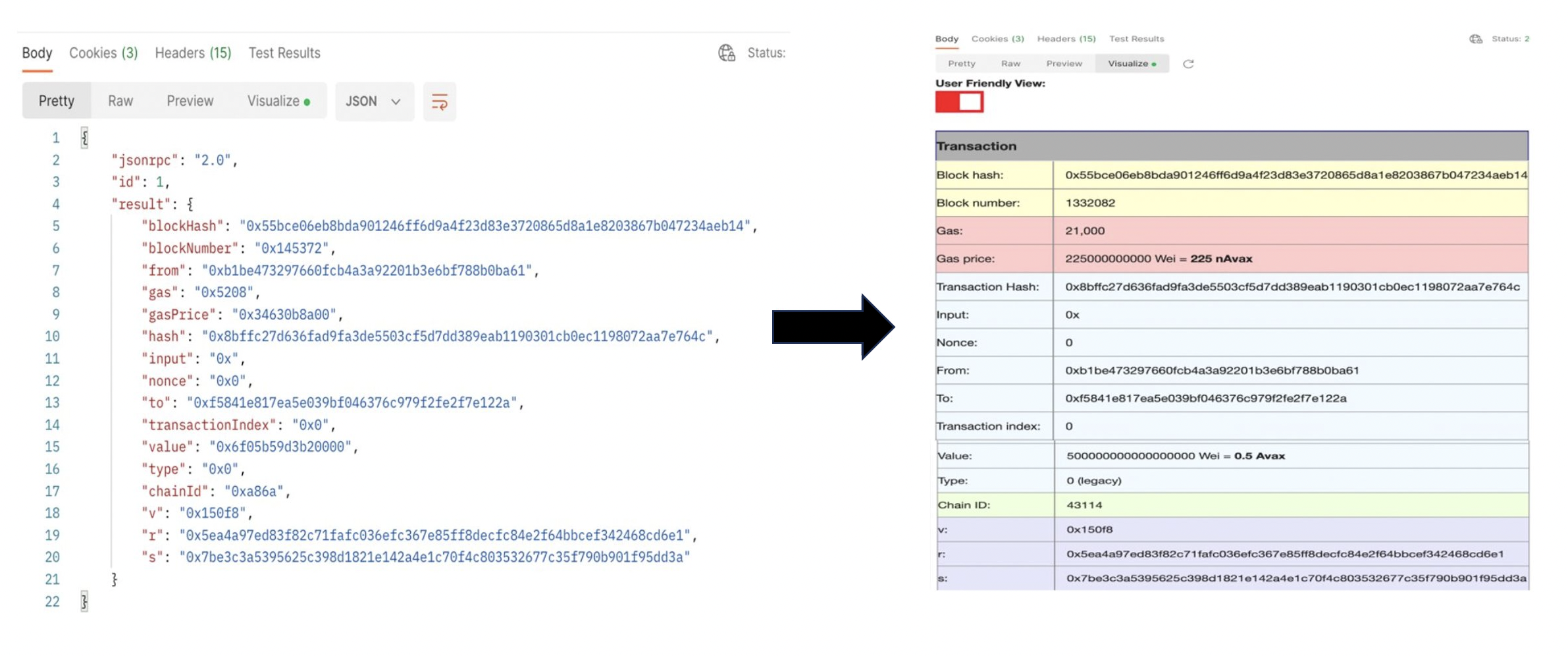
- Unix timestamps are converted to date and time.

- Hexadecimal to decimal conversions.

- Native token amounts shown as AVAX and/or gwei and wei.

- The name of the transaction type added besides the transaction type ID.

- Percentages added for the amount of gas used. This percent represents what percentage of gas was used our of the `gasLimit`.

- Convert the output for atomic transactions from hexadecimal to user readable.
Please note that this only works for C-Chain Mainnet, not Fuji.
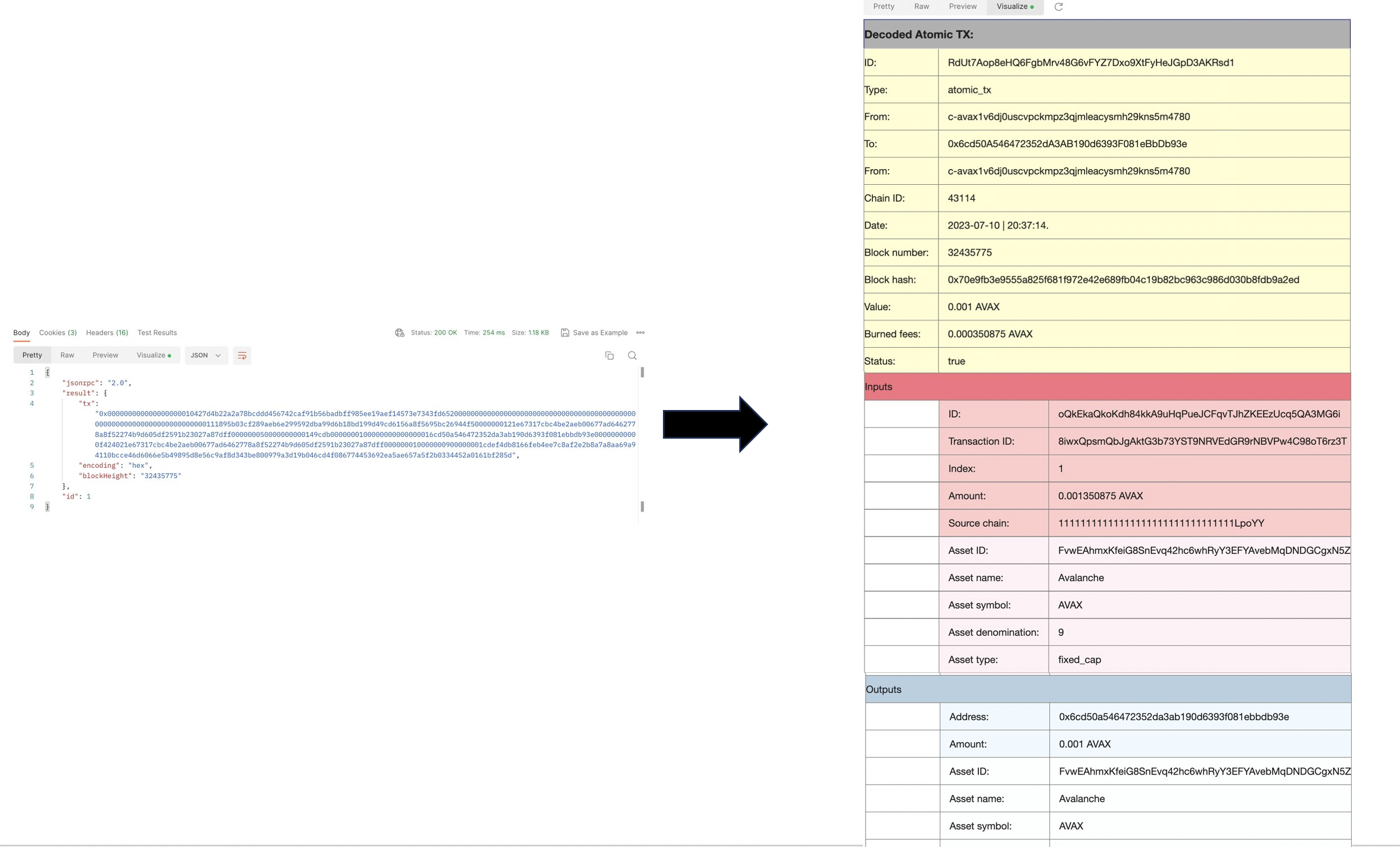
How to Visualize Responses[](#how-to-visualize-responses "Direct link to heading")
-----------------------------------------------------------------------------------
1. After [installing Postman](/docs/tooling/avalanche-postman#postman-installation) and importing the [Avalanche collection](/docs/tooling/avalanche-postman#collection-import), choose an API to make the call.
2. Make the call.
3. Click on the **Visualize** tab.
4. Now all data from the output is displayed in tabular format.
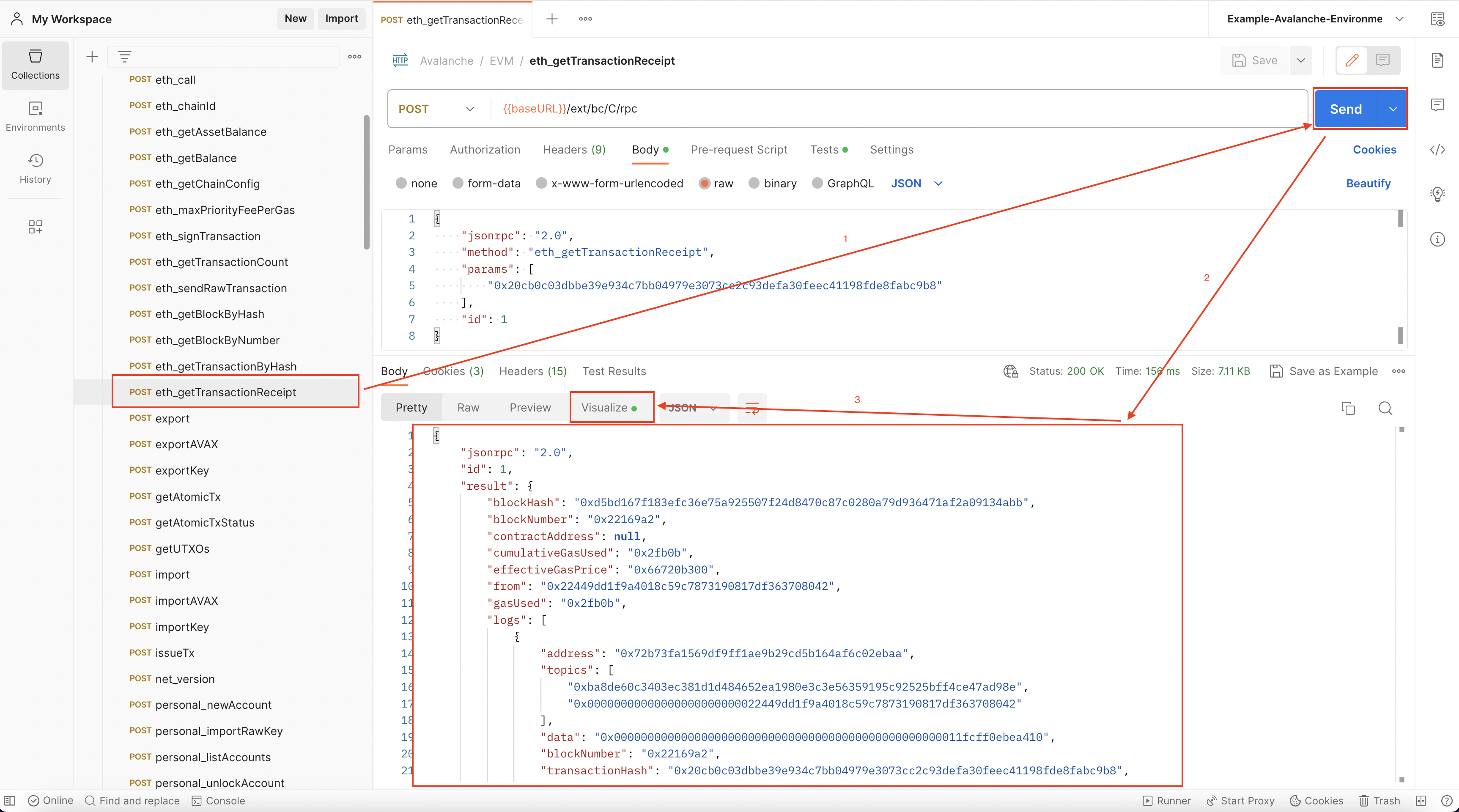 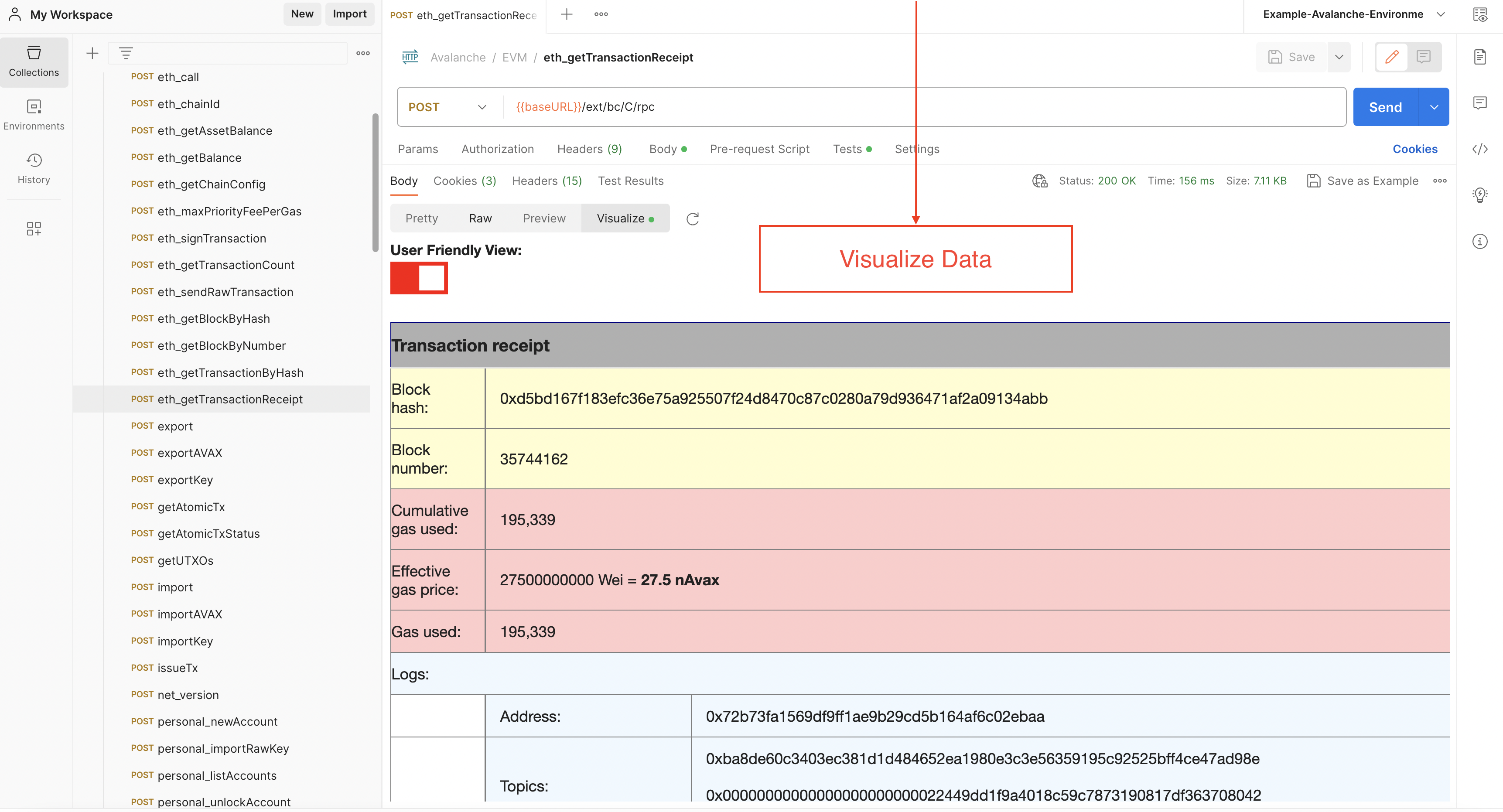
Examples[](#examples "Direct link to heading")
-----------------------------------------------
### `eth_getTransactionByHash`[](#eth_gettransactionbyhash "Direct link to heading")
### `avm.getBlock`[](#avmgetblock "Direct link to heading")
### `platform.getCurrentValidators`[](#platformgetcurrentvalidators "Direct link to heading")
### `avax.getAtomicTx`[](#avaxgetatomictx "Direct link to heading")
### `eth_getBalance`[](#eth_getbalance "Direct link to heading")
# Installing Postman Collection (/docs/tooling/avalanche-postman)
---
title: Installing Postman Collection
description: Installing Postman collection for Avalanche APIs
---
We have made a Postman collection for Avalanche, that includes all the public API calls that are available on an [AvalancheGo instance](https://github.com/ava-labs/avalanchego/releases/), including environment variables, allowing developers to quickly issue commands to a node and see the response, without having to copy and paste long and complicated `curl` commands.
[Link to GitHub](https://github.com/ava-labs/avalanche-postman-collection/)
What Is Postman?[](#what-is-postman "Direct link to heading")
--------------------------------------------------------------
Postman is a free tool used by developers to quickly and easily send REST, SOAP, and GraphQL requests and test APIs. It is available as both an online tool and an application for Linux, MacOS and Windows. Postman allows you to quickly issue API calls and see the responses in a nicely formatted, searchable form.
Along with the API collection, there is also the example Avalanche environment for Postman, that defines common variables such as IP address of the node, Avalanche addresses and similar common elements of the queries, so you don't have to enter them multiple times.
Combined, they will allow you to easily keep tabs on an Avalanche node, check on its state and do quick queries to find out details about its operation.
Setup[](#setup "Direct link to heading")
-----------------------------------------
### Postman Installation[](#postman-installation "Direct link to heading")
Postman can be installed locally or used as a web app. We recommend installing the application, as it simplifies operation. You can download Postman from its [website](https://www.postman.com/downloads/). It is recommended that you sign up using your email address as then your workspace can be easily backed up and shared between the web app and the app installed on your computer.
When you run Postman for the first time, it will prompt you to create an account or log in. Again, it is not necessary, but recommended.
### Collection Import[](#collection-import "Direct link to heading")
Select `Create workspace` from Workspaces tab and follow the prompts to create a new workspace. This will be where the rest of the work will be done.
We're ready to import the collection. On the top-left corner of the Workspaces tab select `Import` and switch to `Link` tab.
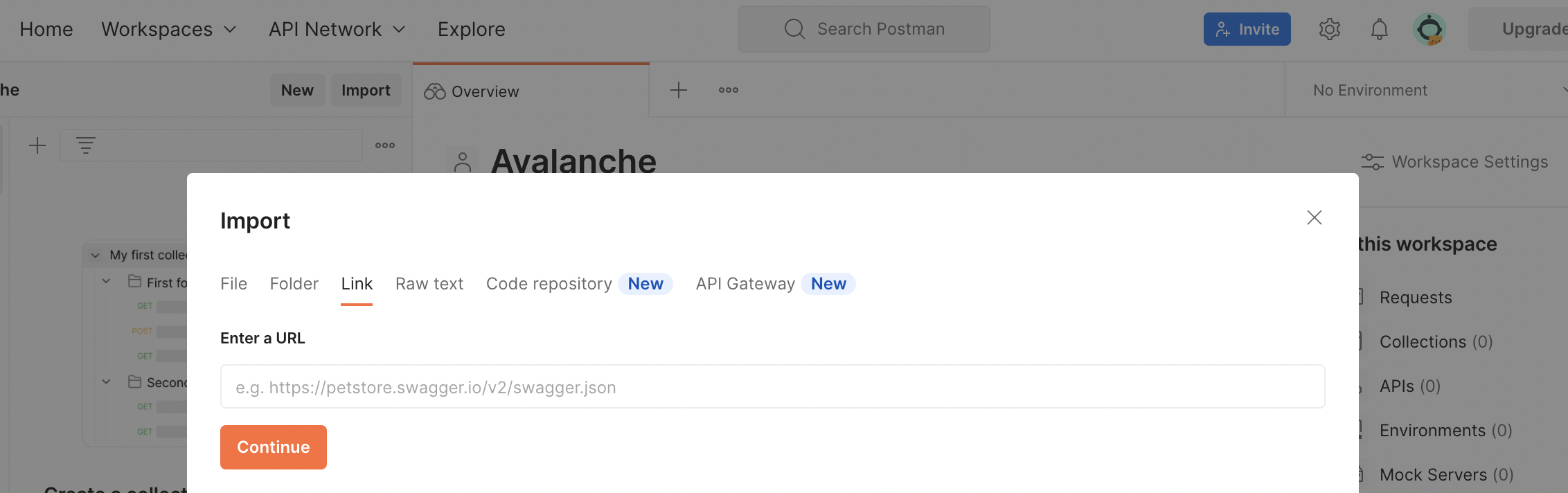
There, in the URL input field paste the link below to the collection:
```bash
https://raw.githubusercontent.com/ava-labs/avalanche-postman-collection/master/Avalanche.postman_collection.json
```
Postman will recognize the format of the file content and offer to import the file as a collection. Complete the import. Now you will have Avalanche collection in your Workspace.
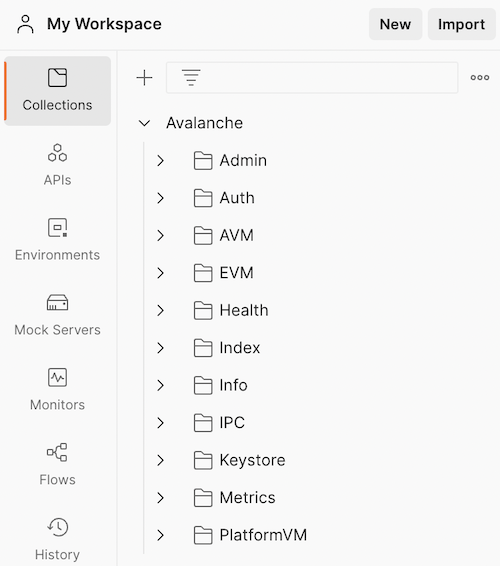
### Environment Import[](#environment-import "Direct link to heading")
Next, we have to import the environment variables. Again, on the top-left corner of the Workspaces tab select `Import` and switch to `Link` tab. This time, paste the link below to the environment JSON:
```bash
https://raw.githubusercontent.com/ava-labs/avalanche-postman-collection/master/Example-Avalanche-Environment.postman_environment.json
```
Postman will recognize the format of the file:
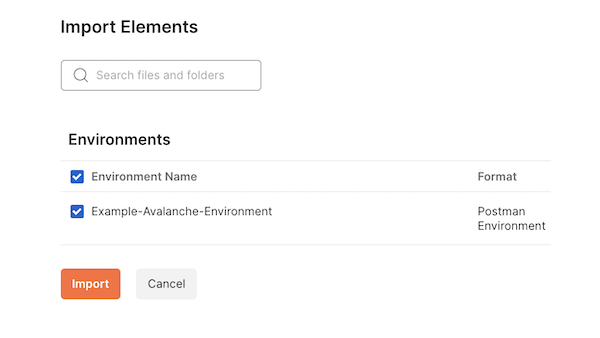
Import it to your workspace. Now, we will need to edit that environment to suit the actual parameters of your particular installation. These are the parameters that differ from the defaults in the imported file.
Select the Environments tab, choose the Avalanche environment which was just added. You can directly edit any values here:
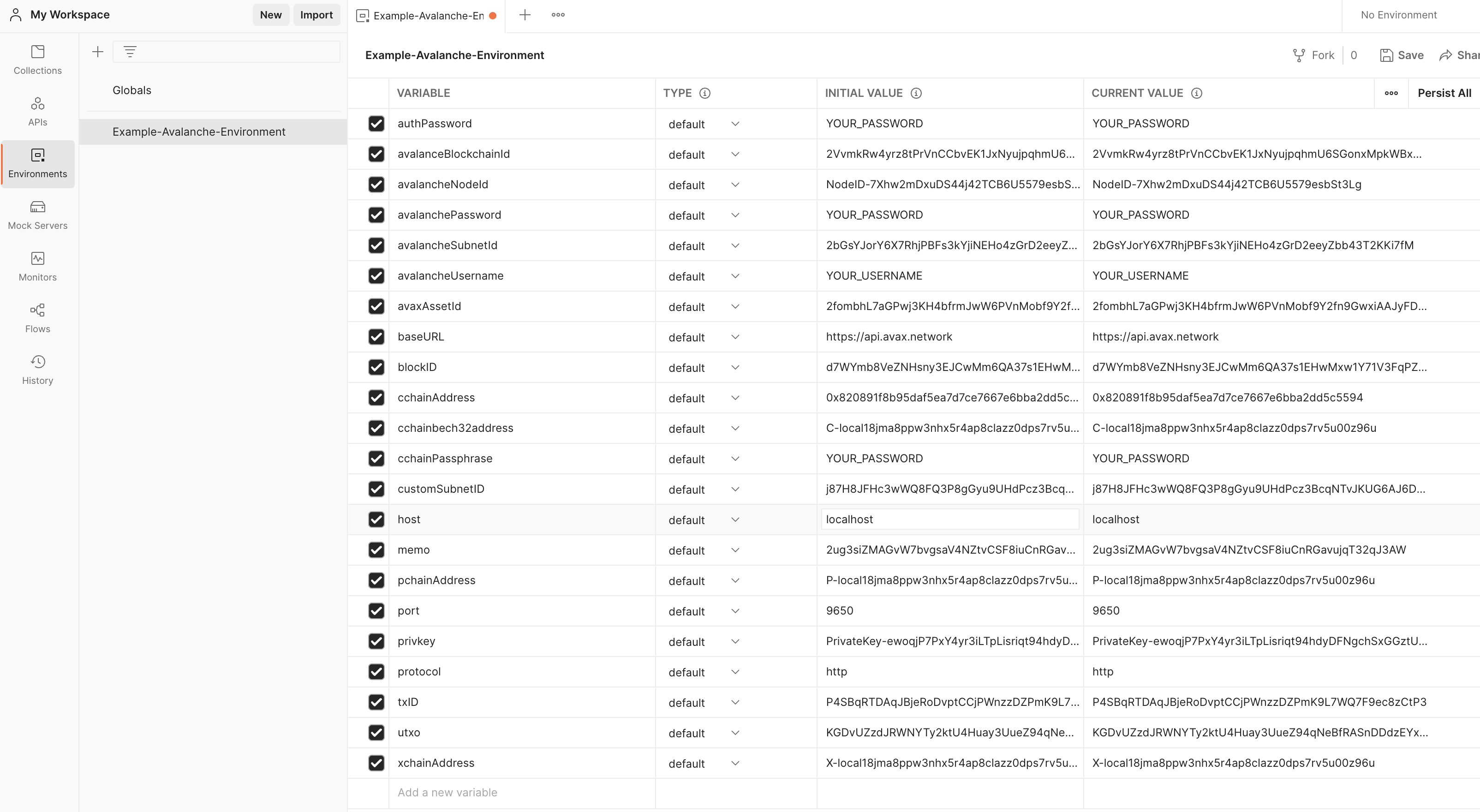
As a minimum, you will need to change the IP address of your node, which is the value of the `host` variable. Change it to the IP of your node (change both the `initial` and `current` values). Also, if your node is not running on the same machine where you installed Postman, make sure your node is accepting the connections on the API port from the outside by checking the appropriate [command line option](/docs/nodes/configure/configs-flags#http-server).
Now we sorted everything out, and we're ready to query the node.
Conclusion[](#conclusion "Direct link to heading")
---------------------------------------------------
If you have completed the tutorial, you are now able to quickly [issue API calls](/docs/tooling/avalanche-postman/making-api-calls) to your node without messing with the curl commands in the terminal. This allows you to quickly see the state of your node, track changes or double-check the health or liveness of your node.
Contributing[](#contributing "Direct link to heading")
-------------------------------------------------------
We're hoping to continuously keep this collection up-to-date with the [Avalanche APIs](/docs/rpcs/p-chain). If you're able to help improve the Avalanche Postman Collection in any way, first create a feature branch by branching off of `master`, next make the improvements on your feature branch and lastly create a [pull request](https://github.com/ava-labs/builders-hub/pulls) to merge your work back in to `master`.
If you have any other questions or suggestions, come [talk to us](https://chat.avalabs.org/).
# Making API Calls (/docs/tooling/avalanche-postman/making-api-calls)
---
title: Making API Calls
description: Making API calls using Postman
---
After [installing Postman Collection](/docs/tooling/avalanche-postman/index) and importing the [Avalanche collection](/docs/tooling/avalanche-postman/index#collection-import), you can choose an API to make the call.
You should also make sure the URL is the correct one for the call. This URL consists of the base URL and the endpoint:
- The base URL is set by an environment variable called `baseURL`, and it is by default Avalanche's [public API](/docs/rpcs#mainnet-rpc---public-api-server). If you need to make a local API call, simply change the URL to localhost. This can be done by changing the value of the `baseURL` variable or changing the URL directly on the call tab. Check out the [RPC providers](/docs/rpcs) to see all public URLs.
- The API endpoint depends on which API is used. Please check out [our APIs](/docs/rpcs/c-chain) to find the proper endpoint.
The last step is to add the needed parameters for the call. For example, if a user wants to fetch data about a certain transaction, the transaction hash is needed. For fetching data about a block, depending on the call used, the block hash or number will be required.
After clicking the **Send** button, if the call is successfully, the output will be displayed in the **Body** tab.
Data visualization is available for a number of methods. Learn how to use it with the help of [this](/docs/tooling/avalanche-postman/data-visualization) guide.
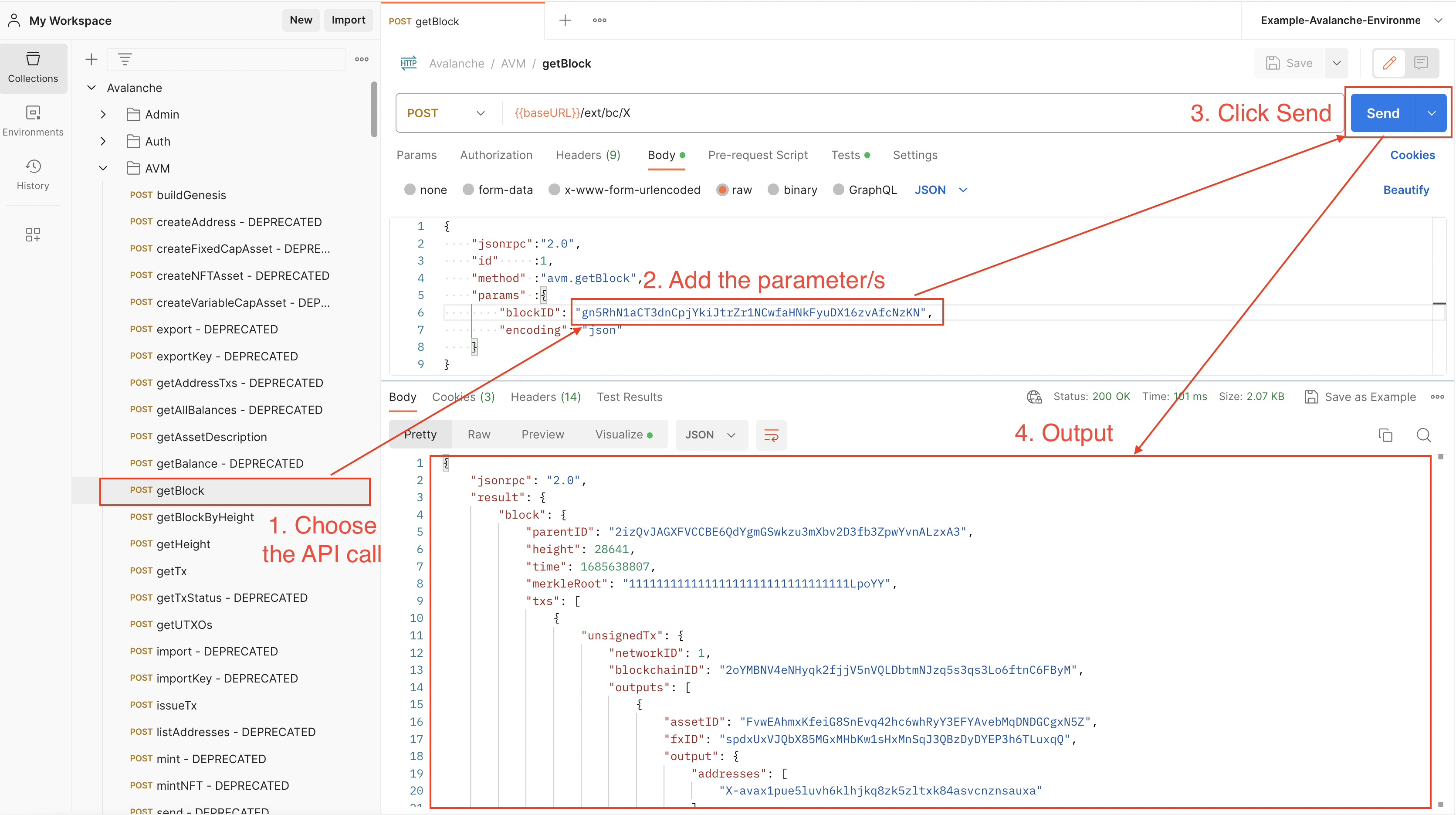
Examples[](#examples "Direct link to heading")
-----------------------------------------------
### C-Chain Public API Call[](#c-chain-public-api-call "Direct link to heading")
Fetching data about a C-Chain transaction using `eth_getTransactionByHash`.
### X-Chain Public API Call[](#x-chain-public-api-call "Direct link to heading")
Fetching data about an X-Chain block using `avm.getBlock`.
### P-Chain Public API Call[](#p-chain-public-api-call "Direct link to heading")
Getting the current P-Chain height using `platform.getHeight`.
### API Call Using Variables[](#api-call-using-variables "Direct link to heading")
Let's say we want fetch data about this `0x20cb0c03dbbe39e934c7bb04979e3073cc2c93defa30feec41198fde8fabc9b8` C-Chain transaction using both:
- `eth_getTransactionReceipt`
- `eth_getTransactionByHash`
We can set up an environment variable with the transaction hash as value and use it on both calls.
Find out more about variables [here](/docs/tooling/avalanche-postman/variables).
# Variable Types (/docs/tooling/avalanche-postman/variables)
---
title: Variable Types
description: Variable types for Avalanche APIs using Postman
---
Variables at different scopes are supported by Postman, as it follows:
- **Global variables**: A global variable can be used with every collection. Basically, it allows user to access data between collections.
- **Collection variables**: They are available for a certain collection and are independent of an environment.
- **Environment variables**: An environment allows you to use a set of variables, which are called environment variables. Every collection can use an environment at a time, but the same environment can be used with multiple collections. This type of variables make the most sense to use with the Avalanche Postman collection, therefore an environment file with preset variables is provided
- **Data variables**: Provided by external CSV and JSON files.
- **Local variables**: Temporary variables that can be used in a script. For example, the returned block number from querying a transaction can be a local variable. It exists only for that request, and it will change when fetching data for another transaction hash.
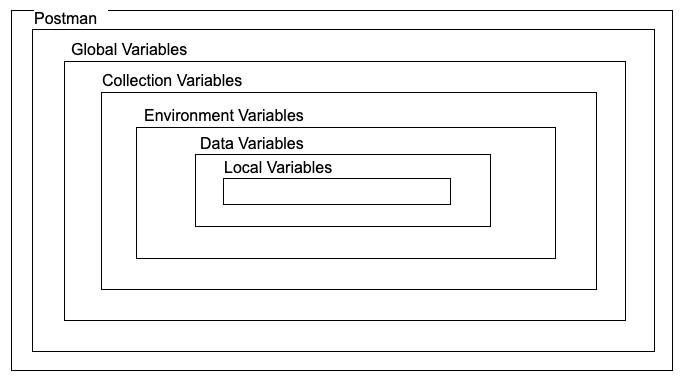
There are two types of variables:
- **Default type**: Every variable is automatically assigned this type when created.
- **Secret type**: Masks variable's value. It is used to store sensitive data.
Only default variables are used in the Avalanche Environment file. To learn more about using the secret type of variables, please checkout the [Postman documentation](https://learning.postman.com/docs/sending-requests/variables/#variable-types).
The [environment variables](/docs/tooling/avalanche-postman/index#environment-import) can be used to ease the process of making an API call. A variable contains the preset value of an API parameter, therefore it can be used in multiple places without having to add the value manually.
How to Use Variables[](#how-to-use-variables "Direct link to heading")
-----------------------------------------------------------------------
Let's say we want to use both `eth_getTransactionByHash` and `eth_getTransctionReceipt` for a transaction with the following hash: `0x631dc45342a47d360915ea0d193fc317777f8061fe57b4a3e790e49d26960202`. We can set a variable which contains the transaction hash, and then use it on both API calls. Then, when wanting to fetch data about another transaction, the variable can be updated and the new transaction hash will be used again on both calls.
Below are examples on how to set the transaction hash as variable of each scope.
### Set a Global Variable[](#set-a-global-variable "Direct link to heading")
Go to Environments
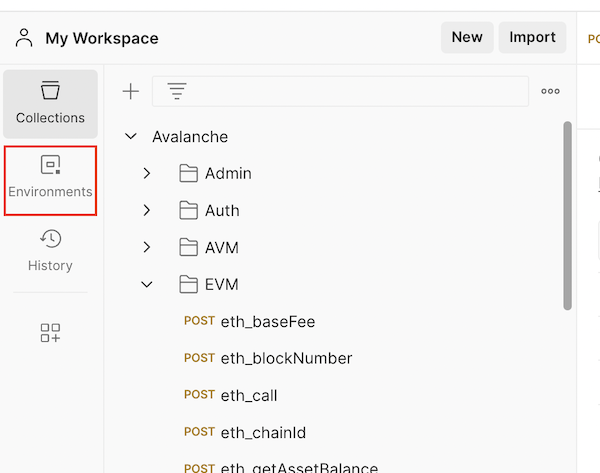
Select Globals

Click on the Add a new variable area
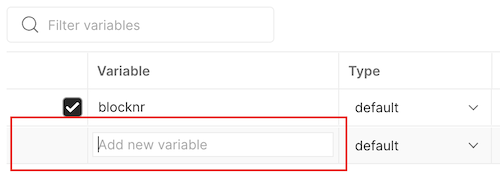
Add the variable name and value. Make sure to use quotes.
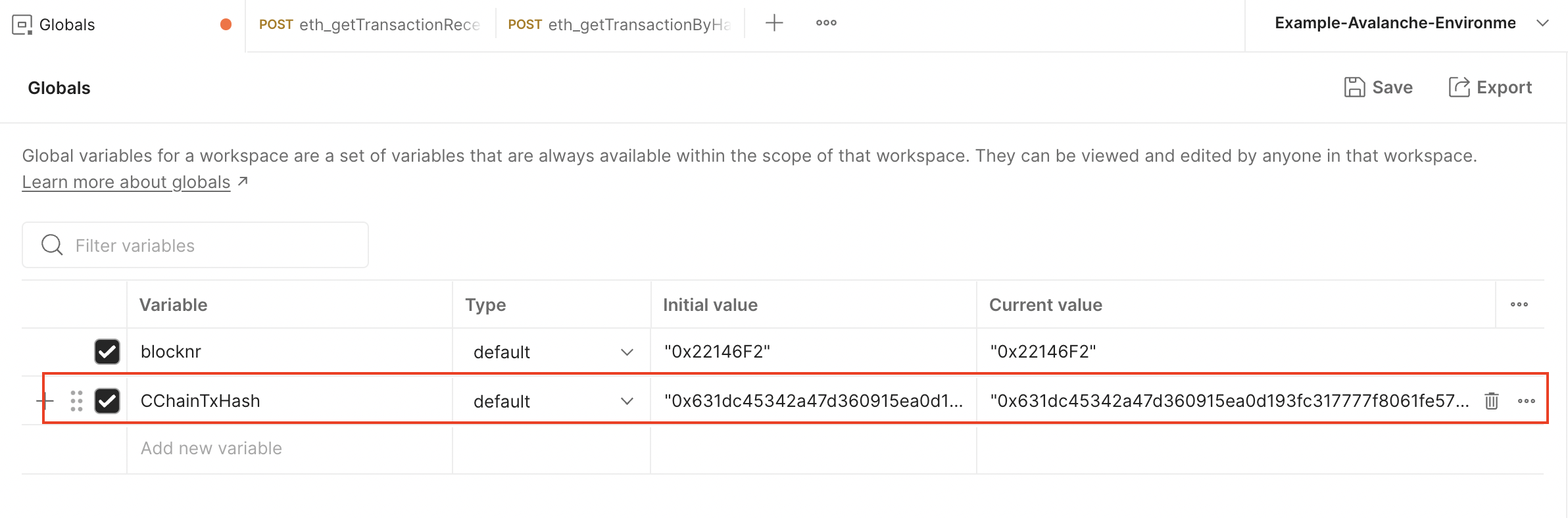
Click Save
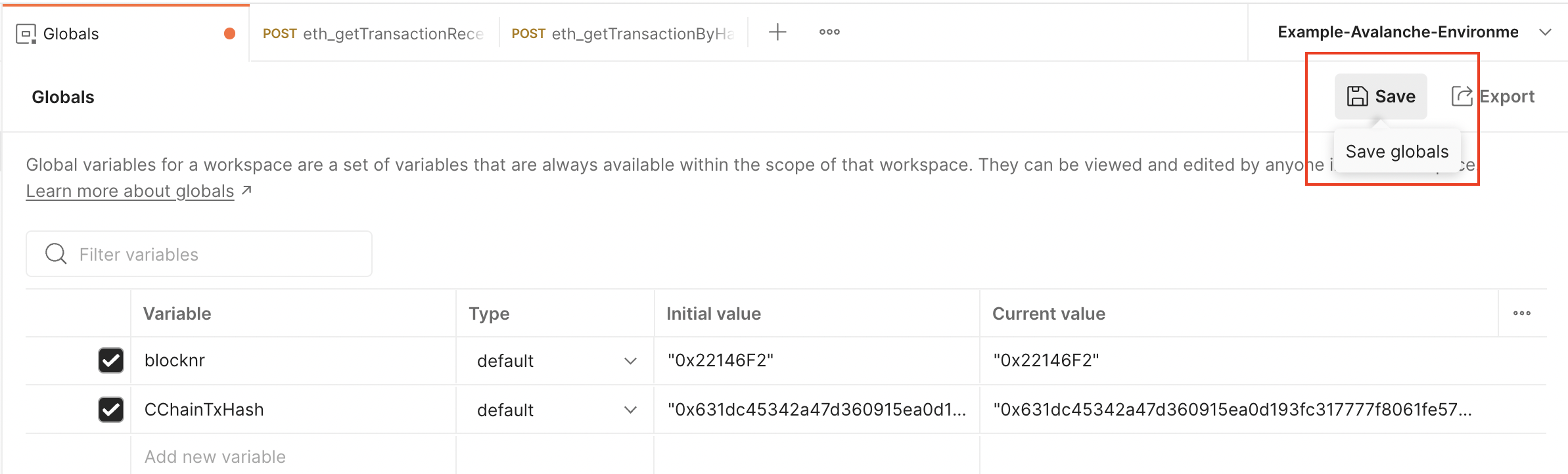
Now it can be used on any call from any collection
### Set a Collection Variable[](#set-a-collection-variable "Direct link to heading")
Click on the three dots next to the Avalanche collection and select Edit
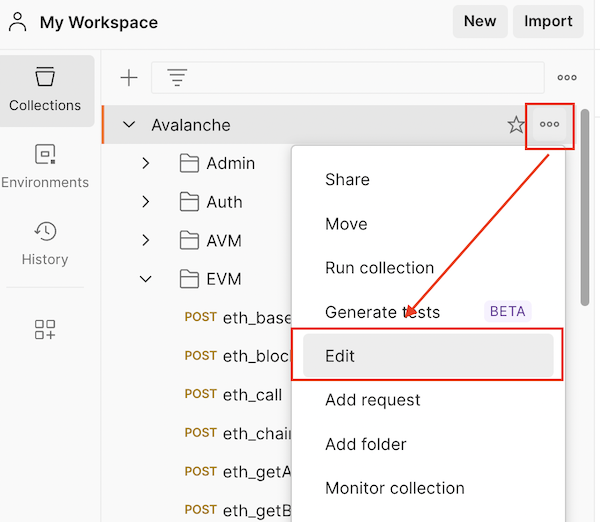
Go to the Variables tab
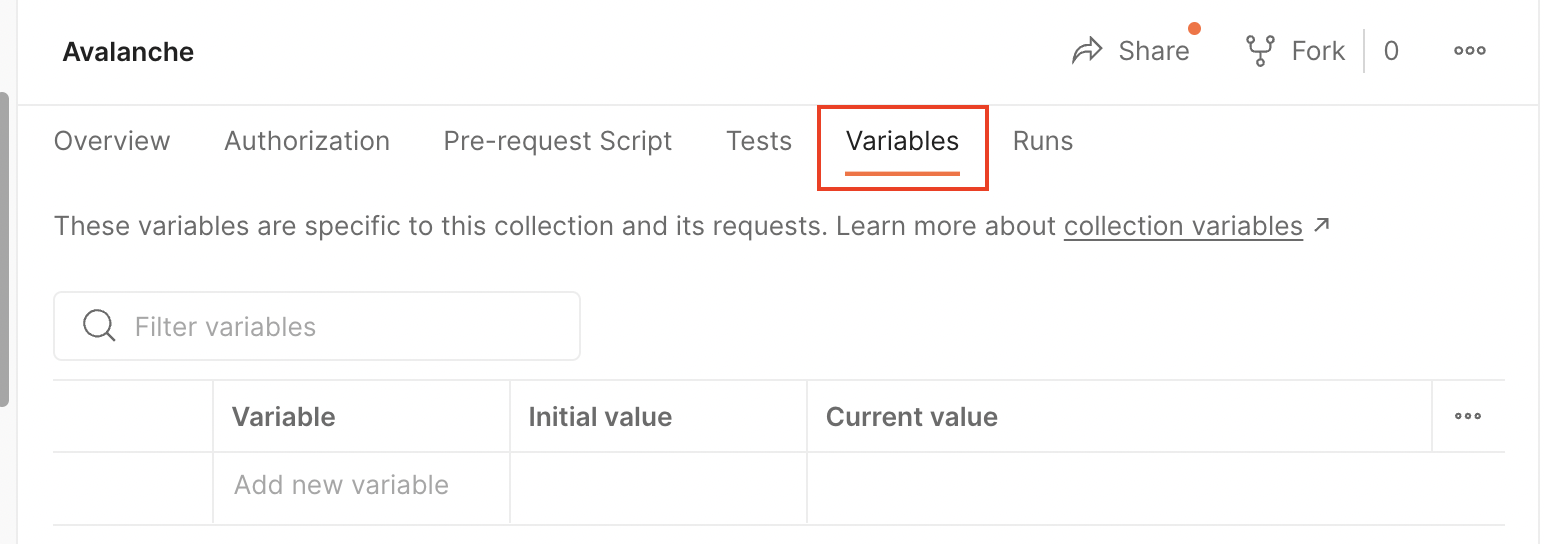
Click on the Add a new variable area
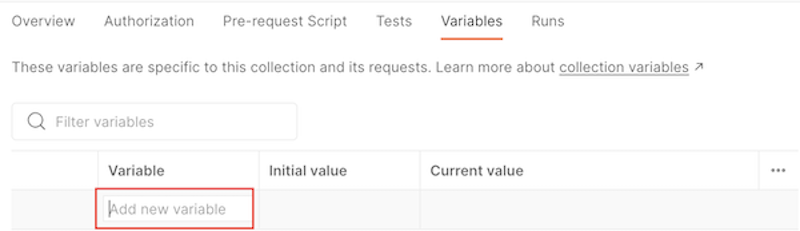
Add the variable name and value. Make sure to use quotes.

Click Save
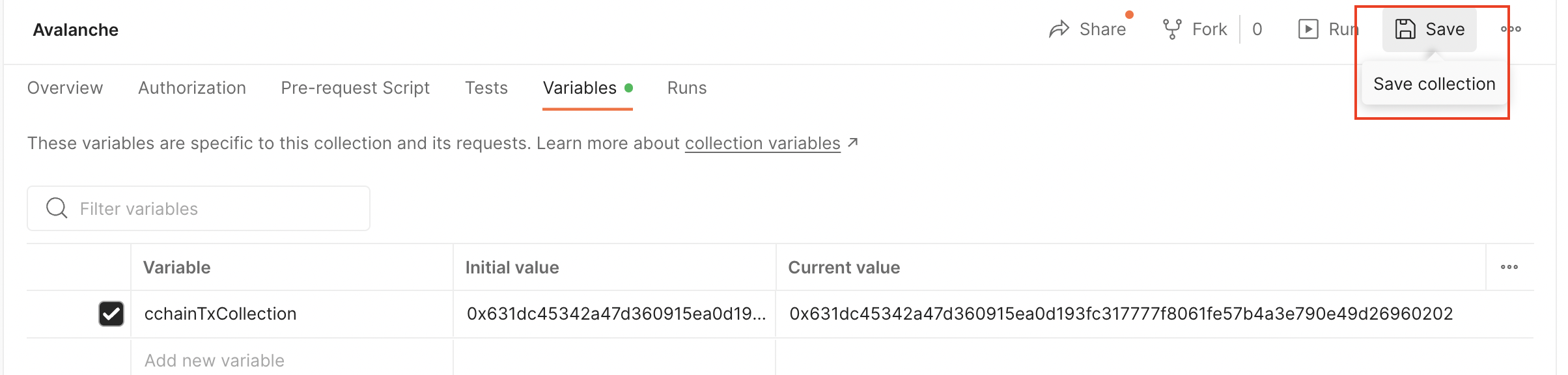
Now it can be used on any call from this collection
### Set an Environment Variable[](#set-an-environment-variable "Direct link to heading")
Go to Environments
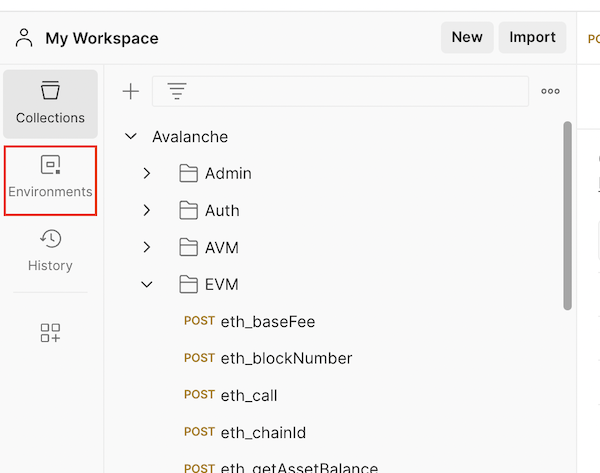
Select an environment. In this case, it is Example-Avalanche-Environment.
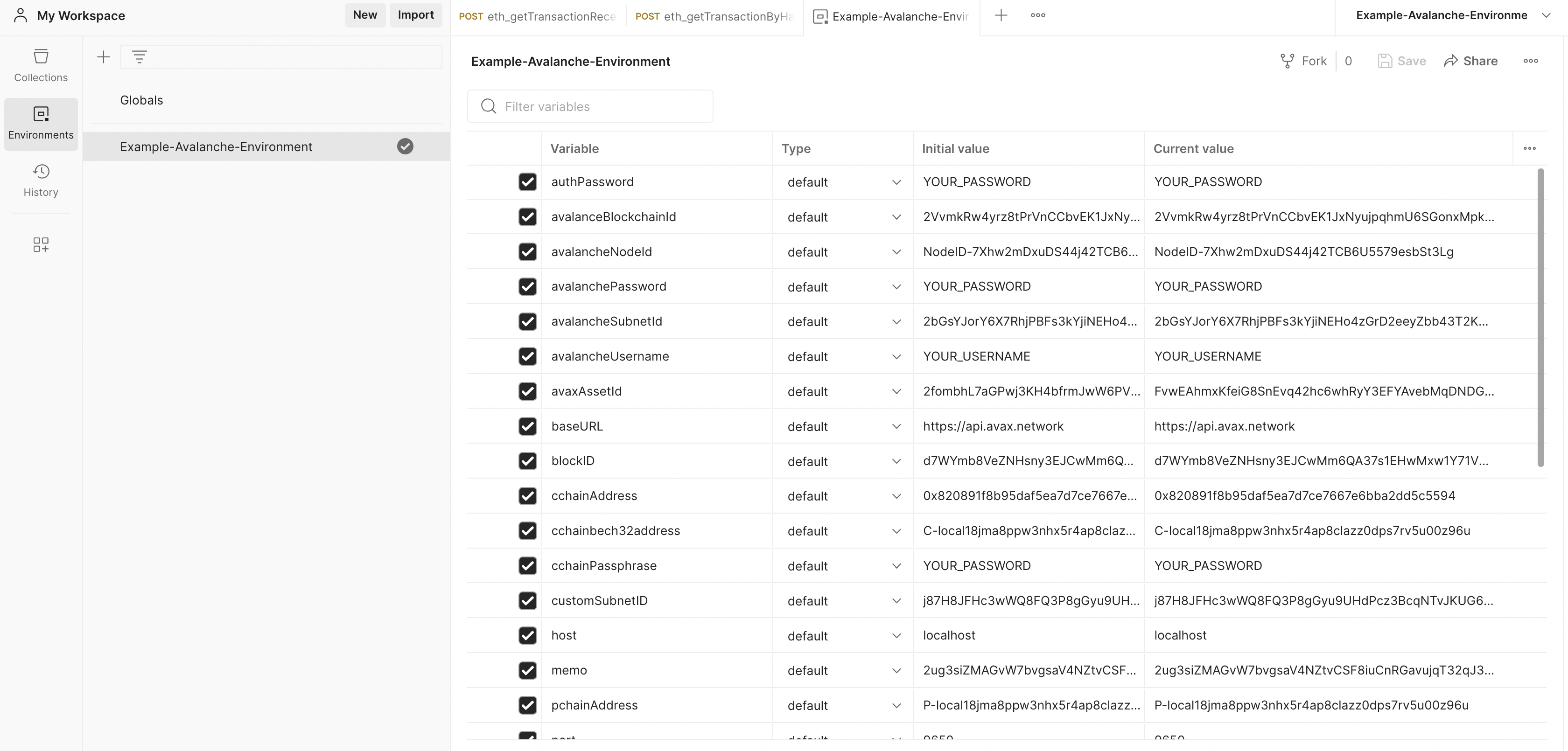
Scroll down until you find the Add a new variable area and click on it.
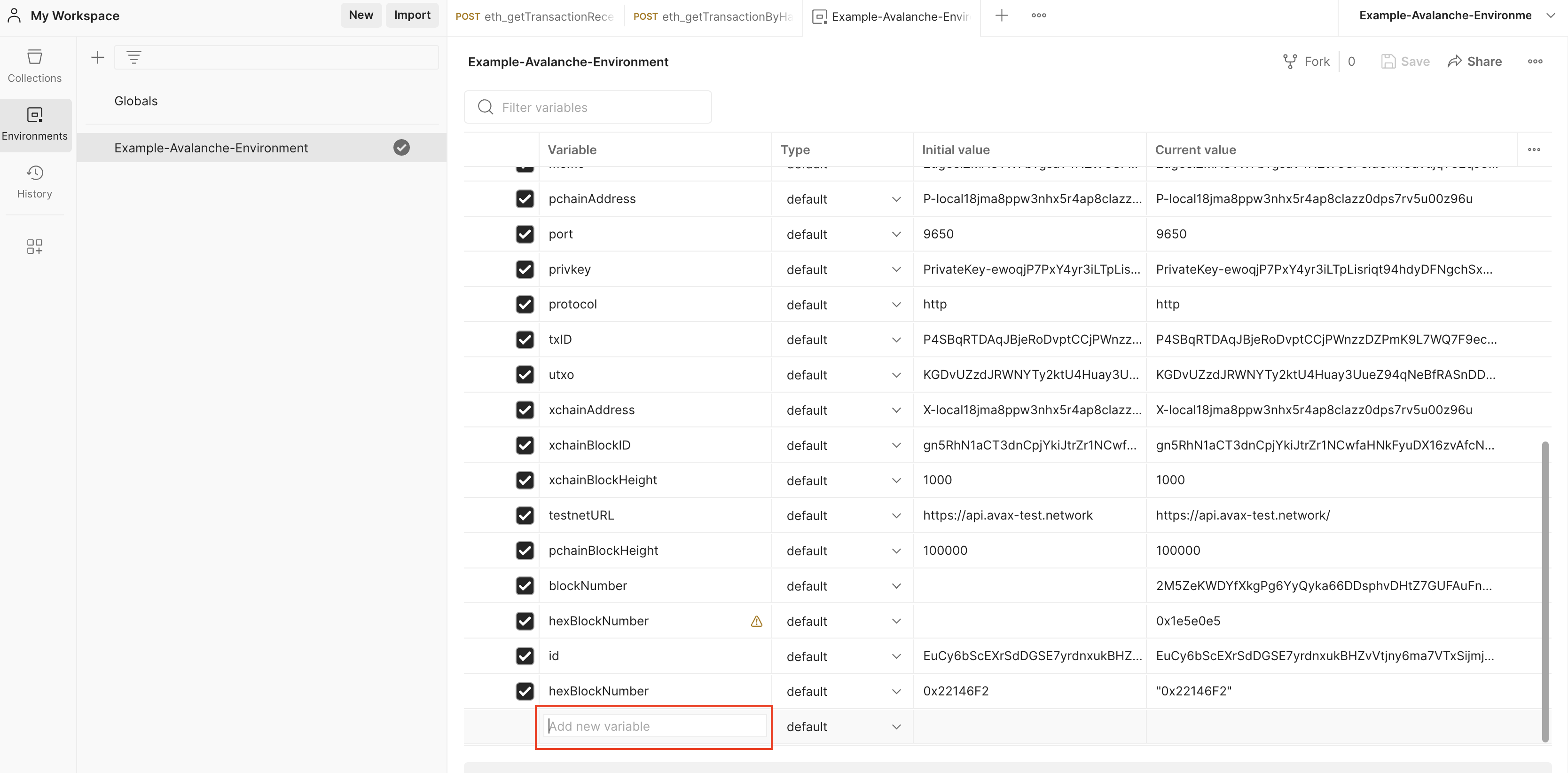
Add the variable name and value. Make sure to use quotes.

Click Save.
The variable is available now for any call collection that uses this environment.
### Set a Data Variable[](#set-a-data-variable "Direct link to heading")
Please check out [this guide](https://www.softwaretestinghelp.com/postman-variables/#5_Data) and [this video](https://www.youtube.com/watch?v=9wl_UQtRLw4) on how to use data variables.
### Set a Local Variable[](#set-a-local-variable "Direct link to heading")
Please check out [this guide](https://www.softwaretestinghelp.com/postman-variables/#4_Local) and [this video](https://www.youtube.com/watch?v=gOF7Oc0sXmE) on how to use local variables.
# Overview (/docs/tooling/avalanche-sdk)
---
title: Overview
description: Build applications and interact with Avalanche networks programmatically
icon: Rocket
---
The **Avalanche SDK for TypeScript** is a modular suite of tools designed for building powerful applications on the Avalanche ecosystem. Whether you're building DeFi applications, NFT platforms, or cross-chain bridges, our SDKs provide everything you need.
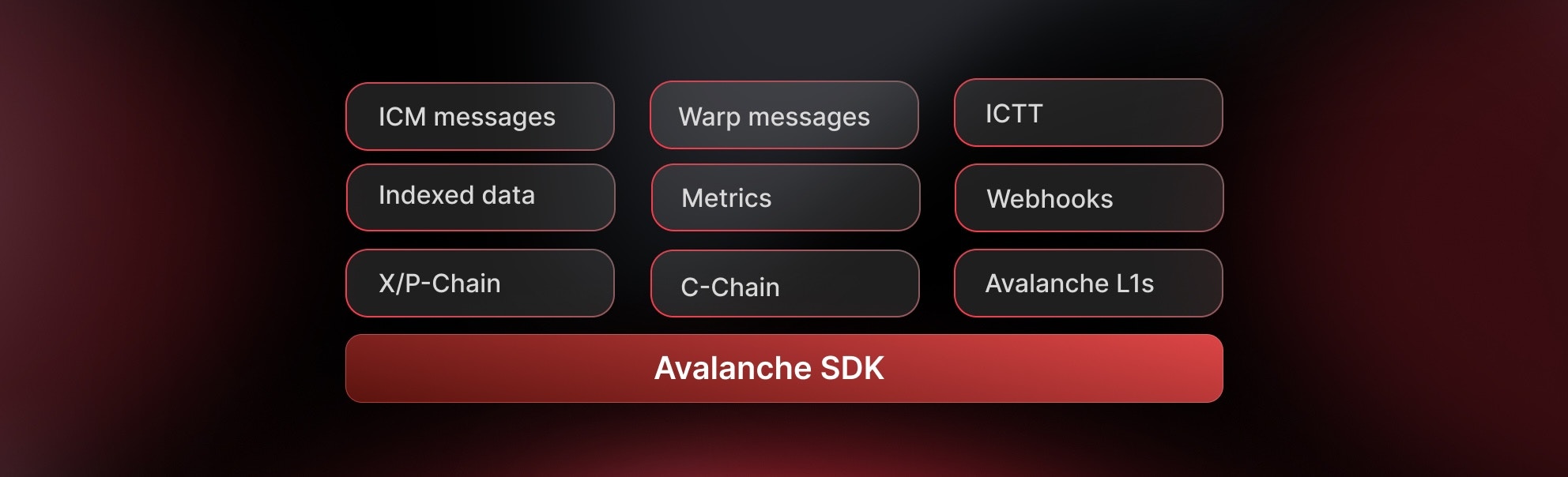 ### Core Capabilities
* **Direct Chain Access** - RPC calls, wallet integration, and transaction management.
* **Indexed Data & Metrics** - Access Glacier Data API & Metrics API with type safety.
* **Interchain Messaging** - Build cross-L1 applications with ICM/Teleporter.
**Developer Preview**: This suite of SDKs is currently in beta and is subject to change. Use in production at your own risk.
We'd love to hear about your experience! **Please share your feedback here.**
Check out the code, contribute, or report issues. The Avalanche SDK TypeScript is fully open source.
## Which SDK Should I Use?
Choose the right SDK based on your specific needs:
| SDK Package | Description |
| :--------------------------------------------------------------------------- | :--------------------------------------------------------------- |
| [`@avalanche-sdk/client`](/avalanche-sdk/client-sdk/getting-started) | Direct blockchain interaction - transactions, wallets, RPC calls |
| [`@avalanche-sdk/chainkit`](/avalanche-sdk/chainkit-sdk/getting-started) | Complete suite: Data, Metrics and Webhooks API |
| [`@avalanche-sdk/interchain`](/avalanche-sdk/interchain-sdk/getting-started) | Send messages between Avalanche L1s using ICM/Teleporter |
## Quick Start
```bash theme={null}
npm install @avalanche-sdk/client
```
```bash theme={null}
yarn add @avalanche-sdk/client
```
```bash theme={null}
pnpm add @avalanche-sdk/client
```
### Basic Example
```typescript theme={null}
import { createClient } from '@avalanche-sdk/client';
// Initialize the client
const client = createClient({
network: 'mainnet'
});
// Get balance
const balance = await client.getBalance({
address: '0x...',
chainId: 43114
});
console.log('Balance:', balance);
```
## Available SDKs
### Client SDK
The main Avalanche client SDK for interacting with Avalanche nodes and building blockchain applications.
**Key Features:**
* **Complete API coverage** for P-Chain, X-Chain, and C-Chain.
* **Full viem compatibility** - anything you can do with viem works here.
* **TypeScript-first design** with full type safety.
* **Smart contract interactions** with first-class APIs.
* **Wallet integration** and transaction management.
* **Cross-chain transfers** between X, P and C chains.
**Common Use Cases:**
* Retrieve balances and UTXOs for addresses
* Build, sign, and issue transactions to any chain
* Add validators and delegators
* Create subnets and blockchains.
* Convert subnets to L1s.
Learn how to integrate blockchain functionality into your application
### ChainKit SDK
Combined SDK with full typed coverage of Avalanche Data (Glacier) and Metrics APIs.
**Key Features:**
* **Full endpoint coverage** for Glacier Data API and Metrics API
* **Strongly-typed models** with automatic TypeScript inference
* **Built-in pagination** helpers and automatic retries/backoff
* **High-level helpers** for transactions, blocks, addresses, tokens, NFTs
* **Metrics insights** including network health, validator stats, throughput
* **Webhook support** with payload shapes and signature verification
**API Endpoints:**
* Glacier API: [https://glacier-api.avax.network/api](https://glacier-api.avax.network/api)
* Metrics API: [https://metrics.avax.network/api](https://metrics.avax.network/api)
Access comprehensive blockchain data and analytics
### Interchain SDK
SDK for building cross-L1 applications and bridges.
**Key Features:**
* **Type-safe ICM client** for sending cross-chain messages
* **Seamless wallet integration** with existing wallet clients
* **Built-in support** for Avalanche C-Chain and custom subnets
* **Message tracking** and delivery confirmation
* **Gas estimation** for cross-chain operations
**Use Cases:**
* Cross-chain token bridges
* Multi-L1 governance systems
* Interchain data oracles
* Cross-subnet liquidity pools
Build powerful cross-chain applications
## Support
### Community & Help
* Discord - Get real-time help in the #avalanche-sdk channel
* Telegram - Join discussions
* Twitter - Stay updated
### Feedback Sessions
* Book a Google Meet Feedback Session - Schedule a 1-on-1 session to share your feedback and suggestions
### Issue Tracking
* Report a Bug
* Request a Feature
* View All Issues
### Direct Support
* Technical Issues: GitHub Issues
* Security Issues: [security@avalabs.org](mailto:security@avalabs.org)
* General Inquiries: [data-platform@avalabs.org](mailto:data-platform@avalabs.org)
# Overview (/docs/tooling/tmpnet)
---
title: Overview
description: Create and manage temporary Avalanche networks for local development and testing
---
tmpnet creates temporary Avalanche networks on your local machine. You get a complete multi-node network with consensus, P2P communication, and pre-funded test keys—everything you need to test custom VMs, L1s, and applications before deploying to testnet or mainnet.
Networks run as native processes (no Docker needed). All configuration lives on disk at `~/.tmpnet/networks/`, making it easy to inspect state, share configs, or debug issues.
## What You Get
| Feature | Description |
|---------|-------------|
| **Multi-node networks** | Spin up 2-50 validator nodes in under a minute |
| **Pre-funded keys** | 50 keys with AVAX balances on P, X, and C-Chain |
| **Custom VMs** | Deploy and test your Virtual Machines |
| **Subnets** | Create subnets with specific validator sets |
| **Monitoring** | Prometheus metrics and Promtail logs out of the box |
| **CLI + Go API** | Use `tmpnetctl` commands or Go code |
## Use Cases
| Scenario | What You Can Test |
|----------|-------------------|
| **L1 Development** | Run your L1 with multiple validators locally before deploying to Fuji |
| **Custom VMs** | Test VM behavior with real consensus across multiple nodes |
| **Staking Operations** | Add validators, test delegation, verify rewards distribution |
| **Subnet Testing** | Create subnets, manage validators, test cross-subnet messaging |
| **Integration Tests** | Write automated Go tests that spin up networks on demand |
## Basic Workflow
```bash
# Start a 5-node network
tmpnetctl start-network --avalanchego-path=./bin/avalanchego
# Network is running at ~/.tmpnet/networks/latest
# Get node URIs
cat ~/.tmpnet/networks/latest/NodeID-*/process.json | jq -r '.uri'
# Get pre-funded keys
cat ~/.tmpnet/networks/latest/config.json | jq -r '.preFundedKeys[0]'
# Stop when done
tmpnetctl stop-network
```
## Network Directory Structure
Each network you create gets its own directory at `~/.tmpnet/networks/[timestamp]/`:
| Path | Contents |
|------|----------|
| `config.json` | Network settings, pre-funded keys |
| `genesis.json` | Genesis configuration |
| `NodeID-*/` | Per-node directories (logs, database, config) |
| `NodeID-*/process.json` | Running node info (PID, URI, ports) |
| `metrics.txt` | Grafana dashboard link |
The `latest` symlink always points to your most recent network.
Both `tmpnetctl` and your Go code can manage the same networks because everything is file-based. No daemon, no Docker, no magic.
## Getting Started
Build tmpnet and avalanchego
Create your first network
Deploy your VM to a local network
Test validator operations
## Support & Resources
- [GitHub Repository](https://github.com/ava-labs/avalanchego/tree/master/tests/fixture/tmpnet)
- [Full README](https://github.com/ava-labs/avalanchego/blob/master/tests/fixture/tmpnet/README.md)
- [Discord Community](https://chat.avalabs.org/)
- [Documentation](https://docs.avax.network/)
# Installation (/docs/tooling/tmpnet/installation)
---
title: Installation
description: Set up tmpnet and its prerequisites for local network testing
---
This guide walks you through setting up tmpnet for testing your Avalanche applications and L1s.
## Prerequisites
### 1. Operating System
tmpnet runs on:
- **macOS** (Intel and Apple Silicon)
- **Linux**
Windows is not currently supported.
### 2. Go
tmpnet requires **Go 1.21 or later**. Check your version:
```bash
go version
```
If you need to install or update Go, visit [golang.org/dl](https://golang.org/dl/).
### 3. Git
Ensure you have Git installed:
```bash
git --version
```
## Installation
### Step 1: Clone AvalancheGo
tmpnet is part of the AvalancheGo repository:
```bash
# Clone the repository
git clone https://github.com/ava-labs/avalanchego.git
cd avalanchego
```
### Step 2: Build the Binaries
Build both AvalancheGo and tmpnetctl:
```bash
# Build AvalancheGo
./scripts/build.sh
# Build tmpnetctl
./scripts/build_tmpnetctl.sh
```
You now have:
- `build/avalanchego` and `build/tmpnetctl` - compiled binaries
- `bin/avalanchego` and `bin/tmpnetctl` - thin wrappers that rebuild if needed
### Step 3: Verify Installation
Test that the binaries work:
```bash
# Check AvalancheGo
./bin/avalanchego --version
# Check tmpnetctl
./bin/tmpnetctl --help
```
You should see version information and available commands.
## Understanding the Directory Structure
AvalancheGo has two directories for binaries:
### `build/` Directory (Actual Binaries)
Contains the compiled binaries:
- `build/avalanchego` - Main node binary
- `build/tmpnetctl` - Network management CLI
- `build/plugins/` - Custom VM plugins
### `bin/` Directory (Convenience Wrappers)
Symlinks that rebuild when needed, so they're safe defaults while iterating:
- `bin/avalanchego` → `scripts/run_avalanchego.sh`
- `bin/tmpnetctl` → `scripts/run_tmpnetctl.sh`
For most workflows (and in the upstream README), use the `bin/` wrappers or enable the repo's `.envrc` so `tmpnetctl` is on your `PATH`.
## Optional: Simplified Setup with direnv
[direnv](https://direnv.net/) automatically loads the repo's `.envrc` so tmpnet has the paths it needs.
### Install and Configure
**macOS:**
```bash
brew install direnv
echo 'eval "$(direnv hook zsh)"' >> ~/.zshrc
source ~/.zshrc
```
**Linux:**
```bash
# Ubuntu/Debian
sudo apt-get install direnv
# Add to shell
echo 'eval "$(direnv hook bash)"' >> ~/.bashrc
source ~/.bashrc
```
### Enable in AvalancheGo
```bash
cd /path/to/avalanchego
direnv allow
```
The repo's `.envrc` then:
- Adds `bin/` to `PATH` so you can run `tmpnetctl` directly
- Sets `AVALANCHEGO_PATH=$PWD/bin/avalanchego`
- Sets `AVAGO_PLUGIN_DIR=$PWD/build/plugins` (and creates the dir)
- Sets `TMPNET_NETWORK_DIR=~/.tmpnet/networks/latest`
Now you can run:
```bash
tmpnetctl start-network --node-count=3
```
## Optional: Monitoring Tools
To collect metrics and logs from your networks:
**Using Nix (Recommended):**
```bash
nix develop # Provides prometheus and promtail
```
**Manual Installation:**
- **Prometheus**: Download from [prometheus.io/download](https://prometheus.io/download/) or `brew install prometheus`
- **Promtail**: Download from [Grafana Loki releases](https://github.com/grafana/loki/releases)
See the [Monitoring guide](/docs/tooling/tmpnet/guides/monitoring) for setup details.
## Environment Variables
Key environment variables tmpnet uses:
| Variable | Purpose | Default |
|----------|---------|---------|
| `AVALANCHEGO_PATH` | Path to avalanchego binary (required unless passed as `--avalanchego-path`) | None |
| `AVAGO_PLUGIN_DIR` | Plugin directory for custom VMs | `~/.avalanchego/plugins` (or `$PWD/build/plugins` via `.envrc`) |
| `TMPNET_ROOT_NETWORK_DIR` | Where new networks are created | `~/.tmpnet/networks` |
| `TMPNET_NETWORK_DIR` | Existing network to target for stop/restart/check commands | Unset (set automatically by `network.env` or `.envrc`) |
### Recommended Shell Setup
If you aren't using direnv, add something like this to `~/.bashrc` or `~/.zshrc`:
```bash
export AVALANCHEGO_PATH=~/avalanchego/bin/avalanchego
export AVAGO_PLUGIN_DIR=~/.avalanchego/plugins
export TMPNET_NETWORK_DIR=~/.tmpnet/networks/latest # optional convenience
export PATH=$PATH:~/avalanchego/bin
```
## Plugin Directory Setup
If you're testing custom VMs, create the plugin directory:
```bash
mkdir -p ~/.avalanchego/plugins
```
Place your custom VM binaries in this directory. The plugin binary name should match your VM name.
## Troubleshooting
### Command not found: tmpnetctl
If you get "command not found":
**Option 1:** Use the full path
```bash
./bin/tmpnetctl --help
```
**Option 2:** Add to PATH
```bash
export PATH=$PATH:$(pwd)/bin
tmpnetctl --help
```
**Option 3:** Use direnv (recommended)
```bash
direnv allow
tmpnetctl --help
```
### Build Failures
If builds fail:
1. **Check Go version:**
```bash
go version # Must be 1.21 or later
```
2. **Check you're in the repository root:**
```bash
pwd # Should be /path/to/avalanchego
ls scripts/build.sh # Should exist
```
3. **Try cleaning and rebuilding:**
```bash
rm -rf build/
./scripts/build.sh
```
### Permission Denied
If you get permission errors:
```bash
chmod +x ./bin/tmpnetctl
chmod +x ./bin/avalanchego
```
### Binary Not Found Error
If tmpnetctl says avalanchego not found:
```bash
# Verify the binary exists
ls -lh ./bin/avalanchego
# Use absolute path when starting networks
tmpnetctl start-network --avalanchego-path="$(pwd)/bin/avalanchego"
```
## Next Steps
Now that tmpnet is installed, create your first network!
Start your first temporary network in minutes
Learn how to test your custom VM or L1
# Quick Start (/docs/tooling/tmpnet/quick-start)
---
title: Quick Start
description: Start your first temporary Avalanche network in minutes
---
This guide will help you create, interact with, and manage your first temporary network using tmpnet.
## Before You Start
Make sure you've completed the [installation](/docs/tooling/tmpnet/installation) and have:
- Built `avalanchego` and `tmpnetctl`
- A shell in the avalanchego repo root
- Either `direnv allow`'d the repo **or** can pass `--avalanchego-path`
## Start Your First Network
### Basic Start Command
Start a 2-node network (default is 5):
```bash
cd /path/to/avalanchego
# If you enabled direnv (.envrc sets paths)
tmpnetctl start-network --node-count=2
# Without direnv, pass the avalanchego path explicitly
./bin/tmpnetctl start-network \
--avalanchego-path="$(pwd)/bin/avalanchego" \
--node-count=2
```
**Expected Output:**
```
[12-05|15:23:26.831] INFO tmpnet/network.go:254 preparing configuration for new network
[12-05|15:23:26.839] INFO tmpnet/network.go:385 starting network {"networkDir": "/Users/you/.tmpnet/networks/20251205-152326.831812", "uuid": "0ef20abc-4d96-438f-943c-a4442254b9bb"}
[12-05|15:23:27.992] INFO tmpnet/process_runtime.go:148 started local node {"nodeID": "NodeID-Pw8tmrG..."}
[12-05|15:23:28.395] INFO tmpnet/process_runtime.go:148 started local node {"nodeID": "NodeID-KBxAJo5..."}
[12-05|15:23:28.396] INFO tmpnet/network.go:400 waiting for nodes to report healthy
[12-05|15:23:30.399] INFO tmpnet/network.go:976 node is healthy {"nodeID": "NodeID-KBxAJo5...", "uri": "http://127.0.0.1:56395"}
[12-05|15:23:33.999] INFO tmpnet/network.go:976 node is healthy {"nodeID": "NodeID-Pw8tmrG...", "uri": "http://127.0.0.1:56386"}
[12-05|15:23:33.999] INFO tmpnet/network.go:404 started network
Configure tmpnetctl to target this network by default with one of the following statements:
- source /Users/you/.tmpnet/networks/20251205-152326.831812/network.env
- export TMPNET_NETWORK_DIR=/Users/you/.tmpnet/networks/20251205-152326.831812
- export TMPNET_NETWORK_DIR=/Users/you/.tmpnet/networks/latest
```
The network is now running with 2 validator nodes!
### With direnv (Simpler)
If you've set up direnv:
```bash
cd /path/to/avalanchego
direnv allow
# Much simpler!
tmpnetctl start-network --node-count=2
```
## Configure Your Shell
To manage your network without specifying `--network-dir` every time, set `TMPNET_NETWORK_DIR`:
```bash
# Option 1: Use the 'latest' symlink (recommended)
export TMPNET_NETWORK_DIR=~/.tmpnet/networks/latest
```
The `latest` symlink always points to the most recently created network. Now you can run commands without flags:
```bash
tmpnetctl stop-network # Uses TMPNET_NETWORK_DIR
tmpnetctl restart-network
```
**Make it permanent** by adding to your shell config:
```bash
# For zsh (macOS)
echo 'export TMPNET_NETWORK_DIR=~/.tmpnet/networks/latest' >> ~/.zshrc
source ~/.zshrc
# For bash (Linux)
echo 'export TMPNET_NETWORK_DIR=~/.tmpnet/networks/latest' >> ~/.bashrc
source ~/.bashrc
```
**Alternative**: Source the network's env file directly:
```bash
source ~/.tmpnet/networks/latest/network.env
```
## Explore Your Network
### Network Directory Structure
```bash
ls ~/.tmpnet/networks/latest/
```
**Output:**
```
config.json # Network configuration
genesis.json # Genesis file
metrics.txt # Grafana dashboard link
network.env # Environment setup script
NodeID-74mGyq7dVVCeE4RUn4pufRMvYTFTEykcp/ # Node 1 directory
NodeID-BTtC98RhLA5mbctKczZQC2Rt6N9DziM4c/ # Node 2 directory
```
### Find Node API Endpoints
Each node exposes API endpoints on dynamically allocated ports. When tmpnet starts a node with `--http-port=0`, the OS assigns an available port. AvalancheGo then writes the actual allocated port to `process.json` via the `--process-context-file` flag.
The `process.json` file is created by **avalanchego itself**, not by tmpnetctl. When tmpnet starts a node, it passes:
- `--http-port=0` and `--staking-port=0` for dynamic port allocation
- `--process-context-file=[node-dir]/process.json` to specify where avalanchego should write runtime info
AvalancheGo then writes its PID, URI (with the actual allocated port), and staking address to this file once it starts.
```bash
# View all node URIs
cat ~/.tmpnet/networks/latest/NodeID-*/process.json | jq -r '.uri'
```
**Example output:**
```
http://127.0.0.1:56395
http://127.0.0.1:56386
```
### Get a Single Node URI
```bash
# Store first node URI in a variable
NODE_URI=$(cat ~/.tmpnet/networks/latest/NodeID-*/process.json | jq -r '.uri' | head -1)
echo $NODE_URI
```
### Call Node RPCs
Use the URI to call standard Avalanche APIs over HTTP:
```bash
# Health
curl -s "$NODE_URI/ext/health" | jq '.healthy'
# Node ID
curl -s -X POST --data '{
"jsonrpc": "2.0",
"id": 1,
"method": "info.getNodeID"
}' -H 'content-type:application/json;' "$NODE_URI/ext/info" | jq
# C-Chain RPC (replace with your chain ID if different)
CHAIN_ID=C
curl -s -X POST --data '{
"jsonrpc":"2.0",
"id":1,
"method":"eth_blockNumber",
"params":[]
}' -H 'content-type:application/json;' "$NODE_URI/ext/bc/$CHAIN_ID/rpc" | jq
```
## Interact with Your Network
### Check Node Health
```bash
curl -s http://127.0.0.1:56395/ext/health | jq '.healthy'
```
**Response:**
```json
true
```
### Get Node Information
```bash
curl -s -X POST --data '{
"jsonrpc": "2.0",
"id": 1,
"method": "info.getNodeID"
}' -H 'content-type:application/json;' http://127.0.0.1:56395/ext/info | jq
```
**Response:**
```json
{
"jsonrpc": "2.0",
"result": {
"nodeID": "NodeID-74mGyq7dVVCeE4RUn4pufRMvYTFTEykcp",
"nodePOP": {
"publicKey": "...",
"proofOfPossession": "..."
}
},
"id": 1
}
```
### Check Network Info
```bash
curl -s -X POST --data '{
"jsonrpc": "2.0",
"id": 1,
"method": "info.getNetworkID"
}' -H 'content-type:application/json;' http://127.0.0.1:56395/ext/info | jq
```
## Use Pre-funded Keys
Every tmpnet network comes with **50 pre-funded test keys** ready for immediate use. These keys have large balances on all chains (X-Chain, P-Chain, and C-Chain).
### View Pre-funded Keys
```bash
cat ~/.tmpnet/networks/latest/config.json | jq '.preFundedKeys'
```
**Example output:**
```json
[
"PrivateKey-ewoqjP7PxY4yr3iLTpLisriqt94hdyDFNgchSxGGztUrTXtNN",
"PrivateKey-2VbLJLjPJn4XA8UqQ4BjmF5LmkZj4EZ2dXLKmKPmXTbKHvvQh6",
"PrivateKey-R6e8f5QSa89DjpvL9asNdhdJ4u8VqzMJStPV8VVdDmLgPd8x4",
...
]
```
### Get a Single Key for Testing
```bash
# Store the first pre-funded key
TEST_KEY=$(cat ~/.tmpnet/networks/latest/config.json | jq -r '.preFundedKeys[0]')
echo $TEST_KEY
# Output: PrivateKey-ewoqjP7PxY4yr3iLTpLisriqt94hdyDFNgchSxGGztUrTXtNN
```
### What Are These Keys Funded With?
Each key has balances on:
- **P-Chain** - For staking and subnet operations
- **X-Chain** - For asset transfers
- **C-Chain** - For EVM transactions (contract deployments, etc.)
You can use these keys immediately for transactions, contract deployments, staking operations, and validator management.
## Use with Foundry/Cast
tmpnet networks work with standard EVM tools like Foundry. Here's how to connect.
### Set Up Environment Variables
```bash
# Get the first node's URI and construct the C-Chain RPC URL
NODE_URI=$(cat ~/.tmpnet/networks/latest/NodeID-*/process.json | jq -r '.uri' | head -1)
export RPC_URL="${NODE_URI}/ext/bc/C/rpc"
echo $RPC_URL
# Example: http://127.0.0.1:56395/ext/bc/C/rpc
```
### The EWOQ Test Key
Every tmpnet network includes the well-known EWOQ test key, pre-funded with AVAX:
| Property | Value |
|----------|-------|
| Private Key (hex) | `56289e99c94b6912bfc12adc093c9b51124f0dc54ac7a766b2bc5ccf558d8027` |
| Address | `0x8db97C7cEcE249c2b98bDC0226Cc4C2A57BF52FC` |
| C-Chain Balance | 50,000,000 AVAX |
```bash
export PRIVATE_KEY="56289e99c94b6912bfc12adc093c9b51124f0dc54ac7a766b2bc5ccf558d8027"
```
The EWOQ key is publicly known. Never use it on Fuji or Mainnet—only for local development.
### Common Cast Commands
```bash
# Check balance
cast balance 0x8db97C7cEcE249c2b98bDC0226Cc4C2A57BF52FC --rpc-url $RPC_URL
# Get chain ID
cast chain-id --rpc-url $RPC_URL
# Get latest block
cast block-number --rpc-url $RPC_URL
# Send AVAX to another address
cast send 0xYourAddress --value 1ether \
--rpc-url $RPC_URL \
--private-key $PRIVATE_KEY
```
### Deploy Contracts with Forge
```bash
# Deploy a contract
forge create src/MyContract.sol:MyContract \
--rpc-url $RPC_URL \
--private-key $PRIVATE_KEY
# Run a deployment script
forge script script/Deploy.s.sol \
--rpc-url $RPC_URL \
--private-key $PRIVATE_KEY \
--broadcast
```
### Chain Configuration
For `foundry.toml`:
```toml
[rpc_endpoints]
local = "http://127.0.0.1:56395/ext/bc/C/rpc"
[etherscan]
# No explorer for local networks
```
Remember that tmpnet uses dynamic ports. If you restart your network, the port may change. Always re-export `RPC_URL` after restarting.
## View Network Configuration
### Network Configuration
```bash
cat ~/.tmpnet/networks/latest/config.json | jq '{
uuid,
owner,
preFundedKeyCount: (.preFundedKeys | length)
}'
```
### Genesis Configuration
```bash
cat ~/.tmpnet/networks/latest/genesis.json | jq '.networkID'
```
### Node Configuration
```bash
# View node flags
cat ~/.tmpnet/networks/latest/NodeID-*/flags.json | head -1 | jq
# View node runtime config
cat ~/.tmpnet/networks/latest/NodeID-*/config.json | head -1 | jq
```
## Manage Your Network
### Stop the Network
```bash
tmpnetctl stop-network
```
**Output:**
```
Stopped network configured at: /Users/you/.tmpnet/networks/latest
```
### Restart the Network
```bash
tmpnetctl restart-network
```
This preserves all network data and configuration, restarting with the same genesis and keys.
### Start a New Network
```bash
# This creates a completely new network with new keys
tmpnetctl start-network \
--avalanchego-path="$(pwd)/bin/avalanchego" \
--node-count=3
```
## View Node Logs
### Watch Logs in Real-time
```bash
# Watch all node logs
tail -f ~/.tmpnet/networks/latest/NodeID-*/logs/main.log
# Watch a specific node
tail -f ~/.tmpnet/networks/latest/NodeID-74mGyq7dVVCeE4RUn4pufRMvYTFTEykcp/logs/main.log
```
### Search Logs for Errors
```bash
grep -i "error" ~/.tmpnet/networks/latest/NodeID-*/logs/main.log
```
### View Recent Log Lines
```bash
tail -50 ~/.tmpnet/networks/latest/NodeID-*/logs/main.log
```
## Common Operations
### Check Running Processes
```bash
# View all node processes
ps aux | grep avalanchego
# Count running nodes
ps aux | grep avalanchego | grep -v grep | wc -l
```
### Get All Node URIs at Once
```bash
# Create a simple script
for process_file in ~/.tmpnet/networks/latest/NodeID-*/process.json; do
jq -r '.uri' "$process_file"
done
```
### Check Node Process Details
```bash
# View process information for all nodes
cat ~/.tmpnet/networks/latest/NodeID-*/process.json | jq '{
pid,
uri,
stakingAddress
}'
```
## Directory Structure Reference
```
~/.tmpnet/networks/latest/
├── config.json # Network configuration (owner, UUID, keys)
├── genesis.json # Genesis file with allocations
├── metrics.txt # Grafana dashboard link
├── network.env # Shell environment variables
└── NodeID-/ # Per-node directory
├── config.json # Node runtime configuration
├── flags.json # Node flags
├── process.json # Process info (PID, URIs, ports)
├── logs/
│ └── main.log # Node logs
├── db/ # Node database
└── chainData/ # Chain data
```
## Troubleshooting
### Network Won't Start
**Error: `avalanchego binary not found`**
Solution:
```bash
# Verify binary exists
ls -lh ./bin/avalanchego
# Use absolute path
tmpnetctl start-network \
--avalanchego-path="$(pwd)/bin/avalanchego"
```
**Error: `address already in use`**
Solution:
```bash
# Check for running nodes
ps aux | grep avalanchego
# Stop existing network
export TMPNET_NETWORK_DIR=~/.tmpnet/networks/latest
tmpnetctl stop-network
```
### Can't Connect to Nodes
**Issue:** Curl commands fail
Solution:
```bash
# 1. Verify nodes are running
ps aux | grep avalanchego
# 2. Check actual URIs
cat ~/.tmpnet/networks/latest/NodeID-*/process.json | jq -r '.uri'
# 3. Test health endpoint with correct URI
curl http://127.0.0.1:/ext/health
```
### Missing process.json Files
**Issue:** `process.json` files don't exist in node directories, or ports in `flags.json` are all `0`
This happens when running avalanchego manually without the `--process-context-file` flag.
**Understanding the issue:**
- `flags.json` showing `"http-port": "0"` is correct - this tells the OS to allocate a dynamic port
- `process.json` is created by **avalanchego itself** when started with the `--process-context-file` flag
- tmpnetctl automatically passes this flag, but manual setups need to include it
**Solution for manual avalanchego setups:**
```bash
# When starting avalanchego manually with dynamic ports, include:
avalanchego \
--http-port=0 \
--staking-port=0 \
--process-context-file=/path/to/node/process.json \
# ... other flags
# AvalancheGo will write the actual allocated ports to process.json
```
**If using tmpnetctl:** The `process.json` files should be created automatically. If they're missing, ensure:
1. The network started successfully (check for "started network" in output)
2. Nodes are still running (`ps aux | grep avalanchego`)
3. You're looking in the correct network directory
### Command Not Found
**Error: `tmpnetctl: command not found`**
Solution:
```bash
# Use full path
./bin/tmpnetctl --help
# Or add to PATH
export PATH=$PATH:$(pwd)/bin
tmpnetctl --help
# Or use direnv
direnv allow
tmpnetctl --help
```
### Clean Up Everything
To remove all networks and start fresh:
```bash
# Stop any running networks
export TMPNET_NETWORK_DIR=~/.tmpnet/networks/latest
tmpnetctl stop-network
# Remove all tmpnet data (optional)
rm -rf ~/.tmpnet/networks
```
## Next Steps
Now that you have a running network, learn how to:
### Core Capabilities
* **Direct Chain Access** - RPC calls, wallet integration, and transaction management.
* **Indexed Data & Metrics** - Access Glacier Data API & Metrics API with type safety.
* **Interchain Messaging** - Build cross-L1 applications with ICM/Teleporter.
**Developer Preview**: This suite of SDKs is currently in beta and is subject to change. Use in production at your own risk.
We'd love to hear about your experience! **Please share your feedback here.**
Check out the code, contribute, or report issues. The Avalanche SDK TypeScript is fully open source.
## Which SDK Should I Use?
Choose the right SDK based on your specific needs:
| SDK Package | Description |
| :--------------------------------------------------------------------------- | :--------------------------------------------------------------- |
| [`@avalanche-sdk/client`](/avalanche-sdk/client-sdk/getting-started) | Direct blockchain interaction - transactions, wallets, RPC calls |
| [`@avalanche-sdk/chainkit`](/avalanche-sdk/chainkit-sdk/getting-started) | Complete suite: Data, Metrics and Webhooks API |
| [`@avalanche-sdk/interchain`](/avalanche-sdk/interchain-sdk/getting-started) | Send messages between Avalanche L1s using ICM/Teleporter |
## Quick Start
```bash theme={null}
npm install @avalanche-sdk/client
```
```bash theme={null}
yarn add @avalanche-sdk/client
```
```bash theme={null}
pnpm add @avalanche-sdk/client
```
### Basic Example
```typescript theme={null}
import { createClient } from '@avalanche-sdk/client';
// Initialize the client
const client = createClient({
network: 'mainnet'
});
// Get balance
const balance = await client.getBalance({
address: '0x...',
chainId: 43114
});
console.log('Balance:', balance);
```
## Available SDKs
### Client SDK
The main Avalanche client SDK for interacting with Avalanche nodes and building blockchain applications.
**Key Features:**
* **Complete API coverage** for P-Chain, X-Chain, and C-Chain.
* **Full viem compatibility** - anything you can do with viem works here.
* **TypeScript-first design** with full type safety.
* **Smart contract interactions** with first-class APIs.
* **Wallet integration** and transaction management.
* **Cross-chain transfers** between X, P and C chains.
**Common Use Cases:**
* Retrieve balances and UTXOs for addresses
* Build, sign, and issue transactions to any chain
* Add validators and delegators
* Create subnets and blockchains.
* Convert subnets to L1s.
Learn how to integrate blockchain functionality into your application
### ChainKit SDK
Combined SDK with full typed coverage of Avalanche Data (Glacier) and Metrics APIs.
**Key Features:**
* **Full endpoint coverage** for Glacier Data API and Metrics API
* **Strongly-typed models** with automatic TypeScript inference
* **Built-in pagination** helpers and automatic retries/backoff
* **High-level helpers** for transactions, blocks, addresses, tokens, NFTs
* **Metrics insights** including network health, validator stats, throughput
* **Webhook support** with payload shapes and signature verification
**API Endpoints:**
* Glacier API: [https://glacier-api.avax.network/api](https://glacier-api.avax.network/api)
* Metrics API: [https://metrics.avax.network/api](https://metrics.avax.network/api)
Access comprehensive blockchain data and analytics
### Interchain SDK
SDK for building cross-L1 applications and bridges.
**Key Features:**
* **Type-safe ICM client** for sending cross-chain messages
* **Seamless wallet integration** with existing wallet clients
* **Built-in support** for Avalanche C-Chain and custom subnets
* **Message tracking** and delivery confirmation
* **Gas estimation** for cross-chain operations
**Use Cases:**
* Cross-chain token bridges
* Multi-L1 governance systems
* Interchain data oracles
* Cross-subnet liquidity pools
Build powerful cross-chain applications
## Support
### Community & Help
* Discord - Get real-time help in the #avalanche-sdk channel
* Telegram - Join discussions
* Twitter - Stay updated
### Feedback Sessions
* Book a Google Meet Feedback Session - Schedule a 1-on-1 session to share your feedback and suggestions
### Issue Tracking
* Report a Bug
* Request a Feature
* View All Issues
### Direct Support
* Technical Issues: GitHub Issues
* Security Issues: [security@avalabs.org](mailto:security@avalabs.org)
* General Inquiries: [data-platform@avalabs.org](mailto:data-platform@avalabs.org)
# Overview (/docs/tooling/tmpnet)
---
title: Overview
description: Create and manage temporary Avalanche networks for local development and testing
---
tmpnet creates temporary Avalanche networks on your local machine. You get a complete multi-node network with consensus, P2P communication, and pre-funded test keys—everything you need to test custom VMs, L1s, and applications before deploying to testnet or mainnet.
Networks run as native processes (no Docker needed). All configuration lives on disk at `~/.tmpnet/networks/`, making it easy to inspect state, share configs, or debug issues.
## What You Get
| Feature | Description |
|---------|-------------|
| **Multi-node networks** | Spin up 2-50 validator nodes in under a minute |
| **Pre-funded keys** | 50 keys with AVAX balances on P, X, and C-Chain |
| **Custom VMs** | Deploy and test your Virtual Machines |
| **Subnets** | Create subnets with specific validator sets |
| **Monitoring** | Prometheus metrics and Promtail logs out of the box |
| **CLI + Go API** | Use `tmpnetctl` commands or Go code |
## Use Cases
| Scenario | What You Can Test |
|----------|-------------------|
| **L1 Development** | Run your L1 with multiple validators locally before deploying to Fuji |
| **Custom VMs** | Test VM behavior with real consensus across multiple nodes |
| **Staking Operations** | Add validators, test delegation, verify rewards distribution |
| **Subnet Testing** | Create subnets, manage validators, test cross-subnet messaging |
| **Integration Tests** | Write automated Go tests that spin up networks on demand |
## Basic Workflow
```bash
# Start a 5-node network
tmpnetctl start-network --avalanchego-path=./bin/avalanchego
# Network is running at ~/.tmpnet/networks/latest
# Get node URIs
cat ~/.tmpnet/networks/latest/NodeID-*/process.json | jq -r '.uri'
# Get pre-funded keys
cat ~/.tmpnet/networks/latest/config.json | jq -r '.preFundedKeys[0]'
# Stop when done
tmpnetctl stop-network
```
## Network Directory Structure
Each network you create gets its own directory at `~/.tmpnet/networks/[timestamp]/`:
| Path | Contents |
|------|----------|
| `config.json` | Network settings, pre-funded keys |
| `genesis.json` | Genesis configuration |
| `NodeID-*/` | Per-node directories (logs, database, config) |
| `NodeID-*/process.json` | Running node info (PID, URI, ports) |
| `metrics.txt` | Grafana dashboard link |
The `latest` symlink always points to your most recent network.
Both `tmpnetctl` and your Go code can manage the same networks because everything is file-based. No daemon, no Docker, no magic.
## Getting Started
Build tmpnet and avalanchego
Create your first network
Deploy your VM to a local network
Test validator operations
## Support & Resources
- [GitHub Repository](https://github.com/ava-labs/avalanchego/tree/master/tests/fixture/tmpnet)
- [Full README](https://github.com/ava-labs/avalanchego/blob/master/tests/fixture/tmpnet/README.md)
- [Discord Community](https://chat.avalabs.org/)
- [Documentation](https://docs.avax.network/)
# Installation (/docs/tooling/tmpnet/installation)
---
title: Installation
description: Set up tmpnet and its prerequisites for local network testing
---
This guide walks you through setting up tmpnet for testing your Avalanche applications and L1s.
## Prerequisites
### 1. Operating System
tmpnet runs on:
- **macOS** (Intel and Apple Silicon)
- **Linux**
Windows is not currently supported.
### 2. Go
tmpnet requires **Go 1.21 or later**. Check your version:
```bash
go version
```
If you need to install or update Go, visit [golang.org/dl](https://golang.org/dl/).
### 3. Git
Ensure you have Git installed:
```bash
git --version
```
## Installation
### Step 1: Clone AvalancheGo
tmpnet is part of the AvalancheGo repository:
```bash
# Clone the repository
git clone https://github.com/ava-labs/avalanchego.git
cd avalanchego
```
### Step 2: Build the Binaries
Build both AvalancheGo and tmpnetctl:
```bash
# Build AvalancheGo
./scripts/build.sh
# Build tmpnetctl
./scripts/build_tmpnetctl.sh
```
You now have:
- `build/avalanchego` and `build/tmpnetctl` - compiled binaries
- `bin/avalanchego` and `bin/tmpnetctl` - thin wrappers that rebuild if needed
### Step 3: Verify Installation
Test that the binaries work:
```bash
# Check AvalancheGo
./bin/avalanchego --version
# Check tmpnetctl
./bin/tmpnetctl --help
```
You should see version information and available commands.
## Understanding the Directory Structure
AvalancheGo has two directories for binaries:
### `build/` Directory (Actual Binaries)
Contains the compiled binaries:
- `build/avalanchego` - Main node binary
- `build/tmpnetctl` - Network management CLI
- `build/plugins/` - Custom VM plugins
### `bin/` Directory (Convenience Wrappers)
Symlinks that rebuild when needed, so they're safe defaults while iterating:
- `bin/avalanchego` → `scripts/run_avalanchego.sh`
- `bin/tmpnetctl` → `scripts/run_tmpnetctl.sh`
For most workflows (and in the upstream README), use the `bin/` wrappers or enable the repo's `.envrc` so `tmpnetctl` is on your `PATH`.
## Optional: Simplified Setup with direnv
[direnv](https://direnv.net/) automatically loads the repo's `.envrc` so tmpnet has the paths it needs.
### Install and Configure
**macOS:**
```bash
brew install direnv
echo 'eval "$(direnv hook zsh)"' >> ~/.zshrc
source ~/.zshrc
```
**Linux:**
```bash
# Ubuntu/Debian
sudo apt-get install direnv
# Add to shell
echo 'eval "$(direnv hook bash)"' >> ~/.bashrc
source ~/.bashrc
```
### Enable in AvalancheGo
```bash
cd /path/to/avalanchego
direnv allow
```
The repo's `.envrc` then:
- Adds `bin/` to `PATH` so you can run `tmpnetctl` directly
- Sets `AVALANCHEGO_PATH=$PWD/bin/avalanchego`
- Sets `AVAGO_PLUGIN_DIR=$PWD/build/plugins` (and creates the dir)
- Sets `TMPNET_NETWORK_DIR=~/.tmpnet/networks/latest`
Now you can run:
```bash
tmpnetctl start-network --node-count=3
```
## Optional: Monitoring Tools
To collect metrics and logs from your networks:
**Using Nix (Recommended):**
```bash
nix develop # Provides prometheus and promtail
```
**Manual Installation:**
- **Prometheus**: Download from [prometheus.io/download](https://prometheus.io/download/) or `brew install prometheus`
- **Promtail**: Download from [Grafana Loki releases](https://github.com/grafana/loki/releases)
See the [Monitoring guide](/docs/tooling/tmpnet/guides/monitoring) for setup details.
## Environment Variables
Key environment variables tmpnet uses:
| Variable | Purpose | Default |
|----------|---------|---------|
| `AVALANCHEGO_PATH` | Path to avalanchego binary (required unless passed as `--avalanchego-path`) | None |
| `AVAGO_PLUGIN_DIR` | Plugin directory for custom VMs | `~/.avalanchego/plugins` (or `$PWD/build/plugins` via `.envrc`) |
| `TMPNET_ROOT_NETWORK_DIR` | Where new networks are created | `~/.tmpnet/networks` |
| `TMPNET_NETWORK_DIR` | Existing network to target for stop/restart/check commands | Unset (set automatically by `network.env` or `.envrc`) |
### Recommended Shell Setup
If you aren't using direnv, add something like this to `~/.bashrc` or `~/.zshrc`:
```bash
export AVALANCHEGO_PATH=~/avalanchego/bin/avalanchego
export AVAGO_PLUGIN_DIR=~/.avalanchego/plugins
export TMPNET_NETWORK_DIR=~/.tmpnet/networks/latest # optional convenience
export PATH=$PATH:~/avalanchego/bin
```
## Plugin Directory Setup
If you're testing custom VMs, create the plugin directory:
```bash
mkdir -p ~/.avalanchego/plugins
```
Place your custom VM binaries in this directory. The plugin binary name should match your VM name.
## Troubleshooting
### Command not found: tmpnetctl
If you get "command not found":
**Option 1:** Use the full path
```bash
./bin/tmpnetctl --help
```
**Option 2:** Add to PATH
```bash
export PATH=$PATH:$(pwd)/bin
tmpnetctl --help
```
**Option 3:** Use direnv (recommended)
```bash
direnv allow
tmpnetctl --help
```
### Build Failures
If builds fail:
1. **Check Go version:**
```bash
go version # Must be 1.21 or later
```
2. **Check you're in the repository root:**
```bash
pwd # Should be /path/to/avalanchego
ls scripts/build.sh # Should exist
```
3. **Try cleaning and rebuilding:**
```bash
rm -rf build/
./scripts/build.sh
```
### Permission Denied
If you get permission errors:
```bash
chmod +x ./bin/tmpnetctl
chmod +x ./bin/avalanchego
```
### Binary Not Found Error
If tmpnetctl says avalanchego not found:
```bash
# Verify the binary exists
ls -lh ./bin/avalanchego
# Use absolute path when starting networks
tmpnetctl start-network --avalanchego-path="$(pwd)/bin/avalanchego"
```
## Next Steps
Now that tmpnet is installed, create your first network!
Start your first temporary network in minutes
Learn how to test your custom VM or L1
# Quick Start (/docs/tooling/tmpnet/quick-start)
---
title: Quick Start
description: Start your first temporary Avalanche network in minutes
---
This guide will help you create, interact with, and manage your first temporary network using tmpnet.
## Before You Start
Make sure you've completed the [installation](/docs/tooling/tmpnet/installation) and have:
- Built `avalanchego` and `tmpnetctl`
- A shell in the avalanchego repo root
- Either `direnv allow`'d the repo **or** can pass `--avalanchego-path`
## Start Your First Network
### Basic Start Command
Start a 2-node network (default is 5):
```bash
cd /path/to/avalanchego
# If you enabled direnv (.envrc sets paths)
tmpnetctl start-network --node-count=2
# Without direnv, pass the avalanchego path explicitly
./bin/tmpnetctl start-network \
--avalanchego-path="$(pwd)/bin/avalanchego" \
--node-count=2
```
**Expected Output:**
```
[12-05|15:23:26.831] INFO tmpnet/network.go:254 preparing configuration for new network
[12-05|15:23:26.839] INFO tmpnet/network.go:385 starting network {"networkDir": "/Users/you/.tmpnet/networks/20251205-152326.831812", "uuid": "0ef20abc-4d96-438f-943c-a4442254b9bb"}
[12-05|15:23:27.992] INFO tmpnet/process_runtime.go:148 started local node {"nodeID": "NodeID-Pw8tmrG..."}
[12-05|15:23:28.395] INFO tmpnet/process_runtime.go:148 started local node {"nodeID": "NodeID-KBxAJo5..."}
[12-05|15:23:28.396] INFO tmpnet/network.go:400 waiting for nodes to report healthy
[12-05|15:23:30.399] INFO tmpnet/network.go:976 node is healthy {"nodeID": "NodeID-KBxAJo5...", "uri": "http://127.0.0.1:56395"}
[12-05|15:23:33.999] INFO tmpnet/network.go:976 node is healthy {"nodeID": "NodeID-Pw8tmrG...", "uri": "http://127.0.0.1:56386"}
[12-05|15:23:33.999] INFO tmpnet/network.go:404 started network
Configure tmpnetctl to target this network by default with one of the following statements:
- source /Users/you/.tmpnet/networks/20251205-152326.831812/network.env
- export TMPNET_NETWORK_DIR=/Users/you/.tmpnet/networks/20251205-152326.831812
- export TMPNET_NETWORK_DIR=/Users/you/.tmpnet/networks/latest
```
The network is now running with 2 validator nodes!
### With direnv (Simpler)
If you've set up direnv:
```bash
cd /path/to/avalanchego
direnv allow
# Much simpler!
tmpnetctl start-network --node-count=2
```
## Configure Your Shell
To manage your network without specifying `--network-dir` every time, set `TMPNET_NETWORK_DIR`:
```bash
# Option 1: Use the 'latest' symlink (recommended)
export TMPNET_NETWORK_DIR=~/.tmpnet/networks/latest
```
The `latest` symlink always points to the most recently created network. Now you can run commands without flags:
```bash
tmpnetctl stop-network # Uses TMPNET_NETWORK_DIR
tmpnetctl restart-network
```
**Make it permanent** by adding to your shell config:
```bash
# For zsh (macOS)
echo 'export TMPNET_NETWORK_DIR=~/.tmpnet/networks/latest' >> ~/.zshrc
source ~/.zshrc
# For bash (Linux)
echo 'export TMPNET_NETWORK_DIR=~/.tmpnet/networks/latest' >> ~/.bashrc
source ~/.bashrc
```
**Alternative**: Source the network's env file directly:
```bash
source ~/.tmpnet/networks/latest/network.env
```
## Explore Your Network
### Network Directory Structure
```bash
ls ~/.tmpnet/networks/latest/
```
**Output:**
```
config.json # Network configuration
genesis.json # Genesis file
metrics.txt # Grafana dashboard link
network.env # Environment setup script
NodeID-74mGyq7dVVCeE4RUn4pufRMvYTFTEykcp/ # Node 1 directory
NodeID-BTtC98RhLA5mbctKczZQC2Rt6N9DziM4c/ # Node 2 directory
```
### Find Node API Endpoints
Each node exposes API endpoints on dynamically allocated ports. When tmpnet starts a node with `--http-port=0`, the OS assigns an available port. AvalancheGo then writes the actual allocated port to `process.json` via the `--process-context-file` flag.
The `process.json` file is created by **avalanchego itself**, not by tmpnetctl. When tmpnet starts a node, it passes:
- `--http-port=0` and `--staking-port=0` for dynamic port allocation
- `--process-context-file=[node-dir]/process.json` to specify where avalanchego should write runtime info
AvalancheGo then writes its PID, URI (with the actual allocated port), and staking address to this file once it starts.
```bash
# View all node URIs
cat ~/.tmpnet/networks/latest/NodeID-*/process.json | jq -r '.uri'
```
**Example output:**
```
http://127.0.0.1:56395
http://127.0.0.1:56386
```
### Get a Single Node URI
```bash
# Store first node URI in a variable
NODE_URI=$(cat ~/.tmpnet/networks/latest/NodeID-*/process.json | jq -r '.uri' | head -1)
echo $NODE_URI
```
### Call Node RPCs
Use the URI to call standard Avalanche APIs over HTTP:
```bash
# Health
curl -s "$NODE_URI/ext/health" | jq '.healthy'
# Node ID
curl -s -X POST --data '{
"jsonrpc": "2.0",
"id": 1,
"method": "info.getNodeID"
}' -H 'content-type:application/json;' "$NODE_URI/ext/info" | jq
# C-Chain RPC (replace with your chain ID if different)
CHAIN_ID=C
curl -s -X POST --data '{
"jsonrpc":"2.0",
"id":1,
"method":"eth_blockNumber",
"params":[]
}' -H 'content-type:application/json;' "$NODE_URI/ext/bc/$CHAIN_ID/rpc" | jq
```
## Interact with Your Network
### Check Node Health
```bash
curl -s http://127.0.0.1:56395/ext/health | jq '.healthy'
```
**Response:**
```json
true
```
### Get Node Information
```bash
curl -s -X POST --data '{
"jsonrpc": "2.0",
"id": 1,
"method": "info.getNodeID"
}' -H 'content-type:application/json;' http://127.0.0.1:56395/ext/info | jq
```
**Response:**
```json
{
"jsonrpc": "2.0",
"result": {
"nodeID": "NodeID-74mGyq7dVVCeE4RUn4pufRMvYTFTEykcp",
"nodePOP": {
"publicKey": "...",
"proofOfPossession": "..."
}
},
"id": 1
}
```
### Check Network Info
```bash
curl -s -X POST --data '{
"jsonrpc": "2.0",
"id": 1,
"method": "info.getNetworkID"
}' -H 'content-type:application/json;' http://127.0.0.1:56395/ext/info | jq
```
## Use Pre-funded Keys
Every tmpnet network comes with **50 pre-funded test keys** ready for immediate use. These keys have large balances on all chains (X-Chain, P-Chain, and C-Chain).
### View Pre-funded Keys
```bash
cat ~/.tmpnet/networks/latest/config.json | jq '.preFundedKeys'
```
**Example output:**
```json
[
"PrivateKey-ewoqjP7PxY4yr3iLTpLisriqt94hdyDFNgchSxGGztUrTXtNN",
"PrivateKey-2VbLJLjPJn4XA8UqQ4BjmF5LmkZj4EZ2dXLKmKPmXTbKHvvQh6",
"PrivateKey-R6e8f5QSa89DjpvL9asNdhdJ4u8VqzMJStPV8VVdDmLgPd8x4",
...
]
```
### Get a Single Key for Testing
```bash
# Store the first pre-funded key
TEST_KEY=$(cat ~/.tmpnet/networks/latest/config.json | jq -r '.preFundedKeys[0]')
echo $TEST_KEY
# Output: PrivateKey-ewoqjP7PxY4yr3iLTpLisriqt94hdyDFNgchSxGGztUrTXtNN
```
### What Are These Keys Funded With?
Each key has balances on:
- **P-Chain** - For staking and subnet operations
- **X-Chain** - For asset transfers
- **C-Chain** - For EVM transactions (contract deployments, etc.)
You can use these keys immediately for transactions, contract deployments, staking operations, and validator management.
## Use with Foundry/Cast
tmpnet networks work with standard EVM tools like Foundry. Here's how to connect.
### Set Up Environment Variables
```bash
# Get the first node's URI and construct the C-Chain RPC URL
NODE_URI=$(cat ~/.tmpnet/networks/latest/NodeID-*/process.json | jq -r '.uri' | head -1)
export RPC_URL="${NODE_URI}/ext/bc/C/rpc"
echo $RPC_URL
# Example: http://127.0.0.1:56395/ext/bc/C/rpc
```
### The EWOQ Test Key
Every tmpnet network includes the well-known EWOQ test key, pre-funded with AVAX:
| Property | Value |
|----------|-------|
| Private Key (hex) | `56289e99c94b6912bfc12adc093c9b51124f0dc54ac7a766b2bc5ccf558d8027` |
| Address | `0x8db97C7cEcE249c2b98bDC0226Cc4C2A57BF52FC` |
| C-Chain Balance | 50,000,000 AVAX |
```bash
export PRIVATE_KEY="56289e99c94b6912bfc12adc093c9b51124f0dc54ac7a766b2bc5ccf558d8027"
```
The EWOQ key is publicly known. Never use it on Fuji or Mainnet—only for local development.
### Common Cast Commands
```bash
# Check balance
cast balance 0x8db97C7cEcE249c2b98bDC0226Cc4C2A57BF52FC --rpc-url $RPC_URL
# Get chain ID
cast chain-id --rpc-url $RPC_URL
# Get latest block
cast block-number --rpc-url $RPC_URL
# Send AVAX to another address
cast send 0xYourAddress --value 1ether \
--rpc-url $RPC_URL \
--private-key $PRIVATE_KEY
```
### Deploy Contracts with Forge
```bash
# Deploy a contract
forge create src/MyContract.sol:MyContract \
--rpc-url $RPC_URL \
--private-key $PRIVATE_KEY
# Run a deployment script
forge script script/Deploy.s.sol \
--rpc-url $RPC_URL \
--private-key $PRIVATE_KEY \
--broadcast
```
### Chain Configuration
For `foundry.toml`:
```toml
[rpc_endpoints]
local = "http://127.0.0.1:56395/ext/bc/C/rpc"
[etherscan]
# No explorer for local networks
```
Remember that tmpnet uses dynamic ports. If you restart your network, the port may change. Always re-export `RPC_URL` after restarting.
## View Network Configuration
### Network Configuration
```bash
cat ~/.tmpnet/networks/latest/config.json | jq '{
uuid,
owner,
preFundedKeyCount: (.preFundedKeys | length)
}'
```
### Genesis Configuration
```bash
cat ~/.tmpnet/networks/latest/genesis.json | jq '.networkID'
```
### Node Configuration
```bash
# View node flags
cat ~/.tmpnet/networks/latest/NodeID-*/flags.json | head -1 | jq
# View node runtime config
cat ~/.tmpnet/networks/latest/NodeID-*/config.json | head -1 | jq
```
## Manage Your Network
### Stop the Network
```bash
tmpnetctl stop-network
```
**Output:**
```
Stopped network configured at: /Users/you/.tmpnet/networks/latest
```
### Restart the Network
```bash
tmpnetctl restart-network
```
This preserves all network data and configuration, restarting with the same genesis and keys.
### Start a New Network
```bash
# This creates a completely new network with new keys
tmpnetctl start-network \
--avalanchego-path="$(pwd)/bin/avalanchego" \
--node-count=3
```
## View Node Logs
### Watch Logs in Real-time
```bash
# Watch all node logs
tail -f ~/.tmpnet/networks/latest/NodeID-*/logs/main.log
# Watch a specific node
tail -f ~/.tmpnet/networks/latest/NodeID-74mGyq7dVVCeE4RUn4pufRMvYTFTEykcp/logs/main.log
```
### Search Logs for Errors
```bash
grep -i "error" ~/.tmpnet/networks/latest/NodeID-*/logs/main.log
```
### View Recent Log Lines
```bash
tail -50 ~/.tmpnet/networks/latest/NodeID-*/logs/main.log
```
## Common Operations
### Check Running Processes
```bash
# View all node processes
ps aux | grep avalanchego
# Count running nodes
ps aux | grep avalanchego | grep -v grep | wc -l
```
### Get All Node URIs at Once
```bash
# Create a simple script
for process_file in ~/.tmpnet/networks/latest/NodeID-*/process.json; do
jq -r '.uri' "$process_file"
done
```
### Check Node Process Details
```bash
# View process information for all nodes
cat ~/.tmpnet/networks/latest/NodeID-*/process.json | jq '{
pid,
uri,
stakingAddress
}'
```
## Directory Structure Reference
```
~/.tmpnet/networks/latest/
├── config.json # Network configuration (owner, UUID, keys)
├── genesis.json # Genesis file with allocations
├── metrics.txt # Grafana dashboard link
├── network.env # Shell environment variables
└── NodeID-/ # Per-node directory
├── config.json # Node runtime configuration
├── flags.json # Node flags
├── process.json # Process info (PID, URIs, ports)
├── logs/
│ └── main.log # Node logs
├── db/ # Node database
└── chainData/ # Chain data
```
## Troubleshooting
### Network Won't Start
**Error: `avalanchego binary not found`**
Solution:
```bash
# Verify binary exists
ls -lh ./bin/avalanchego
# Use absolute path
tmpnetctl start-network \
--avalanchego-path="$(pwd)/bin/avalanchego"
```
**Error: `address already in use`**
Solution:
```bash
# Check for running nodes
ps aux | grep avalanchego
# Stop existing network
export TMPNET_NETWORK_DIR=~/.tmpnet/networks/latest
tmpnetctl stop-network
```
### Can't Connect to Nodes
**Issue:** Curl commands fail
Solution:
```bash
# 1. Verify nodes are running
ps aux | grep avalanchego
# 2. Check actual URIs
cat ~/.tmpnet/networks/latest/NodeID-*/process.json | jq -r '.uri'
# 3. Test health endpoint with correct URI
curl http://127.0.0.1:/ext/health
```
### Missing process.json Files
**Issue:** `process.json` files don't exist in node directories, or ports in `flags.json` are all `0`
This happens when running avalanchego manually without the `--process-context-file` flag.
**Understanding the issue:**
- `flags.json` showing `"http-port": "0"` is correct - this tells the OS to allocate a dynamic port
- `process.json` is created by **avalanchego itself** when started with the `--process-context-file` flag
- tmpnetctl automatically passes this flag, but manual setups need to include it
**Solution for manual avalanchego setups:**
```bash
# When starting avalanchego manually with dynamic ports, include:
avalanchego \
--http-port=0 \
--staking-port=0 \
--process-context-file=/path/to/node/process.json \
# ... other flags
# AvalancheGo will write the actual allocated ports to process.json
```
**If using tmpnetctl:** The `process.json` files should be created automatically. If they're missing, ensure:
1. The network started successfully (check for "started network" in output)
2. Nodes are still running (`ps aux | grep avalanchego`)
3. You're looking in the correct network directory
### Command Not Found
**Error: `tmpnetctl: command not found`**
Solution:
```bash
# Use full path
./bin/tmpnetctl --help
# Or add to PATH
export PATH=$PATH:$(pwd)/bin
tmpnetctl --help
# Or use direnv
direnv allow
tmpnetctl --help
```
### Clean Up Everything
To remove all networks and start fresh:
```bash
# Stop any running networks
export TMPNET_NETWORK_DIR=~/.tmpnet/networks/latest
tmpnetctl stop-network
# Remove all tmpnet data (optional)
rm -rf ~/.tmpnet/networks
```
## Next Steps
Now that you have a running network, learn how to:
 ---
We introduce "acceptance proofs", so that a peer can verify any block accepted by consensus. In the aforementioned use-case, if a P-Chain block is unknown by a peer, it can request the block and proof at the provided height from a peer. If a block's proof is valid, the block can be executed to advance the local P-Chain and verify the proposed subnet block. Peers can request blocks from any peer without requiring consensus locally or communication with a validator. This has the added benefit of reducing the number of required connections and p2p message load served by P-Chain validators.
---
Figure 2: A Validator is verifying a subnet’s block `Z` which references an unknown P-Chain block `C` in its block header
---
We introduce "acceptance proofs", so that a peer can verify any block accepted by consensus. In the aforementioned use-case, if a P-Chain block is unknown by a peer, it can request the block and proof at the provided height from a peer. If a block's proof is valid, the block can be executed to advance the local P-Chain and verify the proposed subnet block. Peers can request blocks from any peer without requiring consensus locally or communication with a validator. This has the added benefit of reducing the number of required connections and p2p message load served by P-Chain validators.
---
Figure 2: A Validator is verifying a subnet’s block `Z` which references an unknown P-Chain block `C` in its block header
 Figure 3: A Validator requests the blocks and proofs for `B` and `C` from a peer
 Figure 4: The Validator accepts the P-Chain blocks and is now able to verify `Z`
 ---
## Specification
Note: The following is pseudocode.
### P2P
#### Aggregation
```diff
+ message GetAcceptanceSignatureRequest {
+ bytes chain_id = 1;
+ uint32 request_id = 2;
+ bytes block_id = 3;
+ }
```
The `GetAcceptanceSignatureRequest` message is sent to a peer to request their signature for a given block id.
```diff
+ message GetAcceptanceSignatureResponse {
+ bytes chain_id = 1;
+ uint32 request_id = 2;
+ bytes bls_signature = 3;
+ }
```
`GetAcceptanceSignatureResponse` is sent to a peer as a response for `GetAcceptanceSignatureRequest`. `bls_signature` is the peer’s signature using their registered primary network BLS staking key over the requested `block_id`. An empty `bls_signature` field indicates that the block was not accepted yet.
## Security Considerations
Nodes that bootstrap using state sync may not have the entire history of the
P-Chain and therefore will not be able to provide the entire history for a block
that is referenced in a block that they propose. This would be needed to unblock a node that is attempting to fast-forward their P-Chain, as they require the entire ancestry between their current accepted tip and the block they are attempting to forward to. It is assumed that nodes will have some minimum amount of recent state so that the requester can eventually be unblocked by retrying, as only one node with the requested ancestry is required to unblock the requester.
An alternative is to make a churn assumption and validate the proposed block's proof with a stale validator set to avoid complexity, but this introduces more security concerns.
## Copyright
Copyright and related rights waived via [CC0](https://creativecommons.org/publicdomain/zero/1.0/).
# ACP-77: Reinventing Subnets (/docs/acps/77-reinventing-subnets)
---
title: "ACP-77: Reinventing Subnets"
description: "Details for Avalanche Community Proposal 77: Reinventing Subnets"
edit_url: https://github.com/avalanche-foundation/ACPs/edit/main/ACPs/77-reinventing-subnets/README.md
---
| ACP | 77 |
| :------------ | :---------------------------------------------------------------------------------------- |
| **Title** | Reinventing Subnets |
| **Author(s)** | Dhruba Basu ([@dhrubabasu](https://github.com/dhrubabasu)) |
| **Status** | Activated ([Discussion](https://github.com/avalanche-foundation/ACPs/discussions/78)) |
| **Track** | Standards |
| **Replaces** | [ACP-13](https://github.com/avalanche-foundation/ACPs/blob/main/ACPs/13-subnet-only-validators/README.md) |
## Abstract
Overhaul Subnet creation and management to unlock increased flexibility for Subnet creators by:
- Separating Subnet validators from Primary Network validators (Primary Network Partial Sync, Removal of 2000 $AVAX requirement)
- Moving ownership of Subnet validator set management from P-Chain to Subnets (ERC-20/ERC-721/Arbitrary Staking, Staking Reward Management)
- Introducing a continuous P-Chain fee mechanism for Subnet validators (Continuous Subnet Staking)
This ACP supersedes [ACP-13](https://github.com/avalanche-foundation/ACPs/blob/main/ACPs/13-subnet-only-validators/README.md) and borrows some of its language.
## Motivation
Each node operator must stake at least 2000 $AVAX ($70k at time of writing) to first become a Primary Network validator before they qualify to become a Subnet validator. Most Subnets aim to launch with at least 8 Subnet validators, which requires staking 16000 $AVAX ($560k at time of writing). All Subnet validators, to satisfy their role as Primary Network validators, must also [allocate 8 AWS vCPU, 16 GB RAM, and 1 TB storage](https://github.com/ava-labs/avalanchego/blob/master/README.md#installation) to sync the entire Primary Network (X-Chain, P-Chain, and C-Chain) and participate in its consensus, in addition to whatever resources are required for each Subnet they are validating.
Regulated entities that are prohibited from validating permissionless, smart contract-enabled blockchains (like the C-Chain) cannot launch a Subnet because they cannot opt-out of Primary Network Validation. This deployment blocker prevents a large cohort of Real World Asset (RWA) issuers from bringing unique, valuable tokens to the Avalanche Ecosystem (that could move between C-Chain <-> Subnets using Avalanche Warp Messaging/Teleporter).
A widely validated Subnet that is not properly metered could destabilize the Primary Network if usage spikes unexpectedly. Underprovisioned Primary Network validators running such a Subnet may exit with an OOM exception, see degraded disk performance, or find it difficult to allocate CPU time to P/X/C-Chain validation. The inverse also holds for Subnets with the Primary Network (where some undefined behavior could bring a Subnet offline).
Although the fee paid to the Primary Network to operate a Subnet does not go up with the amount of activity on the Subnet, the fixed, upfront cost of setting up a Subnet validator on the Primary Network deters new projects that prefer smaller, even variable, costs until demand is observed. _Unlike L2s that pay some increasing fee (usually denominated in units per transaction byte) to an external chain for data availability and security as activity scales, Subnets provide their own security/data availability and the only cost operators must pay from processing more activity is the hardware cost of supporting additional load._
Elastic Subnets, introduced in [Banff](https://medium.com/avalancheavax/banff-elastic-subnets-44042f41e34c), enabled Subnet creators to activate Proof-of-Stake validation and uptime-based rewards using their own token. However, this token is required to be an ANT (created on the X-Chain) and locked on the P-Chain. All staking rewards were distributed on the P-Chain with the reward curve being defined in the `TransformSubnetTx` and, once set, was unable to be modified.
With no Elastic Subnets live on Mainnet, it is clear that Permissionless Subnets as they stand today could be more desirable. There are many successful Permissioned Subnets in production but many Subnet creators have raised the above as points of concern. In summary, the Avalanche community could benefit from a more flexible and affordable mechanism to launch Permissionless Subnets.
### A Note on Nomenclature
Avalanche Subnets are subnetworks validated by a subset of the Primary Network validator set. The new network creation flow outlined in this ACP does not require any intersection between the new network's validator set and the Primary Network's validator set. Moreover, the new networks have greater functionality and sovereignty than Subnets. To distinguish between these two kinds of networks, the community has been referring to these new networks as _Avalanche Layer 1s_, or L1s for short.
All networks created through the old network creation flow will continue to be referred to as Avalanche Subnets.
## Specification
At a high-level, L1s can manage their validator sets externally to the P-Chain by setting the blockchain ID and address of their _validator manager_. The P-Chain will consume Warp messages that modify the L1's validator set. To confirm modification of the L1's validator set, the P-Chain will also produce Warp messages. L1 validators are not required to validate the Primary Network, and do not have the same 2000 $AVAX stake requirement that Subnet validators have. To maintain an active L1 validator, a continuous fee denominated in $AVAX is assessed. L1 validators are only required to sync the P-Chain (not X/C-Chain) in order to track validator set changes and support cross-L1 communication.
### P-Chain Warp Message Payloads
To enable management of an L1's validator set externally to the P-Chain, Warp message verification will be added to the [`PlatformVM`](https://github.com/ava-labs/avalanchego/tree/master/vms/platformvm). For a Warp message to be considered valid by the P-Chain, at least 67% of the `sourceChainID`'s weight must have participated in the aggregate BLS signature. This is equivalent to the threshold set for the C-Chain. A future ACP may be proposed to support modification of this threshold on a per-L1 basis.
The following Warp message payloads are introduced on the P-Chain:
- `SubnetToL1ConversionMessage`
- `RegisterL1ValidatorMessage`
- `L1ValidatorRegistrationMessage`
- `L1ValidatorWeightMessage`
The method of requesting signatures for these messages is left unspecified. A viable option for supporting this functionality is laid out in [ACP-118](https://github.com/avalanche-foundation/ACPs/blob/main/ACPs/118-warp-signature-request/README.md) with the `SignatureRequest` message.
All node IDs contained within the message specifications are represented as variable length arrays such that they can support new node IDs types should the P-Chain add support for them in the future.
The serialization of each of these messages is as follows.
#### `SubnetToL1ConversionMessage`
The P-Chain can produce a `SubnetToL1ConversionMessage` for consumers (i.e. validator managers) to be aware of the initial validator set.
The following serialization is defined as the `ValidatorData`:
| Field | Type | Size |
| -------------: | ---------: | -----------------------: |
| `nodeID` | `[]byte` | 4 + len(`nodeID`) bytes |
| `blsPublicKey` | `[48]byte` | 48 bytes |
| `weight` | `uint64` | 8 bytes |
| | | 60 + len(`nodeID`) bytes |
The following serialization is defined as the `ConversionData`:
| Field | Type | Size |
| ---------------: | ----------------: | ---------------------------------------------------------: |
| `codecID` | `uint16` | 2 bytes |
| `subnetID` | `[32]byte` | 32 bytes |
| `managerChainID` | `[32]byte` | 32 bytes |
| `managerAddress` | `[]byte` | 4 + len(`managerAddress`) bytes |
| `validators` | `[]ValidatorData` | 4 + sum(`validatorLengths`) bytes |
| | | 74 + len(`managerAddress`) + sum(`validatorLengths`) bytes |
- `codecID` is the codec version used to serialize the payload, and is hardcoded to `0x0000`
- `sum(validatorLengths)` is the sum of the lengths of `ValidatorData` serializations included in `validators`.
- `subnetID` identifies the Subnet that is being converted to an L1 (described further below).
- `managerChainID` and `managerAddress` identify the validator manager for the newly created L1. This is the (blockchain ID, address) tuple allowed to send Warp messages to modify the L1's validator set.
- `validators` are the initial continuous-fee-paying validators for the given L1.
The `SubnetToL1ConversionMessage` is specified as an `AddressedCall` with `sourceChainID` set to the P-Chain ID, the `sourceAddress` set to an empty byte array, and a payload of:
| Field | Type | Size |
| -------------: | ---------: | -------: |
| `codecID` | `uint16` | 2 bytes |
| `typeID` | `uint32` | 4 bytes |
| `conversionID` | `[32]byte` | 32 bytes |
| | | 38 bytes |
- `codecID` is the codec version used to serialize the payload, and is hardcoded to `0x0000`
- `typeID` is the payload type identifier and is `0x00000000` for this message
- `conversionID` is the SHA256 hash of the `ConversionData` from a given `ConvertSubnetToL1Tx`
#### `RegisterL1ValidatorMessage`
The P-Chain can consume a `RegisterL1ValidatorMessage` from validator managers through a `RegisterL1ValidatorTx` to register an addition to the L1's validator set.
The following is the serialization of a `PChainOwner`:
| Field | Type | Size |
| ----------: | -----------: | -------------------------------: |
| `threshold` | `uint32` | 4 bytes |
| `addresses` | `[][20]byte` | 4 + len(`addresses`) \\* 20 bytes |
| | | 8 + len(`addresses`) \\* 20 bytes |
- `threshold` is the number of `addresses` that must provide a signature for the `PChainOwner` to authorize an action.
- Validation criteria:
- If `threshold` is `0`, `addresses` must be empty
- `threshold` <= len(`addresses`)
- Entries of `addresses` must be unique and sorted in ascending order
The `RegisterL1ValidatorMessage` is specified as an `AddressedCall` with a payload of:
| Field | Type | Size |
| ----------------------: | ------------: | ------------------------------------------------------------------------: |
| `codecID` | `uint16` | 2 bytes |
| `typeID` | `uint32` | 4 bytes |
| `subnetID` | `[32]byte` | 32 bytes |
| `nodeID` | `[]byte` | 4 + len(`nodeID`) bytes |
| `blsPublicKey` | `[48]byte` | 48 bytes |
| `expiry` | `uint64` | 8 bytes |
| `remainingBalanceOwner` | `PChainOwner` | 8 + len(`addresses`) \\* 20 bytes |
| `disableOwner` | `PChainOwner` | 8 + len(`addresses`) \\* 20 bytes |
| `weight` | `uint64` | 8 bytes |
| | | 122 + len(`nodeID`) + (len(`addresses1`) + len(`addresses2`)) \\* 20 bytes |
- `codecID` is the codec version used to serialize the payload, and is hardcoded to `0x0000`
- `typeID` is the payload type identifier and is `0x00000001` for this payload
- `subnetID`, `nodeID`, `weight`, and `blsPublicKey` are for the validator being added
- `expiry` is the time at which this message becomes invalid. As of a P-Chain timestamp `>= expiry`, this Avalanche Warp Message can no longer be used to add the `nodeID` to the validator set of `subnetID`
- `remainingBalanceOwner` is the P-Chain owner where leftover $AVAX from the validator's Balance will be issued to when this validator it is removed from the validator set.
- `disableOwner` is the only P-Chain owner allowed to disable the validator using `DisableL1ValidatorTx`, specified below.
#### `L1ValidatorRegistrationMessage`
The P-Chain can produce an `L1ValidatorRegistrationMessage` for consumers to verify that a validation period has either begun or has been invalidated.
The `L1ValidatorRegistrationMessage` is specified as an `AddressedCall` with `sourceChainID` set to the P-Chain ID, the `sourceAddress` set to an empty byte array, and a payload of:
| Field | Type | Size |
| -------------: | ---------: | -------: |
| `codecID` | `uint16` | 2 bytes |
| `typeID` | `uint32` | 4 bytes |
| `validationID` | `[32]byte` | 32 bytes |
| `registered` | `bool` | 1 byte |
| | | 39 bytes |
- `codecID` is the codec version used to serialize the payload, and is hardcoded to `0x0000`
- `typeID` is the payload type identifier and is `0x00000002` for this message
- `validationID` identifies the validator for the message
- `registered` is a boolean representing the status of the `validationID`. If true, the `validationID` corresponds to a validator in the current validator set. If false, the `validationID` does not correspond to a validator in the current validator set, and never will in the future.
#### `L1ValidatorWeightMessage`
The P-Chain can consume an `L1ValidatorWeightMessage` through a `SetL1ValidatorWeightTx` to update the weight of an existing validator. The P-Chain can also produce an `L1ValidatorWeightMessage` for consumers to verify that the validator weight update has been effectuated.
The `L1ValidatorWeightMessage` is specified as an `AddressedCall` with the following payload. When sent from the P-Chain, the `sourceChainID` is set to the P-Chain ID, and the `sourceAddress` is set to an empty byte array.
| Field | Type | Size |
| -------------: | ---------: | -------: |
| `codecID` | `uint16` | 2 bytes |
| `typeID` | `uint32` | 4 bytes |
| `validationID` | `[32]byte` | 32 bytes |
| `nonce` | `uint64` | 8 bytes |
| `weight` | `uint64` | 8 bytes |
| | | 54 bytes |
- `codecID` is the codec version used to serialize the payload, and is hardcoded to `0x0000`
- `typeID` is the payload type identifier and is `0x00000003` for this message
- `validationID` identifies the validator for the message
- `nonce` is a strictly increasing number that denotes the latest validator weight update and provides replay protection for this transaction
- `weight` is the new `weight` of the validator
### New P-Chain Transaction Types
Both before and after this ACP, to create a Subnet, a `CreateSubnetTx` must be issued on the P-Chain. This transaction includes an `Owner` field which defines the key that today can be used to authorize any validator set additions (`AddSubnetValidatorTx`) or removals (`RemoveSubnetValidatorTx`).
To be considered a permissionless network, or Avalanche Layer 1:
- This `Owner` key must no longer have the ability to modify the validator set.
- New transaction types must support modification of the validator set via Warp messages.
The following new transaction types are introduced on the P-Chain to support this functionality:
- `ConvertSubnetToL1Tx`
- `RegisterL1ValidatorTx`
- `SetL1ValidatorWeightTx`
- `DisableL1ValidatorTx`
- `IncreaseL1ValidatorBalanceTx`
#### `ConvertSubnetToL1Tx`
To convert a Subnet into an L1, a `ConvertSubnetToL1Tx` must be issued to set the `(chainID, address)` pair that will manage the L1's validator set. The `Owner` key defined in `CreateSubnetTx` must provide a signature to authorize this conversion.
The `ConvertSubnetToL1Tx` specification is:
```go
type PChainOwner struct {
// The threshold number of `Addresses` that must provide a signature in order for
// the `PChainOwner` to be considered valid.
Threshold uint32 `json:"threshold"`
// The 20-byte addresses that are allowed to sign to authenticate a `PChainOwner`.
// Note: It is required for:
// - len(Addresses) == 0 if `Threshold` is 0.
// - len(Addresses) >= `Threshold`
// - The values in Addresses to be sorted in ascending order.
Addresses []ids.ShortID `json:"addresses"`
}
type L1Validator struct {
// NodeID of this validator
NodeID []byte `json:"nodeID"`
// Weight of this validator used when sampling
Weight uint64 `json:"weight"`
// Initial balance for this validator
Balance uint64 `json:"balance"`
// [Signer] is the BLS public key and proof-of-possession for this validator.
// Note: We do not enforce that the BLS key is unique across all validators.
// This means that validators can share a key if they so choose.
// However, a NodeID + L1 does uniquely map to a BLS key
Signer signer.ProofOfPossession `json:"signer"`
// Leftover $AVAX from the [Balance] will be issued to this
// owner once it is removed from the validator set.
RemainingBalanceOwner PChainOwner `json:"remainingBalanceOwner"`
// The only owner allowed to disable this validator on the P-Chain.
DisableOwner PChainOwner `json:"disableOwner"`
}
type ConvertSubnetToL1Tx struct {
// Metadata, inputs and outputs
BaseTx
// ID of the Subnet to transform
// Restrictions:
// - Must not be the Primary Network ID
Subnet ids.ID `json:"subnetID"`
// BlockchainID where the validator manager lives
ChainID ids.ID `json:"chainID"`
// Address of the validator manager
Address []byte `json:"address"`
// Initial continuous-fee-paying validators for the L1
Validators []L1Validator `json:"validators"`
// Authorizes this conversion
SubnetAuth verify.Verifiable `json:"subnetAuthorization"`
}
```
After this transaction is accepted, `CreateChainTx` and `AddSubnetValidatorTx` are disabled on the Subnet. The only action that the `Owner` key is able to take is removing Subnet validators with `RemoveSubnetValidatorTx` that had been added using `AddSubnetValidatorTx`. Unless removed by the `Owner` key, any Subnet validators added previously with an `AddSubnetValidatorTx` will continue to validate the Subnet until their [`End`](https://github.com/ava-labs/avalanchego/blob/a1721541754f8ee23502b456af86fea8c766352a/vms/platformvm/txs/validator.go#L27) time is reached. Once all Subnet validators added with `AddSubnetValidatorTx` are no longer in the validator set, the `Owner` key is powerless. `RegisterL1ValidatorTx` and `SetL1ValidatorWeightTx` must be used to manage the L1's validator set.
The `validationID` for validators added through `ConvertSubnetToL1Tx` is defined as the SHA256 hash of the 36 bytes resulting from concatenating the 32 byte `subnetID` with the 4 byte `validatorIndex` (index in the `Validators` array within the transaction).
Once this transaction is accepted, the P-Chain must be willing sign a `SubnetToL1ConversionMessage` with a `conversionID` corresponding to `ConversionData` populated with the values from this transaction.
#### `RegisterL1ValidatorTx`
After a `ConvertSubnetToL1Tx` has been accepted, new validators can only be added by using a `RegisterL1ValidatorTx`. The specification of this transaction is:
```go
type RegisterL1ValidatorTx struct {
// Metadata, inputs and outputs
BaseTx
// Balance <= sum($AVAX inputs) - sum($AVAX outputs) - TxFee.
Balance uint64 `json:"balance"`
// [Signer] is a BLS signature proving ownership of the BLS public key specified
// below in `Message` for this validator.
// Note: We do not enforce that the BLS key is unique across all validators.
// This means that validators can share a key if they so choose.
// However, a NodeID + L1 does uniquely map to a BLS key
Signer [96]byte `json:"signer"`
// A RegisterL1ValidatorMessage payload
Message warp.Message `json:"message"`
}
```
The `validationID` of validators added via `RegisterL1ValidatorTx` is defined as the SHA256 hash of the `Payload` of the `AddressedCall` in `Message`.
When a `RegisterL1ValidatorTx` is accepted on the P-Chain, the validator is added to the L1's validator set. A `minNonce` field corresponding to the `validationID` will be stored on addition to the validator set (initially set to `0`). This field will be used when validating the `SetL1ValidatorWeightTx` defined below.
This `validationID` will be used for replay protection. Used `validationID`s will be stored on the P-Chain. If a `RegisterL1ValidatorTx`'s `validationID` has already been used, the transaction will be considered invalid. To prevent storing an unbounded number of `validationID`s, the `expiry` of the `RegisterL1ValidatorMessage` is required to be no more than 24 hours in the future of the time the transaction is issued on the P-Chain. Any `validationIDs` corresponding to an expired timestamp can be flushed from the P-Chain's state.
L1s are responsible for defining the procedure on how to retrieve the above information from prospective validators.
An EVM-compatible L1 may choose to implement this step like so:
- Use the number of tokens the user has staked into a smart contract on the L1 to determine the weight of their validator
- Require the user to submit an on-chain transaction with their validator information
- Generate the Warp message
For a `RegisterL1ValidatorTx` to be valid, `Signer` must be a valid proof-of-possession of the `blsPublicKey` defined in the `RegisterL1ValidatorMessage` contained in the transaction.
After a `RegisterL1ValidatorTx` is accepted, the P-Chain must be willing to sign an `L1ValidatorRegistrationMessage` for the given `validationID` with `registered` set to `true`. This remains the case until the time at which the validator is removed from the validator set using a `SetL1ValidatorWeightTx`, as described below.
When it is known that a given `validationID` _is not and never will be_ registered, the P-Chain must be willing to sign an `L1ValidatorRegistrationMessage` for the `validationID` with `registered` set to `false`. This could be the case if the `expiry` time of the message has passed prior to the message being delivered in a `RegisterL1ValidatorTx`, or if the validator was successfully registered and then later removed. This enables the P-Chain to prove to validator managers that a validator has been removed or never added. The P-Chain must refuse to sign any `L1ValidatorRegistrationMessage` where the `validationID` does not correspond to an active validator and the `expiry` is in the future.
#### `SetL1ValidatorWeightTx`
`SetL1ValidatorWeightTx` is used to modify the voting weight of a validator. The specification of this transaction is:
```go
type SetL1ValidatorWeightTx struct {
// Metadata, inputs and outputs
BaseTx
// An L1ValidatorWeightMessage payload
Message warp.Message `json:"message"`
}
```
Applications of this transaction could include:
- Increase the voting weight of a validator if a delegation is made on the L1
- Increase the voting weight of a validator if the stake amount is increased (by staking rewards for example)
- Decrease the voting weight of a misbehaving validator
- Remove an inactive validator
The validation criteria for `L1ValidatorWeightMessage` is:
- `nonce >= minNonce`. Note that `nonce` is not required to be incremented by `1` with each successive validator weight update.
- When `minNonce == MaxUint64`, `nonce` must be `MaxUint64` and `weight` must be `0`. This prevents L1s from being unable to remove `nodeID` in a subsequent transaction.
- If `weight == 0`, the validator being removed must not be the last one in the set. If all validators are removed, there are no valid Warp messages that can be produced to register new validators through `RegisterL1ValidatorMessage`. With no validators, block production will halt and the L1 is unrecoverable. This validation criteria serves as a guardrail against this situation. A future ACP can remove this guardrail as users get more familiar with the new L1 mechanics and tooling matures to fork an L1.
When `weight != 0`, the weight of the validator is updated to `weight` and `minNonce` is updated to `nonce + 1`.
When `weight == 0`, the validator is removed from the validator set. All state related to the validator, including the `minNonce` and `validationID`, are reaped from the P-Chain state. Tracking these post-removal is not required since `validationID` can never be re-initialized due to the replay protection provided by `expiry` in `RegisterL1ValidatorTx`. Any unspent $AVAX in the validator's `Balance` will be issued in a single UTXO to the `RemainingBalanceOwner` for this validator. Recall that `RemainingBalanceOwner` is specified when the validator is first added to the L1's validator set (in either `ConvertSubnetToL1Tx` or `RegisterL1ValidatorTx`).
Note: There is no explicit `EndTime` for L1 validators added in a `ConvertSubnetToL1Tx` or `RegisterL1ValidatorTx`. The only time when L1 validators are removed from the L1's validator set is through this transaction when `weight == 0`.
#### `DisableL1ValidatorTx`
L1 validators can use `DisableL1ValidatorTx` to mark their validator as inactive. The specification of this transaction is:
```go
type DisableL1ValidatorTx struct {
// Metadata, inputs and outputs
BaseTx
// ID corresponding to the validator
ValidationID ids.ID `json:"validationID"`
// Authorizes this validator to be disabled
DisableAuth verify.Verifiable `json:"disableAuthorization"`
}
```
The `DisableOwner` specified for this validator must sign the transaction. Any unspent $AVAX in the validator's `Balance` will be issued in a single UTXO to the `RemainingBalanceOwner` for this validator. Recall that both `DisableOwner` and `RemainingBalanceOwner` are specified when the validator is first added to the L1's validator set (in either `ConvertSubnetToL1Tx` or `RegisterL1ValidatorTx`).
For full removal from an L1's validator set, a `SetL1ValidatorWeightTx` must be issued with weight `0`. To do so, a Warp message is required from the L1's validator manager. However, to support the ability to claim the unspent `Balance` for a validator without authorization is critical for failed L1s.
Note that this does not modify an L1's total staking weight. This transaction marks the validator as inactive, but does not remove it from the L1's validator set. Inactive validators can re-activate at any time by increasing their balance with an `IncreaseL1ValidatorBalanceTx`.
L1 creators should be aware that there is no notion of `MinStakeDuration` that is enforced by the P-Chain. It is expected that L1s who choose to enforce a `MinStakeDuration` will lock the validator's Stake for the L1's desired `MinStakeDuration`.
#### `IncreaseL1ValidatorBalanceTx`
L1 validators are required to maintain a non-zero balance used to pay the continuous fee on the P-Chain in order to be considered active. The `IncreaseL1ValidatorBalanceTx` can be used by anybody to add additional $AVAX to the `Balance` to a validator. The specification of this transaction is:
```go
type IncreaseL1ValidatorBalanceTx struct {
// Metadata, inputs and outputs
BaseTx
// ID corresponding to the validator
ValidationID ids.ID `json:"validationID"`
// Balance <= sum($AVAX inputs) - sum($AVAX outputs) - TxFee
Balance uint64 `json:"balance"`
}
```
If the validator corresponding to `ValidationID` is currently inactive (`Balance` was exhausted or `DisableL1ValidatorTx` was issued), this transaction will move them back to the active validator set.
Note: The $AVAX added to `Balance` can be claimed at any time by the validator using `DisableL1ValidatorTx`.
### Bootstrapping L1 Nodes
Bootstrapping a node/validator is the process of securely recreating the latest state of the blockchain locally. At the end of this process, the local state of a node/validator must be in sync with the local state of other virtuous nodes/validators. The node/validator can then verify new incoming transactions and reach consensus with other nodes/validators.
To bootstrap a node/validator, a few critical questions must be answered: How does one discover peers in the network? How does one determine that a discovered peer is honestly participating in the network?
For standalone networks like the Avalanche Primary Network, this is done by connecting to a hardcoded [set](https://github.com/ava-labs/avalanchego/blob/master/genesis/bootstrappers.json) of trusted bootstrappers to then discover new peers. Ethereum calls their set [bootnodes](https://ethereum.org/developers/docs/nodes-and-clients/bootnodes).
Since L1 validators are not required to be Primary Network validators, a list of validator IPs to connect to (the functional bootstrappers of the L1) cannot be provided by simply connecting to the Primary Network validators. However, the Primary Network can enable nodes tracking an L1 to seamlessly connect to the validators by tracking and gossiping L1 validator IPs. L1s will not need to operate and maintain a set of bootstrappers and can rely on the Primary Network for peer discovery.
### Sidebar: L1 Sovereignty
After this ACP is activated, the P-Chain will no longer support staking of any assets other than $AVAX for the Primary Network. The P-Chain will not support the distribution of staking rewards for L1s. All staking-related operations for L1 validation must be managed by the L1's validator manager. The P-Chain simply requires a continuous fee per validator. If an L1 would like to manage their validator's balances on the P-Chain, it can cover the cost for all L1 validators by posting the $AVAX balance on the P-Chain. L1s can implement any mechanism they want to pay the continuous fee charged by the P-Chain for its participants.
The L1 has full ownership over its validator set, not the P-Chain. There are no restrictions on what requirements an L1 can have for validators to join. Any stake that is required to join the L1's validator set is not locked on the P-Chain. If a validator is removed from the L1's validator set via a `SetL1ValidatorWeightTx` with weight `0`, the stake will continue to be locked outside of the P-Chain. How each L1 handles stake associated with the validator is entirely left up to the L1 and can be treated independently to what happens on the P-Chain.
The relationship between the P-Chain and L1s provides a dynamic where L1s can use the P-Chain as an impartial judge to modify parameters (in addition to its existing role of helping to validate incoming Avalanche Warp Messages). If a validator is misbehaving, the L1 validators can collectively generate a BLS multisig to reduce the voting weight of a misbehaving validator. This operation is fully secured by the Avalanche Primary Network (225M $AVAX or $8.325B at the time of writing).
Follow-up ACPs could extend the P-Chain <-> L1 relationship to include parametrization of the 67% threshold to enable L1s to choose a different threshold based on their security model (e.g. a simple majority of 51%).
### Continuous Fee Mechanism
Every additional validator on the P-Chain adds persistent load to the Avalanche Network. When a validator transaction is issued on the P-Chain, it is charged for the computational cost of the transaction itself but is not charged for the cost of an active validator over the time they are validating on the network (which may be indefinitely). This is a common problem in blockchains, spawning many state rent proposals in the broader blockchain space to address it. The following fee mechanism takes advantage of the fact that each L1 validator uses the same amount of computation and charges each L1 validator the dynamic base fee for every discrete unit of time it is active.
To charge each L1 validator, the notion of a `Balance` is introduced. The `Balance` of a validator will be continuously charged during the time they are active to cover the cost of storing the associated validator properties (BLS key, weight, nonce) in memory and to track IPs (in addition to other services provided by the Primary Network). This `Balance` is initialized with the `RegisterL1ValidatorTx` that added them to the active validator set. `Balance` can be increased at any time using the `IncreaseL1ValidatorBalanceTx`. When this `Balance` reaches `0`, the validator will be considered "inactive" and will no longer participate in validating the L1. Inactive validators can be moved back to the active validator set at any time using the same `IncreaseL1ValidatorBalanceTx`. Once a validator is considered inactive, the P-Chain will remove these properties from memory and only retain them on disk. All messages from that validator will be considered invalid until it is revived using the `IncreaseL1ValidatorBalanceTx`. L1s can reduce the amount of inactive weight by removing inactive validators with the `SetL1ValidatorWeightTx` (`Weight` = 0).
Since each L1 validator is charged the same amount at each point in time, tracking the fees for the entire validator set is straight-forward. The accumulated dynamic base fee for the entire network is tracked in a single uint. This accumulated value should be equal to the fee charged if a validator was active from the time the accumulator was instantiated. The validator set is maintained in a priority queue. A pseudocode implementation of the continuous fee mechanism is provided below.
```python
# Pseudocode
class ValidatorQueue:
def __init__(self, fee_getter):
self.acc = 0
self.queue = PriorityQueue()
self.fee_getter = fee_getter
# At each time period, increment the accumulator and
# pop all validators from the top of the queue that
# ran out of funds.
# Note: The amount of work done in a single block
# should be bounded to prevent a large number of
# validator operations from happening at the same
# time.
def time_elapse(self, t):
self.acc = self.acc + self.fee_getter(t)
while True:
vdr = self.queue.peek()
if vdr.balance < self.acc:
self.queue.pop()
continue
return
# Validator was added
def validator_enter(self, vdr):
vdr.balance = vdr.balance + self.acc
self.queue.add(vdr)
# Validator was removed
def validator_remove(self, vdrNodeID):
vdr = find_and_remove(self.queue, vdrNodeID)
vdr.balance = vdr.balance - self.acc
vdr.refund() # Refund [vdr.balance] to [RemainingBalanceOwner]
self.queue.remove()
# Validator's balance was topped up
def validator_increase(self, vdrNodeID, balance):
vdr = find_and_remove(self.queue, vdrNodeID)
vdr.balance = vdr.balance + balance
self.queue.add(vdr)
```
#### Fee Algorithm
[ACP-103](https://github.com/avalanche-foundation/ACPs/blob/main/ACPs/103-dynamic-fees/README.md) proposes a dynamic fee mechanism for transactions on the P-Chain. This mechanism is repurposed with minor modifications for the active L1 validator continuous fee.
At activation, the number of excess active L1 validators $x$ is set to `0`.
The fee rate per second for an active L1 validator is:
$$M \cdot \exp\left(\frac{x}{K}\right)$$
Where:
- $M$ is the minimum price for an active L1 validator
- $\exp\left(x\right)$ is an approximation of $e^x$ following the EIP-4844 specification
```python
# Approximates factor * e ** (numerator / denominator) using Taylor expansion
def fake_exponential(factor: int, numerator: int, denominator: int) -> int:
i = 1
output = 0
numerator_accum = factor * denominator
while numerator_accum > 0:
output += numerator_accum
numerator_accum = (numerator_accum * numerator) // (denominator * i)
i += 1
return output // denominator
```
- $K$ is a constant to control the rate of change for the L1 validator price
After every second, $x$ will be updated:
$$x = \max(x + (V - T), 0)$$
Where:
- $V$ is the number of active L1 validators
- $T$ is the target number of active L1 validators
Whenever $x$ increases by $K$, the price per active L1 validator increases by a factor of `~2.7`. If the price per active L1 validator gets too expensive, some active L1 validators will exit the active validator set, decreasing $x$, dropping the price. The price per active L1 validator constantly adjusts to make sure that, on average, the P-Chain has no more than $T$ active L1 validators.
#### Block Processing
Before processing the transactions inside a block, all validators that no longer have a sufficient (non-zero) balance are deactivated.
After processing the transactions inside a block, all validators that do not have a sufficient balance for the next second are deactivated.
##### Block Timestamp Validity Change
To ensure that validators are charged accurately, blocks are only considered valid if advancing the chain times would not cause a validator to have a negative balance.
This upholds the expectation that the number of L1 validators remains constant between blocks.
The block building protocol is modified to account for this change by first checking if the wall clock time removes any validator due to a lack of funds. If the wall clock time does not remove any L1 validators, the wall clock time is used to build the block. If it does, the time at which the first validator gets removed is used.
##### Fee Calculation
The total validator fee assessed in $\Delta t$ is:
```python
# Calculate the fee to charge over Δt
def cost_over_time(V:int, T:int, x:int, Δt: int) -> int:
cost = 0
for _ in range(Δt):
x = max(x + V - T, 0)
cost += fake_exponential(M, x, K)
return cost
```
#### Parameters
The parameters at activation are:
| Parameter | Definition | Value |
| --------- | ------------------------------------------- | ------------- |
| $T$ | target number of validators | 10_000 |
| $C$ | capacity number of validators | 20_000 |
| $M$ | minimum fee rate | 512 nAVAX/s |
| $K$ | constant to control the rate of fee changes | 1_246_488_515 |
An $M$ of 512 nAVAX/s equates to ~1.33 AVAX/month to run an L1 validator, so long as the total number of continuous-fee-paying L1 validators stays at or below $T$.
$K$ was chosen to set the maximum fee doubling rate to ~24 hours. This is in the extreme case that the network has $C$ validators for prolonged periods of time; if the network has $T$+1 validators for example, the fee rate would double every ~27 years.
A future ACP can adjust the parameters to increase $T$, reduce $M$, and/or modify $K$.
#### User Experience
L1 validators are continuously charged a fee, albeit a small one. This poses a challenge for L1 validators: How do they maintain the balance over time?
Node clients should expose an API to track how much balance is remaining in the validator's account. This will provide a way for L1 validators to track how quickly it is going down and top-up when needed. A nice byproduct of the above design is the balance in the validator's account is claimable. This means users can top-up as much $AVAX as they want and rest-assured knowing they can always retrieve it if there is an excessive amount.
The expectation is that most users will not interact with node clients or track when or how much they need to top-up their validator account. Wallet providers will abstract away most of this process. For users who desire more convenience, L1-as-a-Service providers will abstract away all of this process.
## Backwards Compatibility
This new design for Subnets proposes a large rework to all L1-related mechanics. Rollout should be done on a going-forward basis to not cause any service disruption for live Subnets. All current Subnet validators will be able to continue validating both the Primary Network and whatever Subnets they are validating.
Any state execution changes must be coordinated through a mandatory upgrade. Implementors must take care to continue to verify the existing ruleset until the upgrade is activated. After activation, nodes should verify the new ruleset. Implementors must take care to only verify the presence of 2000 $AVAX prior to activation.
### Deactivated Transactions
- P-Chain
- `TransformSubnetTx`
After this ACP is activated, Elastic Subnets will be disabled. `TransformSubnetTx` will not be accepted post-activation. As there are no Mainnet Elastic Subnets, there should be no production impact with this deactivation.
### New Transactions
- P-Chain
- `ConvertSubnetToL1Tx`
- `RegisterL1ValidatorTx`
- `SetL1ValidatorWeightTx`
- `DisableL1ValidatorTx`
- `IncreaseL1ValidatorBalanceTx`
## Reference Implementation
ACP-77 was implemented and will be merged into AvalancheGo behind the `Etna` upgrade flag. The full body of work can be found tagged with the `acp77` label [here](https://github.com/ava-labs/avalanchego/issues?q=sort%3Aupdated-desc+label%3Aacp77).
Since Etna is not yet activated, all new transactions introduced in ACP-77 will be rejected by AvalancheGo. If any modifications are made to ACP-77 as part of the ACP process, the implementation must be updated prior to activation.
## Security Considerations
This ACP introduces Avalanche Layer 1s, a new network type that costs significantly less than Avalanche Subnets. This can lead to a large increase in the number of networks and, by extension, the number of validators. Each additional validator adds consistent RAM usage to the P-Chain. However, this should be appropriately metered by the continuous fee mechanism outlined above.
With the sovereignty L1s have from the P-Chain, L1 staking tokens are not locked on the P-Chain. This poses a security consideration for L1 validators: Malicious chains can choose to remove validators at will and take any funds that the validator has locked on the L1. The P-Chain only provides the guarantee that L1 validators can retrieve the remaining $AVAX Balance for their validator via a `DisableL1ValidatorTx`. Any assets on the L1 is entirely under the purview of the L1. The onus is on L1 validators to vet the L1's security for any assets transferred onto the L1.
With a long window of expiry (24 hours) for the Warp message in `RegisterL1ValidatorTx`, spam of validator registration could lead to high memory pressure on the P-Chain. A future ACP can reduce the window of expiry if 24 hours proves to be a problem.
NodeIDs can be added to an L1's validator set involuntarily. However, it is important to note that any stake/rewards are _not_ at risk. For a node operator who was added to a validator set involuntarily, they would only need to generate a new NodeID via key rotation as there is no lock-up of any stake to create a NodeID. This is an explicit tradeoff for easier on-boarding of NodeIDs. This mirrors the Primary Network validators guarantee of no stake/rewards at risk.
The continuous fee mechanism outlined above does not apply to inactive L1 validators since they are not stored in memory. However, inactive L1 validators are persisted on disk which can lead to persistent P-Chain state growth. A future ACP can introduce a mechanism to decrease the rate of P-Chain state growth or provide a state expiry path to reduce the amount of P-Chain state.
## Acknowledgements
Special thanks to [@StephenButtolph](https://github.com/StephenButtolph), [@aaronbuchwald](https://github.com/aaronbuchwald), and [@patrick-ogrady](https://github.com/patrick-ogrady) for their feedback on these ideas. Thank you to the broader Ava Labs Platform Engineering Group for their feedback on this ACP prior to publication.
## Copyright
Copyright and related rights waived via [CC0](https://creativecommons.org/publicdomain/zero/1.0/).
# ACP-83: Dynamic Multidimensional Fees (/docs/acps/83-dynamic-multidimensional-fees)
---
title: "ACP-83: Dynamic Multidimensional Fees"
description: "Details for Avalanche Community Proposal 83: Dynamic Multidimensional Fees"
edit_url: https://github.com/avalanche-foundation/ACPs/edit/main/ACPs/83-dynamic-multidimensional-fees/README.md
---
| ACP | 83 |
| :--- | :--- |
| **Title** | Dynamic multidimensional fees for P-chain and X-chain |
| **Author(s)** | Alberto Benegiamo ([@abi87](https://github.com/abi87)) |
| **Status** | Stale |
| **Track** | Standards |
| **Superseded-By** | [ACP-103](https://github.com/avalanche-foundation/ACPs/blob/main/ACPs/103-dynamic-fees/README.md) |
## Abstract
Introduce a dynamic and multidimensional fees scheme for the P-chain and X-chain.
Dynamic fees helps to preserve the stability of the chain as it provides a feedback mechanism that increases the cost of resources when the network operates above its target utilization.
Multidimensional fees ensures that high demand for orthogonal resources does not drive up the price of underutilized resources. For example, networks provide and consume orthogonal resources including, but not limited to, bandwidth, chain state, read/write throughput, and CPU. By independently metering each resource, they can be granularly priced and stay closer to optimal resource utilization.
## Motivation
The P-Chain and X-Chain currently have fixed fees and in some cases those fees are fixed to zero.
This makes transaction issuance predictable, but does not provide feedback mechanism to preserve chain stability under high load. In contrast, the C-Chain, which has the highest and most regular load among the chains on the Primary Network, already supports dynamic fees. This ACP proposes to introduce a similar dynamic fee mechanism for the P-Chain and X-Chain to further improve the Primary Network's stability and resilience under load.
However, unlike the C-Chain, we propose a multidimensional fee scheme with an exponential update rule for each fee dimension. The [HyperSDK](https://github.com/ava-labs/hypersdk) already utilizes a multidimensional fee scheme with optional priority fees and its efficiency is backed by [academic research](https://arxiv.org/abs/2208.07919).
Finally, we split the fee into two parts: a `base fee` and a `priority fee`. The `base fee` is calculated by the network each block to accurately price each resource at a given point in time. Whatever amount greater than the base fee is burnt is treated as the `priority fee` to prioritize faster transaction inclusion.
## Specification
We introduce the multidimensional scheme first and then how to apply the dynamic fee update rule for each fee dimension. Finally we list the new block verification rules, valid once the new fee scheme activates.
### Multidimensional scheme components
We define four fee dimensions, `Bandwidth`, `Reads`, `Writes`, `Compute`, to describe transactions complexity. In more details:
- `Bandwidth` measures the transaction size in bytes, as encoded by the AvalancheGo codec. Byte length is a proxy for the network resources needed to disseminate the transaction.
- `Reads` measures the number of DB reads needed to verify the transactions. DB reads include UTXOs reads and any other state quantity relevant for the specific transaction.
- `Writes` measures the number of DB writes following the transaction verification. DB writes include UTXOs generated as outputs of the transactions and any other state quantity relevant for the specific transaction.
- `Compute` measures the number of signatures to be verified, including UTXOs ones and those related to authorization of specific operations.
For each fee dimension $i$, we define:
- *fee rate* $r_i$ as the price, denominated in AVAX, to be paid for a transaction with complexity $u_i$ along the fee dimension $i$.
- *base fee* as the minimal fee needed to accept a transaction. Base fee is given be the formula
$$base \ fee = \sum_{i=0}^3 r_i \times u_i$$
- *priority fee* as an optional fee paid on top of the base fee to speed up the transaction inclusion in a block.
### Dynamic scheme components
Fee rates are updated in time, to allow a fee increase when network is getting congested. Each new block is a potential source of congestion, as its transactions carry complexity that each validator must process to verify and eventually accept the block. The more complexity carries a block, and the more rapidly blocks are produced, the higher the congestion.
We seek a scheme that rapidly increases the fees when blocks complexity goes above a defined threshold and that equally rapidly decreases the fees once complexity goes down (because blocks carry less/simpler transactions, or because they are produced more slowly). We define the desired threshold as a *target complexity rate* $T$: we would want to process every second a block whose complexity is $T$. Any complexity more than that causes some congestion that we want to penalize via fees.
In order to update fees rates we track, per each block and each fee dimension, a parameter called cumulative excess complexity. Fee rates applied to a block will be defined in terms of cumulative excess complexity as we show in the following.
Suppose that a block $B_t$ is the current chain tip. $B_t$ has the following features:
- $t$ is its timestamp.
- $\Delta C_t$ is the cumulative excess complexity along fee dimension $i$.
Say a new block $B_{t + \Delta T}$ is built on top of $B$, with the following features:
- $t + \Delta T$ is its timestamp
- $C_{t + \Delta T}$ is its complexity along fee dimension $i$.
Then the fee rate $r_{t + \Delta T}$ applied for the block $B_{t + \Delta T}$ along dimension $i$ will be:
$$ r_{t + \Delta T} = r^{min} \times e^{\frac{max(0, \Delta C_t - T \times \Delta T)}{Denom}} $$
where
- $r^{min}$ is the minimal fee rate along fee dimension $i$
- $T$ is the target complexity rate along fee dimension $i$
- $Denom$ is a normalization constant for the fee dimension $i$
Moreover, once the block $B_{t + \Delta T}$ is accepted, the cumulative excess complexity is updated as follows:
$$\Delta C_{t + \Delta T} = max\large(0, \Delta C_{t} - T \times \Delta T\large) + C_{t + \Delta T}$$
The fee rate update formula guarantees that fee rates increase if incoming blocks are complex (large $C_{t + \Delta T}$) and if blocks are emitted rapidly (small $\Delta T$). Symmetrically, fee rates decrease to the minimum if incoming blocks are less complex and if blocks are produced less frequently.
The update formula has a few paramenters to be tuned, independently, for each fee dimension. We defer discussion about tuning to the [implementation section](#tuning-the-update-formula).
## Block verification rules
Upon activation of the dynamic multidimensional fees scheme we modify block processing as follows:
- **Bound block complexity**. For each fee dimension $i$, we define a *maximal block complexity* $Max$. A block is only valid if the block complexity $C$ is less than the maximum block complexity: $C \leq Max$.
- **Verify transaction fee**. When verifying each transaction in a block, we confirm that it can cover its own base fee. Note that both base fee and optional priority fees are burned.
## User Experience
### How will the wallets estimate the fees?
AvalancheGo nodes will provide new APIs exposing the current and expected fee rates, as they are likely to change block by block. Wallets can then use the fees rates to select UTXOs to pay the transaction fees. Moreover, the AvalancheGo implementation proposed above offers a `fees.Calculator` struct that can be reused by wallets and downstream projects to evaluate calculate fees.
### How will wallets be able to re-issue Txs at a higher fee?
Wallets should be able to simply re-issue the transaction since current AvalancheGo implementation drops mempool transactions whose fee rate is lower than current one. More specifically, a transaction may be valid the moment it enters the mempool and it won’t be re-verified as long as it stays in there. However, as soon as the transaction is selected to be included in the next block, it is re-verified against the latest preferred tip. If fees are not enough by this time, the transaction is dropped and the wallet can simply re-issue it at a higher fee, or wait for the fee rate to go down. Note that priority fees offer some buffer space against an increase in the fee rate. A transaction paying just the base fee will be evicted from the mempool in the face of a fee rate increase, while a transaction paying some extra priority fee may have enough buffer room to stay valid after some amount of fee increase.
### How does priority fees guarantee a faster block inclusion?
AvalancheGo mempool will be restructured to order transactions by priority fees. Transactions paying priority fees will be selected for block inclusion first, without violating any spend dependency.
## Backwards Compatibility
Modifying the fee scheme for P-Chain and X-Chain requires a mandatory upgrade for activation. Moreover, wallets must be modified to properly handle the new fee scheme once activated.
## Reference Implementation
The implementation is split across multiple PRs:
- P-Chain work is tracked in this issue: [https://github.com/ava-labs/avalanchego/issues/2707](https://github.com/ava-labs/avalanchego/issues/2707)
- X-Chain work is tracked in this issue: [https://github.com/ava-labs/avalanchego/issues/2708](https://github.com/ava-labs/avalanchego/issues/2708)
A very important implementation step is tuning the update formula parameters for each chain and each fee dimension. We show here the principles we followed for tuning and a simulation based on historical data.
### Tuning the update formula
The basic idea is to measure the complexity of blocks already accepted and derive the parameters from it. You can find the historical data in [this repo](https://github.com/abi87/complexities).
To simplify the exposition I am purposefully ignoring chain specifics (like P-chain proposal blocks). We can account for chain specifics while processing the historical data. Here are the principles:
- **Target block complexity rate $T$**: calculate the distribution of block complexity and pick a high enough quantile.
- **Max block complexity $Max$**: this is probably the trickiest parameter to set.
Historically we had [pretty big transactions](https://subnets.avax.network/p-chain/tx/27pjHPRCvd3zaoQUYMesqtkVfZ188uP93zetNSqk3kSH1WjED1) (more than $1.000$ referenced utxos). Setting a max block complexity so high that these big transactions are allowed is akin to setting no complexity cap.
On the other side, we still want to allow, even encourage, UTXO consolidation, so we may want to allow transactions [like this](https://subnets.avax.network/p-chain/tx/2LxyHzbi2AGJ4GAcHXth6pj5DwVLWeVmog2SAfh4WrqSBdENhV).
A principled way to set max block complexity may be the following:
- calculate the target block complexity rate (see previous point)
- calculate the median time elapsed among consecutive blocks
- The product of these two quantities should gives us something like a target block complexity.
- Set the max block complexity to say $\times 50$ the target value.
- **Normalization coefficient $Denom$**: I suggest we size it as follows:
- Find the largest historical peak, i.e. the sequence of consecutive blocks which contained the most complexity in the shortest period of time
- Tune $Denom$ so that it would cause a $\times 10000$ increase in the fee rate for such a peak. This increase would push fees from the milliAVAX we normally pay under stable network condition up to tens of AVAX.
- **Minimal fee rates $r^{min}$**: we could size them so that transactions fees do not change very much with respect to the currently fixed values.
We simulate below how the update formula would behave on an peak period from Avalanche mainnet.
---
## Specification
Note: The following is pseudocode.
### P2P
#### Aggregation
```diff
+ message GetAcceptanceSignatureRequest {
+ bytes chain_id = 1;
+ uint32 request_id = 2;
+ bytes block_id = 3;
+ }
```
The `GetAcceptanceSignatureRequest` message is sent to a peer to request their signature for a given block id.
```diff
+ message GetAcceptanceSignatureResponse {
+ bytes chain_id = 1;
+ uint32 request_id = 2;
+ bytes bls_signature = 3;
+ }
```
`GetAcceptanceSignatureResponse` is sent to a peer as a response for `GetAcceptanceSignatureRequest`. `bls_signature` is the peer’s signature using their registered primary network BLS staking key over the requested `block_id`. An empty `bls_signature` field indicates that the block was not accepted yet.
## Security Considerations
Nodes that bootstrap using state sync may not have the entire history of the
P-Chain and therefore will not be able to provide the entire history for a block
that is referenced in a block that they propose. This would be needed to unblock a node that is attempting to fast-forward their P-Chain, as they require the entire ancestry between their current accepted tip and the block they are attempting to forward to. It is assumed that nodes will have some minimum amount of recent state so that the requester can eventually be unblocked by retrying, as only one node with the requested ancestry is required to unblock the requester.
An alternative is to make a churn assumption and validate the proposed block's proof with a stale validator set to avoid complexity, but this introduces more security concerns.
## Copyright
Copyright and related rights waived via [CC0](https://creativecommons.org/publicdomain/zero/1.0/).
# ACP-77: Reinventing Subnets (/docs/acps/77-reinventing-subnets)
---
title: "ACP-77: Reinventing Subnets"
description: "Details for Avalanche Community Proposal 77: Reinventing Subnets"
edit_url: https://github.com/avalanche-foundation/ACPs/edit/main/ACPs/77-reinventing-subnets/README.md
---
| ACP | 77 |
| :------------ | :---------------------------------------------------------------------------------------- |
| **Title** | Reinventing Subnets |
| **Author(s)** | Dhruba Basu ([@dhrubabasu](https://github.com/dhrubabasu)) |
| **Status** | Activated ([Discussion](https://github.com/avalanche-foundation/ACPs/discussions/78)) |
| **Track** | Standards |
| **Replaces** | [ACP-13](https://github.com/avalanche-foundation/ACPs/blob/main/ACPs/13-subnet-only-validators/README.md) |
## Abstract
Overhaul Subnet creation and management to unlock increased flexibility for Subnet creators by:
- Separating Subnet validators from Primary Network validators (Primary Network Partial Sync, Removal of 2000 $AVAX requirement)
- Moving ownership of Subnet validator set management from P-Chain to Subnets (ERC-20/ERC-721/Arbitrary Staking, Staking Reward Management)
- Introducing a continuous P-Chain fee mechanism for Subnet validators (Continuous Subnet Staking)
This ACP supersedes [ACP-13](https://github.com/avalanche-foundation/ACPs/blob/main/ACPs/13-subnet-only-validators/README.md) and borrows some of its language.
## Motivation
Each node operator must stake at least 2000 $AVAX ($70k at time of writing) to first become a Primary Network validator before they qualify to become a Subnet validator. Most Subnets aim to launch with at least 8 Subnet validators, which requires staking 16000 $AVAX ($560k at time of writing). All Subnet validators, to satisfy their role as Primary Network validators, must also [allocate 8 AWS vCPU, 16 GB RAM, and 1 TB storage](https://github.com/ava-labs/avalanchego/blob/master/README.md#installation) to sync the entire Primary Network (X-Chain, P-Chain, and C-Chain) and participate in its consensus, in addition to whatever resources are required for each Subnet they are validating.
Regulated entities that are prohibited from validating permissionless, smart contract-enabled blockchains (like the C-Chain) cannot launch a Subnet because they cannot opt-out of Primary Network Validation. This deployment blocker prevents a large cohort of Real World Asset (RWA) issuers from bringing unique, valuable tokens to the Avalanche Ecosystem (that could move between C-Chain <-> Subnets using Avalanche Warp Messaging/Teleporter).
A widely validated Subnet that is not properly metered could destabilize the Primary Network if usage spikes unexpectedly. Underprovisioned Primary Network validators running such a Subnet may exit with an OOM exception, see degraded disk performance, or find it difficult to allocate CPU time to P/X/C-Chain validation. The inverse also holds for Subnets with the Primary Network (where some undefined behavior could bring a Subnet offline).
Although the fee paid to the Primary Network to operate a Subnet does not go up with the amount of activity on the Subnet, the fixed, upfront cost of setting up a Subnet validator on the Primary Network deters new projects that prefer smaller, even variable, costs until demand is observed. _Unlike L2s that pay some increasing fee (usually denominated in units per transaction byte) to an external chain for data availability and security as activity scales, Subnets provide their own security/data availability and the only cost operators must pay from processing more activity is the hardware cost of supporting additional load._
Elastic Subnets, introduced in [Banff](https://medium.com/avalancheavax/banff-elastic-subnets-44042f41e34c), enabled Subnet creators to activate Proof-of-Stake validation and uptime-based rewards using their own token. However, this token is required to be an ANT (created on the X-Chain) and locked on the P-Chain. All staking rewards were distributed on the P-Chain with the reward curve being defined in the `TransformSubnetTx` and, once set, was unable to be modified.
With no Elastic Subnets live on Mainnet, it is clear that Permissionless Subnets as they stand today could be more desirable. There are many successful Permissioned Subnets in production but many Subnet creators have raised the above as points of concern. In summary, the Avalanche community could benefit from a more flexible and affordable mechanism to launch Permissionless Subnets.
### A Note on Nomenclature
Avalanche Subnets are subnetworks validated by a subset of the Primary Network validator set. The new network creation flow outlined in this ACP does not require any intersection between the new network's validator set and the Primary Network's validator set. Moreover, the new networks have greater functionality and sovereignty than Subnets. To distinguish between these two kinds of networks, the community has been referring to these new networks as _Avalanche Layer 1s_, or L1s for short.
All networks created through the old network creation flow will continue to be referred to as Avalanche Subnets.
## Specification
At a high-level, L1s can manage their validator sets externally to the P-Chain by setting the blockchain ID and address of their _validator manager_. The P-Chain will consume Warp messages that modify the L1's validator set. To confirm modification of the L1's validator set, the P-Chain will also produce Warp messages. L1 validators are not required to validate the Primary Network, and do not have the same 2000 $AVAX stake requirement that Subnet validators have. To maintain an active L1 validator, a continuous fee denominated in $AVAX is assessed. L1 validators are only required to sync the P-Chain (not X/C-Chain) in order to track validator set changes and support cross-L1 communication.
### P-Chain Warp Message Payloads
To enable management of an L1's validator set externally to the P-Chain, Warp message verification will be added to the [`PlatformVM`](https://github.com/ava-labs/avalanchego/tree/master/vms/platformvm). For a Warp message to be considered valid by the P-Chain, at least 67% of the `sourceChainID`'s weight must have participated in the aggregate BLS signature. This is equivalent to the threshold set for the C-Chain. A future ACP may be proposed to support modification of this threshold on a per-L1 basis.
The following Warp message payloads are introduced on the P-Chain:
- `SubnetToL1ConversionMessage`
- `RegisterL1ValidatorMessage`
- `L1ValidatorRegistrationMessage`
- `L1ValidatorWeightMessage`
The method of requesting signatures for these messages is left unspecified. A viable option for supporting this functionality is laid out in [ACP-118](https://github.com/avalanche-foundation/ACPs/blob/main/ACPs/118-warp-signature-request/README.md) with the `SignatureRequest` message.
All node IDs contained within the message specifications are represented as variable length arrays such that they can support new node IDs types should the P-Chain add support for them in the future.
The serialization of each of these messages is as follows.
#### `SubnetToL1ConversionMessage`
The P-Chain can produce a `SubnetToL1ConversionMessage` for consumers (i.e. validator managers) to be aware of the initial validator set.
The following serialization is defined as the `ValidatorData`:
| Field | Type | Size |
| -------------: | ---------: | -----------------------: |
| `nodeID` | `[]byte` | 4 + len(`nodeID`) bytes |
| `blsPublicKey` | `[48]byte` | 48 bytes |
| `weight` | `uint64` | 8 bytes |
| | | 60 + len(`nodeID`) bytes |
The following serialization is defined as the `ConversionData`:
| Field | Type | Size |
| ---------------: | ----------------: | ---------------------------------------------------------: |
| `codecID` | `uint16` | 2 bytes |
| `subnetID` | `[32]byte` | 32 bytes |
| `managerChainID` | `[32]byte` | 32 bytes |
| `managerAddress` | `[]byte` | 4 + len(`managerAddress`) bytes |
| `validators` | `[]ValidatorData` | 4 + sum(`validatorLengths`) bytes |
| | | 74 + len(`managerAddress`) + sum(`validatorLengths`) bytes |
- `codecID` is the codec version used to serialize the payload, and is hardcoded to `0x0000`
- `sum(validatorLengths)` is the sum of the lengths of `ValidatorData` serializations included in `validators`.
- `subnetID` identifies the Subnet that is being converted to an L1 (described further below).
- `managerChainID` and `managerAddress` identify the validator manager for the newly created L1. This is the (blockchain ID, address) tuple allowed to send Warp messages to modify the L1's validator set.
- `validators` are the initial continuous-fee-paying validators for the given L1.
The `SubnetToL1ConversionMessage` is specified as an `AddressedCall` with `sourceChainID` set to the P-Chain ID, the `sourceAddress` set to an empty byte array, and a payload of:
| Field | Type | Size |
| -------------: | ---------: | -------: |
| `codecID` | `uint16` | 2 bytes |
| `typeID` | `uint32` | 4 bytes |
| `conversionID` | `[32]byte` | 32 bytes |
| | | 38 bytes |
- `codecID` is the codec version used to serialize the payload, and is hardcoded to `0x0000`
- `typeID` is the payload type identifier and is `0x00000000` for this message
- `conversionID` is the SHA256 hash of the `ConversionData` from a given `ConvertSubnetToL1Tx`
#### `RegisterL1ValidatorMessage`
The P-Chain can consume a `RegisterL1ValidatorMessage` from validator managers through a `RegisterL1ValidatorTx` to register an addition to the L1's validator set.
The following is the serialization of a `PChainOwner`:
| Field | Type | Size |
| ----------: | -----------: | -------------------------------: |
| `threshold` | `uint32` | 4 bytes |
| `addresses` | `[][20]byte` | 4 + len(`addresses`) \\* 20 bytes |
| | | 8 + len(`addresses`) \\* 20 bytes |
- `threshold` is the number of `addresses` that must provide a signature for the `PChainOwner` to authorize an action.
- Validation criteria:
- If `threshold` is `0`, `addresses` must be empty
- `threshold` <= len(`addresses`)
- Entries of `addresses` must be unique and sorted in ascending order
The `RegisterL1ValidatorMessage` is specified as an `AddressedCall` with a payload of:
| Field | Type | Size |
| ----------------------: | ------------: | ------------------------------------------------------------------------: |
| `codecID` | `uint16` | 2 bytes |
| `typeID` | `uint32` | 4 bytes |
| `subnetID` | `[32]byte` | 32 bytes |
| `nodeID` | `[]byte` | 4 + len(`nodeID`) bytes |
| `blsPublicKey` | `[48]byte` | 48 bytes |
| `expiry` | `uint64` | 8 bytes |
| `remainingBalanceOwner` | `PChainOwner` | 8 + len(`addresses`) \\* 20 bytes |
| `disableOwner` | `PChainOwner` | 8 + len(`addresses`) \\* 20 bytes |
| `weight` | `uint64` | 8 bytes |
| | | 122 + len(`nodeID`) + (len(`addresses1`) + len(`addresses2`)) \\* 20 bytes |
- `codecID` is the codec version used to serialize the payload, and is hardcoded to `0x0000`
- `typeID` is the payload type identifier and is `0x00000001` for this payload
- `subnetID`, `nodeID`, `weight`, and `blsPublicKey` are for the validator being added
- `expiry` is the time at which this message becomes invalid. As of a P-Chain timestamp `>= expiry`, this Avalanche Warp Message can no longer be used to add the `nodeID` to the validator set of `subnetID`
- `remainingBalanceOwner` is the P-Chain owner where leftover $AVAX from the validator's Balance will be issued to when this validator it is removed from the validator set.
- `disableOwner` is the only P-Chain owner allowed to disable the validator using `DisableL1ValidatorTx`, specified below.
#### `L1ValidatorRegistrationMessage`
The P-Chain can produce an `L1ValidatorRegistrationMessage` for consumers to verify that a validation period has either begun or has been invalidated.
The `L1ValidatorRegistrationMessage` is specified as an `AddressedCall` with `sourceChainID` set to the P-Chain ID, the `sourceAddress` set to an empty byte array, and a payload of:
| Field | Type | Size |
| -------------: | ---------: | -------: |
| `codecID` | `uint16` | 2 bytes |
| `typeID` | `uint32` | 4 bytes |
| `validationID` | `[32]byte` | 32 bytes |
| `registered` | `bool` | 1 byte |
| | | 39 bytes |
- `codecID` is the codec version used to serialize the payload, and is hardcoded to `0x0000`
- `typeID` is the payload type identifier and is `0x00000002` for this message
- `validationID` identifies the validator for the message
- `registered` is a boolean representing the status of the `validationID`. If true, the `validationID` corresponds to a validator in the current validator set. If false, the `validationID` does not correspond to a validator in the current validator set, and never will in the future.
#### `L1ValidatorWeightMessage`
The P-Chain can consume an `L1ValidatorWeightMessage` through a `SetL1ValidatorWeightTx` to update the weight of an existing validator. The P-Chain can also produce an `L1ValidatorWeightMessage` for consumers to verify that the validator weight update has been effectuated.
The `L1ValidatorWeightMessage` is specified as an `AddressedCall` with the following payload. When sent from the P-Chain, the `sourceChainID` is set to the P-Chain ID, and the `sourceAddress` is set to an empty byte array.
| Field | Type | Size |
| -------------: | ---------: | -------: |
| `codecID` | `uint16` | 2 bytes |
| `typeID` | `uint32` | 4 bytes |
| `validationID` | `[32]byte` | 32 bytes |
| `nonce` | `uint64` | 8 bytes |
| `weight` | `uint64` | 8 bytes |
| | | 54 bytes |
- `codecID` is the codec version used to serialize the payload, and is hardcoded to `0x0000`
- `typeID` is the payload type identifier and is `0x00000003` for this message
- `validationID` identifies the validator for the message
- `nonce` is a strictly increasing number that denotes the latest validator weight update and provides replay protection for this transaction
- `weight` is the new `weight` of the validator
### New P-Chain Transaction Types
Both before and after this ACP, to create a Subnet, a `CreateSubnetTx` must be issued on the P-Chain. This transaction includes an `Owner` field which defines the key that today can be used to authorize any validator set additions (`AddSubnetValidatorTx`) or removals (`RemoveSubnetValidatorTx`).
To be considered a permissionless network, or Avalanche Layer 1:
- This `Owner` key must no longer have the ability to modify the validator set.
- New transaction types must support modification of the validator set via Warp messages.
The following new transaction types are introduced on the P-Chain to support this functionality:
- `ConvertSubnetToL1Tx`
- `RegisterL1ValidatorTx`
- `SetL1ValidatorWeightTx`
- `DisableL1ValidatorTx`
- `IncreaseL1ValidatorBalanceTx`
#### `ConvertSubnetToL1Tx`
To convert a Subnet into an L1, a `ConvertSubnetToL1Tx` must be issued to set the `(chainID, address)` pair that will manage the L1's validator set. The `Owner` key defined in `CreateSubnetTx` must provide a signature to authorize this conversion.
The `ConvertSubnetToL1Tx` specification is:
```go
type PChainOwner struct {
// The threshold number of `Addresses` that must provide a signature in order for
// the `PChainOwner` to be considered valid.
Threshold uint32 `json:"threshold"`
// The 20-byte addresses that are allowed to sign to authenticate a `PChainOwner`.
// Note: It is required for:
// - len(Addresses) == 0 if `Threshold` is 0.
// - len(Addresses) >= `Threshold`
// - The values in Addresses to be sorted in ascending order.
Addresses []ids.ShortID `json:"addresses"`
}
type L1Validator struct {
// NodeID of this validator
NodeID []byte `json:"nodeID"`
// Weight of this validator used when sampling
Weight uint64 `json:"weight"`
// Initial balance for this validator
Balance uint64 `json:"balance"`
// [Signer] is the BLS public key and proof-of-possession for this validator.
// Note: We do not enforce that the BLS key is unique across all validators.
// This means that validators can share a key if they so choose.
// However, a NodeID + L1 does uniquely map to a BLS key
Signer signer.ProofOfPossession `json:"signer"`
// Leftover $AVAX from the [Balance] will be issued to this
// owner once it is removed from the validator set.
RemainingBalanceOwner PChainOwner `json:"remainingBalanceOwner"`
// The only owner allowed to disable this validator on the P-Chain.
DisableOwner PChainOwner `json:"disableOwner"`
}
type ConvertSubnetToL1Tx struct {
// Metadata, inputs and outputs
BaseTx
// ID of the Subnet to transform
// Restrictions:
// - Must not be the Primary Network ID
Subnet ids.ID `json:"subnetID"`
// BlockchainID where the validator manager lives
ChainID ids.ID `json:"chainID"`
// Address of the validator manager
Address []byte `json:"address"`
// Initial continuous-fee-paying validators for the L1
Validators []L1Validator `json:"validators"`
// Authorizes this conversion
SubnetAuth verify.Verifiable `json:"subnetAuthorization"`
}
```
After this transaction is accepted, `CreateChainTx` and `AddSubnetValidatorTx` are disabled on the Subnet. The only action that the `Owner` key is able to take is removing Subnet validators with `RemoveSubnetValidatorTx` that had been added using `AddSubnetValidatorTx`. Unless removed by the `Owner` key, any Subnet validators added previously with an `AddSubnetValidatorTx` will continue to validate the Subnet until their [`End`](https://github.com/ava-labs/avalanchego/blob/a1721541754f8ee23502b456af86fea8c766352a/vms/platformvm/txs/validator.go#L27) time is reached. Once all Subnet validators added with `AddSubnetValidatorTx` are no longer in the validator set, the `Owner` key is powerless. `RegisterL1ValidatorTx` and `SetL1ValidatorWeightTx` must be used to manage the L1's validator set.
The `validationID` for validators added through `ConvertSubnetToL1Tx` is defined as the SHA256 hash of the 36 bytes resulting from concatenating the 32 byte `subnetID` with the 4 byte `validatorIndex` (index in the `Validators` array within the transaction).
Once this transaction is accepted, the P-Chain must be willing sign a `SubnetToL1ConversionMessage` with a `conversionID` corresponding to `ConversionData` populated with the values from this transaction.
#### `RegisterL1ValidatorTx`
After a `ConvertSubnetToL1Tx` has been accepted, new validators can only be added by using a `RegisterL1ValidatorTx`. The specification of this transaction is:
```go
type RegisterL1ValidatorTx struct {
// Metadata, inputs and outputs
BaseTx
// Balance <= sum($AVAX inputs) - sum($AVAX outputs) - TxFee.
Balance uint64 `json:"balance"`
// [Signer] is a BLS signature proving ownership of the BLS public key specified
// below in `Message` for this validator.
// Note: We do not enforce that the BLS key is unique across all validators.
// This means that validators can share a key if they so choose.
// However, a NodeID + L1 does uniquely map to a BLS key
Signer [96]byte `json:"signer"`
// A RegisterL1ValidatorMessage payload
Message warp.Message `json:"message"`
}
```
The `validationID` of validators added via `RegisterL1ValidatorTx` is defined as the SHA256 hash of the `Payload` of the `AddressedCall` in `Message`.
When a `RegisterL1ValidatorTx` is accepted on the P-Chain, the validator is added to the L1's validator set. A `minNonce` field corresponding to the `validationID` will be stored on addition to the validator set (initially set to `0`). This field will be used when validating the `SetL1ValidatorWeightTx` defined below.
This `validationID` will be used for replay protection. Used `validationID`s will be stored on the P-Chain. If a `RegisterL1ValidatorTx`'s `validationID` has already been used, the transaction will be considered invalid. To prevent storing an unbounded number of `validationID`s, the `expiry` of the `RegisterL1ValidatorMessage` is required to be no more than 24 hours in the future of the time the transaction is issued on the P-Chain. Any `validationIDs` corresponding to an expired timestamp can be flushed from the P-Chain's state.
L1s are responsible for defining the procedure on how to retrieve the above information from prospective validators.
An EVM-compatible L1 may choose to implement this step like so:
- Use the number of tokens the user has staked into a smart contract on the L1 to determine the weight of their validator
- Require the user to submit an on-chain transaction with their validator information
- Generate the Warp message
For a `RegisterL1ValidatorTx` to be valid, `Signer` must be a valid proof-of-possession of the `blsPublicKey` defined in the `RegisterL1ValidatorMessage` contained in the transaction.
After a `RegisterL1ValidatorTx` is accepted, the P-Chain must be willing to sign an `L1ValidatorRegistrationMessage` for the given `validationID` with `registered` set to `true`. This remains the case until the time at which the validator is removed from the validator set using a `SetL1ValidatorWeightTx`, as described below.
When it is known that a given `validationID` _is not and never will be_ registered, the P-Chain must be willing to sign an `L1ValidatorRegistrationMessage` for the `validationID` with `registered` set to `false`. This could be the case if the `expiry` time of the message has passed prior to the message being delivered in a `RegisterL1ValidatorTx`, or if the validator was successfully registered and then later removed. This enables the P-Chain to prove to validator managers that a validator has been removed or never added. The P-Chain must refuse to sign any `L1ValidatorRegistrationMessage` where the `validationID` does not correspond to an active validator and the `expiry` is in the future.
#### `SetL1ValidatorWeightTx`
`SetL1ValidatorWeightTx` is used to modify the voting weight of a validator. The specification of this transaction is:
```go
type SetL1ValidatorWeightTx struct {
// Metadata, inputs and outputs
BaseTx
// An L1ValidatorWeightMessage payload
Message warp.Message `json:"message"`
}
```
Applications of this transaction could include:
- Increase the voting weight of a validator if a delegation is made on the L1
- Increase the voting weight of a validator if the stake amount is increased (by staking rewards for example)
- Decrease the voting weight of a misbehaving validator
- Remove an inactive validator
The validation criteria for `L1ValidatorWeightMessage` is:
- `nonce >= minNonce`. Note that `nonce` is not required to be incremented by `1` with each successive validator weight update.
- When `minNonce == MaxUint64`, `nonce` must be `MaxUint64` and `weight` must be `0`. This prevents L1s from being unable to remove `nodeID` in a subsequent transaction.
- If `weight == 0`, the validator being removed must not be the last one in the set. If all validators are removed, there are no valid Warp messages that can be produced to register new validators through `RegisterL1ValidatorMessage`. With no validators, block production will halt and the L1 is unrecoverable. This validation criteria serves as a guardrail against this situation. A future ACP can remove this guardrail as users get more familiar with the new L1 mechanics and tooling matures to fork an L1.
When `weight != 0`, the weight of the validator is updated to `weight` and `minNonce` is updated to `nonce + 1`.
When `weight == 0`, the validator is removed from the validator set. All state related to the validator, including the `minNonce` and `validationID`, are reaped from the P-Chain state. Tracking these post-removal is not required since `validationID` can never be re-initialized due to the replay protection provided by `expiry` in `RegisterL1ValidatorTx`. Any unspent $AVAX in the validator's `Balance` will be issued in a single UTXO to the `RemainingBalanceOwner` for this validator. Recall that `RemainingBalanceOwner` is specified when the validator is first added to the L1's validator set (in either `ConvertSubnetToL1Tx` or `RegisterL1ValidatorTx`).
Note: There is no explicit `EndTime` for L1 validators added in a `ConvertSubnetToL1Tx` or `RegisterL1ValidatorTx`. The only time when L1 validators are removed from the L1's validator set is through this transaction when `weight == 0`.
#### `DisableL1ValidatorTx`
L1 validators can use `DisableL1ValidatorTx` to mark their validator as inactive. The specification of this transaction is:
```go
type DisableL1ValidatorTx struct {
// Metadata, inputs and outputs
BaseTx
// ID corresponding to the validator
ValidationID ids.ID `json:"validationID"`
// Authorizes this validator to be disabled
DisableAuth verify.Verifiable `json:"disableAuthorization"`
}
```
The `DisableOwner` specified for this validator must sign the transaction. Any unspent $AVAX in the validator's `Balance` will be issued in a single UTXO to the `RemainingBalanceOwner` for this validator. Recall that both `DisableOwner` and `RemainingBalanceOwner` are specified when the validator is first added to the L1's validator set (in either `ConvertSubnetToL1Tx` or `RegisterL1ValidatorTx`).
For full removal from an L1's validator set, a `SetL1ValidatorWeightTx` must be issued with weight `0`. To do so, a Warp message is required from the L1's validator manager. However, to support the ability to claim the unspent `Balance` for a validator without authorization is critical for failed L1s.
Note that this does not modify an L1's total staking weight. This transaction marks the validator as inactive, but does not remove it from the L1's validator set. Inactive validators can re-activate at any time by increasing their balance with an `IncreaseL1ValidatorBalanceTx`.
L1 creators should be aware that there is no notion of `MinStakeDuration` that is enforced by the P-Chain. It is expected that L1s who choose to enforce a `MinStakeDuration` will lock the validator's Stake for the L1's desired `MinStakeDuration`.
#### `IncreaseL1ValidatorBalanceTx`
L1 validators are required to maintain a non-zero balance used to pay the continuous fee on the P-Chain in order to be considered active. The `IncreaseL1ValidatorBalanceTx` can be used by anybody to add additional $AVAX to the `Balance` to a validator. The specification of this transaction is:
```go
type IncreaseL1ValidatorBalanceTx struct {
// Metadata, inputs and outputs
BaseTx
// ID corresponding to the validator
ValidationID ids.ID `json:"validationID"`
// Balance <= sum($AVAX inputs) - sum($AVAX outputs) - TxFee
Balance uint64 `json:"balance"`
}
```
If the validator corresponding to `ValidationID` is currently inactive (`Balance` was exhausted or `DisableL1ValidatorTx` was issued), this transaction will move them back to the active validator set.
Note: The $AVAX added to `Balance` can be claimed at any time by the validator using `DisableL1ValidatorTx`.
### Bootstrapping L1 Nodes
Bootstrapping a node/validator is the process of securely recreating the latest state of the blockchain locally. At the end of this process, the local state of a node/validator must be in sync with the local state of other virtuous nodes/validators. The node/validator can then verify new incoming transactions and reach consensus with other nodes/validators.
To bootstrap a node/validator, a few critical questions must be answered: How does one discover peers in the network? How does one determine that a discovered peer is honestly participating in the network?
For standalone networks like the Avalanche Primary Network, this is done by connecting to a hardcoded [set](https://github.com/ava-labs/avalanchego/blob/master/genesis/bootstrappers.json) of trusted bootstrappers to then discover new peers. Ethereum calls their set [bootnodes](https://ethereum.org/developers/docs/nodes-and-clients/bootnodes).
Since L1 validators are not required to be Primary Network validators, a list of validator IPs to connect to (the functional bootstrappers of the L1) cannot be provided by simply connecting to the Primary Network validators. However, the Primary Network can enable nodes tracking an L1 to seamlessly connect to the validators by tracking and gossiping L1 validator IPs. L1s will not need to operate and maintain a set of bootstrappers and can rely on the Primary Network for peer discovery.
### Sidebar: L1 Sovereignty
After this ACP is activated, the P-Chain will no longer support staking of any assets other than $AVAX for the Primary Network. The P-Chain will not support the distribution of staking rewards for L1s. All staking-related operations for L1 validation must be managed by the L1's validator manager. The P-Chain simply requires a continuous fee per validator. If an L1 would like to manage their validator's balances on the P-Chain, it can cover the cost for all L1 validators by posting the $AVAX balance on the P-Chain. L1s can implement any mechanism they want to pay the continuous fee charged by the P-Chain for its participants.
The L1 has full ownership over its validator set, not the P-Chain. There are no restrictions on what requirements an L1 can have for validators to join. Any stake that is required to join the L1's validator set is not locked on the P-Chain. If a validator is removed from the L1's validator set via a `SetL1ValidatorWeightTx` with weight `0`, the stake will continue to be locked outside of the P-Chain. How each L1 handles stake associated with the validator is entirely left up to the L1 and can be treated independently to what happens on the P-Chain.
The relationship between the P-Chain and L1s provides a dynamic where L1s can use the P-Chain as an impartial judge to modify parameters (in addition to its existing role of helping to validate incoming Avalanche Warp Messages). If a validator is misbehaving, the L1 validators can collectively generate a BLS multisig to reduce the voting weight of a misbehaving validator. This operation is fully secured by the Avalanche Primary Network (225M $AVAX or $8.325B at the time of writing).
Follow-up ACPs could extend the P-Chain <-> L1 relationship to include parametrization of the 67% threshold to enable L1s to choose a different threshold based on their security model (e.g. a simple majority of 51%).
### Continuous Fee Mechanism
Every additional validator on the P-Chain adds persistent load to the Avalanche Network. When a validator transaction is issued on the P-Chain, it is charged for the computational cost of the transaction itself but is not charged for the cost of an active validator over the time they are validating on the network (which may be indefinitely). This is a common problem in blockchains, spawning many state rent proposals in the broader blockchain space to address it. The following fee mechanism takes advantage of the fact that each L1 validator uses the same amount of computation and charges each L1 validator the dynamic base fee for every discrete unit of time it is active.
To charge each L1 validator, the notion of a `Balance` is introduced. The `Balance` of a validator will be continuously charged during the time they are active to cover the cost of storing the associated validator properties (BLS key, weight, nonce) in memory and to track IPs (in addition to other services provided by the Primary Network). This `Balance` is initialized with the `RegisterL1ValidatorTx` that added them to the active validator set. `Balance` can be increased at any time using the `IncreaseL1ValidatorBalanceTx`. When this `Balance` reaches `0`, the validator will be considered "inactive" and will no longer participate in validating the L1. Inactive validators can be moved back to the active validator set at any time using the same `IncreaseL1ValidatorBalanceTx`. Once a validator is considered inactive, the P-Chain will remove these properties from memory and only retain them on disk. All messages from that validator will be considered invalid until it is revived using the `IncreaseL1ValidatorBalanceTx`. L1s can reduce the amount of inactive weight by removing inactive validators with the `SetL1ValidatorWeightTx` (`Weight` = 0).
Since each L1 validator is charged the same amount at each point in time, tracking the fees for the entire validator set is straight-forward. The accumulated dynamic base fee for the entire network is tracked in a single uint. This accumulated value should be equal to the fee charged if a validator was active from the time the accumulator was instantiated. The validator set is maintained in a priority queue. A pseudocode implementation of the continuous fee mechanism is provided below.
```python
# Pseudocode
class ValidatorQueue:
def __init__(self, fee_getter):
self.acc = 0
self.queue = PriorityQueue()
self.fee_getter = fee_getter
# At each time period, increment the accumulator and
# pop all validators from the top of the queue that
# ran out of funds.
# Note: The amount of work done in a single block
# should be bounded to prevent a large number of
# validator operations from happening at the same
# time.
def time_elapse(self, t):
self.acc = self.acc + self.fee_getter(t)
while True:
vdr = self.queue.peek()
if vdr.balance < self.acc:
self.queue.pop()
continue
return
# Validator was added
def validator_enter(self, vdr):
vdr.balance = vdr.balance + self.acc
self.queue.add(vdr)
# Validator was removed
def validator_remove(self, vdrNodeID):
vdr = find_and_remove(self.queue, vdrNodeID)
vdr.balance = vdr.balance - self.acc
vdr.refund() # Refund [vdr.balance] to [RemainingBalanceOwner]
self.queue.remove()
# Validator's balance was topped up
def validator_increase(self, vdrNodeID, balance):
vdr = find_and_remove(self.queue, vdrNodeID)
vdr.balance = vdr.balance + balance
self.queue.add(vdr)
```
#### Fee Algorithm
[ACP-103](https://github.com/avalanche-foundation/ACPs/blob/main/ACPs/103-dynamic-fees/README.md) proposes a dynamic fee mechanism for transactions on the P-Chain. This mechanism is repurposed with minor modifications for the active L1 validator continuous fee.
At activation, the number of excess active L1 validators $x$ is set to `0`.
The fee rate per second for an active L1 validator is:
$$M \cdot \exp\left(\frac{x}{K}\right)$$
Where:
- $M$ is the minimum price for an active L1 validator
- $\exp\left(x\right)$ is an approximation of $e^x$ following the EIP-4844 specification
```python
# Approximates factor * e ** (numerator / denominator) using Taylor expansion
def fake_exponential(factor: int, numerator: int, denominator: int) -> int:
i = 1
output = 0
numerator_accum = factor * denominator
while numerator_accum > 0:
output += numerator_accum
numerator_accum = (numerator_accum * numerator) // (denominator * i)
i += 1
return output // denominator
```
- $K$ is a constant to control the rate of change for the L1 validator price
After every second, $x$ will be updated:
$$x = \max(x + (V - T), 0)$$
Where:
- $V$ is the number of active L1 validators
- $T$ is the target number of active L1 validators
Whenever $x$ increases by $K$, the price per active L1 validator increases by a factor of `~2.7`. If the price per active L1 validator gets too expensive, some active L1 validators will exit the active validator set, decreasing $x$, dropping the price. The price per active L1 validator constantly adjusts to make sure that, on average, the P-Chain has no more than $T$ active L1 validators.
#### Block Processing
Before processing the transactions inside a block, all validators that no longer have a sufficient (non-zero) balance are deactivated.
After processing the transactions inside a block, all validators that do not have a sufficient balance for the next second are deactivated.
##### Block Timestamp Validity Change
To ensure that validators are charged accurately, blocks are only considered valid if advancing the chain times would not cause a validator to have a negative balance.
This upholds the expectation that the number of L1 validators remains constant between blocks.
The block building protocol is modified to account for this change by first checking if the wall clock time removes any validator due to a lack of funds. If the wall clock time does not remove any L1 validators, the wall clock time is used to build the block. If it does, the time at which the first validator gets removed is used.
##### Fee Calculation
The total validator fee assessed in $\Delta t$ is:
```python
# Calculate the fee to charge over Δt
def cost_over_time(V:int, T:int, x:int, Δt: int) -> int:
cost = 0
for _ in range(Δt):
x = max(x + V - T, 0)
cost += fake_exponential(M, x, K)
return cost
```
#### Parameters
The parameters at activation are:
| Parameter | Definition | Value |
| --------- | ------------------------------------------- | ------------- |
| $T$ | target number of validators | 10_000 |
| $C$ | capacity number of validators | 20_000 |
| $M$ | minimum fee rate | 512 nAVAX/s |
| $K$ | constant to control the rate of fee changes | 1_246_488_515 |
An $M$ of 512 nAVAX/s equates to ~1.33 AVAX/month to run an L1 validator, so long as the total number of continuous-fee-paying L1 validators stays at or below $T$.
$K$ was chosen to set the maximum fee doubling rate to ~24 hours. This is in the extreme case that the network has $C$ validators for prolonged periods of time; if the network has $T$+1 validators for example, the fee rate would double every ~27 years.
A future ACP can adjust the parameters to increase $T$, reduce $M$, and/or modify $K$.
#### User Experience
L1 validators are continuously charged a fee, albeit a small one. This poses a challenge for L1 validators: How do they maintain the balance over time?
Node clients should expose an API to track how much balance is remaining in the validator's account. This will provide a way for L1 validators to track how quickly it is going down and top-up when needed. A nice byproduct of the above design is the balance in the validator's account is claimable. This means users can top-up as much $AVAX as they want and rest-assured knowing they can always retrieve it if there is an excessive amount.
The expectation is that most users will not interact with node clients or track when or how much they need to top-up their validator account. Wallet providers will abstract away most of this process. For users who desire more convenience, L1-as-a-Service providers will abstract away all of this process.
## Backwards Compatibility
This new design for Subnets proposes a large rework to all L1-related mechanics. Rollout should be done on a going-forward basis to not cause any service disruption for live Subnets. All current Subnet validators will be able to continue validating both the Primary Network and whatever Subnets they are validating.
Any state execution changes must be coordinated through a mandatory upgrade. Implementors must take care to continue to verify the existing ruleset until the upgrade is activated. After activation, nodes should verify the new ruleset. Implementors must take care to only verify the presence of 2000 $AVAX prior to activation.
### Deactivated Transactions
- P-Chain
- `TransformSubnetTx`
After this ACP is activated, Elastic Subnets will be disabled. `TransformSubnetTx` will not be accepted post-activation. As there are no Mainnet Elastic Subnets, there should be no production impact with this deactivation.
### New Transactions
- P-Chain
- `ConvertSubnetToL1Tx`
- `RegisterL1ValidatorTx`
- `SetL1ValidatorWeightTx`
- `DisableL1ValidatorTx`
- `IncreaseL1ValidatorBalanceTx`
## Reference Implementation
ACP-77 was implemented and will be merged into AvalancheGo behind the `Etna` upgrade flag. The full body of work can be found tagged with the `acp77` label [here](https://github.com/ava-labs/avalanchego/issues?q=sort%3Aupdated-desc+label%3Aacp77).
Since Etna is not yet activated, all new transactions introduced in ACP-77 will be rejected by AvalancheGo. If any modifications are made to ACP-77 as part of the ACP process, the implementation must be updated prior to activation.
## Security Considerations
This ACP introduces Avalanche Layer 1s, a new network type that costs significantly less than Avalanche Subnets. This can lead to a large increase in the number of networks and, by extension, the number of validators. Each additional validator adds consistent RAM usage to the P-Chain. However, this should be appropriately metered by the continuous fee mechanism outlined above.
With the sovereignty L1s have from the P-Chain, L1 staking tokens are not locked on the P-Chain. This poses a security consideration for L1 validators: Malicious chains can choose to remove validators at will and take any funds that the validator has locked on the L1. The P-Chain only provides the guarantee that L1 validators can retrieve the remaining $AVAX Balance for their validator via a `DisableL1ValidatorTx`. Any assets on the L1 is entirely under the purview of the L1. The onus is on L1 validators to vet the L1's security for any assets transferred onto the L1.
With a long window of expiry (24 hours) for the Warp message in `RegisterL1ValidatorTx`, spam of validator registration could lead to high memory pressure on the P-Chain. A future ACP can reduce the window of expiry if 24 hours proves to be a problem.
NodeIDs can be added to an L1's validator set involuntarily. However, it is important to note that any stake/rewards are _not_ at risk. For a node operator who was added to a validator set involuntarily, they would only need to generate a new NodeID via key rotation as there is no lock-up of any stake to create a NodeID. This is an explicit tradeoff for easier on-boarding of NodeIDs. This mirrors the Primary Network validators guarantee of no stake/rewards at risk.
The continuous fee mechanism outlined above does not apply to inactive L1 validators since they are not stored in memory. However, inactive L1 validators are persisted on disk which can lead to persistent P-Chain state growth. A future ACP can introduce a mechanism to decrease the rate of P-Chain state growth or provide a state expiry path to reduce the amount of P-Chain state.
## Acknowledgements
Special thanks to [@StephenButtolph](https://github.com/StephenButtolph), [@aaronbuchwald](https://github.com/aaronbuchwald), and [@patrick-ogrady](https://github.com/patrick-ogrady) for their feedback on these ideas. Thank you to the broader Ava Labs Platform Engineering Group for their feedback on this ACP prior to publication.
## Copyright
Copyright and related rights waived via [CC0](https://creativecommons.org/publicdomain/zero/1.0/).
# ACP-83: Dynamic Multidimensional Fees (/docs/acps/83-dynamic-multidimensional-fees)
---
title: "ACP-83: Dynamic Multidimensional Fees"
description: "Details for Avalanche Community Proposal 83: Dynamic Multidimensional Fees"
edit_url: https://github.com/avalanche-foundation/ACPs/edit/main/ACPs/83-dynamic-multidimensional-fees/README.md
---
| ACP | 83 |
| :--- | :--- |
| **Title** | Dynamic multidimensional fees for P-chain and X-chain |
| **Author(s)** | Alberto Benegiamo ([@abi87](https://github.com/abi87)) |
| **Status** | Stale |
| **Track** | Standards |
| **Superseded-By** | [ACP-103](https://github.com/avalanche-foundation/ACPs/blob/main/ACPs/103-dynamic-fees/README.md) |
## Abstract
Introduce a dynamic and multidimensional fees scheme for the P-chain and X-chain.
Dynamic fees helps to preserve the stability of the chain as it provides a feedback mechanism that increases the cost of resources when the network operates above its target utilization.
Multidimensional fees ensures that high demand for orthogonal resources does not drive up the price of underutilized resources. For example, networks provide and consume orthogonal resources including, but not limited to, bandwidth, chain state, read/write throughput, and CPU. By independently metering each resource, they can be granularly priced and stay closer to optimal resource utilization.
## Motivation
The P-Chain and X-Chain currently have fixed fees and in some cases those fees are fixed to zero.
This makes transaction issuance predictable, but does not provide feedback mechanism to preserve chain stability under high load. In contrast, the C-Chain, which has the highest and most regular load among the chains on the Primary Network, already supports dynamic fees. This ACP proposes to introduce a similar dynamic fee mechanism for the P-Chain and X-Chain to further improve the Primary Network's stability and resilience under load.
However, unlike the C-Chain, we propose a multidimensional fee scheme with an exponential update rule for each fee dimension. The [HyperSDK](https://github.com/ava-labs/hypersdk) already utilizes a multidimensional fee scheme with optional priority fees and its efficiency is backed by [academic research](https://arxiv.org/abs/2208.07919).
Finally, we split the fee into two parts: a `base fee` and a `priority fee`. The `base fee` is calculated by the network each block to accurately price each resource at a given point in time. Whatever amount greater than the base fee is burnt is treated as the `priority fee` to prioritize faster transaction inclusion.
## Specification
We introduce the multidimensional scheme first and then how to apply the dynamic fee update rule for each fee dimension. Finally we list the new block verification rules, valid once the new fee scheme activates.
### Multidimensional scheme components
We define four fee dimensions, `Bandwidth`, `Reads`, `Writes`, `Compute`, to describe transactions complexity. In more details:
- `Bandwidth` measures the transaction size in bytes, as encoded by the AvalancheGo codec. Byte length is a proxy for the network resources needed to disseminate the transaction.
- `Reads` measures the number of DB reads needed to verify the transactions. DB reads include UTXOs reads and any other state quantity relevant for the specific transaction.
- `Writes` measures the number of DB writes following the transaction verification. DB writes include UTXOs generated as outputs of the transactions and any other state quantity relevant for the specific transaction.
- `Compute` measures the number of signatures to be verified, including UTXOs ones and those related to authorization of specific operations.
For each fee dimension $i$, we define:
- *fee rate* $r_i$ as the price, denominated in AVAX, to be paid for a transaction with complexity $u_i$ along the fee dimension $i$.
- *base fee* as the minimal fee needed to accept a transaction. Base fee is given be the formula
$$base \ fee = \sum_{i=0}^3 r_i \times u_i$$
- *priority fee* as an optional fee paid on top of the base fee to speed up the transaction inclusion in a block.
### Dynamic scheme components
Fee rates are updated in time, to allow a fee increase when network is getting congested. Each new block is a potential source of congestion, as its transactions carry complexity that each validator must process to verify and eventually accept the block. The more complexity carries a block, and the more rapidly blocks are produced, the higher the congestion.
We seek a scheme that rapidly increases the fees when blocks complexity goes above a defined threshold and that equally rapidly decreases the fees once complexity goes down (because blocks carry less/simpler transactions, or because they are produced more slowly). We define the desired threshold as a *target complexity rate* $T$: we would want to process every second a block whose complexity is $T$. Any complexity more than that causes some congestion that we want to penalize via fees.
In order to update fees rates we track, per each block and each fee dimension, a parameter called cumulative excess complexity. Fee rates applied to a block will be defined in terms of cumulative excess complexity as we show in the following.
Suppose that a block $B_t$ is the current chain tip. $B_t$ has the following features:
- $t$ is its timestamp.
- $\Delta C_t$ is the cumulative excess complexity along fee dimension $i$.
Say a new block $B_{t + \Delta T}$ is built on top of $B$, with the following features:
- $t + \Delta T$ is its timestamp
- $C_{t + \Delta T}$ is its complexity along fee dimension $i$.
Then the fee rate $r_{t + \Delta T}$ applied for the block $B_{t + \Delta T}$ along dimension $i$ will be:
$$ r_{t + \Delta T} = r^{min} \times e^{\frac{max(0, \Delta C_t - T \times \Delta T)}{Denom}} $$
where
- $r^{min}$ is the minimal fee rate along fee dimension $i$
- $T$ is the target complexity rate along fee dimension $i$
- $Denom$ is a normalization constant for the fee dimension $i$
Moreover, once the block $B_{t + \Delta T}$ is accepted, the cumulative excess complexity is updated as follows:
$$\Delta C_{t + \Delta T} = max\large(0, \Delta C_{t} - T \times \Delta T\large) + C_{t + \Delta T}$$
The fee rate update formula guarantees that fee rates increase if incoming blocks are complex (large $C_{t + \Delta T}$) and if blocks are emitted rapidly (small $\Delta T$). Symmetrically, fee rates decrease to the minimum if incoming blocks are less complex and if blocks are produced less frequently.
The update formula has a few paramenters to be tuned, independently, for each fee dimension. We defer discussion about tuning to the [implementation section](#tuning-the-update-formula).
## Block verification rules
Upon activation of the dynamic multidimensional fees scheme we modify block processing as follows:
- **Bound block complexity**. For each fee dimension $i$, we define a *maximal block complexity* $Max$. A block is only valid if the block complexity $C$ is less than the maximum block complexity: $C \leq Max$.
- **Verify transaction fee**. When verifying each transaction in a block, we confirm that it can cover its own base fee. Note that both base fee and optional priority fees are burned.
## User Experience
### How will the wallets estimate the fees?
AvalancheGo nodes will provide new APIs exposing the current and expected fee rates, as they are likely to change block by block. Wallets can then use the fees rates to select UTXOs to pay the transaction fees. Moreover, the AvalancheGo implementation proposed above offers a `fees.Calculator` struct that can be reused by wallets and downstream projects to evaluate calculate fees.
### How will wallets be able to re-issue Txs at a higher fee?
Wallets should be able to simply re-issue the transaction since current AvalancheGo implementation drops mempool transactions whose fee rate is lower than current one. More specifically, a transaction may be valid the moment it enters the mempool and it won’t be re-verified as long as it stays in there. However, as soon as the transaction is selected to be included in the next block, it is re-verified against the latest preferred tip. If fees are not enough by this time, the transaction is dropped and the wallet can simply re-issue it at a higher fee, or wait for the fee rate to go down. Note that priority fees offer some buffer space against an increase in the fee rate. A transaction paying just the base fee will be evicted from the mempool in the face of a fee rate increase, while a transaction paying some extra priority fee may have enough buffer room to stay valid after some amount of fee increase.
### How does priority fees guarantee a faster block inclusion?
AvalancheGo mempool will be restructured to order transactions by priority fees. Transactions paying priority fees will be selected for block inclusion first, without violating any spend dependency.
## Backwards Compatibility
Modifying the fee scheme for P-Chain and X-Chain requires a mandatory upgrade for activation. Moreover, wallets must be modified to properly handle the new fee scheme once activated.
## Reference Implementation
The implementation is split across multiple PRs:
- P-Chain work is tracked in this issue: [https://github.com/ava-labs/avalanchego/issues/2707](https://github.com/ava-labs/avalanchego/issues/2707)
- X-Chain work is tracked in this issue: [https://github.com/ava-labs/avalanchego/issues/2708](https://github.com/ava-labs/avalanchego/issues/2708)
A very important implementation step is tuning the update formula parameters for each chain and each fee dimension. We show here the principles we followed for tuning and a simulation based on historical data.
### Tuning the update formula
The basic idea is to measure the complexity of blocks already accepted and derive the parameters from it. You can find the historical data in [this repo](https://github.com/abi87/complexities).
To simplify the exposition I am purposefully ignoring chain specifics (like P-chain proposal blocks). We can account for chain specifics while processing the historical data. Here are the principles:
- **Target block complexity rate $T$**: calculate the distribution of block complexity and pick a high enough quantile.
- **Max block complexity $Max$**: this is probably the trickiest parameter to set.
Historically we had [pretty big transactions](https://subnets.avax.network/p-chain/tx/27pjHPRCvd3zaoQUYMesqtkVfZ188uP93zetNSqk3kSH1WjED1) (more than $1.000$ referenced utxos). Setting a max block complexity so high that these big transactions are allowed is akin to setting no complexity cap.
On the other side, we still want to allow, even encourage, UTXO consolidation, so we may want to allow transactions [like this](https://subnets.avax.network/p-chain/tx/2LxyHzbi2AGJ4GAcHXth6pj5DwVLWeVmog2SAfh4WrqSBdENhV).
A principled way to set max block complexity may be the following:
- calculate the target block complexity rate (see previous point)
- calculate the median time elapsed among consecutive blocks
- The product of these two quantities should gives us something like a target block complexity.
- Set the max block complexity to say $\times 50$ the target value.
- **Normalization coefficient $Denom$**: I suggest we size it as follows:
- Find the largest historical peak, i.e. the sequence of consecutive blocks which contained the most complexity in the shortest period of time
- Tune $Denom$ so that it would cause a $\times 10000$ increase in the fee rate for such a peak. This increase would push fees from the milliAVAX we normally pay under stable network condition up to tens of AVAX.
- **Minimal fee rates $r^{min}$**: we could size them so that transactions fees do not change very much with respect to the currently fixed values.
We simulate below how the update formula would behave on an peak period from Avalanche mainnet.
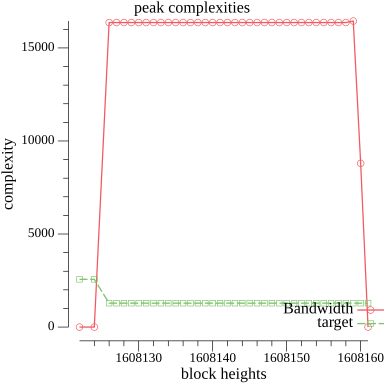 />
/>
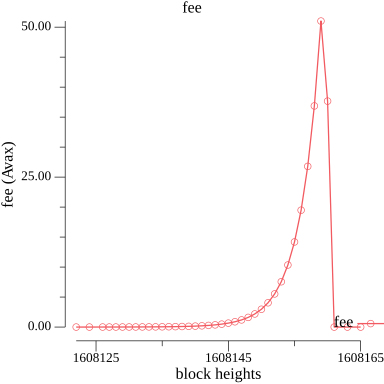 />
/>
 >
>
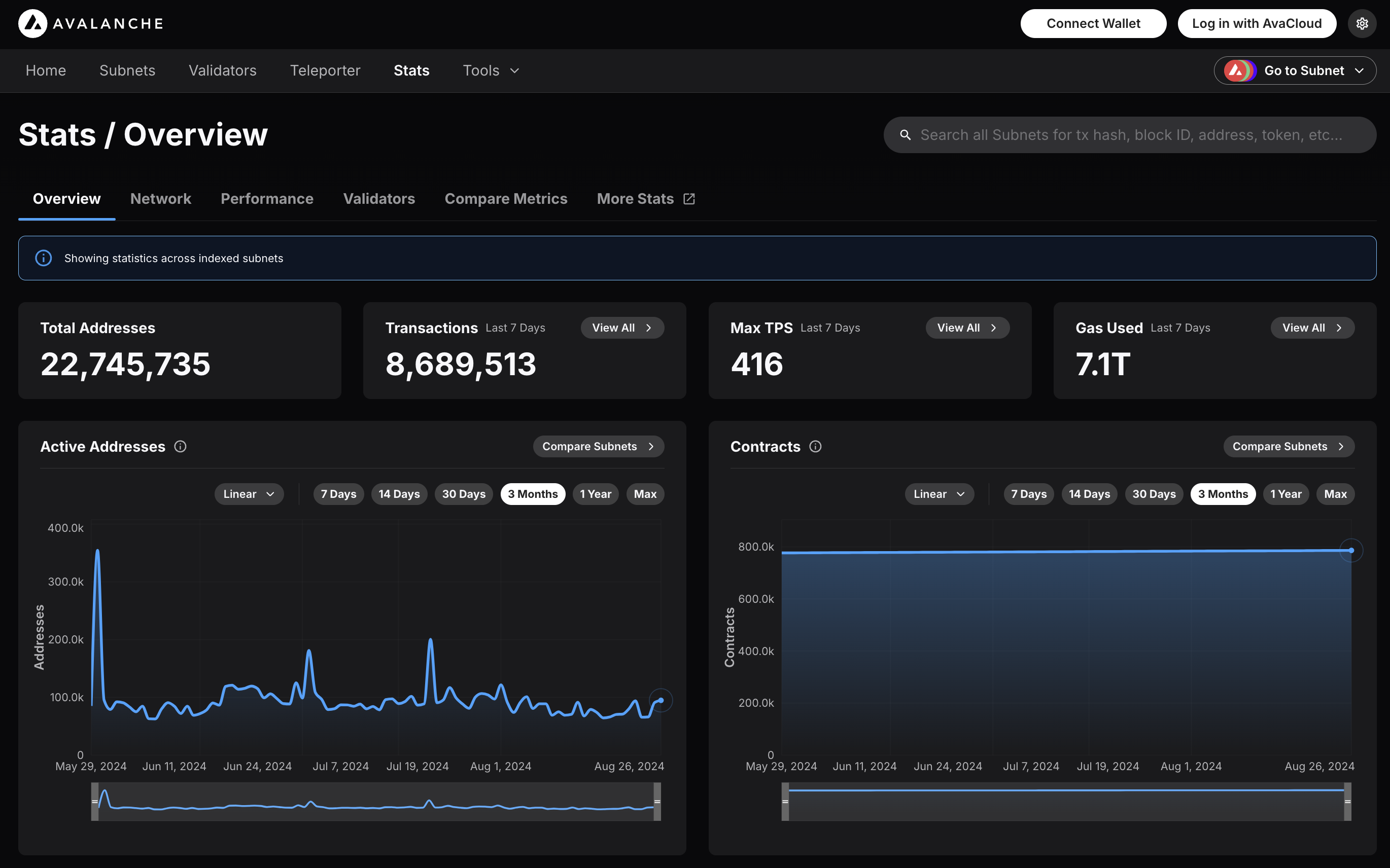 ### Features
* **Chain Throughput:** Retrieve detailed metrics on gas consumption, Transactions Per Second (TPS), and gas prices, including rolling windows of data for granular analysis.
* **Cumulative Metrics:** Access cumulative data on addresses, contracts, deployers, and transaction counts, providing insights into network growth over time.
* **Staking Information:** Obtain staking-related data, including the number of validators and delegators, along with their respective weights, across different subnets.
* **Blockchains and Subnets:** Get information about supported blockchains, including EVM Chain IDs, blockchain IDs, and subnet associations, facilitating multi-chain analytics.
* **Composite Queries:** Perform advanced queries by combining different metric types and conditions, enabling detailed and customizable data retrieval.
The Metrics API is designed to provide developers with powerful tools to analyze and monitor on-chain activity across Avalanche’s primary network, Avalanche L1s, and other supported EVM chains. Below is an overview of the key features available:
### Chain Throughput Metrics
* **Gas Consumption**
### Features
* **Chain Throughput:** Retrieve detailed metrics on gas consumption, Transactions Per Second (TPS), and gas prices, including rolling windows of data for granular analysis.
* **Cumulative Metrics:** Access cumulative data on addresses, contracts, deployers, and transaction counts, providing insights into network growth over time.
* **Staking Information:** Obtain staking-related data, including the number of validators and delegators, along with their respective weights, across different subnets.
* **Blockchains and Subnets:** Get information about supported blockchains, including EVM Chain IDs, blockchain IDs, and subnet associations, facilitating multi-chain analytics.
* **Composite Queries:** Perform advanced queries by combining different metric types and conditions, enabling detailed and customizable data retrieval.
The Metrics API is designed to provide developers with powerful tools to analyze and monitor on-chain activity across Avalanche’s primary network, Avalanche L1s, and other supported EVM chains. Below is an overview of the key features available:
### Chain Throughput Metrics
* **Gas Consumption** 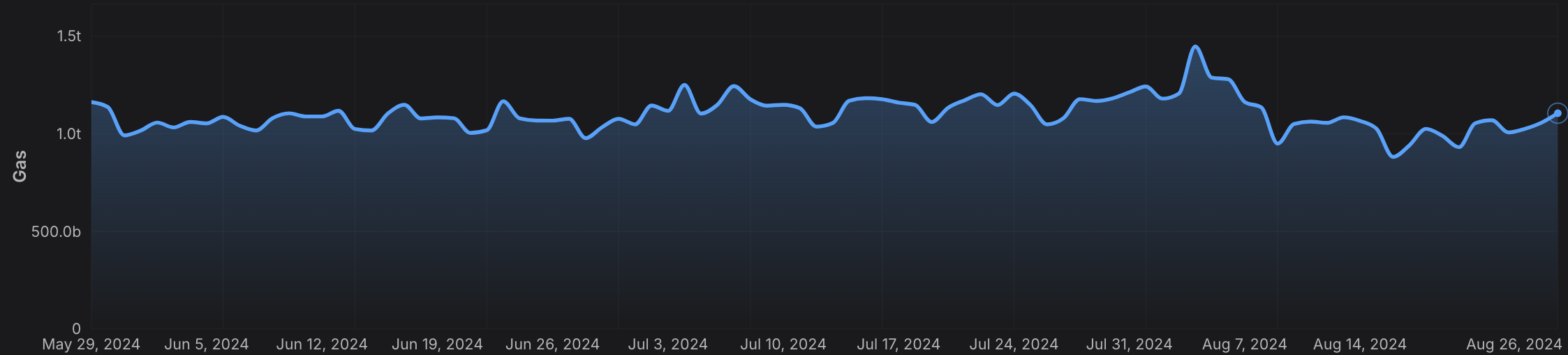 * **Transactions Per Second (TPS)**
 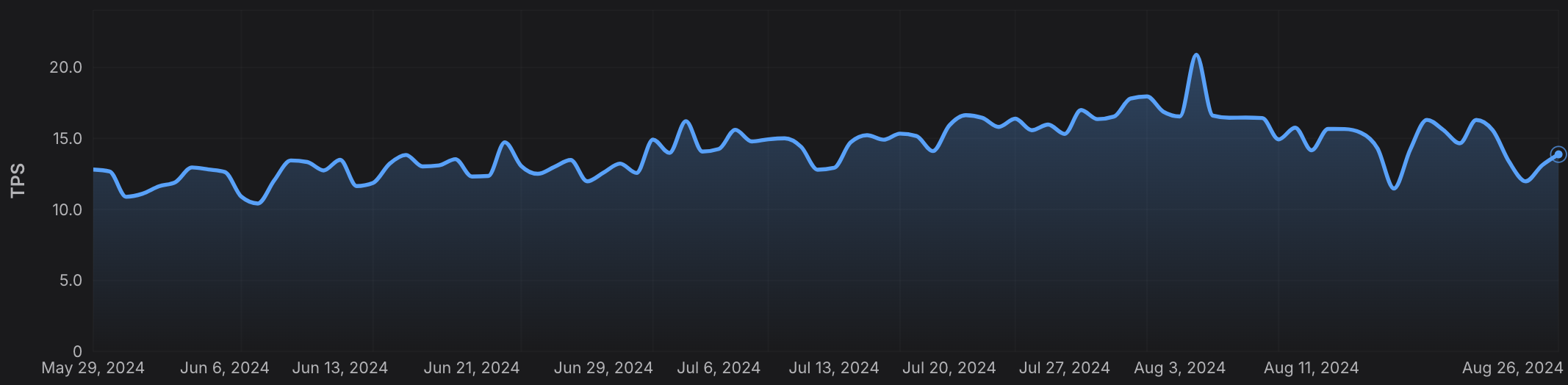 * **Gas Prices**
 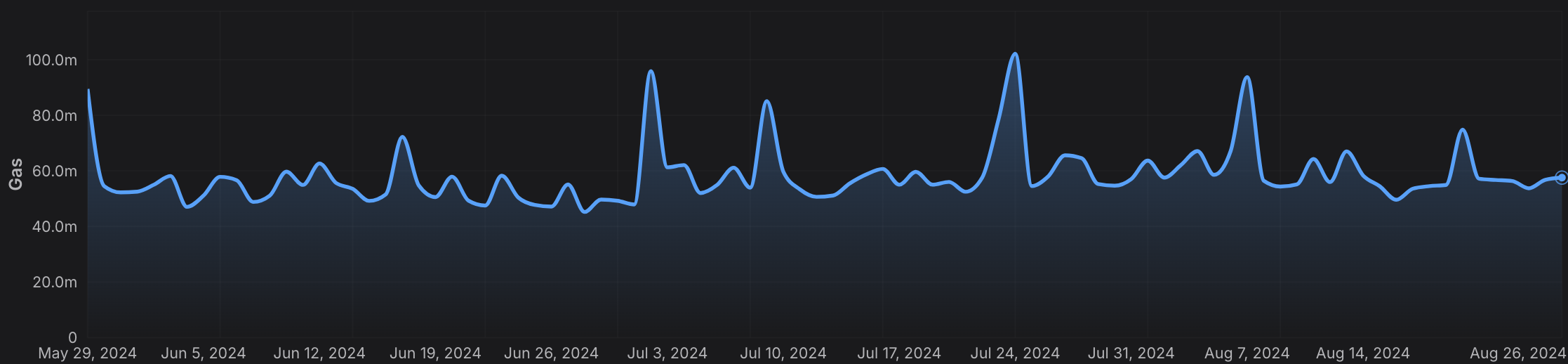 ### Cumulative Metrics
* **Address Growth**
### Cumulative Metrics
* **Address Growth** 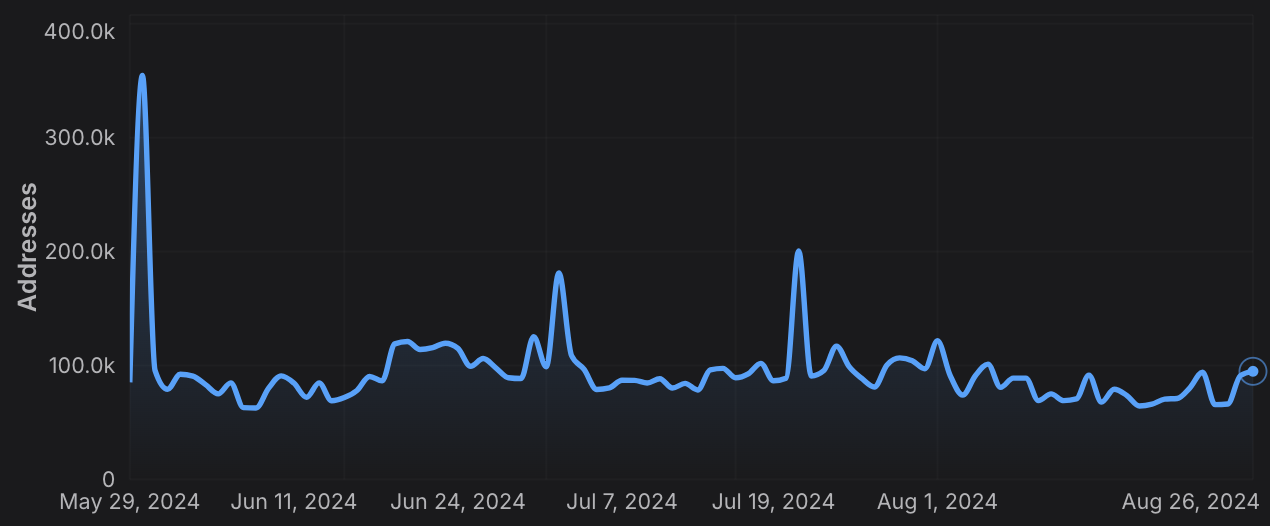 * **Contract Deployment**
  * **Transaction Count**
  ### Staking Information
* **Validator and Delegator Counts**
### Staking Information
* **Validator and Delegator Counts**  * **Staking Weights**
  ### Rolling Window Analytics
* **Short-Term and Long-Term Metrics:** Perform rolling window analysis on various metrics like gas used, TPS, and gas prices, allowing for both short-term and long-term trend analysis.
* **Customizable Time Frames:** Choose from different time intervals (hourly, daily, monthly) to suit your specific analytical needs.
### Blockchain and L1 Information
* **Chain and L1 Mapping:** Get detailed information about EVM chains and their associated L1s, including chain IDs, blockchain IDs, and subnet IDs, facilitating cross-chain analytics.
### Advanced Composite Queries
* **Custom Metrics Combinations**: Combine multiple metrics and apply logical operators to perform sophisticated queries, enabling deep insights and tailored analytics.
* **Paginated Results:** Handle large datasets efficiently with paginated responses, ensuring seamless data retrieval in your applications.
The Metrics API equips developers with the tools needed to build robust analytics, monitoring, and reporting solutions, leveraging the full power of multi-chain data across the Avalanche ecosystem and beyond.
# Rate Limits (/docs/api-reference/metrics-api/rate-limits)
---
title: Rate Limits
description: Rate Limits for the Metrics API
icon: Clock
---
# Rate Limits
Rate limiting is managed through a weighted scoring system, known as Compute Units (CUs). Each API request consumes a specified number of CUs, determined by the complexity of the request. This system is designed to accommodate basic requests while efficiently handling more computationally intensive operations.
## Rate Limit Tiers
The maximum CUs (rate-limiting score) for a user depends on their subscription level and is delineated in the following table:
| Subscription Level | Per Minute Limit (CUs) | Per Day Limit (CUs) |
| :----------------- | :--------------------- | :------------------ |
| Free | 8,000 | 1,200,000 |
> We are working on new subscription tiers with higher rate limits to support even greater request volumes.
## Rate Limit Categories
The CUs for each category are defined in the following table:
| Weight | CU Value |
| :----- | :------- |
| Free | 1 |
| Small | 20 |
| Medium | 100 |
| Large | 500 |
| XL | 1000 |
| XXL | 3000 |
## Rate Limits for Metrics Endpoints
The CUs for each route are defined in the table below:
| Endpoint | Method | Weight | CU Value |
| :---------------------------------------------------------- | :----- | :----- | :------- |
| `/v2/health-check` | GET | Free | 1 |
| `/v2/chains` | GET | Free | 1 |
| `/v2/chains/{chainId}` | GET | Free | 1 |
| `/v2/chains/{chainId}/metrics/{metric}` | GET | Medium | 100 |
| `/v2/chains/{chainId}/teleporterMetrics/{metric}` | GET | Medium | 100 |
| `/v2/chains/{chainId}/rollingWindowMetrics/{metric}` | GET | Medium | 100 |
| `/v2/networks/{network}/metrics/{metric}` | GET | Medium | 100 |
| `/v2/chains/{chainId}/contracts/{address}/nfts:listHolders` | GET | Large | 500 |
| `/v2/chains/{chainId}/contracts/{address}/balances` | GET | XL | 1000 |
| `/v2/chains/43114/btcb/bridged:getAddresses` | GET | Large | 500 |
| `/v2/subnets/{subnetId}/validators:getAddresses` | GET | Large | 500 |
| `/v2/lookingGlass/compositeQuery` | POST | XXL | 3000 |
### Rolling Window Analytics
* **Short-Term and Long-Term Metrics:** Perform rolling window analysis on various metrics like gas used, TPS, and gas prices, allowing for both short-term and long-term trend analysis.
* **Customizable Time Frames:** Choose from different time intervals (hourly, daily, monthly) to suit your specific analytical needs.
### Blockchain and L1 Information
* **Chain and L1 Mapping:** Get detailed information about EVM chains and their associated L1s, including chain IDs, blockchain IDs, and subnet IDs, facilitating cross-chain analytics.
### Advanced Composite Queries
* **Custom Metrics Combinations**: Combine multiple metrics and apply logical operators to perform sophisticated queries, enabling deep insights and tailored analytics.
* **Paginated Results:** Handle large datasets efficiently with paginated responses, ensuring seamless data retrieval in your applications.
The Metrics API equips developers with the tools needed to build robust analytics, monitoring, and reporting solutions, leveraging the full power of multi-chain data across the Avalanche ecosystem and beyond.
# Rate Limits (/docs/api-reference/metrics-api/rate-limits)
---
title: Rate Limits
description: Rate Limits for the Metrics API
icon: Clock
---
# Rate Limits
Rate limiting is managed through a weighted scoring system, known as Compute Units (CUs). Each API request consumes a specified number of CUs, determined by the complexity of the request. This system is designed to accommodate basic requests while efficiently handling more computationally intensive operations.
## Rate Limit Tiers
The maximum CUs (rate-limiting score) for a user depends on their subscription level and is delineated in the following table:
| Subscription Level | Per Minute Limit (CUs) | Per Day Limit (CUs) |
| :----------------- | :--------------------- | :------------------ |
| Free | 8,000 | 1,200,000 |
> We are working on new subscription tiers with higher rate limits to support even greater request volumes.
## Rate Limit Categories
The CUs for each category are defined in the following table:
| Weight | CU Value |
| :----- | :------- |
| Free | 1 |
| Small | 20 |
| Medium | 100 |
| Large | 500 |
| XL | 1000 |
| XXL | 3000 |
## Rate Limits for Metrics Endpoints
The CUs for each route are defined in the table below:
| Endpoint | Method | Weight | CU Value |
| :---------------------------------------------------------- | :----- | :----- | :------- |
| `/v2/health-check` | GET | Free | 1 |
| `/v2/chains` | GET | Free | 1 |
| `/v2/chains/{chainId}` | GET | Free | 1 |
| `/v2/chains/{chainId}/metrics/{metric}` | GET | Medium | 100 |
| `/v2/chains/{chainId}/teleporterMetrics/{metric}` | GET | Medium | 100 |
| `/v2/chains/{chainId}/rollingWindowMetrics/{metric}` | GET | Medium | 100 |
| `/v2/networks/{network}/metrics/{metric}` | GET | Medium | 100 |
| `/v2/chains/{chainId}/contracts/{address}/nfts:listHolders` | GET | Large | 500 |
| `/v2/chains/{chainId}/contracts/{address}/balances` | GET | XL | 1000 |
| `/v2/chains/43114/btcb/bridged:getAddresses` | GET | Large | 500 |
| `/v2/subnets/{subnetId}/validators:getAddresses` | GET | Large | 500 |
| `/v2/lookingGlass/compositeQuery` | POST | XXL | 3000 |
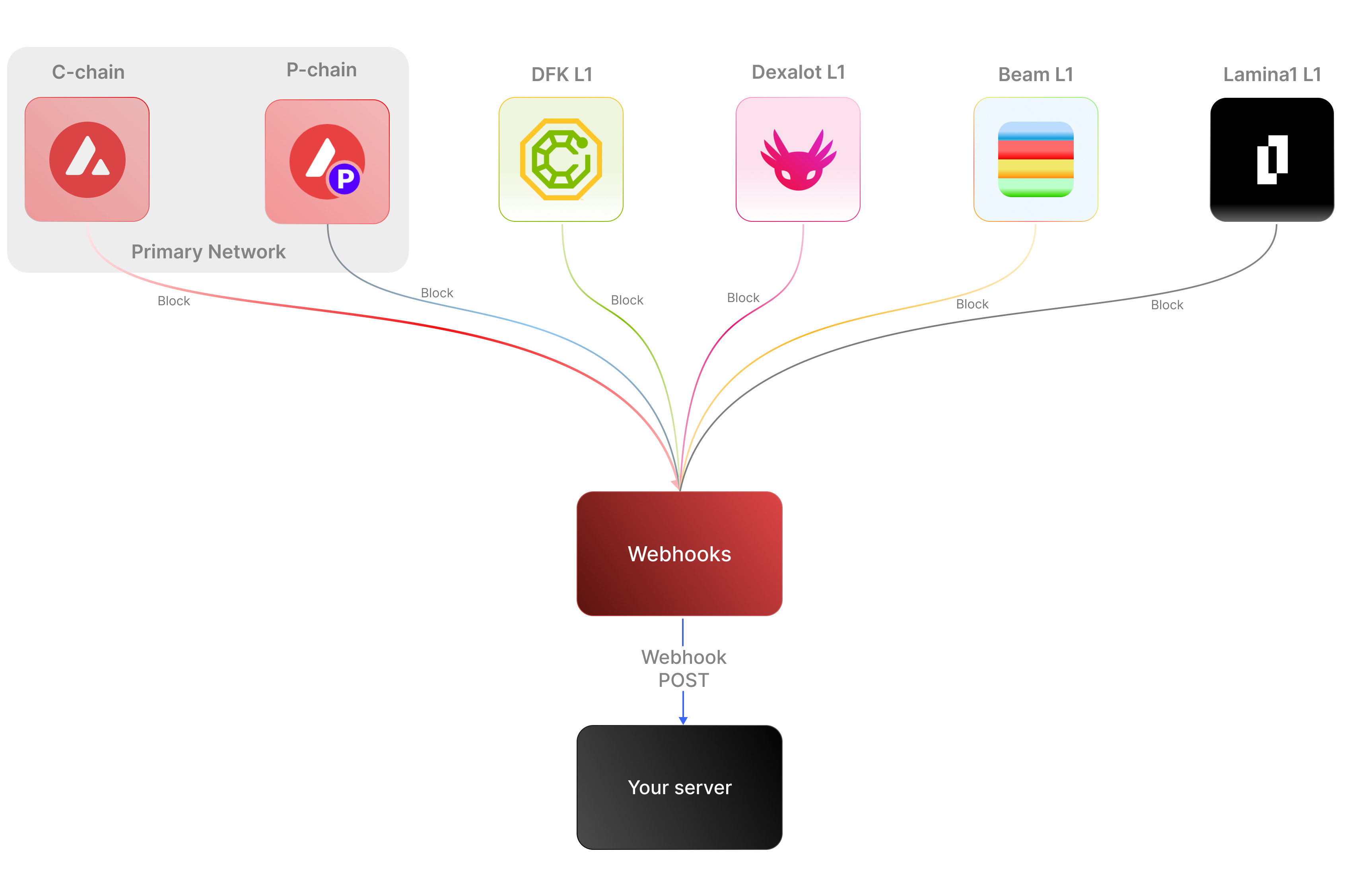 ### Key Features:
* **Real-time notifications:** Receive immediate updates on specified on-chain activities without polling.
* **Customizable:** Specify the desired event type to listen for, customizing notifications based on your individual requirements.
* **Secure:** Employ shared secrets and signature-based verification to ensure that notifications originate from a trusted source.
* **Broad Coverage:**
* **C-chain:** Mainnet and testnet, covering smart contract events, NFT transfers, and wallet-to-wallet transactions.
* **Platform Chain (P and X chains):** Address and validator events, staking activities, and other platform-level transactions.
By supporting both the C-chain and the Platform Chain, you can monitor an even wider range of Avalanche activities.
### Use cases
* **NFT marketplace transactions**: Get alerts for NFT minting, transfers, auctions, bids, sales, and other interactions within NFT marketplaces.
* **Wallet notifications**: Receive alerts when an address performs actions such as sending, receiving, swapping, or burning assets.
* **DeFi activities**: Receive notifications for various DeFi activities such as liquidity provisioning, yield farming, borrowing, lending, and liquidations.
* **Staking rewards:** Get real-time notifications when a validator stakes, receives delegation, or earns staking rewards on the P-Chain, enabling seamless monitoring of validator earnings and participation.
## APIs for continuous polling vs. Webhooks for events data
The following example uses the address activity webhook topic to illustrate the difference between polling an API for wallet event data versus subscribing to a webhook topic to receive wallet events.
### Key Features:
* **Real-time notifications:** Receive immediate updates on specified on-chain activities without polling.
* **Customizable:** Specify the desired event type to listen for, customizing notifications based on your individual requirements.
* **Secure:** Employ shared secrets and signature-based verification to ensure that notifications originate from a trusted source.
* **Broad Coverage:**
* **C-chain:** Mainnet and testnet, covering smart contract events, NFT transfers, and wallet-to-wallet transactions.
* **Platform Chain (P and X chains):** Address and validator events, staking activities, and other platform-level transactions.
By supporting both the C-chain and the Platform Chain, you can monitor an even wider range of Avalanche activities.
### Use cases
* **NFT marketplace transactions**: Get alerts for NFT minting, transfers, auctions, bids, sales, and other interactions within NFT marketplaces.
* **Wallet notifications**: Receive alerts when an address performs actions such as sending, receiving, swapping, or burning assets.
* **DeFi activities**: Receive notifications for various DeFi activities such as liquidity provisioning, yield farming, borrowing, lending, and liquidations.
* **Staking rewards:** Get real-time notifications when a validator stakes, receives delegation, or earns staking rewards on the P-Chain, enabling seamless monitoring of validator earnings and participation.
## APIs for continuous polling vs. Webhooks for events data
The following example uses the address activity webhook topic to illustrate the difference between polling an API for wallet event data versus subscribing to a webhook topic to receive wallet events.
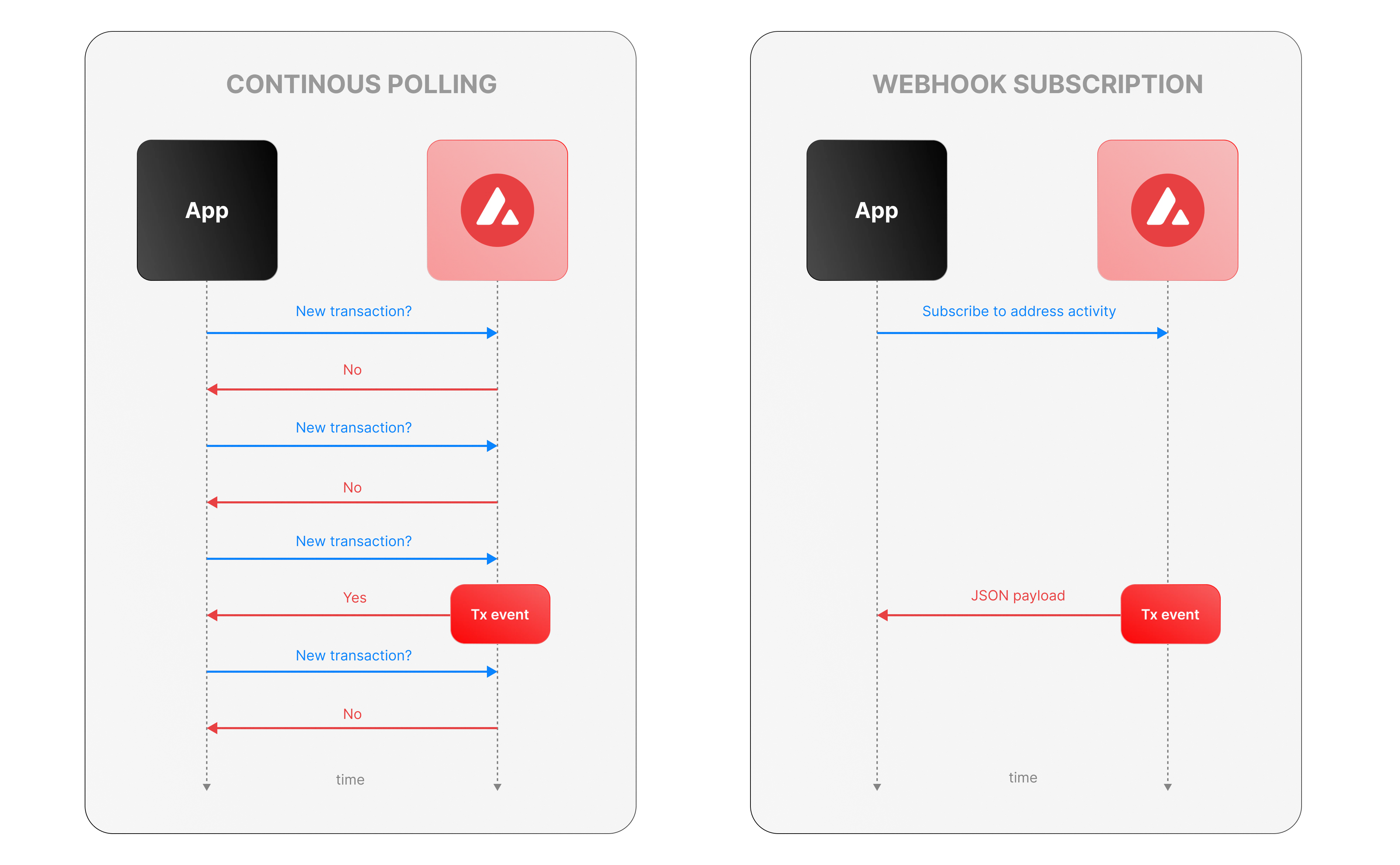 ### Continous polling
Continuous polling is a method where your application repeatedly sends requests to an API at fixed intervals to check for new data or events. Think of it like checking your mailbox every five minutes to see if new mail has arrived, whether or not anything is there.
* You want to track new transactions for a specific wallet.
* Your application calls an API every few seconds (e.g., every 5 seconds) with a query like, “Are there any new transactions for this wallet since my last check?”
* The API responds with either new transaction data or a confirmation that nothing has changed.
**Downsides of continuous polling**
* **Inefficiency:** Your app makes requests even when no new transactions occur, wasting computational resources, bandwidth, and potentially incurring higher API costs.
For example, if no transactions happen for an hour, your app still sends hundreds of unnecessary requests.
* **Delayed updates:**
Since polling happens at set intervals, there’s a potential delay in detecting events. If a transaction occurs just after a poll, your app won’t know until the next check—up to 5 seconds later in our example.
This lag can be critical for time-sensitive applications, like trading or notifications.
* **Scalability challenges:** Monitoring one wallet might be manageable, but if you’re tracking dozens or hundreds of wallets, the number of requests multiplies quickly.
### Webhook subscription
Webhooks are an event-driven alternative where your application subscribes to specific events, and the Avalanche service notifies you instantly when those events occur. It’s like signing up for a delivery alert—when the package (event) arrives, you get a text message right away, instead of checking the tracking site repeatedly.
* Your app registers a webhook specifying an endpoint (e.g., `https://your-app.com/webhooks/transactions`) and the event type (e.g., `address_activity`).
* When a new transaction occurs we send a POST request to your endpoint with the transaction details.
* Your app receives the data only when something happens, with no need to ask repeatedly.
**Benefits of Avalanche webhooks**
* **Real-Time updates:** Notifications arrive the moment a transaction is processed, eliminating delays inherent in polling. This is ideal for applications needing immediate responses, like alerting users or triggering automated actions.
* **Efficiency:** Your app doesn’t waste resources making requests when there’s no new data. Data flows only when events occur. This reduces server load, bandwidth usage, and API call quotas.
* **Scalability:** You can subscribe to events for multiple wallets or event types (e.g., transactions, smart contract calls) without increasing the number of requests your app makes. We handle the event detection and delivery, so your app scales effortlessly as monitoring needs grow.
## Event payload structure
The Event structure always begins with the following parameters:
```json theme={null}
{
"webhookId": "6d1bd383-aa8d-47b5-b793-da6d8a115fde",
"eventType": "address_activity",
"messageId": "8e4e7284-852a-478b-b425-27631c8d22d2",
"event": {
}
}
```
**Parameters:**
* `webhookId`: Unique identifier for the webhook in your account.
* `eventType`: The event that caused the webhook to be triggered. In the future, there will be multiple types of events, for the time being only the address\_activity event is supported. The address\_activity event gets triggered whenever the specified addresses participate in a token or AVAX transaction.
* `messageId`: Unique identifier per event sent.
* `event`: Event payload. It contains details about the transaction, logs, and traces. By default logs and internal transactions are not included, if you want to include them use `"includeLogs": true`, and `"includeInternalTxs": true`.
### Address Activity webhook
The address activity webhook allows you to track any interaction with an address (any address). Here is an example of this type of event:
```json theme={null}
{
"webhookId": "263942d1-74a4-4416-aeb4-948b9b9bb7cc",
"eventType": "address_activity",
"messageId": "94df1881-5d93-49d1-a1bd-607830608de2",
"event": {
"transaction": {
"blockHash": "0xbd093536009f7dd785e9a5151d80069a93cc322f8b2df63d373865af4f6ee5be",
"blockNumber": "44568834",
"from": "0xf73166f0c75a3DF444fAbdFDC7e5EE4a73fA51C7",
"gas": "651108",
"gasPrice": "31466275484",
"maxFeePerGas": "31466275484",
"maxPriorityFeePerGas": "31466275484",
"txHash": "0xf6a791920652e87ccc91d2f1b20c1505a94452b88f359acdeb5a6fa8205638c4",
"txStatus": "1",
"input": "0xb80c2f090000000000000000000000000000000000000000000000000000000000000000000000000000000000000000eeeeeeeeeeeeeeeeeeeeeeeeeeeeeeeeeeeeeeee000000000000000000000000b97ef9ef8734c71904d8002f8b6bc66dd9c48a6e000000000000000000000000000000000000000000000000006ca0c737b131f2000000000000000000000000000000000000000000000000000000000011554e000000000000000000000000000000000000000000000000000000006627dadc0000000000000000000000000000000000000000000000000000000000000120000000000000000000000000000000000000000000000000000000000000016000000000000000000000000000000000000000000000000000000000000004600000000000000000000000000000000000000000000000000000000000000001000000000000000000000000000000000000000000000000006ca0c737b131f2000000000000000000000000000000000000000000000000000000000000000100000000000000000000000000000000000000000000000000000000000000200000000000000000000000000000000000000000000000000000000000000001000000000000000000000000000000000000000000000000000000000000002000000000000000000000000000000000000000000000000000000000000000a000000000000000000000000000000000000000000000000000000000000000e000000000000000000000000000000000000000000000000000000000000001200000000000000000000000000000000000000000000000000000000000000160000000000000000000000000b31f66aa3c1e785363f0875a1b74e27b85fd66c70000000000000000000000000000000000000000000000000000000000000001000000000000000000000000be882fb094143b59dc5335d32cecb711570ebdd40000000000000000000000000000000000000000000000000000000000000001000000000000000000000000be882fb094143b59dc5335d32cecb711570ebdd400000000000000000000000000000000000000000000000000000000000000010000000000000000000027100e663593657b064e1bae76d28625df5d0ebd44210000000000000000000000000000000000000000000000000000000000000001000000000000000000000000000000000000000000000000000000000000002000000000000000000000000000000000000000000000000000000000000000c0000000000000000000000000000000000000000000000000000000000000000000000000000000000000000000000000000000000000000000000000000000400000000000000000000000000000000000000000000000000000000000000060000000000000000000000000b31f66aa3c1e785363f0875a1b74e27b85fd66c7000000000000000000000000b97ef9ef8734c71904d8002f8b6bc66dd9c48a6e0000000000000000000000000000000000000000000000000000000000000bb80000000000000000000000000000000000000000000000000000000000000000",
"nonce": "4",
"to": "0x1dac23e41fc8ce857e86fd8c1ae5b6121c67d96d",
"transactionIndex": 0,
"value": "30576074978046450",
"type": 0,
"chainId": "43114",
"receiptCumulativeGasUsed": "212125",
"receiptGasUsed": "212125",
"receiptEffectiveGasPrice": "31466275484",
"receiptRoot": "0xf355b81f3e76392e1b4926429d6abf8ec24601cc3d36d0916de3113aa80dd674",
"erc20Transfers": [
{
"transactionHash": "0xf6a791920652e87ccc91d2f1b20c1505a94452b88f359acdeb5a6fa8205638c4",
"type": "ERC20",
"from": "0x1daC23e41Fc8ce857E86fD8C1AE5b6121C67D96d",
"to": "0xbe882fb094143B59Dc5335D32cEcB711570EbDD4",
"value": "30576074978046450",
"blockTimestamp": 1713884373,
"logIndex": 2,
"erc20Token": {
"address": "0xB31f66AA3C1e785363F0875A1B74E27b85FD66c7",
"name": "Wrapped AVAX",
"symbol": "WAVAX",
"decimals": 18,
"valueWithDecimals": "0.030576074978046448"
}
},
{
"transactionHash": "0xf6a791920652e87ccc91d2f1b20c1505a94452b88f359acdeb5a6fa8205638c4",
"type": "ERC20",
"from": "0x0E663593657B064e1baE76d28625Df5D0eBd4421",
"to": "0xf73166f0c75a3DF444fAbdFDC7e5EE4a73fA51C7",
"value": "1195737",
"blockTimestamp": 1713884373,
"logIndex": 3,
"erc20Token": {
"address": "0xB97EF9Ef8734C71904D8002F8b6Bc66Dd9c48a6E",
"name": "USD Coin",
"symbol": "USDC",
"decimals": 6,
"valueWithDecimals": "1.195737"
}
},
{
"transactionHash": "0xf6a791920652e87ccc91d2f1b20c1505a94452b88f359acdeb5a6fa8205638c4",
"type": "ERC20",
"from": "0xbe882fb094143B59Dc5335D32cEcB711570EbDD4",
"to": "0x0E663593657B064e1baE76d28625Df5D0eBd4421",
"value": "30576074978046450",
"blockTimestamp": 1713884373,
"logIndex": 4,
"erc20Token": {
"address": "0xB31f66AA3C1e785363F0875A1B74E27b85FD66c7",
"name": "Wrapped AVAX",
"symbol": "WAVAX",
"decimals": 18,
"valueWithDecimals": "0.030576074978046448"
}
}
],
"erc721Transfers": [],
"erc1155Transfers": [],
"internalTransactions": [
{
"from": "0xf73166f0c75a3DF444fAbdFDC7e5EE4a73fA51C7",
"to": "0x1daC23e41Fc8ce857E86fD8C1AE5b6121C67D96d",
"internalTxType": "CALL",
"value": "30576074978046450",
"gasUsed": "212125",
"gasLimit": "651108",
"transactionHash": "0xf6a791920652e87ccc91d2f1b20c1505a94452b88f359acdeb5a6fa8205638c4"
},
{
"from": "0x1daC23e41Fc8ce857E86fD8C1AE5b6121C67D96d",
"to": "0xF2781Bb34B6f6Bb9a6B5349b24de91487E653119",
"internalTxType": "DELEGATECALL",
"value": "30576074978046450",
"gasUsed": "176417",
"gasLimit": "605825",
"transactionHash": "0xf6a791920652e87ccc91d2f1b20c1505a94452b88f359acdeb5a6fa8205638c4"
},
{
"from": "0x1daC23e41Fc8ce857E86fD8C1AE5b6121C67D96d",
"to": "0xB97EF9Ef8734C71904D8002F8b6Bc66Dd9c48a6E",
"internalTxType": "STATICCALL",
"value": "0",
"gasUsed": "9750",
"gasLimit": "585767",
"transactionHash": "0xf6a791920652e87ccc91d2f1b20c1505a94452b88f359acdeb5a6fa8205638c4"
},
{
"from": "0xB97EF9Ef8734C71904D8002F8b6Bc66Dd9c48a6E",
"to": "0x30DFE0469803BcE76F8F62aC24b18d33D3d6FfE6",
"internalTxType": "DELEGATECALL",
"value": "0",
"gasUsed": "2553",
"gasLimit": "569571",
"transactionHash": "0xf6a791920652e87ccc91d2f1b20c1505a94452b88f359acdeb5a6fa8205638c4"
},
{
"from": "0x1daC23e41Fc8ce857E86fD8C1AE5b6121C67D96d",
"to": "0xB31f66AA3C1e785363F0875A1B74E27b85FD66c7",
"internalTxType": "CALL",
"value": "30576074978046450",
"gasUsed": "23878",
"gasLimit": "566542",
"transactionHash": "0xf6a791920652e87ccc91d2f1b20c1505a94452b88f359acdeb5a6fa8205638c4"
},
{
"from": "0x1daC23e41Fc8ce857E86fD8C1AE5b6121C67D96d",
"to": "0xB31f66AA3C1e785363F0875A1B74E27b85FD66c7",
"internalTxType": "CALL",
"value": "0",
"gasUsed": "25116",
"gasLimit": "540114",
"transactionHash": "0xf6a791920652e87ccc91d2f1b20c1505a94452b88f359acdeb5a6fa8205638c4"
},
{
"from": "0x1daC23e41Fc8ce857E86fD8C1AE5b6121C67D96d",
"to": "0xbe882fb094143B59Dc5335D32cEcB711570EbDD4",
"internalTxType": "CALL",
"value": "0",
"gasUsed": "81496",
"gasLimit": "511279",
"transactionHash": "0xf6a791920652e87ccc91d2f1b20c1505a94452b88f359acdeb5a6fa8205638c4"
},
{
"from": "0xbe882fb094143B59Dc5335D32cEcB711570EbDD4",
"to": "0xB31f66AA3C1e785363F0875A1B74E27b85FD66c7",
"internalTxType": "STATICCALL",
"value": "0",
"gasUsed": "491",
"gasLimit": "501085",
"transactionHash": "0xf6a791920652e87ccc91d2f1b20c1505a94452b88f359acdeb5a6fa8205638c4"
},
{
"from": "0xbe882fb094143B59Dc5335D32cEcB711570EbDD4",
"to": "0x0E663593657B064e1baE76d28625Df5D0eBd4421",
"internalTxType": "CALL",
"value": "0",
"gasUsed": "74900",
"gasLimit": "497032",
"transactionHash": "0xf6a791920652e87ccc91d2f1b20c1505a94452b88f359acdeb5a6fa8205638c4"
},
{
"from": "0x0E663593657B064e1baE76d28625Df5D0eBd4421",
"to": "0xB97EF9Ef8734C71904D8002F8b6Bc66Dd9c48a6E",
"internalTxType": "CALL",
"value": "0",
"gasUsed": "32063",
"gasLimit": "463431",
"transactionHash": "0xf6a791920652e87ccc91d2f1b20c1505a94452b88f359acdeb5a6fa8205638c4"
},
{
"from": "0xB97EF9Ef8734C71904D8002F8b6Bc66Dd9c48a6E",
"to": "0x30DFE0469803BcE76F8F62aC24b18d33D3d6FfE6",
"internalTxType": "DELEGATECALL",
"value": "0",
"gasUsed": "31363",
"gasLimit": "455542",
"transactionHash": "0xf6a791920652e87ccc91d2f1b20c1505a94452b88f359acdeb5a6fa8205638c4"
},
{
"from": "0x0E663593657B064e1baE76d28625Df5D0eBd4421",
"to": "0xB31f66AA3C1e785363F0875A1B74E27b85FD66c7",
"internalTxType": "STATICCALL",
"value": "0",
"gasUsed": "2491",
"gasLimit": "430998",
"transactionHash": "0xf6a791920652e87ccc91d2f1b20c1505a94452b88f359acdeb5a6fa8205638c4"
},
{
"from": "0x0E663593657B064e1baE76d28625Df5D0eBd4421",
"to": "0xbe882fb094143B59Dc5335D32cEcB711570EbDD4",
"internalTxType": "CALL",
"value": "0",
"gasUsed": "7591",
"gasLimit": "427775",
"transactionHash": "0xf6a791920652e87ccc91d2f1b20c1505a94452b88f359acdeb5a6fa8205638c4"
},
{
"from": "0xbe882fb094143B59Dc5335D32cEcB711570EbDD4",
"to": "0xB31f66AA3C1e785363F0875A1B74E27b85FD66c7",
"internalTxType": "CALL",
"value": "0",
"gasUsed": "6016",
"gasLimit": "419746",
"transactionHash": "0xf6a791920652e87ccc91d2f1b20c1505a94452b88f359acdeb5a6fa8205638c4"
},
{
"from": "0x0E663593657B064e1baE76d28625Df5D0eBd4421",
"to": "0xB31f66AA3C1e785363F0875A1B74E27b85FD66c7",
"internalTxType": "STATICCALL",
"value": "0",
"gasUsed": "491",
"gasLimit": "419670",
"transactionHash": "0xf6a791920652e87ccc91d2f1b20c1505a94452b88f359acdeb5a6fa8205638c4"
},
{
"from": "0x1daC23e41Fc8ce857E86fD8C1AE5b6121C67D96d",
"to": "0xB97EF9Ef8734C71904D8002F8b6Bc66Dd9c48a6E",
"internalTxType": "STATICCALL",
"value": "0",
"gasUsed": "3250",
"gasLimit": "430493",
"transactionHash": "0xf6a791920652e87ccc91d2f1b20c1505a94452b88f359acdeb5a6fa8205638c4"
},
{
"from": "0xB97EF9Ef8734C71904D8002F8b6Bc66Dd9c48a6E",
"to": "0x30DFE0469803BcE76F8F62aC24b18d33D3d6FfE6",
"internalTxType": "DELEGATECALL",
"value": "0",
"gasUsed": "2553",
"gasLimit": "423121",
"transactionHash": "0xf6a791920652e87ccc91d2f1b20c1505a94452b88f359acdeb5a6fa8205638c4"
},
{
"from": "0x1daC23e41Fc8ce857E86fD8C1AE5b6121C67D96d",
"to": "0xB97EF9Ef8734C71904D8002F8b6Bc66Dd9c48a6E",
"internalTxType": "STATICCALL",
"value": "0",
"gasUsed": "1250",
"gasLimit": "426766",
"transactionHash": "0xf6a791920652e87ccc91d2f1b20c1505a94452b88f359acdeb5a6fa8205638c4"
},
{
"from": "0xB97EF9Ef8734C71904D8002F8b6Bc66Dd9c48a6E",
"to": "0x30DFE0469803BcE76F8F62aC24b18d33D3d6FfE6",
"internalTxType": "DELEGATECALL",
"value": "0",
"gasUsed": "553",
"gasLimit": "419453",
"transactionHash": "0xf6a791920652e87ccc91d2f1b20c1505a94452b88f359acdeb5a6fa8205638c4"
}
],
"blockTimestamp": 1713884373
}
}
}
```
# Rate Limits (/docs/api-reference/webhook-api/rate-limits)
---
title: Rate Limits
description: Rate Limits for the Webhooks API
icon: Clock
---
Rate limiting is managed through a weighted scoring system, known as Compute Units (CUs). Each API request consumes a specified number of CUs, determined by the complexity of the request. This system is designed to accommodate basic requests while efficiently handling more computationally intensive operations.
## Rate Limit Tiers
The maximum CUs (rate-limiting score) for a user depends on their subscription level and is delineated in the following table:
| Subscription Level | Per Minute Limit (CUs) | Per Day Limit (CUs) |
| :----------------- | :--------------------- | :------------------ |
| Unauthenticated | 6,000 | 1,200,000 |
| Free | 8,000 | 2,000,000 |
| Base | 10,000 | 3,750,000 |
| Growth | 14,000 | 11,200,000 |
| Pro | 20,000 | 25,000,000 |
To update your subscription level use the [AvaCloud Portal](https://app.avacloud.io/)
### Continous polling
Continuous polling is a method where your application repeatedly sends requests to an API at fixed intervals to check for new data or events. Think of it like checking your mailbox every five minutes to see if new mail has arrived, whether or not anything is there.
* You want to track new transactions for a specific wallet.
* Your application calls an API every few seconds (e.g., every 5 seconds) with a query like, “Are there any new transactions for this wallet since my last check?”
* The API responds with either new transaction data or a confirmation that nothing has changed.
**Downsides of continuous polling**
* **Inefficiency:** Your app makes requests even when no new transactions occur, wasting computational resources, bandwidth, and potentially incurring higher API costs.
For example, if no transactions happen for an hour, your app still sends hundreds of unnecessary requests.
* **Delayed updates:**
Since polling happens at set intervals, there’s a potential delay in detecting events. If a transaction occurs just after a poll, your app won’t know until the next check—up to 5 seconds later in our example.
This lag can be critical for time-sensitive applications, like trading or notifications.
* **Scalability challenges:** Monitoring one wallet might be manageable, but if you’re tracking dozens or hundreds of wallets, the number of requests multiplies quickly.
### Webhook subscription
Webhooks are an event-driven alternative where your application subscribes to specific events, and the Avalanche service notifies you instantly when those events occur. It’s like signing up for a delivery alert—when the package (event) arrives, you get a text message right away, instead of checking the tracking site repeatedly.
* Your app registers a webhook specifying an endpoint (e.g., `https://your-app.com/webhooks/transactions`) and the event type (e.g., `address_activity`).
* When a new transaction occurs we send a POST request to your endpoint with the transaction details.
* Your app receives the data only when something happens, with no need to ask repeatedly.
**Benefits of Avalanche webhooks**
* **Real-Time updates:** Notifications arrive the moment a transaction is processed, eliminating delays inherent in polling. This is ideal for applications needing immediate responses, like alerting users or triggering automated actions.
* **Efficiency:** Your app doesn’t waste resources making requests when there’s no new data. Data flows only when events occur. This reduces server load, bandwidth usage, and API call quotas.
* **Scalability:** You can subscribe to events for multiple wallets or event types (e.g., transactions, smart contract calls) without increasing the number of requests your app makes. We handle the event detection and delivery, so your app scales effortlessly as monitoring needs grow.
## Event payload structure
The Event structure always begins with the following parameters:
```json theme={null}
{
"webhookId": "6d1bd383-aa8d-47b5-b793-da6d8a115fde",
"eventType": "address_activity",
"messageId": "8e4e7284-852a-478b-b425-27631c8d22d2",
"event": {
}
}
```
**Parameters:**
* `webhookId`: Unique identifier for the webhook in your account.
* `eventType`: The event that caused the webhook to be triggered. In the future, there will be multiple types of events, for the time being only the address\_activity event is supported. The address\_activity event gets triggered whenever the specified addresses participate in a token or AVAX transaction.
* `messageId`: Unique identifier per event sent.
* `event`: Event payload. It contains details about the transaction, logs, and traces. By default logs and internal transactions are not included, if you want to include them use `"includeLogs": true`, and `"includeInternalTxs": true`.
### Address Activity webhook
The address activity webhook allows you to track any interaction with an address (any address). Here is an example of this type of event:
```json theme={null}
{
"webhookId": "263942d1-74a4-4416-aeb4-948b9b9bb7cc",
"eventType": "address_activity",
"messageId": "94df1881-5d93-49d1-a1bd-607830608de2",
"event": {
"transaction": {
"blockHash": "0xbd093536009f7dd785e9a5151d80069a93cc322f8b2df63d373865af4f6ee5be",
"blockNumber": "44568834",
"from": "0xf73166f0c75a3DF444fAbdFDC7e5EE4a73fA51C7",
"gas": "651108",
"gasPrice": "31466275484",
"maxFeePerGas": "31466275484",
"maxPriorityFeePerGas": "31466275484",
"txHash": "0xf6a791920652e87ccc91d2f1b20c1505a94452b88f359acdeb5a6fa8205638c4",
"txStatus": "1",
"input": "0xb80c2f090000000000000000000000000000000000000000000000000000000000000000000000000000000000000000eeeeeeeeeeeeeeeeeeeeeeeeeeeeeeeeeeeeeeee000000000000000000000000b97ef9ef8734c71904d8002f8b6bc66dd9c48a6e000000000000000000000000000000000000000000000000006ca0c737b131f2000000000000000000000000000000000000000000000000000000000011554e000000000000000000000000000000000000000000000000000000006627dadc0000000000000000000000000000000000000000000000000000000000000120000000000000000000000000000000000000000000000000000000000000016000000000000000000000000000000000000000000000000000000000000004600000000000000000000000000000000000000000000000000000000000000001000000000000000000000000000000000000000000000000006ca0c737b131f2000000000000000000000000000000000000000000000000000000000000000100000000000000000000000000000000000000000000000000000000000000200000000000000000000000000000000000000000000000000000000000000001000000000000000000000000000000000000000000000000000000000000002000000000000000000000000000000000000000000000000000000000000000a000000000000000000000000000000000000000000000000000000000000000e000000000000000000000000000000000000000000000000000000000000001200000000000000000000000000000000000000000000000000000000000000160000000000000000000000000b31f66aa3c1e785363f0875a1b74e27b85fd66c70000000000000000000000000000000000000000000000000000000000000001000000000000000000000000be882fb094143b59dc5335d32cecb711570ebdd40000000000000000000000000000000000000000000000000000000000000001000000000000000000000000be882fb094143b59dc5335d32cecb711570ebdd400000000000000000000000000000000000000000000000000000000000000010000000000000000000027100e663593657b064e1bae76d28625df5d0ebd44210000000000000000000000000000000000000000000000000000000000000001000000000000000000000000000000000000000000000000000000000000002000000000000000000000000000000000000000000000000000000000000000c0000000000000000000000000000000000000000000000000000000000000000000000000000000000000000000000000000000000000000000000000000000400000000000000000000000000000000000000000000000000000000000000060000000000000000000000000b31f66aa3c1e785363f0875a1b74e27b85fd66c7000000000000000000000000b97ef9ef8734c71904d8002f8b6bc66dd9c48a6e0000000000000000000000000000000000000000000000000000000000000bb80000000000000000000000000000000000000000000000000000000000000000",
"nonce": "4",
"to": "0x1dac23e41fc8ce857e86fd8c1ae5b6121c67d96d",
"transactionIndex": 0,
"value": "30576074978046450",
"type": 0,
"chainId": "43114",
"receiptCumulativeGasUsed": "212125",
"receiptGasUsed": "212125",
"receiptEffectiveGasPrice": "31466275484",
"receiptRoot": "0xf355b81f3e76392e1b4926429d6abf8ec24601cc3d36d0916de3113aa80dd674",
"erc20Transfers": [
{
"transactionHash": "0xf6a791920652e87ccc91d2f1b20c1505a94452b88f359acdeb5a6fa8205638c4",
"type": "ERC20",
"from": "0x1daC23e41Fc8ce857E86fD8C1AE5b6121C67D96d",
"to": "0xbe882fb094143B59Dc5335D32cEcB711570EbDD4",
"value": "30576074978046450",
"blockTimestamp": 1713884373,
"logIndex": 2,
"erc20Token": {
"address": "0xB31f66AA3C1e785363F0875A1B74E27b85FD66c7",
"name": "Wrapped AVAX",
"symbol": "WAVAX",
"decimals": 18,
"valueWithDecimals": "0.030576074978046448"
}
},
{
"transactionHash": "0xf6a791920652e87ccc91d2f1b20c1505a94452b88f359acdeb5a6fa8205638c4",
"type": "ERC20",
"from": "0x0E663593657B064e1baE76d28625Df5D0eBd4421",
"to": "0xf73166f0c75a3DF444fAbdFDC7e5EE4a73fA51C7",
"value": "1195737",
"blockTimestamp": 1713884373,
"logIndex": 3,
"erc20Token": {
"address": "0xB97EF9Ef8734C71904D8002F8b6Bc66Dd9c48a6E",
"name": "USD Coin",
"symbol": "USDC",
"decimals": 6,
"valueWithDecimals": "1.195737"
}
},
{
"transactionHash": "0xf6a791920652e87ccc91d2f1b20c1505a94452b88f359acdeb5a6fa8205638c4",
"type": "ERC20",
"from": "0xbe882fb094143B59Dc5335D32cEcB711570EbDD4",
"to": "0x0E663593657B064e1baE76d28625Df5D0eBd4421",
"value": "30576074978046450",
"blockTimestamp": 1713884373,
"logIndex": 4,
"erc20Token": {
"address": "0xB31f66AA3C1e785363F0875A1B74E27b85FD66c7",
"name": "Wrapped AVAX",
"symbol": "WAVAX",
"decimals": 18,
"valueWithDecimals": "0.030576074978046448"
}
}
],
"erc721Transfers": [],
"erc1155Transfers": [],
"internalTransactions": [
{
"from": "0xf73166f0c75a3DF444fAbdFDC7e5EE4a73fA51C7",
"to": "0x1daC23e41Fc8ce857E86fD8C1AE5b6121C67D96d",
"internalTxType": "CALL",
"value": "30576074978046450",
"gasUsed": "212125",
"gasLimit": "651108",
"transactionHash": "0xf6a791920652e87ccc91d2f1b20c1505a94452b88f359acdeb5a6fa8205638c4"
},
{
"from": "0x1daC23e41Fc8ce857E86fD8C1AE5b6121C67D96d",
"to": "0xF2781Bb34B6f6Bb9a6B5349b24de91487E653119",
"internalTxType": "DELEGATECALL",
"value": "30576074978046450",
"gasUsed": "176417",
"gasLimit": "605825",
"transactionHash": "0xf6a791920652e87ccc91d2f1b20c1505a94452b88f359acdeb5a6fa8205638c4"
},
{
"from": "0x1daC23e41Fc8ce857E86fD8C1AE5b6121C67D96d",
"to": "0xB97EF9Ef8734C71904D8002F8b6Bc66Dd9c48a6E",
"internalTxType": "STATICCALL",
"value": "0",
"gasUsed": "9750",
"gasLimit": "585767",
"transactionHash": "0xf6a791920652e87ccc91d2f1b20c1505a94452b88f359acdeb5a6fa8205638c4"
},
{
"from": "0xB97EF9Ef8734C71904D8002F8b6Bc66Dd9c48a6E",
"to": "0x30DFE0469803BcE76F8F62aC24b18d33D3d6FfE6",
"internalTxType": "DELEGATECALL",
"value": "0",
"gasUsed": "2553",
"gasLimit": "569571",
"transactionHash": "0xf6a791920652e87ccc91d2f1b20c1505a94452b88f359acdeb5a6fa8205638c4"
},
{
"from": "0x1daC23e41Fc8ce857E86fD8C1AE5b6121C67D96d",
"to": "0xB31f66AA3C1e785363F0875A1B74E27b85FD66c7",
"internalTxType": "CALL",
"value": "30576074978046450",
"gasUsed": "23878",
"gasLimit": "566542",
"transactionHash": "0xf6a791920652e87ccc91d2f1b20c1505a94452b88f359acdeb5a6fa8205638c4"
},
{
"from": "0x1daC23e41Fc8ce857E86fD8C1AE5b6121C67D96d",
"to": "0xB31f66AA3C1e785363F0875A1B74E27b85FD66c7",
"internalTxType": "CALL",
"value": "0",
"gasUsed": "25116",
"gasLimit": "540114",
"transactionHash": "0xf6a791920652e87ccc91d2f1b20c1505a94452b88f359acdeb5a6fa8205638c4"
},
{
"from": "0x1daC23e41Fc8ce857E86fD8C1AE5b6121C67D96d",
"to": "0xbe882fb094143B59Dc5335D32cEcB711570EbDD4",
"internalTxType": "CALL",
"value": "0",
"gasUsed": "81496",
"gasLimit": "511279",
"transactionHash": "0xf6a791920652e87ccc91d2f1b20c1505a94452b88f359acdeb5a6fa8205638c4"
},
{
"from": "0xbe882fb094143B59Dc5335D32cEcB711570EbDD4",
"to": "0xB31f66AA3C1e785363F0875A1B74E27b85FD66c7",
"internalTxType": "STATICCALL",
"value": "0",
"gasUsed": "491",
"gasLimit": "501085",
"transactionHash": "0xf6a791920652e87ccc91d2f1b20c1505a94452b88f359acdeb5a6fa8205638c4"
},
{
"from": "0xbe882fb094143B59Dc5335D32cEcB711570EbDD4",
"to": "0x0E663593657B064e1baE76d28625Df5D0eBd4421",
"internalTxType": "CALL",
"value": "0",
"gasUsed": "74900",
"gasLimit": "497032",
"transactionHash": "0xf6a791920652e87ccc91d2f1b20c1505a94452b88f359acdeb5a6fa8205638c4"
},
{
"from": "0x0E663593657B064e1baE76d28625Df5D0eBd4421",
"to": "0xB97EF9Ef8734C71904D8002F8b6Bc66Dd9c48a6E",
"internalTxType": "CALL",
"value": "0",
"gasUsed": "32063",
"gasLimit": "463431",
"transactionHash": "0xf6a791920652e87ccc91d2f1b20c1505a94452b88f359acdeb5a6fa8205638c4"
},
{
"from": "0xB97EF9Ef8734C71904D8002F8b6Bc66Dd9c48a6E",
"to": "0x30DFE0469803BcE76F8F62aC24b18d33D3d6FfE6",
"internalTxType": "DELEGATECALL",
"value": "0",
"gasUsed": "31363",
"gasLimit": "455542",
"transactionHash": "0xf6a791920652e87ccc91d2f1b20c1505a94452b88f359acdeb5a6fa8205638c4"
},
{
"from": "0x0E663593657B064e1baE76d28625Df5D0eBd4421",
"to": "0xB31f66AA3C1e785363F0875A1B74E27b85FD66c7",
"internalTxType": "STATICCALL",
"value": "0",
"gasUsed": "2491",
"gasLimit": "430998",
"transactionHash": "0xf6a791920652e87ccc91d2f1b20c1505a94452b88f359acdeb5a6fa8205638c4"
},
{
"from": "0x0E663593657B064e1baE76d28625Df5D0eBd4421",
"to": "0xbe882fb094143B59Dc5335D32cEcB711570EbDD4",
"internalTxType": "CALL",
"value": "0",
"gasUsed": "7591",
"gasLimit": "427775",
"transactionHash": "0xf6a791920652e87ccc91d2f1b20c1505a94452b88f359acdeb5a6fa8205638c4"
},
{
"from": "0xbe882fb094143B59Dc5335D32cEcB711570EbDD4",
"to": "0xB31f66AA3C1e785363F0875A1B74E27b85FD66c7",
"internalTxType": "CALL",
"value": "0",
"gasUsed": "6016",
"gasLimit": "419746",
"transactionHash": "0xf6a791920652e87ccc91d2f1b20c1505a94452b88f359acdeb5a6fa8205638c4"
},
{
"from": "0x0E663593657B064e1baE76d28625Df5D0eBd4421",
"to": "0xB31f66AA3C1e785363F0875A1B74E27b85FD66c7",
"internalTxType": "STATICCALL",
"value": "0",
"gasUsed": "491",
"gasLimit": "419670",
"transactionHash": "0xf6a791920652e87ccc91d2f1b20c1505a94452b88f359acdeb5a6fa8205638c4"
},
{
"from": "0x1daC23e41Fc8ce857E86fD8C1AE5b6121C67D96d",
"to": "0xB97EF9Ef8734C71904D8002F8b6Bc66Dd9c48a6E",
"internalTxType": "STATICCALL",
"value": "0",
"gasUsed": "3250",
"gasLimit": "430493",
"transactionHash": "0xf6a791920652e87ccc91d2f1b20c1505a94452b88f359acdeb5a6fa8205638c4"
},
{
"from": "0xB97EF9Ef8734C71904D8002F8b6Bc66Dd9c48a6E",
"to": "0x30DFE0469803BcE76F8F62aC24b18d33D3d6FfE6",
"internalTxType": "DELEGATECALL",
"value": "0",
"gasUsed": "2553",
"gasLimit": "423121",
"transactionHash": "0xf6a791920652e87ccc91d2f1b20c1505a94452b88f359acdeb5a6fa8205638c4"
},
{
"from": "0x1daC23e41Fc8ce857E86fD8C1AE5b6121C67D96d",
"to": "0xB97EF9Ef8734C71904D8002F8b6Bc66Dd9c48a6E",
"internalTxType": "STATICCALL",
"value": "0",
"gasUsed": "1250",
"gasLimit": "426766",
"transactionHash": "0xf6a791920652e87ccc91d2f1b20c1505a94452b88f359acdeb5a6fa8205638c4"
},
{
"from": "0xB97EF9Ef8734C71904D8002F8b6Bc66Dd9c48a6E",
"to": "0x30DFE0469803BcE76F8F62aC24b18d33D3d6FfE6",
"internalTxType": "DELEGATECALL",
"value": "0",
"gasUsed": "553",
"gasLimit": "419453",
"transactionHash": "0xf6a791920652e87ccc91d2f1b20c1505a94452b88f359acdeb5a6fa8205638c4"
}
],
"blockTimestamp": 1713884373
}
}
}
```
# Rate Limits (/docs/api-reference/webhook-api/rate-limits)
---
title: Rate Limits
description: Rate Limits for the Webhooks API
icon: Clock
---
Rate limiting is managed through a weighted scoring system, known as Compute Units (CUs). Each API request consumes a specified number of CUs, determined by the complexity of the request. This system is designed to accommodate basic requests while efficiently handling more computationally intensive operations.
## Rate Limit Tiers
The maximum CUs (rate-limiting score) for a user depends on their subscription level and is delineated in the following table:
| Subscription Level | Per Minute Limit (CUs) | Per Day Limit (CUs) |
| :----------------- | :--------------------- | :------------------ |
| Unauthenticated | 6,000 | 1,200,000 |
| Free | 8,000 | 2,000,000 |
| Base | 10,000 | 3,750,000 |
| Growth | 14,000 | 11,200,000 |
| Pro | 20,000 | 25,000,000 |
To update your subscription level use the [AvaCloud Portal](https://app.avacloud.io/)
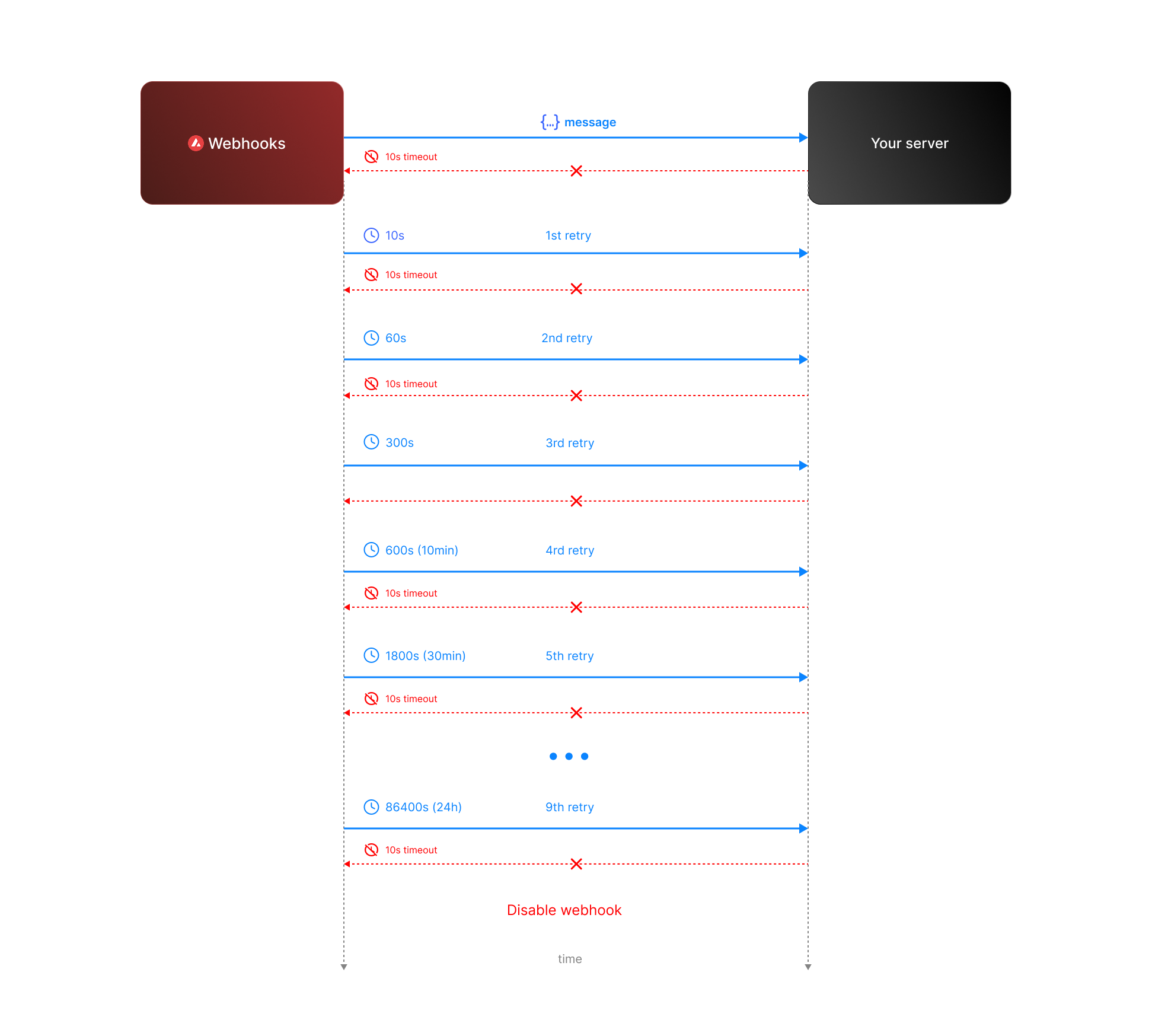 * **Attempt 1:** We send the message expecting a respose with `200` status code. If we do not receive a `200` status code within **10 seconds**, the attempt is considered failed. During this window, any non-`2xx` responses are ignored.
* **Attempt 2:** Occurs **10 seconds** after the first attempt, with another 10-second timeout and the same rule for ignoring non-`2xx` responses.
* **Retry Queue After Two Failed Attempts**
If both initial attempts fail, the message enters a **retry queue** with progressively longer intervals between attempts. Each retry attempt still has a 10-second timeout, and non-`2xx` responses are ignored during this window.
The retry schedule is as follows:
| Attempt | Interval |
| ------- | -------- |
| 3 | 1 min |
| 4 | 5 min |
| 5 | 10 min |
| 6 | 30 min |
| 7 | 2 hours |
| 8 | 6 hours |
| 9 | 12 hours |
| 10 | 24 hours |
**Total Retry Duration:** Up to approximately 44.8 hours (2,688 minutes) if all retries are exhausted.
**Interval Timing:** Each retry interval starts 10 seconds after the previous attempt is deemed failed. For example, if attempt 2 fails at t=20 seconds, attempt 3 will start at t=80 seconds (20s + 1 minute interval + 10s).
* **Attempt 1:** We send the message expecting a respose with `200` status code. If we do not receive a `200` status code within **10 seconds**, the attempt is considered failed. During this window, any non-`2xx` responses are ignored.
* **Attempt 2:** Occurs **10 seconds** after the first attempt, with another 10-second timeout and the same rule for ignoring non-`2xx` responses.
* **Retry Queue After Two Failed Attempts**
If both initial attempts fail, the message enters a **retry queue** with progressively longer intervals between attempts. Each retry attempt still has a 10-second timeout, and non-`2xx` responses are ignored during this window.
The retry schedule is as follows:
| Attempt | Interval |
| ------- | -------- |
| 3 | 1 min |
| 4 | 5 min |
| 5 | 10 min |
| 6 | 30 min |
| 7 | 2 hours |
| 8 | 6 hours |
| 9 | 12 hours |
| 10 | 24 hours |
**Total Retry Duration:** Up to approximately 44.8 hours (2,688 minutes) if all retries are exhausted.
**Interval Timing:** Each retry interval starts 10 seconds after the previous attempt is deemed failed. For example, if attempt 2 fails at t=20 seconds, attempt 3 will start at t=80 seconds (20s + 1 minute interval + 10s).
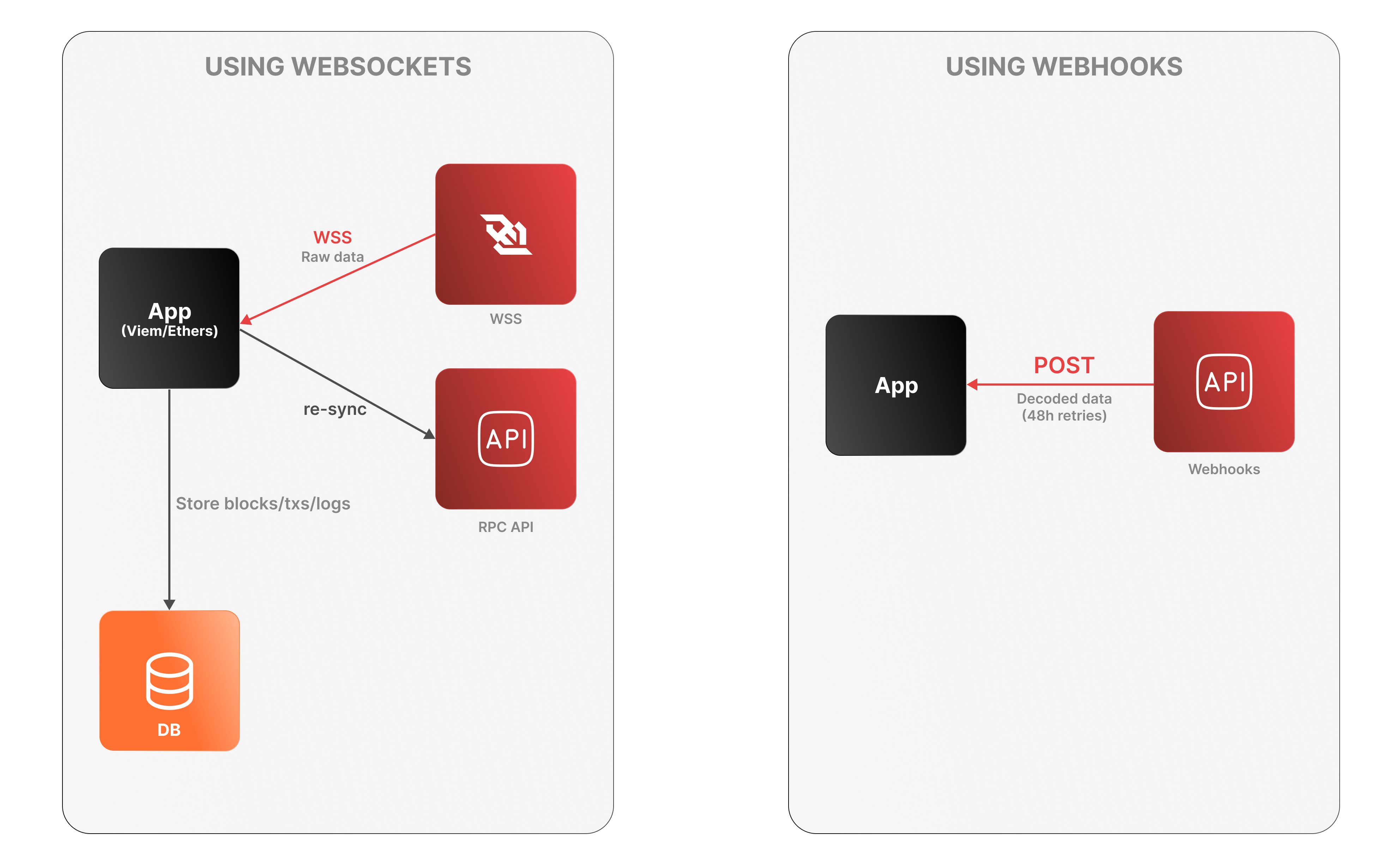 **WebSockets**
* The app connects to the Avalanche RPC API over WSS to receive raw log data.
* It must decode logs, manage connection state, and store data locally.
* On disconnection, it must re-sync via an external Data API or using standard `eth_*` RPC calls (e.g., `eth_getLogs`, `eth_getBlockByNumber`).
**WebSockets**
* The app connects to the Avalanche RPC API over WSS to receive raw log data.
* It must decode logs, manage connection state, and store data locally.
* On disconnection, it must re-sync via an external Data API or using standard `eth_*` RPC calls (e.g., `eth_getLogs`, `eth_getBlockByNumber`).
 Developers generally have two options to fetch this data:
1. **Using RPC methods to index blockchain data on their own**
2. **Leveraging an indexer provider like the Data API**
While both methods aim to achieve the same goal, the Data API offers a more efficient, scalable, and developer-friendly solution. This article delves into why using the Data API is better than relying on traditional RPC (Remote Procedure Call) methods.
### What Are RPC methods and their challenges?
Remote Procedure Call (RPC) methods allow developers to interact directly with blockchain nodes. One of their key advantages is that they are standardized and universally understood by blockchain developers across different platforms. With RPC, you can perform tasks such as querying data, submitting transactions, and interacting with smart contracts. These methods are typically low-level and synchronous, meaning they require a deep understanding of the blockchain’s architecture and specific command structures.
You can refer to the [official documentation](https://ethereum.org/en/developers/docs/apis/json-rpc/) to gain a more comprehensive understanding of the JSON-RPC API.
Here’s an example using the `eth_getBalance` method to retrieve the native balance of a wallet:
```bash
curl --location 'https://api.avax.network/ext/bc/C/rpc' \
--header 'Content-Type: application/json' \
--data '{"method":"eth_getBalance","params":["0x8ae323046633A07FB162043f28Cea39FFc23B50A", "latest"],"id":1,"jsonrpc":"2.0"}'
```
This call returns the following response:
```json
{
"jsonrpc": "2.0",
"id": 1,
"result": "0x284476254bc5d594"
}
```
The balance in this wallet is 2.9016 AVAX. However, despite the wallet holding multiple tokens such as USDC, the `eth_getBalance` method only returns the AVAX amount and it does so in Wei and in hexadecimal format. This is not particularly human-readable, adding to the challenge for developers who need to manually convert the balance to a more understandable format.
#### No direct RPC methods to retrieve token balances
Despite their utility, RPC methods come with significant limitations when it comes to retrieving detailed token and transaction data. Currently, RPC methods do not provide direct solutions for the following:
* **Listing all tokens held by a wallet**: There is no RPC method that provides a complete list of ERC-20 tokens owned by a wallet.
* **Retrieving all transactions for a wallet**: : There is no direct method for fetching all transactions associated with a wallet.
* **Getting ERC-20/721/1155 token balances**: The `eth_getBalance` method only returns the balance of the wallet’s native token (such as AVAX on Avalanche) and cannot be used to retrieve ERC-20/721/1155 token balances.
To achieve these tasks using RPC methods alone, you would need to:
* **Query every block for transaction logs**: Scan the entire blockchain, which is resource-intensive and impractical.
* **Parse transaction logs**: Identify and extract ERC-20 token transfer events from each transaction.
* **Aggregate data**: Collect and process this data to compute balances and transaction histories.
#### Manual blockchain indexing is difficult and costly
Using RPC methods to fetch token balances involves an arduous process:
1. You must connect to a node and subscribe to new block events.
2. For each block, parse every transaction to identify ERC-20 token transfers involving the user's address.
3. Extract contract addresses and other relevant data from the parsed transactions.
4. Compute balances by processing transfer events.
5. Store the processed data in a database for quick retrieval and aggregation.
#### Why this is difficult:
* **Resource-Intensive**: Requires significant computational power and storage to process and store blockchain data.
* **Time-consuming**: Processing millions of blocks and transactions can take an enormous amount of time.
* **Complexity**: Handling edge cases like contract upgrades, proxy contracts, and non-standard implementations adds layers of complexity.
* **Maintenance**: Keeping the indexed data up-to-date necessitates continuous synchronization with new blocks being added to the blockchain.
* **High Costs**: Associated with servers, databases, and network bandwidth.
### The Data API Advantage
The Data API provides a streamlined, efficient, and scalable solution for fetching token balances. Here's why it's the best choice:
With a single API call, you can retrieve all ERC-20 token balances for a user's address:
```javascript
avalancheSDK.data.evm.balances.listErc20Balances({
address: "0xYourAddress",
});
```
Sample Response:
```json
{
"erc20TokenBalances": [
{
"ercType": "ERC-20",
"chainId": "43114",
"address": "0xB97EF9Ef8734C71904D8002F8b6Bc66Dd9c48a6E",
"name": "USD Coin",
"symbol": "USDC",
"decimals": 6,
"price": {
"value": 1.0,
"currencyCode": "usd"
},
"balance": "15000000",
"balanceValue": {
"currencyCode": "usd",
"value": 9.6
},
"logoUri": "https://images.ctfassets.net/gcj8jwzm6086/e50058c1-2296-4e7e-91ea-83eb03db95ee/8db2a492ce64564c96de87c05a3756fd/43114-0xB97EF9Ef8734C71904D8002F8b6Bc66Dd9c48a6E.png"
}
// Additional tokens...
]
}
```
As you can see with a single call the API returns an array of token balances for all the wallet tokens, including:
* **Token metadata**: Contract address, name, symbol, decimals.
* **Balance information**: Token balance in both hexadecimal and decimal formats, Also retrieves balances of native assets like ETH or AVAX.
* **Price data**: Current value in USD or other supported currencies, saving you the effort of integrating another API.
* **Visual assets**: Token logo URI for better user interface integration.
If you’re building a wallet, DeFi app, or any application that requires displaying balances, transaction history, or smart contract interactions, relying solely on RPC methods can be challenging. Just as there’s no direct RPC method to retrieve token balances, there’s also no simple way to fetch all transactions associated with a wallet, especially for ERC-20, ERC-721, or ERC-1155 token transfers.
However, by using the Data API, you can retrieve all token transfers for a given wallet **with a single API call**, making the process much more efficient. This approach simplifies tracking and displaying wallet activity without the need to manually scan the entire blockchain.
Below are two examples that demonstrate the power of the Data API: in the first, it returns all ERC transfers, including ERC-20, ERC-721, and ERC-1155 tokens, and in the second, it shows all internal transactions, such as when one contract interacts with another.
Developers generally have two options to fetch this data:
1. **Using RPC methods to index blockchain data on their own**
2. **Leveraging an indexer provider like the Data API**
While both methods aim to achieve the same goal, the Data API offers a more efficient, scalable, and developer-friendly solution. This article delves into why using the Data API is better than relying on traditional RPC (Remote Procedure Call) methods.
### What Are RPC methods and their challenges?
Remote Procedure Call (RPC) methods allow developers to interact directly with blockchain nodes. One of their key advantages is that they are standardized and universally understood by blockchain developers across different platforms. With RPC, you can perform tasks such as querying data, submitting transactions, and interacting with smart contracts. These methods are typically low-level and synchronous, meaning they require a deep understanding of the blockchain’s architecture and specific command structures.
You can refer to the [official documentation](https://ethereum.org/en/developers/docs/apis/json-rpc/) to gain a more comprehensive understanding of the JSON-RPC API.
Here’s an example using the `eth_getBalance` method to retrieve the native balance of a wallet:
```bash
curl --location 'https://api.avax.network/ext/bc/C/rpc' \
--header 'Content-Type: application/json' \
--data '{"method":"eth_getBalance","params":["0x8ae323046633A07FB162043f28Cea39FFc23B50A", "latest"],"id":1,"jsonrpc":"2.0"}'
```
This call returns the following response:
```json
{
"jsonrpc": "2.0",
"id": 1,
"result": "0x284476254bc5d594"
}
```
The balance in this wallet is 2.9016 AVAX. However, despite the wallet holding multiple tokens such as USDC, the `eth_getBalance` method only returns the AVAX amount and it does so in Wei and in hexadecimal format. This is not particularly human-readable, adding to the challenge for developers who need to manually convert the balance to a more understandable format.
#### No direct RPC methods to retrieve token balances
Despite their utility, RPC methods come with significant limitations when it comes to retrieving detailed token and transaction data. Currently, RPC methods do not provide direct solutions for the following:
* **Listing all tokens held by a wallet**: There is no RPC method that provides a complete list of ERC-20 tokens owned by a wallet.
* **Retrieving all transactions for a wallet**: : There is no direct method for fetching all transactions associated with a wallet.
* **Getting ERC-20/721/1155 token balances**: The `eth_getBalance` method only returns the balance of the wallet’s native token (such as AVAX on Avalanche) and cannot be used to retrieve ERC-20/721/1155 token balances.
To achieve these tasks using RPC methods alone, you would need to:
* **Query every block for transaction logs**: Scan the entire blockchain, which is resource-intensive and impractical.
* **Parse transaction logs**: Identify and extract ERC-20 token transfer events from each transaction.
* **Aggregate data**: Collect and process this data to compute balances and transaction histories.
#### Manual blockchain indexing is difficult and costly
Using RPC methods to fetch token balances involves an arduous process:
1. You must connect to a node and subscribe to new block events.
2. For each block, parse every transaction to identify ERC-20 token transfers involving the user's address.
3. Extract contract addresses and other relevant data from the parsed transactions.
4. Compute balances by processing transfer events.
5. Store the processed data in a database for quick retrieval and aggregation.
#### Why this is difficult:
* **Resource-Intensive**: Requires significant computational power and storage to process and store blockchain data.
* **Time-consuming**: Processing millions of blocks and transactions can take an enormous amount of time.
* **Complexity**: Handling edge cases like contract upgrades, proxy contracts, and non-standard implementations adds layers of complexity.
* **Maintenance**: Keeping the indexed data up-to-date necessitates continuous synchronization with new blocks being added to the blockchain.
* **High Costs**: Associated with servers, databases, and network bandwidth.
### The Data API Advantage
The Data API provides a streamlined, efficient, and scalable solution for fetching token balances. Here's why it's the best choice:
With a single API call, you can retrieve all ERC-20 token balances for a user's address:
```javascript
avalancheSDK.data.evm.balances.listErc20Balances({
address: "0xYourAddress",
});
```
Sample Response:
```json
{
"erc20TokenBalances": [
{
"ercType": "ERC-20",
"chainId": "43114",
"address": "0xB97EF9Ef8734C71904D8002F8b6Bc66Dd9c48a6E",
"name": "USD Coin",
"symbol": "USDC",
"decimals": 6,
"price": {
"value": 1.0,
"currencyCode": "usd"
},
"balance": "15000000",
"balanceValue": {
"currencyCode": "usd",
"value": 9.6
},
"logoUri": "https://images.ctfassets.net/gcj8jwzm6086/e50058c1-2296-4e7e-91ea-83eb03db95ee/8db2a492ce64564c96de87c05a3756fd/43114-0xB97EF9Ef8734C71904D8002F8b6Bc66Dd9c48a6E.png"
}
// Additional tokens...
]
}
```
As you can see with a single call the API returns an array of token balances for all the wallet tokens, including:
* **Token metadata**: Contract address, name, symbol, decimals.
* **Balance information**: Token balance in both hexadecimal and decimal formats, Also retrieves balances of native assets like ETH or AVAX.
* **Price data**: Current value in USD or other supported currencies, saving you the effort of integrating another API.
* **Visual assets**: Token logo URI for better user interface integration.
If you’re building a wallet, DeFi app, or any application that requires displaying balances, transaction history, or smart contract interactions, relying solely on RPC methods can be challenging. Just as there’s no direct RPC method to retrieve token balances, there’s also no simple way to fetch all transactions associated with a wallet, especially for ERC-20, ERC-721, or ERC-1155 token transfers.
However, by using the Data API, you can retrieve all token transfers for a given wallet **with a single API call**, making the process much more efficient. This approach simplifies tracking and displaying wallet activity without the need to manually scan the entire blockchain.
Below are two examples that demonstrate the power of the Data API: in the first, it returns all ERC transfers, including ERC-20, ERC-721, and ERC-1155 tokens, and in the second, it shows all internal transactions, such as when one contract interacts with another.
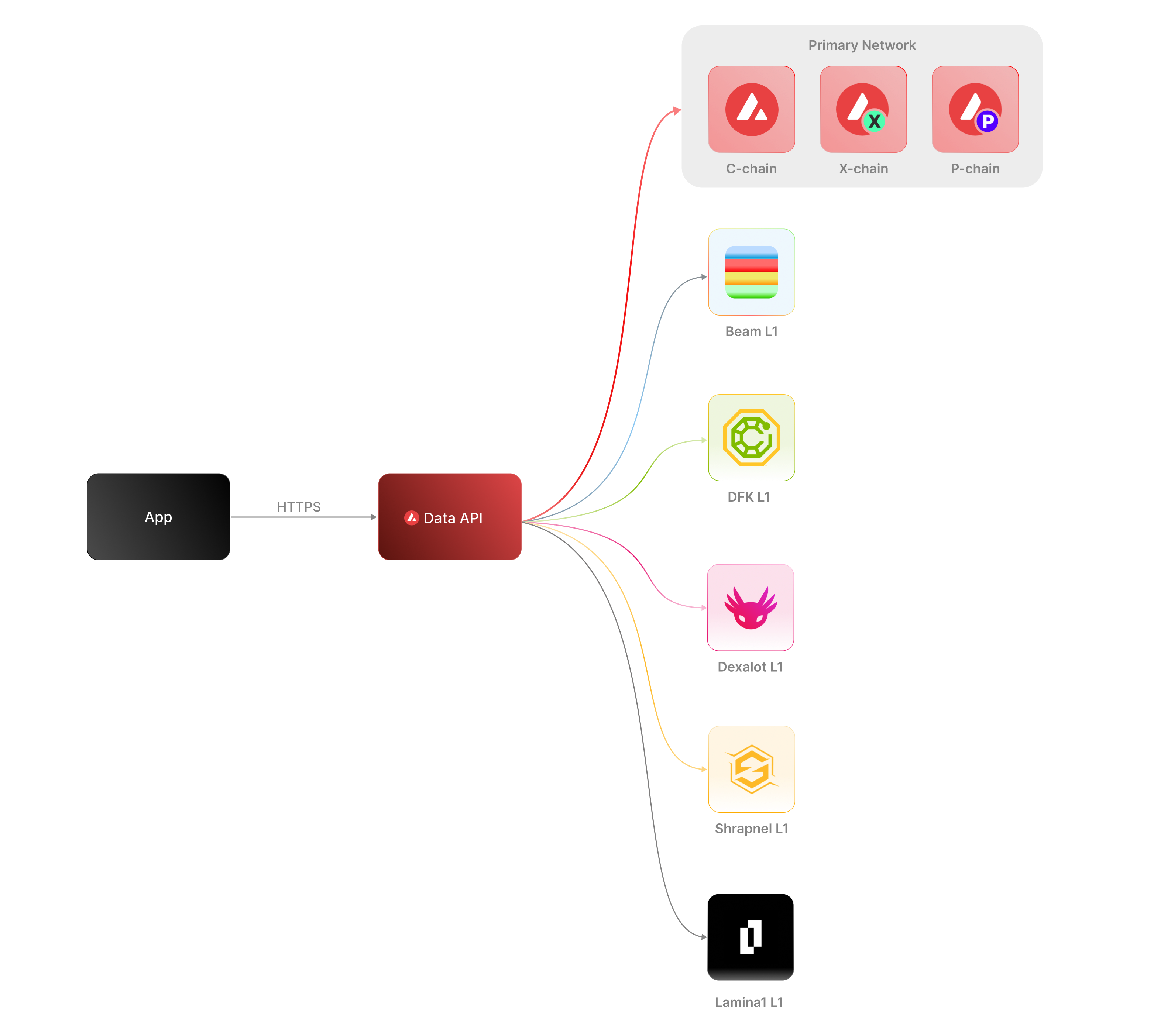 The [Data API](/docs/api-reference/data-api), along with the [Metrics API](/docs/api-reference/metrics-api), are the engines behind the [Avalanche Explorer](https://subnets.avax.network/stats/) and the [Core wallet](https://core.app/en/). They are used to display transactions, logs, balances, NFTs, and more. The data and visualizations presented are all powered by these APIs, offering real-time and historical insights that are essential for building sophisticated, data-driven blockchain products.
### Features
* **Extensive L1 Support**: Gain access to data from over 100+ L1s across both mainnet and testnet. If an L1 is listed on the [Avalanche Explorer](https://subnets.avax.network/), you can query its data using the Data API.
* **Transactions and UTXOs**: easily retrieve details related to transactions, UTXOs, and token transfers from Avalanche EVMs, Ethereum, and Avalanche's Primary Network - the P-Chain, X-Chain and C-Chain.
* **Blocks**: retrieve latest blocks and block details
* **Balances**: fetch balances of native, ERC-20, ERC-721, and ERC-1155 tokens along with relevant metadata.
* **Tokens**: augment your user experience with asset details.
* **Staking**: get staking related data for active and historical validations.
### Supported Chains
Avalanche’s architecture supports a diverse ecosystem of interconnected L1 blockchains, each operating independently while retaining the ability to seamlessly communicate with other L1s within the network. Central to this architecture is the Primary Network—Avalanche’s foundational network layer, which all validators are required to validate prior to [ACP-77](/docs/acps/77-reinventing-subnets). The Primary Network runs three essential blockchains:
* The Contract Chain (C-Chain)
* The Platform Chain (P-Chain)
* The Exchange Chain (X-Chain)
However, with the implementation of [ACP-77](/docs/acps/77-reinventing-subnets), this requirement will change. Subnet Validators will be able to operate independently of the Primary Network, allowing for more flexible and affordable Subnet creation and management.
The **Data API** supports a wide range of L1 blockchains (**over 100**) across both **mainnet** and **testnet**, including popular ones like Beam, DFK, Lamina1, Dexalot, Shrapnel, and Pulsar. In fact, every L1 you see on the [Avalanche Explorer](https://explorer.avax.network/) can be queried through the Data API. This list is continually expanding as we keep adding more L1s. For a full list of supported chains, visit [List chains](/docs/api-reference/data-api/evm-chains/supportedChains).
#### The Contract Chain (C-Chain)
The C-Chain is an implementation of the Ethereum Virtual Machine (EVM). The primary network endpoints only provide information related to C-Chain atomic memory balances and import/export transactions. For additional data, please reference the [EVM APIs](/docs/rpcs/c-chain/rpc).
#### The Platform Chain (P-Chain)
The P-Chain is responsible for all validator and L1-level operations. The P-Chain supports the creation of new blockchains and L1s, the addition of validators to L1s, staking operations, and other platform-level operations.
#### The Exchange Chain (X-Chain)
The X-Chain is responsible for operations on digital smart assets known as Avalanche Native Tokens. A smart asset is a representation of a real-world resource (for example, equity, or a bond) with sets of rules that govern its behavior, like "can’t be traded until tomorrow." The X-Chain supports the creation and trade of Avalanche Native Tokens.
| Feature | Description |
| :--------------- | :--------------------------------------------------------------------------------------------------------------------------------------------------------------------------------------------------------------------------------------------------------------------------------------------------------------------------------------------------------------------------------------- |
| **Chains** | Utilize this endpoint to retrieve the Primary Network chains that an address has transaction history associated with. |
| **Blocks** | Blocks are the container for transactions executed on the Primary Network. Retrieve the latest blocks, a specific block by height or hash, or a list of blocks proposed by a specified NodeID on Primary Network chains. |
| **Vertices** | Prior to Avalanche Cortina (v1.10.0), the X-Chain functioned as a DAG with vertices rather than blocks. These endpoints allow developers to retrieve historical data related to that period of chain history. Retrieve the latest vertices, a specific vertex, or a list of vertices at a specific height from the X-Chain. |
| **Transactions** | Transactions are a user's primary form of interaction with a chain and provide details around their on-chain activity, including staking-related behavior. Retrieve a list of the latest transactions, a specific transaction, a list of active staking transactions for a specified address, or a list of transactions associated with a provided asset id from Primary Network chains. |
| **UTXOs** | UTXOs are fundamental elements that denote the funds a user has available. Get a list of UTXOs for provided addresses from the Primary Network chains. |
| **Balances** | User balances are an essential function of the blockchain. Retrieve balances related to the X and P-Chains, as well as atomic memory balances for the C-Chain. |
| **Rewards** | Staking is the process where users lock up their tokens to support a blockchain network and, in return, receive rewards. It is an essential part of proof-of-stake (PoS) consensus mechanisms used by many blockchain networks, including Avalanche. Using the Data API, you can easily access pending and historical rewards associated with a set of addresses. |
| **Assets** | Get asset details corresponding to the given asset id on the X-Chain. |
#### EVM
The C-Chain is an instance of the Coreth Virtual Machine, and many Avalanche L1s are instances of the *Subnet-EVM*, which is a Virtual Machine (VM) that defines the L1 Contract Chains. *Subnet-EVM* is a simplified version of *Coreth VM* (C-Chain).
| Feature | Description |
| :--------------- | :------------------------------------------------------------------------------------------------------------------------------------------------------------------------------------------------------------------------------------------------------------------------------------------------------------ |
| **Chains** | There are a number of chains supported by the Data API. These endpoints can be used to understand which chains are included/indexed as part of the API and retrieve information related to a specific chain. |
| **Blocks** | Blocks are the container for transactions executed within the EVM. Retrieve the latest blocks or a specific block by height or hash. |
| **Transactions** | Transactions are a user's primary form of interaction with a chain and provide details around their on-chain activity. These endpoints can be used to retrieve information related to specific transaction details, internal transactions, contract deployments, specific token standard transfers, and more! |
| **Balances** | User balances are an essential function of the blockchain. Easily retrieve native token, collectible, and fungible token balances related to an EVM chain with these endpoints. |
#### Operations
The Operations API allows users to easily access their on-chain history by creating transaction exports returned in a CSV format. This API supports EVMs as well as non-EVM Primary Network chains.
# Rate Limits (/docs/api-reference/data-api/rate-limits)
---
title: Rate Limits
description: Rate Limits for the Data API
icon: Clock
---
Rate limiting is managed through a weighted scoring system, known as Compute Units (CUs). Each API request consumes a specified number of CUs, determined by the complexity of the request. This system is designed to accommodate basic requests while efficiently handling more computationally intensive operations.
## Rate Limit Tiers
The maximum CUs (rate-limiting score) for a user depends on their subscription level and is delineated in the following table:
| Subscription Level | Per Minute Limit (CUs) | Per Day Limit (CUs) |
| :----------------- | :--------------------- | :------------------ |
| Unauthenticated | 6,000 | 1,200,000 |
| Free | 8,000 | 2,000,000 |
| Base | 10,000 | 3,750,000 |
| Growth | 14,000 | 11,200,000 |
| Pro | 20,000 | 25,000,000 |
To update your subscription level use the [AvaCloud Portal](https://app.avacloud.io/)
The [Data API](/docs/api-reference/data-api), along with the [Metrics API](/docs/api-reference/metrics-api), are the engines behind the [Avalanche Explorer](https://subnets.avax.network/stats/) and the [Core wallet](https://core.app/en/). They are used to display transactions, logs, balances, NFTs, and more. The data and visualizations presented are all powered by these APIs, offering real-time and historical insights that are essential for building sophisticated, data-driven blockchain products.
### Features
* **Extensive L1 Support**: Gain access to data from over 100+ L1s across both mainnet and testnet. If an L1 is listed on the [Avalanche Explorer](https://subnets.avax.network/), you can query its data using the Data API.
* **Transactions and UTXOs**: easily retrieve details related to transactions, UTXOs, and token transfers from Avalanche EVMs, Ethereum, and Avalanche's Primary Network - the P-Chain, X-Chain and C-Chain.
* **Blocks**: retrieve latest blocks and block details
* **Balances**: fetch balances of native, ERC-20, ERC-721, and ERC-1155 tokens along with relevant metadata.
* **Tokens**: augment your user experience with asset details.
* **Staking**: get staking related data for active and historical validations.
### Supported Chains
Avalanche’s architecture supports a diverse ecosystem of interconnected L1 blockchains, each operating independently while retaining the ability to seamlessly communicate with other L1s within the network. Central to this architecture is the Primary Network—Avalanche’s foundational network layer, which all validators are required to validate prior to [ACP-77](/docs/acps/77-reinventing-subnets). The Primary Network runs three essential blockchains:
* The Contract Chain (C-Chain)
* The Platform Chain (P-Chain)
* The Exchange Chain (X-Chain)
However, with the implementation of [ACP-77](/docs/acps/77-reinventing-subnets), this requirement will change. Subnet Validators will be able to operate independently of the Primary Network, allowing for more flexible and affordable Subnet creation and management.
The **Data API** supports a wide range of L1 blockchains (**over 100**) across both **mainnet** and **testnet**, including popular ones like Beam, DFK, Lamina1, Dexalot, Shrapnel, and Pulsar. In fact, every L1 you see on the [Avalanche Explorer](https://explorer.avax.network/) can be queried through the Data API. This list is continually expanding as we keep adding more L1s. For a full list of supported chains, visit [List chains](/docs/api-reference/data-api/evm-chains/supportedChains).
#### The Contract Chain (C-Chain)
The C-Chain is an implementation of the Ethereum Virtual Machine (EVM). The primary network endpoints only provide information related to C-Chain atomic memory balances and import/export transactions. For additional data, please reference the [EVM APIs](/docs/rpcs/c-chain/rpc).
#### The Platform Chain (P-Chain)
The P-Chain is responsible for all validator and L1-level operations. The P-Chain supports the creation of new blockchains and L1s, the addition of validators to L1s, staking operations, and other platform-level operations.
#### The Exchange Chain (X-Chain)
The X-Chain is responsible for operations on digital smart assets known as Avalanche Native Tokens. A smart asset is a representation of a real-world resource (for example, equity, or a bond) with sets of rules that govern its behavior, like "can’t be traded until tomorrow." The X-Chain supports the creation and trade of Avalanche Native Tokens.
| Feature | Description |
| :--------------- | :--------------------------------------------------------------------------------------------------------------------------------------------------------------------------------------------------------------------------------------------------------------------------------------------------------------------------------------------------------------------------------------- |
| **Chains** | Utilize this endpoint to retrieve the Primary Network chains that an address has transaction history associated with. |
| **Blocks** | Blocks are the container for transactions executed on the Primary Network. Retrieve the latest blocks, a specific block by height or hash, or a list of blocks proposed by a specified NodeID on Primary Network chains. |
| **Vertices** | Prior to Avalanche Cortina (v1.10.0), the X-Chain functioned as a DAG with vertices rather than blocks. These endpoints allow developers to retrieve historical data related to that period of chain history. Retrieve the latest vertices, a specific vertex, or a list of vertices at a specific height from the X-Chain. |
| **Transactions** | Transactions are a user's primary form of interaction with a chain and provide details around their on-chain activity, including staking-related behavior. Retrieve a list of the latest transactions, a specific transaction, a list of active staking transactions for a specified address, or a list of transactions associated with a provided asset id from Primary Network chains. |
| **UTXOs** | UTXOs are fundamental elements that denote the funds a user has available. Get a list of UTXOs for provided addresses from the Primary Network chains. |
| **Balances** | User balances are an essential function of the blockchain. Retrieve balances related to the X and P-Chains, as well as atomic memory balances for the C-Chain. |
| **Rewards** | Staking is the process where users lock up their tokens to support a blockchain network and, in return, receive rewards. It is an essential part of proof-of-stake (PoS) consensus mechanisms used by many blockchain networks, including Avalanche. Using the Data API, you can easily access pending and historical rewards associated with a set of addresses. |
| **Assets** | Get asset details corresponding to the given asset id on the X-Chain. |
#### EVM
The C-Chain is an instance of the Coreth Virtual Machine, and many Avalanche L1s are instances of the *Subnet-EVM*, which is a Virtual Machine (VM) that defines the L1 Contract Chains. *Subnet-EVM* is a simplified version of *Coreth VM* (C-Chain).
| Feature | Description |
| :--------------- | :------------------------------------------------------------------------------------------------------------------------------------------------------------------------------------------------------------------------------------------------------------------------------------------------------------ |
| **Chains** | There are a number of chains supported by the Data API. These endpoints can be used to understand which chains are included/indexed as part of the API and retrieve information related to a specific chain. |
| **Blocks** | Blocks are the container for transactions executed within the EVM. Retrieve the latest blocks or a specific block by height or hash. |
| **Transactions** | Transactions are a user's primary form of interaction with a chain and provide details around their on-chain activity. These endpoints can be used to retrieve information related to specific transaction details, internal transactions, contract deployments, specific token standard transfers, and more! |
| **Balances** | User balances are an essential function of the blockchain. Easily retrieve native token, collectible, and fungible token balances related to an EVM chain with these endpoints. |
#### Operations
The Operations API allows users to easily access their on-chain history by creating transaction exports returned in a CSV format. This API supports EVMs as well as non-EVM Primary Network chains.
# Rate Limits (/docs/api-reference/data-api/rate-limits)
---
title: Rate Limits
description: Rate Limits for the Data API
icon: Clock
---
Rate limiting is managed through a weighted scoring system, known as Compute Units (CUs). Each API request consumes a specified number of CUs, determined by the complexity of the request. This system is designed to accommodate basic requests while efficiently handling more computationally intensive operations.
## Rate Limit Tiers
The maximum CUs (rate-limiting score) for a user depends on their subscription level and is delineated in the following table:
| Subscription Level | Per Minute Limit (CUs) | Per Day Limit (CUs) |
| :----------------- | :--------------------- | :------------------ |
| Unauthenticated | 6,000 | 1,200,000 |
| Free | 8,000 | 2,000,000 |
| Base | 10,000 | 3,750,000 |
| Growth | 14,000 | 11,200,000 |
| Pro | 20,000 | 25,000,000 |
To update your subscription level use the [AvaCloud Portal](https://app.avacloud.io/)
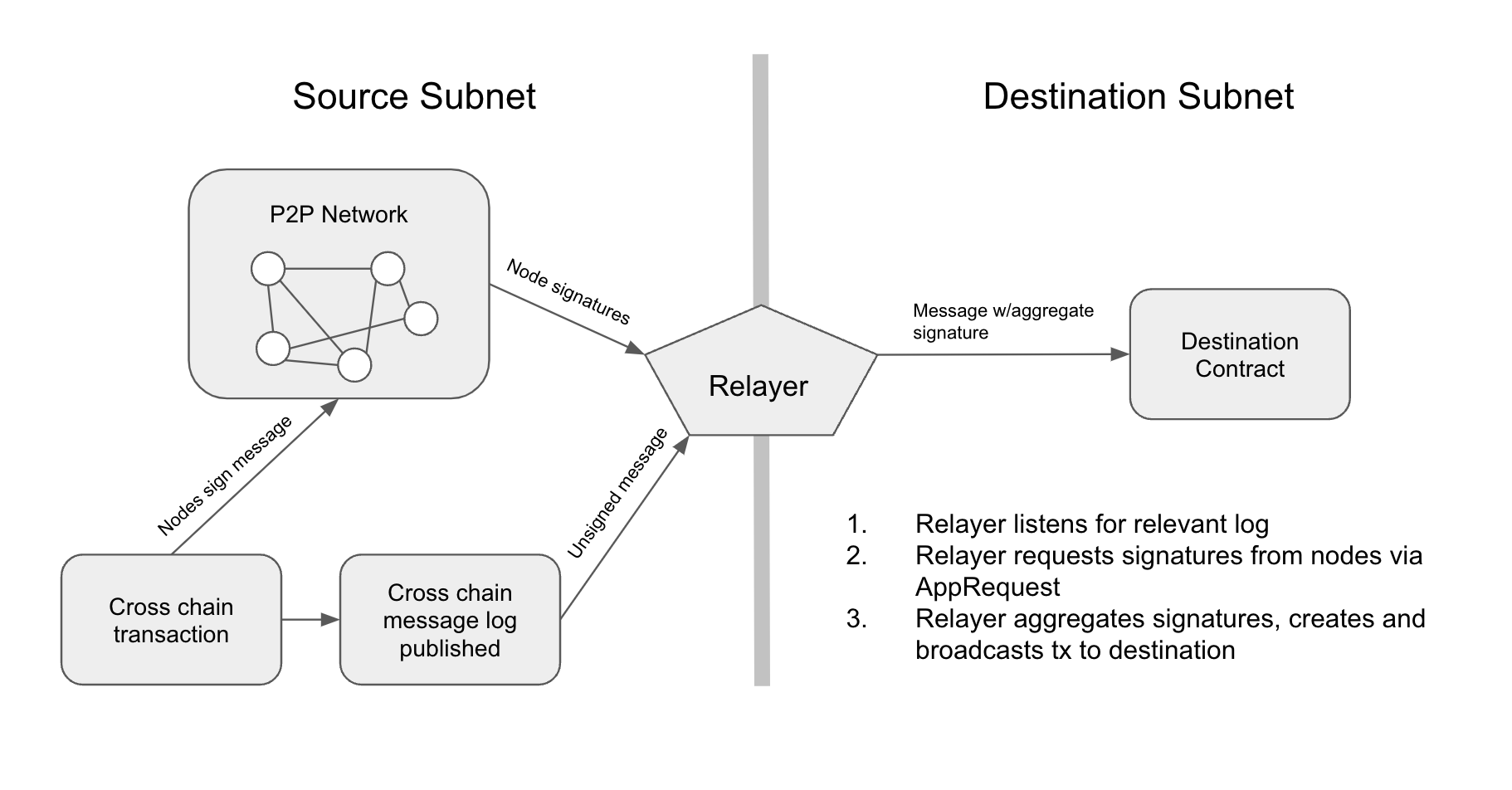 >
>
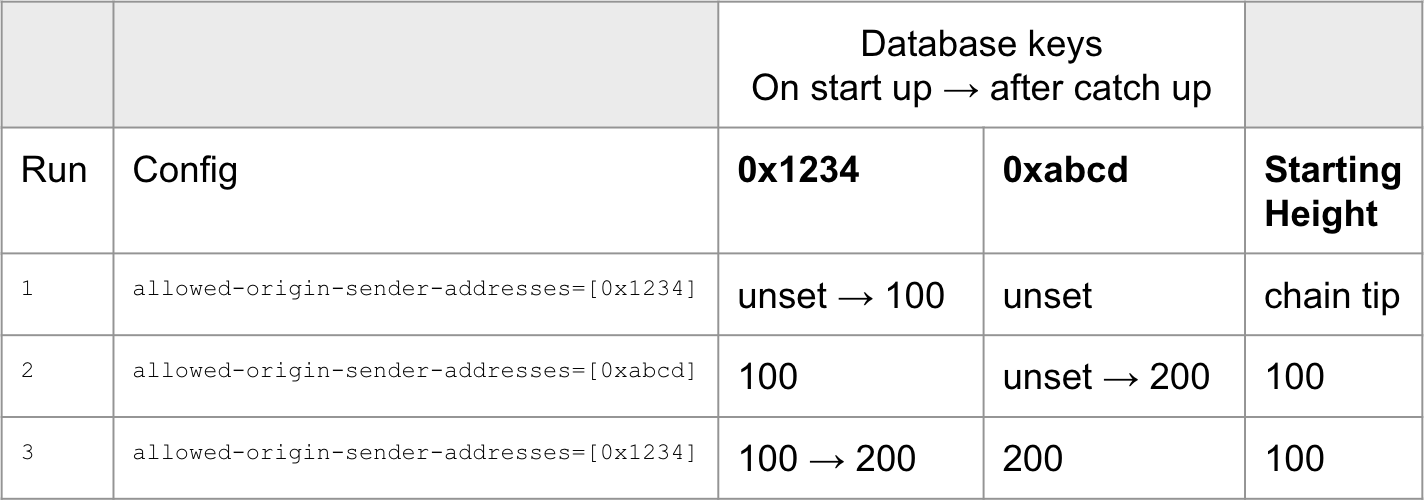 >
>
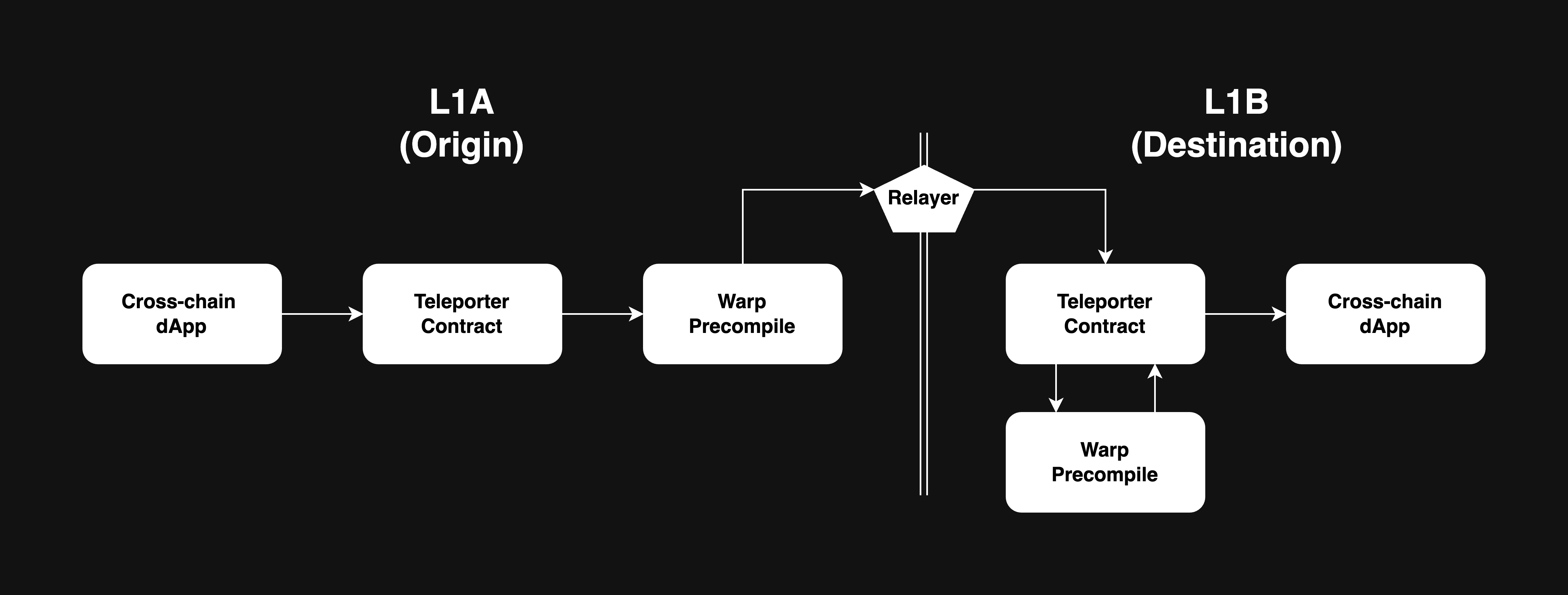 />
/>
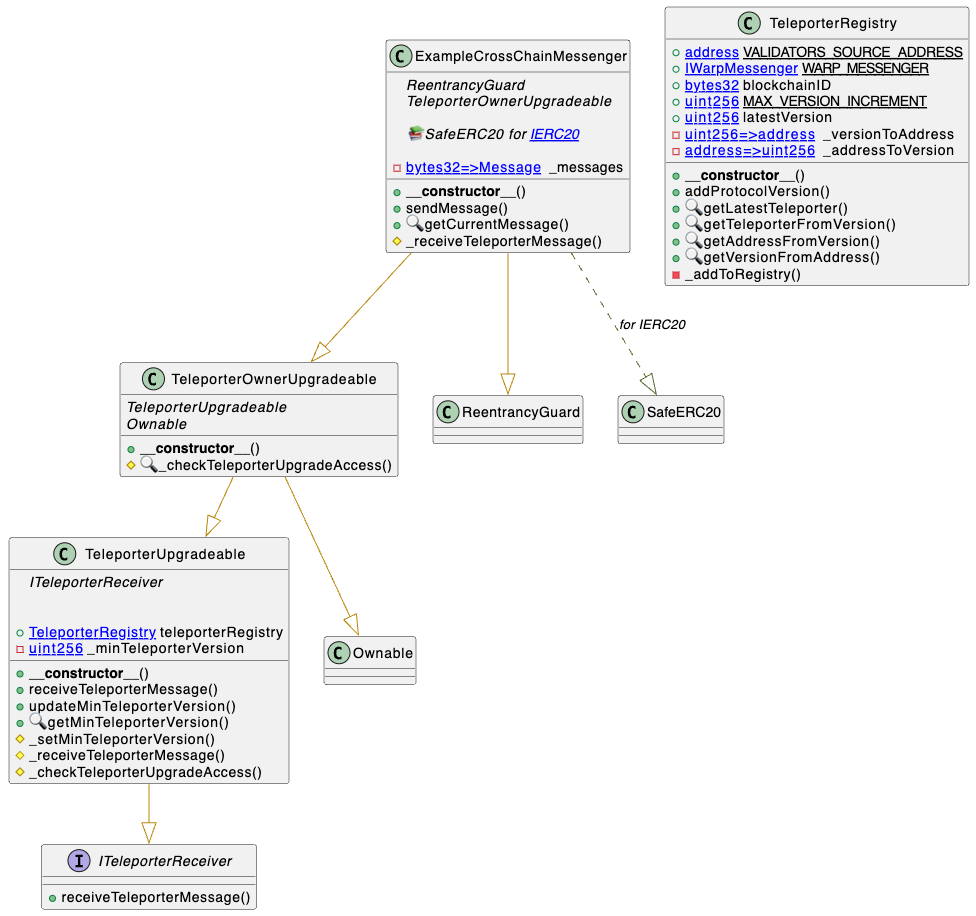 alt="Upgrade UML diagram"/>