Create Your L1
Create an L1 with Transaction and Contract Deployer Allowlist precompiles enabled using BuilderHub hosted nodes.
Exercise Overview
By the end of this exercise, you will be able to:
- Create an Avalanche L1 with a custom genesis configuration
- Enable Transaction AllowList and Contract Deployer AllowList at genesis
- Launch a BuilderHub hosted node and connect Core Wallet to your L1
- Convert Subnet to an L1
- Test both precompiles are working
Prerequisites
Before starting this exercise, ensure you have:
- BuilderHub account (create one if needed) to be able to launch a hosted node
- Core Wallet installed and set to the correct network mode
- A funded wallet (testnet AVAX) to create the Subnet + Chain transactions - get tokens from the Console Faucet
Instructions
Step 1: Create the Subnet and Chain
Use Builder Console to create the Subnet and then create your chain.
As you enable the precompiles under the PERMISSIONING tab the console tab will take you to the genesis.json so you can see your changes - the final result should look something like this but with your address:
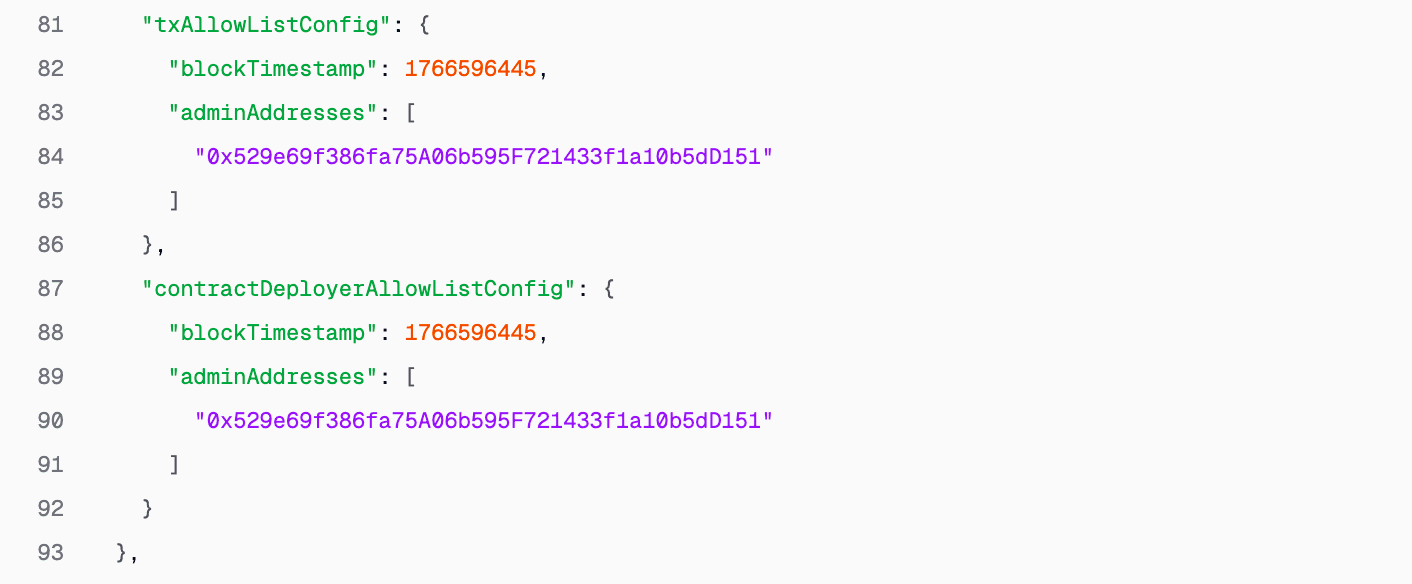
Your connected wallet will be automatically assigned the Admin role for both.
Checking requirements...
Step 2: Launch a BuilderHub Hosted Node
Start a managed node for your L1 (no Docker required for this step):
Checking requirements...
Wait until the node is healthy and your chain is producing blocks.
Step 3: Convert Subnet to L1
Convert your Subnet into a sovereign L1:
This conversion is irreversible. Double-check you're converting the correct Subnet.
Checking requirements...
Expected Output
You should have:
- A running L1 with a BuilderHub hosted node
- Core Wallet connected to your L1
- Both allowlist precompiles enabled from genesis
What's Next
In the next lessons, you'll:
- Test the allowlist precompiles using the Builder Console
- Intentionally remove yourself from the admin list to experience the restriction
- Learn how to recover using network upgrades (which will require setting up a Docker validator)
Note: Later in this course, you'll need to run your own Docker-hosted validator to perform network upgrades. BuilderHub hosted nodes don't allow direct config file access. We'll set that up when needed.
Is this guide helpful?